
Previous Step
 0xBEN
0xBEN
Quick Recap
In the previous module, we expanded upon our GitOps pipelines by introducing best practices with Terraform plan development, testing locally, and applying in the pipeline.
- Briefly covered the use-case for Terraform and why professionals use it
- Introduced the development strategy
- Local iterative refinement
- Start with a blank slate
- Build out the core directories and files
terraform init,terraform fmt,terraform validate,terraform plan- Check the output for any permissions or configuration issues
- Fix any issues and
terraform planagain - Monitor and repeat
terraform apply- Monitor the output on the console and in Proxmox VE
- Fix any issues,
terraform planandterraform applyagain - Monitor, repeat
terraform plan -destroyandterraform apply
- Prepare the
.gitignorefile - Prepare the
.gitlab-ci.ymlpipeline configuration git add,git commit,git push- Let the pipeline apply the final deployment
- Local iterative refinement
- Briefly talked about adding new Terraform deployments moving forward
Pipeline Diagram
Click here to view this diagram in a new tab
Ansible Overview
In the previous two modules — Terraform and Packer — we established that:
- IT teams use HashiCorp Packer to define system templates using code
- Then — as one example — teams use HashiCorp Terraform to:
- Create plans around those templates and how they should be configured in various environments
- CPU cores, Disk size, RAM, Cloud-Init, Networking, etc
- Create plans around those templates and how they should be configured in various environments
- Then, deploy those plans
- Terraform has many more use-cases than just cloning VMs. You can use Terraform to create a resource pool, SDN, firewall rules, and deploy multiple VMs to the resource pool and SDN, as another example.
What's the intent of the VM? This question will dictate the desired end-state and required configurations of the host.
That's where Ansible comes in. Ansible is an agentless configuration management tool.
- No agent is required to be installed on the host
- If Ansible can reach it over the network, then all that remains is:
- Authentication
- Deciding if privileged access is required on the box
- Cloud-Init was used to populate:
- The default user and public SSH key
- In our Terraform plan, recall the following:
  # Cloud-Init Configuration (Matches 'cloud_init = true' in Packer)
  # This injects the hostname, SSH keys, and static IP into the cloned VM
  initialization {
    datastore_id = var.target_disk_storage_pool
    ip_config {
      ipv4 {
        address = "dhcp"
      }
    }
    dns {
      domain  = var.cloud_init_domain
      servers = var.clout_init_dns_servers
    }
    user_account {
      username = var.ssh_username
      keys     = [var.ssh_public_key]
    }
  }
proxmox/deploy/linux/debian/debian-13-vm/debian-13-vm-main.tf
cloud_init_domain      = "lab.home.internal" # Set according to the new VM's VLAN
clout_init_dns_servers = ["10.0.32.1"]
proxmox/deploy/linux/debian/debian-13-vm/debian-13-vm.auto.tfvars

With all of this information in hand, we should be able to access the host using:
- Hostname:
{hostname}.lab.home.internal— or dynamic inventory IP - Username:
ansible— cloud-init default user, has sudoers access - SSH private key: Stored in Infisical
Development Strategy
The development strategy will be nearly identical to the way we did things in the past two modules — Terraform and Packer.
Remote Development Box
I will also be developing remotely as done in the previous module:
- Remote development box
- Connect using SSH
git clonetheinfrastructure/ansiblerepository- Open the directory
- Start a new Git branch for the work
Local Iterative Refinement
- Add the directory hierarchy
- Add files and source code
- Pull the docker image from GitLab Container Registry
- Start an ephemeral container and map the directory as a volume
- Run
infisical loginwith the previously defined machine ID - Run
infisical exportto load Ansible environment variables - Create a test target in Proxmox with a unique tag
- Set up the dynamic inventory
- Create the group variables for your VM with your unique tag
- Write the first iteration of your playbook targeting your test group
- Run
ansible-lint- Fix any errors
- Run
ansible-lintand repeat
- Run
- Fix any errors
- Run
ansible-playbook, correct any issues, and repeat
Development Environment
Remote Development Box
Like I did in the Terraform module — and the Packer module before it — I'll be using Visual Studio Code with a remote SSH connection to my developer box. Please refer back to the Packer module for guidance on setting up the initial connection.



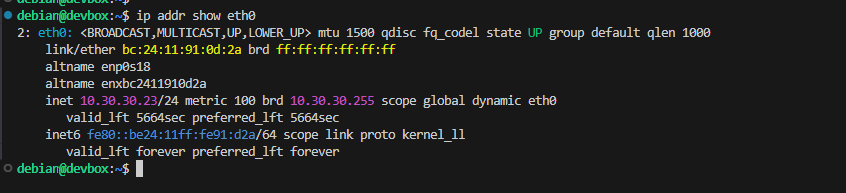
Cloning the Ansible Repository
In the Packer module, I also set up Git authentication using SSH keys. I'll refer you back to that module for setting that up, but you can also reference my notes here.
cd ~/Code/IaC_Projectgit clone git@gitlab-ce.lab.home.internal:infrastructure/ansible.git
cd ansibleChange directory into the repository

git checkout -b initial-development-workStart a new feature branch for the upcoming development
Repository Structure
ansible
|---- .gitignore
|---- .gitlab-ci.yml
'---- proxmox/
      |---- common/
      |     '---- shared_variables/          # Group variables that are repeated across multiple hosts
      |            '---- iac_group_vars.yml  # Will symbolically link to directories below
      |
      |---- inventory
      |     |---- dynamic.proxmox.yml        # File must end in "proxmox.yml" or "proxmox.yaml"
      |     '---- group_vars/
      |           |---- proxmox_pool_terraform_managed/
      |           '---- tag_ansible_test_target/
      |
      '---- playbooks/
            |---- debian-13-baseline/
            |     '---- debian-13-baseline.yml
            '---- testing/
                  '---- test-playbook.yml
Create the Core Structure
touch .gitignoretouch .gitlab-ci.ymlmkdir -p proxmox/common/shared_variables/mkdir -p proxmox/inventory/group_vars/{proxmox_pool_terraform_managed,tag_ansible_test_target}mkdir -p proxmox/playbooks/{debian-13-baseline,testing}touch proxmox/common/shared_variables/iac_group_vars.ymltouch proxmox/inventory/dynamic.proxmox.ymltouch proxmox/playbooks/debian-13-baseline/debian-13-baseline.ymltouch proxmox/playbooks/testing/test-playbook.ymlAnsible Concepts
Inventory Precedence
When executing ansible on the command line, inventory will be discovered using the following precedence:
- COMMAND LINE FLAG
-ior--inventoryflag pointing to an explicit inventory fileansible-playbook -i ./inventory/hosts.ini ./playbook/playbook.yml
- ENVIRONMENT VARIABLE
- If
-ior--inventoryare NOT passed on the command line- Check for a
$ANSIBLE_INVENTORYenvironment variable - export
ANSIBLE_INVENTORY="${PWD}/inventory/hosts.ini" ansible-playbook ./playbook/playbook.yml
- Check for a
- If
- CONFIGURATION FILES
- If 1 or 2 are not defined
- Checks for
$PWD/ansible.cfg— current working directorycd ./playbook/nano ansible.cfginventory = /path/to/inventory.iniunder[defaults]ansible-playbook ./playbook.yml- Finds
ansible.cfgin current directory referencesinventoryconfiguration
- Finds
"$HOME/.ansible.cfg"- If 1, 2, or 3.a are NOT found, check if a
.ansible.cfgfile exists in the user's home directory - Checks if a
inventory = /path/to/inventory.iniline exists
- If 1, 2, or 3.a are NOT found, check if a
/etc/ansbile/ansible.cfg- If 1, 2, 3.a, or 3.b are NOT found, read the default
/etc/ansible/ansible.cfg - Checks if a
inventory = /path/to/inventory.iniline exists
- If 1, 2, 3.a, or 3.b are NOT found, read the default
-
/etc/ansible/hosts- If 1, 2, 3.a, 3.b, or 3.c are NOT found, read this as the fallback
- Checks for
- If 1 or 2 are not defined
Merging Multiple Inventories
In the event you want to merge multiple inventories at runtime, you can use two methods:
Individual Files
- COMMAND LINE
-i /path/to/file1.yml -i /path/to/file2.yml
- ENVIRONMENT VARIABLE
export ANSIBLE_INVENTORY=/path/to/file1.yml,/path/to/file2.yml
- CONFIGURATION FILE
inventory = /path/to/file1.yml,/path/to/file2.yml
Directory of Files
Make the Directory
mkdir inventorycp file1.yml inventory/cp file2.yml inventory/Pointing to the Directory
- COMMAND LINE
-i inventory/ ./playbook/playbook.yml
- ENVIRONMENT VARIABLE
export ANSIBLE_INVENTORY=inventory/
- CONFIGURATION FILE
inventory=/path/to/inventory/
Group Variables
Group variables are an absolute necessity when working with hosts in Ansible. Groups are logical units by which you can organize your hosts. Some examples of groups include:
- Operating system
- Region
- Category — production, staging, dev, web server, workstation, etc
Using the operating system as a logical grouping makes a lot of sense, because Ansible uses different protocols for managing them:
- Linux: SSH
- Windows: WinRM (default), SSH on newer Windows hosts
Group Variables Example
Make the Inventory Directory and File
mkdir inventoryExample, no need to copy
cat << EOF > inventory/inventory.ini
# Aliases
dc1 192.168.10.5
dc2 192.168.10.6
workstation1 192.168.100.11
workstation2 192.168.100.12
web1 10.10.10.11
web2 10.10.10.12
mail1 10.10.10.15

# Windows Group
[windows]
dc1
dc2
workstation1
workstation2

# Linux Group
[linux]
web1
web2
mail1
EOF
Example, no need to copy
Make the Group Variable Folders
inventory.ini, there's windows and linux group. Therefore, the directory names should match -- e.g. group_vars/windows and group_vars/linux.mkdir -p inventory/group_vars/{windows,linux}Example, no need to copy
Example Group Variables
Windows
cat << EOF > inventory/group_vars/windows/windows.yml
---
ansible_user: domain_admin@mydomain.tld
ansible_password: $uper5tr0ng
ansible_connection: winrm
ansible_winrm_transport: ntlm
ansible_winrm_server_cert_validation: ignore

# Use the same user and pass when performing administrative tasks
ansible_become_user: "{{ ansible_user }}"
ansible_become_password: "{{ ansible_password }}"
ansible_become_method: runas
Example, no need to copy
Linux
cat << EOF > inventory/group_vars/linux/linux.yml
---
ansible_ssh_private_key_file: /root/ssh-priv-key.pem
EOF
Example, no need to copy
Group Variable Discovery
Consider this example ansible-playbook command example...
ansible-playbook -i inventory/inventory.ini "$HOME/playbooks/test/test.yml"Because you passed -i inventory/inventory.ini on the command line, Ansible is going to inspect for variables with precedence.
- First... check for
.inventory/host_vars/{hostname}to check for host-specific variables - Then... inspect
.inventory/inventory.inifor host-specific variables - Then... check for
-
./inventory/group_vars/windows/ ./inventory/group_vars/linux/.inventory/group_vars/all— group-agnostic variables for all hosts
-
- Then... check
./inventory/inventory.inifor[group:vars]definitions — child vars, then parent - Then... check
./inventory/inventory.inifor[all:vars]
Create a Test Target
Separating Dev and Prod
Proxmox VE Testing Resources
Similarly to how we did things in the Packer and Terraform modules, we will create a separate group, service account, and API token with permissions scoped to limited resources.
#!/bin/bash

REALM="pve"
GROUP="AnsibleTesting"
USERNAME="svc_devbox_ansible@${REALM}"
TOKEN_NAME="ansible-testing-token"
TF_TEST_POOL="terraform-testing"
TF_TEST_POOL_PATH="/pool/${TF_TEST_POOL}"

# Create the group
pveum group add $GROUP --comment "Group for any service accounts needing to test terrafrom plans"

# Create the service account
pveum user add $USERNAME --comment "Service account for devbox testing"

# Add the user to the group
pveum user modify $USERNAME --groups $GROUP

# AnsibleTesting needs to be able to list VMs in the Terraform Testing pool
pveum aclmod $TF_TEST_POOL_PATH --group $GROUP --role PVEAuditor

# Create an API token for the user
# No privilege separation, since inheriting off the group's permissions
pveum user token add $USERNAME $TOKEN_NAME --privsep 0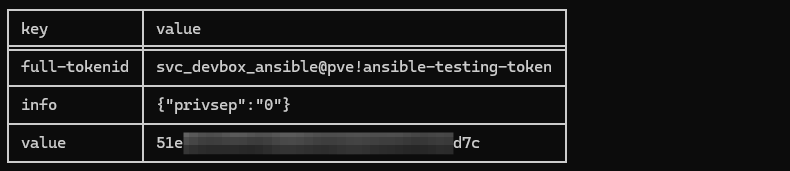
Save Secret in Infisical Dev

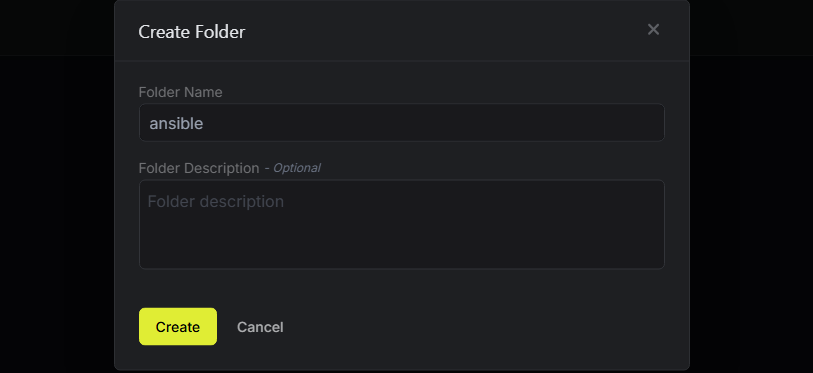

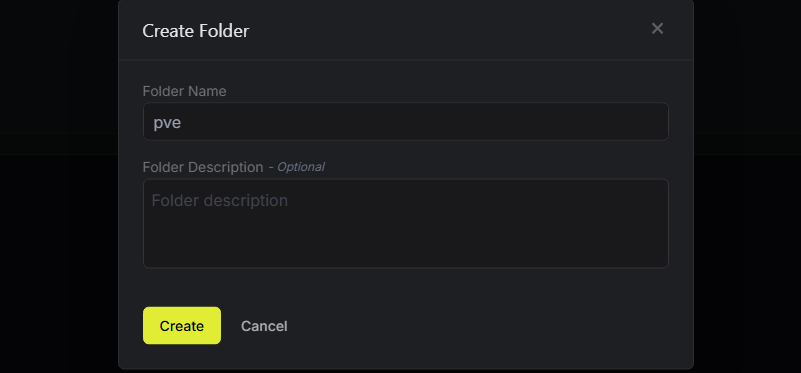
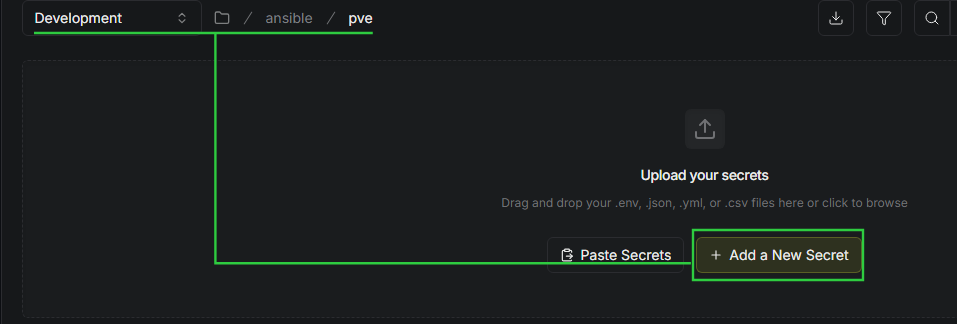
Secret 1
- Key:
PROXMOX_URL - Value:
https://proxmox.lab.home.internal:8006
Secret 2
- Key:
PROXMOX_USER - Value:
svc_devbox_ansible@pve
Secret 3
- Key:
PROXMOX_TOKEN_ID - Value:
ansible-testing-token
Secret 4
- Key:
PROXMOX_TOKEN_SECRET - Value:
51exxxxx-xxxx-xxxx-xxxx-xxxxxxxxxd7c
Secret 5
- Key:
ANSIBLE_HOST_KEY_CHECKING - Value:
False - Comment: Disable Ansible SSH host key checking, as we don't have PKI-signed host keys
/terraform/pve in the dev environment. So, we can keep things DRY by pulling the TERRAFORM_SSH_PRIVATE_KEY and TF_VAR_ssh_username secrets from dev.Test Clone of Packer Template


Make Directory to Store Test Code
mkdir ~/Code/IaC_Project/AnsibleTestingcd ~/Code/IaC_Project/AnsibleTestingClone Our Working Template
git clone git@gitlab-ce.lab.home.internal:infrastructure/terraform.gitcd terraformrm -rf .git/ ci-helpers/ .gitignore .gitlab-ci.yml README.mdRemove all of the Git artifacts, since we don't intend on committing any code changes
cd proxmox/deploy/linux/debian/cp -r debian-13-vm/ debian-13-testMake a copy of the Debian 13 plan we created in the previous module
Modify the Test VM Code
cd ~/Code/IaC_Project/AnsibleTesting/terraform/proxmox/deploy/linux/debian/debian-13-testrm backend.tfSince this is local testing, we'll not be using GitLab HTTP backend
nano debian-13-vm.auto.tfvarsvm_name = "debian-13-test-ansible"
vm_description = "Debian 13 VM for testing Ansible playbook"
vm_tags = ["ansible-test-target"]
resource_pool = "terraform-testing"CTRL + X then Y and Enter to save the changesRun the Terraform Container
docker pull of the terraform container in the previous module, so we can use what's already cached.cd ~/Code/IaC_Project/AnsibleTesting/terraform/proxmoxdocker run --rm -it \
-u "$(id --user):$(id --group)" \
-e "HOME=/tmp" \
-v "$PWD":/workspace \
-v /etc/passwd:/etc/passwd:ro \
-v /etc/group:/etc/group:ro \
-w /workspace \
gitlab-ce.lab.home.internal:5050/infrastructure/runner-images/terraform:latest \
bash- Mount
/etc/passwdand/etc/groupfrom the host to the container to force the container to acknowledge our UID / GID- These files are already read-only on the host anyway
- We want to launch the container with our UID and GID using the to ensure that any files created from within the container do not cause ownership issues inside the repository.
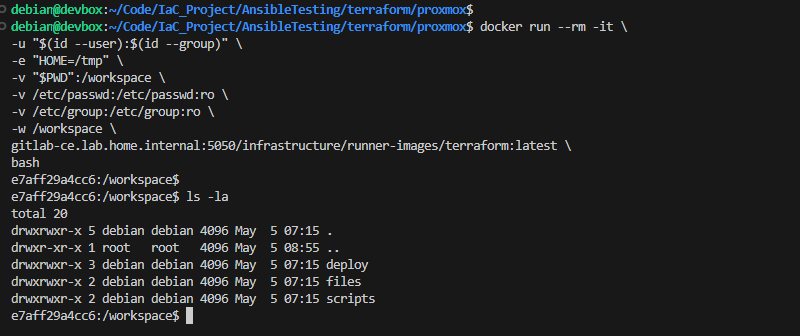
cd deploy/linux/debian/debian-13-test/Fetch Secrets From Infisical Dev
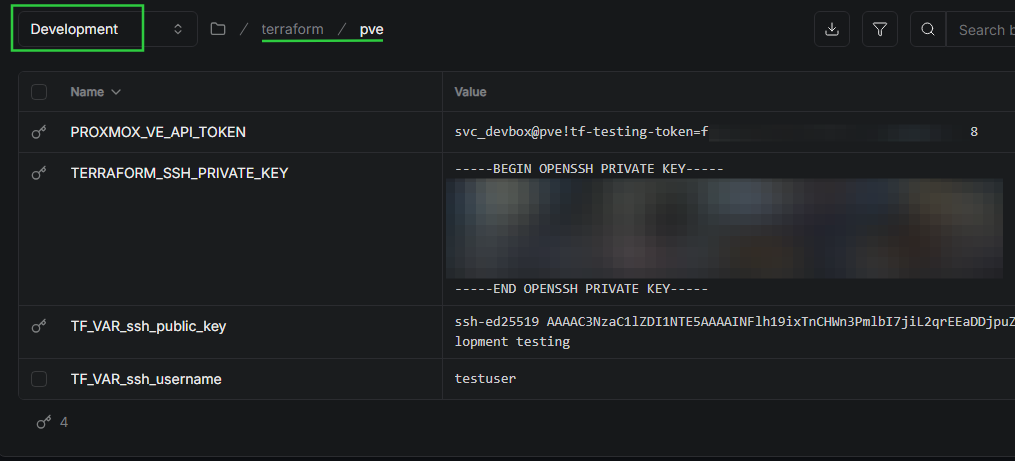
When we import the secrets from /terraform/pve in the Development environment, the following will occur:
TF_VAR_ssh_usernameandTF_VAR_ssh_public_keywill be added to the Cloud-Init drive configuration of our test VM in the Terraform planPROXMOX_VE_API_TOKENwill be used to build the VM in Proxmox VE- We can
echo -e $TERRAFORM_SSH_PRIVATE_KEYand pipe tossh-add -to allow SSH key authentication via thessh-agent
read -e -s -p 'Enter your machine ID (input hidden): ' machine_id
export MACHINE_ID="$machine_id"
read -e -s -p 'Enter your machine secret (input hidden): ' machine_secret
export MACHINE_SECRET="$machine_secret"
read -e -p 'Enter your Infisical project ID (input shown): ' infisical_project_id
export INFISICAL_PROJECT_ID="$infisical_project_id"
INFISICAL_ACCESS_TOKEN=$(infisical login \
--domain="https://secrets.lab.home.internal" \
--method="universal-auth" \
--client-id="${MACHINE_ID}" \
--client-secret="${MACHINE_SECRET}" \
--silent \
--plain)Fetch an access token
/terraform/gitlab since we're not using the GitLab HTTP backend.eval $(infisical export \
--domain="https://secrets.lab.home.internal" \
--token="${INFISICAL_ACCESS_TOKEN}" \
--projectId="${INFISICAL_PROJECT_ID}" \
--env=dev \
--path="/terraform/pve" \
--format=dotenv-export \
--silent)
Deploy the Test VM
terraform initterraform fmt .terraform validate .terraform plan -out=test-vm.tfplanterraform apply "test-vm.tfplan"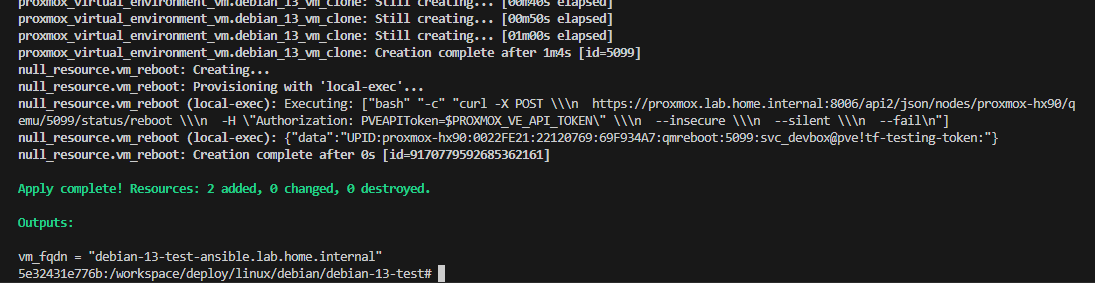
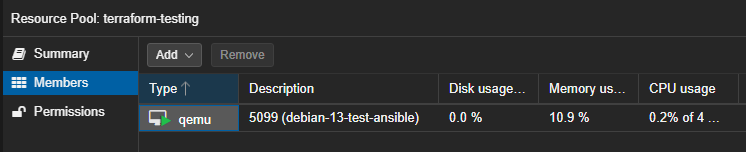
terraform container open, as we'll be coming back to it in a bit to terraform plan -destroy.Proxmox Dynamic Inventory
Overview
In the Ansible paradigm, it would be perfectly acceptable to have a static inventory.ini file. The only problem with that is:
- We may be deploying or destroying VMs / infrastructure
- We may move VMs to different VLANs or change the hostname
- We may introduce other changes to the environment that causes the hostname or IP address to change
It would highly unscalable to update the inventory.ini file every time a host comes online or goes offline. Instead, it would be much more scalable to use a dynamic inventory system that finds hosts specific conditions.
proxmox/inventory/
According to the
community.proxmox specifications, the file name must end with proxmox.yml or proxmox.yaml.Please read the comments in the source code to ensure you fully understand the configuration.
dynamic.proxmox.yml
dynamic.proxmox.yml (SHOW/HIDE)
---
plugin: community.proxmox.proxmox

# AUTHENTICATION
# ----------------------------------------------
# Using 'infisical export --format=dotenv-export'
# Brings in the following environment variables:
#   - $PROXMOX_TOKEN_ID
#   - $PROXMOX_TOKEN_SECRET
#   - $PROXMOX_URL
#   - $PROXMOX_USER
# These variables are automatically discovered by 'community.proxmox'
# ---------------------------------------------------------------

# ANSIBLE GENERAL
# ----------------------------------------------------
# Using ACME certs from internal PKI in my environment
# Ansible container has been configured to trust this CA
# -------------------------------------------------------
# Set to 'false' if you have the default PVE certs on your PVE nodes
validate_certs: true
# Gathers facts like tags, IPs, status, etc for hosts
want_facts: true


# DYNAMIC INVENTORY
# -----------------
# KEYED GROUPS
#   - This approach is truly the most dynamic
#   - Ansible will pull every VM / LXC you allow it to from PVE
#   - It will look at EVERY TAG and create groups for EVERY TAG
#   - Any tag with a hyphen will be sanitized for Jinja2 parsing
#   - Groups will be prefixed by "tag_"
#     - Tag: ansible-test      -> tag_ansible_test       <- group name
#     - Tag: debian            -> tag_debian             <- group name
#     - Tag: terraform-managed -> tag_terraform_managed  <- group name
#     - Tag: web_servers       -> tag_web_servers        <- group name
#     - etc...
# --------------------------------------------------------------------
keyed_groups:
  - key: proxmox_tags_parsed # group hosts by tag
    prefix: tag # keyword before the group name
    separator: "_" # character to add after the prefix


# TARGETING HOSTS
# ---------------
# It is recommended to add the 'compose:' block LATER
# First test WITHOUT the 'compose:' block by running:
#   - `ansible-inventory --list -i /path/to/dynamic.proxmox.yml`
# Inspect the JSON output and figure out how you want to target hosts
#   - FQDN?
#   - IP Address?
# The block below uses the FQDN, because of the DHCP Dynamic DNS in my environment
#   - Example: test-vm.lab.home.internal
# --------------------------------------------------------------------------------
compose:
  ansible_host: proxmox_name + '.' + proxmox_searchdomain
ansible-lint will throw errors.Shared Variables
common/shared_variables
iac_group_vars.yml
---
# Logging in with the username "ansible"
# This matches the cloud-init settings from the Terraform plan
ansible_user: "{{ lookup('ansible.builtin.env', 'SSH_USERNAME') }}"
# Set to true to allow the user to run commands with elevation
ansible_become: true
# Use the "sudo" method to elevate
ansible_become_method: sudo
# When running elevated commands, run as "root"
ansible_become_user: root
Again, new line at the end of the file is intentional
Setting up the Test Environment
Firewall Rules
- Allow DevBox to reach PVE API
- Source: DevBox
Source Port: any - Destination: Proxmox Node(s)
Destination Port: 8006
- Source: DevBox
- Allow DevBox to Pull from Container Registry
- Source: DevBox
Source Port: any - Destination: GitLab CE Server
Destination Port: 5050
- Source: DevBox
- Allow DevBox to SSH to Target VM
- Source: DevBox
Source Port: any - Destination: Target VM VLAN — easiest solution
Destination Port: 22
- Source: DevBox
Install Docker on DevBox (Debian)
 Docker Inc

sudo usermod -a -G docker $(whoami)Add yourself to the docker group, then logout and log back in
Pull the Ansible Image from GitLab
Docker Credential Helper


We followed along with this documentation in the Packer module, but linking here again
docker login gitlab-ce.lab.home.internal:5050When prompted, enter the GPG key passphrase to decrypt the credential
Pull the Ansible Image
docker pull gitlab-ce.lab.home.internal:5050/infrastructure/runner-images/ansible:latestTesting the Ansible Container
Now is an excellent opportunity to test out pulling ansible from our Container Registry and making sure the containerized environment can run Ansible playbooks without a hitch. It also has the infisical CLI installed, so we should be ready to go.
cd ~/Code/IaC_Project/ansible/proxmoxdocker run --rm -it \
-u "$(id --user):$(id --group)" \
-e "HOME=/tmp" \
-e "ANSIBLE_HOME=/tmp/.ansible" \
-e "XDG_CACHE_HOME=/tmp/.cache" \
-v "$PWD":/workspace \
-v /etc/passwd:/etc/passwd:ro \
-v /etc/group:/etc/group:ro \
-w /workspace/ \
gitlab-ce.lab.home.internal:5050/infrastructure/runner-images/ansible:latest \
bash- The
-eflags are to pass environment variables to suppressansible-lintwarnings - Mount
/etc/passwdand/etc/groupfrom the host to the container to force the container to acknowledge our UID / GID- These files are already read-only on the host anyway
- We want to launch the container with our UID and GID using the to ensure that any files created from within the container do not cause ownership issues inside the repository.
Infisical Access
In the Packer Module, we already took the following steps to facilitate Infisical access from DevBox:
- Created a custom
DevBox Rolerole inside theIaC Projectproject - Added a Machine Identity to
IaC Projectproject - Gave the
DevBox Rolerole to the machine identity - Created a Universal Auth token and saved it in a password vault
We just need to adjust the role slightly to allow DevBox to authenticate and pull dev and specifically /ansible/pve.
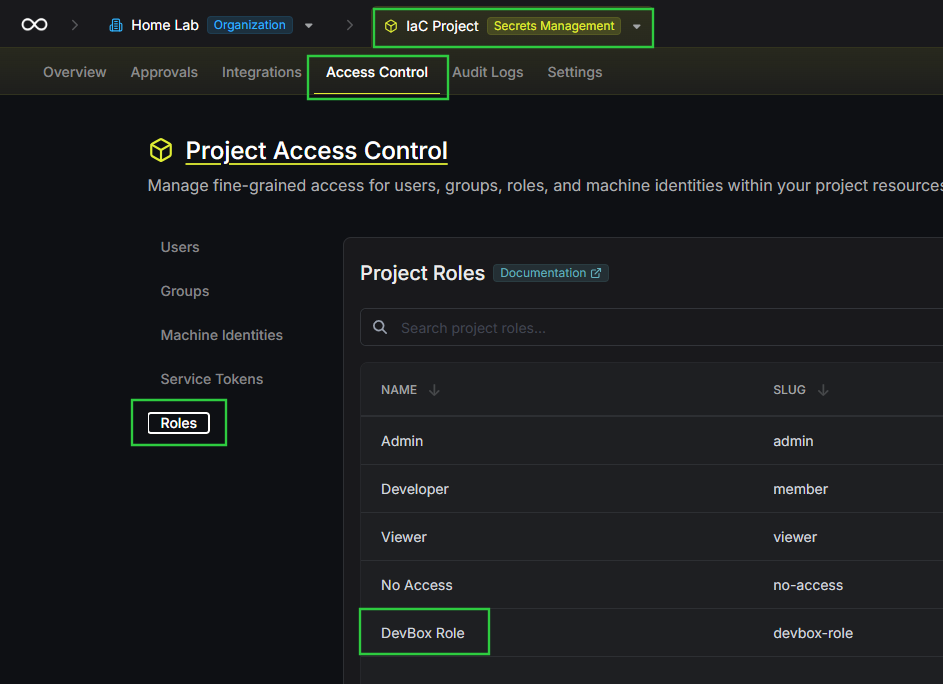

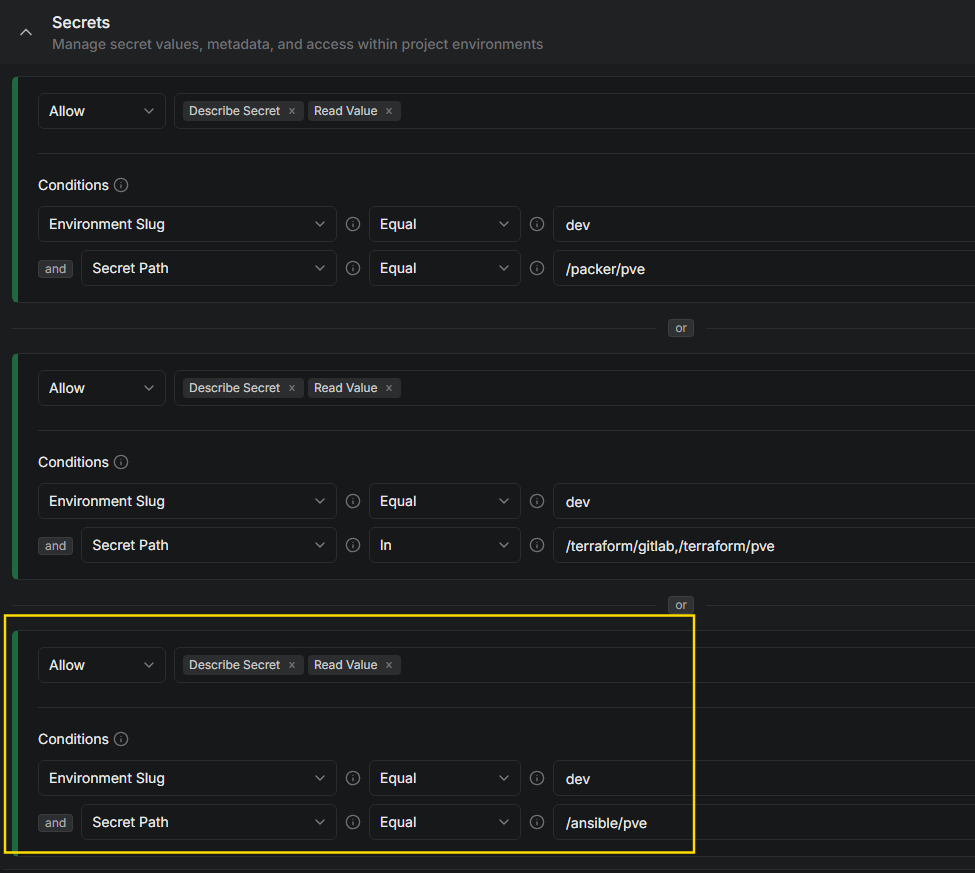
read -e -s -p 'Enter your machine ID (input hidden): ' machine_id
export MACHINE_ID="$machine_id"
read -e -s -p 'Enter your machine secret (input hidden): ' machine_secret
export MACHINE_SECRET="$machine_secret"
read -e -p 'Enter your Infisical project ID (input shown): ' infisical_project_id
export INFISICAL_PROJECT_ID="$infisical_project_id"
INFISICAL_ACCESS_TOKEN=$(infisical login \
--domain="https://secrets.lab.home.internal" \
--method="universal-auth" \
--client-id="${MACHINE_ID}" \
--client-secret="${MACHINE_SECRET}" \
--silent \
--plain)Fetch an access token
eval $(infisical export \
--domain="https://secrets.lab.home.internal" \
--token="${INFISICAL_ACCESS_TOKEN}" \
--projectId="${INFISICAL_PROJECT_ID}" \
--env=dev \
--path="/ansible/pve" \
--format=dotenv-export \
--silent)
Fetch "/ansible/pve" secrets from "dev"
export SSH_PRIVATE_KEY=$(infisical secrets get TERRAFORM_SSH_PRIVATE_KEY \
--domain="https://secrets.lab.home.internal" \
--token="${INFISICAL_ACCESS_TOKEN}" \
--projectId="${INFISICAL_PROJECT_ID}" \
--env=dev \
--path="/terraform/pve" \
--output=dotenv \
--silent | sed ':a; N; $! ba; s/\n/\\n/g' | cut -d '=' -f 2-)
"infisical secrets get" doesn't support dotenv-export, so we must escape newlines
export SSH_USERNAME=$(infisical secrets get TF_VAR_ssh_username \
--domain="https://secrets.lab.home.internal" \
--token="${INFISICAL_ACCESS_TOKEN}" \
--projectId="${INFISICAL_PROJECT_ID}" \
--env=dev \
--path="/terraform/pve" \
--output=dotenv \
--silent | cut -d '=' -f 2-)TERRAFORM_SSH_PRIVATE_KEY and TF_VAR_ssh_username from /terraform/pve in dev because this gives us access to the SSH private key and username used when creating the Terraform resource and keeps things DRY by only needing to update secrets in one place.
Testing the Dynamic Inventory
ansible-inventory --list --inventory inventory/dynamic.proxmox.yml \
  | jq '. as $inv | [keys[] | select(startswith("tag_"))] | map({(.): $inv[.].hosts}) | add'
This will use "jq" to output every "tag_" prefixed group and their members
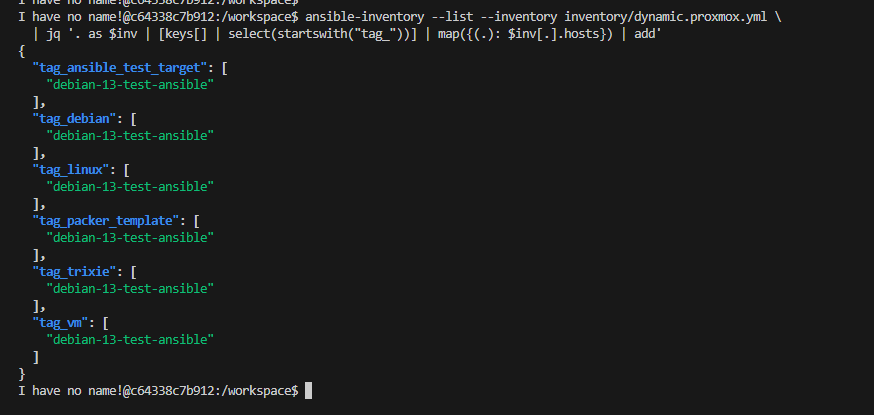
Target the Test VM
Group Variables Overview
Assuming you've read the comments in dynamic.proxmox.yml above, you should now understand that the community.proxmox.proxmox plugin will execute the following based on our configuration:
- Connect to Proxmox VE API using environment variables from Infisical
- Query all VMs / LXCs / Node configurations in the environment
- Proxmox VE will only return resources available to our token
- Dynamic inventory
keyed_groupswill organize them into groups based on tags- Prefix each group name with
tag_ - Replace bad charcters — i.e.
-becomes_ - So example,
tag: ansible-testbecomesansible_test - Example group name:
tag_ansible_test
- Prefix each group name with
- Then, dynamically
compose:hostnames by:- Referencing the VM name as
proxmox_name - Concatenate with
.+proxmox_searchdomainfrom cloud-init settings - Example:
- VM Name:
ansible-test-target - Cloud-Init Domain:
.lab.home.internal - FQDN:
ansible-test-target.lab.home.internal— all facilitated by DHCP dynamic DNS
- VM Name:
- Referencing the VM name as
inventory/group_vars/
tag_ansible_test_target/
variables.yml
tag_ansible_test_target directory under the group_vars directory must be an exact match based on what we discussed just above about the keyed_groups parsing and organization.cd /workspace/inventory/group_vars/tag_ansible_test_target/Must run the next command from this path
ln -s ../../../common/shared_variables/iac_group_vars.yml ./variables.ymlLink the common variables
playbooks/
testing/
test-playbook.yml
test-playbook.yml (SHOW.HIDE)
---
# Debian 13 VM baseline configuration
# Update, Upgrade, and Install Packages
- name: Apt Packages
  hosts: tag_ansible_test_target # Targets /pool/terraform-managed
  become: true
  vars:
    baseline_packages:
      - htop
      - unzip
      - ca-certificates
      - gnupg
      - lsb-release
      - apt-listchanges
      - unattended-upgrades
  tasks:
    - name: Run apt update
      ansible.builtin.apt:
        update_cache: true

    - name: Run apt dist-upgrade
      ansible.builtin.apt:
        upgrade: dist

    - name: Run apt install on baseline_packages
      ansible.builtin.apt:
        name: "{{ baseline_packages }}"
        state: present

    - name: Run apt auto-remove --purge
      ansible.builtin.apt:
        autoremove: true
        purge: true

# Install Internal PKI Bundle
- name: Install CA Bundles
  hosts: tag_ansible_test_target
  become: true
  vars:
    sub_ca_server: "https://sub-ca.pki.home.internal"
    sub_ca_cert_url: "{{ sub_ca_server }}/roots.pem"
  tasks:
    - name: Download internal intermediate CA certificate
      ansible.builtin.get_url:
        url: "{{ sub_ca_cert_url }}"
        dest: /usr/local/share/ca-certificates/internal-intermediate.crt
        mode: '0644'
        validate_certs: false # Server isn't trusted yet
      notify: Update CA certificates # Matches the handler name...
  handlers:
    - name: Update CA certificates # ...here
      ansible.builtin.command: update-ca-certificates
      changed_when: false

# Enable unattended-upgrades package
- name: Configure and Enable Unattended-upgrades
  hosts: tag_ansible_test_target
  become: true
  tasks:
    - name: Configure origins patterns and upgrade options
      ansible.builtin.copy:
        dest: /etc/apt/apt.conf.d/50unattended-upgrades
        mode: '0644'
        content: |
          Unattended-Upgrade::Origins-Pattern {
            "origin=Debian,codename=${distro_codename}-updates";
            "origin=Debian,codename=${distro_codename},label=Debian";
            "origin=Debian,codename=${distro_codename},label=Debian-Security";
            "origin=Debian,codename=${distro_codename}-security,label=Debian-Security";
          };
          Unattended-Upgrade::AutoFixInterruptedDpkg "true";
          Unattended-Upgrade::InstallOnShutdown "false";
          Unattended-Upgrade::Remove-Unused-Kernel-Packages "true";
          Unattended-Upgrade::Remove-New-Unused-Dependencies "true";
          Unattended-Upgrade::Remove-Unused-Dependencies "true";
          Unattended-Upgrade::Automatic-Reboot "true";
          Unattended-Upgrade::Automatic-Reboot-WithUsers "true";
          Unattended-Upgrade::Automatic-Reboot-Time "04:00";
          Unattended-Upgrade::OnlyOnACPower "false";
      notify: Restart and enable unattended-upgrades # Matches the handler name...

    - name: Set apt clean, update, install frequency
      ansible.builtin.copy:
        dest: /etc/apt/apt.conf.d/20auto-upgrades
        mode: '0644'
        content: |
          APT::Periodic::Update-Package-Lists "1";
          APT::Periodic::Download-Upgradeable-Packages "1";
          APT::Periodic::AutocleanInterval "7";
          APT::Periodic::Unattended-Upgrade "1";
      notify: Restart and enable unattended-upgrades # Matches the handler name...
  handlers:
    - name: Restart and enable unattended-upgrades # ...here
      ansible.builtin.systemd_service:
        name: unattended-upgrades
        state: restarted
        enabled: true
        daemon_reload: true
YAML is an indentation based language. Ensure that you are placing keys and values at the correct depth. In YAML, the default TAB size should be 2 spaces.
Linting
docker run and run these ansible commands.cd /workspace/Navigate to the base of the repo inside the container
ansible-lint --project-dir /workspace/We need "--project-dir" in this environment, because we're not running as "root"
Go through the output here and correct any issues pointed out by ansible-lint. You want to fix those issues early, especially before they cause issues with your pipeline execution.
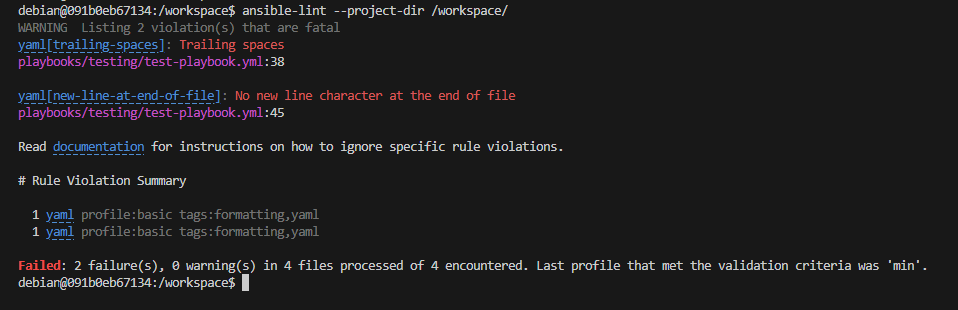
- I need to remove the space at the end of line 38 on
test-playbook.yml - I need to add a new line at the end of the file on
test-playbook.yml

Test the Playbook
Based on everything we've discussed before, the following should happen:
- Ansible loads
./inventory/dynamic.proxmox.yml community.proxmox.proxmoxplugin reads the following variables from the environment:PROXMOX_TOKEN_IDPROXMOX_TOKEN_SECRETPROXMOX_USERPROXMOX_URL
- Connects to the Proxmox VE API queries all hosts
- Organizes the VMs into groups based on tags
- Creates host names based on
proxmox_name + '.' + proxmox_searchdomain, forming the FQDN — i.e.debian-13-test-ansible.lab.home.internal - In the playbook, we have
hosts: tag_ansible_test_target, which is formed from the tag we added earlier —ansible-test-target - Because the inventory file is at
./inventory/dynamic.proxmox.yml, Ansible checks for.inventory/group_vars/tag_ansible_test/- It loads the
.ymlfile found in this directory - This
.ymlfile tells Ansible how to connect to the host
- It loads the
cd /workspace/Navigate to the base of the repo inside the container
eval $(ssh-agent)Start a SSH agent socket to login with saved keys
echo -e "$SSH_PRIVATE_KEY" | ssh-add -Feed the key from Infisical to the SSH agent
ansible-playbook \
--inventory ./inventory/dynamic.proxmox.yml \
./playbooks/testing/test-playbook.yml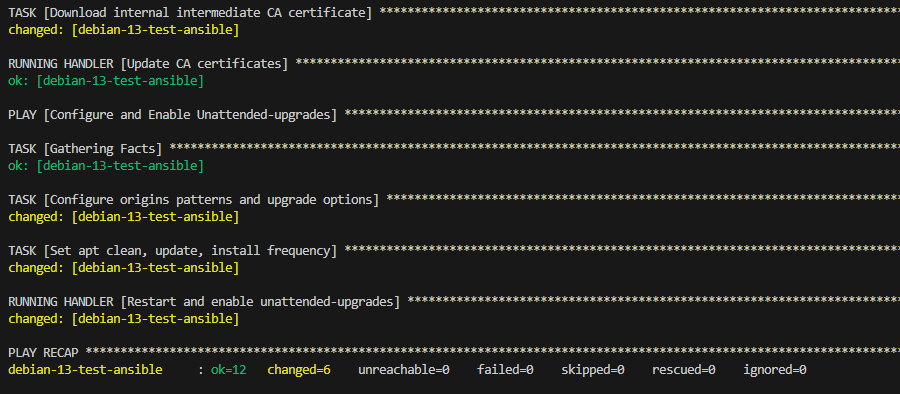
Idempotency
Idempotency is the concept that — no matter if the playbook is run 1 time or 10 times, the outcome should be the same. Ansible has fact checking built-in to determine if tasks need to be re-run.
Let's put it to the test.
ansible-playbook \
--inventory ./inventory/dynamic.proxmox.yml \
./playbooks/testing/test-playbook.yml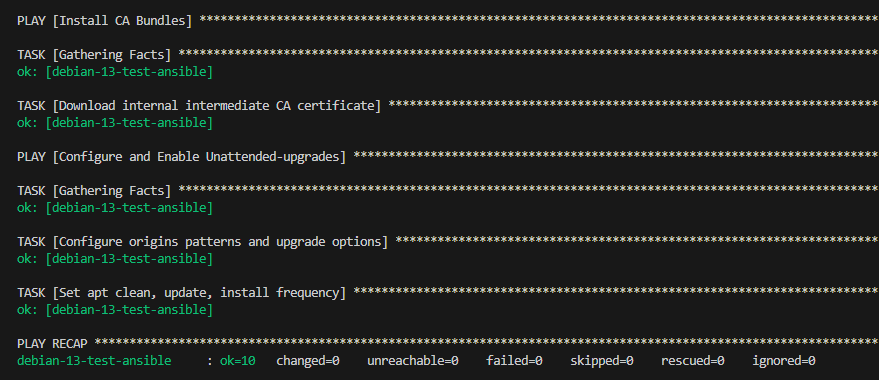
This makes Ansible incredibly efficient, because on consecutive runs, whether running for the 2nd time or the 100th time, it will only ever change what needs changing.
Destroy the Test VM
terraform container that you left running before.terraform plan -destroy -out=test-vm.tfplanterraform apply test-vm.tfplan
exit command to leave your terraform container.
cd ../../Running this command in the DevBox terminal
rm -rf terraformDelete the terraform files. Clone and de-git at next test.
Production
Debian 13 VM
Now that we've thoroughly tested the Docker container, we're ready to set up the production environment.

ansible-target and terraform-deployed. We can also target on trixie to make it Debian 13 specific.Group Variables
cd ~/Code/IaC_Project/ansible/proxmox/inventory/group_varsmkdir {tag_trixie,proxmox_pool_terraform_managed}community.proxmox.proxmox also already creates groups of hosts by pool natively. So, we'll use this to our advantage to target by pool.cd ~/Code/IaC_Project/ansible/proxmox/inventory/group_vars/tag_trixieMust run the next command from this path, running on the DevBox
ln -s ../../../common/shared_variables/iac_group_vars.yml ./variables.ymlSymbolically link the shared variables, since they use the same inputs
cd ~/Code/IaC_Project/ansible/proxmox/inventory/group_vars/proxmox_pool_terraform_managedMust run the next command from this path, running on the DevBox
ln -s ../../../common/shared_variables/iac_group_vars.yml ./variables.ymlSymbolically link the shared variables, since they use the same inputs
Playbook
cd ~/Code/IaC_Project/ansible/proxmoxmkdir playbooks/debian-13-baselineMake a working directory on the DevBox
proxmox/playbooks/debian-13-baseline
debian-13-baseline.yml
debian-13-baseline.yml (SHOW/HIDE)
---
# Debian 13 VM baseline configuration
# Update, Upgrade, and Install Packages
- name: Apt Packages
  hosts: proxmox_pool_terraform_managed # Targets /pool/terraform-managed
  become: true
  vars:
    baseline_packages:
      - htop
      - unzip
      - ca-certificates
      - gnupg
      - lsb-release
      - apt-listchanges
      - unattended-upgrades
      - bat # cat clone with syntax highlighting
  tasks:
    - name: Run apt update
      ansible.builtin.apt:
        update_cache: true

    - name: Run apt dist-upgrade
      ansible.builtin.apt:
        upgrade: dist

    - name: Run apt install on baseline_packages
      ansible.builtin.apt:
        name: "{{ baseline_packages }}"
        state: present

    - name: Run apt auto-remove --purge
      ansible.builtin.apt:
        autoremove: true
        purge: true

# Install Internal PKI Bundle
- name: Install CA Bundles
  hosts: proxmox_pool_terraform_managed
  become: true
  vars:
    sub_ca_server: "https://sub-ca.pki.home.internal"
    sub_ca_cert_url: "{{ sub_ca_server }}/roots.pem"
  tasks:
    - name: Download internal intermediate CA certificate
      ansible.builtin.get_url:
        url: "{{ sub_ca_cert_url }}"
        dest: /usr/local/share/ca-certificates/internal-intermediate.crt
        mode: '0644'
        validate_certs: false # Server isn't trusted yet
      notify: Update CA certificates # Matches the handler name...
  handlers:
    - name: Update CA certificates # ...here
      ansible.builtin.command: update-ca-certificates
      changed_when: false

# Enable unattended-upgrades package
- name: Configure and Enable Unattended-upgrades
  hosts: proxmox_pool_terraform_managed
  become: true
  tasks:
    - name: Configure origins patterns and upgrade options
      ansible.builtin.copy:
        dest: /etc/apt/apt.conf.d/50unattended-upgrades
        mode: '0644'
        content: |
          Unattended-Upgrade::Origins-Pattern {
            "origin=Debian,codename=${distro_codename}-updates";
            "origin=Debian,codename=${distro_codename},label=Debian";
            "origin=Debian,codename=${distro_codename},label=Debian-Security";
            "origin=Debian,codename=${distro_codename}-security,label=Debian-Security";
          };
          Unattended-Upgrade::AutoFixInterruptedDpkg "true";
          Unattended-Upgrade::InstallOnShutdown "false";
          Unattended-Upgrade::Remove-Unused-Kernel-Packages "true";
          Unattended-Upgrade::Remove-New-Unused-Dependencies "true";
          Unattended-Upgrade::Remove-Unused-Dependencies "true";
          Unattended-Upgrade::Automatic-Reboot "true";
          Unattended-Upgrade::Automatic-Reboot-WithUsers "true";
          Unattended-Upgrade::Automatic-Reboot-Time "04:00";
          Unattended-Upgrade::OnlyOnACPower "false";
      notify: Restart and enable unattended-upgrades # Matches the handler name...

    - name: Set apt clean, update, install frequency
      ansible.builtin.copy:
        dest: /etc/apt/apt.conf.d/20auto-upgrades
        mode: '0644'
        content: |
          APT::Periodic::Update-Package-Lists "1";
          APT::Periodic::Download-Upgradeable-Packages "1";
          APT::Periodic::AutocleanInterval "7";
          APT::Periodic::Unattended-Upgrade "1";
      notify: Restart and enable unattended-upgrades # Matches the handler name...
  handlers:
    - name: Restart and enable unattended-upgrades # ...here
      ansible.builtin.systemd_service:
        name: unattended-upgrades
        state: restarted
        enabled: true
        daemon_reload: true
hosts: line, targeting out /pool/terraform-managed hosts.I'm deliberately keeping this playbook lean for the sake of this project. There is a lot we can do to harden and configure the Debian 13 server(s).
Linting
ansible commands there.Again, run ansible-lint early. You don't want to waste pipeline cycles over simple linting issues.
cd /workspace/Navigate to the base of the repo inside the container
ansible-lint --project-dir /workspace/Look over the output, fix any issues, and re-run ansible-lint until you get a passing result.
ansible-lint verifies no errors. We've already tested this exact playbook against a clone of our Debian 13 VM. The only changes we've made to the playbook are updating hosts: proxmox_pool_terraform_managed, which will target all of the VMs in the production pool.Taking Inventory of the Repo
Identify Sensitive Directories and Files
Before we run any
git operations, we want to take full inventory of the current repository state and ensure we properly configure the .gitignore file.You must add directories and files to
.gitignore BEFORE running git push. As you don't want sensitive informaion in your repository.cd ~/Code/IaC_Project/ansible/tree -a -I .git/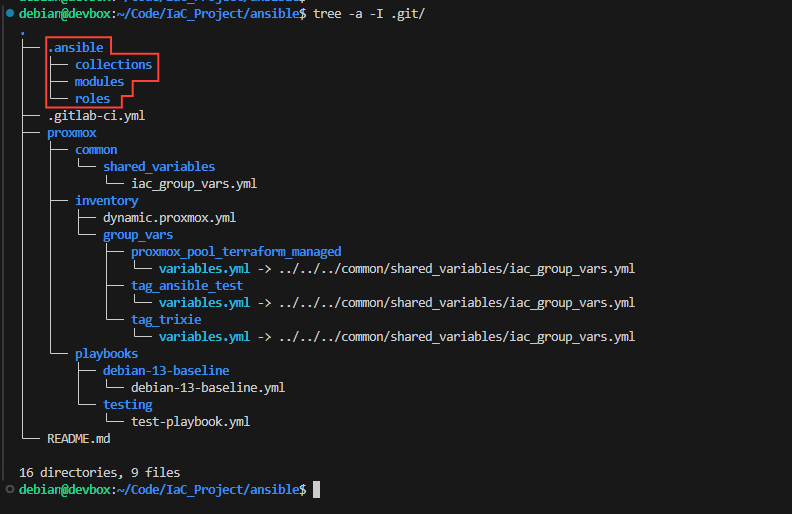
.gitignore
# Ignore all Ansible cache files
**/.ansible/
Pipeline Configuration
.gitlab-ci.yml
.gitlab-ci.yml (SHOW/HIDE)
# Source in the Infisical authentication helper
include:
  - project: 'infrastructure/ci-helpers'
    ref: main
    file: '/infisical.gitlab-ci.yml'
  - template: Security/Secret-Detection.gitlab-ci.yml
  - template: Security/SAST.gitlab-ci.yml

# Trigger pipeline in the web, merge requests to main (or other default), and on schedules
workflow:
  rules:
    - if: $CI_PIPELINE_SOURCE == "web"
    - if: $CI_PIPELINE_SOURCE == "merge_request_event"
    - if: $CI_PIPELINE_SOURCE == "schedule"
    - if: $CI_COMMIT_BRANCH == $CI_DEFAULT_BRANCH

# Order of stages to run the pipeline
stages:
  - lint
  - check
  - run

# ----- SECRETS SCANNING START ----- #

sast:
  stage: lint

secret_detection:
  stage: lint

# ----- SECRETS SCANNING END ----- #

# Global pipeline variables
# Authentication to container registry to pull Dockerized ansible
variables:
  ANSIBLE_IMAGE: "$CI_REGISTRY/infrastructure/runner-images/ansible:${ANSIBLE_VERSION}" # References version variable from group CI/CD settings
  DOCKER_AUTH_CONFIG: >
    {
      "auths": {
        "$CI_REGISTRY": {
          "username": "$CI_REGISTRY_USER",
          "password": "$CI_JOB_TOKEN"
        }
      }
    }
  # Ansible configurations as environment variables
  # Alternatively, these can be set in a "ansible.cfg" file
  # Define formatting and profiling configurations to make output more readable
  ANSIBLE_STDOUT_CALLBACK: "default"
  ANSIBLE_CALLBACK_RESULT_FORMAT: "yaml"
  ANSIBLE_FORCE_COLOR: "true"
  ANSIBLE_LOAD_CALLBACK_PLUGINS: "true"
  ANSIBLE_CALLBACKS_ENABLED: "ansible.posix.timer,ansible.posix.profile_tasks"

# ---- Hidden Jobs (i.e. Helper Functions) ----#

.syntax-check:
  image: $ANSIBLE_IMAGE
  interruptible: true
  extends: .infisical-auth # Requires infisical as it must pull inventory to run syntax check
  stage: check
  tags: [ansible] # Triggers protected runner
  variables:
      INFISICAL_SECRET_PATH: "/ansible/pve" # Pull prod secrets using Infisical OIDC
  before_script:
    - !reference [.infisical-auth, before_script]
  script:
    - export ANSIBLE_INVENTORY=${INVENTORY_FILE}
    - ansible-playbook --syntax-check ${PLAYBOOK_FILE}
    - echo "Playbook syntax check passed."
  rules:
    # Rules are evaluated from top to bottom, so put this first
    # Do not run this hidden job on scheduled jobs against the default branch
    # See ".run-playbook" rules for more details on this "if:" block
    - if: $CI_PIPELINE_SOURCE == "schedule" && $CI_COMMIT_BRANCH == $CI_DEFAULT_BRANCH
      when: never
    # Triggers job any time code is commited to default branch
    # But only if code changed on the target files
    - if: $CI_COMMIT_BRANCH == $CI_DEFAULT_BRANCH
      changes:
        - "${INVENTORY_FILE}"
        - "${PLAYBOOK_FILE}"
    # Job automatically runs on manual web trigger
    - if: $CI_PIPELINE_SOURCE == "web"

.run-playbook:
  image: $ANSIBLE_IMAGE
  extends: .infisical-auth
  stage: run
  tags: [ansible] # Triggers protected runner
  variables:
      INFISICAL_SECRET_PATH: "/ansible/pve" # Pull prod secrets using Infisical OIDC
  before_script:
    - !reference [.infisical-auth, before_script]
  script:
    # The top-two "export" commands leverage the $INFISICAL_ACCESS_TOKEN variable
    # That is exported by the ".infisical-auth" helper, and therefore has the scope
    # Of OIDC token access
    - |
      export SSH_PRIVATE_KEY=$(infisical secrets get TERRAFORM_SSH_PRIVATE_KEY \
        --domain="https://secrets.lab.home.internal" \
        --token="${INFISICAL_ACCESS_TOKEN}" \
        --projectId="${INFISICAL_PROJECT_ID}" \
        --env=prod \
        --path="/terraform/pve" \
        --output=dotenv \
        --silent | sed ':a; N; $! ba; s/\n/\\n/g' | cut -d '=' -f 2-)
      export SSH_USERNAME=$(infisical secrets get TF_VAR_ssh_username \
        --domain="https://secrets.lab.home.internal" \
        --token="${INFISICAL_ACCESS_TOKEN}" \
        --projectId="${INFISICAL_PROJECT_ID}" \
        --env=prod \
        --path="/terraform/pve" \
        --output=dotenv \
        --silent | cut -d '=' -f 2-)
    - eval $(ssh-agent -s)
    - echo -e "$SSH_PRIVATE_KEY" | ssh-add -
    - export ANSIBLE_INVENTORY=${INVENTORY_FILE}
    - ansible-playbook ${PLAYBOOK_FILE}
  rules:
    # Rules are evaluated top to bottom, so this must come first
    # It wouldn't make much sense to only run ansible-playbook on commit to main
    # Or, always have to trigger the job manually in the web
    # GitLab has a pipeline scheduler, whereby we'll pass create the schedule and...
    #   - Add a variable to the schedule:
    #       Variable: "SCHEDULED_JOB"
    #       Value:    "run-debian-13-baseline" (for example)
    # Because this is a hidden job, it will always note the calling job as $CI_JOB_NAME
    #   - Since "run-debian-13-baseline" below calls this hidden job
    #   - The $CI_JOB_NAME variable will match the scheduled job variable
    # This rule also only allows the scheduler to run it on the "default" branch
    - if: >-
        $CI_PIPELINE_SOURCE == "schedule" &&
        $CI_COMMIT_BRANCH == $CI_DEFAULT_BRANCH &&
        $SCHEDULED_JOB == $CI_JOB_NAME
      when: on_success
    # Triggers job any time code is commited to default branch
    # But only if code changed on the target files
    - if: $CI_COMMIT_BRANCH == $CI_DEFAULT_BRANCH
      changes:
        - "${INVENTORY_FILE}"
        - "${PLAYBOOK_FILE}"
      when: manual
    # Job waits for user to start on manual web trigger
    - if: $CI_PIPELINE_SOURCE == "web"
      when: manual
  timeout: 1 hour


# ---- LINTER  ---- #

ansible-lint:
  image: $ANSIBLE_IMAGE
  interruptible: true
  stage: lint
  tags: [lint] # Triggers unprotected runner
  script:
    - cd proxmox
    - ansible-lint
  rules:
    # Rules are evaluated from top to bottom, so put this first
    # Do not run this job on scheduled jobs against the default branch
    # See ".run-playbook" rules for more details on this "if:" block
    - if: $CI_PIPELINE_SOURCE == "schedule" && $CI_COMMIT_BRANCH == $CI_DEFAULT_BRANCH
      when: never
    # Triggers job when merge request created
    # But only if code changed inside the working directory
    # Automatically runs
    - if: $CI_PIPELINE_SOURCE == "merge_request_event"
      changes:
        - "proxmox/**/*"
    # Job automatically runs on manual web trigger
    # Automatically runs
    - if: $CI_PIPELINE_SOURCE == "web"


# ---- DEBIAN 13 BASELINE ---- #

check-debian-13-baseline:
  extends: .syntax-check
  variables:
    INVENTORY_FILE: "proxmox/inventory/dynamic.proxmox.yml"
    PLAYBOOK_FILE: "proxmox/playbooks/debian-13-baseline/debian-13-baseline.yml"

run-debian-13-baseline:
  extends: .run-playbook
  variables:
    INVENTORY_FILE: "proxmox/inventory/dynamic.proxmox.yml"
    PLAYBOOK_FILE: "proxmox/playbooks/debian-13-baseline/debian-13-baseline.yml"
Merge Request
Quick Review
We're ready to commit the code to the repository, but first, a quick review of what we've done.
On the DevBox
- We cloned the Packer template and created a test target
- We've defined all of the source code
- We've pulled the
terraformDocker image from the container registry- Tested
infisical exportfromprod
- Tested
- Pulled inventory from Proxmox VE using
dynamic.proxmox.yml - Tested
ansible-playbookon the test VM successfully - Wrote the production playbook and checked it with the
--checkflag
Firewall Rules
- Allow Protected Runner to reach PVE API
- Source: Protected Runner
Source Port: any - Destination: Proxmox Node(s)
Destination Port: 8006
- Source: Protected Runner
- Allow Protected Runner to Pull from Container Registry
- Source: Protected Runner
Source Port: any - Destination: GitLab CE Server
Destination Port: 5050
- Source: Protected Runner
- Allow Unprotected Runner to Pull from Container Registry
- Source: Unprotected Runner
Source Port: any - Destination: GitLab CE Server
Destination Port: 5050
- Source: Unprotected Runner
- Allow Protected Runner to SSH to Target VM
- Source: Protected Runner
Source Port: any - Destination: Target VM VLAN — easiest solution
Destination Port: 22
- Source: Protected Runner
Commit the Code
cd ~/Code/IaC_Project/ansiblegit add .git commit -m "First commit of all source code."git push -u origin initial-development-work -o merge_request.createPush and automatically create a merge request
Inspect the Merge Request Pipeline
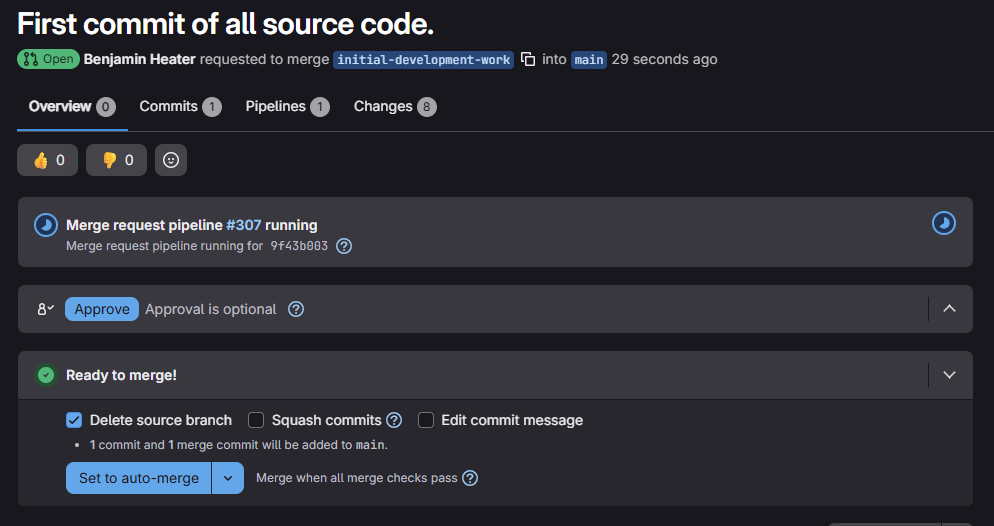
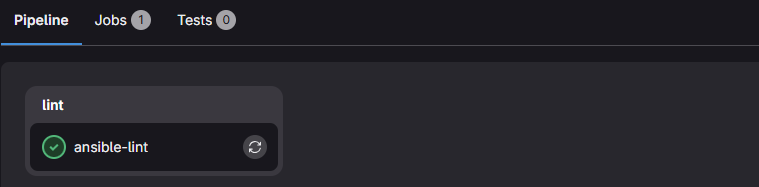
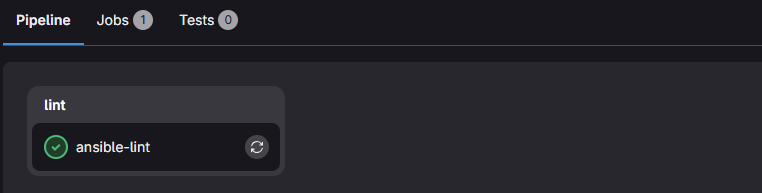
ansible-lint job passed!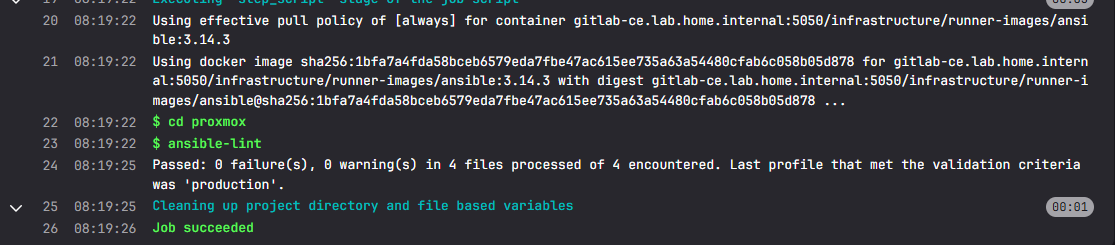
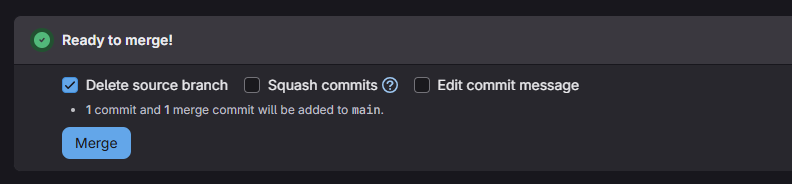
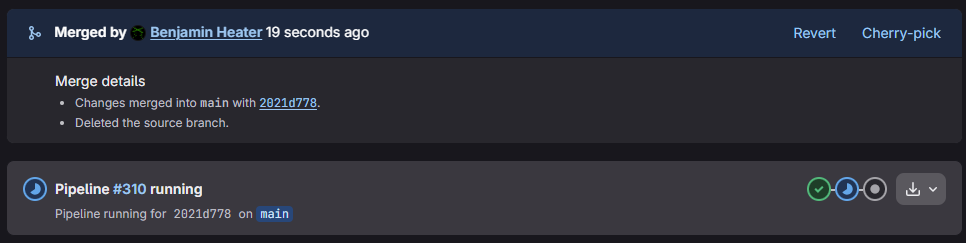
Merge into Main

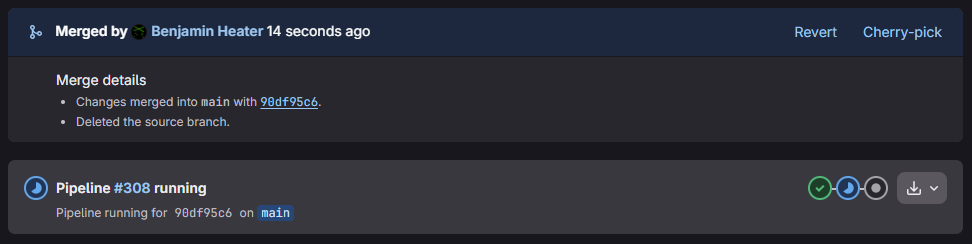
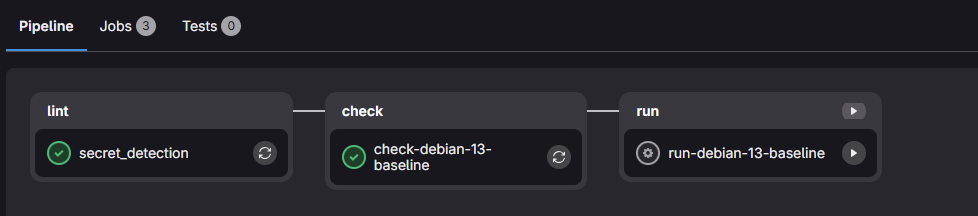
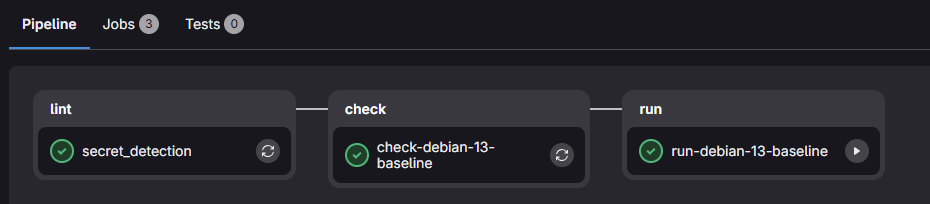
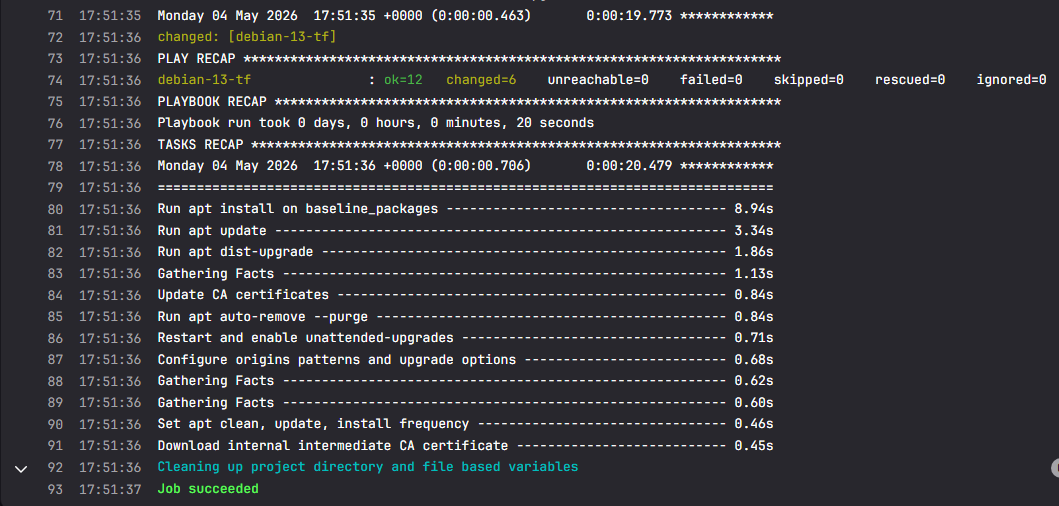
git switch maingit pull --prunegit branch -d initial-development-workDelete the old feature branch
Pipeline Sanity Check
Code Change
We can make a very cosmetic change to something in debian-13-baseline.yml — say adding an extra package to the apt tasks.
cd ~/Code/IaC_Project/ansiblegit checkout -b test-pipeline-logicStart a new feature branch for the changes
BEFORE: debian-13-baseline.yml
    baseline_packages:
      - htop
      - unzip
      - ca-certificates
      - gnupg
      - lsb-release
      - apt-listchanges
      - unattended-upgrades
AFTER: debian-13-baseline.yml
    baseline_packages:
      - htop
      - unzip
      - ca-certificates
      - gnupg
      - lsb-release
      - apt-listchanges
      - unattended-upgrades
      - bat # cat clone with syntax highlighting
git add . && git commit -m "Adds batcat package."Add changes and commit
git push -u origin test-pipeline-logic -o merge_request.createPush your changes and automatically open a merge request
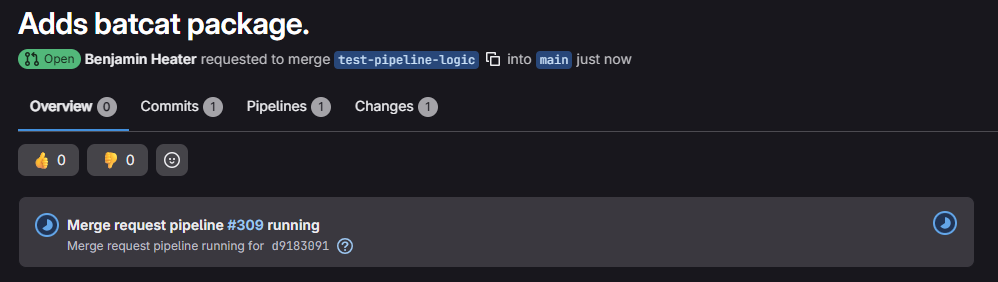
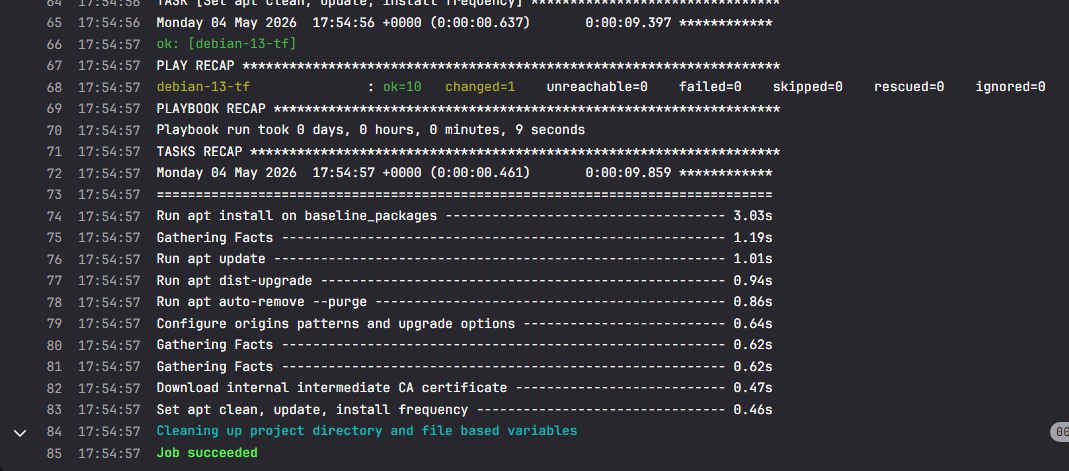
Manual Pipeline Run
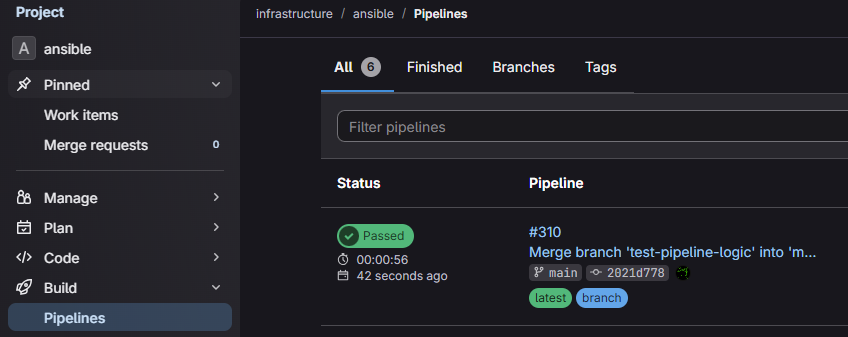

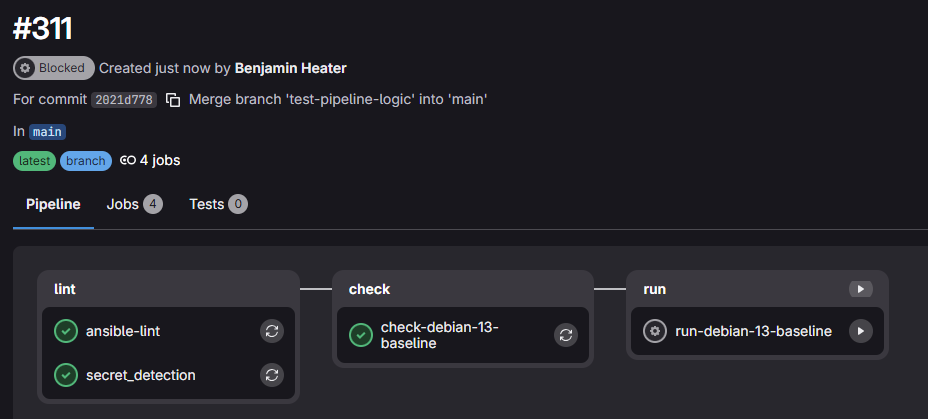
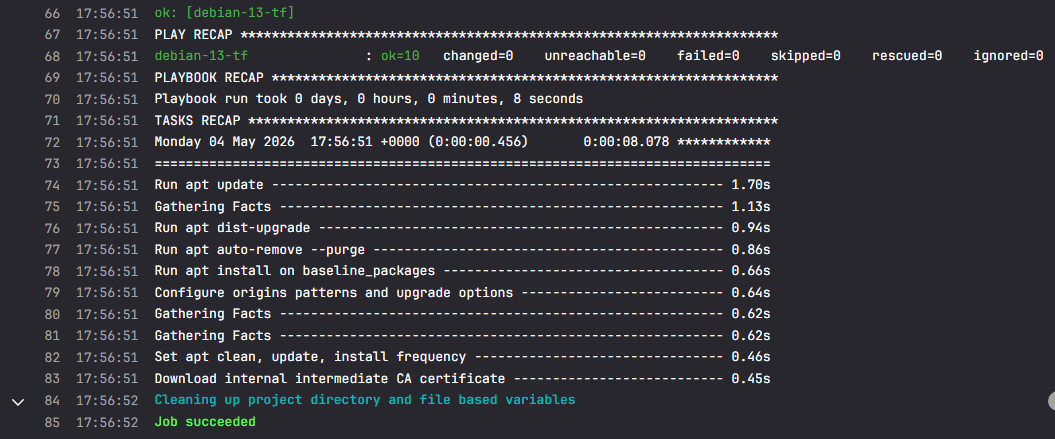
cd ~/Code/IaC_Project/ansiblegit switch main && git pull --prunegit branch -d test-pipeline-logicClean up the feature branch after merge into main
Scheduled Pipeline Job
Create a New Pipeline Schedule
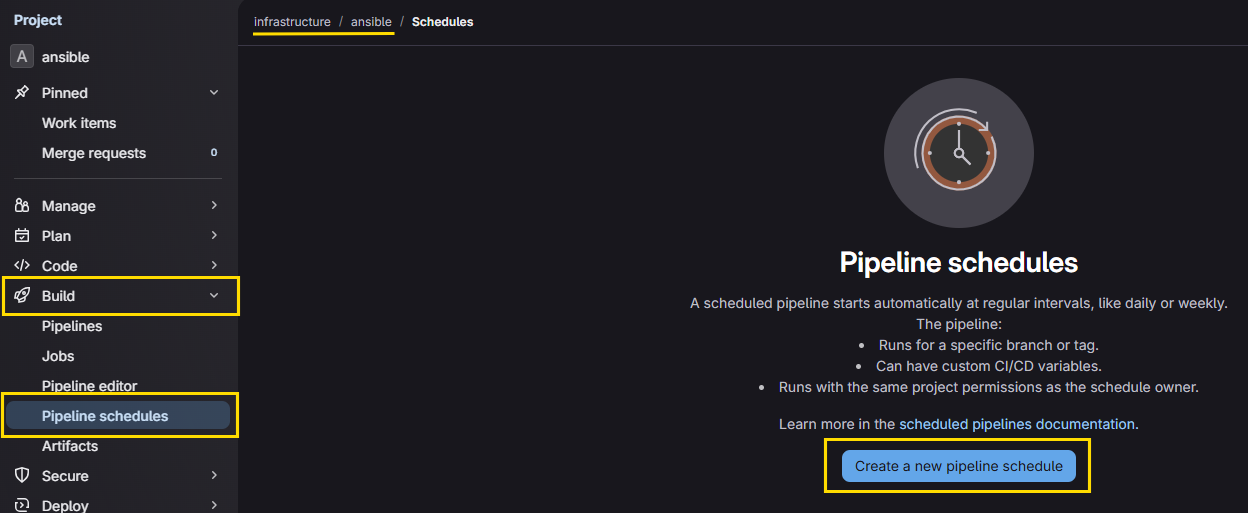
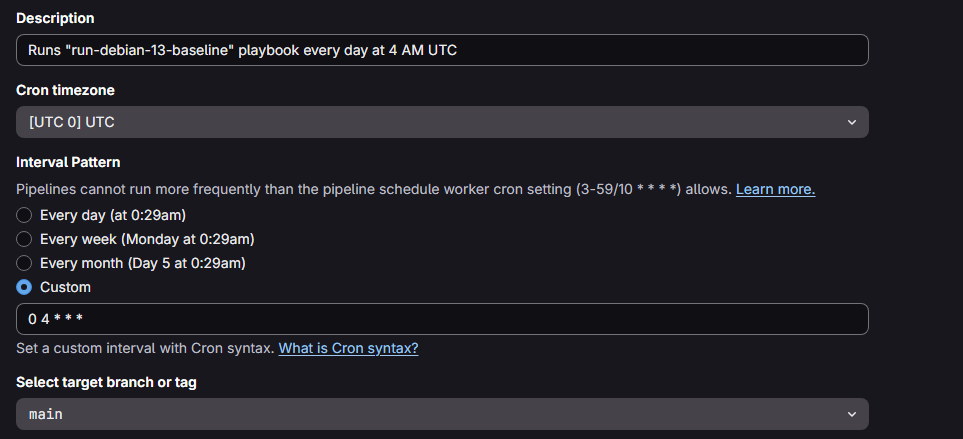
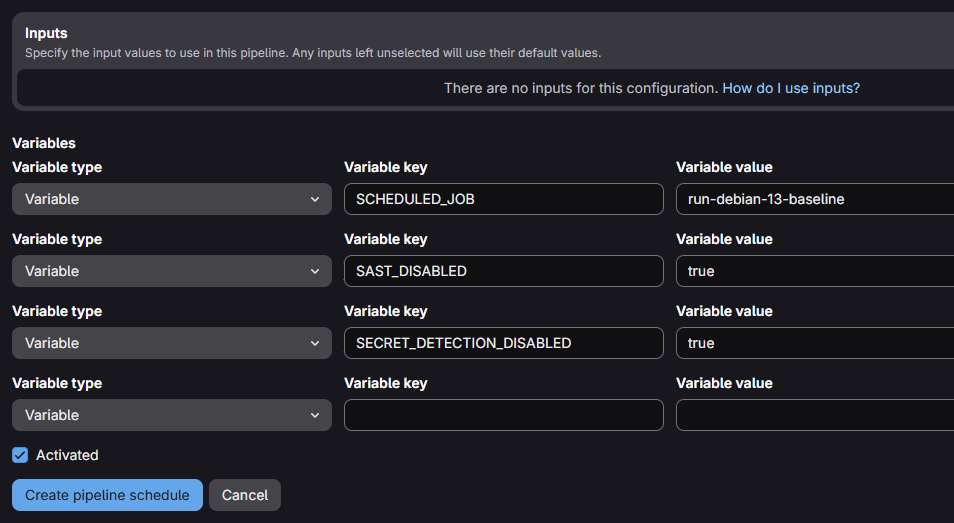
.gitlab-ci.yml source code of this block in .run-playbook rules: section... - if: >-
$CI_PIPELINE_SOURCE == "schedule" &&
$CI_COMMIT_BRANCH == $CI_DEFAULT_BRANCH &&
$SCHEDULED_JOB == $CI_JOB_NAME
when: on_success"SCHEDULED_JOB" matches the variable name above
run-debian-13-baseline:
  extends: .run-playbook
  variables:
    INVENTORY_FILE: "proxmox/inventory/dynamic.proxmox.yml"
    PLAYBOOK_FILE: "proxmox/playbooks/debian-13-baseline/debian-13-baseline.yml"
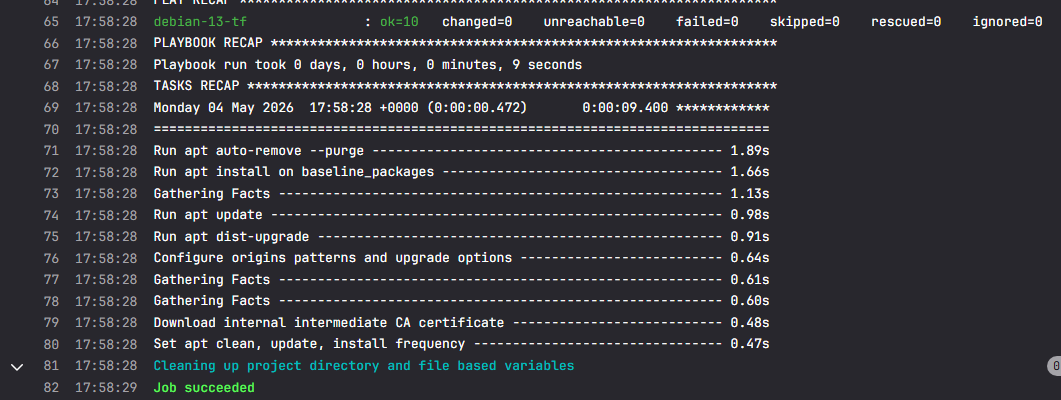
Effectively, what's happening is...
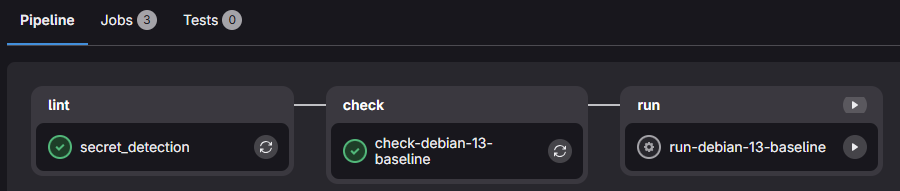
- The scheduler runs the
.gitlab-ci.ymlpipeline withSCHEDULED_JOB=run-debian-13-baseline. - The entire pipeline runs, but each job's
rules:block will determine what executes based on theif: $CI_PIPELINE_SOURCE == "schedule"condition and any other Boolean logic along with it- Rules are evaluated from top to bottom, so rule ordering matters when controlling what runs in scheduled jobs
- During pipeline execution,
check-debian-13-baselinewill run but will be blocked by itsrules:conditions - During pipeline execution,
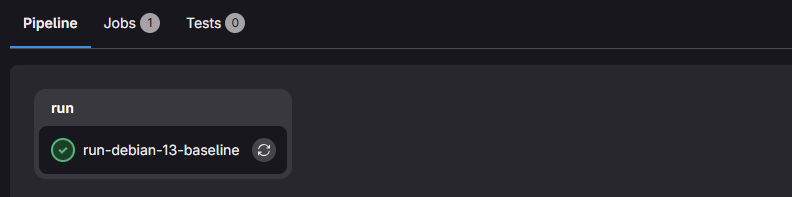
run-debian-13-baselinewill run due to itsrules:conditions- When it calls
.run-playbook, the variableCI_JOB_NAME=run-debian-13-baselinewill be set - This causes
$SCHEDULED_JOB == $CI_JOB_NAMEto evaluate to true - And because it's running on
main, the job will execute
- When it calls


The Case for Modular Schedules
In the example above, we created a pipeline schedule that runs a single pipeline job based on rules: blocks and $SCHEDULED_JOB name matching.
It's logical to assume that as you experiment, you're likely to add additional infrastructure to your lab such as:
- Ubuntu Packer template
- Ubuntu Terraform plan
- Ansible playbook to configure Ubuntu hosts — e.g.
run-ubuntu-baseline - Ansible playbook to configure security settings — e.g.
run-security-hardening - Etc.
run-* playbooks in one pipeline schedule.Some reasons for this include:
- Single Point of Failure — If one job fails in the pipeline, the whole pipeline fails
- Differing Schedules — You may want to run different
run-playbooks at different schedules - Manual Triggers — If they're all lumped in one pipeline, a manual trigger starts all jobs
Moving forward, your workflow should be:
- Develop the playbook, test it locally on your DevBox
- Test it on the merge request pipeline
- Create a scheduled job with the following variables
SCHEDULED_JOB:run-pipeline-job-nameSAST_DISABLED:trueSCHEDULED_JOB:true
Closing the Ansible Module
Quick Review
Lessons Learned
- We established the model of local iterative refinement
- We don't want to test and troubleshoot in the pipeline, as it's too time-consuming
- We do want to test and troubleshoot locally in our development environment while we debug issues until a playbook successfully runs
- We established some core concepts of Ansible
- We identified the need for a separate Proxmox VE token that would be scoped solely to
/pool/terraform-testing - We identified the workflow for testing Ansible Playbooks in the development environment
- Clone and de-git the
terraformrepo to keep the tests out of source control - Copy a Terraform plan and modify
.auto.tfvarsto create a VM in/pool/terraform-testing - Launch the terraform container and
terraform planandterraform apply - Create a group_vars directory that matches the test VM's tag
- Symbolically link the
iac_group_vars.ymlfile in this directory - Draft your playbook and
ansible-lintit, then test withansible-playbook
- Clone and de-git the
- We also touched on the concept of idempotency
Moving Forward
- Our pipeline for
debian-13-vmshould now be stable enough that we can:- Start a new feature branch
- Make changes to the template or variables
git add .,git commit, andgit pushand let the pipeline handle future builds
- For new Ansible playbooks...
- You'll create your source code and repeat the local iterative refinement until you have a successful build
- Use your
ansiblecontainer from the GitLab Container Registry - Log into Infisical with universal auth and import secrets from
- Use your
- Then, after testing, you'll update
.gitlab-ci.ymlwith any new jobs required to apply your Ansible playbooks git add,git commit, andgit pushyour new template and pipeline
- You'll create your source code and repeat the local iterative refinement until you have a successful build
- Updating your README.md
- At some point, you should update your
README.mdfile - In this file, you should outline the steps you (or other developers) should take when carrying out local development and testing and commits to production
- At some point, you should update your
Helpful Links




 taruch
Next Step
 0xBEN
0xBEN