
Previous Step
 0xBEN
0xBEN
Quick Recap
In the previous module, we laid out the scaffolding for our GitOps environment:
- VM 1: Installed GitLab CE
- Added our user account as a GitLab administrator
- Configured the OIDC trust with Infisical
- Configured group-scoped CI/CD
- Group variables
- Group runner
- Added the group projects (repositories)
runner-imagespackerterraformansible
- VM2 and VM3: Installed GitLab Runners
- Protected and unprotected runners
- Two disk setup
- OS disk
- Docker data disk
- Installed Docker
- Installed the GitLab Runner binaries and registered the runner
Pipeline Diagram
Click here to view this diagram in a new tab
Docker Dependency Proxy
The dependency proxy is a GitLab feature that was introduced to reduce rate-limiting implemented by Docker Hub. When building a Dockerfile, you're very likely to include external dependencies to make that image function.
When you build Docker images, GitLab runners are going to pull those dependencies from Docker Hub. By proxying through the dependency proxy, images will be cached, allowing build operations to leverage images in the cache.
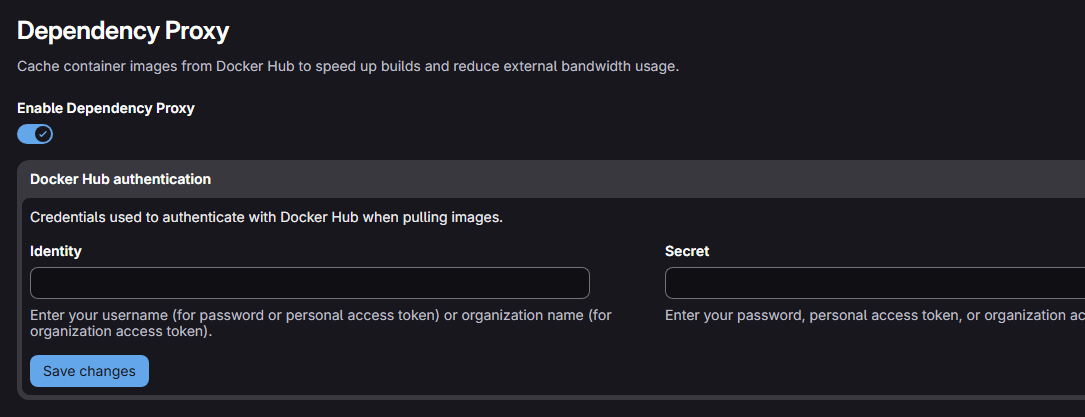
Ensure the Proxy is Enabled
- Open the infrastructure group
- Go to Settings > Packages and registries

Add Group Variables
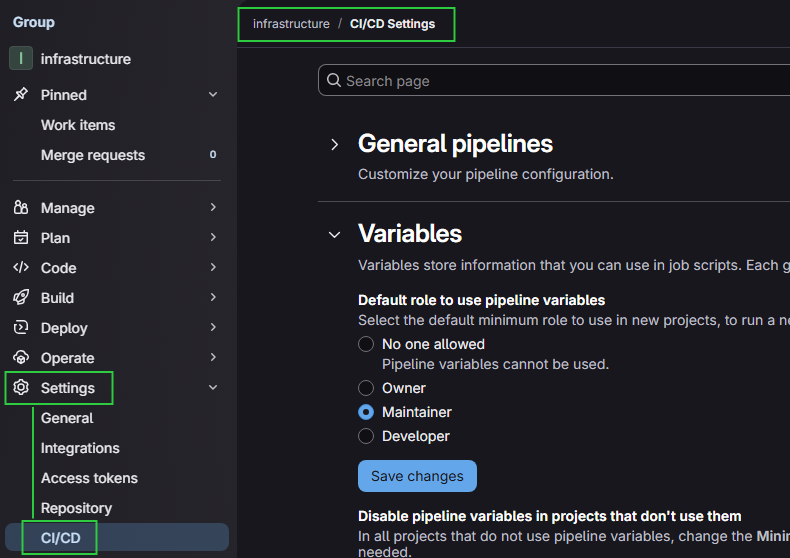
We will use variables at the Infrastructure group level to define version numbers for tools in the Dockerfile for each tool, as well as the .gitlab-ci.yml pipelines for each project.

Variable 1
- Type: Variable (default)
- Environments: All (default)
- Visibility: Visible
- Flags
- 🔳Protect variable (unchecked)
- 🔳Expand variable reference (unchecked)
- Description: Controls the Packer binary version in multiple pipelines
- Key:
PACKER_VERSION - Value:
1.15.1
Variable 2
- Type: Variable (default)
- Environments: All (default)
- Visibility: Visible
- Flags
- 🔳Protect variable (unchecked)
- 🔳Expand variable reference (unchecked)
- Description: Controls the Terraform binary version in multiple pipelines
- Key:
TERRAFORM_VERSION - Value:
1.14.7
Variable 3
- Type: Variable (default)
- Environments: All (default)
- Visibility: Visible
- Flags
- 🔳Protect variable (unchecked)
- 🔳Expand variable reference (unchecked)
- Description: Controls the Ansible version in multiple pipelines
- Key:
ANSIBLE_VERSION - Value:
3.14.3
Variable 4
- Type: Variable (default)
- Environments: All (default)
- Visibility: Visible
- Flags
- 🔳Protect variable (unchecked)
- 🔳Expand variable reference (unchecked)
- Description: Controls the Infisical CLI binary version in Dockerfile builds
- Key:
INFISICAL_CLI_VERSION - Value:
0.43.61
Add Dockerized Tools to Container Registry
Desired Directory Structure
runner-images/
├── .gitlab-ci.yml
├── certs/
│   └── internal-ca.crt
├── packer/
│   └── Dockerfile
├── terraform/
│   └── Dockerfile
└── ansible/
    └── Dockerfile
Clone and Branch
git clone https://gitlab-ce.lab.home.internal/infrastructure/runner-images.gitcd runner-imagesgit checkout -b add-initial-dockerfilesCreate a new branch for our work
mkdir certs
mkdir packer
mkdir terraform
mkdir ansible
Set up the directory structure
certs/
curl 'https://sub-ca.pki.home.internal/roots.pem' -o ./certs/internal-ca.crtSave our intermediate CA certificate as shown in the directory structure
packer/
nano packer/DockerfileThe
BASE_IMAGE_PREFIX will be used to proxy build requests through the GitLab dependency proxy.# Proxy through GitLab dependency proxy
# Version numbers injected by group variables in pipeline
ARG BASE_IMAGE_PREFIX=""
ARG TOOL_VERSION=""
FROM ${BASE_IMAGE_PREFIX}/hashicorp/packer:${TOOL_VERSION}
# hadolint ignore=DL3018
RUN apk add --no-cache curl jq bash git ca-certificates coreutils gettext-envsubst bash-completion
COPY certs/internal-ca.crt /usr/local/share/ca-certificates/internal-ca.crt
RUN update-ca-certificates
ARG INFISICAL_CLI_VERSION=""
ARG INFISICAL_VERSION=${INFISICAL_CLI_VERSION}
RUN curl -fsSL \
"https://github.com/Infisical/cli/releases/download/v${INFISICAL_VERSION}/cli_${INFISICAL_VERSION}_linux_amd64.tar.gz" \
-o /tmp/infisical.tar.gz \
&& tar -xzf /tmp/infisical.tar.gz -C /usr/local/bin infisical \
&& rm /tmp/infisical.tar.gz \
&& chmod +x /usr/local/bin/infisical
ENTRYPOINT []Infisical CLI lateste version at "0.43.61" as of this writing
terraform/
nano terraform/Dockerfileinfrastructure/terraform project later, so that we pull the latest version of the proxmox provider.# Proxy through GitLab dependency proxy
# Version numbers injected by group variables in pipeline
ARG BASE_IMAGE_PREFIX=""
ARG TOOL_VERSION=""
FROM ${BASE_IMAGE_PREFIX}/hashicorp/terraform:${TOOL_VERSION}
# hadolint ignore=DL3018
RUN apk add --no-cache curl jq bash git ca-certificates coreutils bash-completion
COPY certs/internal-ca.crt /usr/local/share/ca-certificates/internal-ca.crt
RUN update-ca-certificates
ARG INFISICAL_CLI_VERSION=""
ARG INFISICAL_VERSION=${INFISICAL_CLI_VERSION}
RUN curl -fsSL \
"https://github.com/Infisical/cli/releases/download/v${INFISICAL_VERSION}/cli_${INFISICAL_VERSION}_linux_amd64.tar.gz" \
-o /tmp/infisical.tar.gz \
&& tar -xzf /tmp/infisical.tar.gz -C /usr/local/bin infisical \
&& rm /tmp/infisical.tar.gz \
&& chmod +x /usr/local/bin/infisical
ENTRYPOINT []Infisical CLI lateste version at "0.43.61" as of this writing
ansible/
nano ansible/Dockerfile# Proxy through GitLab dependency proxy
# Version numbers injected by group variables in pipeline
ARG BASE_IMAGE_PREFIX=""
ARG TOOL_VERSION=""
FROM ${BASE_IMAGE_PREFIX}/python:${TOOL_VERSION}-slim
# Install OS packages first for better layer caching
# hadolint ignore=DL3008
RUN apt-get update && apt-get install -y --no-install-recommends \
curl jq openssh-client ca-certificates coreutils netcat-openbsd nano bash-completion \
&& rm -rf /var/lib/apt/liaptsts/*
# Copy and update internal certificates early
COPY certs/internal-ca.crt /usr/local/share/ca-certificates/internal-ca.crt
RUN update-ca-certificates
# Force Python 'requests' to respect the system CA store
ENV REQUESTS_CA_BUNDLE=/etc/ssl/certs/ca-certificates.crt
ARG INFISICAL_CLI_VERSION=""
ARG INFISICAL_VERSION=${INFISICAL_CLI_VERSION}
# Install Ansible + Proxmox API dependencies
# hadolint ignore=DL3013
RUN pip install --no-cache-dir ansible ansible-lint requests proxmoxer \
&& ansible-galaxy collection install community.proxmox \
&& curl -fsSL \
"https://github.com/Infisical/cli/releases/download/v${INFISICAL_VERSION}/cli_${INFISICAL_VERSION}_linux_amd64.tar.gz" \
-o /tmp/infisical.tar.gz \
&& tar -xzf /tmp/infisical.tar.gz -C /usr/local/bin infisical \
&& rm /tmp/infisical.tar.gz \
&& chmod +x /usr/local/bin/infisical.gitlab-ci.yml
The purpose of this pipeline will be to build fresh packer, terraform, and/or ansible Docker containers any time a Dockerfile is changed, or the internal_ca.crt file is refreshed. Then, the containers will be pushed to the container registry.
nano .github-ci.yml.github-ci.yml (SHOW/HIDE)
workflow:
  rules:
    - if: $CI_PIPELINE_SOURCE == "web"
    - if: $CI_PIPELINE_SOURCE == "merge_request_event"
    - if: $CI_COMMIT_BRANCH == $CI_DEFAULT_BRANCH

stages:
  - validate
  - build

variables:
  IMAGE_BASE: "$CI_REGISTRY/infrastructure/runner-images"

# Hidden job (i.e. helper function)
# Invoked by calling jobs looking to build images from Dockerfiles
.build-image:
  image: quay.io/buildah/stable:latest # Uses quay.io, Docker Hub is outdated
  tags: [docker] # Use tag on protected runner
  stage: build
  variables:
    STORAGE_DRIVER: overlay   # buildah environment variable
    BUILDAH_FORMAT: docker    # buildah environment variable
    BUILDAH_ISOLATION: chroot # buildah environment variable
  before_script:
    # Log into the GitLab Dependency Proxy (required for builds, not pulls)
    - echo "$CI_DEPENDENCY_PROXY_PASSWORD" | buildah login -u "$CI_DEPENDENCY_PROXY_USER" --password-stdin "$CI_DEPENDENCY_PROXY_SERVER"
    # Log into the container registry (required for build and pulls to/from the registry)
    - echo "$CI_JOB_TOKEN" | buildah login -u "$CI_REGISTRY_USER" --password-stdin "$CI_REGISTRY"
  script:
    # Attempt to pull the image from internal Container Registry
    # Speeds up pipeline execution by enabling layer caching
    # Gracefully fail if image does not exist with || true
    - buildah pull ${IMAGE_BASE}/${IMAGE_NAME}:latest || true
    # Uses '--cache-from' flag to leverage the image we pulled just above
    # Speeds up build times by only updating required changes since last build
    # '--build-arg' injects version numbers from group CI/CD variables
    - |
      buildah bud \
        --layers \
        --build-arg TOOL_VERSION=${TOOL_VERSION} \
        --build-arg INFISICAL_CLI_VERSION=${INFISICAL_CLI_VERSION} \
        --build-arg BASE_IMAGE_PREFIX=${CI_DEPENDENCY_PROXY_GROUP_IMAGE_PREFIX} \
        --cache-from ${IMAGE_BASE}/${IMAGE_NAME} \
        -t ${IMAGE_BASE}/${IMAGE_NAME}:${IMAGE_TAG} \
        -t ${IMAGE_BASE}/${IMAGE_NAME}:latest \
        -f ${IMAGE_NAME}/Dockerfile .
    # Push the resulting image using the versioned and 'latest' tags
    - buildah push ${IMAGE_BASE}/${IMAGE_NAME}:${IMAGE_TAG}
    - buildah push ${IMAGE_BASE}/${IMAGE_NAME}:latest


validate-dockerfiles:
  stage: validate
  # Since the "hadolint" image is in Docker Hub
  # Pull the image through the dependency proxy
  image: ${CI_DEPENDENCY_PROXY_GROUP_IMAGE_PREFIX}/hadolint/hadolint:latest-debian
  tags: [lint] # Use tag on unprotected runner
  interruptible: true
  rules:
    # Triggers this job on every merge request
    # But only if there have been changes to ANY of the below paths
    - if: $CI_PIPELINE_SOURCE == "merge_request_event"
      changes:
        - packer/Dockerfile
        - terraform/Dockerfile
        - ansible/Dockerfile
        - certs/internal-ca.crt
  script:
    # Lint the images using 'hadolint'
    - hadolint packer/Dockerfile
    - hadolint terraform/Dockerfile
    - hadolint ansible/Dockerfile

# Invoke the .build-image hidden job
packer:
  extends: .build-image
  variables:
    IMAGE_NAME: packer
    IMAGE_TAG: $PACKER_VERSION # Controlled by group variable
    TOOL_VERSION: $PACKER_VERSION
  rules:
    # Triggered by starting new pipelines in the web UI
    # The user must push the 'start' button
    - if: $CI_PIPELINE_SOURCE == "web"
      when: manual
    # Triggered when committing code to the default branch
    # But only if any files in the paths below have changed
    - if: $CI_COMMIT_BRANCH == $CI_DEFAULT_BRANCH
      changes:
        - packer/Dockerfile
        - certs/**/*

terraform:
  extends: .build-image
  variables:
    IMAGE_NAME: terraform
    IMAGE_TAG: $TERRAFORM_VERSION # Controlled by group variable
    TOOL_VERSION: $TERRAFORM_VERSION
  rules:
    - if: $CI_PIPELINE_SOURCE == "web"
      when: manual
    - if: $CI_COMMIT_BRANCH == $CI_DEFAULT_BRANCH
      changes:
        - terraform/Dockerfile
        - certs/**/*

ansible:
  extends: .build-image
  variables:
    IMAGE_NAME: ansible
    IMAGE_TAG: $ANSIBLE_VERSION # Controlled by group variable
    TOOL_VERSION: $ANSIBLE_VERSION
  rules:
    - if: $CI_PIPELINE_SOURCE == "web"
      when: manual
    - if: $CI_COMMIT_BRANCH == $CI_DEFAULT_BRANCH
      changes:
        - ansible/Dockerfile
        - certs/**/*
Key Notes About the Pipeline Code:
- Tool version numbers are controlled by CI/CD settings in the Infrastructure group
PACKER_VERSION,TERRAFORM_VERSION,ANSIBLE_VERSION, andINFISICAL_CLI_VERSION- Packer, Terraform, and Ansible versions are passed to
TOOL_VERSIONin each respective build job- These are then fed in as
--build-argto populate theARG PACKER_VERSION="",ARG TERRAROM_VERSION="", orARG ANSIBLE_VERSION=""arguments in each respectiveDockerfile
- These are then fed in as
if: $CI_PIPELINE_SOURCE == "web"— if you trigger the pipeline in the web UI, you must manually push a button to start the buildif: $CI_PIPELINE_SOURCE == "merge_request_event"— if a merge request is created, this will conditionally trigger the pipeline.if: $CI_COMMIT_BRANCH == $CI_DEFAULT_BRANCH— merging any code tomainconditionally triggers jobs in the pipelinevalidate-dockerfiles— run this job usinghadolintto validate anyDockerfile, only runs on merge requests per therulessection.build-image— a hidden job to do the actual container builds off theDockerfilein any of the directories in the repository- The
before_scriptblock logs into both the container registry and dependency proxy for various build / pull operations
- The
| Scenario | Packer Docker job | Terraform Docker job | Ansible Docker job |
|---|---|---|---|
| Open a merge request after changing a Dockerfile, or certificate | skipped, runs hadolint on Dockerfile | skipped, runs hadolint on Dockerfile | skipped, runs hadolint on Dockerfile |
Push changing packer/Dockerfile |
builds, pushes if main, tag with version and "latest" | skipped | skipped |
Push changing certs/internal-ca.crt |
builds, pushes if main, tag with version and "latest" | builds, pushes if main, tag with version and "latest" | builds, pushes if main, tag with version and "latest" |
| Push with no relevant changes | skipped | skipped | skipped |
| Manual web trigger | builds, pushes if main, tag with version and "latest" | builds, pushes if main, tag with version and "latest" | builds, pushes if main, tag with version and "latest" |
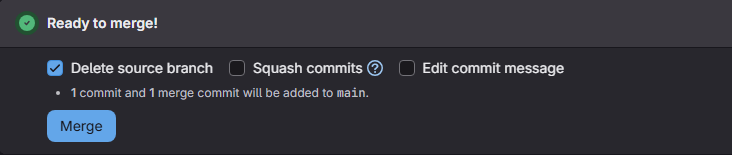
Merge Request
git add .Stage the directories and Docker file code changes
git commit -m "Add per-tool Dockerfiles with internal CA and pinned Infisical CLI"Commit the changes to our current branch
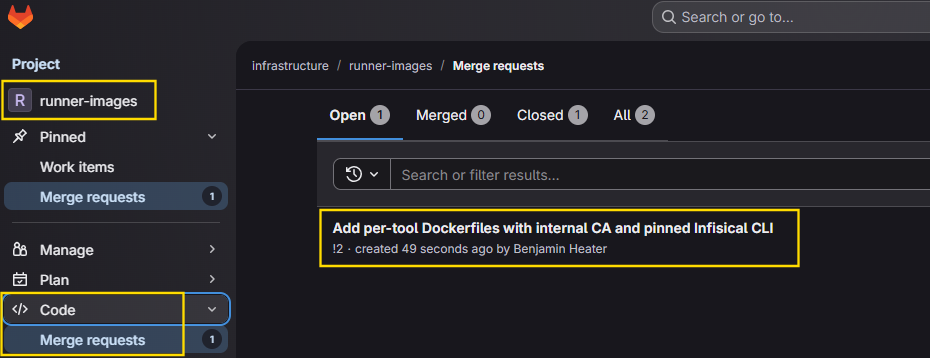
git push -u origin add-initial-dockerfiles -o merge_request.createPush the code changes to the branch on GitLab and open a merge request into main




git switch mainSwitch back to main
git pull --prunePull merged code
git branch -d add-initial-dockerfilesDelete the branch from before
Ensure Project Jobs Can Pull from Registry
Add Job Token Permissions
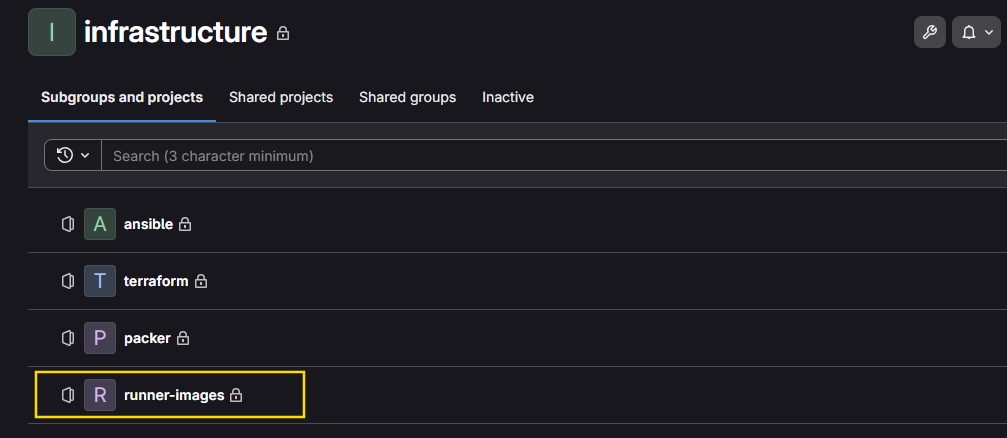

$CI_REGISTRY, $CI_REGISTRY_USER, and $CI_REGISTRY_TOKEN that can be used to authenticate to the local container registry.Since we're going to be doing
buildah pull from the container registry outside the runner-images project, we need to tell runner-images to trust the authentication tokens from other projects in the same group.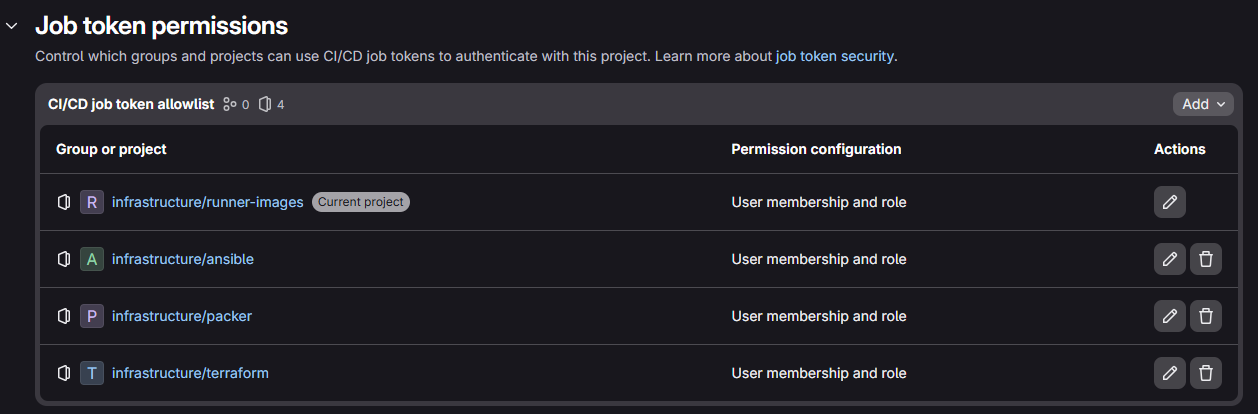
Updating Tool Versions
Update the Version Number(s)
- Log into GitLab and navigate to the Infrastructure group
- Go to Settings > CI/CD
- Expand Variables and click the ✏️icon next to your variable
- Update the version number for your specific tool(s)
- Then, move on to the next step build the new image
Manual Pipeline Trigger
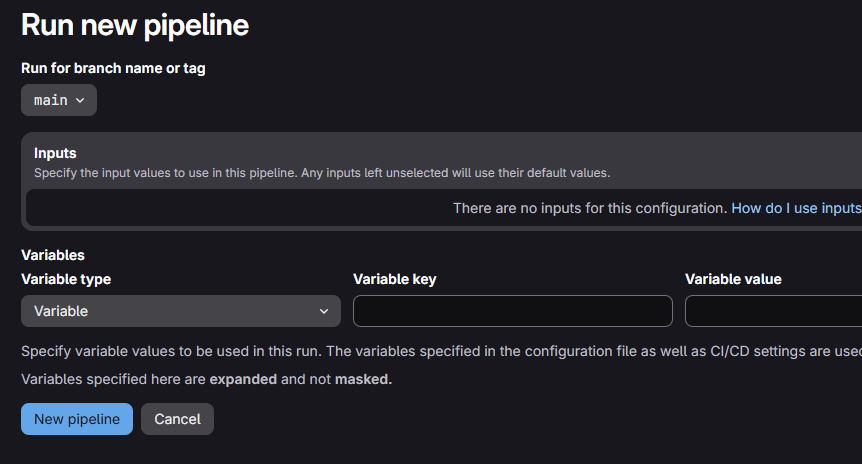
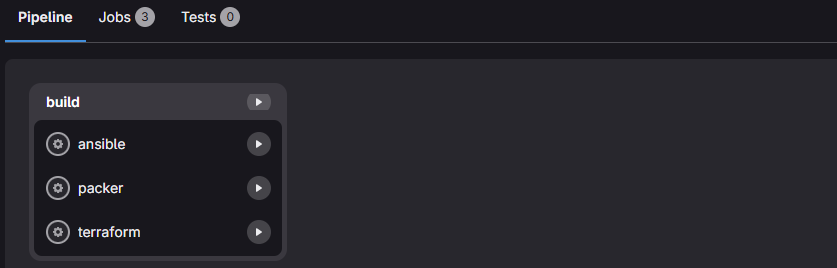
The rules set out in .gitlab-ci.yml should cover most cases where a fresh pipeline is automatically spawned when you updated file(s). Regardless, if you ever find yourself wanting to manually spawn a pipeline — maybe you updated some runner settings, or tweaked the pipeline configuration — you can do so easily from the web UI.
- Navigate to the runner-images project inside the infrastructure group
- On the left, open Build > Pipelines

.gitlab-ci.yml - if: $CI_PIPELINE_SOURCE == "web"
when: manualIf pipeline triggered in the web, requires manual start
From here you have two choices:
- Start all jobs or a specific job(s)
- Or... Cancel and delete the pipeline
Test OIDC Auth
Now that we have the Docker images pushed to the container repository, we'll want to test the OIDC authentication workflow before we setup pipelines to do the actual work of pulling secrets from Infisical and running any infrastructure jobs.
Create a Test Project in Infrastructure Group
- Open the Infrastructure group and click New Projects
- Choose Create blank project
- Give it a name such as
test-oidc-auth - Click on Auto DevOps enabled and uncheck the box
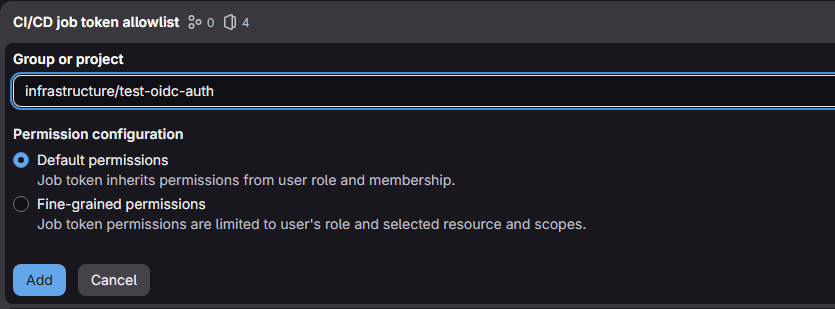
Allow Test Project to Pull Images

- Go to Settings > CI/CD
- Click Job token permissions
- Click on the Add button
Add Pipeline Config to Test Project

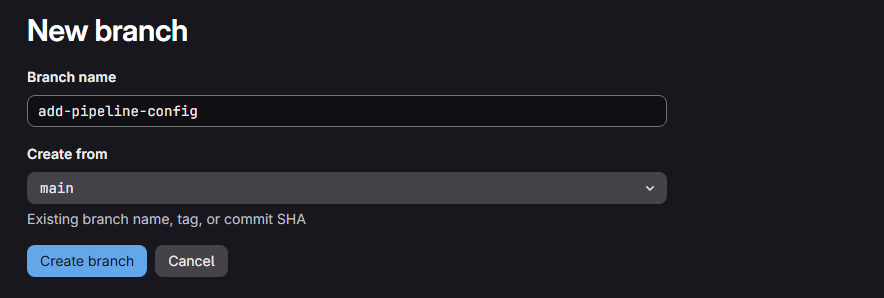


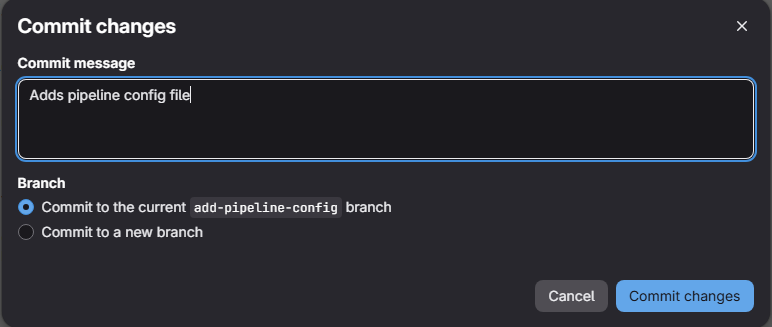
# Run this pipeline only when committing to default (usually "main")
workflow:
  rules:
    - if: $CI_COMMIT_BRANCH == $CI_DEFAULT_BRANCH

variables:
  # Allow authenticated pulling from self-hosted registry
  DOCKER_AUTH_CONFIG: >
    {
      "auths": {
        "$CI_REGISTRY": {
          "username": "$CI_REGISTRY_USER",
          "password": "$CI_JOB_TOKEN"
        }
      }
    }
  # Variable names for runner job
  GROUP: 'infrastructure'
  REPO: 'runner-images'
  IMAGE_NAME: 'packer'
  TAG: '1.15.1'

test-oidc-auth:
  id_tokens:
    INFISICAL_ID_TOKEN:
      aud: "https://gitlab-ce.lab.home.internal"
  tags: [docker] # Use protected runner tag for Infisical access
  stage: test # Stage name matches the one configured above
  # Pull the packer image from the self-hosted container registry
  # The packer image has the Infisical CLI installed
  image: $CI_REGISTRY/$GROUP/$REPO/$IMAGE_NAME:$TAG
  script:
    - |
      set -euo pipefail
      infisical login \
        --method=oidc-auth \
        --machine-identity-id="$INFISICAL_IDENTITY_ID" \
        --jwt="$INFISICAL_ID_TOKEN"
.gitlab-ci.yml






Setup Pipelines Helpers
ci-helpers
As mentioned in the previous module, the purpose of this project and pipeline is to store reusable pipeline functions that can be called and extended by other pipelines. Much like you'd expect with software engineering projects, we want to keep our pipelines D.R.Y. and write the function once and call it as a helper function elsewhere, using the extends keyword and pipeline variables.
INFISICAL_SECRET_PATH variable that we will use with the extends keyword. So if the Packer pipeline is calling .infisical-auth, we'll add the INFISICAL_SECRET_PATH=/packer/pve to indicate which folder to read from in Infisical.git clone https://gitlab-ce.lab.home.internal/infrastructure/ci-helpers.gitcd ci-helpersgit checkout -b add-infisical-helpernano infisical.gitlab-ci.yml# Infisical authentication helper
.infisical-auth:
variables:
INFISICAL_SECRET_PATH: "" # empty placeholder for use with calling jobs
id_tokens:
INFISICAL_ID_TOKEN:
aud: "https://gitlab-ce.lab.home.internal"
before_script:
- |
INFISICAL_ACCESS_TOKEN=$(infisical login \
--method=oidc-auth \
--machine-identity-id="$INFISICAL_IDENTITY_ID" \
--jwt="$INFISICAL_ID_TOKEN" \
--silent \
--plain)
[ -z "$INFISICAL_ACCESS_TOKEN" ] && echo "ERROR: Infisical auth failed" && exit 1
# Export the access token in case the calling function wants to read more secrets
export INFISICAL_ACCESS_TOKEN
# Export secrets from the caller-specified path as env vars
eval $(infisical export \
--token="${INFISICAL_ACCESS_TOKEN}" \
--projectId="${INFISICAL_PROJECT_ID}" \
--env=prod \
--path="${INFISICAL_SECRET_PATH}" \
--format=dotenv-export \
--silent)git add infisical.gitlab-ci.ymlgit commit -m "Adds infisical helper."git push -u origin add-infisical-helper -o merge_request.createmain.git switch maingit pull --prunegit branch -d add-infisical-helperNext Step
 0xBEN
0xBEN